






X Fusion AI EA MT5 (Latest version) – GroupBuy
Main Slot Purchase Phase
Main Slot Price: $70.00
0 out of 4 main slots sold
What is X Fusion AI EA?
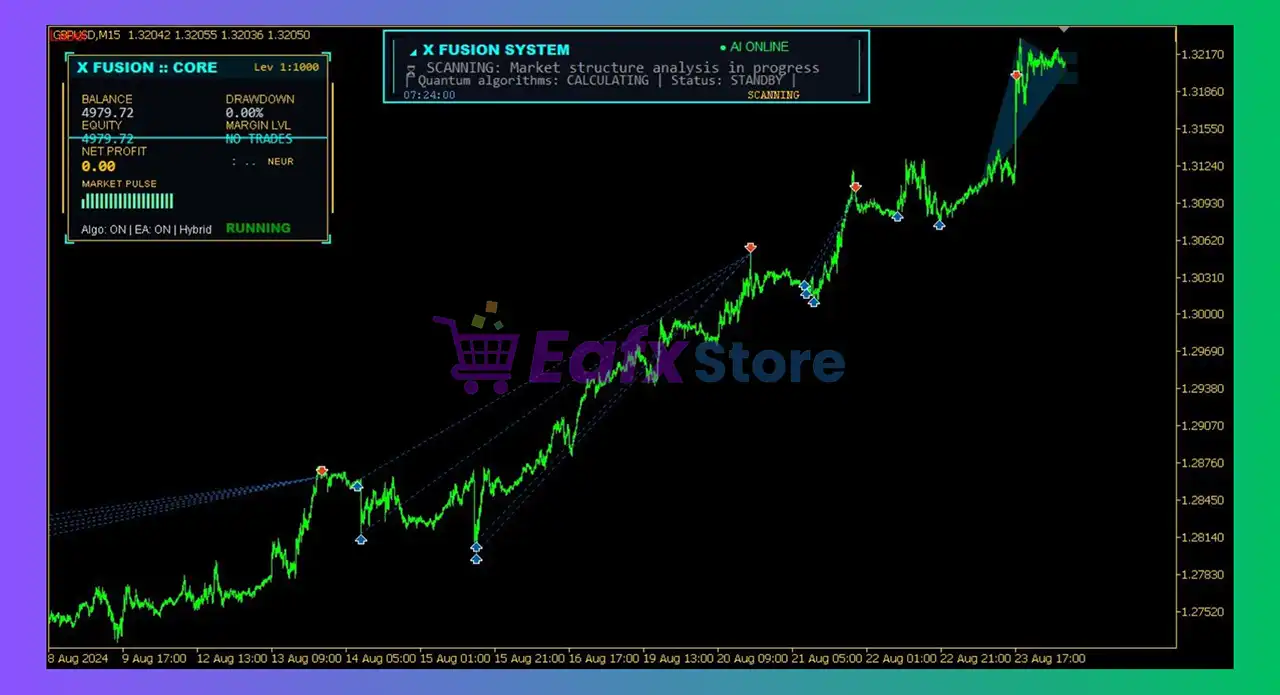
X Fusion AI is an adaptive automated trading system for MetaTrader 5 that combines classic trading principles with neural-like decision logic. Instead of predicting price, it analyzes real-time market structure and dynamically adjusts its behavior to changing conditions. The system focuses on consistency, drawdown control and long-term robustness across different market environments.
🔶 Vendor Website: View here
🔶 This is GroupBuy ==> How to Join
About the Author
This product is compiled by Chen Jia Qi. This author has more than +3 years of experience working on MQL5 with many famous products such as X Fusion AI MT5, X Fusion AI MT4, GoldMasterFusion MT5, RangeMaster FX MT5, Gold Garden MT5, TrendMaster FX MT5 and other advisors. Among them, X Fusion AI EA is his best performing products.
Key Features of X Fusion AI EA for MT5
🔹 Neural-Like Adaptive Engine: Dynamically adjusts internal logic based on market structure and volatility.
🔹 Hybrid Strategy Architecture: Combines trend, momentum, pullback and breakout detection logic.
🔹 Multi-Layer Risk Management: Includes dynamic Stop Loss (SL), Take Profit (TP), Break-even logic and drawdown protection.
🔹 Noise & Volatility Filtering: Reduces low-quality entries during unstable or extreme market phases.
What is the X Fusion AI EA trading strategy?
🔹 Market-Condition Adaptation: Shifts behavior between trending, ranging and high-volatility phases.
🔹 Structure-Based Entries: Uses pullbacks, compression zones and high-low filters for precision.
🔹 Non-Predictive Logic: Reacts to market flow instead of forecasting future price movements.
🔹 Session-Aware Execution: Adjusts trade frequency during abnormal volatility or news periods.
X Fusion AI EA MT5 Review
1. X Fusion AI Signal Results:
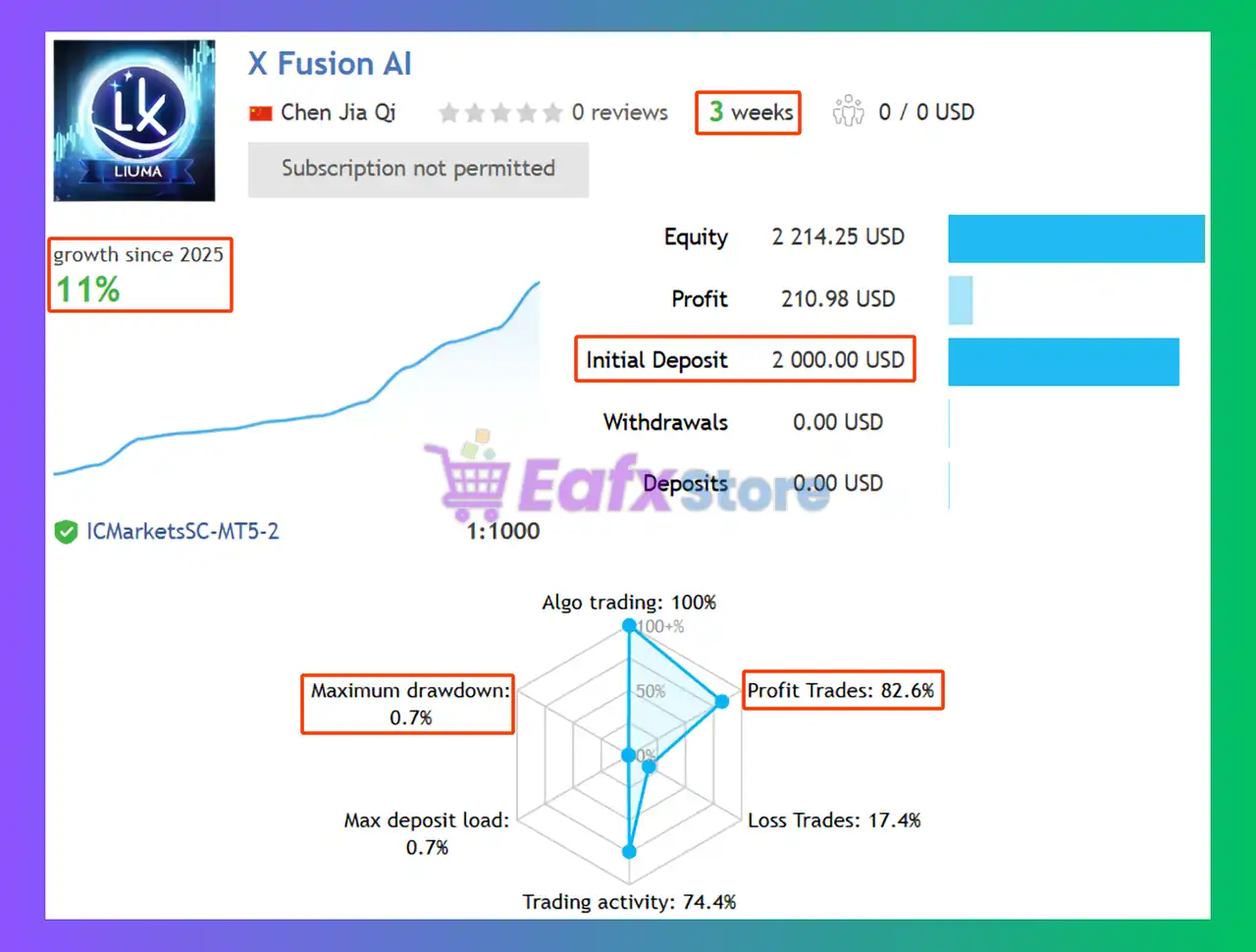
The X Fusion AI EA achieved impressive profit performance when trading with GBPUSD, EURUSD pair. Trading results on real account for 3 consecutive weeks of trading:
✅ Initial Deposit: $2,000
✅ Growth Rate: +11%
✅ Win Rate (% of total): 82.6%
✅ Maximum Drawdown: 0.70%
X Fusion AI EA Signal Results
2. X Fusion AI EA Backtest:
The X Fusion AI EA have achieved impressive profit performance over many years of trading. The advisor shows amazing ability to master the market and increase profits.
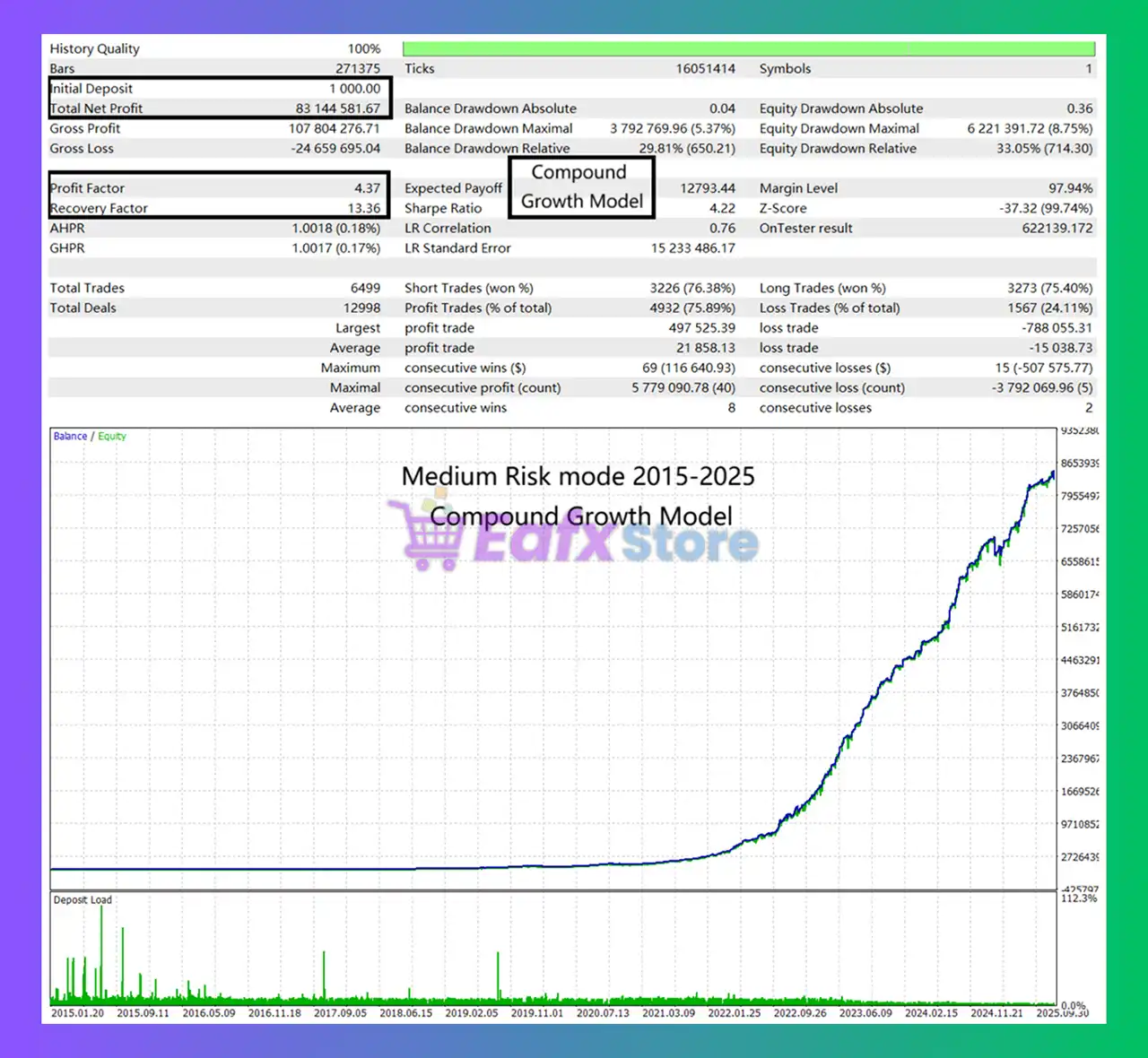
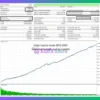
🧩 The X Fusion AI backtest trading results achieved impressive profit performance for 9 years. Performance metrics when using the Growth Model strategy:
✅ Initial Deposit: $1,000
✅ Total Net Profit: $83.14 million
✅ Win Rate (% of total): 75.89%
✅ Maximum Drawdown: 5.37%
X Fusion AI MT5 Backtest
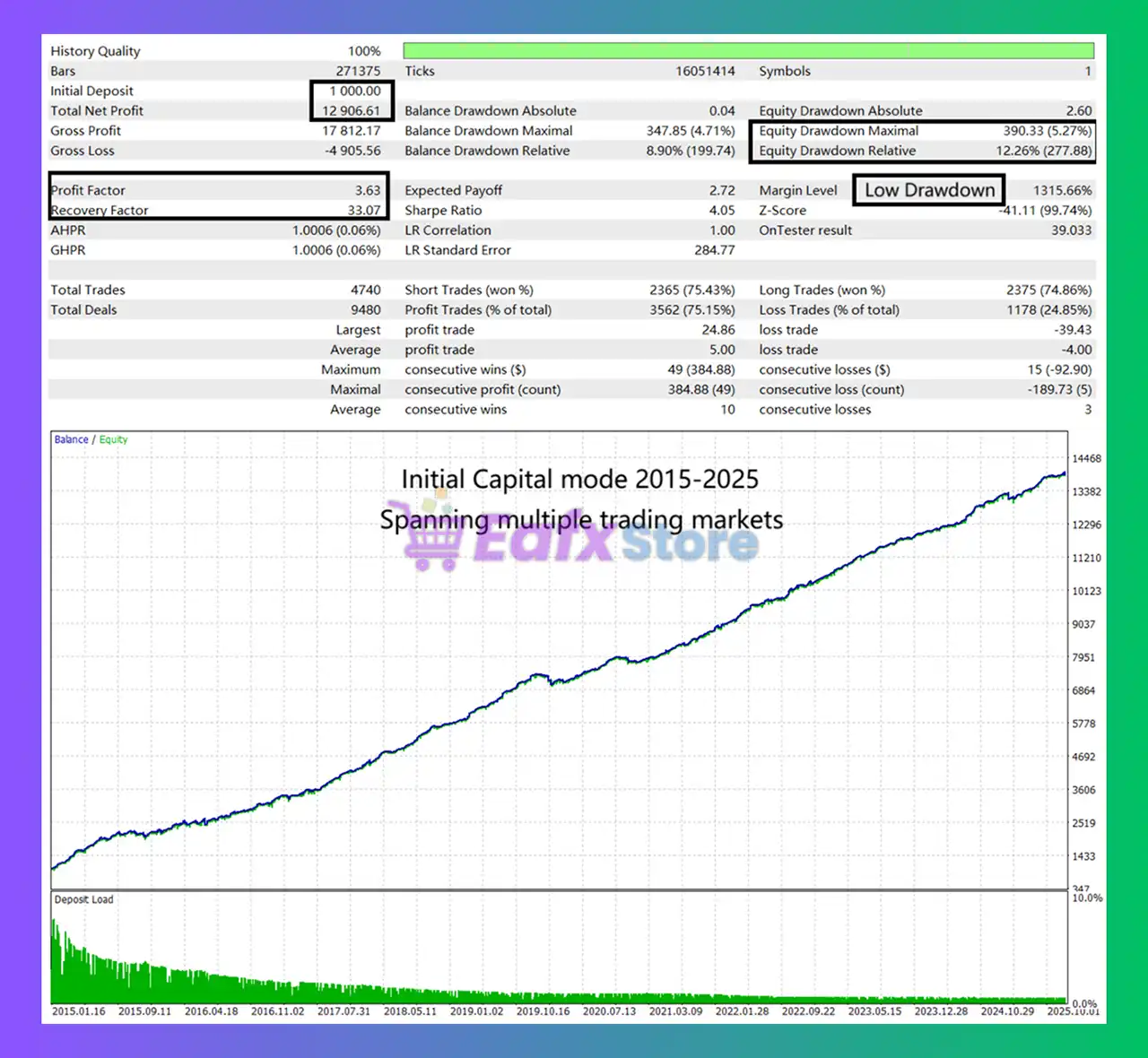
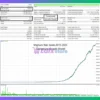
🧩 The X Fusion AI backtest trading results achieved impressive profit performance for 9 years. Performance metrics when using the Spanning Multype strategy:
✅ Initial Deposit: $1,000
✅ Total Net Profit: $12,906.61
✅ Win Rate (% of total): 75.15%
✅ Maximum Drawdown: 4.71%
X Fusion AI EA MT5 Backtest
Why choose & use X Fusion AI MT5?
🔹 Built for Long-Term Stability: Designed to remain effective across multiple market regimes.
🔹 Controlled Drawdown Focus: Prioritizes capital protection over aggressive profit chasing.
🔹 Flexible for Different Accounts: Supports multiple strategy modes and scalable balance sizes.
🔹 Proven Development Process: Backed by long-term tick data testing and stress validation.
Is X Fusion AI MT5 Safe?
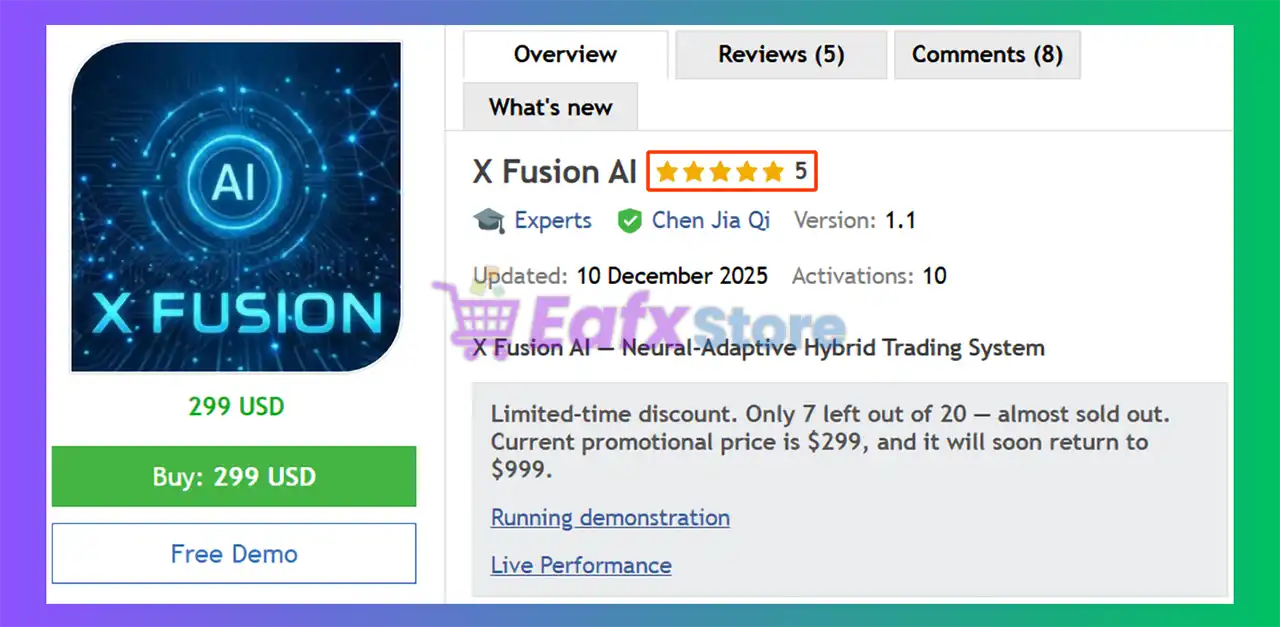
X Fusion AI shows significant potential in providing stable and reliable profits, making it a reliable tool in the forex market. The advisor is highly appreciated by the MQL5 community in many aspects and has won the trust of users.
➡️ Muse (2025.12.11): “I think the bot does what it promises.”
➡️ Jorge sanchez (2025.12.16): “So far, the EA is working great; it does what it promises.”
➡️ Printgold (2025.12.19): “I am very happy find and running this Expert Adviser. The Author also willing to sent me an exclusive Gold EA. Five Star for this product and the services. Thanks Author for the Great Product.”
Recommended settings
Recommended settings and parameters to pay attention to from developers and experts:
| Features | Type |
|---|---|
| Trading platform | MetaTrader 5 (MT5) |
| Time frames | M15 (15 minute chart) |
| Currency pairs | GBPUSD, EURUSD |
| Minimum / Recommended deposit | $500 |
| Minimum / Recommended leverage | Any |
| Account type | Any |
| Product type | Original version |
| Additional services | Unlock and Decompile |
| Recommended brokers | Exness Broker, Icmarkets Broker |
| Recommended VPS | MyfxVPS.com ( Blue VPS, Golden VPS). Lowest Latency, 2 week Free Trial, 100% Free for 12-18 Months. |
➡️ Reviewed by David Easton
Product Download Package?
The download package of the product suite includes:
✅ Setting (If Any).docx
✅ Installation Guide.docx
Conclusion
In short, X Fusion AI for MT5 stands out as a long-term, adaptive MT5 trading solution built to handle changing market conditions with precision. By combining neural-like adaptability, structure-based entries, and strict multi-layer risk management, it delivers consistent performance with controlled drawdowns. If you seek a reliable, non-predictive EA focused on stability over hype, X Fusion AI is a smart choice for sustainable trading success.
X Fusion AI EA MT5 Settings Explained – Complete Configuration Guide
X Fusion AI EA is an advanced AI-powered Expert Advisor (EA) designed for MetaTrader 5 traders who want intelligent market analysis, automated risk management and flexible multi-strategy trading. The EA integrates built-in AI analysis logic, money management systems, prop firm protection tools and advanced correction trading features.
With customizable trading controls and AI-driven optimization, X Fusion AI EA MT5 is suitable for professional traders, funded account users and algorithmic trading enthusiasts.
X Fusion AI MT5 Settings
X Fusion AI EA MT5 Full Settings Explanation
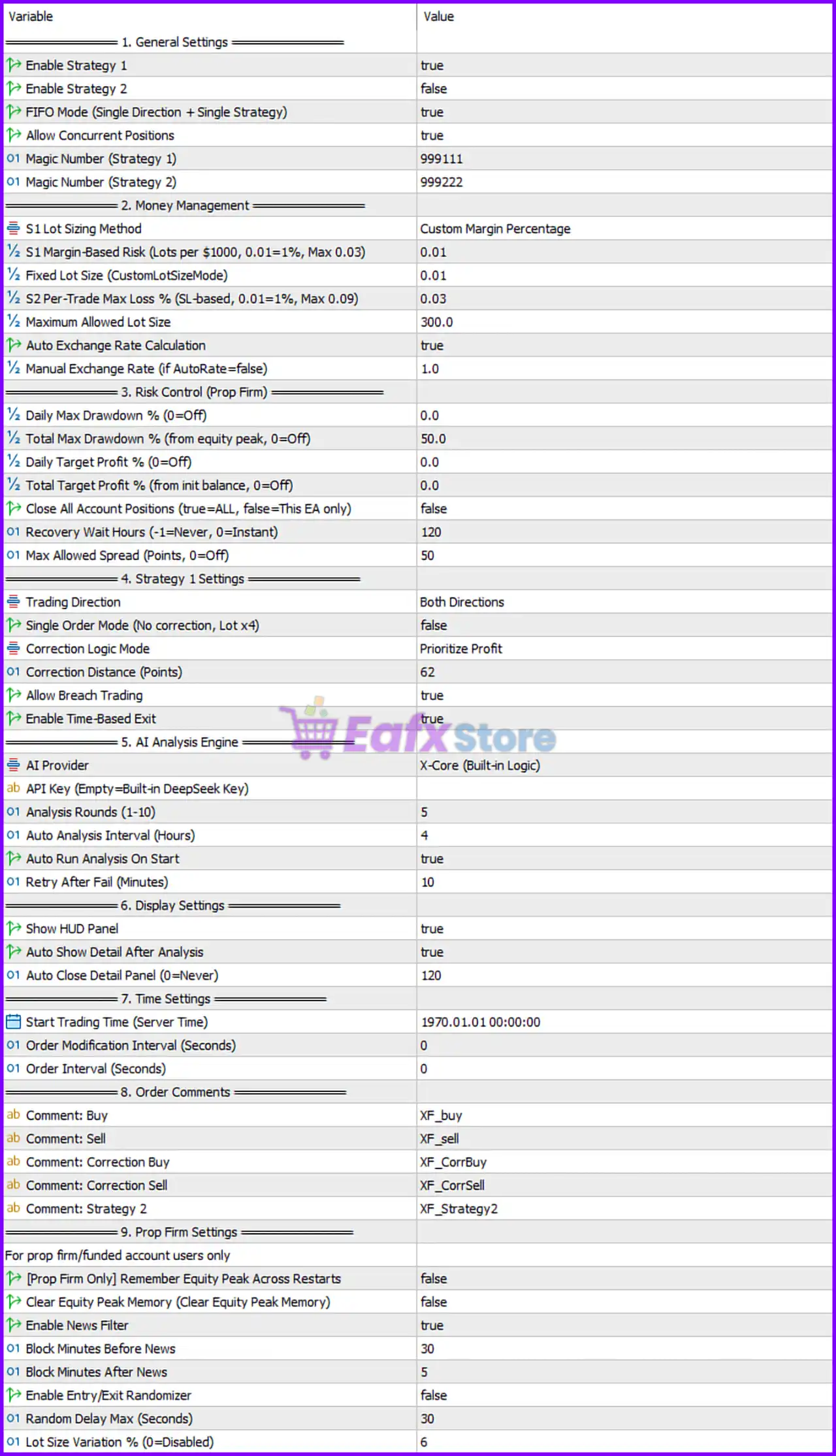
Below are the details of the parameters in the advisor’s trading system settings table:
X Fusion AI EA MT5 Setting Panel
1. General Settings
🔹 Enable Strategy 1 = true: Activates Strategy 1 trading logic inside the EA.
🔹 Enable Strategy 2 = false: Disables Strategy 2 trading functionality.
🔹 FIFO Mode (Single Direction + Single Strategy) = true: Enables FIFO-compatible trading mode using one direction and one strategy at a time.
🔹 Allow Concurrent Positions = true: Allows multiple positions to remain open simultaneously.
🔹 Magic Number (Strategy 1) = 999111: Unique trade identifier assigned to Strategy 1 positions.
🔹 Magic Number (Strategy 2) = 999222: Unique trade identifier assigned to Strategy 2 positions.
2. Money Management
🔹 S1 Lot Sizing Method = Custom Margin Percentage: Uses custom margin percentage calculations for Strategy 1 lot sizing.
🔹 S1 Margin-Based Risk (Lots per $1000, 0.01=1%, Max 0.03) = 0.01: Sets Strategy 1 risk allocation to 0.01 lots per $1000.
🔹 Fixed Lot Size (CustomLotSizeMode) = 0.01: Uses a fixed trading lot size of 0.01.
🔹 S2 Per-Trade Max Loss % (SL-based, 0.01=1%, Max 0.09) = 0.03: Limits Strategy 2 maximum loss per trade to 3%.
🔹 Maximum Allowed Lot Size = 300.0: Restricts maximum lot size to 300.0.
🔹 Auto Exchange Rate Calculation = true: Automatically calculates exchange conversion rates.
🔹 Manual Exchange Rate (if AutoRate=false) = 1.0: Sets manual exchange rate value to 1.0 when automatic mode is disabled.
3. Risk Control (Prop Firm)
🔹 Daily Max Drawdown % (0=Off) = 0.0: Disables daily drawdown limitation.
🔹 Total Max Drawdown % (from equity peak, 0=Off) = 50.0: Sets maximum total drawdown limit to 50.0%.
🔹 Daily Target Profit % (0=Off) = 0.0: Disables daily profit target.
🔹 Total Target Profit % (from init balance, 0=Off) = 0.0: Disables total account profit target.
🔹 Close All Account Positions (true=ALL, false=This EA only) = false: Restricts closures to positions managed only by this EA.
🔹 Recovery Wait Hours (-1=Never, 0=Instant) = 120: Waits 120 hours before recovery trading activates.
🔹 Max Allowed Spread (Points, 0=Off) = 50: Prevents trading if spread exceeds 50 points.
4. Strategy 1 Settings
🔹 Trading Direction = Both Directions: Allows both BUY and SELL trading operations.
🔹 Single Order Mode (No correction, Lot x4) = false: Disables simplified single-order mode.
🔹 Correction Logic Mode = Prioritize Profit: Uses profit-priority correction logic for recovery trades.
🔹 Correction Distance (Points) = 62: Sets correction order spacing distance to 62 points.
🔹 Allow Breach Trading = true: Allows trading during breakout or breach conditions.
🔹 Enable Time-Based Exit = true: Enables automatic trade exits based on time conditions.
5. AI Analysis Engine
🔹 AI Provider = X-Core (Built-in Logic): Uses the internal X-Core AI analysis engine.
🔹 API Key (Empty=Built-in DeepSeek Key): Allows external AI API integration if a custom API key is entered.
🔹 AI Analysis Rounds (1-10) = 5: Performs 5 AI analysis cycles for signal validation.
🔹 Auto Analysis Interval (Hours) = 4: Runs AI analysis every 4 hours automatically.
🔹 Auto Run Analysis On Start = true: Starts AI analysis immediately when the EA loads.
🔹 Retry After Fail (Minutes) = 10: Retries AI analysis after 10 minutes if an error occurs.
6. Display Settings
🔹 Show HUD Panel = true: Displays the EA control and information panel on the chart.
🔹 Auto Show Detail After Analysis = true: Automatically displays detailed AI analysis results.
🔹 Auto Close Detail Panel (0=Never) = 120: Automatically closes the detail panel after 120 seconds.
7. Time Settings
🔹 Start Trading Time (Server Time) = 1970.01.01 00:00:00: Defines the EA server-based trading start time.
🔹 Order Modification Interval (Seconds) = 0: Allows instant order modification with no delay.
🔹 Order Interval (Seconds) = 0: Allows immediate order placement without waiting intervals.
8. Order Comments
🔹 Comment: Buy = XF_buy: Adds XF_buy comment to BUY trades.
🔹 Comment: Sell = XF_sell: Adds XF_sell comment to SELL trades.
🔹 Comment: Correction Buy = XF_CorrBuy: Adds XF_CorrBuy comment to BUY correction trades.
🔹 Comment: Correction Sell = XF_CorrSell: Adds XF_CorrSell comment to SELL correction trades.
🔹 Comment: Strategy 2 = XF_Strategy2: Adds XF_Strategy2 label to Strategy 2 positions.
9. Prop Firm Settings
🔹 [Prop Firm Only] Remember Equity Peak Across Restarts = false: Disables saving peak equity after platform restart.
🔹 Clear Equity Peak Memory (Clear Equity Peak Memory) = false: Keeps stored peak equity values unchanged.
🔹 Enable News Filter = true: Activates economic news filtering to avoid volatile periods.
🔹 Block Minutes Before News = 30: Stops trading 30 minutes before important news events.
🔹 Block Minutes After News = 5: Resumes trading 5 minutes after news releases.
🔹 Enable Entry/Exit Randomizer = false: Disables randomized trade timing.
🔹 Random Delay Max (Seconds) = 30: Maximum random delay value set to 30 seconds.
🔹 Lot Size Variation % (0=Disabled) = 6: Allows lot size variation up to 6%.
Conclusion
X Fusion AI EA MT5 is a powerful AI-enhanced Expert Advisor built for traders seeking intelligent automation, advanced risk management and prop firm compatibility.
The EA combines AI-driven market analysis, correction trading systems, spread protection, news filtering, and dynamic money management into a single professional trading solution.
With highly customizable settings and multi-strategy support, X Fusion AI EA MT5 provides flexibility for both conservative and aggressive trading approaches.
FAQs
❓ What is X Fusion AI EA MT5?
X Fusion AI EA MT5 is an AI-powered automated trading Expert Advisor for MetaTrader 5 with advanced risk and trade management features.
❓ Does X Fusion AI EA MT5 support prop firm trading rules?
Yes, the EA includes drawdown protection, news filters, and recovery systems designed for prop firm requirements.
❓ What does the AI Analysis Engine do?
The AI Analysis Engine performs automated market analysis using the built-in X-Core logic to optimize trading decisions.
❓ Can I run multiple strategies simultaneously?
Yes, the EA supports multiple strategies and concurrent position management.
❓ How does the News Filter work in X Fusion AI EA MT5?
The News Filter pauses trading before and after major economic events to reduce risk during volatile market conditions.
User Reviews
Only logged in customers who have purchased this product may leave a review.
❓ What is X Fusion AI and how does it work on MT5?
X Fusion AI is an adaptive Expert Advisor for MetaTrader 5 that analyzes real-time market structure and volatility. Instead of predicting price, it dynamically adjusts its trading behavior to current market conditions for more consistent and controlled execution.
❓ What trading strategy does X Fusion AI use?
X Fusion AI applies a hybrid strategy combining trend-following, momentum, pullback, and breakout logic. It reacts to live market flow, shifting behavior between ranging, trending, and high-volatility phases.
❓ Is X Fusion AI a true AI or black-box trading system?
No. X Fusion AI uses neural-like adaptive logic, not a black-box or predictive AI. All decisions are structure-based and reactive, ensuring transparency and avoiding overfitting risks.
❓ Which currency pairs and timeframes work best with X Fusion AI?
The EA is optimized for GBPUSD and EURUSD on the M15 timeframe, where it balances signal accuracy, trade frequency, and drawdown control effectively.
❓ Does X Fusion AI use grid or martingale strategies?
No. X Fusion AI avoids grid and martingale systems. Each trade is managed independently with dynamic stop loss, take profit, and break-even logic for safer risk control.
❓ How does X Fusion AI manage risk and drawdown?
It features multi-layer risk management, including adaptive SL/TP, break-even protection, volatility filters, and drawdown control to protect capital during unstable market conditions.
❓ Is X Fusion AI suitable for long-term automated trading?
Yes. X Fusion AI is specifically designed for long-term robustness, focusing on consistency, low drawdown, and adaptability across different market regimes.
❓ What is the recommended minimum deposit to use X Fusion AI?
The recommended minimum deposit is $500, allowing the EA to operate efficiently with proper risk management and trade flexibility.
❓ Can beginners use X Fusion AI EA?
Yes. While its logic is advanced, X Fusion AI offers flexible settings and automated risk controls, making it suitable for both beginners and experienced traders.
❓ Are X Fusion AI results verified and reliable?
Yes. X Fusion AI has demonstrated strong real-account signal results and long-term backtests, showing controlled drawdown, solid win rates, and consistent performance across multiple years.
-
 Original price was: $599.00.$140.00Current price is: $140.00.
 -
 Original price was: $379.00.$95.00Current price is: $95.00.
 -
 Original price was: $599.00.$140.00Current price is: $140.00.
 -
 Original price was: $797.97.$180.00Current price is: $180.00.
-
 2Original price was: $799.00.$180.00Current price is: $180.00.
 -
 0Original price was: $799.00.$180.00Current price is: $180.00.
 -
 7Original price was: $1,199.00.$229.00Current price is: $229.00.
 -
 5Original price was: $375.00.$95.00Current price is: $95.00.
There are no reviews yet.