Hi,
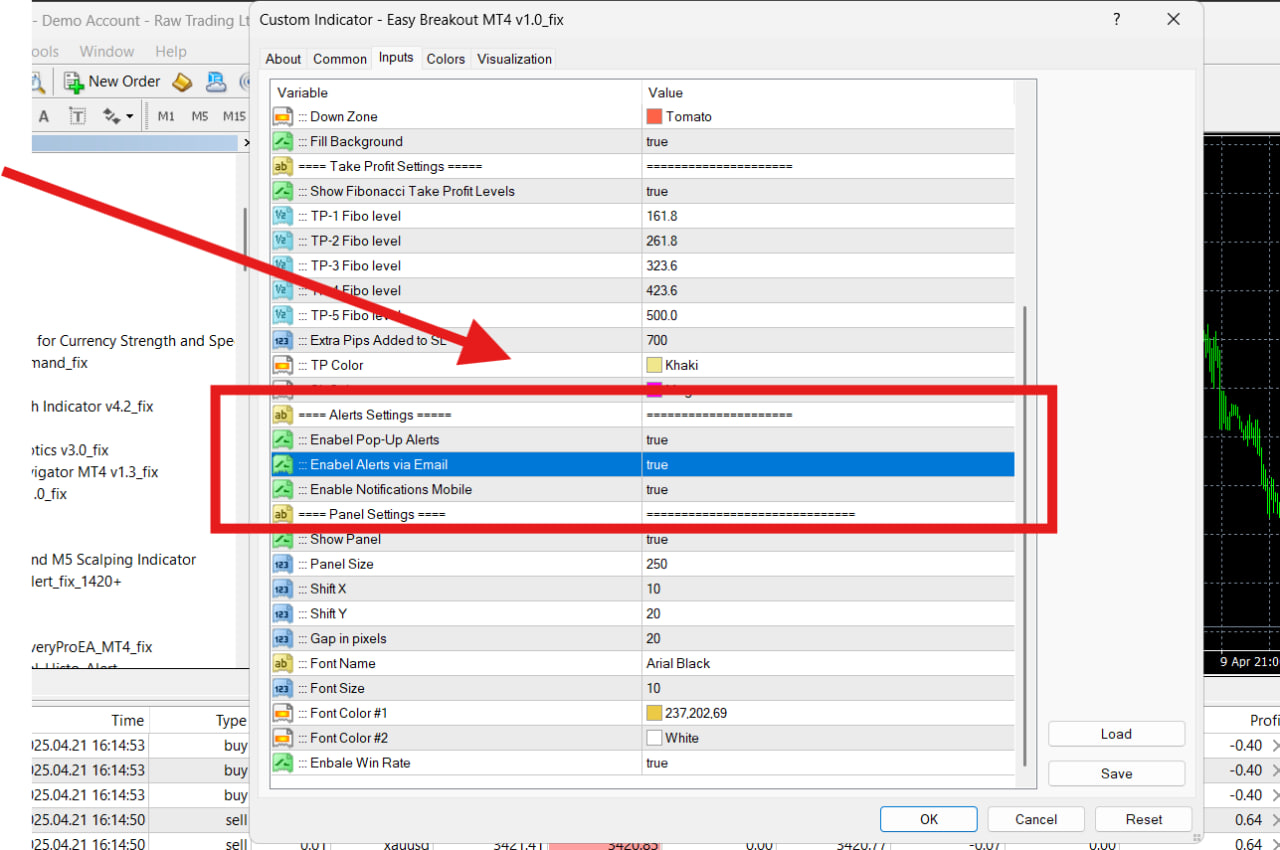
Please, how do I configure the Easy breakout indicator to receive phone and email alerts?
Regards,
Paschal.
1 answer
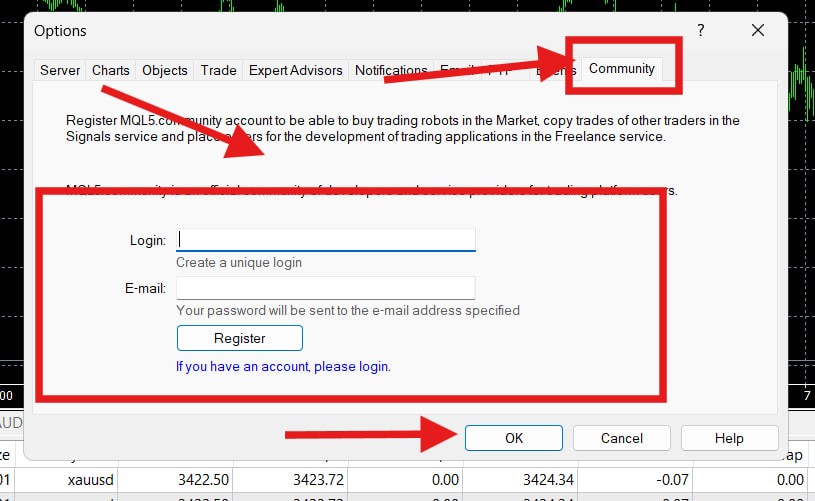
How to Set Up Email/Phone Notifications for All Indicators on MT4/MT5 1.Log in to Your MQL5 Account Visit mql5.com and create a free account if you haven’t already. Open your MT4/MT5 terminal on PC, go to Tools > Options > Community tab, and log in with your MQL5 credentials. 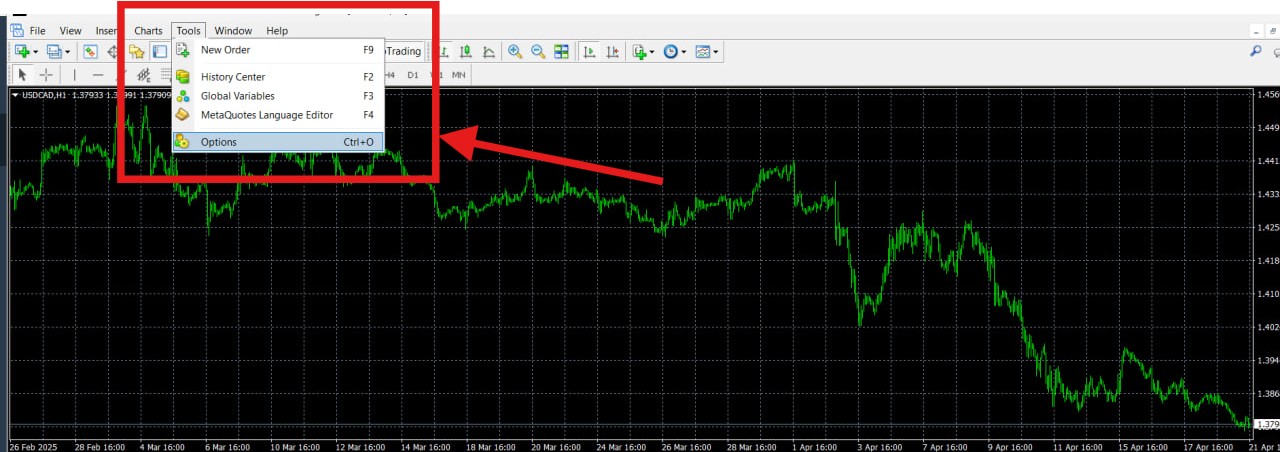
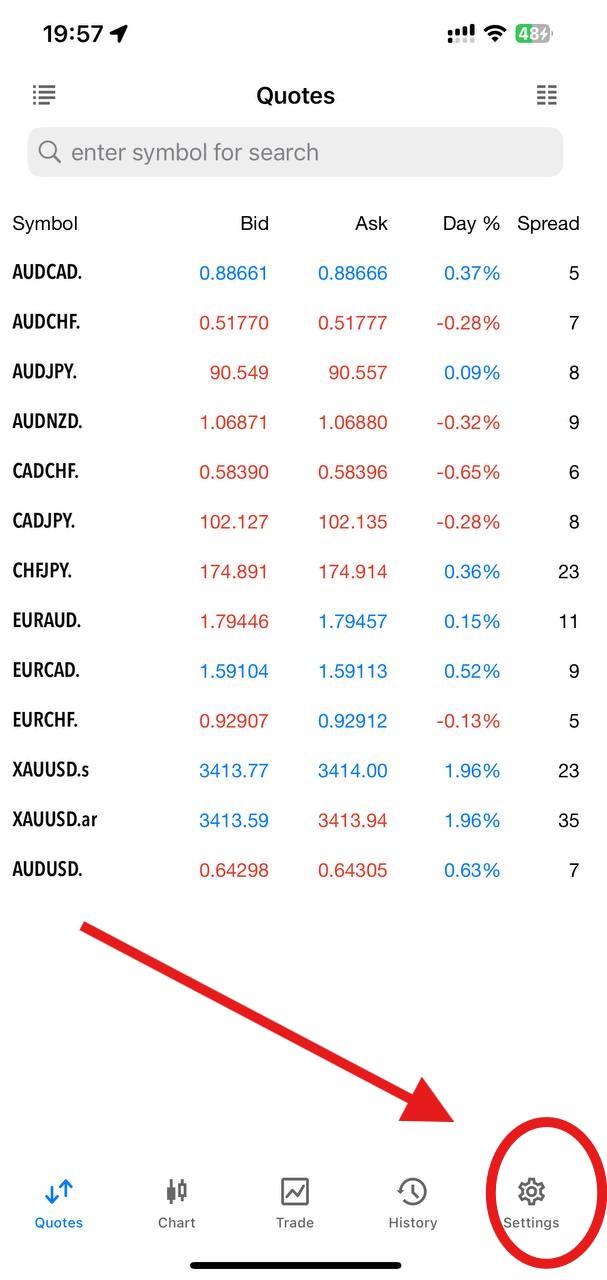
2.Connect MQL5 Account on Mobile Launch the MT4/MT5 app on your phone (Iphone). Tap the Settings icon (bottom right corner). Select Login toChat/Messenger and log in using your MQL5 account.
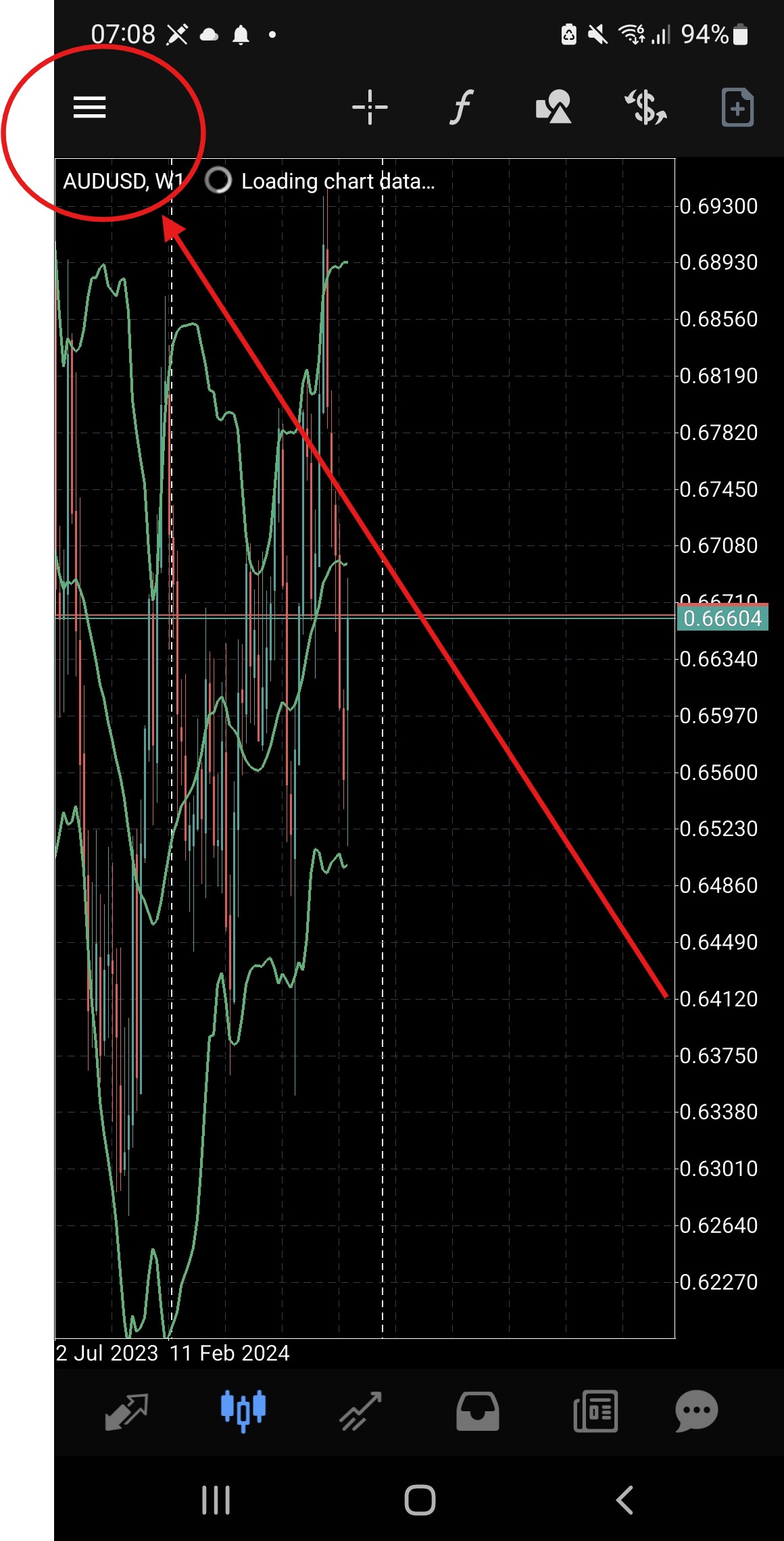
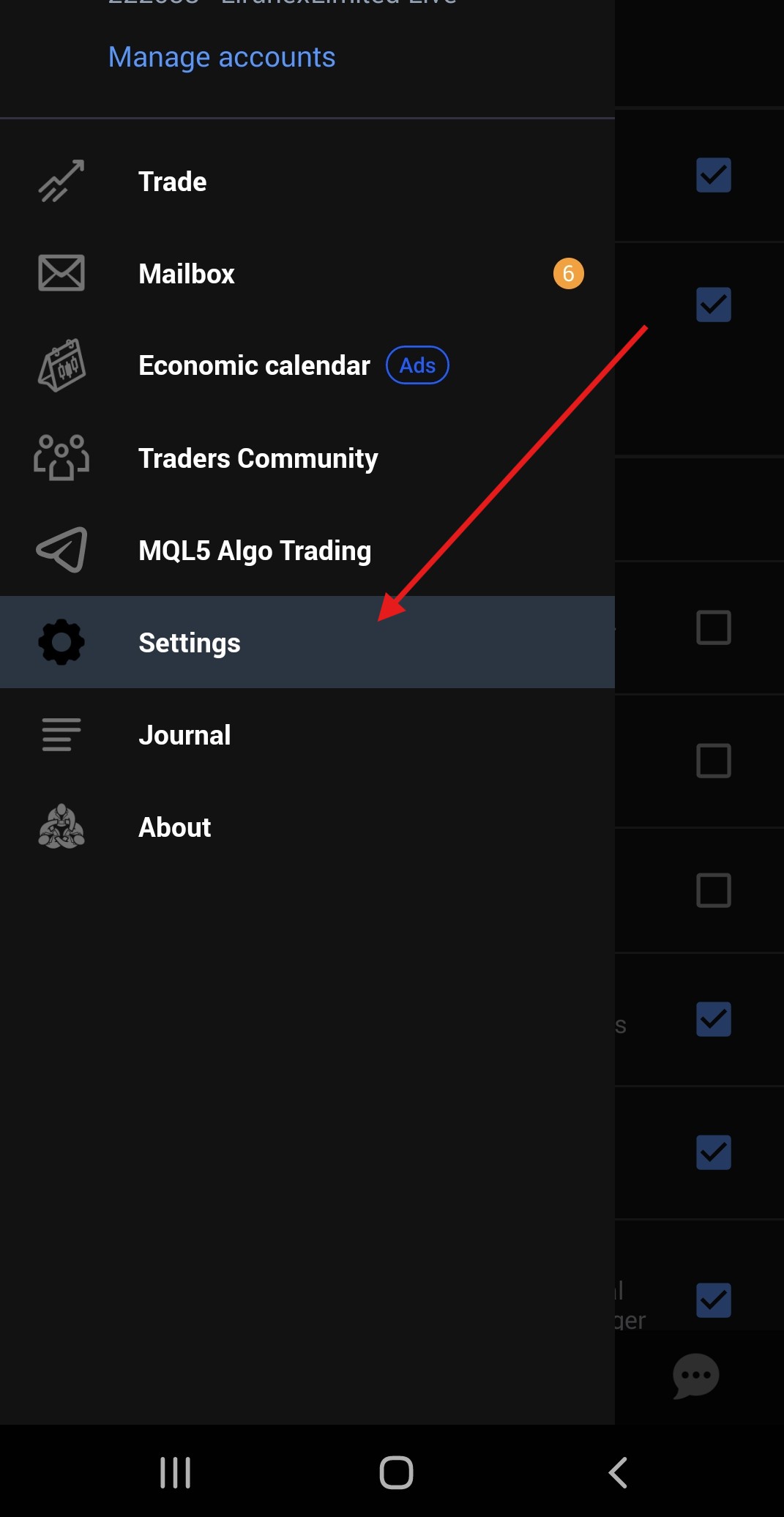
2.1 If you use Android phones, click on the 3 dashes in the top left corner then select chat and messenger as shown in this image.
3.Retrieve Your MetaQuotes ID In the settings section, tap Get My MetaQuotes ID and enable notifications for MT4/MT5 to generate your ID. 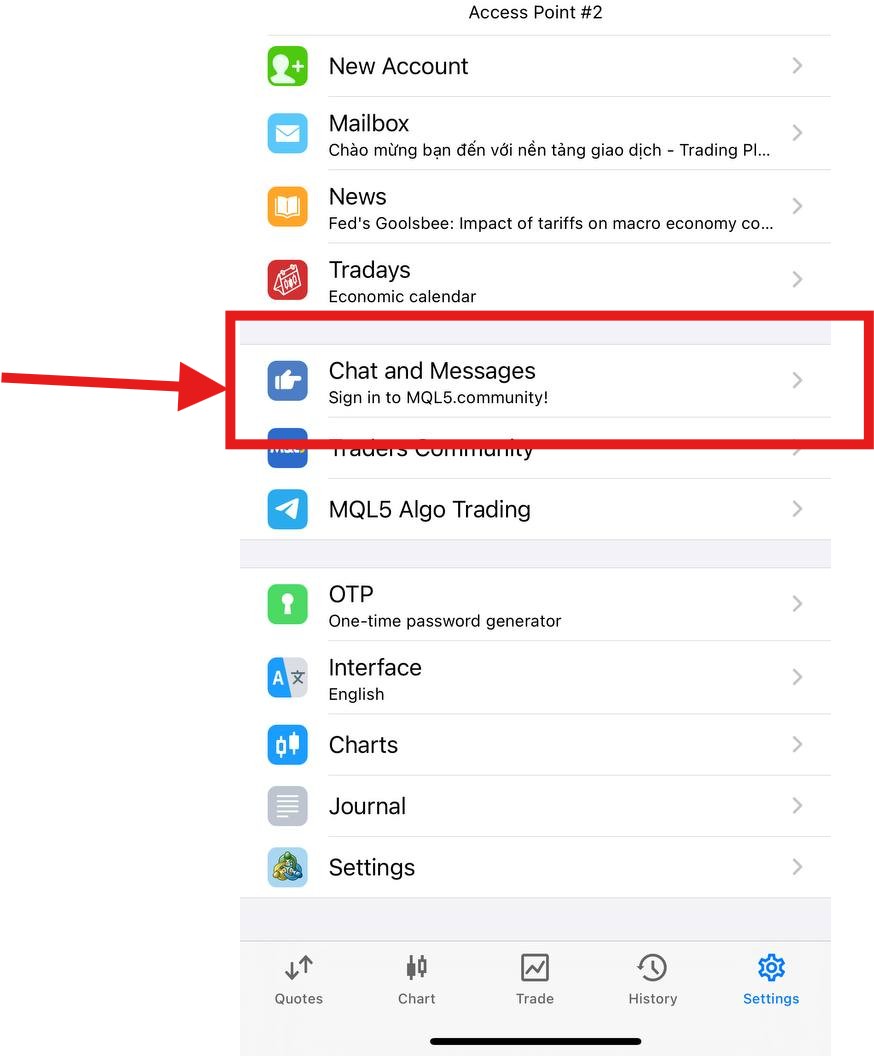
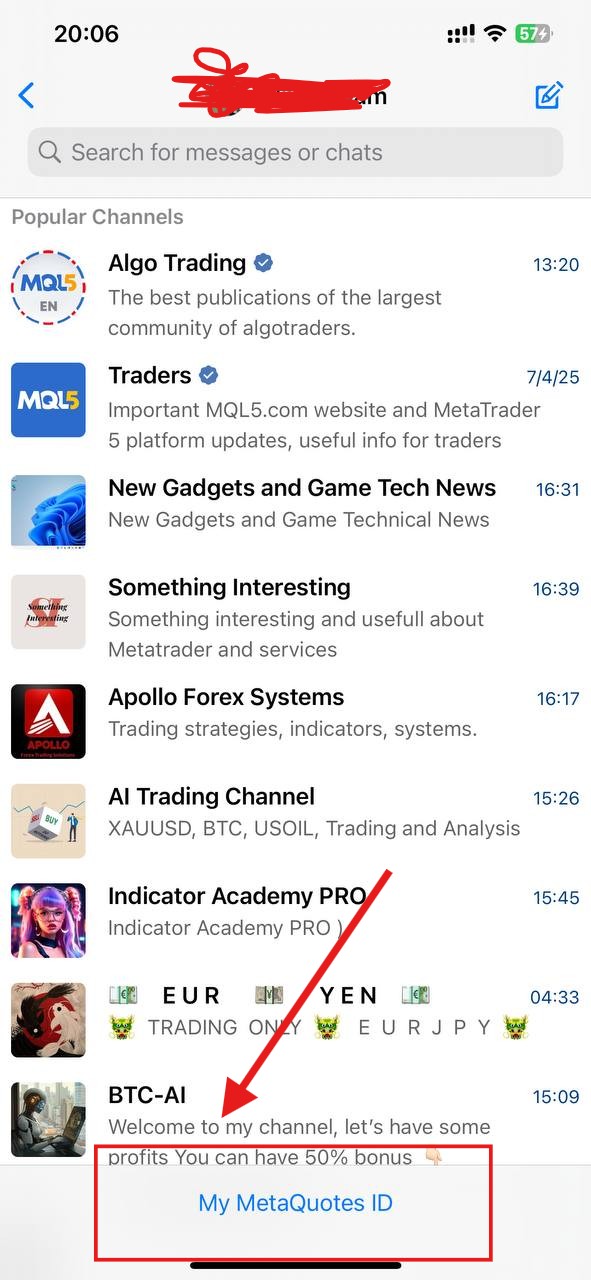
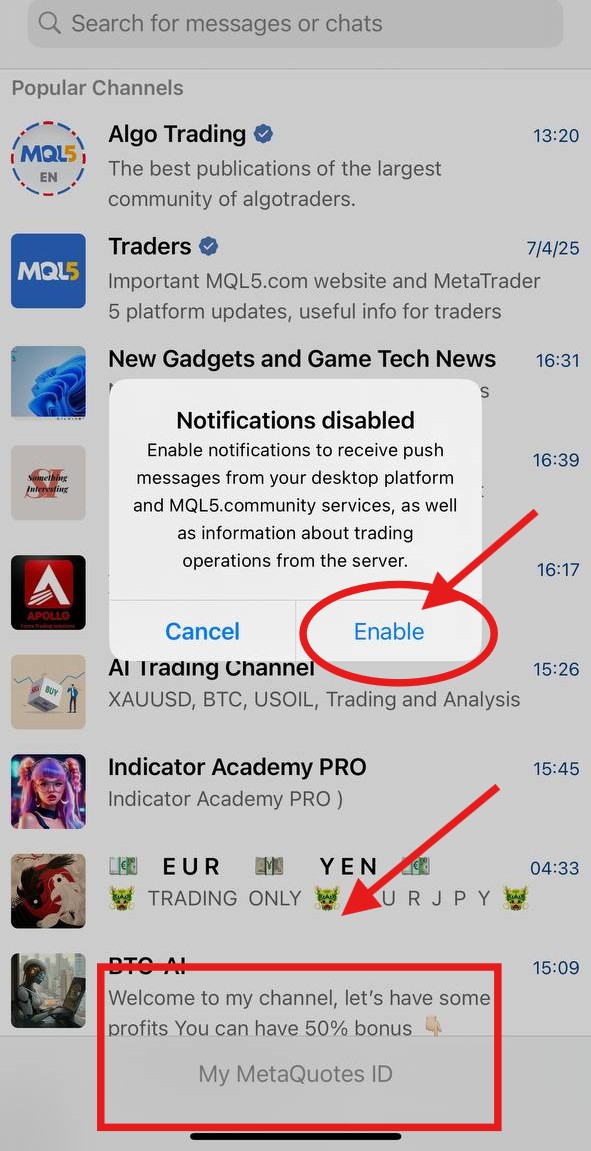
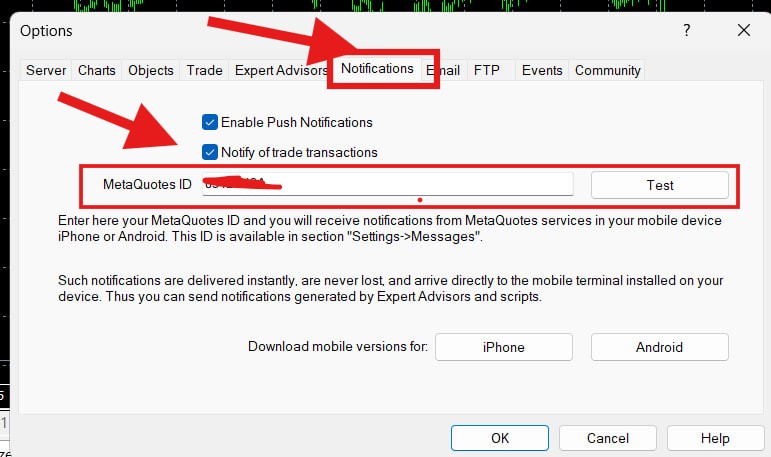
4.Configure Notifications on Your Terminal On the desktop terminal, go to Tools > Options > Notifications tab ✔️ Check Enable Push Notifications 📩 Enter your MetaQuotes ID, then click Test to verify the setup.
5.Enable Notifications on Your Indicator When adding an indicator to your chart, make sure to set Send Notification / Send Email options to True.