
At the end of July 2024, MQL5 just released the latest update 1421 for their Metatrader 4, and as always this patch has no official announcement information, however some unlocked EAs have There may be problems with trading, the EA may be attached to the chart and have a smiley face symbol but it does not work.
Complete instructions :
You can turn off updates in the following way:
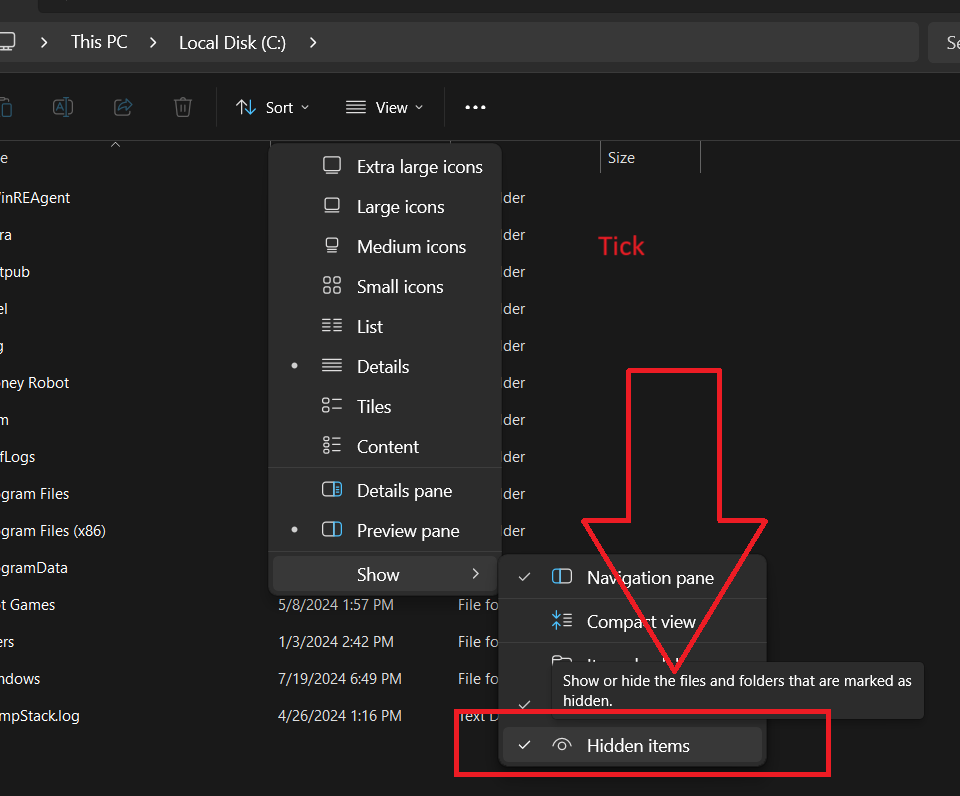
Access drive C 🡺 View 🡺 Show 🡺 Hidden Item ( tick)
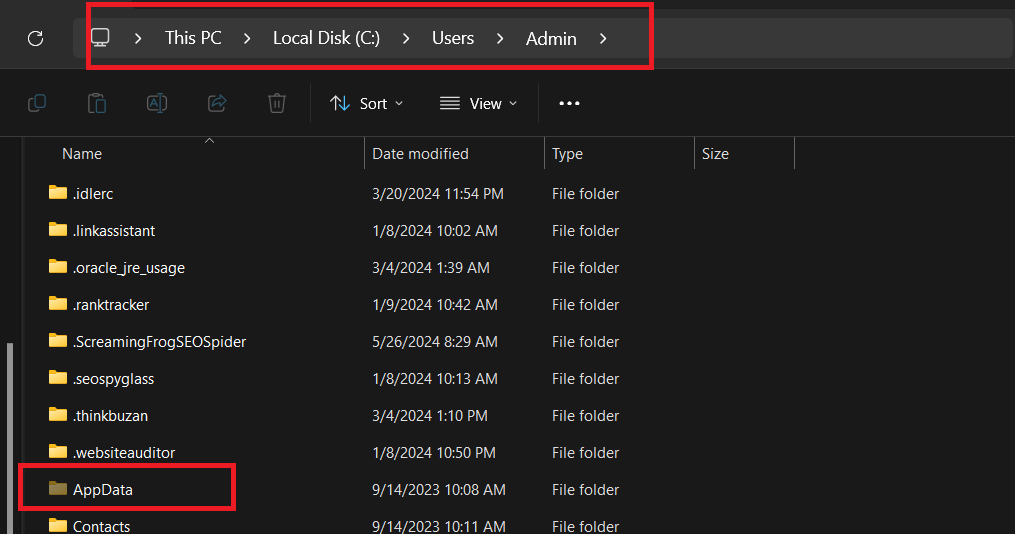
Then search for the Appdata file in User 🡺Admin🡺App Data
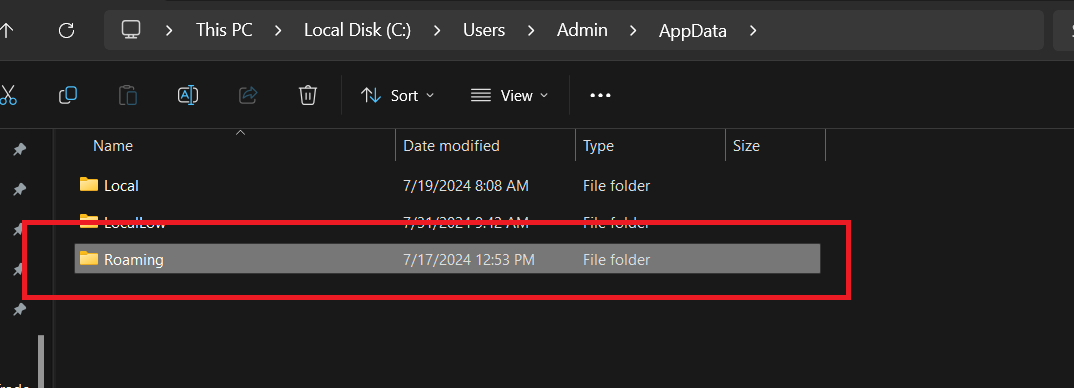
Select Roaming
Select Meta Quotes
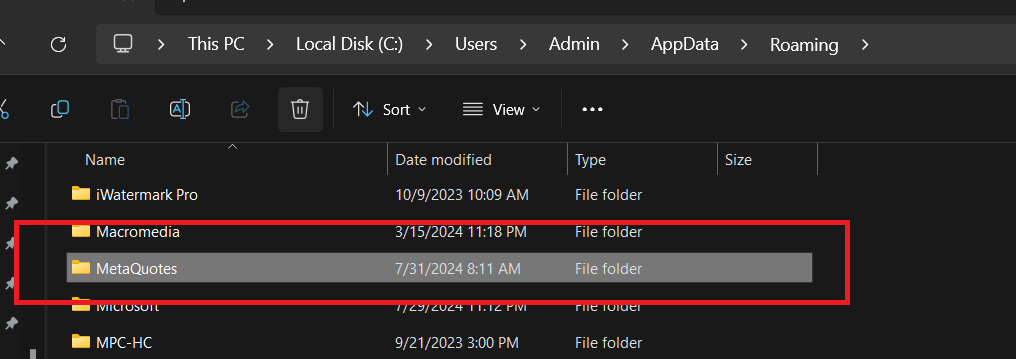
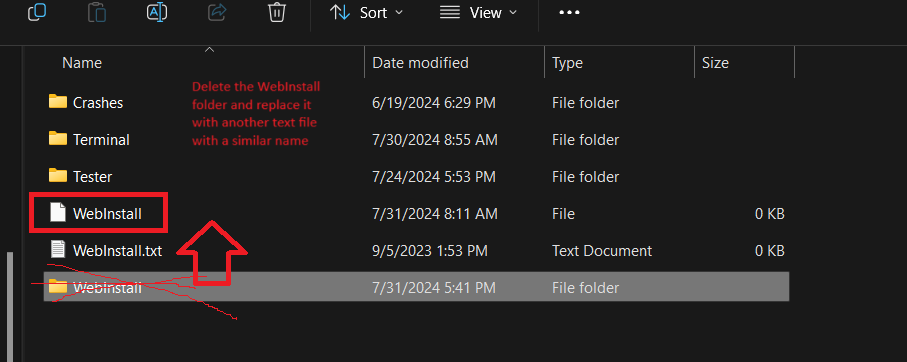
Replace the WebInstall Folder with a Text file named WebInstall
Then download Terminal 1420 here: https://drive.google.com/drive/folders/1SIMgn1t_-VZJLKncElWIXerh97gPkSfM?usp=drive_link
Copy Terminal 1420
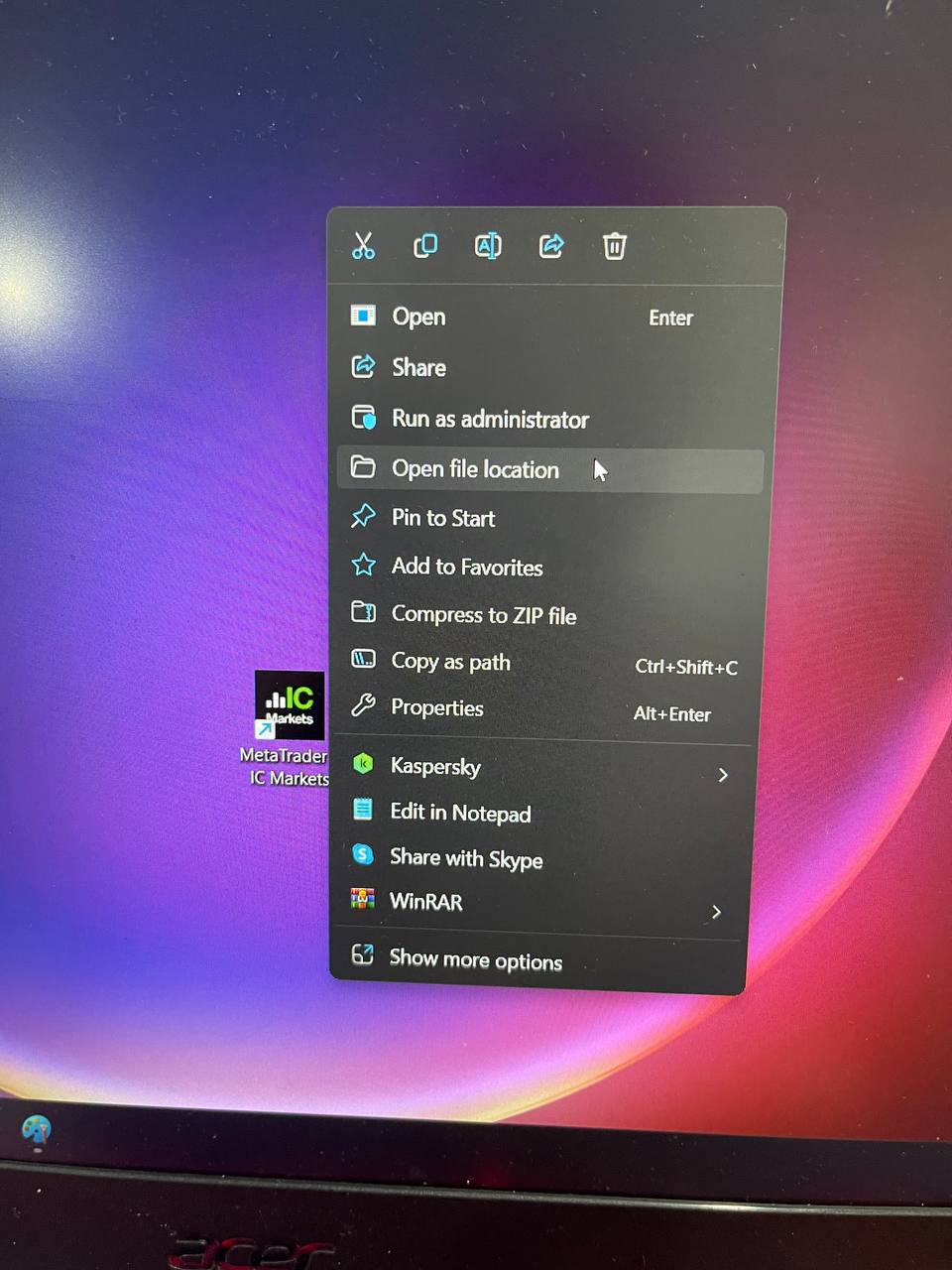
Then right click on the Broker icon 🡺 Open File Location 🡺Paster Terminal
Conclude :
So you can install build 1420 and use the EAs normally
In addition, you can choose EAs with eafxstore source code here to ensure the EA works on all builds.