
Introduction to MT4 Exness
MetaTrader 4 (MT4) is one of the most popular Forex trading platforms today. Developed by MetaQuotes, MT4 stands out with its powerful trading capabilities, integrated advanced technical analysis tools, and automation support through Expert Advisors (EA).
When combined with Exness, one of the most reputable brokers, MT4 becomes an excellent choice for all traders, from beginners to experts.
“MT4 Exness is the perfect combination of the trading platform’s power and the reliability of a top broker.”
So, how to download and install MT4 Exness? Let’s dive into the details in this article!
Why Use MT4 Exness?
Advantages of MT4 Exness
- Easy to use: User-friendly interface makes it accessible to everyone.
- EA Integration: Supports automated trading strategies, from basic to advanced.
- Powerful analysis tools: Includes technical indicators like MA, RSI, Bollinger Bands.
- High stability: Minimizes slippage, especially during high volatility.
- Multi-platform support: Compatible with desktop (Windows, Mac) and mobile (Android, iOS).
If you want to learn more about MT4 features, visit the MetaTrader 4 Official Site.
Versatile Trading Platform
When trading on MT4 Exness, you will experience:
- Fast order execution: No delay, instant order matching.
- Detailed tracking: Candlestick charts, line charts, bar charts to easily analyze trends.
- Automated trading support: With scripts and custom indicators.
Tip: Always download the MT4 version from the official Exness site to ensure reliability and safety.
How to Download MT4 Exness
Download MT4 Exness on Desktop
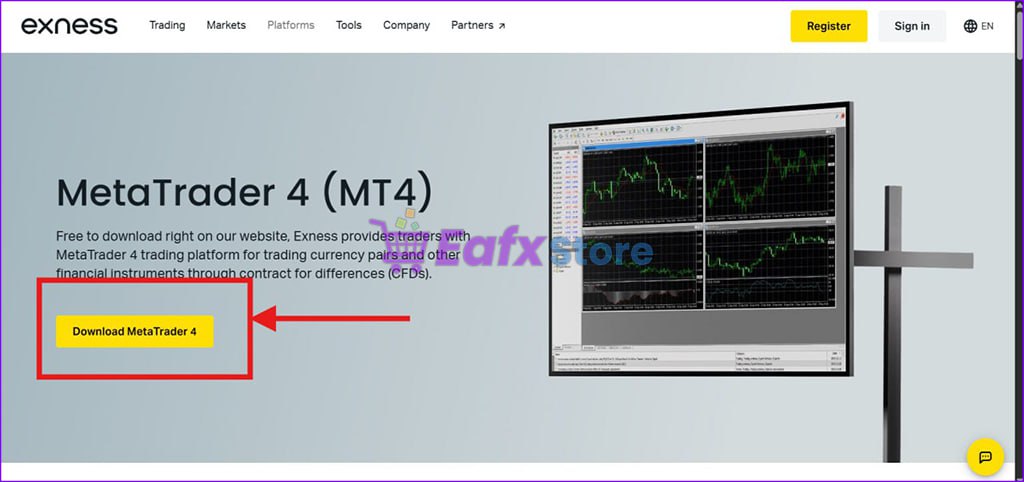
- Go to the Exness homepage: Exness Official Website.
- Log in to your account.
- Navigate to Trading Platforms -> MetaTrader 4 (MT4).
- Or download directly here
- Click the Download button and choose the appropriate version (Windows/Mac).
- After downloading, open the installation file and follow the instructions.
- If you have problems accessing Exness website you can access eafxstore backup file here to get Exness MT4 terminal : Click Here !
Some Notes:
- Ensure your computer has enough free space.
- Temporarily disable antivirus software to avoid installation errors.
If you encounter any issues during the download, check out the guide from Exness Support.
Download MT4 Exness on Mobile (Android/iOS)
To conveniently trade anytime, anywhere, you can download MT4 on your phone as follows:
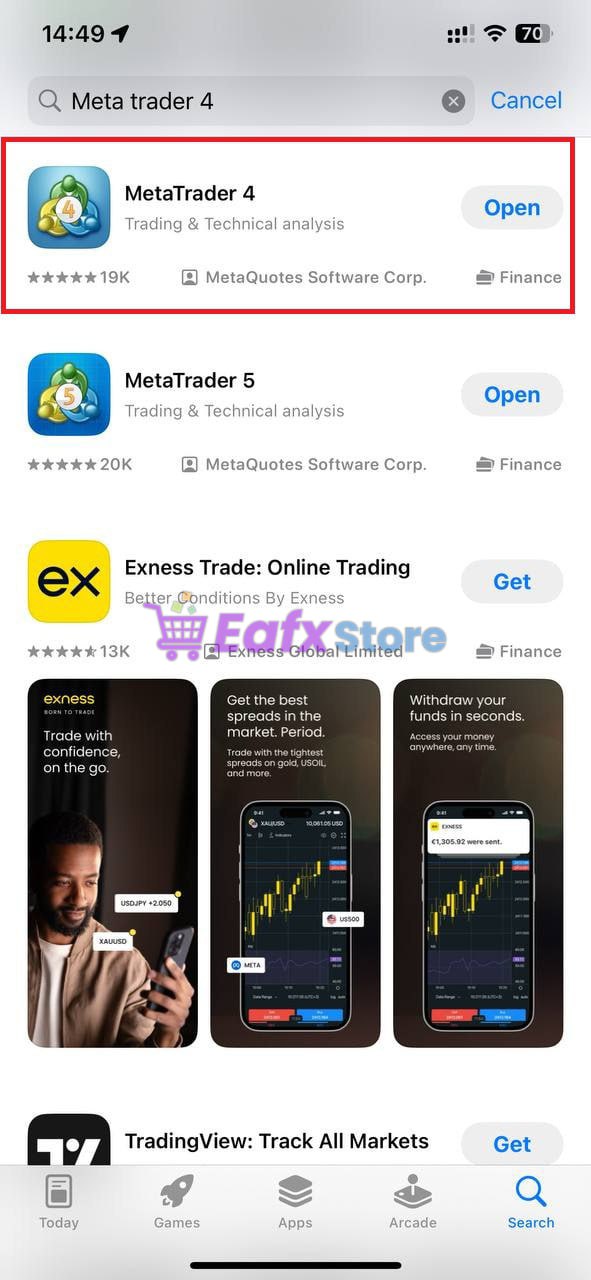
- On Android:
- Open Google Play Store.
- Search for "MetaTrader 4".
- Select the app by MetaQuotes Software Corp and tap Install.
- On iOS:
- Open the App Store.
- Enter "MetaTrader 4" in the search bar.
- Download and install the app.
Pro Tip: Once installed, open the app and log in with your Exness account to start trading.
==> See more best Robots with Exness MT4 here !
Installation and Login to MT4 Exness
Installing on Desktop
- After downloading, double-click the .exe file to start the installation.
- Choose your language and storage location.
- Click Next and wait for the installation to complete.
- Once installed, open the MT4 application and log in.
Installing on Mobile
- Open the installed MT4 app.
- Tap Settings -> Manage Accounts -> Login to an existing account.
- Enter Exness in the search box and select the appropriate server.
- Fill in your account credentials to complete the process.
Tips for Successful Login:
- Use the correct server as registered.
- Make sure your internet connection is stable.
💡 Tip: If you encounter errors during installation or login, check your network connection or contact Exness Support for assistance.
💡 You can see the instructions with MT5 here :
https://eafxstore.com/blog/download-mt5-exness-detailed-installation-usage-guide/
Connecting Exness Account on MT4
- After logging in, go to File -> Login to Trade Account.
- Enter your account number, password, and server (provided during registration).
- Click OK to complete.
If you don’t have an Exness account yet, you can register at Register Exness.