
Introduction to MT5 Exness
MetaTrader 5 (MT5) is one of the most advanced trading platforms today, developed by MetaQuotes. Considered the perfect successor to MetaTrader 4 (MT4), MT5 not only retains the outstanding features of the previous version but also enhances with more modern technical analysis tools, supporting trading on various asset types.
The Exness trading platform is one of the leading partners of MT5. With this combination, users can experience trading Forex, indices, commodities, stocks, and cryptocurrencies on a single platform.
"MT5 Exness is the ideal choice for all investors, from beginners to seasoned experts."
So why should you use MT5 Exness? Let’s find out right now!
Why Use MT5 Exness?
Advantages of MT5 Exness
- User-friendly and intuitive interface:
MT5 Exness is designed with a modern, intuitive interface, making it easy to get familiar with right from the first use. - Advanced analytical capabilities:
MT5 integrates over 38 technical indicators, 44 analytical tools, along with advanced chart types like Heikin Ashi, Renko, giving traders more options to analyze trends. - Multi-asset trading:
In addition to Forex, MT5 also supports trading other assets such as stocks, commodities, cryptocurrencies, meeting diverse investment needs. - Fast order execution:
Optimized for speed, ensuring instant order matching, especially during periods of high market volatility. - Multi-platform support:
Can be installed on computers (Windows, Mac) and mobile devices (Android, iOS), convenient for trading anytime, anywhere.
💡 Tip: It is recommended to download the software from the official Exness website to ensure safety and quality.
How to Download MT5 Exness
Download MT5 Exness on Desktop
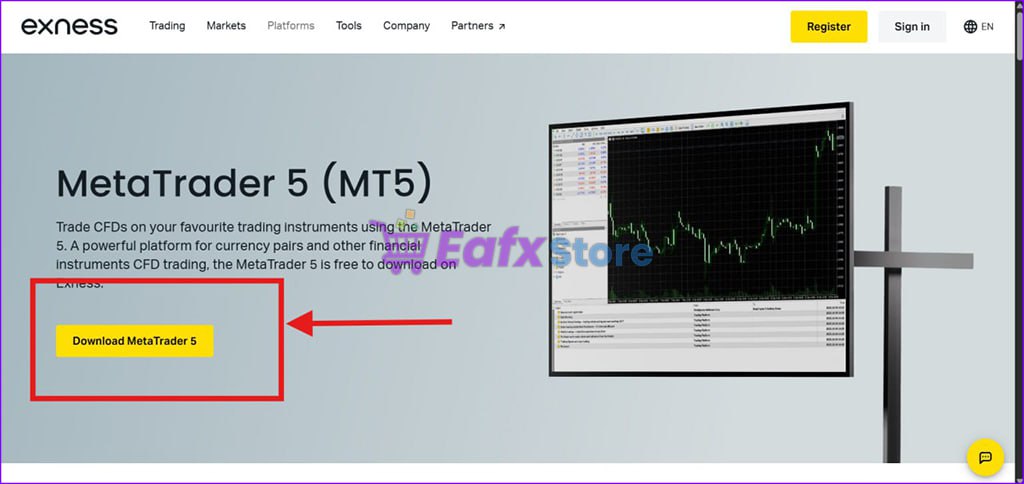
To start trading with MT5 on your computer, follow these steps:
- Visit the Exness Homepage.
- Log in to your account.
- Go to Trading Platforms -> MetaTrader 5 (MT5).
- Or access directly and download here
- Choose the version suitable for your operating system (Windows/Mac).
- Click the Download button and wait for the download to complete.
- After downloading, open the installation file and follow the instructions.
- If you have problems accessing Exness website you can access eafxstore backup file here to get Exness MT4 terminal : Click Here !
See more MT5 Robots suitable for Exness Broker here!
Download Tips:
- Make sure your computer has at least 500MB of free space.
- Check your internet connection to avoid errors during the download.
- If you encounter any issues, refer to the guide at Exness Support.
Download MT5 Exness on Mobile (Android/iOS)
Using MT5 on your mobile allows for more flexible trading:
On Android:
- Open the Google Play Store.
- Search for "MetaTrader 5".
- Select the app by MetaQuotes Software Corp and tap Install.
On iOS:
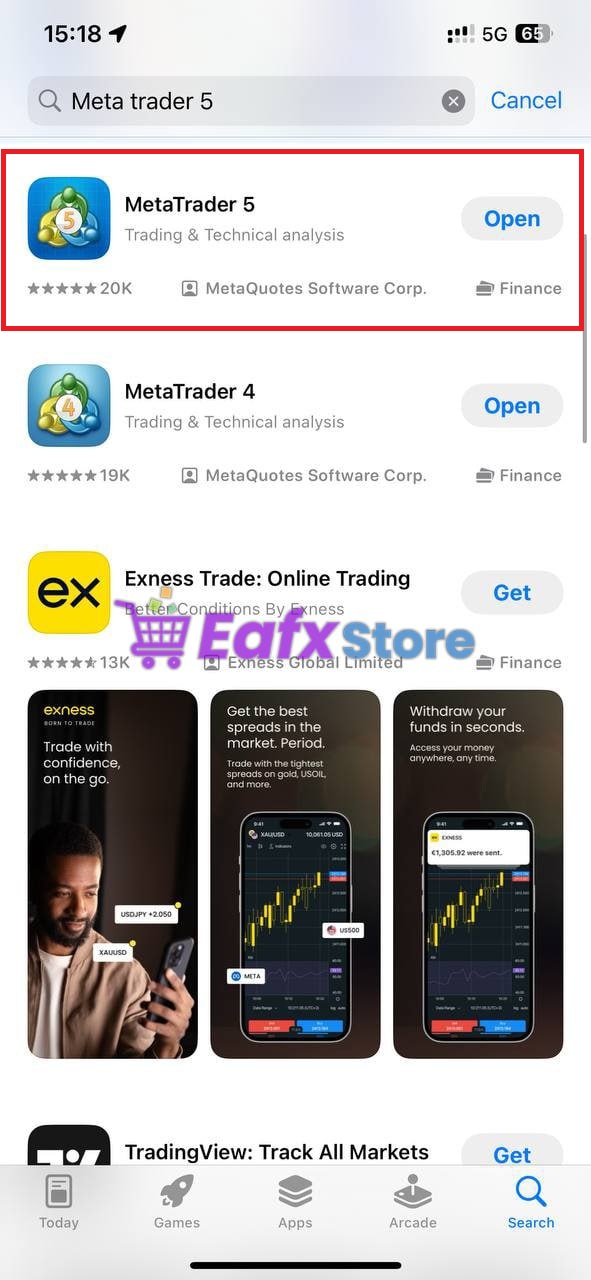
- Open the App Store.
- Enter "MetaTrader 5" in the search bar.
- Download and install the app.
Pro Tip: Once installed, open the app and log in with your Exness account to start trading immediately.
Installation and Login to MT5 Exness
Installing on Desktop
- Open the downloaded installation file (.exe or .dmg).
- Choose your language and storage location.
- Click Next and wait for the installation to complete.
- After installation, launch the MT5 application.
Logging into Exness Account on MT5:
- Open MT5, go to File -> Login to Trade Account.
- Enter your account number, password, and server.
- Click OK to complete the login.
Installing on Mobile
- Open the MT5 app you just installed.
- Tap Settings -> Manage Accounts -> Login to an existing account.
- Search for Exness in the server list.
- Enter your account credentials to log in.
💡 Helpful Tip: If you encounter login errors, double-check the server you selected. Some common issues include selecting the wrong server or entering an incorrect password.
Enjoy Trading on MT5 Exness
With MT5 Exness, you are ready to explore the world of trading with powerful analysis tools, quick order execution, and effective multi-asset management. Experience and feel the difference with this leading trading platform!
"Download MT5 Exness now and enhance your trading experience!"