

What is META i11 EA?
The META i11 EA for MetaTrader 5 (MT5) presents itself as an AI-driven, neural-network-based Expert Advisor, featuring advanced modules such as cognitive recalibration, quantum-state analysis, and neuro-fractal engines.
From the settings panel, this Expert Advisor (EA) is designed for high-frequency and aggressive trading, with multiple automated decision layers.
📌📌📌 Buy this unlimited META i11 EA MT5 product here 📌📌📌
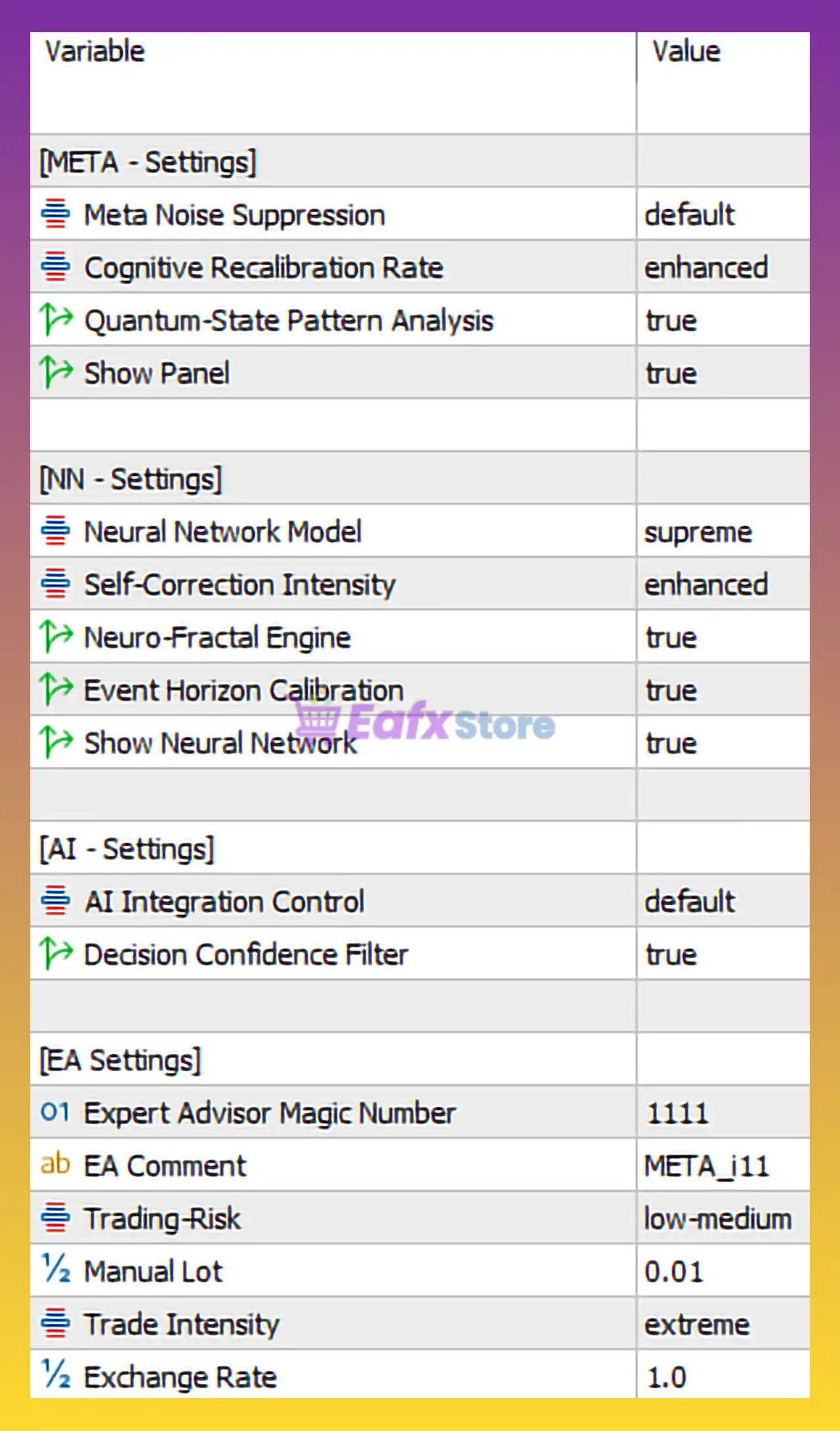
🧩 META – Core System Settings
| Parameter | Value | Description & Analysis |
|---|---|---|
| Meta Noise Suppression | default | Filters market noise. Using default suggests balanced filtering, not overly restrictive. |
| Cognitive Recalibration Rate | enhanced | Indicates faster AI adaptation to changing market conditions. |
| Quantum-State Pattern Analysis | true | Claims to analyze complex market states (likely marketing terminology, but implies multi-factor logic). |
| Show Panel | true | Displays EA panel on chart for transparency and monitoring. |
➡️ Evaluation: These settings indicate a self-adaptive system aimed at filtering noise while recalibrating decisions dynamically.
🧩 NN (Neural Network) Settings
| Parameter | Value | Description & Analysis |
|---|---|---|
| Neural Network Model | supreme | Highest available model tier, implying maximum computational logic. |
| Self-Correction Intensity | enhanced | Allows the EA to auto-correct prediction errors more aggressively. |
| Neuro-Fractal Engine | true | Suggests fractal-based price structure recognition. |
| Event Horizon Calibration | true | Likely adjusts trading behavior during high volatility or news events. |
| Show Neural Network | true | Visual display of AI decision structure (informational only). |
➡️ Evaluation: This section suggests maximum AI complexity enabled, suitable for traders seeking advanced automation, but potentially resource-intensive.
🧩 AI Settings
| Parameter | Value | Description & Analysis |
|---|---|---|
| AI Integration Control | default | Uses standard AI logic integration without custom override. |
| Decision Confidence Filter | true | Prevents trades when confidence level is low, reducing random entries. |
➡️ Evaluation: The Decision Confidence Filter is a strong risk-control feature, helping avoid low-probability trades.
🧩 EA Trading & Risk Settings
| Parameter | Value | Description & Risk Level |
|---|---|---|
| Expert Advisor Magic Number | 1111 | Unique identifier to prevent trade conflicts. |
| EA Comment | META_i11 | Trade label for easy tracking in MT5 history. |
| Trading Risk | low-medium | Conservative risk classification (conflicts with trade intensity below). |
| Manual Lot | 0.01 | Very small fixed lot size, suitable for small accounts or testing. |
| Trade Intensity | extreme | Very high trade frequency and aggressiveness. |
| Exchange Rate | 1.0 | Standard base exchange conversion value. |
➡️ Evaluation:
⚠ Important Observation:
There is a logical contradiction between:
- Trading Risk = low-medium
- Trade Intensity = extreme
This suggests frequent trades with small lot sizes, which can still accumulate high drawdown risk over time.
🧩 Strengths of META i11 EA
✔ Advanced AI & neural network structure
✔ High adaptability to market changes
✔ Decision confidence filtering
✔ Very small default lot size (0.01)
✔ Visual transparency via panels
🧩 Weaknesses & Risk Considerations
❌ Marketing-style terminology (quantum, supreme, neuro-fractal) without verifiable metrics
❌ Extreme trade intensity may lead to:
- Overtrading
- High spread & commission costs
- Drawdown during ranging markets
❌ Suitable mainly for high-performance VPS environments
🧩 Best Use Case Recommendation
| Trader Type | Suitability |
|---|---|
| Beginners | ❌ Not recommended |
| Small Account Testing | ⚠ With caution |
| Advanced Traders | ✅ Yes |
| Scalping Strategies | ✅ Strong fit |
| Long-Term Conservative Trading | ❌ Not ideal |
🧩 Final Conclusion
META i11 EA appears to be a high-complexity, AI-focused Expert Advisor optimized for aggressive, high-frequency trading with advanced adaptive logic.
Despite the conservative lot size, the extreme trade intensity makes it more suitable for experienced traders, preferably on demo or cent accounts first. Proper drawdown monitoring, VPS usage, and spread-optimized brokers are strongly recommended.