
What an EA builder does, and where it stops
Every Expert Advisor is the same four decisions written as code: when to enter, how much to trade, when to get out, and when to stay out. Writing that code by hand means learning MQL5, a C++ style language, and then spending most of your time on things that have nothing to do with your idea: order errors, broker digit differences, restarts in the middle of a trade.
A builder takes those four decisions from you as settings and produces the code itself. You choose that a 20-period EMA must cross above a 50-period EMA; the builder writes the handles, the buffers, the order request and the error handling around it.
What it does not do is find a profitable strategy. The builder makes the EA do exactly what you told it to. Whether those rules make or lose money is decided by the market, and you find out by testing, not by building.
From an idea to a running EA in six steps
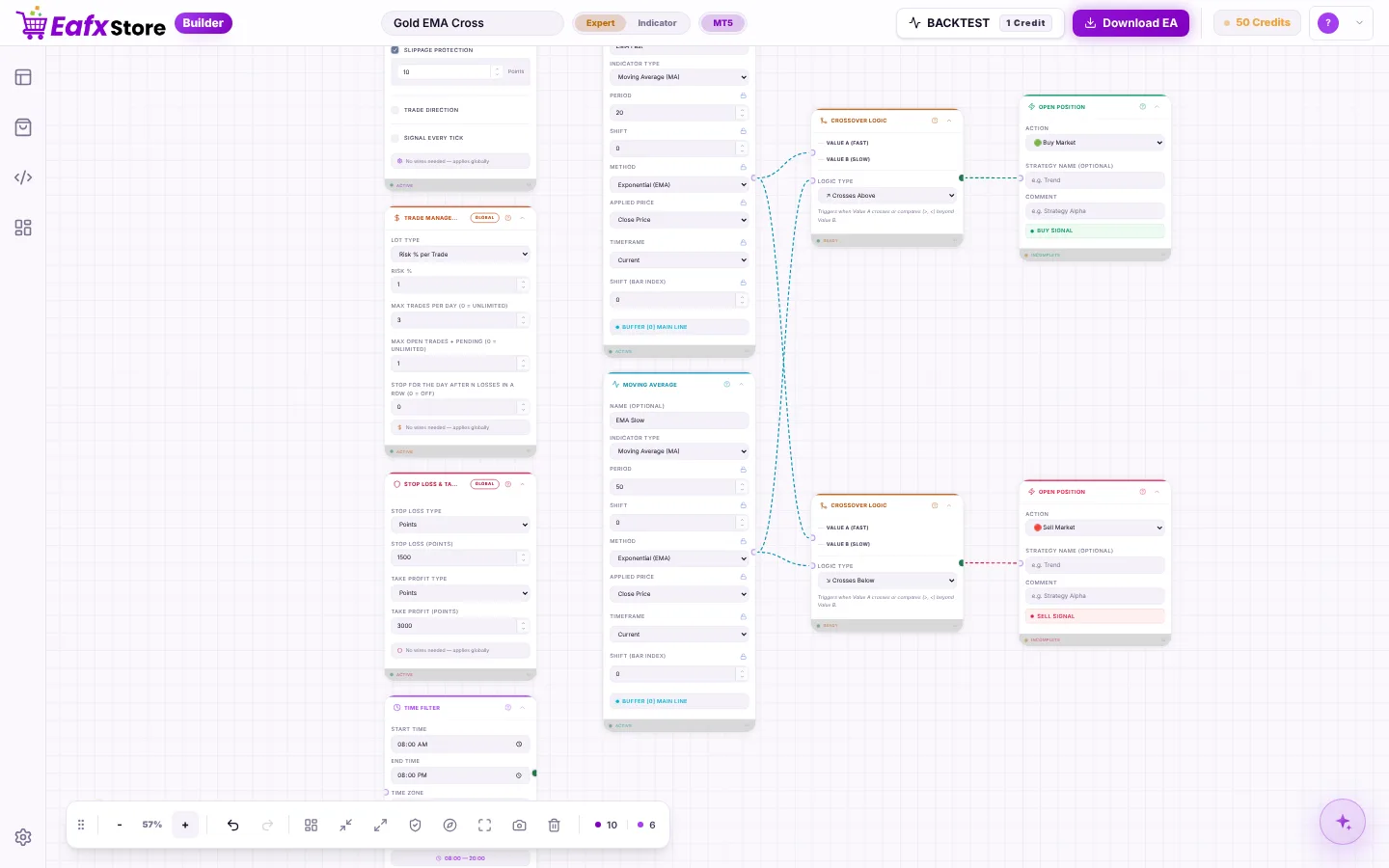
The example is a plain EMA crossover on gold: buy when the fast average crosses above the slow one, sell on the opposite cross, risk 1% per trade.
Name the EA and say what it should do
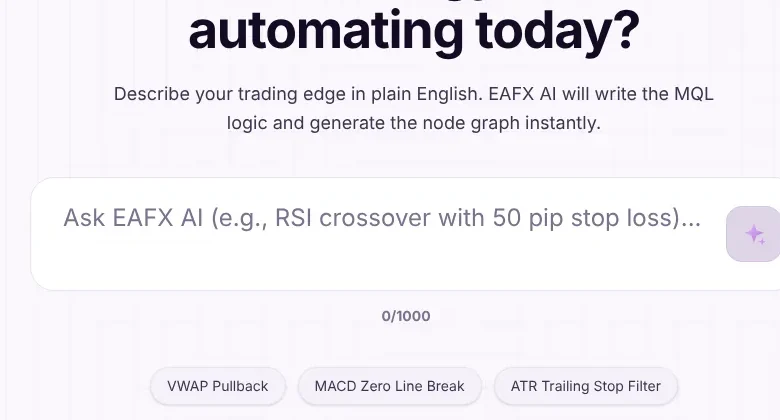
Give the EA a name first: it becomes the file name and the base of its magic number. Then either type the rules in a sentence ("buy when EMA 20 crosses above EMA 50 on H1, risk 1%, stop 1500 points, target 3000") or start from an empty canvas.
Add the blocks your rules need
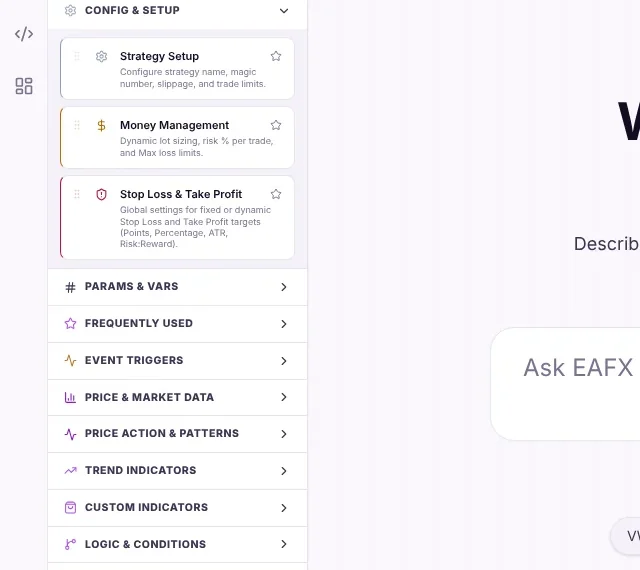
The library on the left groups 81 blocks by job: indicators, price patterns, logic, risk, orders. Drag in two Moving Average blocks and set the periods to 20 and 50.
Connect them into a signal
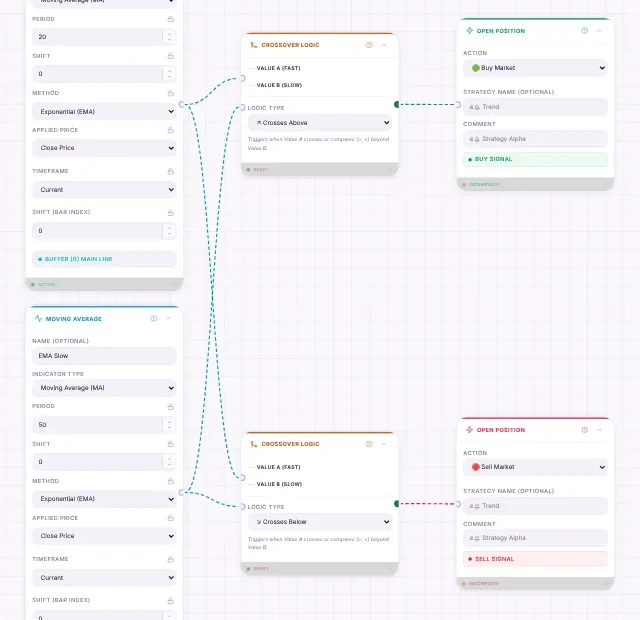
Wire both averages into a Crossover block and the crossover into an Open Position block. One chain for the buy, one for the sell. A dotted line is a value; a solid coloured line is a trade signal.
Set the size and the exits
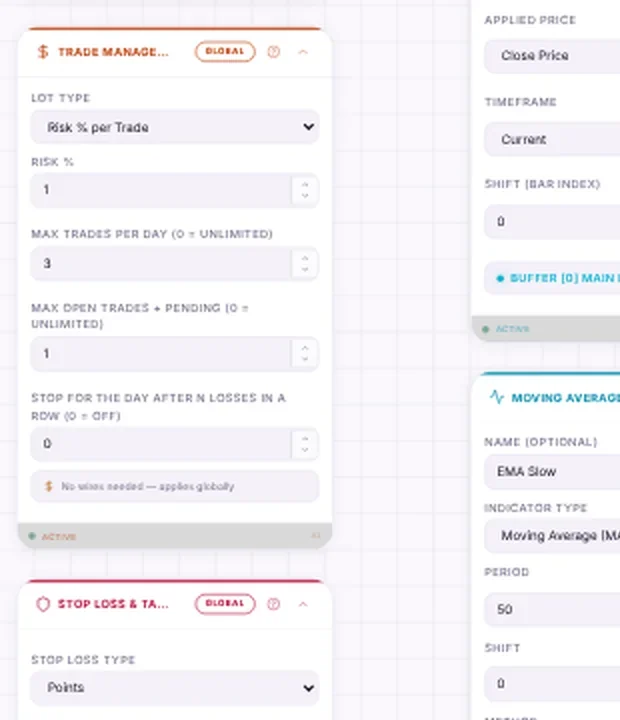
Money Management sets the lot (a fixed lot or a percent of balance at risk), the daily trade limit and the stop after a losing streak. Stop Loss and Take Profit can be points, a percent, ATR based or a risk to reward ratio.
Test it in the browser
The built-in backtest runs the rules on past candles and shows the trades, the equity curve and the drawdown. It is a quick check that the logic fires where you expect. It lists any block it cannot simulate, so you know when to rely on the MetaTrader tester instead.
Download the .ex5 and attach it to a chart
Press Download EA. The file is compiled on our server with the real MetaTrader compiler, so what you get already runs. Copy it into MQL5/Experts, restart MetaTrader 5, drag the EA onto a chart and allow Algo Trading.
Open the EA BuilderThe crossover above takes about five minutes.
Type a sentence or connect blocks: when to use which
There are two ways in and they end in the same place, a diagram you can read and change.
| Describe it in words | Connect blocks yourself | |
|---|---|---|
| Best for | A complete idea you can say in one or two sentences | Changing one rule, or a strategy with unusual conditions |
| You get | A finished diagram in under a minute | Exactly the blocks you placed |
| Watch for | Vague words. "Trend is up" has to become a number the EA can check | Forgetting an exit or a risk block |
| Good habit | Read the diagram before you build. Every number in your sentence should be visible on a block | Use the validation check, it flags blocks left unconnected |
A rule of thumb: if you cannot say when the EA sells, the AI cannot either. Write the prompt as conditions with numbers, one line each for entry, stop, target and filters.
What you can build with the 81 blocks
| Group | Examples | What it decides |
|---|---|---|
| Indicators | Moving averages, RSI, MACD, Bollinger Bands, ATR, Stochastic, ADX, Ichimoku, your own custom indicator | The numbers the rules compare |
| Price action | Candle patterns, pin bar, higher highs and lower lows, breakout of a range, previous day high and low, Heikin Ashi | Signals read from the candles themselves |
| Logic | Crossover, comparison, AND / OR, condition held for N bars, flags and variables | How several conditions combine into one signal |
| Orders | Market, stop and limit orders, OCO pairs, expiry, close all, partial close | What is sent to the broker |
| Risk and exits | Risk percent per trade, stop loss and take profit in points, percent, ATR or R:R, trailing stop, breakeven, hidden (virtual) stops, daily close | How much you can lose and when a trade ends |
| Filters | Trading hours, days of the week, spread limit, news filter, max trades per day, stop after N losses | When the EA must not trade |
| Position systems | Grid, scale in, zone recovery, martingale | Adding to or recovering a position. These raise risk fast: one long move against you can cost more than many small wins made |
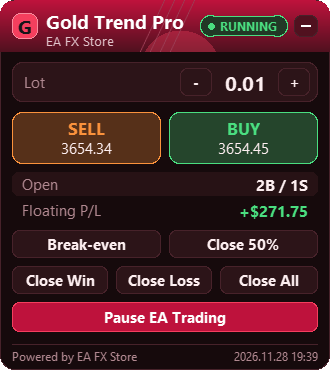
| On the chart | Trading panel with buttons, alerts, push and email notifications, arrows and lines | What you see and can click while it runs |
The same canvas also builds indicators: switch the mode from Expert to Indicator and the trade blocks turn into arrows, lines and histograms drawn on the chart.
Seven questions every EA has to answer before it trades
Most EAs that fail in the first week were never finished. Before you download, go down this list. If one answer is missing, the diagram is missing a block.
- What exactly triggers a buy, and what a sell? If the two are not mirror images, say why.
- Does the signal use a closed candle? A cross on the candle still forming can appear and vanish. Signals read on the last closed bar do not repaint.
- How big is the trade? A fixed 0.10 lot is ten times riskier on a $1,000 account than on $10,000. Risk percent scales by itself.
- Where does a losing trade end? No stop loss means the answer is "when the account does".
- Where does a winning trade end? A target, a trailing stop or an opposite signal. Pick one on purpose.
- When must it stay out? News minutes, the rollover hour with its wide spread, Friday night.
- What happens after a restart? The EA has to recognise its own open trades. That is the job of the magic number, which the builder derives from the EA name so it stays the same every time.
Worked example of the third question. An example account of $2,000 risking 1% can lose $20 on a trade. With a stop of 200 points on EURUSD, where one point on one lot is worth about $1, that allows 20 / 200 = 0.10 lot. Double the stop to 400 points and the lot halves to 0.05. The Money Management block does this sum on every trade.
Why a built EA can behave differently from its backtest
These are the differences people report most, with the cause and the fix.
| What you see | Usual cause | What to change |
|---|---|---|
| Trades in the test, none live | Algo Trading is off, or the spread filter is tighter than your broker's real spread | Check the smiley or cap icon on the chart, then raise the spread limit |
| Entries a candle late or early | Signal set to every tick in one place and closed bar in the other | Use closed-bar signals unless the strategy needs the forming candle |
| Stops rejected | Stop closer than the broker's minimum distance | Widen the stop, or use virtual stops that the EA manages itself |
| Lot size differs between brokers | Contract size and digits differ per symbol and broker | Use risk percent instead of a fixed lot |
| Two EAs closing each other's trades | Both use the same magic number | Give each EA its own name; the magic number follows the name |
| Great backtest, poor live result | Rules tuned until they fit the past | Test on a period the EA has never seen and on a demo account first |
A backtest is a record of past data, not a forecast. Run any EA on a demo account before it touches real money.
How we test the builder itself
A builder is only useful if every combination of blocks compiles and then does on the chart what the diagram says. We check that the slow way.
- 150 strategies built through the same web page you use: 100 Expert Advisors and 50 indicators, written so that together they touch every block. All 150 came back as compiled files.
- Loaded in MetaTrader 5 afterwards. The 50 indicators were attached to live charts and photographed to check that arrows sit on the right candle and histograms get their own window.
- What the first run broke. 16 EA files failed to compile, all of them using the candle pattern block. That block was rewritten and the suite now passes. Finding that before you do is the point of the exercise.
The compile step is not ours: your EA is compiled by MetaQuotes' own compiler on our server. If it compiles there, it loads in your terminal.
Builder, hand coding, an AI chat or a freelancer
| EA builder | Code it yourself | General AI chat | Hire a developer | |
|---|---|---|---|---|
| Time to first EA | Minutes | Weeks of learning first | Minutes, plus fixing compile errors | Days to weeks |
| You need to know | Your trading rules | MQL5 and the trade API | Enough MQL5 to spot wrong code | How to write a clear specification |
| Compiles first time | Yes, compiled before download | After debugging | Often not | Usually |
| Changing a rule | Edit a block, download again | Edit the code | Ask again and re-check everything | Pay for a revision |
| Limit | Rules must fit the available blocks | None | Long strategies drift from what you asked | Budget and waiting time |
If your strategy needs something no block covers, such as a statistical model or a link to an outside service, code is the right tool. For rule-based strategies made of indicators, price levels, time and money management, a builder is faster and leaves fewer places for mistakes.
And if you would rather run a strategy that already has a track record than design one, the ready-made Expert Advisors in the store come with their settings files.
What is free
Building and downloading the compiled .ex5 is free, with no limit on how many times you rebuild the same EA. Two conditions come with it: the file shows a small eafxstore.com label on the chart, and before you start a different EA we ask for a short review of the last one. Source code (.mq5) is not part of the free plan. The details are on the pricing page.
Open the EA BuilderSign in with Google or email and start with the prompt box.
Questions people ask before they start
- Is the EA builder really free?
- Yes. You can build, rebuild and download compiled .ex5 files without paying. The free file carries a small eafxstore.com label on the chart, and you are asked to review each EA before building a different one.
- Do I get the source code?
- No. The free plan gives you the compiled .ex5, which is all MetaTrader needs to run the EA. The .mq5 source is not included.
- Does it work for MetaTrader 4?
- The builder currently compiles for MetaTrader 5. An .ex5 file does not run in MetaTrader 4.
- Do I need MetaEditor or any other software?
- No. The builder runs in the browser and compiles on our server. You only need MetaTrader 5 to run the finished EA.
- Will my EA be profitable?
- Nobody can promise that. The builder makes the EA follow your rules exactly; the rules decide the result. Test on history, then on a demo account, before using real money.
- Can I use the EA on a prop firm account?
- The EA is an ordinary .ex5 and runs on any MetaTrader 5 account that allows Expert Advisors. Add the daily loss, max trades and trading hours blocks to match your firm's rules, and check the firm's policy on EAs first.
- Does the EA keep working if I close the browser?
- Yes. Once downloaded, the EA runs inside your MetaTrader and has no connection to the builder. MetaTrader itself must stay open, which is why many traders use a VPS.
- Can I build an indicator instead of an EA?
- Yes. Switch the canvas to Indicator mode. The same blocks then draw arrows, lines and histograms instead of opening trades.
Keep reading
Updated: