
🧩 What is Shine EA?
Shine EA is an automated trading robot developed for the MetaTrader 4 (MT4) platform. It is designed as a multi-indicator strategy, combining Moving Average (MA), Parabolic SAR, price distance logic, and dynamic order management. The Expert Advisor (EA) emphasizes risk-based position sizing, controlled trade spacing, and conditional exits rather than relying only on fixed stop loss and take profit levels.
Below is a full explanation of all trading parameters visible in the Shine EA settings panel.
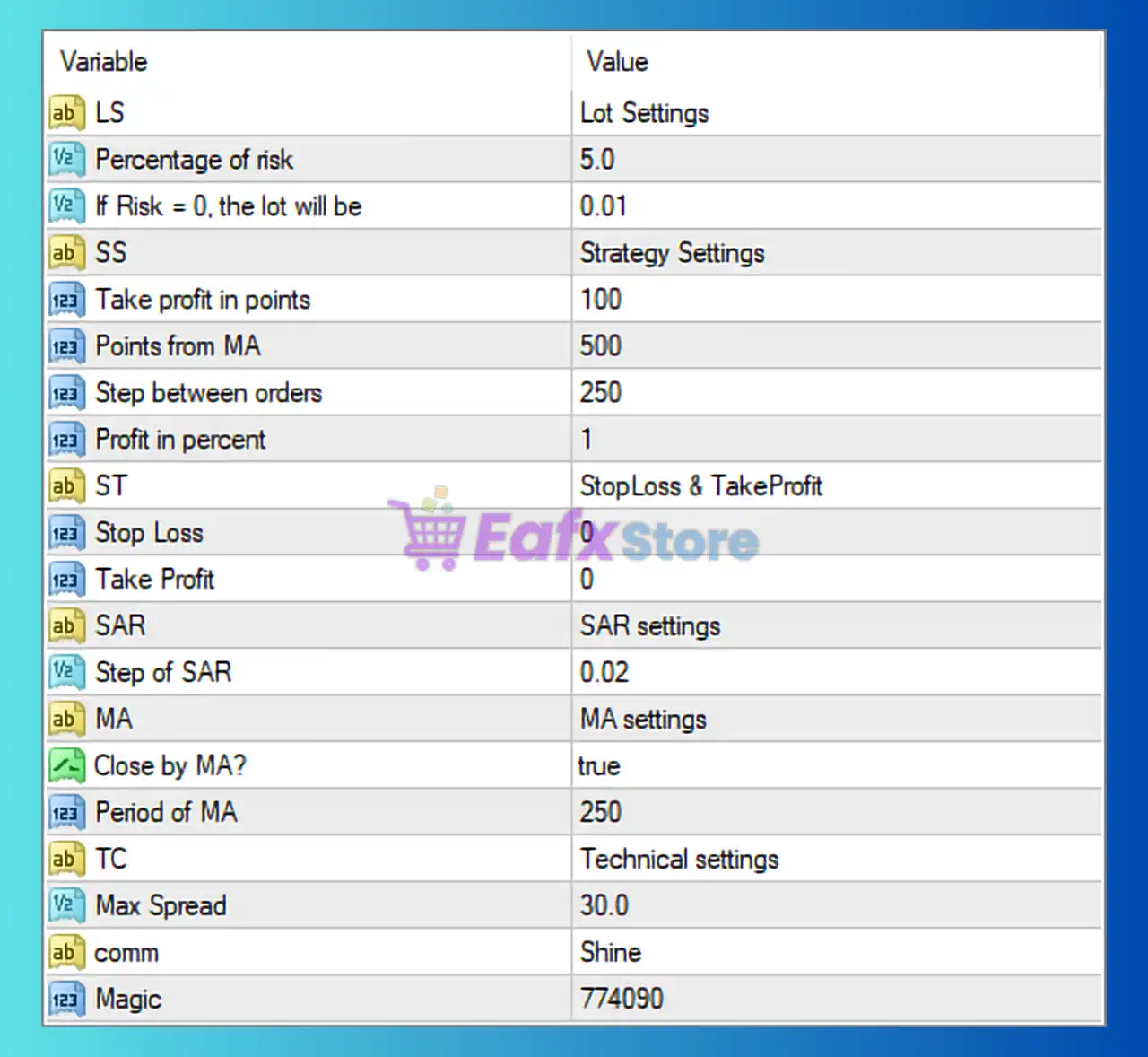
🧩 Lot & Risk Management Settings
| Parameter | Value | Description |
|---|---|---|
| Percentage of risk | 5.0 | Risk per trade as a percentage of account balance. Higher values increase profit potential but also drawdown risk. |
| If Risk = 0, the lot will be | 0.01 | Fixed lot size used when risk percentage is disabled (set to 0). |
🔹 This section controls capital exposure. A 5% risk setting is considered aggressive and should be tested carefully.
🧩 Strategy Core Settings
| Parameter | Value | Description |
|---|---|---|
| Take profit in points | 100 | Profit target per order measured in points. |
| Points from MA | 500 | Minimum distance between price and the Moving Average to allow trade entry. |
| Step between orders | 250 | Distance (in points) between consecutive orders in a trade series. |
| Profit in percent | 1 | Basket-level profit target based on account equity percentage. |
🔹 These settings define how Shine EA enters trades and how it manages multiple positions as a group.
🧩 Stop Loss & Take Profit Control
| Parameter | Value | Description |
|---|---|---|
| Stop Loss | 0 | Stop loss disabled (EA relies on logic-based or basket exit). |
| Take Profit | 0 | Fixed take profit disabled (percentage or point-based TP used instead). |
⚠️ Disabling stop loss increases reliance on market recovery. This configuration requires strict risk control.
🧩 Parabolic SAR Settings
| Parameter | Value | Description |
|---|---|---|
| Step of SAR | 0.02 | Sensitivity of the Parabolic SAR indicator. Lower values = smoother trend detection. |
🔹 SAR helps determine trend direction and potential reversals.
🧩 Moving Average (MA) Settings
| Parameter | Value | Description |
|---|---|---|
| Close by MA? | true | Enables trade closure when price crosses the Moving Average. |
| Period of MA | 250 | Length of the Moving Average used for trend filtering. |
🔹 A long MA period (250) filters noise and focuses on major market trends.
🧩 Technical & Broker Protection Settings
| Parameter | Value | Description |
|---|---|---|
| Max Spread | 30.0 | Maximum allowed spread (in points) for opening new trades. |
| Comment | Shine | Custom trade comment shown in MT4 terminal. |
| Magic | 774090 | Unique identifier for Shine EA trades. |
🔹 Spread control protects the EA from trading during poor market conditions such as news or low liquidity.
🧩 Practical Optimization Notes
- Best suited for H1 or higher timeframes
- Works better on low-spread brokers
- Risk above 3% should only be used after extensive testing
- Always forward test before live deployment
🧩 Conclusion
The Shine EA settings presented here reflect a trend-based, basket-trading strategy with flexible exits and dynamic risk management. By combining Moving Average filters, Parabolic SAR signals, and equity-based profit targets, Shine EA aims to capture sustained market movements rather than short-term scalps.
However, the absence of a fixed stop loss means traders must carefully control risk parameters and account leverage. When properly optimized and tested, Shine EA can be a powerful automated trading solution for disciplined traders.