

TopBottomEA is a precision-driven Expert Advisor (EA) designed for high-profit swing entries based on price extremes. The configuration below provides a clear snapshot of how this EA is tuned for performance, risk control, and smart entry/exit management.
==>> Buy this unlimited TopBottomEA product here
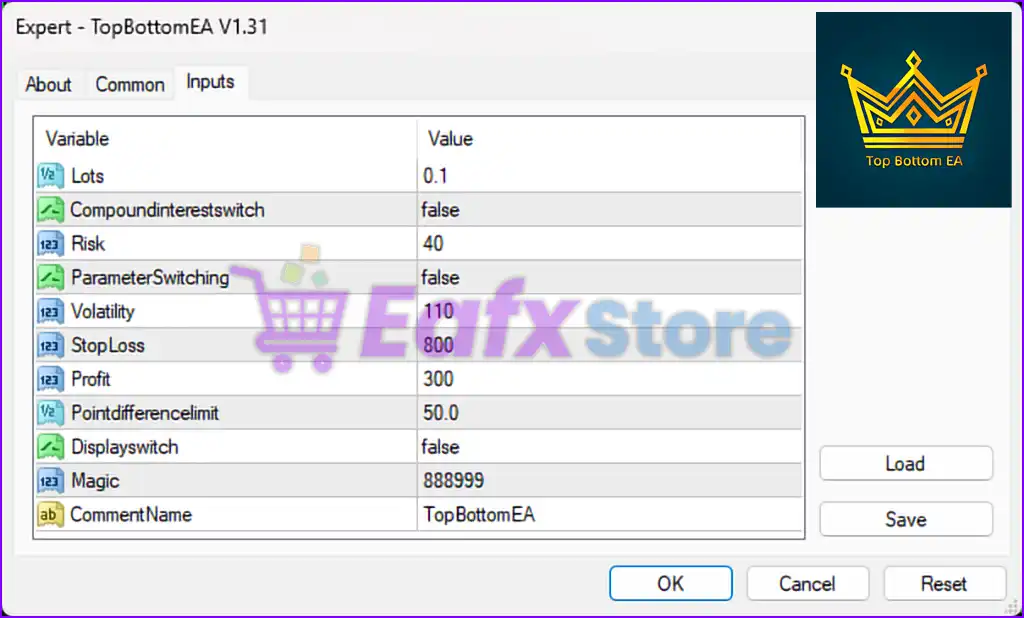
General Trading Parameters
| Parameter | Value | Description |
|---|---|---|
Lots | 0.1 | Fixed lot size per trade, indicating low to moderate initial risk per position. |
CompoundInterestSwitch | false | Compound lot scaling is turned off – trading with consistent fixed volume. |
Risk | 40 | A relatively high risk profile; likely affects internal dynamic sizing (if active). |
ParameterSwitching | false | Dynamic switching between strategies is disabled. |
Volatility | 110 | Controls trade triggers based on market volatility. Higher values = larger price range sensitivity. |
StopLoss | 800 | Stop-loss set at 800 pips – wide SL implies swing trading or grid logic. |
Profit | 300 | Take-profit set at 300 pips per position – allows for sizeable trend gains. |
PointDifferenceLimit | 50.0 | Trade filtering is applied only when the point distance between conditions is below this value. |
DisplaySwitch | false | Disables the on-screen display of EA metrics and status on the MT4 chart. |
Magic | 888999 | Unique identifier to distinguish this EA’s trades from others on the same account. |
CommentName | TopBottomEA | Adds a comment to each trade for easy recognition in trade history. |
Strategy Logic Summary
- Lot Management: Fixed-lot setup (0.1) with compound interest disabled – stable risk regardless of account growth.
- Risk Profile: Although fixed lot is small, the Risk value (40) suggests the EA could be programmed for higher trade exposure internally or during optimization.
- Volatility-Based Entry: A value of 110 for
Volatilitymeans the EA is configured to wait for significant price expansion before taking action — this helps avoid false signals in low-momentum markets. - Wide SL/TP: With 800 pip SL and 300 pip TP, the EA is likely using a trend-following breakout or reversal scalping model, possibly in combination with grid logic or averaging during drawdown.
- No Dynamic Parameter Switching: All trades follow a static set of rules without switching to alternative strategy modules during changing market conditions.
Summary
TopBottomEA is engineered for traders who prioritize steady long-term growth with reduced noise. With fixed lot control, volatility-based entries, and wide stop-loss/take-profit settings, the EA targets high-probability trade zones across volatile pairs like gold or indices. These configurations suggest a preference for low-frequency, high-yield setups, making it ideal for traders who seek consistency over micromanagement.