



🔢 HFTHackerMT5 – Complete Settings Guide & Parameter Explanation
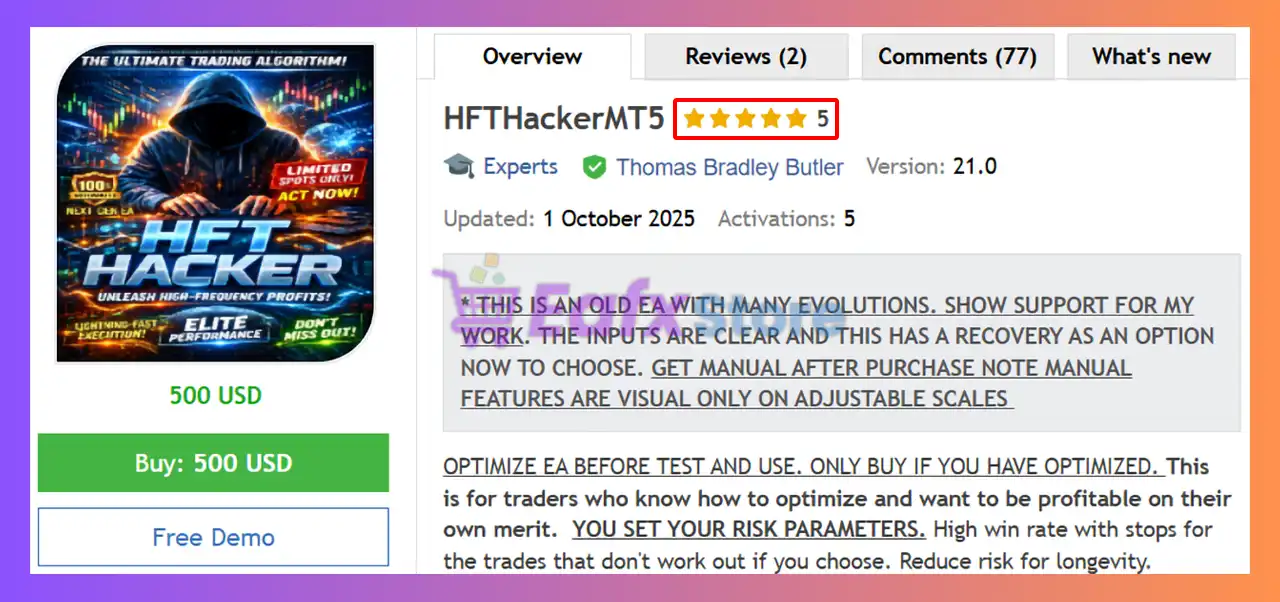
HFTHackerMT5 is an automated trading Expert Advisor for MetaTrader 5 that combines manual trade execution settings with an Active Hedge Recovery system.
The EA allows traders to configure independent Buy and Sell strategies, recovery chains, adverse movement triggers, trade limits and dashboard visualization settings.
Its hedge recovery mechanism is designed to help manage losing positions by opening recovery trades when the market moves against the initial trade direction.
🔢 HFTHackerMT5 Settings Explained
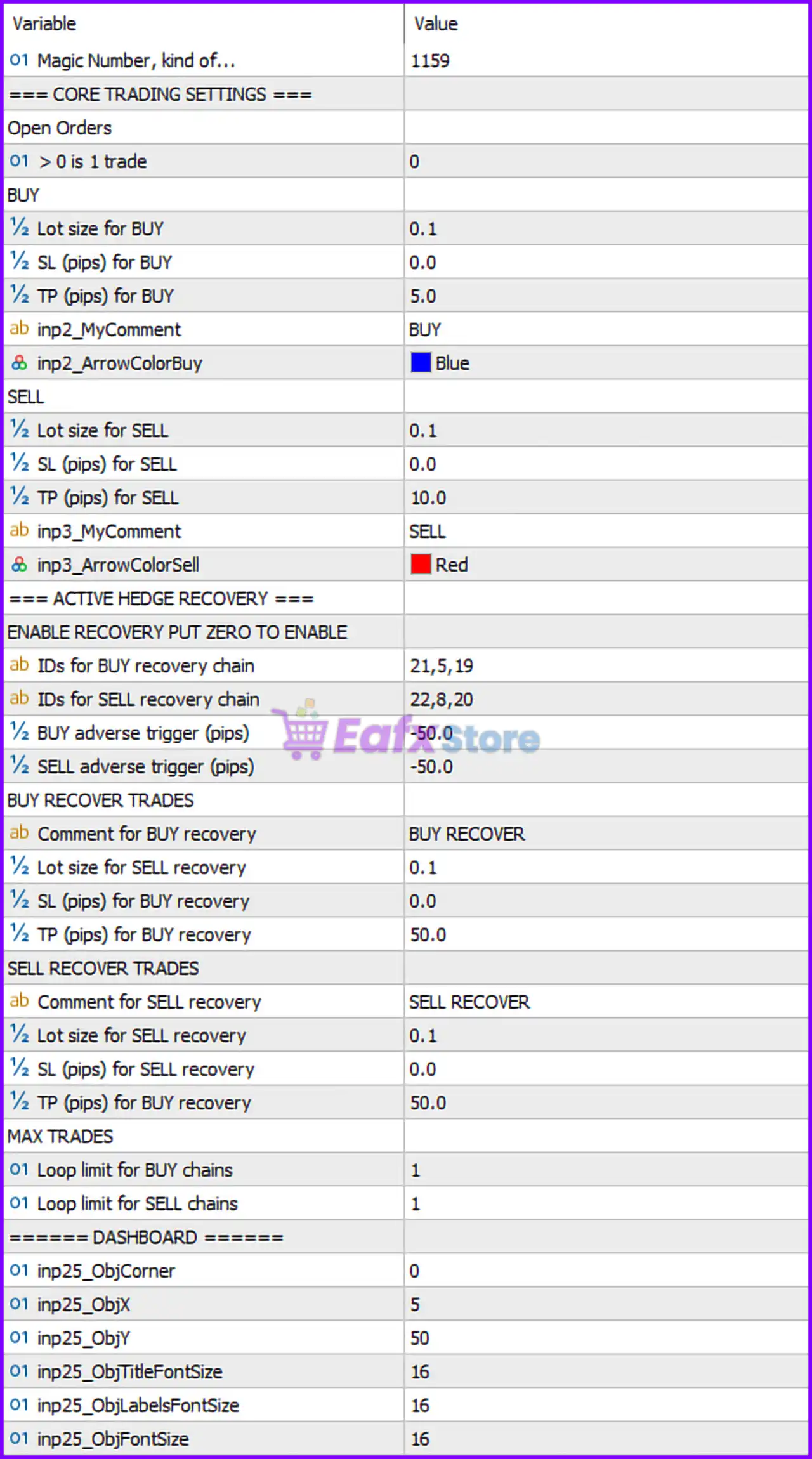
Below are the details of the parameters in the advisor’s trading system settings table:
🔶 General Settings
🔹 Magic Number, kind of... = 1159 — Unique identifier used by the EA to recognize and manage its own trades without interfering with other EAs or manual positions.
🔶 Open Orders
🔹 > 0 is 1 trade = 0 — Defines the open-order logic; a value of 0 means the default trade counting mode is used.
🔶 BUY Settings
🔹 Lot size for BUY = 0.1 — Sets the fixed lot size for Buy positions to 0.1 lots.
🔹 SL (pips) for BUY = 0.0 — Stop Loss for Buy trades is disabled because the value is 0.0 pips.
🔹 Tp (pips) for BUY = 5.0 — Sets the Take Profit target for Buy trades to 5.0 pips.
🔹 inp2_MyComment = BUY — Custom trade comment assigned to Buy positions.
🔹 inp2_ArrowColorBuy = Blue — Displays Buy trade arrows on the chart using the Blue color.
🔶 SELL Settings
🔹 Lot size for SELL = 0.1 — Sets the fixed lot size for Sell positions to 0.1 lots.
🔹 SL (pips) for SELL = 0.0 — Stop Loss for Sell trades is disabled because the value is 0.0 pips.
🔹 Tp (pips) for SELL = 10.0 — Sets the Take Profit target for Sell trades to 10.0 pips.
🔹 inp3_MyComment = SELL — Custom trade comment assigned to Sell positions.
🔹 inp3_ArrowColorSell = Red — Displays Sell trade arrows on the chart using the Red color.
🔢 Active Hedge Recovery Settings
🔹 ENABLE RECOVERY PUT ZERO TO ENABLE — Instruction indicating that recovery can be controlled through the recovery configuration values.
🔶 Recovery Chain Identification
🔹 IDs for BUY recovery chain = 21,5,19 — Defines the identifier sequence used for Buy recovery trades: 21, 5, 19.
🔹 IDs for SELL recovery chain = 22,8,20 — Defines the identifier sequence used for Sell recovery trades: 22, 8, 20.
🔶 Adverse Trigger Settings
🔹 BUY adverse trigger (pips) = -50.0 — Activates the Buy recovery mechanism when a Buy trade reaches -50.0 pips floating loss.
🔹 SELL adverse trigger (pips) = -50.0 — Activates the Sell recovery mechanism when a Sell trade reaches -50.0 pips floating loss.
🔶 BUY Recovery Trades
🔹 Comment for BUY recovery = BUY RECOVER — Custom comment attached to Buy recovery positions.
🔹 Lot size for SELL recovery = 0.1 — Sets the lot size for the associated recovery trade to 0.1 lots.
🔹 SL (pips) for BUY recovery = 0.0 — Stop Loss for Buy recovery trades is disabled.
🔹 Tp (pips) for BUY recovery = 50.0 — Sets the Take Profit target for Buy recovery trades to 50.0 pips.
🔶 SELL Recovery Trades
🔹 Comment for SELL recovery = SELL RECOVER — Custom comment attached to Sell recovery positions.
🔹 Lot size for SELL recovery = 0.1 — Sets the lot size for Sell recovery trades to 0.1 lots.
🔹 SL (pips) for SELL recovery = 0.0 — Stop Loss for Sell recovery trades is disabled.
🔹 Tp (pips) for BUY recovery = 50.0 — Sets the Take Profit target for recovery positions to 50.0 pips.
🔶 Maximum Trade Limits
🔹 Loop limit for BUY chains = 1 — Allows only 1 recovery cycle for Buy recovery chains.
🔹 Loop limit for SELL chains = 1 — Allows only 1 recovery cycle for Sell recovery chains.
🔶 Dashboard Settings
🔹 inp25_ObjCorner = 0 — Positions the dashboard in chart corner 0 (typically upper-left corner).
🔹 inp25_ObjX = 5 — Sets the dashboard horizontal offset to 5 pixels.
🔹 inp25_ObjY = 50 — Sets the dashboard vertical offset to 50 pixels.
🔹 inp25_ObjTitleFontSize = 16 — Sets the dashboard title font size to 16.
🔹 inp25_ObjLabelsFontSize = 16 — Sets the dashboard label font size to 16.
🔹 inp25_ObjFontSize = 16 — Sets the general dashboard text font size to 16.
🔢 HFTHackerMT5 Configuration Summary
🔹 Magic Number: 1159.
🔹 Buy Lot Size: 0.1 lots.
🔹 Sell Lot Size: 0.1 lots.
🔹 Buy Take Profit: 5.0 pips.
🔹 Sell Take Profit: 10.0 pips.
🔹 Buy Stop Loss: 0.0 pips (disabled).
🔹 Sell Stop Loss: 0.0 pips (disabled).
🔹 Recovery Trigger: -50.0 pips.
🔹 Recovery Take Profit: 50.0 pips.
🔹 Recovery Chain Limit: 1 loop.
🔹 Dashboard Font Size: 16.
🔢 Conclusion
HFTHackerMT5 is a specialized MetaTrader 5 Expert Advisor that combines standard Buy/Sell trading with an integrated hedge recovery mechanism. The EA allows traders to define separate profit targets for Buy and Sell positions, activate recovery chains when trades move -50.0 pips against them, and monitor activity through a customizable dashboard. With configurable recovery identifiers, trade comments, and chain limits, HFTHackerMT5 offers a structured approach to trade management and recovery-based strategies.
🔢 FAQs
❓ What is the Magic Number used by HFTHackerMT5?
The EA uses Magic Number 1159 to identify and manage its own positions.
❓ What are the default lot sizes for Buy and Sell trades?
Both Buy and Sell positions use a fixed lot size of 0.1 lots.
❓ When does the hedge recovery system activate?
The recovery system activates when a position reaches -50.0 pips adverse movement.
❓ What are the default Take Profit settings?
Buy trades use 5.0 pips, Sell trades use 10.0 pips, and recovery trades use 50.0 pips.
❓ How many recovery cycles can the EA execute?
The default configuration allows 1 recovery loop for both Buy and Sell recovery chains.