

Introduction
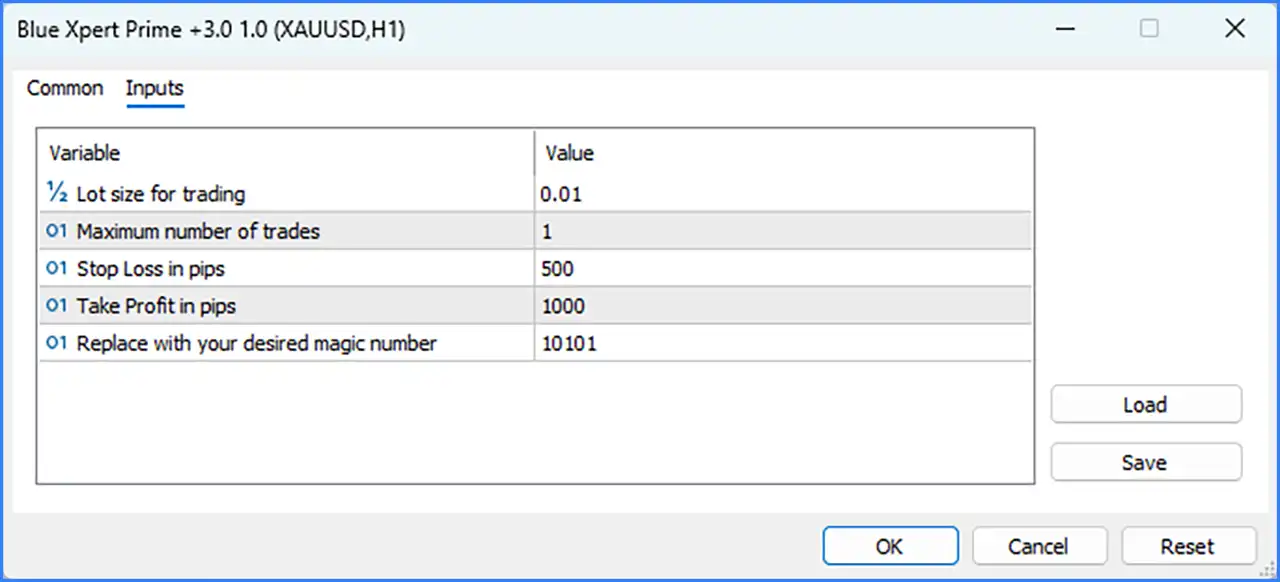
Blue Xpert Prime +3.0 EA is an automated trading Expert Advisor (EA) designed for the MetaTrader 5 platform. The EA configuration includes essential trading parameters such as fixed lot size, maximum trade limits, Stop Loss, Take Profit, and Magic Number identification. These customizable settings allow traders to manage position sizing, define trade protection levels, and control the number of active trades when running the EA on the XAUUSD (Gold) H1 timeframe.

Blue Xpert Prime +3.0 EA MT5 Settings Explained
Trading Volume and Position Management
🔹 Lot size for trading = 0.01 – Sets the fixed trading volume for each position opened by the EA. A lot size of 0.01 represents a micro lot and allows traders to start with smaller trading positions.
🔹 Maximum number of trades = 1 – Defines the maximum number of trades the EA is allowed to open simultaneously. Setting this parameter to 1 limits the EA to one active trade at a time.
Stop Loss and Take Profit Settings
🔹 Stop Loss in pips = 500 – Sets the Stop Loss distance to 500 pips for each trade. This parameter establishes a predefined exit level to help limit potential losses when the market moves against an open position.
🔹 Take Profit in pips = 1000 – Sets the Take Profit distance to 1000 pips. When the market reaches the specified profit target, the EA is configured to close the position and secure the trading profit.
Trade Identification Settings
🔹 Replace with your desired magic number = 10101 – Assigns a unique Magic Number to identify trades opened by Blue Xpert Prime +3.0 EA MT5. Traders can change the default value of 10101 to distinguish this EA's positions from trades opened manually or by other automated trading systems.
Conclusion
Blue Xpert Prime +3.0 EA MT5 provides a straightforward configuration with five essential input parameters for automated trading on XAUUSD. The default settings use a fixed lot size of 0.01, a maximum of 1 trade, a 500-pip Stop Loss, and a 1000-pip Take Profit, while Magic Number 10101 identifies the EA's positions.
Before using these settings on a live account, traders should verify pip calculations with their broker, test the configuration on a demo account, and evaluate whether the trading volume and risk parameters are appropriate for their account balance and risk tolerance.