

Introduction to Quantum ML Swing EA MT5
Quantum ML Swing EA is an advanced machine-learning-inspired swing trading Expert Advisor (EA) developed for the MetaTrader 5 (MT5) platform. The EA combines multiple trading strategies, intelligent break-even management and AI voice alert functionality to automate swing trading across different market conditions.
With flexible strategy activation and separate lot sizing for specific strategy groups, Quantum ML Swing EA is designed for traders seeking diversified and adaptive automated trading.
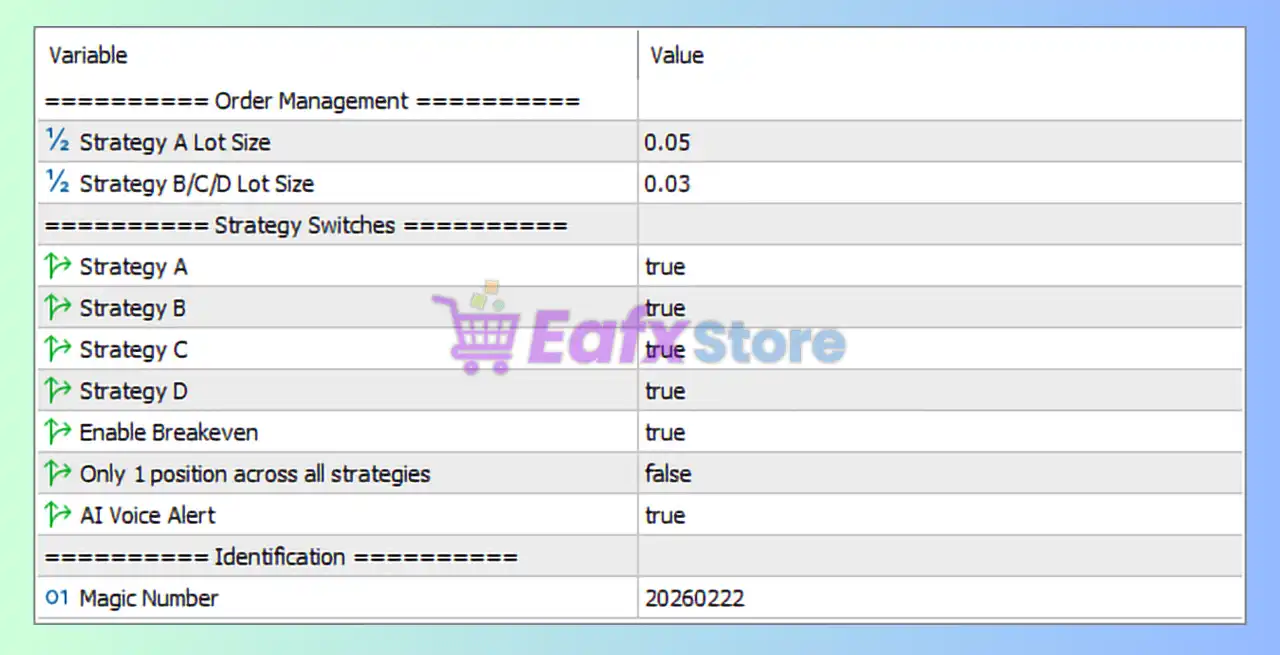
Full Parameters
Order Management
- Strategy A Lot Size = 0.05: Sets the trading lot size for Strategy A to 0.05 lots.
- Strategy B/C/D Lot Size = 0.03: Sets the trading lot size for Strategies B, C, and D to 0.03 lots.
Strategy Switches
- Strategy A = true: Enables Strategy A trading logic.
- Strategy B = true: Enables Strategy B trading logic.
- Strategy C = true: Enables Strategy C trading logic.
- Strategy D = true: Enables Strategy D trading logic.
- Enable Breakeven = true: Activates break-even protection to secure trades after reaching a profit threshold.
- Only 1 position across all strategies = false: Allows multiple positions across different strategies simultaneously.
- AI Voice Alert = true: Enables AI-generated voice alerts for trading signals and events.
Identification
- Magic Number = 20260222: Unique identifier (20260222) used to manage and track EA trades independently.
Conclusion
The Quantum ML Swing EA MT5 settings provide a flexible and multi-strategy framework for automated swing trading. By enabling four separate strategies, break-even protection, and AI voice alerts, the EA offers diversified market exposure with intelligent trade management.
Understanding these settings allows traders to optimize execution, control strategy behavior and adapt the EA to different market environments.
FAQs
❓ What does Strategy A Lot Size = 0.05 mean?
It sets the position size for Strategy A trades to 0.05 lots.
❓ Why are Strategies B, C, and D using 0.03 lots?
These strategies are configured with slightly smaller position sizes for balanced risk exposure.
❓ What does Enable Breakeven = true do?
It moves the Stop Loss to break-even once a trade reaches a predefined profit level.
❓ Why is Only 1 position across all strategies = false important?
It allows multiple strategies to hold trades simultaneously instead of restricting the EA to one total position.
❓ What is the purpose of Magic Number = 20260222?
It uniquely identifies trades opened by Quantum ML Swing EA MT5 for trade management and tracking.