

Introduction to TALON Gold Scalper EA MT5
TALON Gold Scalper EA is a specialized automated trading Expert Advisor (EA) developed for MetaTrader 5, designed exclusively for XAUUSD trading. The EA focuses on scalping strategies with simplified plug-and-play functionality, allowing traders to deploy it quickly without complex configuration.
With built-in account protection, daily profit targets, and flexible lot management, TALON Gold Scalper is suitable for traders seeking efficient and disciplined gold scalping automation.
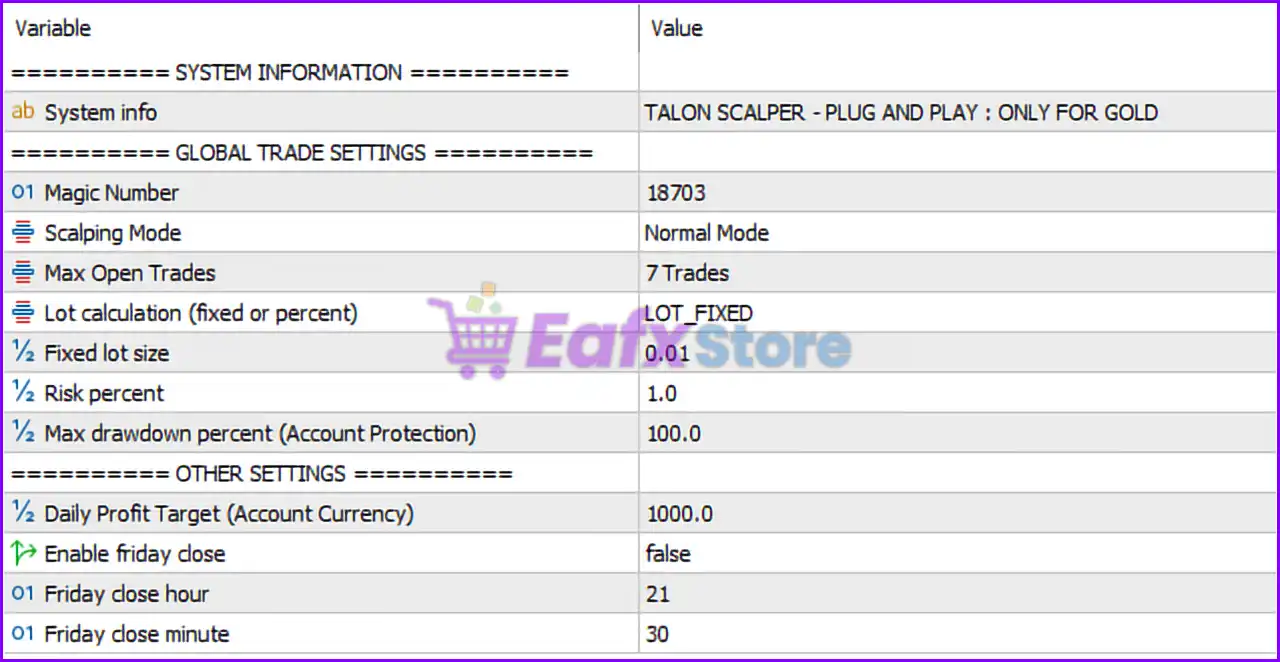
============ SYSTEM INFORMATION ============
- System info = TALON SCALPER - PLUG AND PLAY : ONLY FOR GOLD: Indicates that the EA is specifically optimized for gold trading and designed for easy setup and use.
============ GLOBAL TRADE SETTINGS ============
- Magic Number = 18703: Unique identifier (18703) used to distinguish and manage trades opened by the EA.
- Scalping Mode = Normal Mode: Sets the EA to operate in Normal Mode scalping configuration.
- Max Open Trades = 7 Trades: Limits the number of simultaneously open positions to 7 trades.
- Lot calculation (fixed or percent) = LOT_FIXED: Uses fixed lot sizing instead of percentage-based risk calculation.
- Fixed lot size = 0.01: Defines the fixed trading lot size as 0.01 lots.
- Risk percent = 1.0: Risk parameter set to 1.0%, potentially used when percentage lot sizing is enabled.
- Max drawdown percent (Account Protection) = 100.0: Maximum account drawdown protection threshold set to 100.0%.
============ OTHER SETTINGS ============
- Daily Profit Target (Account Currency) = 1000.0: Stops trading after achieving 1000.0 account currency units in daily profit.
- Enable friday close = false: Disables automatic closing of trades on Friday.
- Friday close hour = 21: Friday close time hour set to 21; inactive because Friday close is disabled.
- Friday close minute = 30: Friday close time minute set to 30; inactive because Friday close is disabled.
Conclusion
The TALON Gold Scalper EA MT5 settings provide a streamlined and user-friendly framework for automated gold scalping. With fixed lot sizing, controlled trade limits, and daily profit target protection, the EA is designed to balance simplicity with effective trade management. Understanding each parameter helps traders optimize performance, control exposure and adapt the EA to different trading environments.
FAQs
❓ What does Scalping Mode = Normal Mode mean?
It means the EA is operating with its standard scalping strategy configuration.
❓ Why is Max Open Trades = 7 important?
It limits the number of simultaneously active trades to reduce excessive exposure.
❓ What happens when Daily Profit Target = 1000.0 is reached?
The EA stops opening new trades after achieving 1000.0 in daily account profit.
❓ Why is Enable friday close = false used?
It allows trades to remain open on Friday instead of automatically closing them before the weekend.
❓ What is the purpose of Magic Number = 18703?
It uniquely identifies trades opened by TALON Gold Scalper MT5 for trade management and tracking.