

🔢 Saftels Accumulator EA MT5 – Complete Settings & Input Parameters Guide
Saftels Accumulator EA MT5 is a professional automated trading robot designed for MetaTrader 5 traders who want precise order management, time filtering, trailing stop control and customizable trade execution settings.
The EA focuses on accumulating positions with flexible lot sizing, breakeven protection, and trading session management, making it suitable for disciplined Forex trading strategies.
🔢 Saftels Accumulator EA MT5 Settings Explained
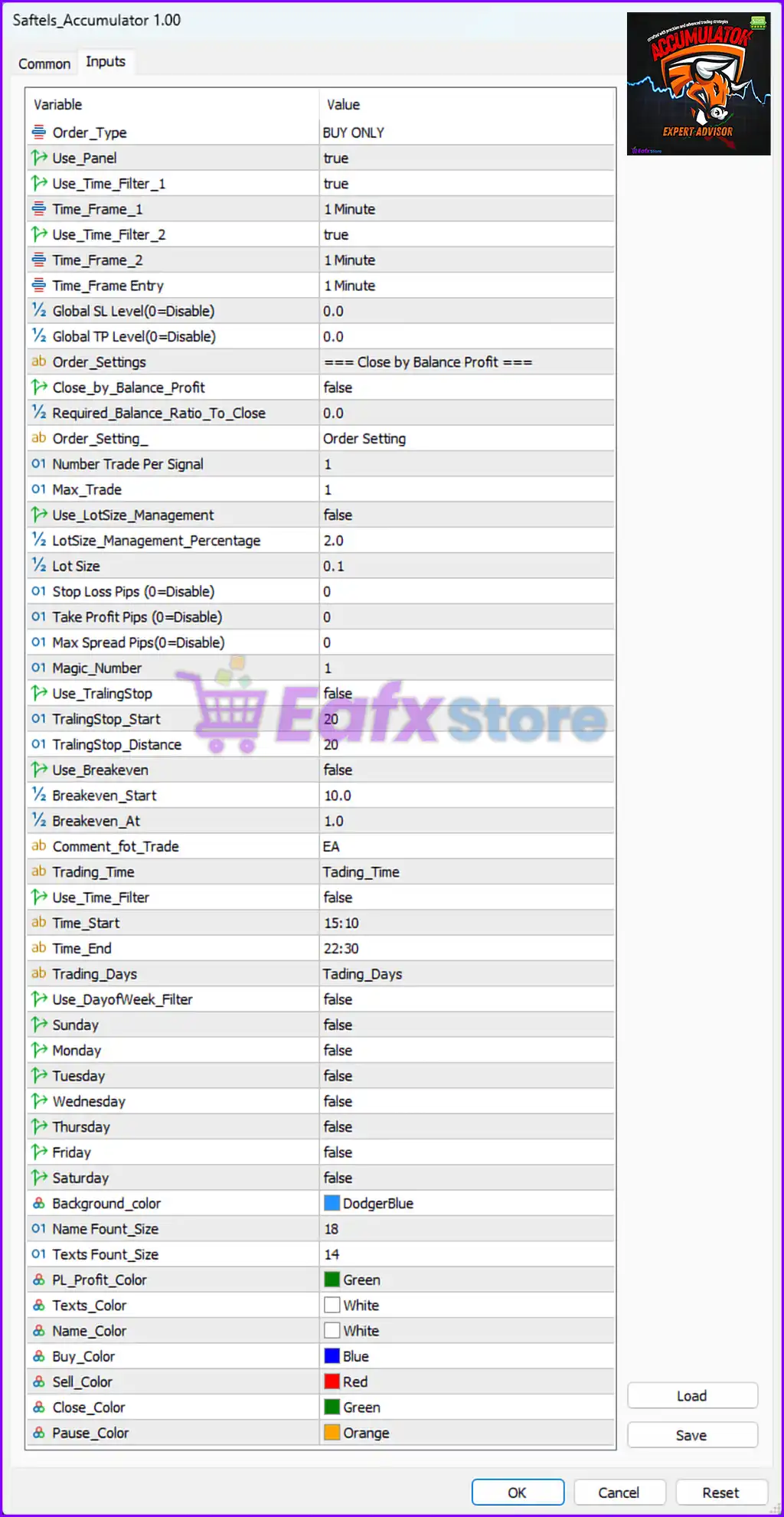
Below are the details of the parameters in the advisor’s trading system settings table:
🔶 General Trading Settings
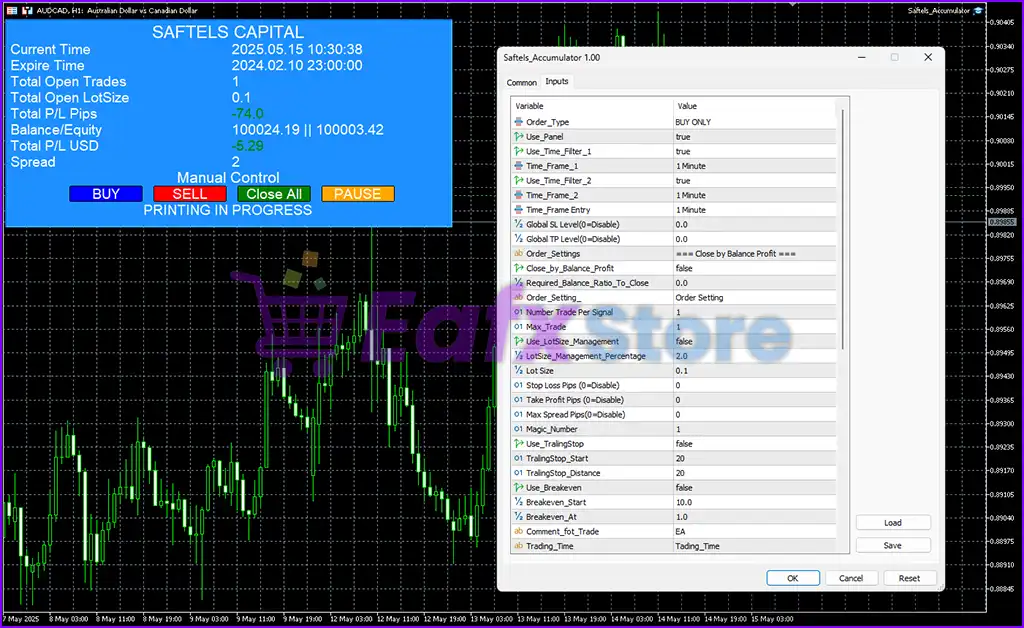
🔹 Order_Type = BUY ONLY: Configures the EA to open only buy trades.
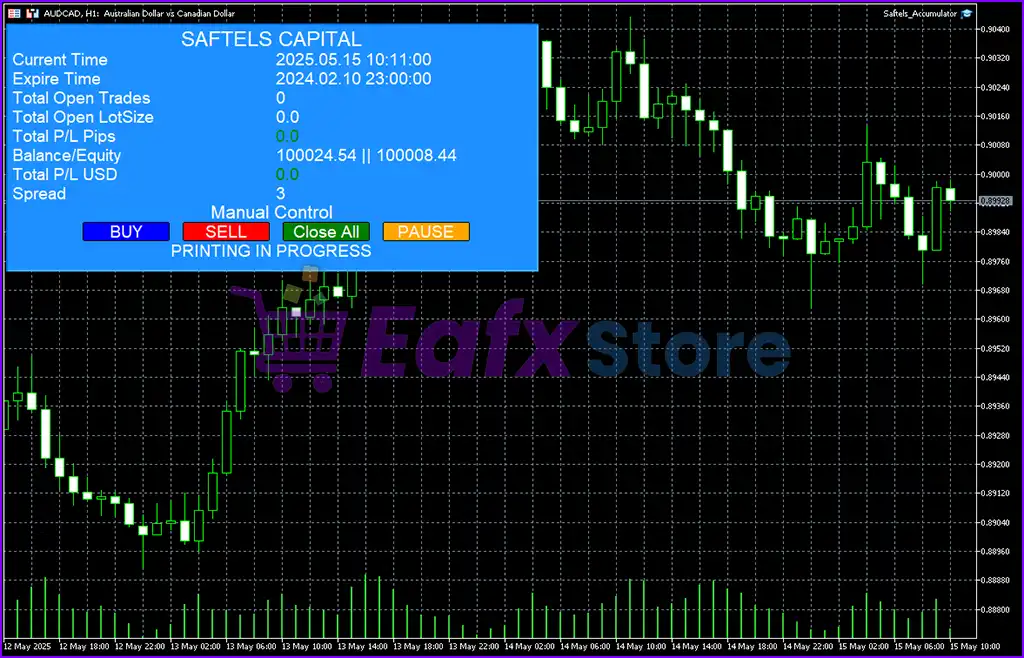
🔹 Use_Panel = true: Enables the on-chart control and information panel.
🔹 Use_Time_Filter_1 = true: Activates the first timeframe filter for trading confirmation.
🔹 Time_Frame_1 = 1 Minute: Sets the first timeframe filter to 1 Minute.
🔹 Use_Time_Filter_2 = true: Activates the second timeframe filter for additional confirmation.
🔹 Time_Frame_2 = 1 Minute: Sets the second timeframe filter to 1 Minute.
🔹 Time_Frame Entry = 1 Minute: Defines the main trade entry timeframe as 1 Minute.
🔹 Global SL Level (0=Disable) = 0.0: Disables the global Stop Loss level because the value is 0.0.
🔹 Global TP Level (0=Disable) = 0.0: Disables the global Take Profit level because the value is 0.0.
🔶 Close by Balance Profit Settings
🔹 Close_by_Balance_Profit = false: Disables automatic closing of trades based on account balance profit.
🔹 Required_Balance_Ratio_To_Close = 0.0: Sets the required balance ratio to 0.0 for profit-based closure.
🔶 Order Settings
🔹 Number Trade Per Signal = 1: Allows only 1 trade per trading signal.
🔹 Max_Trade = 1: Limits the maximum number of simultaneous trades to 1.
🔹 Use_LotSize_Management = false: Disables automatic lot size management.
🔹 LotSize_Management_Percentage = 2.0: Sets the lot management percentage to 2.0%.
🔹 Lot Size = 0.1: Defines the fixed trading lot size as 0.1.
🔹 Stop Loss Pips (0=Disable) = 0: Disables Stop Loss because the value is 0.
🔹 Take Profit Pips (0=Disable) = 0: Disables Take Profit because the value is 0.
🔹 Max Spread Pips (0=Disable) = 0: Disables maximum spread filtering because the value is 0.
🔹 Magic_Number = 1: Assigns the Magic Number 1 to identify EA trades.
🔶 Trailing Stop & Breakeven Settings
🔹 Use_TrailingStop = false: Disables the trailing stop feature.
🔹 TrailingStop_Start = 20: Defines the trailing stop activation level at 20 pips.
🔹 TrailingStop_Distance = 20: Sets the trailing stop distance to 20 pips.
🔹 Use_Breakeven = false: Disables breakeven functionality.
🔹 Breakeven_Start = 10.0: Defines the breakeven activation point at 10.0 pips.
🔹 Breakeven_At = 1.0: Moves Stop Loss to breakeven plus 1.0 pip.
🔶 Trade Comment & Trading Time Settings
🔹 Comment_fot_Trade = EA: Adds the comment EA to all trades opened by the robot.
🔹 Trading_Time = Trading_Time: Displays the trading session configuration section.
🔹 Use_Time_Filter = false: Disables time-based trading restrictions.
🔹 Time_Start = 15:10: Defines the trading session start time as 15:10.
🔹 Time_End = 22:30: Defines the trading session end time as 22:30.
🔶 Trading Days Settings
🔹 Trading_Days = Trading_Days: Displays the trading days configuration section.
🔹 Use_DayofWeek_Filter = false: Disables weekday trading restrictions.
🔹 Sunday = false: Trading on Sunday is disabled.
🔹 Monday = false: Trading on Monday is disabled.
🔹 Tuesday = false: Trading on Tuesday is disabled.
🔹 Wednesday = false: Trading on Wednesday is disabled.
🔹 Thursday = false: Trading on Thursday is disabled.
🔹 Friday = false: Trading on Friday is disabled.
🔹 Saturday = false: Trading on Saturday is disabled.
🔶 Panel Display & Color Settings
🔹 Background_color = DodgerBlue: Sets the EA panel background color to DodgerBlue.
🔹 Name Fount_Size = 18: Sets the panel title font size to 18.
🔹 Texts Fount_Size = 14: Sets the panel text font size to 14.
🔹 PL_Profit_Color = Green: Displays profit information in Green.
🔹 Texts_Color = White: Sets the panel text color to White.
🔹 Name_Color = White: Sets the panel title color to White.
🔹 Buy_Color = Blue: Displays buy trade information in Blue.
🔹 Sell_Color = Red: Displays sell trade information in Red.
🔹 Close_Color = Green: Displays close button or close status in Green.
🔹 Pause_Color = Orange: Displays pause status or pause button in Orange.
🔢 Conclusion
Saftels Accumulator EA MT5 is a flexible automated trading system that provides traders with advanced trade management, timeframe filtering, and customizable visual controls. With features like lot management, breakeven settings, trading session filters, and trailing stop functionality, the EA offers a structured framework for managing Forex trading strategies efficiently on MetaTrader 5.
🔢 FAQs
❓ What is Saftels Accumulator EA MT5?
Saftels Accumulator EA MT5 is an automated Forex trading robot designed for MetaTrader 5 with advanced order and trade management features.
❓ Can Saftels Accumulator EA MT5 trade both buy and sell orders?
In the current configuration, the EA is set to BUY ONLY, meaning it only opens buy trades.
❓ Does the EA support trailing stop functionality?
Yes, the EA includes trailing stop settings, although they are currently disabled in this configuration.
❓ Can I customize the trading session times?
Yes, traders can configure custom start and end trading times using the built-in time filter settings.
❓ Does Saftels Accumulator EA MT5 include risk management tools?
Yes, the EA includes lot size management, breakeven controls, spread filters, and trade limitation settings for risk management.