


EA Trade Scalper SuperNova MT4 with SetFiles (Unlimited)

Subscriptions for Special Plan
- 30 EA package is more economical!
- Special package with 99%
- Download 1 EA/Day

Subscriptions for Premium Membership
- Download Unlimited in 1 Year
- Get 100% Discount
- Get free access to all

Subscriptions for Gold Membership
- 1 Year Membership
- Get 100% Discount
- Access EA+Indicator+Course
Frequently bought together 🎁
Add these products to enhance your purchase




What is EA Trade Scalper SuperNova?
EA Trade Scalper SuperNova MT4 is an automated trading Expert Advisor (EA) that has proven its ability to trade effectively over a long period of time. Trade on most instruments and get results on instruments such as EURUSD, GBPUSD, ETHUSD, BTCUSD. The advisor uses high-speed trading strategies to increase profits and is capable of supporting all levels of users.
Key Features of EA Trade Scalper SuperNova for MT4
🔹 Tight Capital Protection: Employs a tight Stop Loss (SL) and a quick Breakeven feature to secure positions rapidly and protect against drawdowns.
🔹 Envelope-Based Logic: Uses custom envelope channel settings combined with a short-period Moving Average (MA) for enhanced signal accuracy.
🔹 Flexible Money Management: Supports both fixed lot sizes and automatic lot sizing based on a customizable risk percentage per trade.
🔹 Dynamic Profit Locking: Features a Trailing Stop and Trailing Step to lock in profits while ensuring trades have sufficient room to breathe.
🔹 Trading Methods: Increase trading prospects through rapid, High-frequency trading (HFT) across multiple currency pairs.
What is the EA Trade Scalper SuperNova MT4 trading strategy?
The core trading strategy of Trade Scalper SuperNova is a fast-entry, filter-heavy scalping approach designed for short timeframes.
🔹 Fast-Entry Strategy: The system uses a short-period MA and custom envelope channel settings to make fast-entry scalping decisions.
🔹 Advanced Filtering: Utilizes unique NoTrade and InTrade Profit Filters to avoid overtrading and prevent entries too close to recent trades.
🔹 Continuous Session Trading: The EA is configured to trade 24 hours per day, maximizing the capture of opportunities across Asian, European and US sessions.
🔹 Risk-Controlled Profit Capture: The strategy balances a tight Stop Loss with a dynamic Trailing Stop and Breakeven feature for efficient profit management.
EA Trade Scalper SuperNova Review
EA Trade Scalper SuperNova is a professional trading tool and integrates smart trading features. Expert Advisor (EA) has undergone meticulous long-term testing and achieved impressive performance.
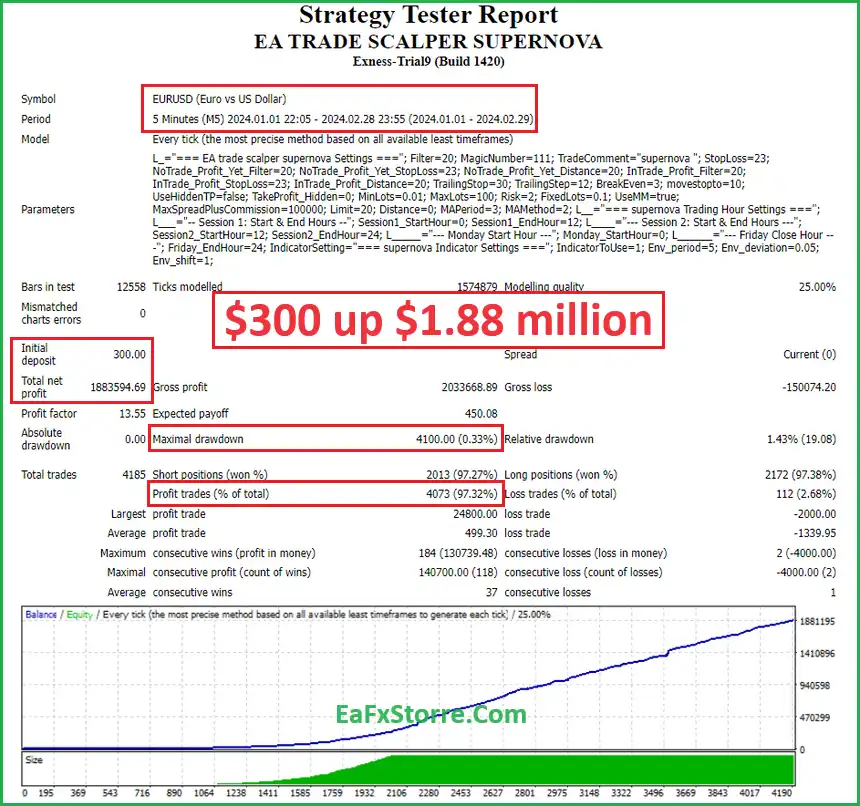
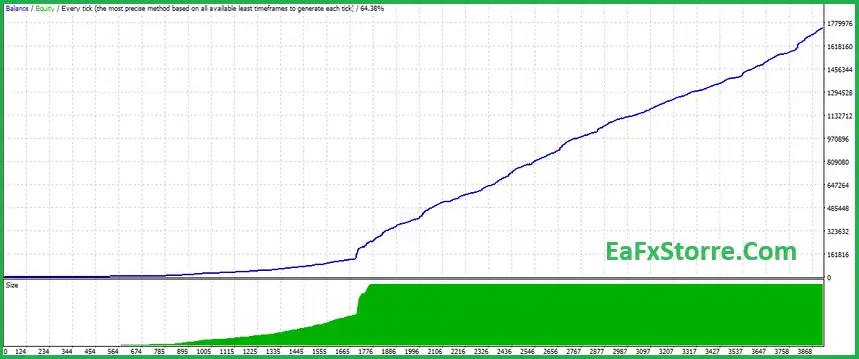
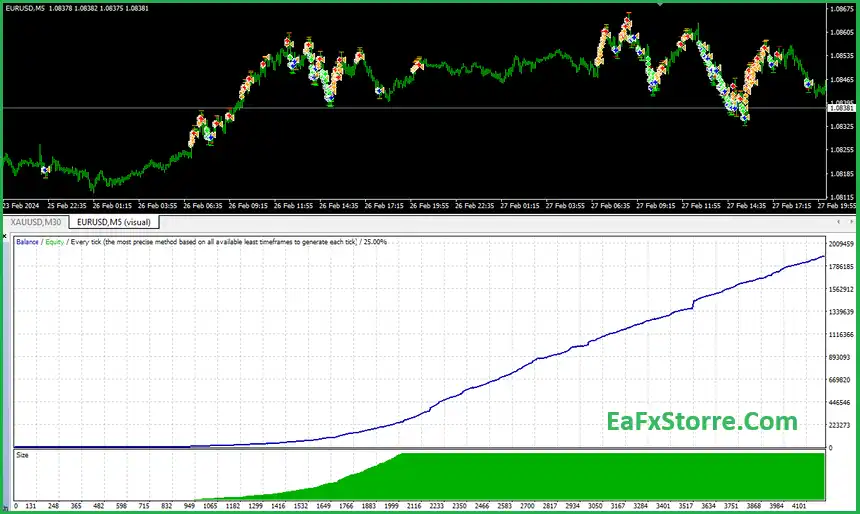
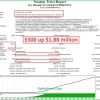
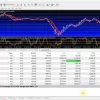
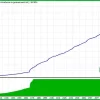
Backtest trading results of EA Trade Scalper Supernova with EUR/USD pair on M5 timeframe. This detailed analysis includes profitability, downside risk, performance metrics and optimization recommendations for traders who want to use this EA effectively.
✅ Initial Deposit: $300
✅ Total Net Profit: $1.88 million
✅ Win Rate: 97.32%
✅ Maximal Drawdown: 0.33%
EA TRADE SCALPER SUPERNOVA MT4 Review
EA TRADE SCALPER SUPERNOVA Review
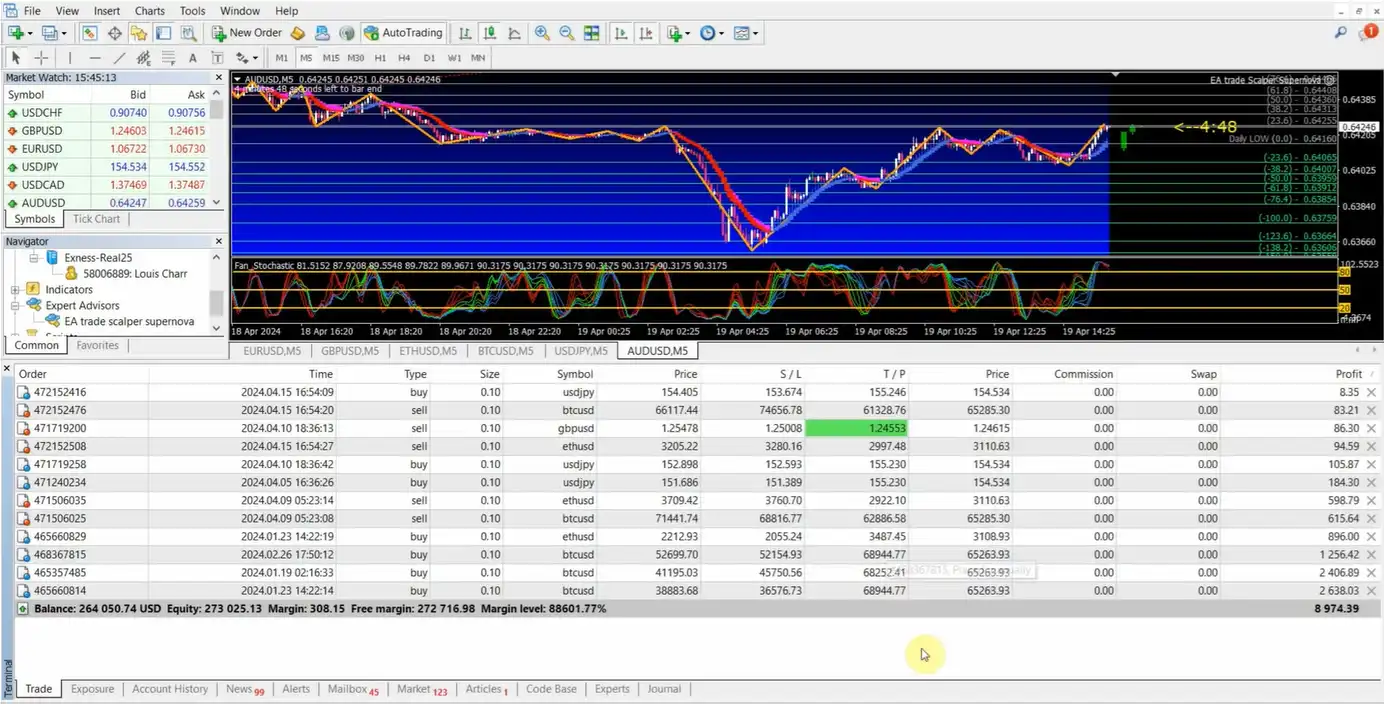
EA Trade Scalper SuperNova Results
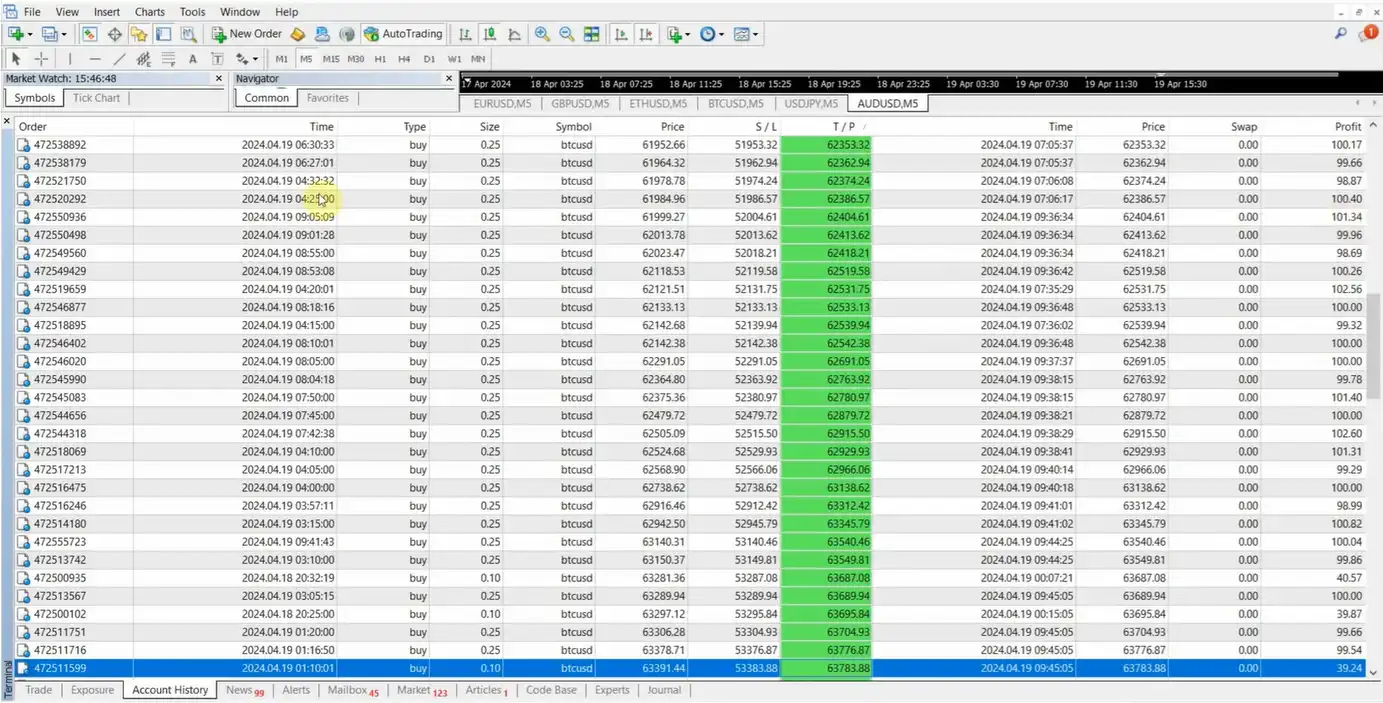
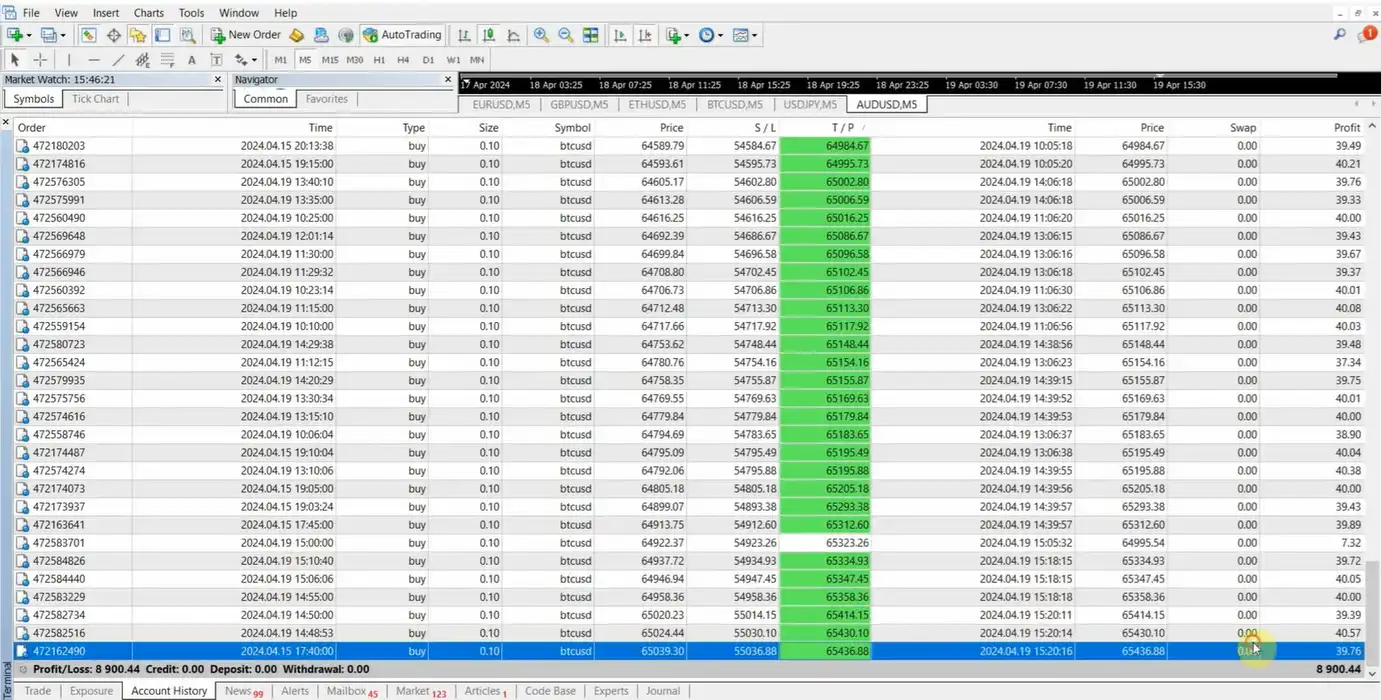
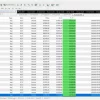
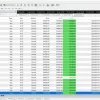
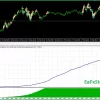
Impressive trading results show the future long-term profit potential of EA Trade Scalper SuperNova.
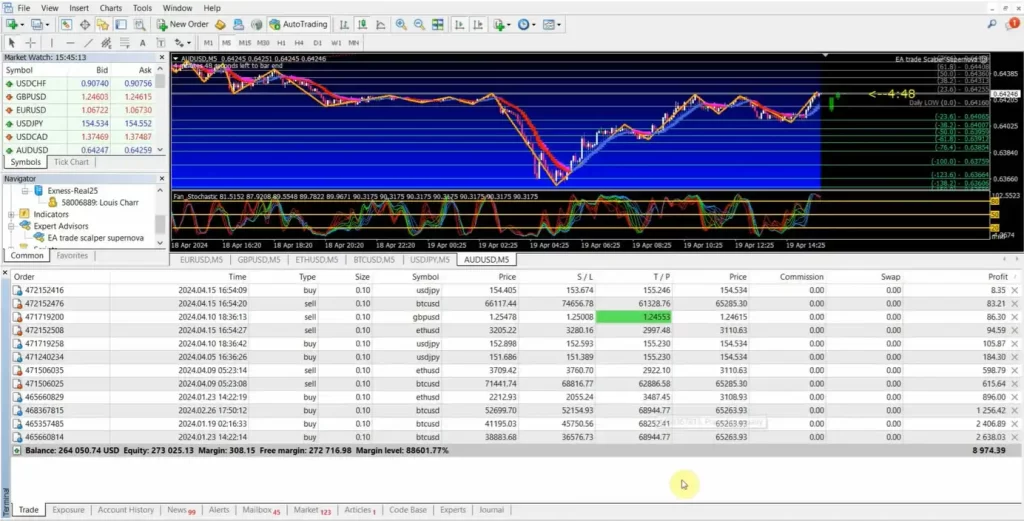
EA TRADE SCALPER SUPERNOVA MT4 Results
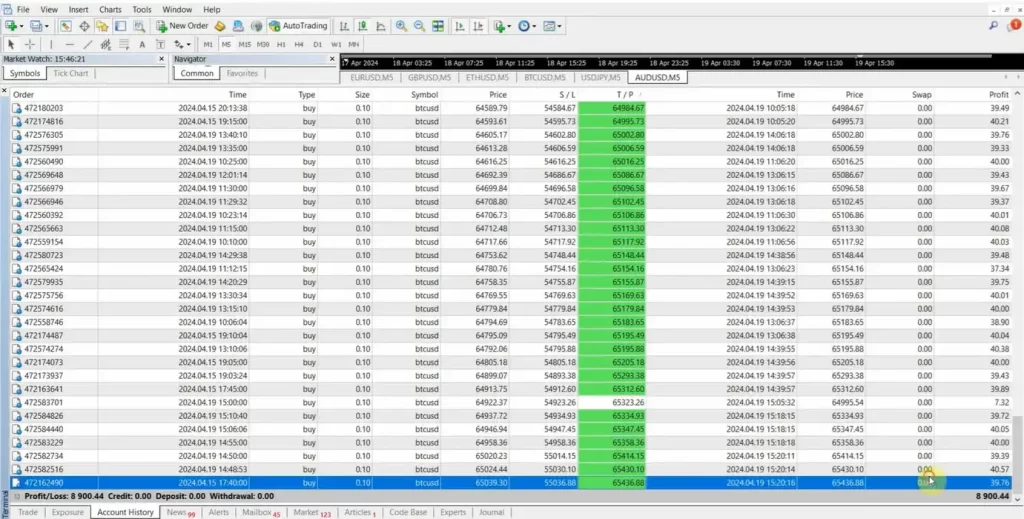
EA TRADE SCALPER SUPERNOVA MT4 Results
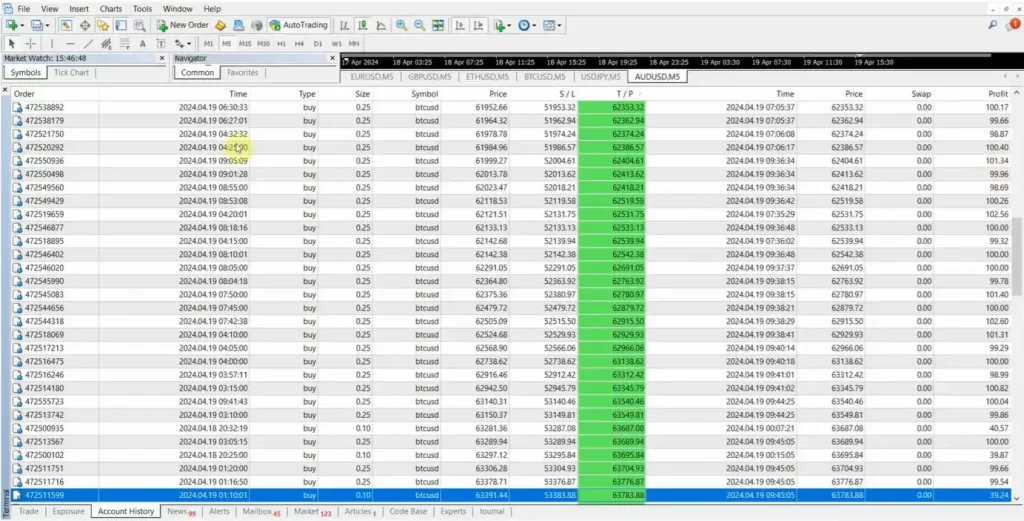
EA TRADE SCALPER SUPERNOVA MT4 Results
Why choose and use EA Trade Scalper SuperNova?
🔹 High Precision: The combination of Envelope channel settings and advanced trade filters significantly improves signal accuracy for scalping.
🔹 Continuous Opportunity: The 24/7 trading capability ensures the EA never misses an entry opportunity across all major market sessions.
🔹 Customizable Safety: Offers flexible risk management with automatic lot sizing and options to use a Hidden Take Profit for broker protection.
🔹 Effective Drawdown Control: The tight Stop Loss and quick Breakeven feature are ideal for short-term traders seeking controlled risk exposure.
Recommended Settings
Recommended settings and parameters to pay attention to from developers and experts:
| Features | Type |
|---|---|
| Trading platform | MetaTrader 4 (MT4) |
| Currency pairs | EURUSD, GBPUSD, ETHUSD, BTCUSD |
| Time frames | M5 (5 minute chart) |
| Minimum / Recommended deposit | $300 |
| Minimum / Recommended leverage | 1:100 |
| Setup files | Available |
| Product type | NoDLL / Unlimited |
| Additional services | Unlock and Decompile |
| Recommended brokers | Exness Broker, Icmarkets Broker |
| Recommended VPS | MyfxVPS.com ( Blue VPS, Golden VPS). Lowest Latency, 2 week Free Trial, 100% Free for 12-18 Months. |
Product Download Package?
The download package of the product suite includes:
✅ Experts: EA Trade Scalper SuperNova (Unlimited).ex4
✅ Presets: M5 set supernova.set
➡️ Reviewed by David Easton
Conclusion
In short, EA Trade Scalper SuperNova stands out as a powerful, high-frequency trading Expert Advisor (EA) designed for traders seeking consistent profitability with minimal risk. With its integrated presets, robust risk management, and flexibility across multiple trading instruments—including EURUSD, GBPUSD, ETHUSD, and BTCUSD—this EA has proven its ability to generate impressive results over time.
🔢 EA Trade Scalper SuperNova MT4 Settings Guide
EA Trade Scalper SuperNova MT4 is an automated scalping Expert Advisor designed with a comprehensive set of parameters for trade management, profit protection, trailing stops, risk control, money management, spread filtering, session scheduling, and indicator-based entry logic.
The supplied configuration shows a highly customizable setup, including Magic Number 111, Stop Loss 23, Trailing Stop 30, Trailing Step 12, BreakEven 3, MoveStop 10, fixed lot 0.1, risk 2.0, and UseMM = true. It also includes two trading sessions, Monday-to-Friday trading hours, and a SuperNova indicator configuration based on IndicatorToUse = 1, Env_period = 5, Env_deviation = 0.05, and Env_shift = 1.
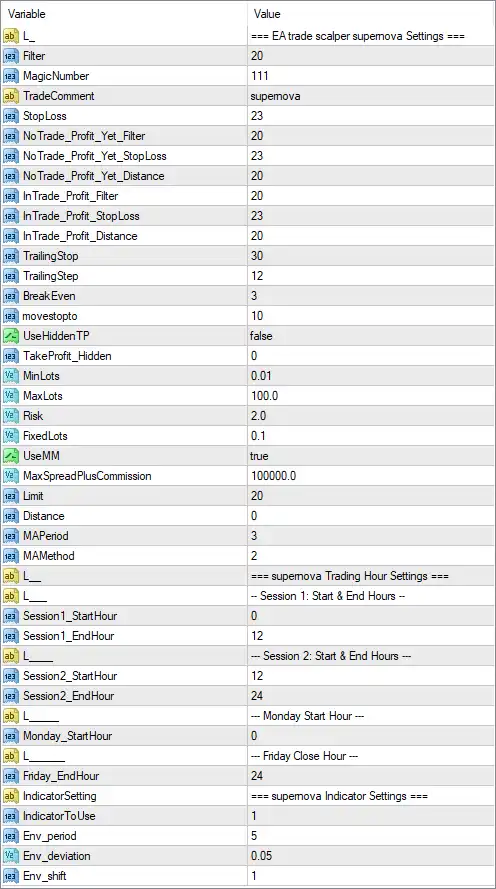
EA Trade Scalper SuperNova MT4 Settings Panel
🔢 EA Trade Scalper SuperNova MT4 Settings Explained
🔶 EA Trade Scalper SuperNova Settings
🔹 L_: === EA trade scalper supernova Settings === — Section header identifying the main EA Trade Scalper SuperNova configuration.
🔹 Filter: 20 — Sets the main Filter parameter to 20, controlling the EA’s configured filtering threshold according to its internal trading logic.
🔹 MagicNumber: 111 — Assigns 111 as the EA’s Magic Number, allowing MT4 to identify and manage SuperNova trades separately from other positions.
🔹 TradeComment: supernova — Sets the trade comment to supernova, making EA-generated positions easier to identify.
🔹 StopLoss: 23 — Sets the Stop Loss parameter to 23 according to the EA’s internal distance unit.
🔶 Profit Protection & Trade Management
🔹 NoTrade_Profit_Yet_Filter: 20 — Sets the profit-related filter threshold to 20, controlling the EA’s no-trade logic before the configured profit condition is reached.
🔹 NoTrade_Profit_Yet_StopLoss: 23 — Sets the Stop Loss value associated with the NoTrade Profit Yet condition to 23.
🔹 NoTrade_Profit_Yet_Distance: 20 — Sets the distance parameter for the NoTrade Profit Yet condition to 20.
🔹 InTrade_Profit_Filter: 20 — Sets the profit filter used while a trade is active to 20.
🔹 InTrade_Profit_StopLoss: 23 — Sets the Stop Loss parameter associated with the InTrade Profit condition to 23.
🔹 InTrade_Profit_Distance: 20 — Sets the active-trade profit distance parameter to 20.
🔹 TrailingStop: 30 — Sets the trailing-stop distance to 30 according to the EA’s internal distance unit.
🔹 TrailingStep: 12 — Sets the trailing-stop adjustment step to 12.
🔹 BreakEven: 3 — Sets the break-even parameter to 3, defining the configured threshold for break-even management.
🔹 movestop: 10 — Sets the Stop Loss movement parameter to 10 when the EA’s stop-management conditions are triggered.
🔶 Hidden Take Profit Settings
🔹 UseHiddenTP: false — Disables the hidden Take Profit mechanism.
🔹 TakeProfit_Hidden: 0 — Sets the hidden Take Profit value to 0. Since UseHiddenTP = false, the hidden TP mechanism is currently disabled.
🔶 Lot & Risk Management
🔹 MinLots: 0.01 — Sets the minimum permitted lot size to 0.01 lots.
🔹 MaxLots: 100.0 — Sets the maximum lot-size parameter to 100.0 lots.
🔹 Risk: 2.0 — Sets the configured risk parameter to 2.0.
🔹 FixedLots: 0.1 — Sets the fixed lot size to 0.1 lots.
🔹 UseMM: true — Enables the EA’s money-management system.
🔹 MaxSpreadPlusCommission: 100000.0 — Sets the maximum spread-plus-commission threshold to 100000.0 according to the EA’s internal calculation unit.
🔶 Order Limit & Distance Settings
🔹 Limit: 20 — Sets the order/trading limit parameter to 20.
🔹 Distance: 0 — Sets the configured trading distance to 0.
🔹 MAPeriod: 3 — Sets the Moving Average period to 3.
🔹 MAMethod: 2 — Sets the Moving Average calculation method to 2, corresponding to the EA’s selected MA method enumeration.
🔶 Trading Hours Settings
🔹 L_: === supernova Trading Hour Settings === — Section header identifying the EA’s trading-hour configuration.
Session 1
🔹 Session1_StartHour: 0 — Sets Session 1’s starting hour to 00:00.
🔹 Session1_EndHour: 12 — Sets Session 1’s ending hour to 12:00.
Session 2
🔹 Session2_StartHour: 12 — Sets Session 2’s starting hour to 12:00.
🔹 Session2_EndHour: 24 — Sets Session 2’s ending hour to 24:00.
🔶 Monday Trading
🔹 Monday_StartHour: 0 — Sets the Monday trading start hour to 00:00.
🔶 Friday Trading
🔹 Friday_EndHour: 24 — Sets the Friday trading end hour to 24:00.
🔶 SuperNova Indicator Settings
🔹 IndicatorSetting: === supernova Indicator Settings === — Section header identifying the indicator configuration used by the EA.
🔹 IndicatorToUse: 1 — Selects indicator option 1 from the EA’s available indicator configurations.
🔹 Env_period: 5 — Sets the envelope/indicator period to 5.
🔹 Env_deviation: 0.05 — Sets the envelope deviation to 0.05.
🔹 Env_shift: 1 — Sets the indicator/envelope shift to 1.
🔶 Key Configuration Highlights
🔹 Magic Number: 111 is used to identify SuperNova EA trades.
🔹 Trade Comment: Positions are labeled supernova.
🔹 Stop Loss: The primary Stop Loss is configured at 23.
🔹 Trailing Stop: The EA uses TrailingStop = 30 with a TrailingStep = 12.
🔹 Break-Even: The configured BreakEven value is 3, with movestop = 10.
🔹 Hidden Take Profit: Hidden TP is disabled with UseHiddenTP = false.
🔹 Lot Range: The displayed minimum lot is 0.01, maximum lot is 100.0, and fixed lot is 0.1.
🔹 Money Management: UseMM = true, enabling the EA’s money-management function.
🔹 Risk Setting: The displayed risk value is 2.0.
🔹 Spread Protection: MaxSpreadPlusCommission = 100000.0 is configured as the maximum spread-plus-commission parameter.
🔹 Moving Average: The EA uses MAPeriod = 3 and MAMethod = 2.
🔹 Trading Sessions: Session 1 operates from 00:00 to 12:00, while Session 2 operates from 12:00 to 24:00.
🔹 Weekly Schedule: Monday starts at 00:00, and Friday ends at 24:00 according to the displayed settings.
🔹 Indicator Configuration: IndicatorToUse = 1, Env_period = 5, Env_deviation = 0.05, and Env_shift = 1.
🔢 Conclusion
EA Trade Scalper SuperNova MT4 provides a detailed configuration environment for automated scalping, combining Stop Loss management, profit filters, trailing stops, break-even controls, money management, lot sizing, spread protection, trading schedules, moving-average parameters, and SuperNova indicator settings.
The displayed setup uses MagicNumber = 111, StopLoss = 23, TrailingStop = 30, TrailingStep = 12, and BreakEven = 3. Position sizing is supported through a 0.01 minimum lot, 100.0 maximum lot, and 0.1 fixed-lot value, while UseMM = true enables the EA’s money-management system.
The trading schedule covers two consecutive sessions: 00:00–12:00 and 12:00–24:00, effectively covering the full day when both sessions are used. The indicator configuration uses a 3-period Moving Average alongside IndicatorToUse = 1, Env_period = 5, Env_deviation = 0.05, and Env_shift = 1.
Before deploying this configuration on a live MT4 account, traders should verify the EA’s internal units for StopLoss, TrailingStop, Distance, and MaxSpreadPlusCommission, as the screenshot does not explicitly identify whether each value represents points, pips, or another calculation unit. Thorough backtesting and forward testing are recommended before live use.
🔢 FAQs
❓ What is the fixed lot size of EA Trade Scalper SuperNova MT4?
The displayed FixedLots value is 0.1, while the minimum lot is 0.01 and maximum lot is 100.0.
❓ What are the Stop Loss and trailing-stop settings?
The primary StopLoss is 23, TrailingStop is 30, and TrailingStep is 12. The EA also has BreakEven = 3 and movestop = 10.
❓ Does SuperNova MT4 use money management?
Yes. UseMM = true, and the configured Risk value is 2.0. The EA also provides configurable MinLots = 0.01 and MaxLots = 100.0.
❓ What are the trading hours?
Session 1 is configured from 00:00 to 12:00, while Session 2 runs from 12:00 to 24:00. Monday starts at 00:00, and Friday ends at 24:00.
❓ What indicator settings does EA Trade Scalper SuperNova MT4 use?
The displayed configuration uses IndicatorToUse = 1, Env_period = 5, Env_deviation = 0.05, Env_shift = 1, together with MAPeriod = 3 and MAMethod = 2.
User Reviews
Only logged in customers who have purchased this product may leave a review.
1. What is EA Trade Scalper SuperNova?
EA Trade Scalper SuperNova is an automated Expert Advisor (EA) for MetaTrader 4 (MT4) that utilizes high-frequency trading (HFT) strategies to maximize trading efficiency. It supports multiple instruments, including EURUSD, GBPUSD, ETHUSD, and BTCUSD.
2. How does EA Trade Scalper SuperNova work?
The EA identifies and executes high-speed trades across different assets, leveraging rapid market movements for quick profits while maintaining integrated risk management.
3. Which trading pairs are supported?
EA Trade Scalper SuperNova is optimized for trading EURUSD, GBPUSD, ETHUSD, and BTCUSD, but it can also work with other pairs based on market conditions.
4. What is the minimum deposit required to use this EA?
The minimum recommended deposit is $300, ensuring optimal risk management and performance.
5. What are the expected profitability and drawdown levels?
Backtest results show:
✔ Total Net Profit: $1.88M
✔ Maximal Drawdown: 0.33% (extremely low risk)
✔ Win Rate: 97.32% (high success rate)
6. Is EA Trade Scalper SuperNova suitable for beginners?
Yes! The EA features a user-friendly interface, pre-configured presets, and simplified installation, making it accessible to both beginner and experienced traders.
7. Does EA Trade Scalper SuperNova require manual intervention?
No, the EA is fully automated. Once installed and configured, it operates independently, following its programmed trading strategies.
8. What risk management features are included?
The EA has built-in risk control settings, including preset risk parameters to help protect against market volatility and minimize potential losses.
9. How do I install EA Trade Scalper SuperNova?
The installation is straightforward. The download package includes:
✔ EA File: EA Trade Scalper SuperNova (Unlimited).ex4
✔ Presets: M5 set supernova.set
✔ Templates: trade scalper nova.tpl
Simply load the EA onto the MT4 platform, apply the recommended settings, and start trading.
🔥 Get This EA for FREE with Our Membership! 🚀🚀
Unlock access to this EA, premium Indicators, and exclusive trading tools completely FREE with any of our Membership Plans! Thousands of traders already benefit from our VIP library—join them and level up your trading instantly. Choose Your Membership:
- SPECIAL – 1 Month Membership
- GOLD – 1 Year Membership
- PREMIUM – 1 Year Membership
-
 Original price was: $4,999.00.$249.00Current price is: $249.00.
 -
 Original price was: $4,500.00.$249.00Current price is: $249.00.
 -
 Original price was: $4,999.00.$249.00Current price is: $249.00.
 -
 Original price was: $28,000.00.$249.00Current price is: $249.00.
-
 1Original price was: $1,599.00.$59.00Current price is: $59.00.
 -
 0Original price was: $500.00.$69.00Current price is: $69.00.
 -
 3Original price was: $999.00.$69.00Current price is: $69.00.
 -
 3Original price was: $999.00.$69.00Current price is: $69.00.
There are no reviews yet.