




0
SHOPPING CART
Instant Digital Delivery
Get your EA software delivered instantly to your email after purchase.
Instant Activation
Your EA will be activated immediately after purchase. No waiting time!
All-Inclusive Pricing
No hidden fees—what you see is what you pay.

POBE Prop Firm EA MT5 (Latest version) – GroupBuy

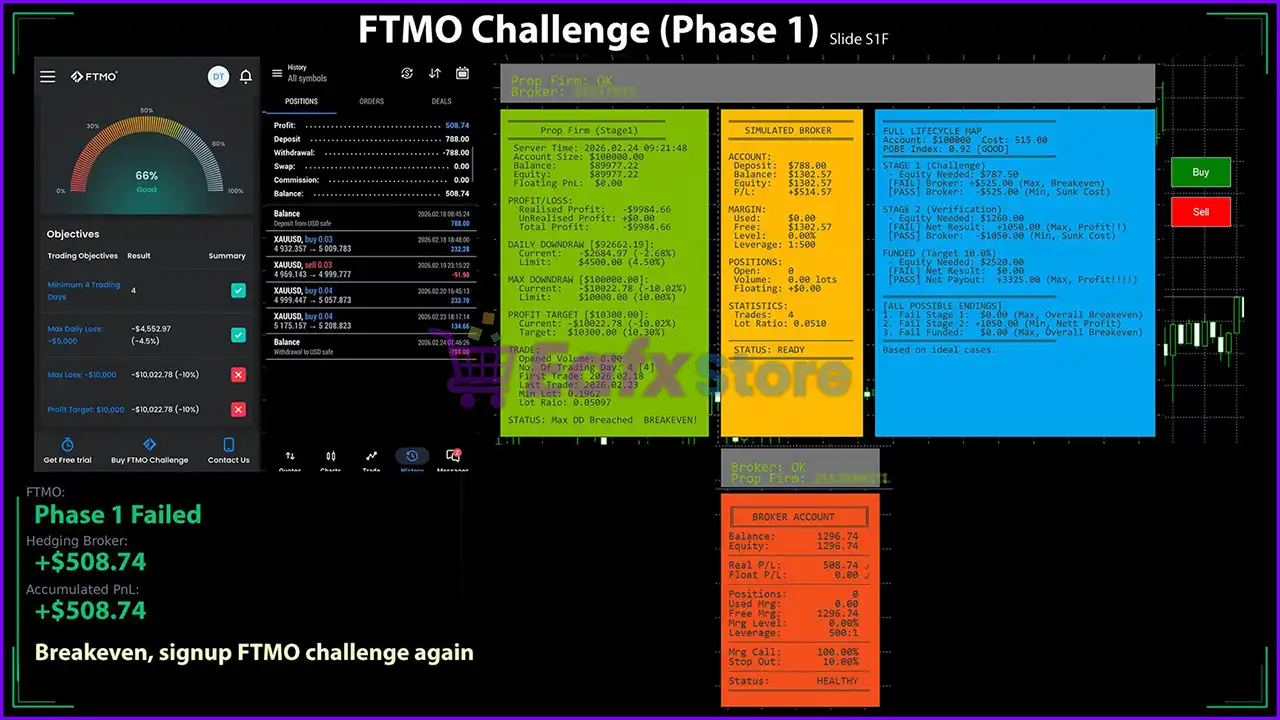
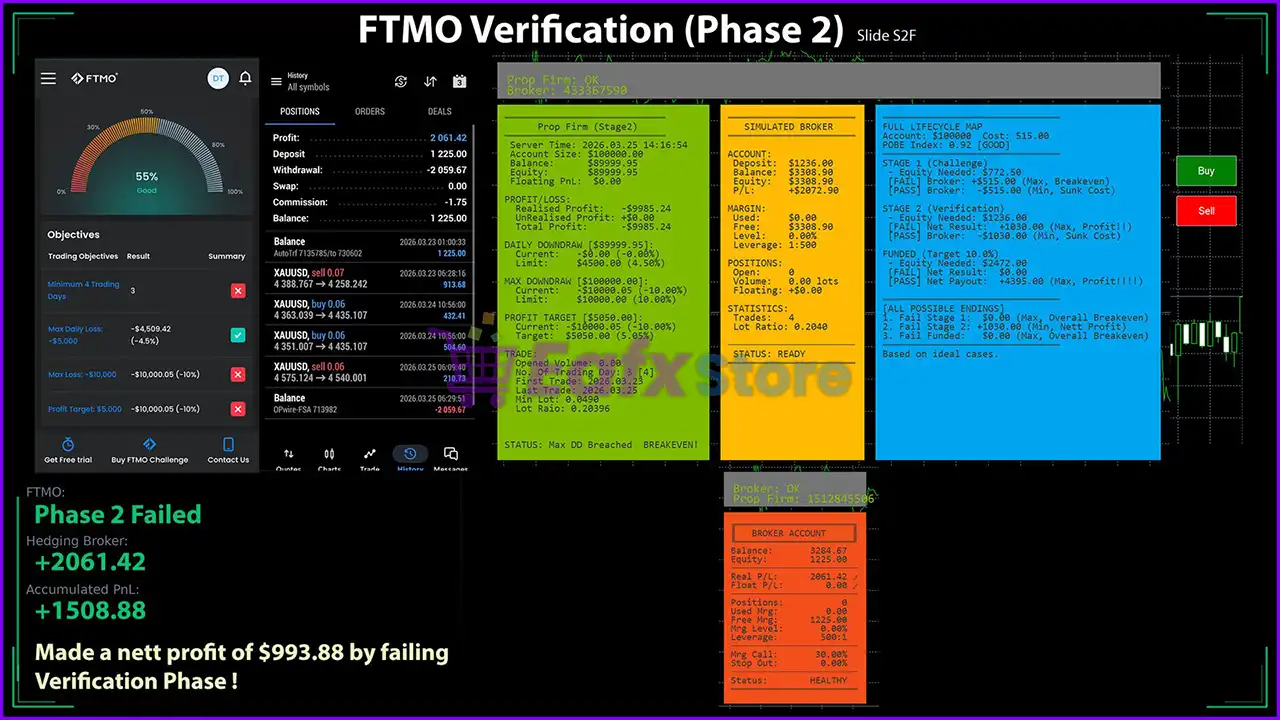
POBE Prop Firm EA is a robot built for trading XAUUSD (Gold). Real trading profit performance has been verified by real accounts.

Price range: $89.00 through $599.00
In stock

Select a variant to see availability.

What is POBE Prop Firm EA?

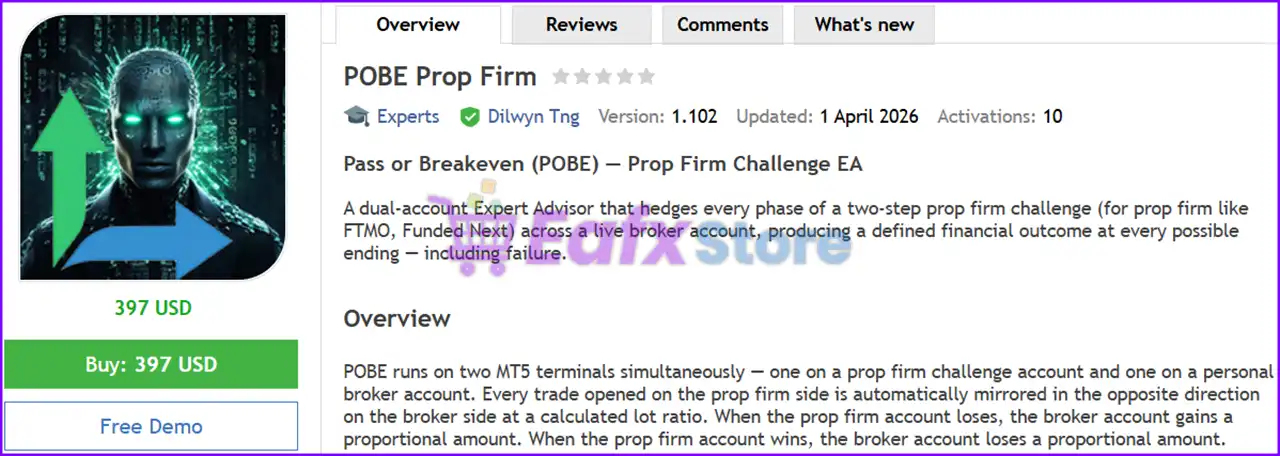
POBE Prop Firm EA is an advanced Expert Advisor (EA) designed for automated trading using a dual-account hedging system. It focuses on stability, adaptability, and precise risk management by mirroring trades across accounts, ensuring defined financial outcomes and controlled exposure throughout prop firm challenge phases.

🔶 Vendor Website: View here
🔶 This is GroupBuy ==> How to Join

About the Author

This product is compiled by Dilwyn Tng. This Latvian author has more than +4 years of experience working on MQL5 and created 10 products, famous products such as POBE Prop Firm EA MT5, HFT Prop Firm EA MT5, HFT Prop Firm EA MT4Gold Mana MT5 and others. Among them, POBE Prop Firm EA is his most famous products.

🔶 Join Our Channel Telegram

Key Features of POBE Prop Firm EA for MT5

🔹 Dual-Account Hedging System: Mirrors trades between prop and broker accounts to balance profit and loss.
🔹 Defined Outcome Modeling: Calculates potential results in advance for every possible challenge scenario.
🔹 Advanced Risk Control: Manages exposure using calculated lot ratios and structured trade synchronization.
🔹 Built-In Simulation Tools: Includes a testing environment to evaluate strategy performance before live use.
🔹 Flexible Execution Modes: Supports multiple trade opening methods with timing and randomness options.

Why Choose & Use POBE Prop Firm EA?

🔹 Stable Trading Framework: Designed to manage risk through structured hedging and defined outcomes.
🔹 Enhanced Risk Control System: Minimizes uncertainty by balancing exposure across multiple accounts.
🔹 Strategic Challenge Approach: Focuses on passing prop firm stages with controlled and planned execution.

POBE Prop Firm EA MT5 Review

🔹 Adaptable Trading Logic: Works across different account setups and trading environments efficiently.
🔹 Marketplace-Ready Solution: Ideal for traders seeking a reliable EA focused on stability and control.

POBE Prop Firm MT5 Review

POBE Prop Firm MT5 Review

POBE Prop Firm EA Review

POBE Prop Firm EA Review

What is the POBE Prop Firm MT5 Trading Strategy?

🔹 Hedging-Based Execution: Opens opposite trades across accounts to neutralize directional market risk.
🔹 Challenge Structure Focus: Targets prop firm rules and phases rather than predicting market direction.
🔹 Outcome Distribution Logic: Balances results across scenarios to reduce binary win-or-loss outcomes.
🔹 Dynamic Lot Adjustment: Calculates position sizes to maintain proportional gains and losses between accounts.
🔹 Lifecycle Trade Management: Controls trades throughout challenge phases with predefined strategy mapping.

Is POBE Prop Firm EA safe?

POBE Prop Firm EA shows significant potential in providing stable and reliable profits, making it a reliable tool in the forex market. The advisor is highly appreciated by the MQL5 community in many aspects and has won the trust of users.

⭐⭐⭐⭐⭐ Brian Dika (2026.05.06)

“This EA introduces a unique way for either passing prop firm challenges or breaking even with a broker so you have money to buy another challenge should incase the challenge fails. For a prop firm like Funded Next and FundingPips, one can make profit even if they fail the challenges.”

⭐⭐⭐⭐⭐ iTiL (2026.04.29)

“It’s a good idea and a good implementation. This can and should be used to make a guaranteed profit!”

⭐⭐⭐⭐⭐ Rajesh Patra (2026.04.25)

“Now I am so happy with even FAIL, I am actually making either way, pass or fail prop firm stages with POBE.”

Recommended settings

Recommended settings and parameters to pay attention to from developers and experts:

FeaturesType
Trading platformMetaTrader 5 (MT5)
Time framesAny
Currency pairsXAUUSD (Gold)
Minimum / Recommended deposit$1,000
Minimum / Recommended leverageAny
Account typeAny
Product typeOriginal version
Additional servicesUnlock and Decompile
Recommended brokersExness Broker, Icmarkets Broker
Recommended VPSMyfxVPS.com (Blue VPS, Golden VPS). Lowest Latency, 2 week Free Trial, 100% Free for 12-18 Months.

Product Download Package?

The download package of the product suite includes:

✅ Setting (If Any).docx

✅ Installation Guide.docx

➡️ Reviewed by David Easton

Conclusion

In short, POBE Prop Firm EA is a unique MT5 trading solution designed to help traders pass prop firm challenges using a dual-account hedging system. With defined outcome modeling, advanced risk control, and synchronized trade execution, it minimizes uncertainty and ensures structured performance. It is an ideal choice for traders seeking a strategic and controlled approach to prop firm success.

POBE Prop Firm EA MT5 Settings Guide

POBE Prop Firm EA is a specialized Expert Advisor designed for prop firm challenge accounts and funded trading programs. The EA incorporates trend-based entries, adaptive EMA filtering, ADR-based position sizing, automatic hedge ratio management, simulated prop firm conditions, and strict risk controls. It provides extensive customization for challenge phases, verification stages, funded accounts, broker compatibility, and execution settings, making it suitable for traders who want to automate trading while complying with prop firm rules.


POBE Prop Firm EA MT5 Settings Explained

Mode Settings

🔹 POBE Mode = Prop Firm Mode – Runs the EA using the dedicated Prop Firm trading profile.


1. Prop Firm Settings

🔹 Current Mode New Day = CET/CEST (FTMO) – Uses the FTMO server day reset based on CET/CEST.

🔹 Phase = Challenge (Stage 1) – Sets the account to Challenge Phase 1.

🔹 Initial Deposit Detection For Live Account = Auto Initial Account Size – Automatically detects the starting account balance.

🔹 Initial Deposit Amount = 100000.0 – Reference starting balance is 100,000.0.

🔹 Challenge Cost ($) = 515.0 – Estimated challenge fee is $515.0.

🔹 Daily DD Cap (%) = 90.0 – Sets the daily drawdown monitoring cap to 90.0%.

🔹 No Margin Check = false – Margin availability is checked before opening trades.

🔹 Phase Starting Type = Phase Start Date as loading – Starts monitoring from the configured phase start date.

🔹 Phase Starting Date = 2026.01.01 00:00:00 – Challenge begins on 2026.01.01 00:00:00.

🔹 Leverage = AutoDetect – Automatically detects broker leverage.

🔹 Manual Leverage = 20 – Uses leverage 20 only if AutoDetect is unavailable.


2. Symbol Settings

🔹 Prefix (Symbol is XEURUSD, then prefix is X) – Defines broker symbol prefixes.

🔹 Suffix (Symbol is XAUUSD.i, then suffix is .i) – Defines broker symbol suffixes.

🔹 Customized lot ratio (SlaveSymbol=0.1, US30=10) – Allows broker-specific lot conversion ratios.


3. Trade Settings

🔹 Type of Entry Mode = Open Trade by Trend – Opens positions following the detected trend.

🔹 Reverse EMA Entry = false – Reverse EMA entry logic is disabled.

🔹 Buy = true, Sell = true – Enables both Buy and Sell trading.


Opening Window

🔹 Time Hour Open = 1 – Trading starts at 01:00.

🔹 Time Minute Open = 18 – Opening minute is 18.

🔹 Time Second Open = 10 – Opening second is 10.

🔹 Time Hour End = 12 – Trading ends at 12:00.

🔹 Time Minute End = 45 – Ending minute is 45.

🔹 Time Second End = 40 – Ending second is 40.


3a. EMA Settings

🔹 EMA1 Period = 5 – Fast EMA period is 5.

🔹 EMA2 Period = 10 – Medium EMA period is 10.

🔹 EMA3 Period = 20 – Slow EMA period is 20.

🔹 EMA Timeframe = 15 Minutes – EMA calculations use the M15 timeframe.

🔹 EMA Shift = 0 – No EMA shift is applied.

🔹 Volatility Check = Off – Volatility filtering is disabled.

🔹 Volatility Level (0.0 to 10.0) = 4.5 – Reference volatility level is 4.5.


4. Size Positioning

🔹 ADR SL Factor = 0.5 – Stop Loss equals 0.5 × ADR.

🔹 ADR TP Factor = 0.51 – Take Profit equals 0.51 × ADR.

🔹 ADR Period 1 = 50 – Primary ADR lookback is 50 periods.

🔹 ADR Period 2 = 3 – Secondary ADR lookback is 3 periods.

🔹 ADR Variant (max%, 0=disable) = 5.0 – ADR variation limit is 5.0.


5. Hedge Ratio

🔹 Auto Hedge Ratio = true – Automatically adjusts hedge ratios.

🔹 Phase 1 Hedge Ratio = 0.1 – Hedge ratio for Phase 1.

🔹 Phase 2 Hedge Ratio = 0.4 – Hedge ratio for Phase 2.

🔹 Phase 3 Hedge Ratio = 0.5 – Hedge ratio for Phase 3.

🔹 Other Phase Hedge Ratio = 0.3 – Default hedge ratio for other phases.


10. Challenge (Phase 1)

🔹 Phase 1 Profit Target (%) = 10.0 – Profit target is 10.0%.

🔹 Phase 1 Daily DD (%) = 5.0 – Daily drawdown limit is 5.0%.

🔹 Phase 1 Max DD (%) = 10.0 – Maximum drawdown is 10.0%.

🔹 Phase 1 Minimal Trading Day = 4 – Minimum trading days required is 4.


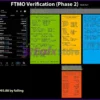
11. Verification (Phase 2)

🔹 Phase 2 Profit Target (%) = 5.0 – Profit target is 5.0%.

🔹 Phase 2 Daily DD (%) = 5.0 – Daily drawdown is 5.0%.

🔹 Phase 2 Max DD (%) = 10.0 – Maximum drawdown is 10.0%.

🔹 Phase 2 Minimal Trading Day = 4 – Minimum trading days is 4.


12. First Funded (Phase 3)

🔹 Phase 3 Profit Target (%) = 10.0 – Funded target is 10.0%.

🔹 Phase 3 Daily DD (%) = 5.0 – Daily drawdown remains 5.0%.

🔹 Phase 3 Max DD (%) = 10.0 – Maximum drawdown remains 10.0%.

🔹 Phase 3 Minimal Trading Day = 1 – Minimum funded trading day is 1.

🔹 Phase 3 Fee Refund = true – Fee refund tracking enabled.

🔹 Phase 3 Bonus = 0.0 – Bonus percentage is 0.0.

🔹 Phase 3 Payout Rate = 80.0 – Profit payout rate is 80.0%.


13. Other Phase / Hedge

🔹 Other Phase Profit Target (%) = 5.0 – Profit target is 5.0%.

🔹 Other Phase Daily DD (%) = 5.0 – Daily drawdown is 5.0%.

🔹 Other Phase Max DD (%) = 10.0 – Maximum drawdown is 10.0%.

🔹 Other Phase Minimal Trading Day = 4 – Minimum trading days is 4.

🔹 Other Phase Payout Rate = 90.0 – Payout percentage is 90.0%.

🔹 Hedge Amount = 2000.0 – Hedge capital allocation equals 2000.0.


14. Draconian Prop Firm

🔹 Prop Firm that uses harsh rules = false – Strict rule mode is disabled.

Per Trade Settings

🔹 Max Margin to use (%) = 25.0 – Maximum margin utilization is 25.0%.

🔹 Lot Size Factor = 1.0 – Default lot multiplier.

🔹 Max SL (%) = 2.5 – Maximum Stop Loss is 2.5%.

🔹 Max TP (%) = 5.111 – Maximum Take Profit is 5.111%.

🔹 Follow Up Trade Direction = Follow First Trade of the Day – Future trades follow the day’s first trade direction.


20. Multiple Symbols

🔹 Use Multiple Symbols = false – Multi-symbol trading is disabled.

🔹 Second Symbol = XAGUSD – Secondary symbol is XAGUSD.

🔹 Third Symbol – Not configured.

🔹 Fourth Symbol – Not configured.

🔹 Fifth Symbol – Not configured.


21. Daily Close

🔹 Close All Trade = false – Automatic daily closing is disabled.

🔹 Close Trade Hour = 23 – Closing hour is 23.

🔹 Close Trade Minute = 15 – Closing minute is 15.

🔹 Close Trade Second = 20 – Closing second is 20.


30. Simulated Broker

🔹 Show POBE Lifecycle Map = true – Displays lifecycle tracking.

🔹 Show Simulated Broker = true – Shows broker simulation panel.

🔹 Simulated Broker Account Size Mode = Auto – Automatically determines simulated balance.

🔹 Manual Simulated Broker Account Deposit ($) = 5000.0 – Manual balance is $5000.0.

🔹 Simulated Broker Account Leverage (1:500) = 500 – Simulated leverage is 1:500.

🔹 Simulated Broker Margin Call (%) = 100.0 – Margin call threshold.

🔹 Simulated Broker Stop Order (%) = 50.0 – Stop-out threshold.

🔹 Broker Spread (point) = 0 – Simulated spread is 0 points.

🔹 Prop Firm Commission Type = Commission charged on both entry and exit (x2) – Commission model.

🔹 Prop Firm Commission Per Lot ($) = 0.0 – Commission per lot.

🔹 Estimated Slippage = 30.0 – Expected slippage equals 30.0 points.


31. More on PF

🔹 PropFirm Magic Number = 0 – Uses broker/default Magic Number.

🔹 PropFirm EA Comment – Custom EA comment for Prop Firm mode.


32. Backtest

🔹 Winter GMT Offset = 2 – Winter GMT offset equals 2.

🔹 Summer GMT Offset = 3 – Summer GMT offset equals 3.


50. Broker Settings

🔹 Ignore Symbol and Session Check = true – Disables broker symbol/session validation.

🔹 Symbols Mappings (XAUUSD=GOLD, US30=WS30, XAUUSD.i=GOLD) [16] – Supports broker-specific symbol mapping.

🔹 Prefix (Symbol is eURUSD, then prefix is a) – Broker symbol prefix.

🔹 Suffix (Symbol is XAUUSDx, then suffix is x) – Broker symbol suffix.

🔹 Open Slippage (point) = 10000 – Maximum opening slippage.

🔹 Close Slippage (point) = 10000 – Maximum closing slippage.

🔹 Commission Per Lot = 7.0 – Commission value per lot.


53. Magic Number

🔹 Magic Number Type = Leave Broker Magic Number Blank – Uses default broker handling.

🔹 MagicNumber = 0 – Magic Number value is 0.


54. EA Comment

🔹 Comment Type = Leave Broker Comment Blank – Uses broker default comments.

🔹 Comment – Optional custom comment field.


55. Retry

🔹 Number of Attempt = 3 – Retries failed orders 3 times.

🔹 Wait in mSecond per Attempt = 250 – Waits 250 milliseconds between retries.

🔹 Fast Execution First = true – Prioritizes fast execution.


95. Display

🔹 BoxTextSize = 10 – Dashboard font size is 10.

🔹 BoxWidthFactor = 1.12 – Dashboard width scaling factor.


100. Support and Contact

🔹 POBE EA MT5 – Official product page.

🔹 Developer Page – Developer profile.

🔹 POBE Group – Official community group.

🔹 Website = https://p5.net/pobe – Official website reference.


Conclusion

POBE Prop Firm EA MT5 is a highly specialized Expert Advisor engineered for professional funded-account trading. It provides comprehensive controls for challenge phases, verification stages, hedge management, ADR-based position sizing, EMA trend filtering, broker simulation, and execution optimization. With extensive prop firm compliance settings and flexible broker compatibility, it enables traders to automate strategies while adhering to strict funded account rules and risk management requirements.


FAQs

What is POBE Prop Firm EA MT5 designed for?

POBE Prop Firm EA MT5 is designed specifically for traders participating in proprietary trading firm challenges and funded account programs.

Does the EA support different challenge phases?

Yes. It includes dedicated settings for Challenge (Phase 1), Verification (Phase 2), First Funded (Phase 3), and additional funded phases.

Can the EA automatically adjust hedge ratios?

Yes. The Auto Hedge Ratio feature dynamically adjusts hedge ratios based on the current account phase.

Does POBE Prop Firm EA MT5 include broker simulation?

Yes. It offers a complete simulated broker environment, including leverage, commissions, margin calls, stop-out levels, and slippage modeling.

Can the EA be customized for different brokers?

Yes. It supports custom symbol prefixes, suffixes, symbol mapping, GMT offsets, commission settings, slippage control, and broker-specific execution parameters.

User Reviews

0.0 out of 5
0
0
0
0
0
Write a review

There are no reviews yet.

Only logged in customers who have purchased this product may leave a review.

❓ What is POBE Prop Firm MT5 and how does it work?

POBE Prop Firm MT5 is an automated EA that uses a dual-account hedging system to mirror trades and control risk during prop firm challenges.

❓ How does the dual-account system in POBE Prop Firm MT5 operate?

POBE Prop Firm MT5 opens opposite trades across two accounts, balancing profit and loss to achieve controlled and predictable outcomes.

❓ Is POBE Prop Firm MT5 suitable for beginners?

POBE Prop Firm MT5 can be used by beginners, but understanding hedging and prop firm rules helps maximize its effectiveness.

❓ How does POBE Prop Firm MT5 manage trading risk?

POBE Prop Firm MT5 uses calculated lot ratios, synchronized trades, and predefined outcomes to maintain strict and structured risk control.

❓ What trading strategy does POBE Prop Firm MT5 use?

POBE Prop Firm MT5 applies hedging-based execution, focusing on balancing exposure rather than predicting market direction.

❓ Can POBE Prop Firm MT5 run fully automatically?

POBE Prop Firm MT5 supports full automation, managing trade execution, synchronization, and risk control without manual input.

❓ What is the recommended deposit for POBE Prop Firm MT5?

POBE Prop Firm MT5 requires a minimum deposit of $1,000 to ensure effective hedging and stable performance across accounts.

❓ How does POBE Prop Firm MT5 help pass prop firm challenges?

POBE Prop Firm MT5 focuses on defined outcomes and structured execution, helping traders meet challenge rules with controlled risk.

❓ Does POBE Prop Firm MT5 adapt to different trading conditions?

POBE Prop Firm MT5 adapts to various account setups and conditions using flexible execution modes and dynamic lot adjustments.

❓ What makes POBE Prop Firm MT5 different from other EAs?

POBE Prop Firm MT5 stands out with its dual-account hedging system and outcome modeling approach tailored for prop firm trading.

Worldwide Instant Access
Download your EA software from anywhere in the world.
Reliable & Tested
Each EA is thoroughly tested and optimized for best performance.
Recently Viewed
  • Price range: $89.00 through $599.00
  • Price range: $89.00 through $599.00
  • Price range: $89.00 through $599.00
  • Price range: $89.00 through $599.00
Related Items
  • 3
    $140.00
  • 0
    $180.00
  • 7
    Original price was: $1,199.00.Current price is: $229.00.
  • 2
    $220.00
Want Unlimited Access to EA Bots, Indicators & Exclusive Trading Tools?

Start today, get instant access to all EA bots!

Download Unlimited - Exclusive Updates - Save More

The company’s mission

We are an organization offering affordable Forex trading tools for educational purposes. Achieve the greatest benefits with minimal investment at eafxstore.com.
  • Telegram
  • Email
  • Youtube
  • Facebook

Policy

DCMA REPORT
Privacy Policy
Refund policy

Help

About US
Contact
Copyright 2023 ©EAFXSTORE.COM
EA FX Store
Logo
Shopping cart