

🔶 Introduction to Bullet Expert MT4
Bullet Expert MT4 is a flexible automated trading system designed to combine trend-following and dynamic position management strategies. With features such as differentiated lot sizing, adaptive Take Profit (TP) levels, and built-in risk controls, this EA aims to deliver consistent results across varying market conditions.
📌📌📌 Buy this Bullet Expert MT4 product here 📌📌📌
The configuration shown reflects a moderate-risk setup with both long and short trade optimization, making it suitable for traders seeking balanced performance between stability and growth.
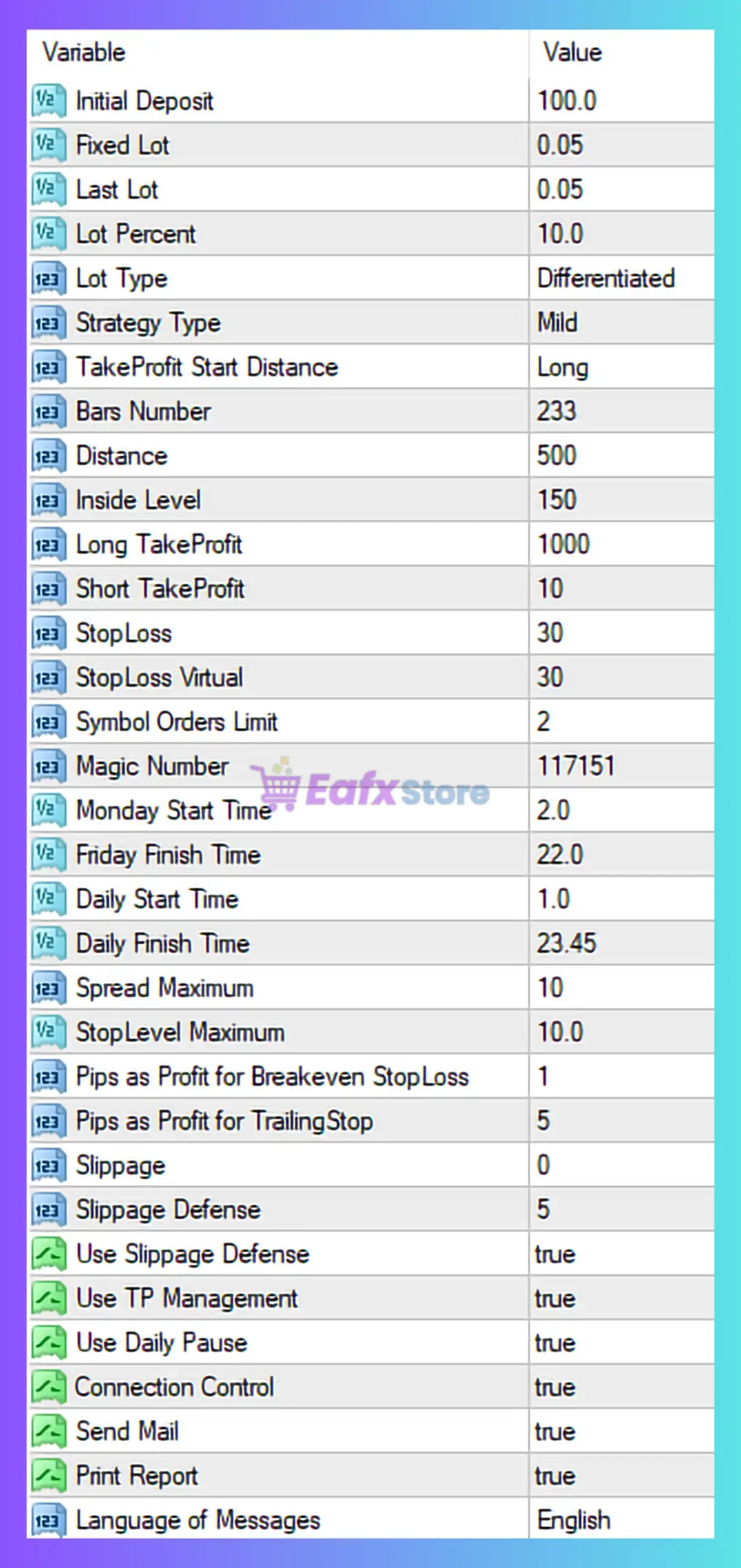
🔶 Capital & Lot Management Settings
| Parameter | Value | Description |
|---|---|---|
| Initial Deposit | 100.0 | Base capital reference for EA calculations |
| Fixed Lot | 0.05 | Starting lot size |
| Last Lot | 0.05 | Final lot in sequence |
| Lot Percent | 10.0 | Percentage-based lot sizing |
| Lot Type | Differentiated | Dynamic lot adjustment |
➡️ Analysis
- Combines fixed and percentage-based lot sizing
- “Differentiated” lot type suggests adaptive scaling
- 10% lot exposure → moderate to high risk
👉 Suitable for small accounts with growth focus
🔶 Strategy Configuration
| Parameter | Value | Description |
|---|---|---|
| Strategy Type | Mild | Conservative/moderate trading mode |
| TakeProfit Start Distance | Long | TP behavior favors long trades |
| Bars Number | 233 | Historical data used |
| Distance | 500 | Trade spacing or entry filter |
| Inside Level | 150 | Entry sensitivity level |
➡️ Analysis
- “Mild” strategy → reduced aggressiveness
- Uses historical data (233 bars) for signal filtering
- Distance values suggest grid or spacing logic
🔶 Take Profit & Stop Loss Settings
| Parameter | Value | Description |
|---|---|---|
| Long TakeProfit | 1000 | TP for buy trades |
| Short TakeProfit | 10 | TP for sell trades |
| StopLoss | 30 | Standard SL |
| StopLoss Virtual | 30 | Hidden SL |
➡️ Analysis
- Highly asymmetric TP:
- Long trades → trend riding (large TP)
- Short trades → quick scalping exits
- Virtual SL helps hide stop levels from broker
⚠️ Imbalance may cause directional bias
🔶 Trade Execution Limits
| Parameter | Value | Description |
|---|---|---|
| Symbol Orders Limit | 2 | Max open trades per symbol |
| Magic Number | 117151 | Unique EA ID |
➡️ Analysis
- Limits exposure → controls drawdown
- Suitable for low-risk portfolio management
🔶 Trading Time Configuration
| Parameter | Value | Description |
|---|---|---|
| Monday Start Time | 2.0 | Start trading Monday |
| Friday Finish Time | 22.0 | Stop before weekend |
| Daily Start Time | 1.0 | Daily session start |
| Daily Finish Time | 23.45 | Daily session end |
➡️ Analysis
- Nearly full-day trading coverage
- Avoids weekend gaps
- Optimized for continuous market participation
🔶 Spread & Slippage Control
| Parameter | Value | Description |
|---|---|---|
| Spread Maximum | 10 | Max allowed spread |
| StopLevel Maximum | 10 | Broker stop level filter |
| Slippage | 0 | No slippage tolerance |
| Slippage Defense | 5 | Protection buffer |
| Use Slippage Defense | true | Enable protection |
➡️ Analysis
- Strict slippage = precise execution
- Spread 10 → moderate tolerance
- Slippage defense improves execution safety
🔶 Trade Management Features
| Parameter | Value | Description |
|---|---|---|
| Pips for Breakeven | 1 | Early BE activation |
| Pips for TrailingStop | 5 | Start trailing quickly |
| Use TP Management | true | Dynamic TP control |
| Use Daily Pause | true | Pause trading logic |
| Connection Control | true | Monitors connection |
➡️ Analysis
- Very tight BE → protects capital early
- Fast trailing stop → locks profits quickly
- Daily pause → prevents overtrading
🔶 Additional Features
| Parameter | Value | Description |
|---|---|---|
| Send Mail | true | Email notifications |
| Print Report | true | Performance logging |
| Language | English | Interface language |
🔶 Key Strengths of Bullet Expert MT4
🧩 Balanced Strategy Approach
Combines trend-following (long TP) and scalping (short TP)
🧩 Strong Risk Control
- Breakeven at 1 pip
- Limited open trades
- Slippage defense enabled
🧩 Flexible Lot Management
Adaptive lot sizing improves capital efficiency
🧩 Continuous Trading Capability
Nearly 24-hour operation with weekend protection
🔶 Potential Risks
🧩 Asymmetrical Trade Logic
Large TP for long trades vs small TP for short trades
🧩 High Lot Exposure (10%)
Can increase drawdown risk
🧩 Tight Breakeven
May cause premature trade exits
🧩 Spread Sensitivity
Needs stable broker conditions
🔶 Optimization Suggestions
- Reduce Lot Percent to 2–5% for safety
- Balance Long & Short TP for consistency
- Increase Breakeven to 5–10 pips
- Use ECN broker with low latency
🔶 Conclusion
The Bullet Expert MT4 EA settings demonstrate a hybrid trading strategy combining:
- Trend-following (large TP for long trades)
- Scalping (small TP for short trades)
- Dynamic lot management
- Advanced risk control mechanisms
This configuration is best suited for traders who:
- Want a semi-aggressive but controlled EA
- Prefer multi-strategy automation
- Trade on low-spread, stable brokers
👉 With proper optimization, Bullet Expert MT4 can deliver consistent performance while maintaining risk discipline, making it a strong candidate for both beginner and intermediate automated traders.