

Introduction to EXEC Ai EA MT5
EXEC Ai EA MT5 is an automated trading Expert Advisor (EA) developed for the MetaTrader 5 platform, focusing on intelligent risk management and news-event protection. The EA combines percentage-based lot sizing with manual risk configuration, allowing traders to control exposure more efficiently. With integrated news filters and flexible balance-based risk settings, EXEC Ai EA is designed for traders seeking disciplined and adaptive algorithmic trading.
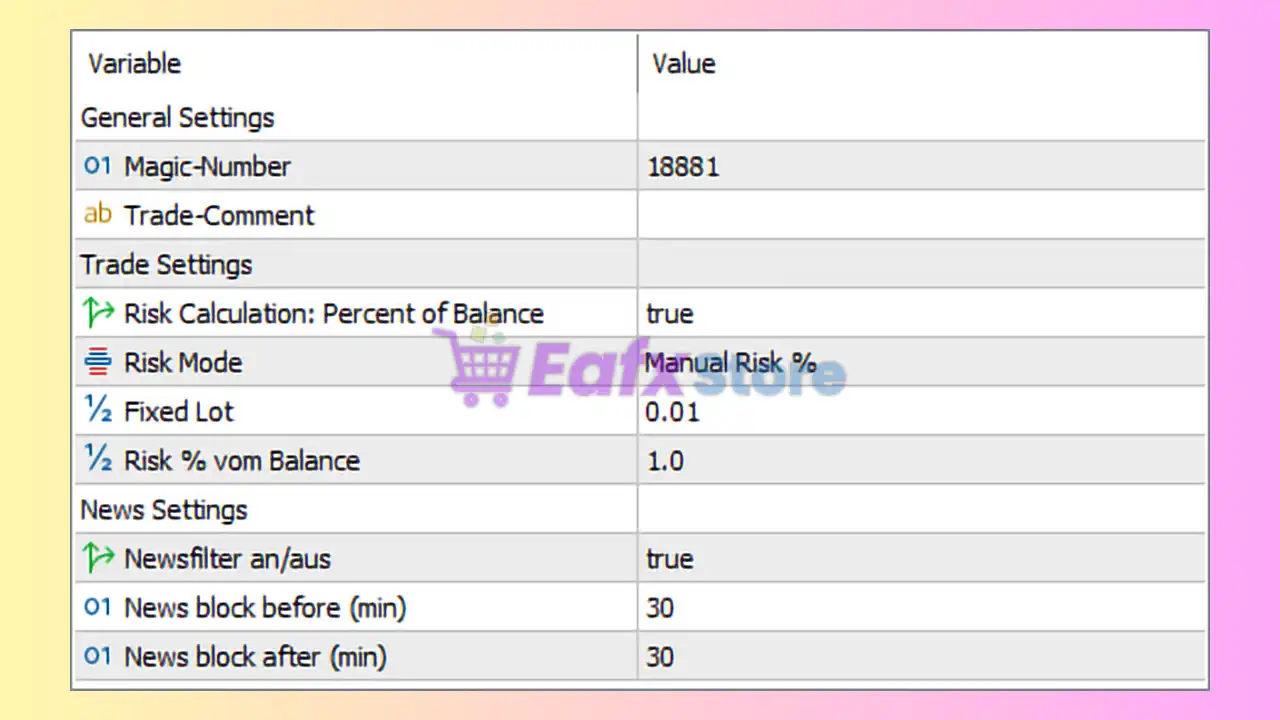
General Settings
- Magic-Number = 18881: Unique trade identifier (18881) used by the EA to distinguish and manage its own positions.
- Trade-Comment =: Custom trade comment field left empty; traders can add personalized labels for trade identification.
Trade Settings
- Risk Calculation: Percent of Balance = true: Enables lot size calculation based on a percentage of account balance.
- Risk Mode = Manual Risk %: Uses manual percentage-based risk management mode.
- Fixed Lot = 0.01: Sets the fixed lot size to 0.01 when fixed lot trading is applied.
- Risk % own Balance = 1.0: Risks 1.0% of the account balance per trade.
News Settings
- Newsfilter an/aus = true: Activates the built-in news filter to avoid trading during high-impact news events.
- News block before (min) = 30: Stops opening trades 30 minutes before scheduled news releases.
- News block after (min) = 30: Prevents new trades for 30 minutes after news events.
Conclusion
The EXEC Ai EA MT5 settings provide a clean and efficient framework for traders who prioritize smart risk management and news-event protection. With balance-based risk calculation, manual risk percentage control, and automatic news filtering, this EA helps reduce unnecessary exposure during volatile market conditions. Understanding and optimizing these settings can improve trading consistency and enhance overall account safety.
FAQs
❓ What does Risk Calculation: Percent of Balance = true mean?
It means the EA automatically calculates lot size based on account balance percentage.
❓ Why is Risk % own Balance = 1.0 important?
It limits each trade risk to 1.0% of total account balance.
❓ What is the purpose of the Newsfilter an/aus setting?
It prevents trading during high-impact economic news events.
❓ Why are News block before and after both set to 30 minutes?
This creates a safety buffer around news releases to avoid extreme volatility.
❓ What does Magic-Number = 18881 do?
It uniquely identifies trades opened by EXEC Ai EA MT5 for management and tracking purposes.