

TINGA TINGA NEW EA is an automated Expert Advisor (EA) designed for dynamic market entries and exits based on moving average crossovers and distance-based pip filters. The following breakdown explains each key parameter used in its configuration and trading behavior.
==>> Buy this unlimited TINGA TINGA NEW EA MT5 product here
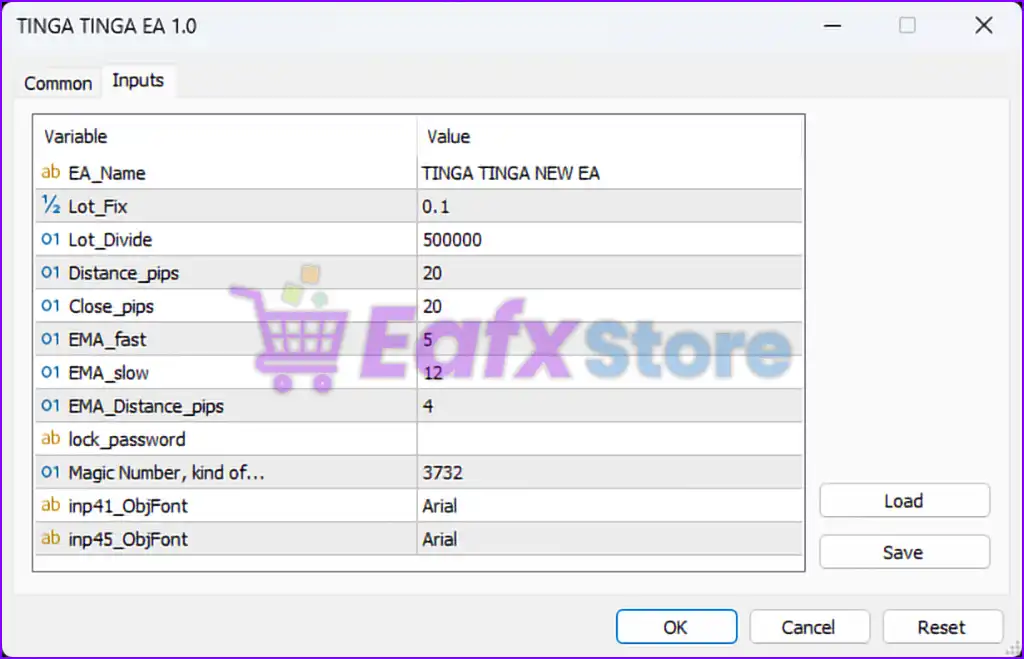
⚙️ General Configuration
| Parameter | Value | Description |
|---|---|---|
EA_Name | TINGA TINGA NEW EA | Identifier for the EA display |
Magic Number | 3732 | Unique identifier for managing orders |
lock_password | (empty) | Placeholder for EA security (if needed) |
inp41_ObjFont, inp45_ObjFont | Arial | Font settings for visual chart objects |
📈 Lot Management
| Parameter | Value | Description |
|---|---|---|
Lot_Fix | 0.1 | Fixed lot size for trading if not using dynamic logic |
Lot_Divide | 500000 | Possibly used for dynamic lot calculation based on account balance (e.g., Lot = Balance / Lot_Divide) |
✅ This hybrid approach allows both fixed and scalable lot sizing depending on account equity.
📏 Entry and Exit Rules
| Parameter | Value | Description |
|---|---|---|
Distance_pips | 20 | Minimum pip distance before considering a new entry |
Close_pips | 20 | Distance in pips at which the trade will be closed or reversed |
📌 These pip-based controls help prevent overtrading and improve entry precision.
📊 EMA (Exponential Moving Average) Strategy
| Parameter | Value | Description |
|---|---|---|
EMA_fast | 5 | Fast EMA period used to track short-term price movements |
EMA_slow | 12 | Slow EMA period for identifying broader trends |
EMA_Distance_pips | 4 | Minimum pip distance between EMAs to trigger trade logic |
✅ Strategy Insight: When the fast EMA crosses above or below the slow EMA by more than 4 pips, a trade may be executed. This is a classic crossover confirmation technique that avoids choppy entries.
✅ Summary of Features
- 🔄 EMA Crossover Strategy – Utilizes 5/12 EMA settings for precise trend detection.
- 📐 Pip-Based Filters – Ensures entry/exit only occur when specific market conditions are met.
- 📊 Scalable Lot Control – Hybrid fixed and equity-based lot sizing logic.
- 🔒 Magic Number Enabled – Ensures multi-EA compatibility without interference.