

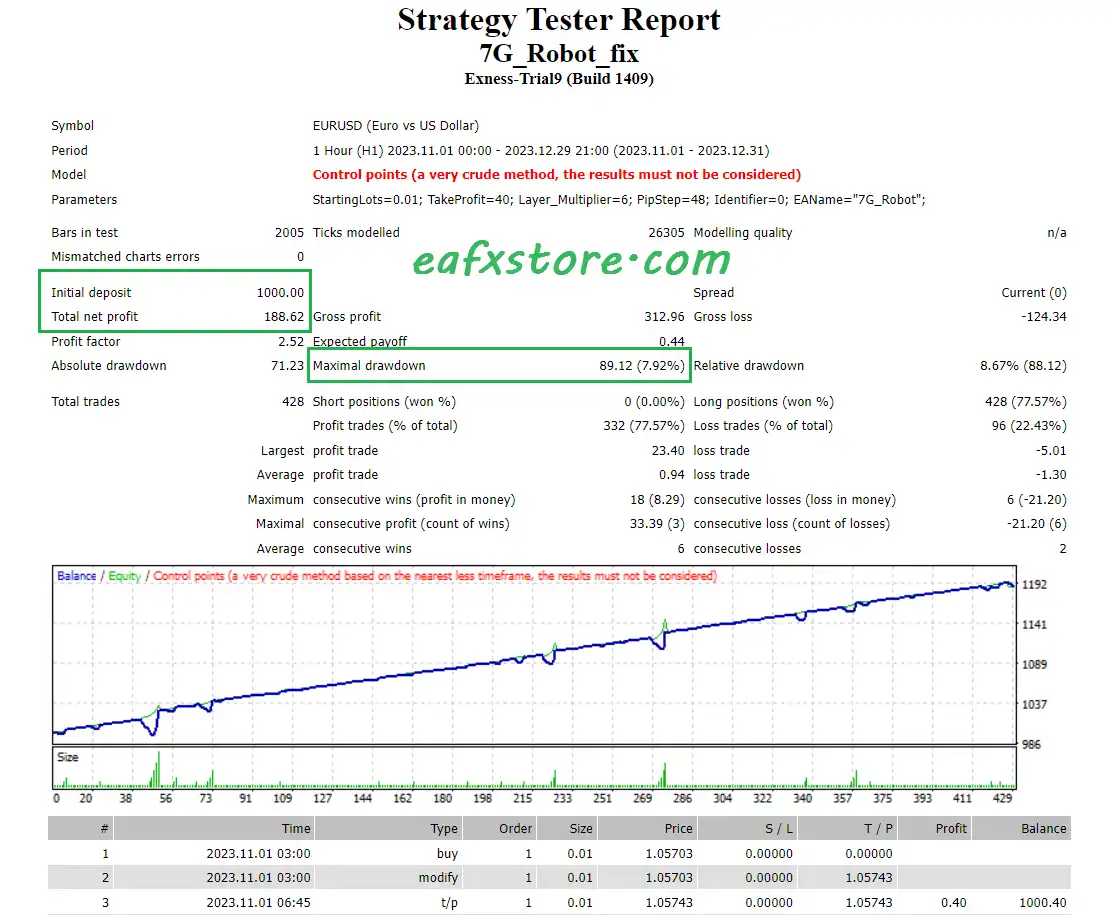
🔢 7G Robot Pro MT4 Settings Explained – Complete Configuration Guide
7G Robot Pro MT4 is an automated Forex trading Expert Advisor (EA) designed for MetaTrader 4 traders who want a simplified yet powerful grid trading system. The EA focuses on layered order management, dynamic lot scaling and automated profit targeting.
With adjustable pip distance, multiplier settings, and customizable trade identifiers, 7G Robot Pro MT4 helps traders manage positions efficiently while maintaining flexible risk control.
🔢 7G Robot Pro MT4 Full Settings Explanation
Below are the details of the parameters in the advisor’s trading system settings table:
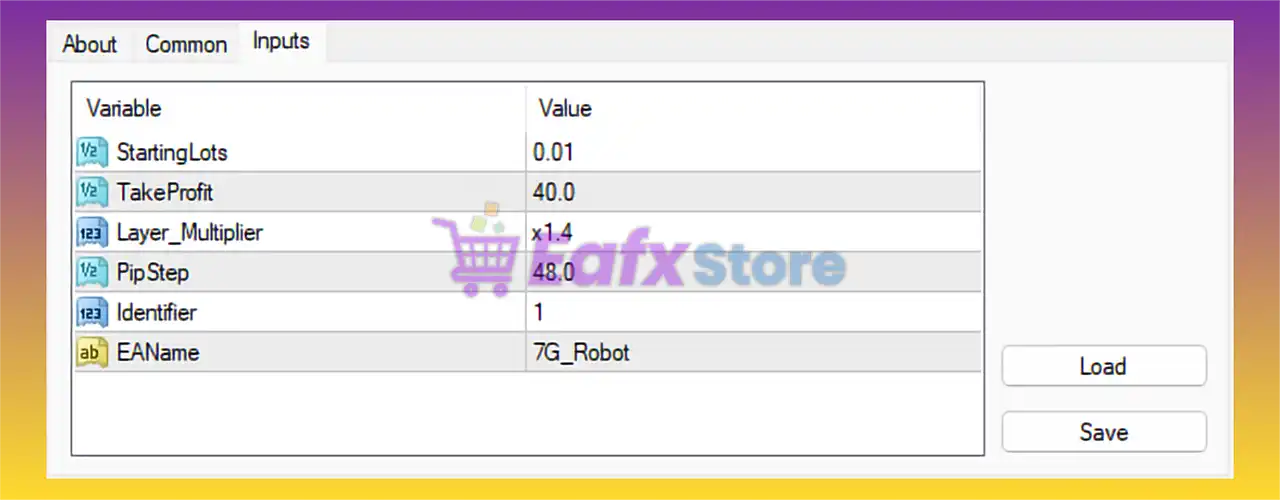
🔹 StartingLots = 0.01: Initial trading lot size for the first order is configured at 0.01.
🔹 TakeProfit = 40.0: The Take Profit target for opened trades is set to 40.0 pips/points.
🔹 Layer_Multiplier = x1.4: The lot size multiplier for additional layered trades is configured at x1.4, increasing position size progressively.
🔹 PipStep = 48.0: Minimum distance between layered or recovery trades is set to 48.0 pips/points.
🔹 Identifier = 1: Unique trade identification number used by the EA for order management is 1.
🔹 EAName = 7G_Robot: The Expert Advisor trade comment and internal EA name is 7G_Robot.
🔢 Conclusion
7G Robot Pro MT4 is a compact and easy-to-use automated trading robot designed around layered trade execution and scalable lot management. The EA combines controlled entry spacing with progressive lot multiplication to recover trades and maximize profit opportunities.
With settings such as Layer_Multiplier = x1.4, TakeProfit = 40.0, and PipStep = 48.0, traders can customize the robot according to their preferred trading style and risk tolerance. 7G Robot Pro MT4 is suitable for traders seeking a straightforward grid-based trading solution for MetaTrader 4.
🔢 FAQs
❓ What is 7G Robot Pro MT4?
7G Robot Pro MT4 is an automated Forex Expert Advisor for MetaTrader 4 that uses layered trading and multiplier strategies.
❓ What does Layer_Multiplier mean in 7G Robot Pro MT4?Layer_Multiplier = x1.4 increases the lot size of each new layered trade by 1.4 times.
❓ What is the purpose of PipStep in 7G Robot Pro MT4?PipStep = 48.0 defines the minimum price distance between additional layered trades.
❓ Can I change the starting lot size in 7G Robot Pro MT4?
Yes, the StartingLots parameter allows traders to customize the initial trade size.
❓ Is 7G Robot Pro MT4 suitable for beginners?
Yes, the EA has a simple setup interface, but traders should understand grid trading risks before using it on live accounts.