






Golden Owl v9 EA MT4 with SetFiles (Platform build 1471+)

Subscriptions for Special Plan
- 30 EA package is more economical!
- Special package with 99%
- Download 1 EA/Day

Subscriptions for Premium Membership
- Download Unlimited in 1 Year
- Get 100% Discount
- Get free access to all

Subscriptions for Gold Membership
- 1 Year Membership
- Get 100% Discount
- Access EA+Indicator+Course
Frequently bought together 🎁
Add these products to enhance your purchase


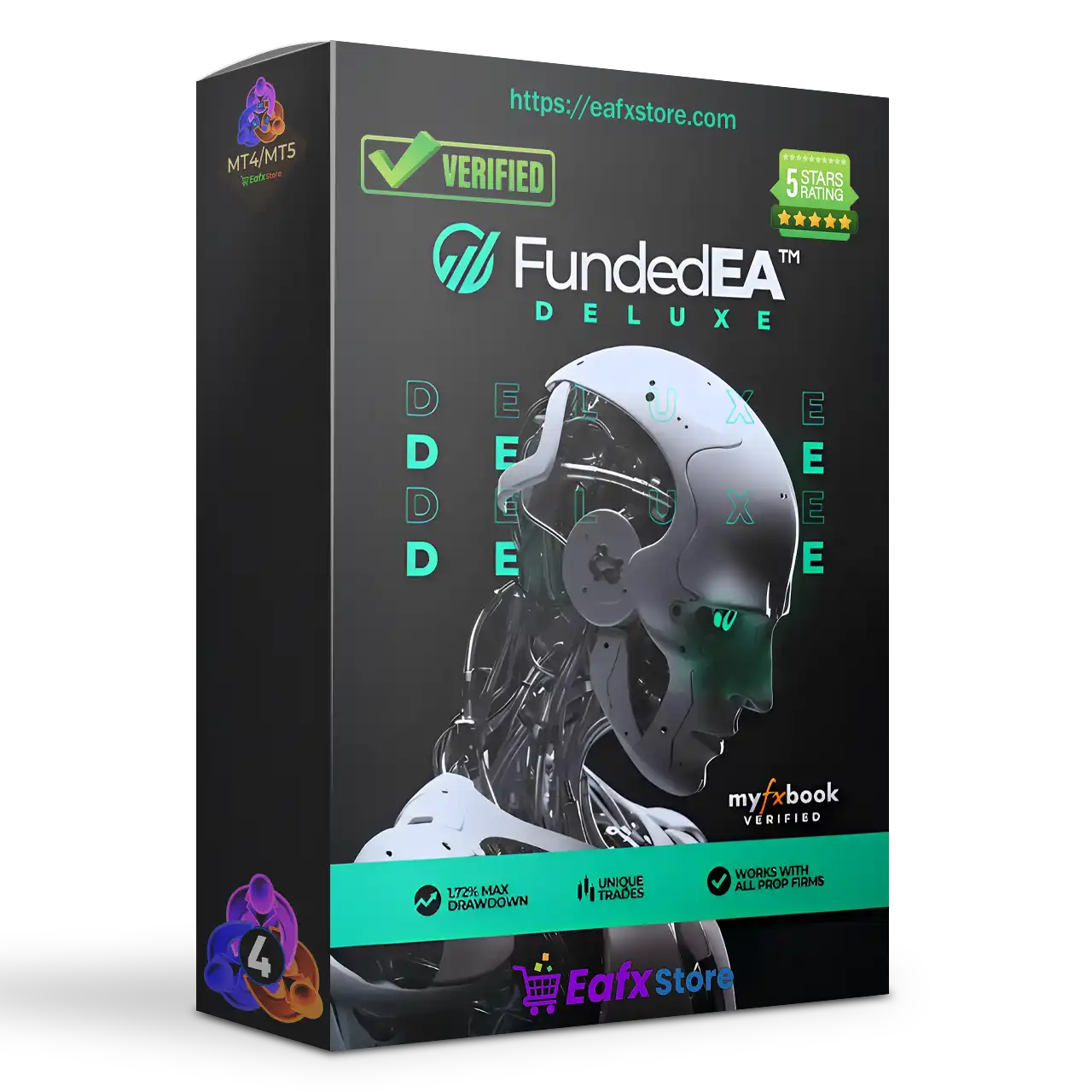

What is Golden Owl V9 EA?
Golden Owl v9 EA is a sophisticated automated trading system that combines Grid, Semi-Martingale and Adaptive Trend Logic for intelligent profit accumulation. This Expert Advisor (EA) features a Dual Engine (Buy & Sell) structure for two-way trading and includes multi-layered risk control, making it highly customizable for both conservative and aggressive trading styles, especially on XAUUSD (Gold).
Key Features of Golden Owl v9 for MT4
🔹 Advanced Grid Trading Engine: Combines automated execution with flexible multi-order management logic.
🔹 Integrated Risk Protection System: Includes equity protection, spread filtering and Stop Loss (SL) controls.
🔹 Smart News Filtering Technology: Avoids high-impact market volatility through economic event filters.
🔹 Dynamic Trend Analysis Indicators: Uses EMA and HILO filters for stronger trade confirmation signals.
🔹 Automated Trailing And Break-Even Tools: Enhances profit security with intelligent trade management.
What is the Golden Owl v9 EA trading strategy?
🔹 Grid And Trend-Following Execution: Combines structured Grid entries with directional market analysis.
🔹 Martingale Lot Progression Logic: Uses scalable lot adjustment to manage recovery trading cycles.
🔹 Moving Average Confirmation Filter: Applies EMA-based trend validation before opening positions.
🔹 HILO Signal Detection System: Identifies potential market direction using adaptive HILO filtering.
🔹 Equity And Spread Protection Logic: Reduces exposure during unstable market and liquidity periods.
Golden Owl V9 EA Review
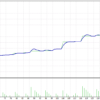
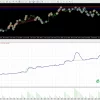
Golden Owl V9 EA Trading Results
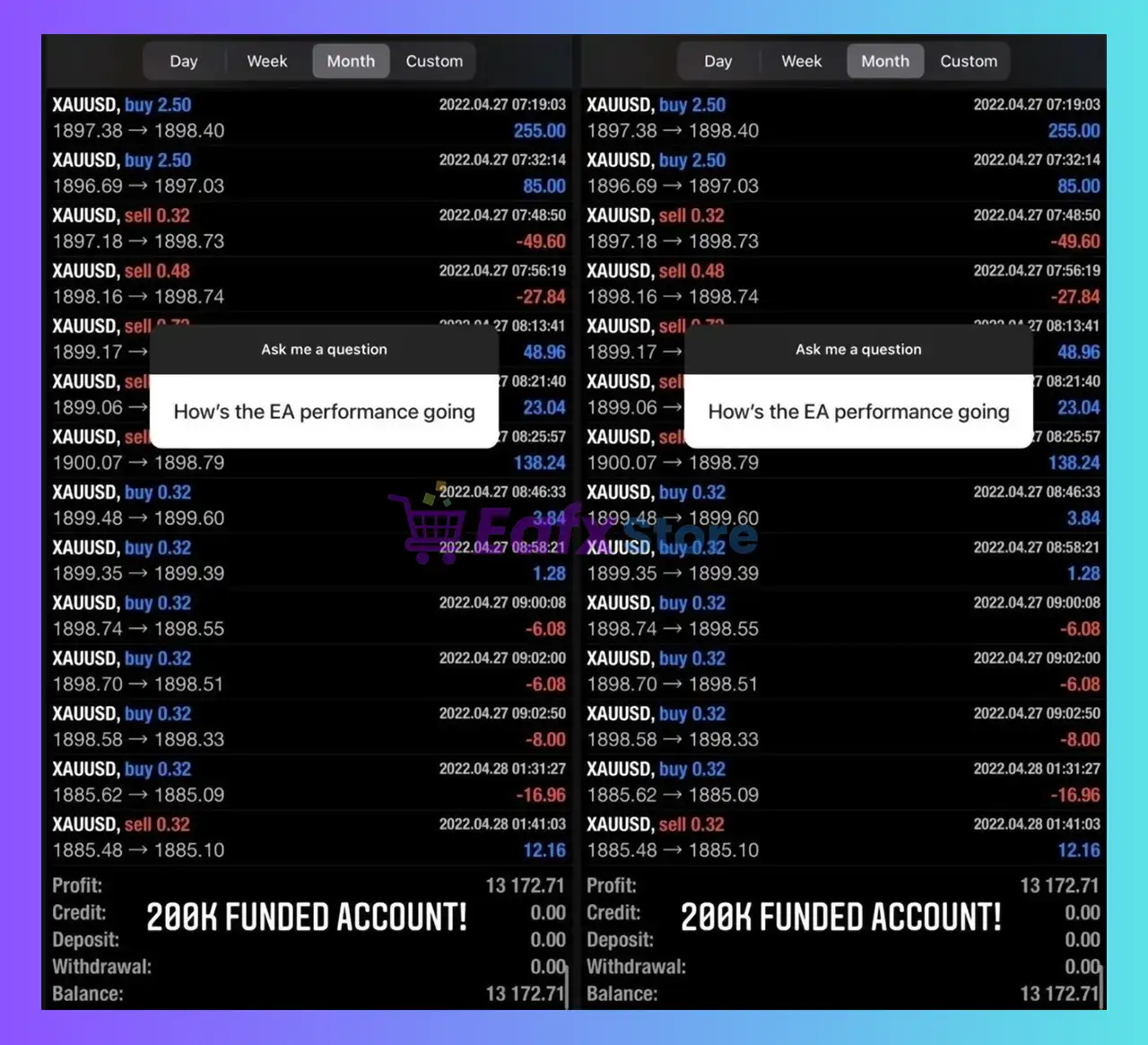
Golden Owl EA top performing exceptional trading with Gold (XAUUSD)
Golden Owl V9 EA Trading Results
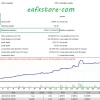
Golden Owl V9 EA Backtest Results
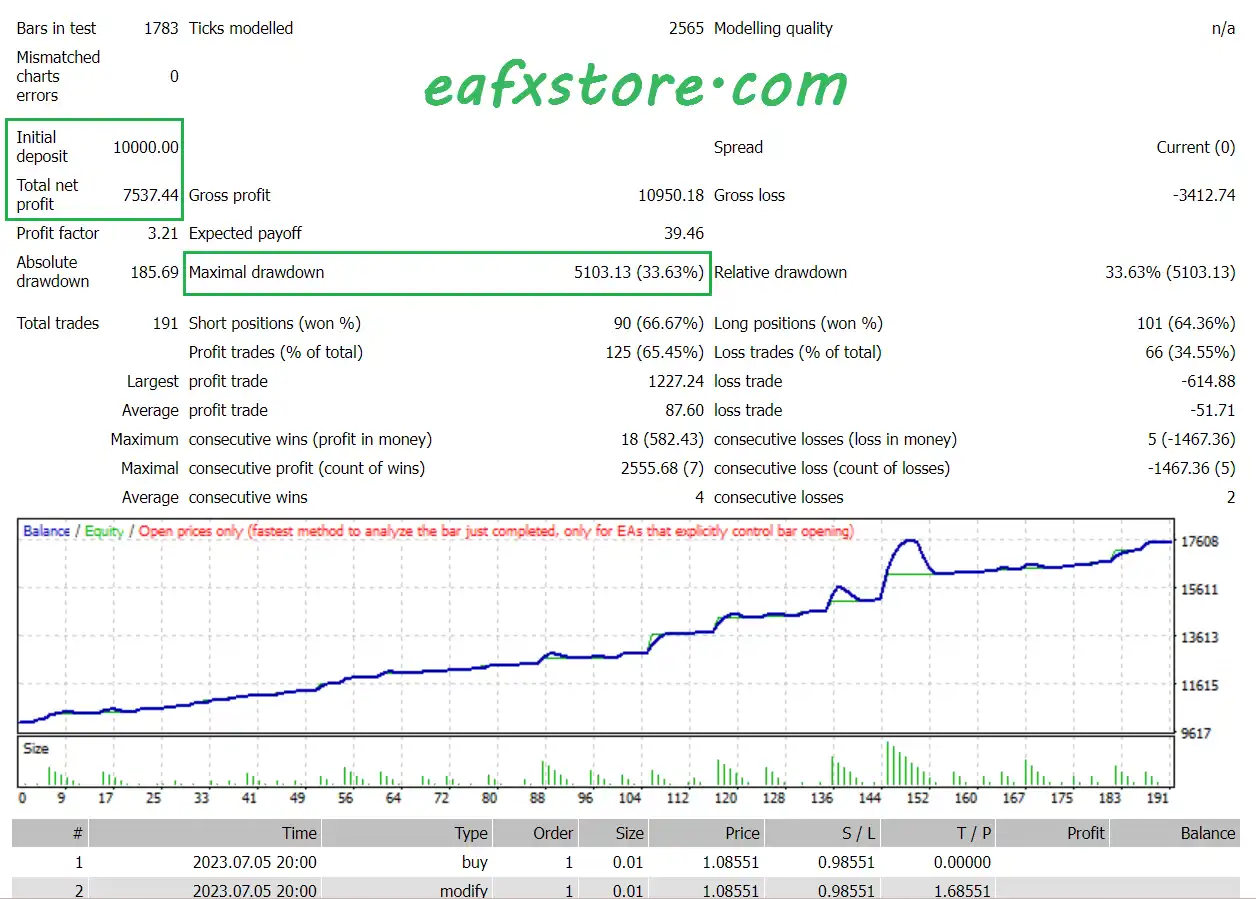
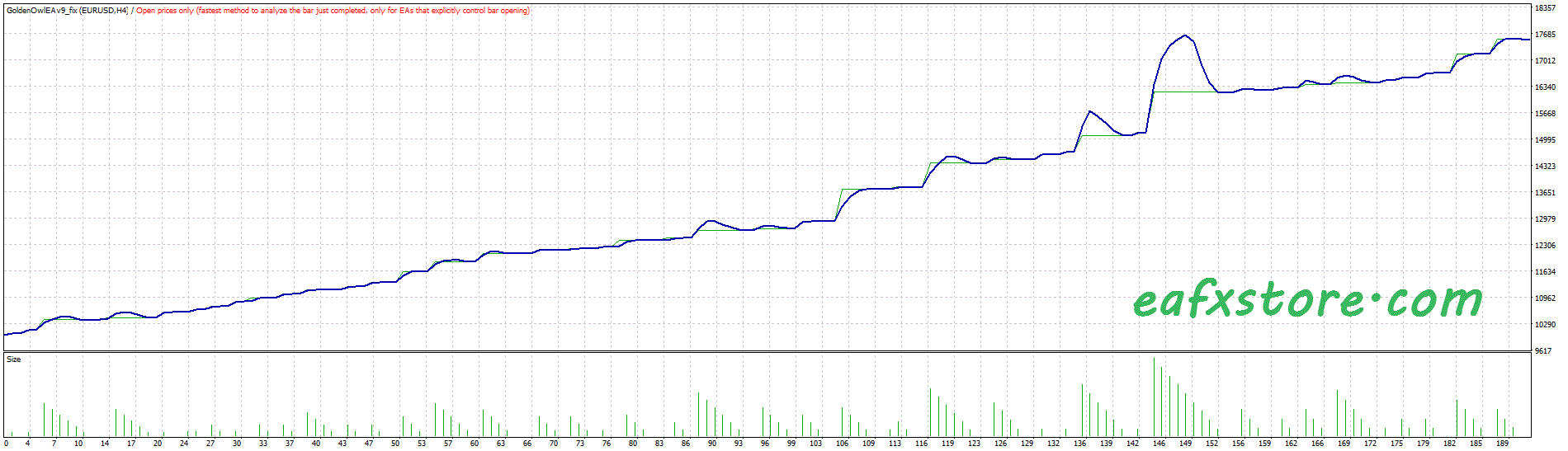
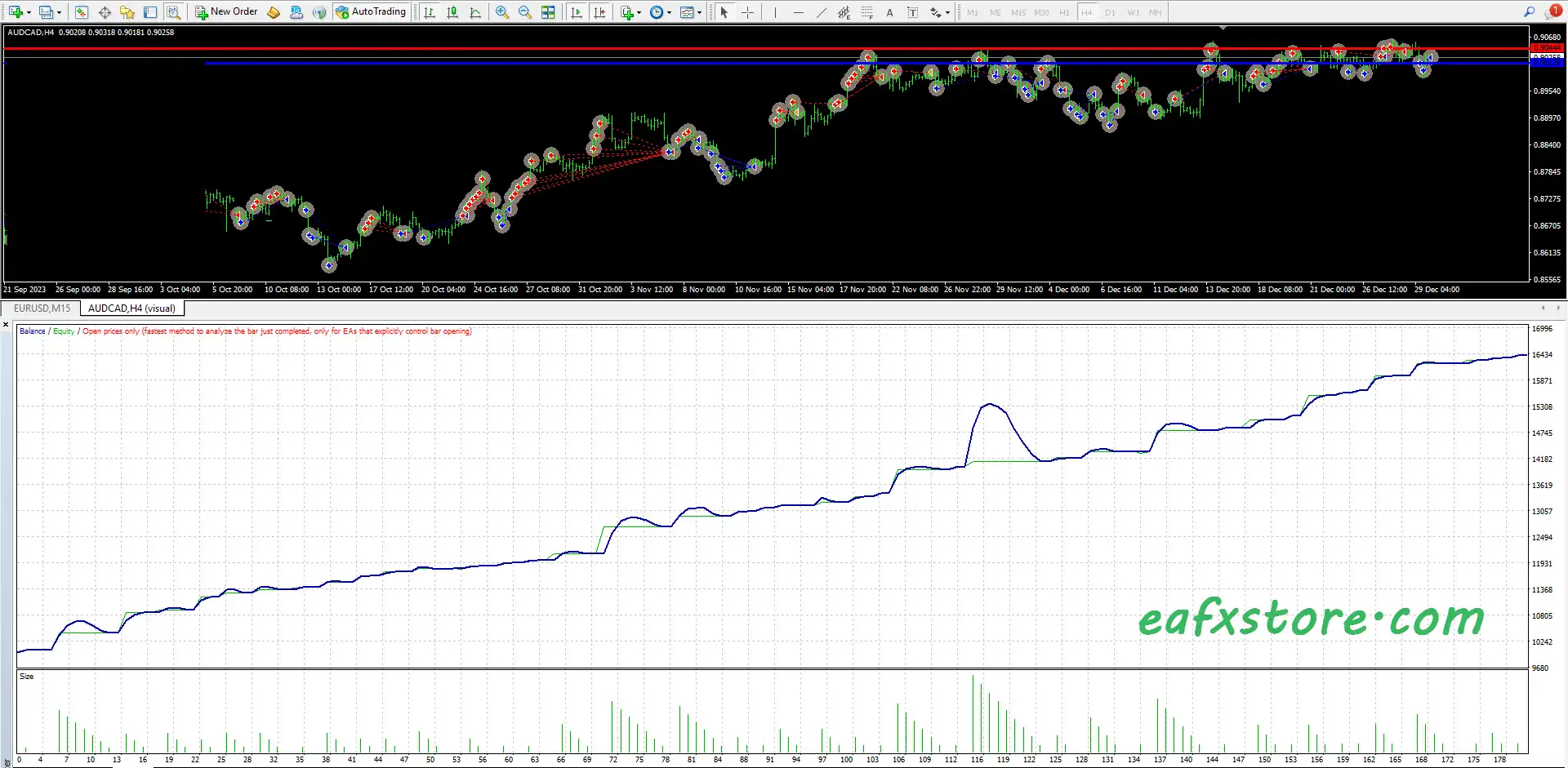
The Golden Owl V9 backtest trading results achieved impressive profit performance for 6 consecutive months on the AUDCAD.
✅ Initial Deposit: $10,000
✅ Total Net Profit: $7,537.44
✅ Win Rate: 65.45%
✅ Maximum Drawdown: 33.63%
Golden Owl V9 EA Backtests
Golden Owl V9 EA Backtests
Why Choose Golden Owl V9 EA?
🔹 Designed For Adaptive Automation: Adjusts efficiently to trending and volatile forex environments.
🔹 Comprehensive Risk Management Tools: Supports safer execution with equity and spread protection.
🔹 Flexible Trading Configuration System: Allows traders to customize lot sizing and strategy behavior.
🔹 Optimized For Continuous Trading: Maintains stable automated execution with intelligent safeguards.
🔹 Ideal For Advanced EA Traders: Suitable for traders seeking feature-rich automated trading systems.
Trading Specifications
Recommended settings and parameters to pay attention to from developers and experts:
| Features | Type |
|---|---|
| Trading platform | MetaTrader 4 (MT4) |
| Minimum / Recommended deposit | $500 |
| Minimum / Recommended leverage | 1:30+ |
| Time frames | M1 (1 minute chart) |
| Currency pairs | XAUUSD (Gold) & US30 |
| Setup files | Available |
| Product type | NoDLL |
| Additional services | Unlock and Decompile |
| Recommended brokers | Exness Broker, Icmarkets Broker |
| Recommended VPS | MyfxVPS.com ( Blue VPS, Golden VPS). Lowest Latency, 2 week Free Trial, 100% Free for 12-18 Months. |
➡️ Reviewed by David Easton
What’s in the package?
The download package of the product suite includes:
1. Experts:
✅ Golden Owl EA V9 EA_fix.ex4
2. Presets:
✅ Us30-Universal.set
✅ Gold – Universal.set
✅ 10KNewProp.set
✅ 20kNewProp.set
✅ 50kNewProp.set
✅ 500kNewProp.set
✅ 200kNewProp.set
✅ 100kNewProp.set
✅ 25KMetrix.set
✅ 50kMetrix.set
✅ 100kMetrix.set
✅ 200kMetrix.set
✅ 500kMetrix.set
Conclusion
In short, Golden Owl V9 EA for MT4 combines dual-engine precision with adaptive grid recovery and advanced risk control. Powered by trend filters, dynamic trailing, and equity protection, it balances profit potential with capital safety. Ideal for volatile assets like Gold, this EA offers full customization, real-time transparency, and consistent grid-based performance — a perfect blend of strategy, safety, and smart automation.
Golden Owl V9 MT4 Settings Explained – Full Configuration Guide
Golden Owl V9 MT4 is a powerful automated Forex trading Expert Advisor (EA) designed for MetaTrader 4 traders who want advanced grid trading, martingale management, moving average filtering, equity protection and intelligent news filtering.
The EA combines multiple trading engines with configurable lot sizing, break-even logic, trailing stop systems, and risk management tools to optimize automated trading performance across volatile market conditions.

Golden Owl V9 MT4 Settings
Golden Owl V9 MT4 Full Settings Explanation
Below are the details of the parameters in the advisor’s trading system settings table:
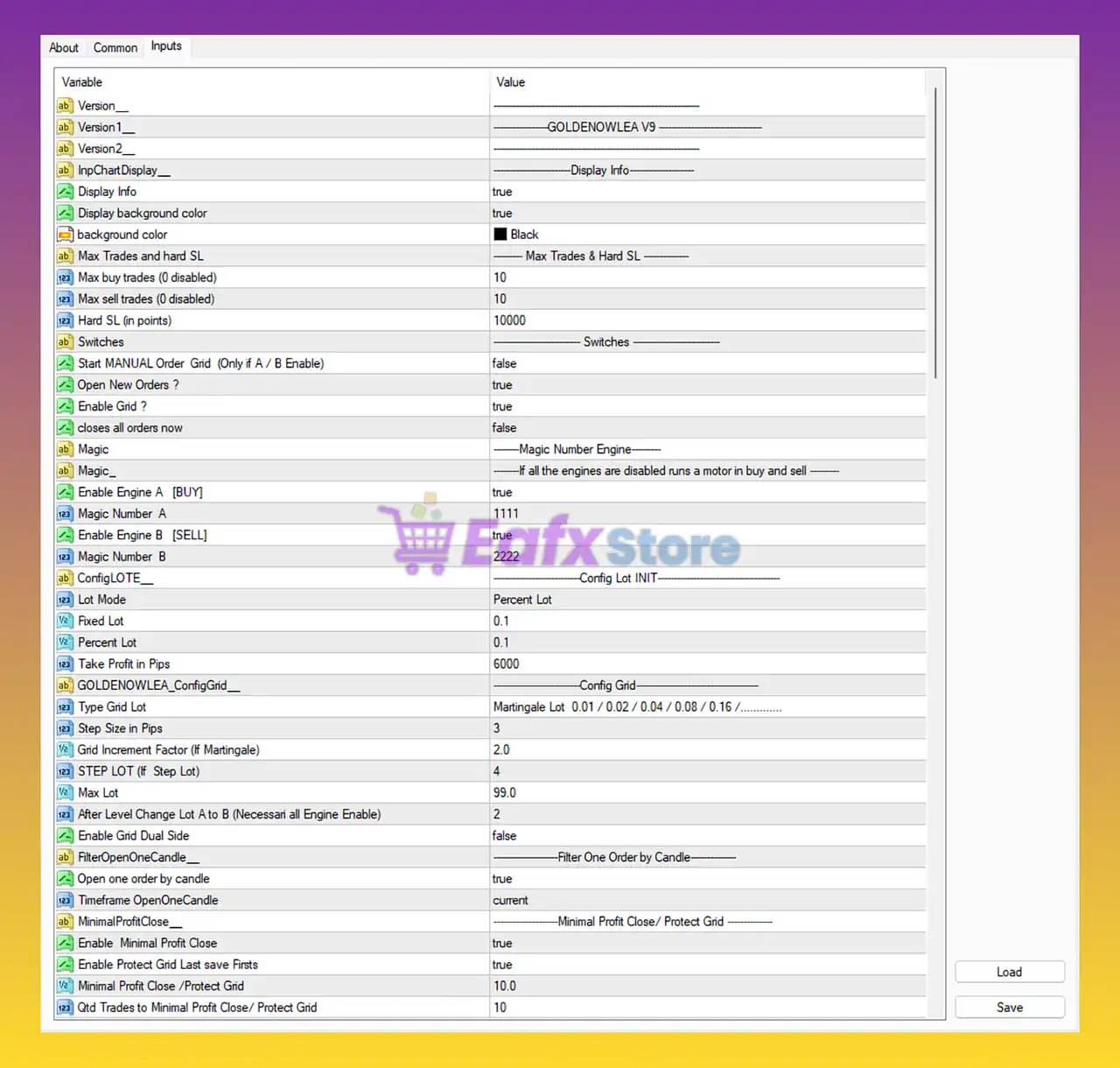
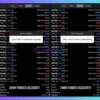
Golden Owl V9 MT4 Settings Panel
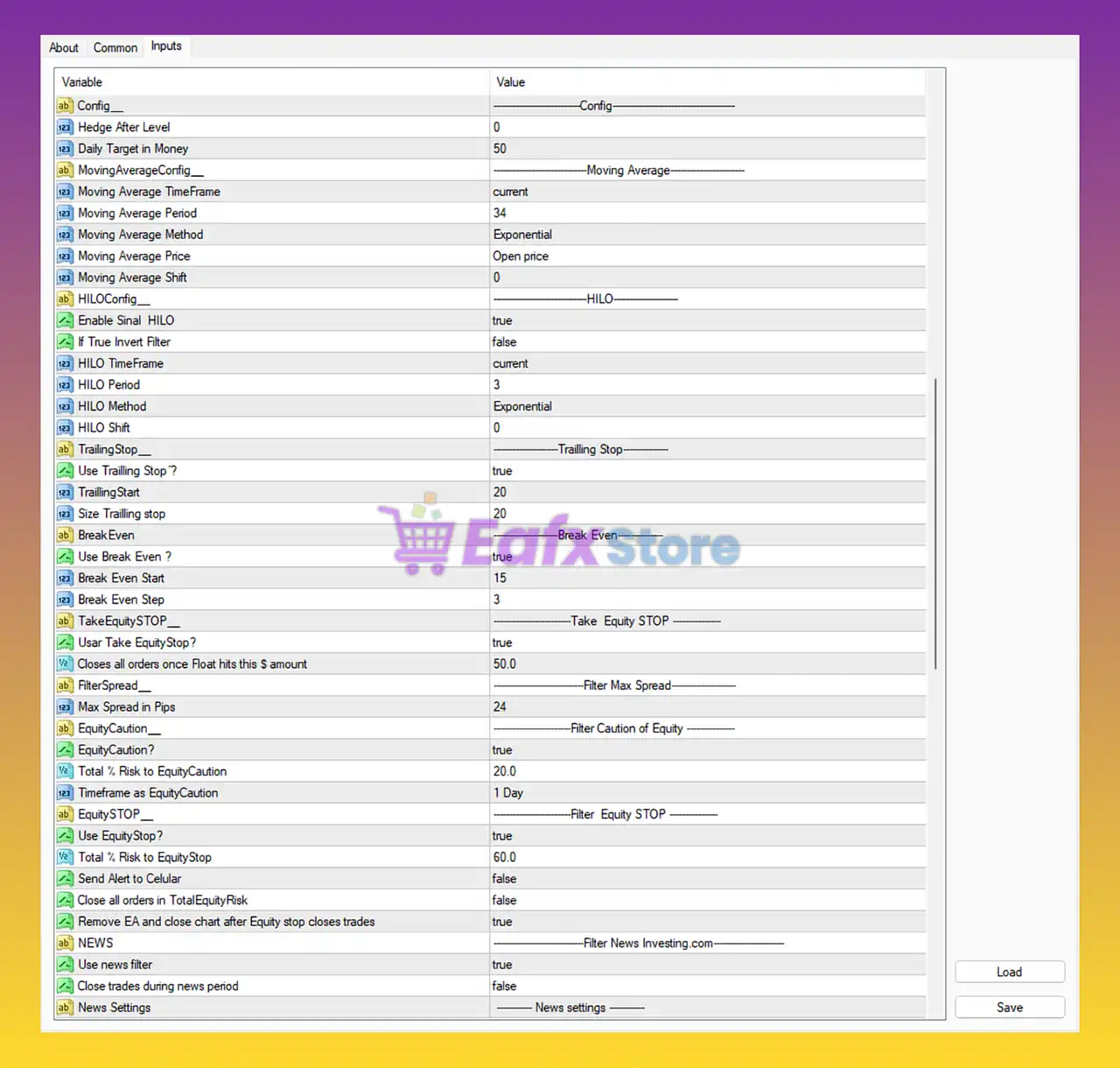
Golden Owl V9 EA MT4 Settings Panel
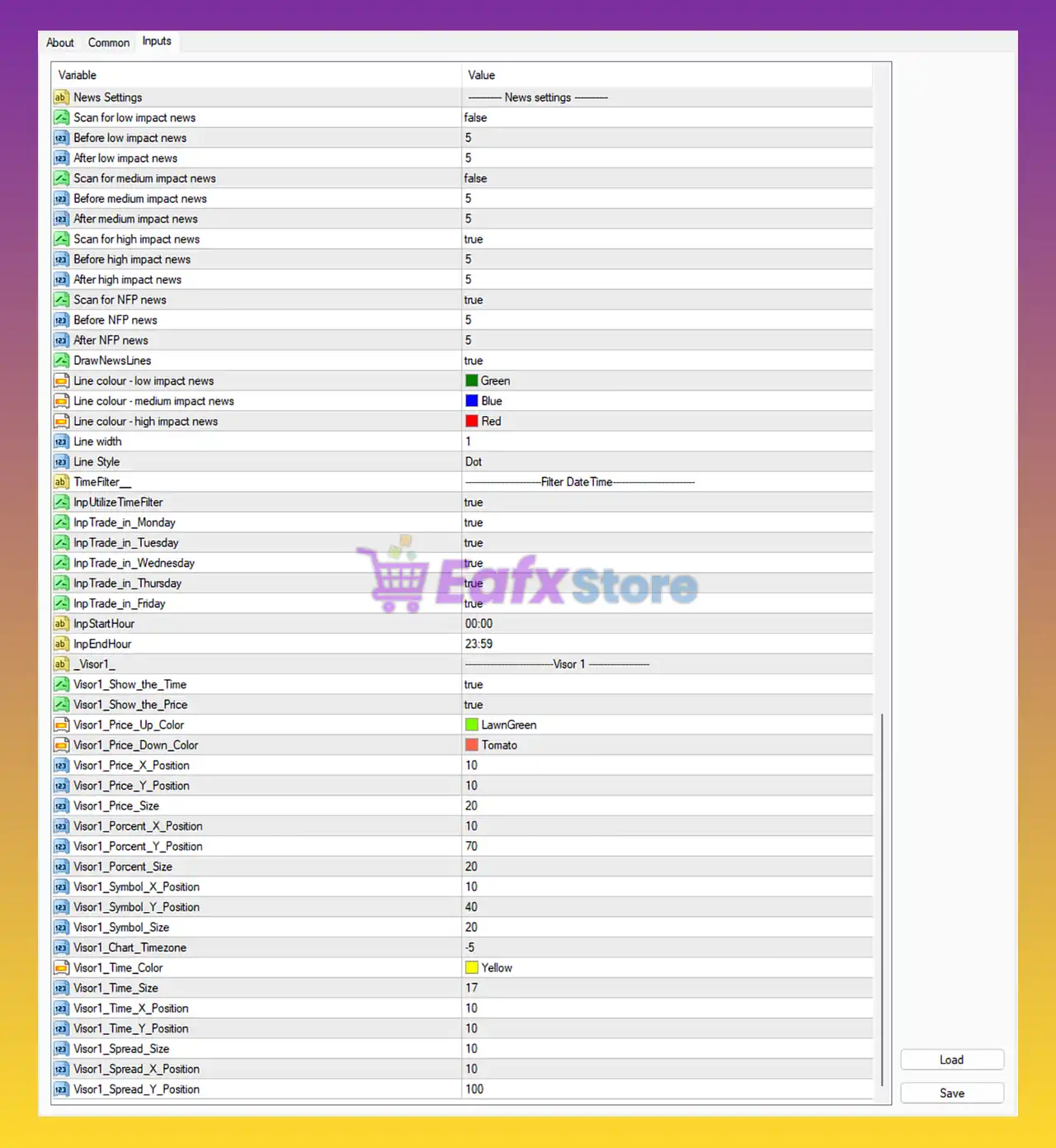
Golden Owl V9 EA Settings Panel
Version & Display Settings
🔹 Version1__ = GOLDENOWLEA V9: Displays the current EA version name as GOLDENOWLEA V9.
🔹 Display Info = true: Enables on-chart display information.
🔹 Display background color = true: Activates chart background color display.
🔹 background color = Black: Sets the chart information panel background color to Black.
Max Trades & Hard Stop Loss Settings
🔹 Max buy trades (0 disabled) = 10: Allows a maximum of 10 active buy trades.
🔹 Max sell trades (0 disabled) = 10: Allows a maximum of 10 active sell trades.
🔹 Hard SL (in points) = 10000: Sets the hard stop loss distance to 10000 points.
Switches Settings
🔹 Start MANUAL Order Grid (Only if A / B Enable) = false: Disables manual grid order activation.
🔹 Open New Orders ? = true: Allows the EA to open new trades automatically.
🔹 Enable Grid ? = true: Activates the grid trading system.
🔹 closes all orders now = false: Prevents immediate closure of all active trades.
Magic Number Engine
🔹 Enable Engine A [BUY] = true: Activates the buy-side trading engine.
🔹 Magic Number A = 1111: Assigns 1111 as the magic number for buy trades.
🔹 Enable Engine B [SELL] = true: Activates the sell-side trading engine.
🔹 Magic Number B = 2222: Assigns 2222 as the magic number for sell trades.
Config Lot INIT Settings
🔹 Lot Mode = Percent Lot: Uses percentage-based lot sizing.
🔹 Fixed Lot = 0.1: Sets fixed lot size to 0.1.
🔹 Percent Lot = 0.1: Uses 0.1% risk-based lot calculation.
🔹 Take Profit in Pips = 6000: Sets take profit target to 6000 pips.
Config Grid Settings
🔹 Type Grid Lot = Martingale Lot 0.01 / 0.02 / 0.04 / 0.08 / 0.16 /………….: Uses martingale lot progression for grid trading.
🔹 Step Size in Pips = 3: Grid orders are spaced every 3 pips.
🔹 Grid Increment Factor (If Martingale) = 2.0: Multiplies lot size by 2.0 after each martingale step.
🔹 STEP LOT (If Step Lot) = 4: Defines step lot progression level as 4.
🔹 Max Lot = 99.0: Maximum allowed trading lot size is 99.0.
🔹 After Level Change Lot A to B (Necessary all Engine Enable) = 2: Switches lot engine behavior after level 2.
🔹 Enable Grid Dual Side = false: Disables simultaneous dual-direction grid trading.
Filter One Order by Candle Settings
🔹 Open one order by candle = true: Limits the EA to one trade per candle.
🔹 Timeframe OpenOneCandle = current: Uses the current chart timeframe for candle filtering.
Minimal Profit Close / Protect Grid Settings
🔹 Enable Minimal Profit Close = true: Enables minimal profit close protection.
🔹 Enable Protect Grid Last save Firsts = true: Activates grid protection recovery logic.
🔹 Minimal Profit Close / Protect Grid = 10.0: Minimum profit target set to 10.0.
🔹 Qtd Trades to Minimal Profit Close / Protect Grid = 10: Requires 10 trades before activating profit protection.
General Config Settings
🔹 Hedge After Level = 0: Disables hedge activation after grid levels.
🔹 Daily Target in Money = 50: Sets daily profit target to $50.
Moving Average Settings
🔹 Moving Average TimeFrame = current: Uses the current chart timeframe for moving average analysis.
🔹 Moving Average Period = 34: Moving average period set to 34.
🔹 Moving Average Method = Exponential: Uses Exponential Moving Average (EMA).
🔹 Moving Average Price = Open price: Calculates MA using the opening price.
🔹 Moving Average Shift = 0: No moving average shift applied.
HILO Settings
🔹 Enable Sinal HILO = true: Activates HILO signal filtering.
🔹 If True Invert Filter = false: Keeps normal HILO signal direction.
🔹 HILO TimeFrame = current: Uses current chart timeframe for HILO analysis.
🔹 HILO Period = 3: HILO indicator period set to 3.
🔹 HILO Method = Exponential: Uses Exponential calculation for HILO.
🔹 HILO Shift = 0: No HILO shift applied.
Trailing Stop Settings
🔹 Use Trailling Stop ? = true: Enables trailing stop functionality.
🔹 TrailingStart = 20: Starts trailing stop after 20 points profit.
🔹 Size Trailling stop = 20: Trailing stop distance set to 20 points.
Break Even Settings
🔹 Use Break Even ? = true: Activates break-even protection.
🔹 Break Even Start = 15: Break-even activates after 15 points profit.
🔹 Break Even Step = 3: Break-even adjustment step set to 3.
Take Equity STOP Settings
🔹 Usar Take EquityStop? = true: Enables equity-based profit closure.
🔹 Closes all orders once Float hits this $ amount = 50.0: Closes all trades when floating profit reaches $50.0.
Filter Max Spread Settings
🔹 Max Spread in Pips = 24: Maximum allowed spread set to 24 pips.
Filter Caution of Equity Settings
🔹 EquityCaution? = true: Enables equity caution protection.
🔹 Total % Risk to EquityCaution = 20.0: Equity caution threshold set to 20.0%.
🔹 Timeframe as EquityCaution = 1 Day: Equity caution calculated over 1 Day.
Filter Equity STOP Settings
🔹 Use EquityStop? = true: Activates equity stop protection.
🔹 Total % Risk to EquityStop = 60.0: Maximum equity drawdown limit set to 60.0%.
🔹 Send Alert to Celular = false: Mobile alerts are disabled.
🔹 Close all orders in TotalEquityRisk = false: Does not automatically close trades at total equity risk threshold.
🔹 Remove EA and close chart after Equity stop closes trades = true: Automatically removes the EA after equity stop execution.
News Filter Settings
🔹 Use news filter = true: Activates economic news filtering.
🔹 Close trades dunning news period = false: Keeps trades open during news events.
🔹 Scan for low impact news = false: Ignores low-impact economic news.
🔹 Before low impact news = 5: Applies filter 5 minutes before low-impact news.
🔹 After low impact news = 5: Applies filter 5 minutes after low-impact news.
🔹 Scan for medium impact news = false: Ignores medium-impact economic news.
🔹 Before medium impact news = 5: Applies filter 5 minutes before medium-impact news.
🔹 After medium impact news = 5: Applies filter 5 minutes after medium-impact news.
🔹 Scan for high impact news = true: Filters high-impact economic news events.
🔹 Before high impact news = 5: Stops trading 5 minutes before high-impact news.
🔹 After high impact news = 5: Resumes trading 5 minutes after high-impact news.
🔹 Scan for NFP news = true: Enables Non-Farm Payroll news filtering.
🔹 Before NFP news = 5: Stops trading 5 minutes before NFP news.
🔹 After NFP news = 5: Resumes trading 5 minutes after NFP news.
🔹 DrawNewsLines = true: Displays news event lines on the chart.
🔹 Line colour – low impact news = Green: Uses Green color for low-impact news lines.
🔹 Line colour – medium impact news = Blue: Uses Blue color for medium-impact news lines.
🔹 Line colour – high impact news = Red: Uses Red color for high-impact news lines.
🔹 Line width = 1: News line thickness set to 1.
🔹 Line Style = Dot: Uses dotted line style for news markers.
Filter Date Time Settings
🔹 InpUtilizeTimeFilter = true: Enables time-based trading filter.
🔹 InpTrade_in_Monday = true: Allows trading on Monday.
🔹 InpTrade_in_Tuesday = true: Allows trading on Tuesday.
🔹 InpTrade_in_Wednesday = true: Allows trading on Wednesday.
🔹 InpTrade_in_Thursday = true: Allows trading on Thursday.
🔹 InpTrade_in_Friday = true: Allows trading on Friday.
🔹 InpStartHour = 00:00: Trading session starts at 00:00.
🔹 InpEndHour = 23:59: Trading session ends at 23:59.
Visor 1 Display Settings
🔹 Visor1_Show_the_Time = true: Displays time on the chart panel.
🔹 Visor1_Show_the_Price = true: Displays live price information.
🔹 Visor1_Price_Up_Color = LawnGreen: Uses LawnGreen for bullish price display.
🔹 Visor1_Price_Down_Color = Tomato: Uses Tomato for bearish price display.
🔹 Visor1_Price_X_Position = 10: Horizontal position of price display is 10.
🔹 Visor1_Price_Y_Position = 10: Vertical position of price display is 10.
🔹 Visor1_Price_Size = 20: Price text size set to 20.
🔹 Visor1_Porcent_X_Position = 10: Percentage display X-axis position set to 10.
🔹 Visor1_Porcent_Y_Position = 70: Percentage display Y-axis position set to 70.
🔹 Visor1_Porcent_Size = 20: Percentage text size set to 20.
🔹 Visor1_Symbol_X_Position = 10: Symbol display X-axis position set to 10.
🔹 Visor1_Symbol_Y_Position = 40: Symbol display Y-axis position set to 40.
🔹 Visor1_Symbol_Size = 20: Symbol text size set to 20.
🔹 Visor1_Chart_Timezone = -5: Chart timezone offset set to -5.
🔹 Visor1_Time_Color = Yellow: Time display color is Yellow.
🔹 Visor1_Time_Size = 17: Time text size set to 17.
🔹 Visor1_Time_X_Position = 10: Time display X-axis position set to 10.
🔹 Visor1_Time_Y_Position = 10: Time display Y-axis position set to 10.
🔹 Visor1_Spread_Size = 10: Spread display size set to 10.
🔹 Visor1_Spread_X_Position = 10: Spread display X-axis position set to 10.
🔹 Visor1_Spread_Y_Position = 100: Spread display Y-axis position set to 100.
Conclusion
Golden Owl V9 MT4 is a highly advanced automated Forex trading EA that combines grid trading, martingale progression, moving average filtering, HILO trend analysis, news protection, equity management and customizable display tools.
With its extensive configuration system, the EA is suitable for experienced traders seeking a flexible and feature-rich MetaTrader 4 trading solution.
FAQs
❓ What is Golden Owl V9 MT4?
Golden Owl V9 MT4 is an automated Forex Expert Advisor for MetaTrader 4 with grid trading and advanced risk management features.
❓ Does Golden Owl V9 MT4 use martingale trading?
Yes, the EA includes a martingale grid system with configurable lot multiplication.
❓ Can Golden Owl V9 MT4 filter economic news?
Yes, the EA supports filtering for high-impact news and NFP events.
❓ Does Golden Owl V9 MT4 include trailing stop and break-even functions?
Yes, the EA has built-in trailing stop and break-even management tools.
❓ Is Golden Owl V9 MT4 suitable for risk-controlled trading?
Yes, the EA includes equity stop protection, spread filters, and customizable risk controls for safer automated trading.
User Reviews
Only logged in customers who have purchased this product may leave a review.
🔴 1. What is Golden Owl v9 EA and how does it work?
Golden Owl v9 is an advanced automated trading robot for MetaTrader 4 (MT4) that combines Grid, Semi-Martingale, and Adaptive Trend Logic. It uses a Dual-Engine (Buy & Sell) structure to trade both directions of the market and accumulate profits intelligently while maintaining strong risk control.
🔴 2. What makes Golden Owl v9 different from other trading EAs?
Unlike most EAs, Golden Owl v9 uses two independent trading engines, allowing simultaneous long and short operations. It also includes multi-layer risk protection, a news filter, and dynamic position management, giving traders both power and safety in volatile conditions.
🔴 3. Does Golden Owl v9 use a Martingale strategy?
Yes, but only a Semi-Martingale system — meaning it increases lot size moderately (by a factor of 2.0 every 3 pips) for recovery, unlike full Martingale systems that can overexpose the account. This balance helps improve recovery while maintaining account safety.
🔴 4. What currency pairs and timeframes are recommended?
Golden Owl v9 performs best on XAUUSD (Gold) and US30, with a recommended timeframe of M1 (1-minute chart). However, it can also be optimized for other volatile pairs depending on user preference.
🔴 5. What is the minimum deposit required to start using Golden Owl v9?
The developer recommends a minimum deposit of $500, but traders may need higher capital for more aggressive grid setups or volatile instruments like Gold.
🔴 6. How does Golden Owl v9 manage risk and protect capital?
It employs multi-layer risk management, including Take Equity Stop, Total Risk Percentage Stop, and Max Spread filters. Additionally, the EA can automatically pause trading during high-impact news events to reduce market exposure.
🔴 7. Can I customize the settings of Golden Owl v9?
Yes. The EA is highly customizable, allowing traders to adjust grid spacing, lot multiplier, take profit levels, and risk limits to fit both conservative and aggressive strategies.
🔴 8. How does the Dual-Engine system improve trading performance?
The Dual-Engine architecture lets Golden Owl v9 open and manage independent Buy and Sell cycles simultaneously, capturing profit opportunities in both bullish and bearish markets while minimizing trade conflicts through unique Magic Numbers.
🔴 9. What kind of results has Golden Owl v9 achieved in tests?
In backtests, with a $10,000 initial deposit, Golden Owl v9 generated a $7,537.44 net profit, with a 65.45% win rate and a maximum drawdown of 33.63% over 6 months — showing strong recovery capability and steady profitability.
🔴 10. Is Golden Owl v9 suitable for prop firm or funded accounts?
Yes. Thanks to its multi-layer equity protection, max spread control, and adjustable risk parameters, Golden Owl v9 can be tailored to meet prop firm trading rules while maintaining transparency through its Visor Panel Display.
🔥 Get This EA for FREE with Our Membership! 🚀🚀
Unlock access to this EA, premium Indicators, and exclusive trading tools completely FREE with any of our Membership Plans! Thousands of traders already benefit from our VIP library—join them and level up your trading instantly. Choose Your Membership:
- SPECIAL – 1 Month Membership
- GOLD – 1 Year Membership
- PREMIUM – 1 Year Membership
-
 Original price was: $30,000.00.$249.00Current price is: $249.00.
 -
 Original price was: $30,000.00.$249.00Current price is: $249.00.
 -
 Price range: $89.00 through $599.00
 -
 Price range: $80.00 through $599.00
-
 10Original price was: $499.00.$69.00Current price is: $69.00.
 -
 1Original price was: $599.00.$59.00Current price is: $59.00.
 -
 3Original price was: $999.00.$69.00Current price is: $69.00.
 -
 10Original price was: $2,100.00.$59.00Current price is: $59.00.
There are no reviews yet.