
🔢 AI for Gold EA MT5 Settings Explained – Complete Parameter Guide
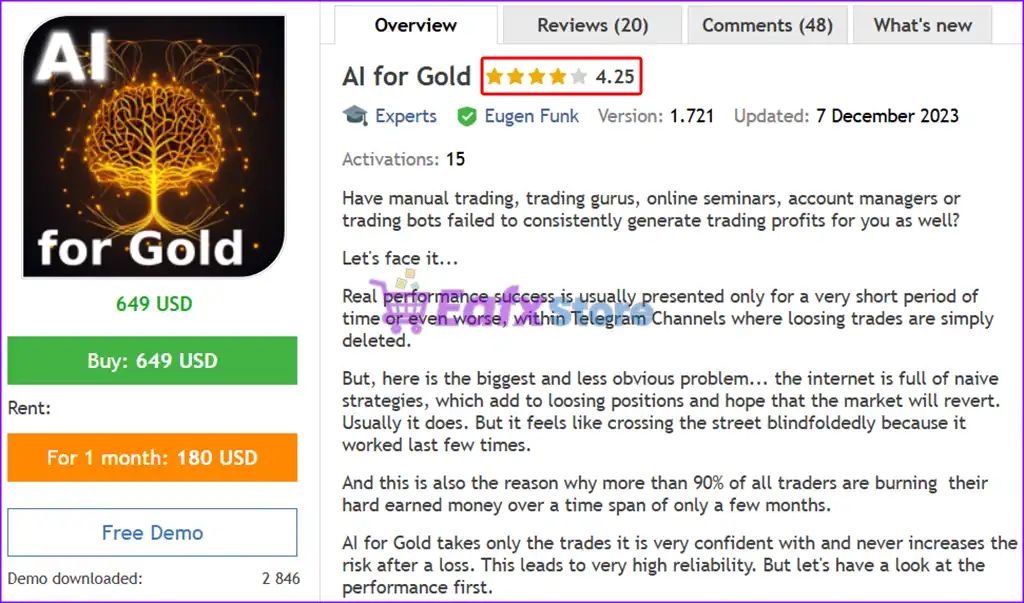
AI for Gold EA is an automated MetaTrader 5 Expert Advisor developed for Gold trading with AI-assisted execution and configurable risk management. The EA includes trade direction filtering, adjustable risk levels, position size limits, debugging options, and unique trade identification, allowing traders to customize performance according to their trading objectives and account size.

🔢 Installation Panel Parameters
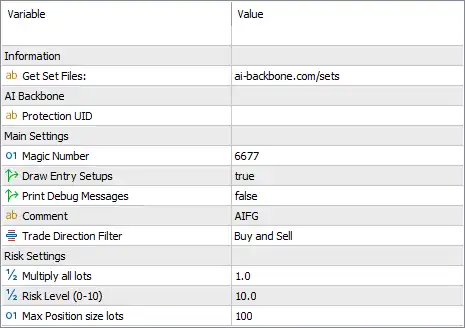
Below are the details of the parameters in the advisor’s trading system settings table:
🔶 Information
🔹 Get Set Files = ai-backbone.com/sets – Provides the official source for downloading recommended preset (.set) files to optimize the EA's performance.
🔶 AI Backbone
🔹 Protection UID = (Blank) – Reserved field for the EA's protection or licensing identifier; currently left blank.
🔶 Main Settings
🔹 Magic Number = 6677 – Assigns the unique identifier 6677 to all positions opened by AI for Gold EA MT5, preventing conflicts with other Expert Advisors.
🔹 Draw Entry Setups = true – Displays the EA's entry setup signals or trading zones directly on the chart.
🔹 Print Debug Messages = false – Disables debug messages in the Experts log, keeping the terminal output clean during normal operation.
🔹 Comment = AIFG – Adds the trade comment "AIFG" to every position for easy identification and management.
🔹 Trade Direction Filter = Buy and Sell – Allows the EA to open both Buy and Sell positions based on its trading logic.
🔶 Risk Settings
🔹 Multiply all lots = 1.0 – Applies a global lot size multiplier of 1.0, meaning the EA uses its standard calculated lot size without scaling.
🔹 Risk Level (0–10) = 10.0 – Sets the EA's internal risk level to 10.0, representing the highest available risk setting within the configured range.
🔹 Max Position Size lots = 100 – Limits the maximum position size that the EA can open to 100 lots.
🔢 Conclusion
AI for Gold EA MT5 is a streamlined Expert Advisor focused on automated Gold trading with AI-driven execution and simple yet flexible risk controls. Its configurable trade direction filter, adjustable risk level, global lot multiplier, chart visualization options, and maximum position size limit make it suitable for traders seeking a straightforward and customizable automated trading solution.
🔢 FAQs
❓ What does the Trade Direction Filter do in AI for Gold EA MT5?
It determines whether the EA is allowed to open Buy trades, Sell trades, or both. The current configuration allows both directions.
❓ What is the purpose of the Magic Number?
The Magic Number (6677) uniquely identifies trades opened by AI for Gold EA MT5, ensuring it manages only its own positions.
❓ How does the Risk Level setting affect trading?
The Risk Level (0–10) controls the EA's internal risk profile. A value of 10.0 represents the most aggressive predefined risk configuration.
❓ Can I increase or decrease the overall lot size?
Yes. The Multiply all lots parameter lets you scale every calculated position size. A value of 1.0 keeps the default lot size unchanged.
❓ What is the maximum position size supported by the EA?
The Max Position Size lots parameter is set to 100 lots, preventing the EA from opening positions larger than this limit.