






Aot EA MT5 with SetFiles (Latest version) – GroupBuy
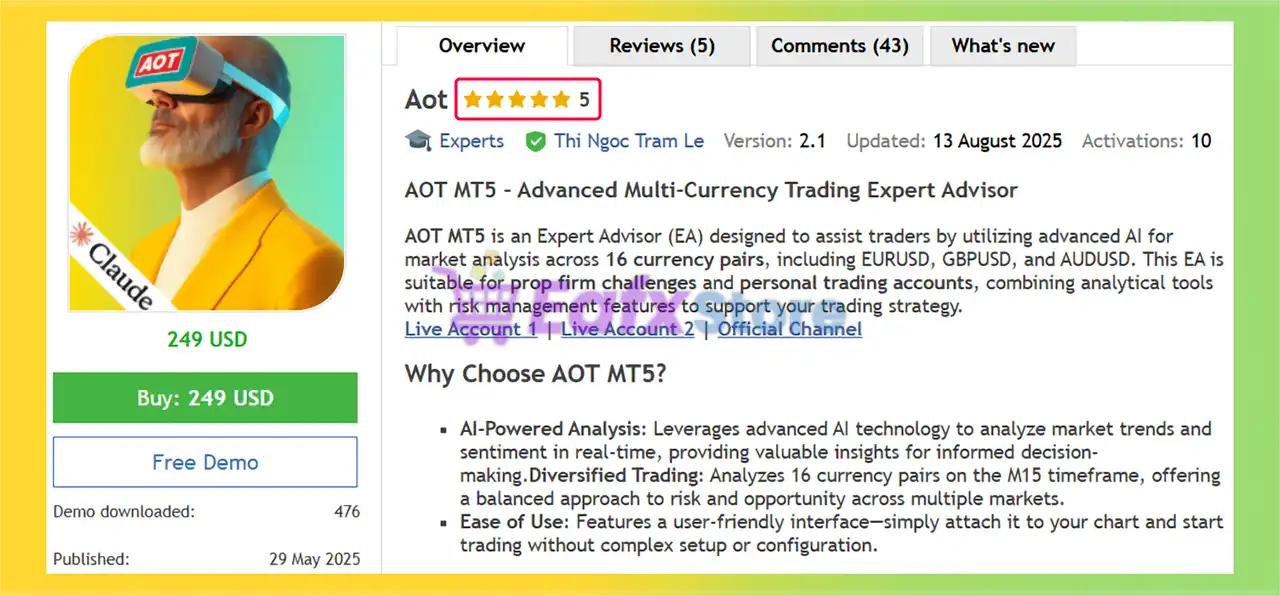
Aot EA is an automated trading expert advisor with 16 currency pairs. Profit performance has been verified on real accounts.
Select a variant to see availability.
What is Aot EA MT5?
Aot EA is an advanced Expert Advisor (EA) designed for automated forex trading with AI-powered market sentiment analysis, adaptive indicators and intelligent risk management. The EA combines multi-currency moving average reversal strategies, portfolio diversification, and dynamic trade control to deliver stability, adaptability and consistency in long-term trading.
🔶 Vendor Website: View here
🔶 This is GroupBuy ==> How to Join
About the Author
This product is compiled by Thi Ngoc Tram Le. This author has more than +2 years of experience working on MQL5 with many famous products such as Aot EA MT5, AnE EA MT5, Aot EA MT4, ABS GoldGrid MT5, Gold Fighter MT5, Gold Fighter MT4 and other advisors. Among them, Aot EA is his best performing products.
Aot EA MT5 Overview
Key Features of Aot EA for MT5
🔹 AI Sentiment Analysis: Uses real-time sentiment filtering to enhance trade selection quality.
🔹 Multi-Currency Trading: Manages 16 forex pairs from a single chart for broad diversification.
🔹 Advanced Risk Management: Includes equity protection, hard stop losses and adaptive controls.
🔹 Smart Loss Reduction: Dynamically adjusts Stop Loss (SL) during market reversals to reduce risk.
🔹 Independent Pair Logic: Operates each symbol separately for balanced portfolio performance.
What is the Aot EA Trading Strategy?
🔹 Mean Reversion Logic: Targets price movements expected to return toward historical averages.
🔹 AI-Enhanced Filtering: Uses sentiment analysis to improve signal quality and market timing.
🔹 Dynamic Position Control: Closes trades early when favorable conditions improve profitability.
🔹 Adaptive Recovery Features: Supports optional recovery controls with structured risk limits.
🔹 Portfolio Diversification Model: Distributes exposure across multiple correlated currency pairs.
Aot EA MT5 Review
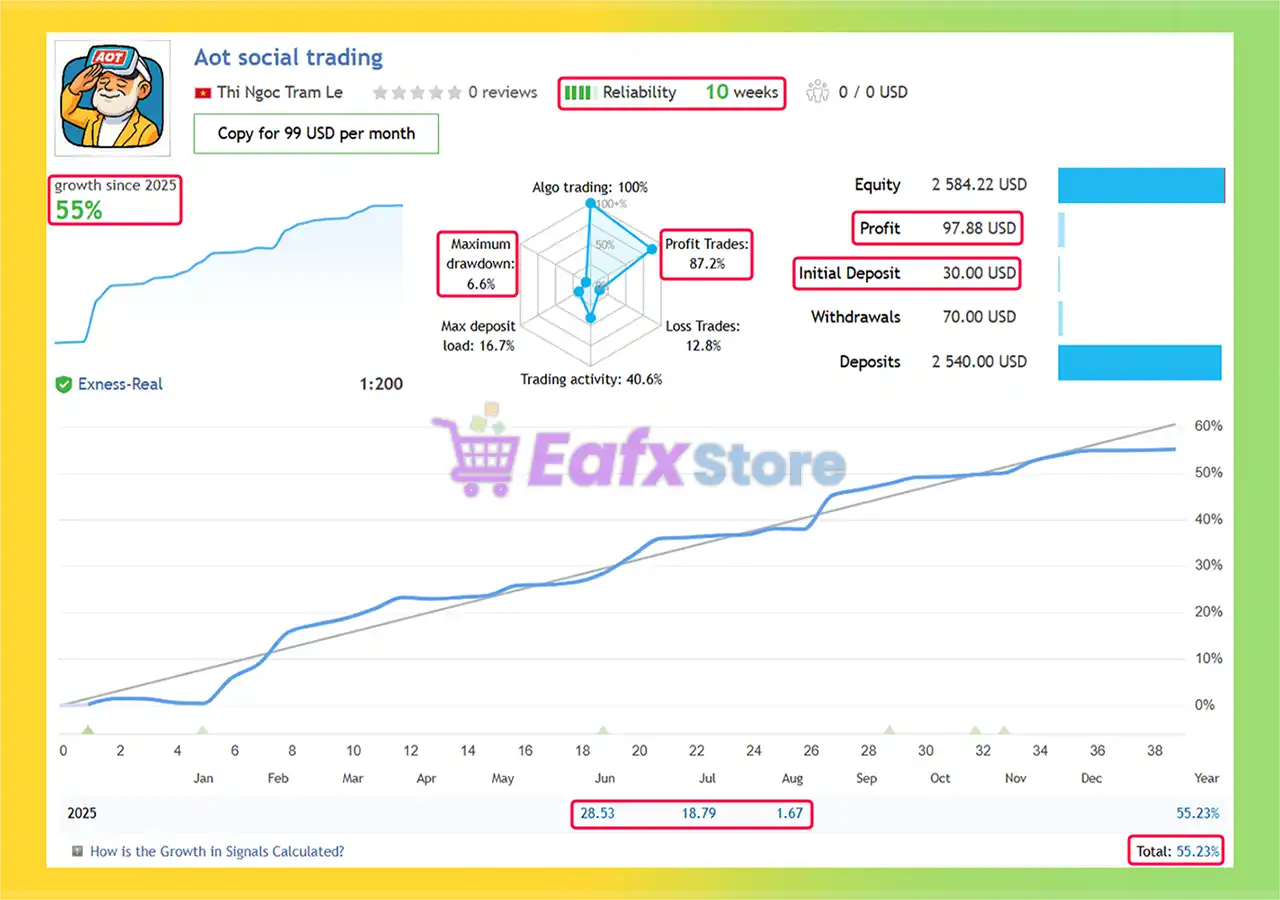
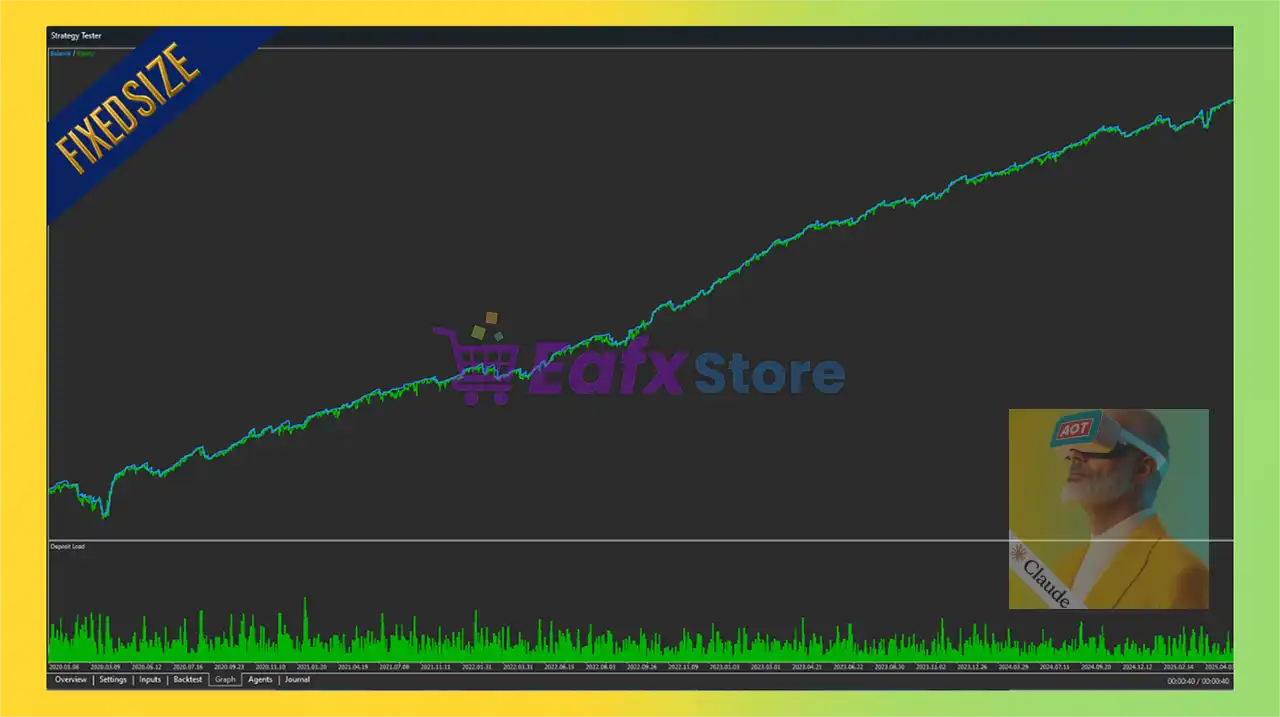
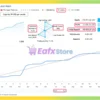
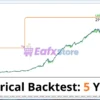
🔶 The Aot EA has been running on a real account with a leverage of 1:200. This automated trading system has shown solid growth of 55.23% in 2025, making it an appealing option for investors looking for consistent returns through algorithmic trading.
✅ Total Growth: +55.23% (10 weeks)
✅ Win Rate: 87.2%
✅ Maximum Drawdown: 6.6%
Aot EA Live Trading Results
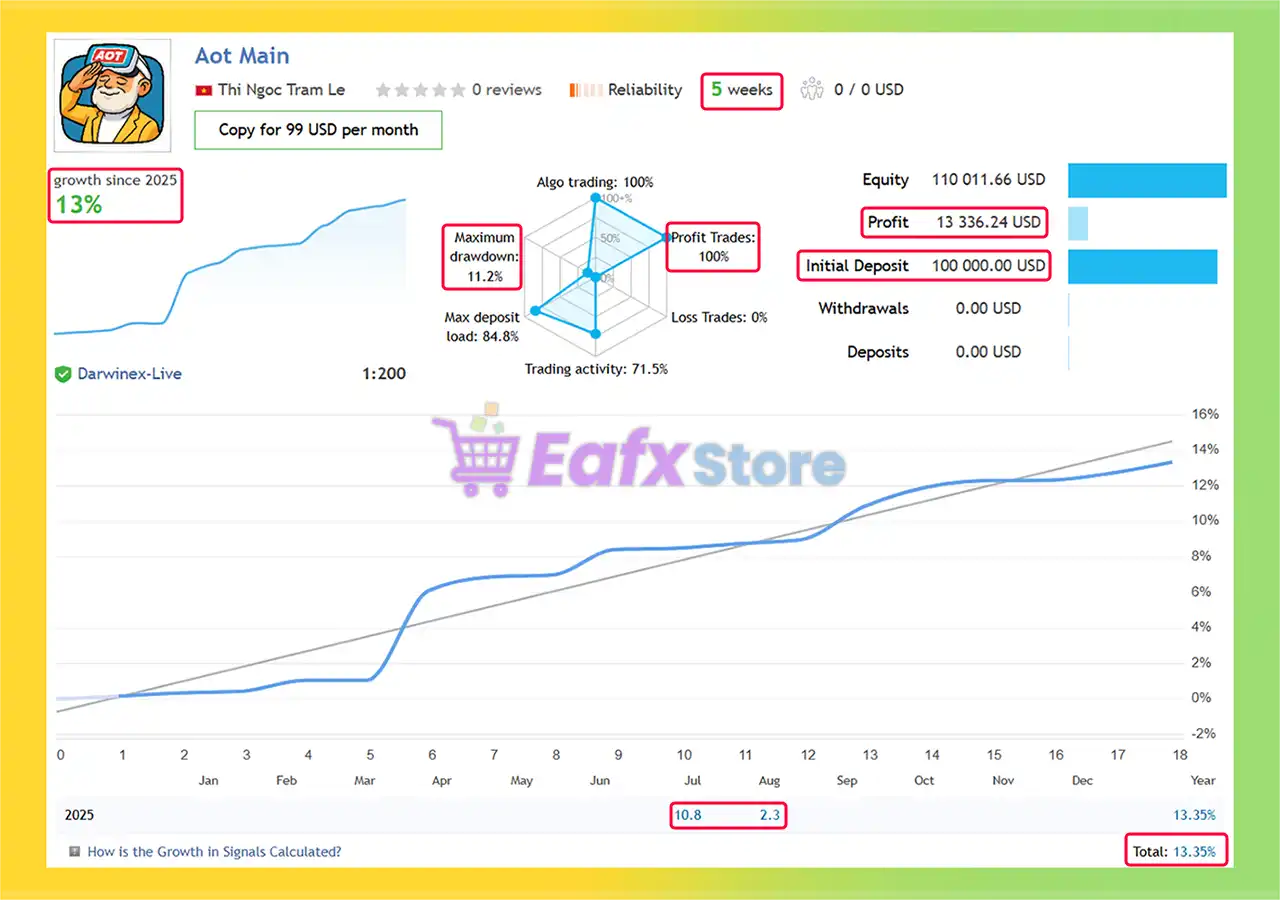
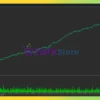
🔶 Aot EA is running on a real account with a leverage of 1:200. This expert advisor has achieved a total growth of 13.35% in just 5 weeks — showing an impressive performance in early 2025.
✅ Total Growth: +13.35%
✅ Win Rate: 100%
✅ Maximum Drawdown: 11.2%
Aot EA MT5 Live Trading Results
Why choose Aot EA?
🔹 Stable Automated Trading: Designed for traders seeking consistency through diversified execution.
🔹 Controlled Risk Exposure: Prioritizes capital protection with strict risk management features.
🔹 Adaptive Market Intelligence: Combines AI analysis with proven mean reversion principles.
🔹 Flexible Trading Framework: Supports different risk profiles and customizable configurations.
🔹 Marketplace-Ready Solution: Suitable for traders seeking scalable and professional automation.
Is Aot EA MT5 Safe?
Aot EA shows significant potential in providing stable and reliable profits, making it a reliable tool in the forex market. The advisor is highly appreciated by the MQL5 community in many aspects and has won the trust of users.
➡️ Mark Vaines (07/16/2025): “An Excellent Trading Bot with AI Powered Potential. This trading bot stands out as a truly impressive and affordable solution for automated trading. Its high win rate is a significant selling point, consistently proving its ability to produce positive results over time.”
➡️ Kremsman (06/17/2025): “Aot is a mean regressor bot that basically covers the entire Forex market for you at an extremely reasonable price. As one of the first users, I can say that the performance so far has been solid.”
➡️ Lee Wai Chong (06/18/2025): “What really stands out is that they are trading a $100,000 account with a reputable broker—unlike many other authors who only trade $100 balances on a single currency pair, which is easier to optimize and often leads to misleading backtests.”
Trading Specifications
Recommended settings and parameters to pay attention to from developers and experts:
| Features | Type |
|---|---|
| Trading platform | MetaTrader 5 (MT5) |
| Time frames | M15 (15 minute chart) |
| Currency pairs | 16 currency pairs |
| Minimum / Recommended deposit | $100 (Recommended: $300+) |
| Minimum / Recommended leverage | 1:30 or higher |
| Account type | ECN / Raw Spread |
| Product type | Original version |
| Additional services | Unlock and Decompile |
| Recommended brokers | Exness Broker, Icmarkets Broker |
| Recommended VPS | MyfxVPS.com (Blue VPS, Golden VPS). Lowest Latency, 2 week Free Trial, 100% Free for 12-18 Months. |
➡️ Reviewed by David Easton
Product Download Package?
The download package of the product suite includes:
1. Experts:
✅ Setting (If Any).docx
✅ Installation Guide.docx
2. SetFiles:
✅ ATOL_HR_REC_2p.set
✅ ATOL_HR_Recovery_1p_10p.set
Conclusion: Is Aot EA MT5 Worth It in 2026?
In short, Aot EA is a next-generation Forex Expert Advisor that combines AI-powered analytics, multi-currency trading, and prop firm compatibility to deliver consistent and professional-grade results. Designed for the M15 timeframe, this EA analyzes 16 different currency pairs simultaneously, offering broad market exposure and reducing dependency on a single asset. With its configurable risk management system, traders can fine-tune the EA to suit their trading style, whether conservative or aggressive.
🔢 AOT EA MT5 – Complete Settings & Parameters Guide
AOT EA is an advanced automated trading system for MetaTrader 5 that combines multi-currency trading, risk management, recovery trading, AI-assisted analysis, correlation filtering, news protection, equity safeguards and smart position sizing.
The EA is designed to provide traders with flexible control over trade execution while maintaining account protection and portfolio diversification.
- Aot EA MT5 Settings
🔢 AOT EA MT5 Settings Explained
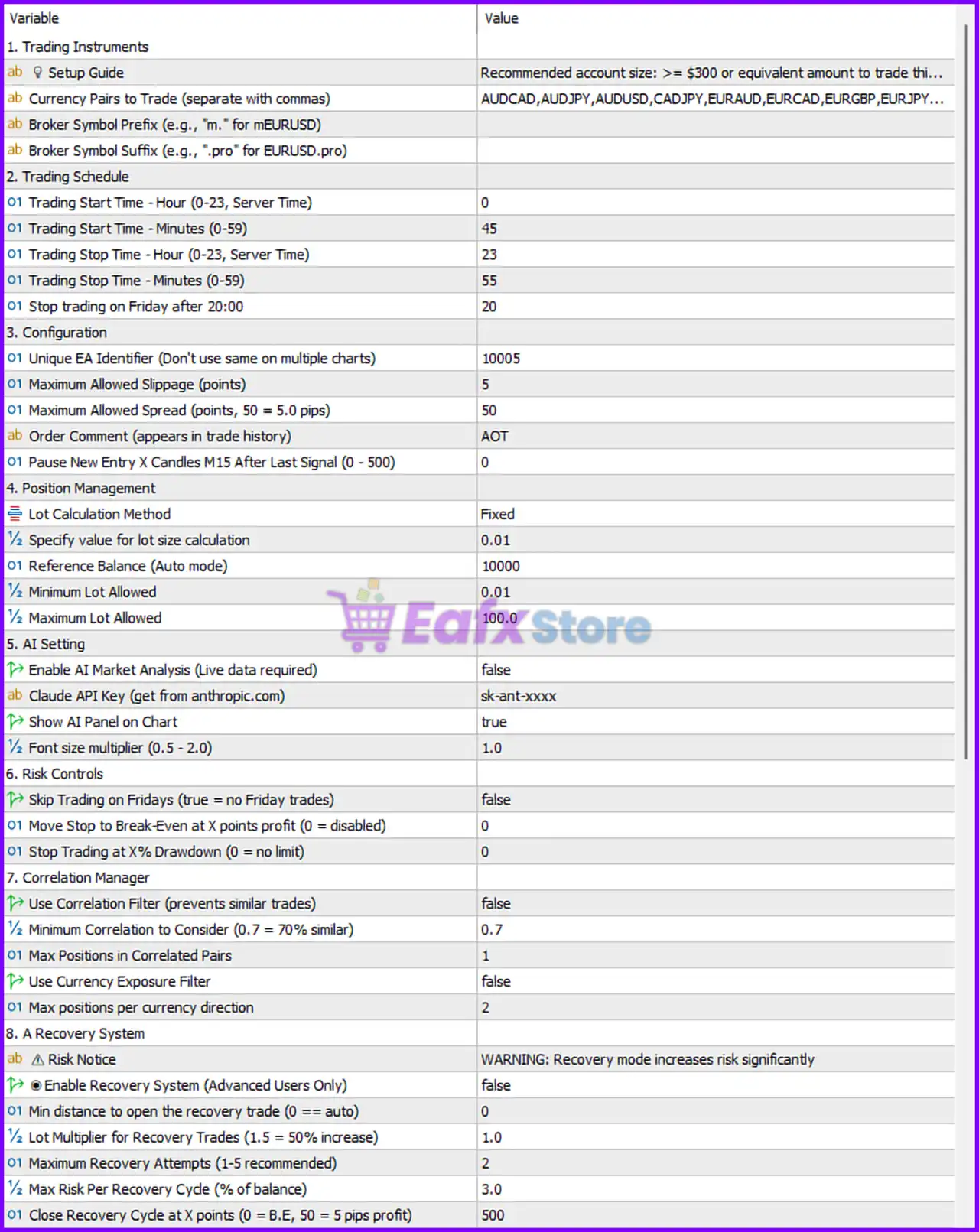
- Aot EA MT5 Settings Panel
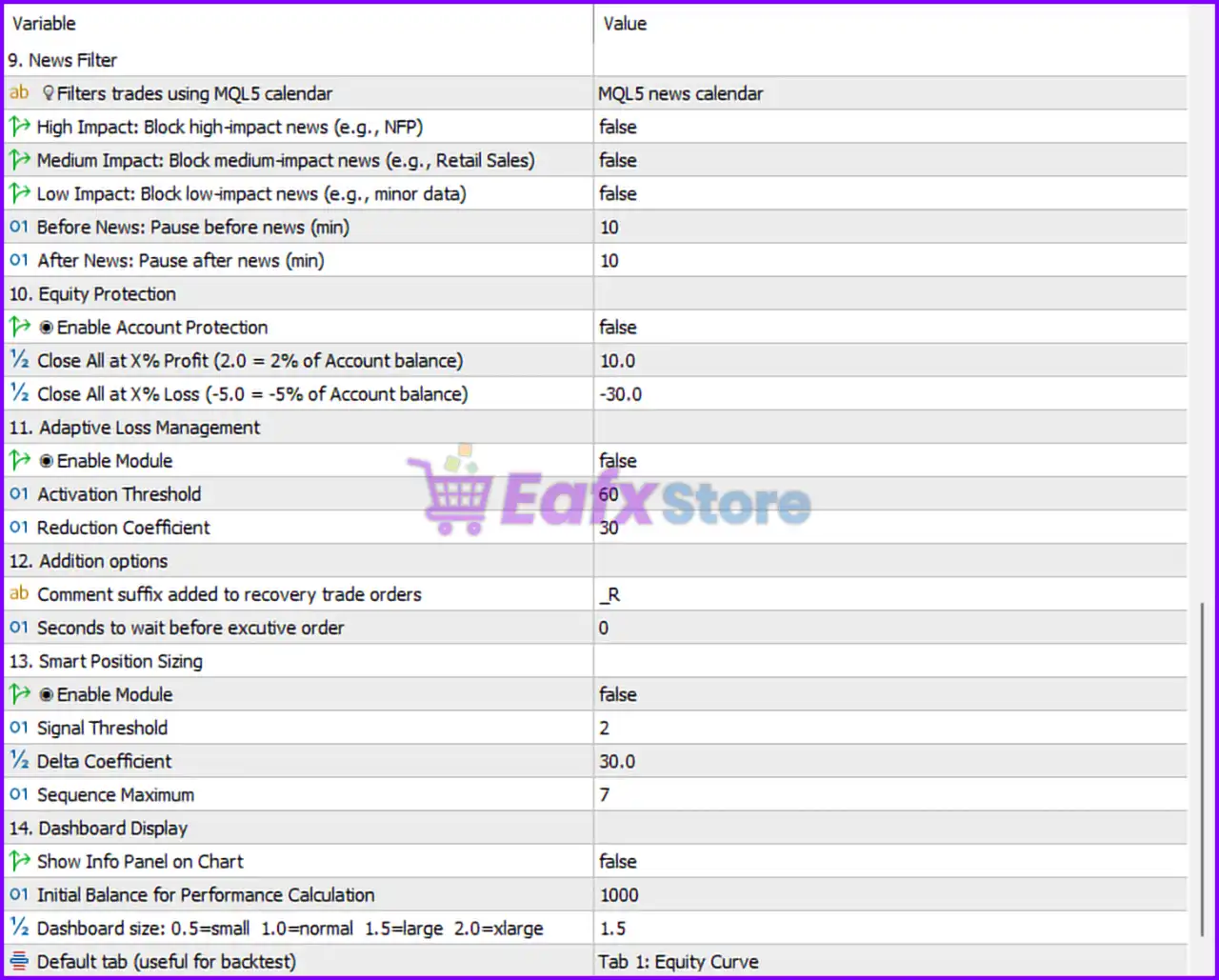
- Aot EA MT5 Setting Panel
1. Trading Instruments
🔹 Setup Guide = Recommended account size: >= $300 or equivalent amount to trade this EA — Recommended minimum account balance for stable operation is $300 or higher.
🔹 Currency Pairs to Trade (separate with commas) = AUDCAD, AUDJPY, AUDUSD, CADJPY, EURAUD, EURCAD, EURGBP, EURJPY… — Defines the list of currency pairs that the EA is allowed to trade.
🔹 Broker Symbol Prefix (e.g., “m.” for mEURUSD) — Allows entry of a broker-specific symbol prefix if required.
🔹 Broker Symbol Suffix (e.g., “.pro” for EURUSD.pro) — Allows entry of a broker-specific symbol suffix if required.
2. Trading Schedule
🔹 Trading Start Time – Hour (0-23, Server Time) = 0 — Trading begins at 00:00 server time.
🔹 Trading Start Time – Minutes (0-59) = 45 — Trading starts at 00:45 server time.
🔹 Trading Stop Time – Hour (0-23, Server Time) = 23 — Trading ends at 23:00 server time.
🔹 Trading Stop Time – Minutes (0-59) = 55 — Trading stops at 23:55 server time.
🔹 Stop trading on Friday after 20:00 = 20 — Prevents opening new trades after 20:00 on Friday.
3. Configuration
🔹 Unique EA Identifier (Don’t use same on multiple charts) = 10005 — Unique Magic Number used to distinguish the EA’s trades.
🔹 Maximum Allowed Slippage (points) = 5 — Maximum permitted execution slippage is 5 points.
🔹 Maximum Allowed Spread (points, 50 = 5.0 pips) = 50 — Blocks trading when spread exceeds 50 points (5.0 pips).
🔹 Order Comment (appears in trade history) = AOT — Comment attached to trades opened by the EA.
🔹 Pause New Entry X Candles M15 After Last Signal (0 – 500) = 0 — No delay between consecutive signals.
4. Position Management
🔹 Lot Calculation Method = Fixed — Uses fixed lot sizing instead of automatic calculation.
🔹 Specify value for lot size calculation = 0.01 — Fixed lot size is 0.01 lots.
🔹 Reference Balance (Auto mode) = 10000 — Account balance benchmark used if auto lot mode is enabled.
🔹 Minimum Lot Allowed = 0.01 — Smallest position size allowed.
🔹 Maximum Lot Allowed = 100.0 — Largest position size allowed.
5. AI Settings
🔹 Enable AI Market Analysis (Live data required) = false — AI-powered market analysis is disabled.
🔹 Claude API Key (get from anthropic.com) = sk-ant-xxxx — Field used to enter the Claude AI API key.
🔹 Show AI Panel on Chart = true — Displays the AI information panel directly on the chart.
🔹 Font size multiplier (0.5 – 2.0) = 1.0 — Uses standard font size for the AI panel.
6. Risk Controls
🔹 Skip Trading on Fridays (true = no Friday trades) = false — Friday trading remains enabled.
🔹 Move Stop to Break-Even at X points profit (0 = disabled) = 0 — Break-even functionality is disabled.
🔹 Stop Trading at X% Drawdown (0 = no limit) = 0 — No maximum drawdown limit is enforced.
7. Correlation Manager
🔹 Use Correlation Filter = false — Correlation filtering between currency pairs is disabled.
🔹 Minimum Correlation to Consider (0.7 = 70% similar) = 0.7 — Correlation threshold set to 70% similarity.
🔹 Max Positions in Correlated Pairs = 1 — Maximum of 1 position allowed among correlated pairs.
🔹 Use Currency Exposure Filter = false — Currency exposure management is disabled.
🔹 Max positions per currency direction = 2 — Allows a maximum of 2 positions per currency direction.
8. Recovery System
🔹 Risk Notice = WARNING: Recovery mode increases risk significantly — Warning indicating that recovery trading may substantially increase account risk.
🔹 Enable Recovery System (Advanced Users Only) = false — Recovery mode is disabled.
🔹 Min distance to open the recovery trade (0 == auto) = 0 — Recovery entry distance is automatically calculated.
🔹 Lot Multiplier for Recovery Trades (1.5 = 50% increase) = 1.0 — Recovery trades use the same lot size as previous positions.
🔹 Maximum Recovery Attempts (1-5 recommended) = 2 — Allows up to 2 recovery trades.
🔹 Max Risk Per Recovery Cycle (% of balance) = 3.0 — Recovery cycle risk capped at 3% of account balance.
🔹 Close Recovery Cycle at X points (0 = B.E, 50 = 5 pips profit) = 500 — Recovery basket closes after 500 points profit.
9. News Filter
🔹 Filters trades using MQL5 calendar = MQL5 news calendar — Uses the integrated MQL5 economic calendar.
🔹 High Impact: Block high-impact news (e.g., NFP) = false — High-impact news filtering is disabled.
🔹 Medium Impact: Block medium-impact news (e.g., Retail Sales) = false — Medium-impact news filtering is disabled.
🔹 Low Impact: Block low-impact news (e.g., minor data) = false — Low-impact news filtering is disabled.
🔹 Before News: Pause before news (min) = 10 — Stops trading 10 minutes before scheduled news events.
🔹 After News: Pause after news (min) = 10 — Resumes trading 10 minutes after news releases.
10. Equity Protection
🔹 Enable Account Protection = false — Account-level protection system is disabled.
🔹 Close All at X% Profit (2.0 = 2% of Account balance) = 10.0 — Closes all positions when total profit reaches 10% of account balance.
🔹 Close All at X% Loss (-5.0 = -5% of Account balance) = -30.0 — Closes all positions if account loss reaches -30%.
11. Adaptive Loss Management
🔹 Enable Module = false — Adaptive loss reduction system is disabled.
🔹 Activation Threshold = 60 — Module activates when losses reach a threshold of 60.
🔹 Reduction Coefficient = 30 — Determines the strength of loss reduction calculations.
12. Additional Options
🔹 Comment suffix added to recovery trade orders = _R — Recovery trades receive the suffix “_R” in trade comments.
🔹 Seconds to wait before execute order = 0 — Orders are executed immediately with no delay.
13. Smart Position Sizing
🔹 Enable Module = false — Smart position sizing system is disabled.
🔹 Signal Threshold = 2 — Minimum signal strength required for dynamic sizing.
🔹 Delta Coefficient = 30.0 — Controls position size adjustment sensitivity.
🔹 Sequence Maximum = 7 — Maximum scaling sequence length is 7 levels.
14. Dashboard Display
🔹 Show Info Panel on Chart = false — Dashboard panel is hidden.
🔹 Initial Balance for Performance Calculation = 1000 — Uses $1000 as the baseline for performance tracking.
🔹 Dashboard size: 0.5=small 1.0=normal 1.5=large 2.0=xlarge = 1.5 — Dashboard is displayed in large size mode.
🔹 Default tab (useful for backtest) = Tab 1: Equity Curve — Dashboard opens with the Equity Curve tab by default.
🔢 Conclusion
AOT EA is a feature-rich Expert Advisor (EA) that combines traditional automated trading with advanced portfolio management tools, AI integration options, recovery trading controls and comprehensive account protection features.
Its flexible configuration allows traders to customize risk, trading schedules, position sizing, news filtering, and recovery behavior according to their trading objectives.
Proper optimization of the lot sizing, recovery parameters, and equity protection settings can significantly improve long-term trading stability.
🔢 FAQs
❓ What is the default Magic Number of AOT EA MT5?
The default Unique EA Identifier is 10005.
❓ Does AOT EA MT5 use AI analysis by default?
No. Enable AI Market Analysis = false, so AI analysis is disabled by default.
❓ How many recovery attempts can the EA make?
The EA is configured for 2 maximum recovery attempts.
❓ What spread limit is configured by default?
The default maximum spread is 50 points (5.0 pips).
❓ Which news source does AOT EA MT5 use?
The EA uses the MQL5 Economic Calendar for its built-in news filtering system.
User Reviews
Only logged in customers who have purchased this product may leave a review.
❓ What trading platform does Aot EA work on?
Aot EA is designed to work exclusively on the MetaTrader 5 (MT5) platform.
❓ Which currency pairs does Aot EA trade?
The EA trades across 16 different currency pairs on the M15 timeframe, giving you broad market exposure.
❓ Is Aot EA suitable for prop firm challenges?
Yes. Aot EA is specifically optimized for prop firm accounts and brokerage challenges, making it an excellent choice for traders aiming to pass and manage funded accounts.
❓ What is the minimum deposit required to run Aot EA?
The EA requires a minimum deposit of $100, but the recommended deposit is $300 or more for optimal results.
❓ What leverage is recommended for Aot EA?
It is recommended to use a leverage of 1:30 or higher. Most users achieve the best results with 1:100 to 1:200.
❓ Does Aot EA use risky strategies like martingale or grid trading?
No. Aot EA uses AI-powered analytics and strict risk management. It does not rely on dangerous strategies such as martingale, grid, or averaging.
❓ Do I need a VPS to run Aot EA?
While not mandatory, a VPS (Virtual Private Server) is strongly recommended to ensure 24/7 uninterrupted trading performance.
❓ How does Aot EA manage risk?
The EA comes with configurable risk management settings, allowing you to adjust lot sizes, stop loss, and risk percentage to fit your personal trading style and risk tolerance.
❓ What kind of results has Aot EA achieved in live trading?
In 2025, Aot EA has shown impressive results, including +55.23% total growth in 10 weeks with 87.2% win rate and +13.35% growth in just 5 weeks with a 100% win rate.
-
 Price range: $70.00 through $599.00
 -
 Price range: $89.00 through $599.00
 -
 Price range: $89.00 through $599.00
 -
 Price range: $89.00 through $599.00
-
 2
2 -
 4
4 -
 7Original price was: $1,199.00.$229.00Current price is: $229.00.
 -
 3Price range: $89.00 through $599.00
There are no reviews yet.