

🔢 AnE EA MT5 – Complete Settings & Parameters Guide
AnE EA is an automated MetaTrader 5 Expert Advisor (EA) designed with a strong focus on risk control, broker time synchronization, account protection and simple money management.
The EA provides traders with flexible lot sizing options, spread filtering, drawdown protection, and an optional on-chart information panel, making it suitable for both conservative and professional trading environments.

🔢 AnE EA MT5 Settings Explained
Below are the details of the parameters in the advisor’s trading system settings table:
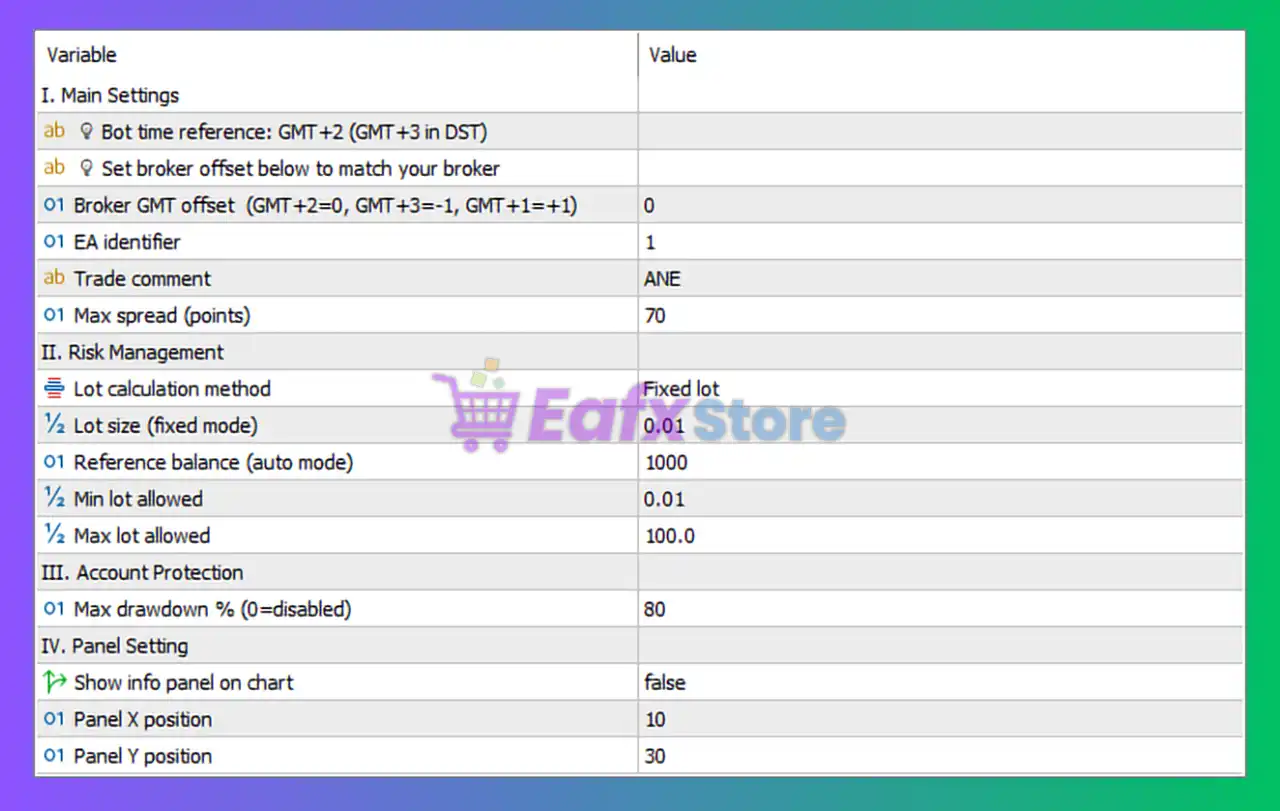
🔶 Main Settings
🔹 Bot time reference: GMT+2 (GMT+3 in DST) — The EA uses GMT+2 as its standard operating time and GMT+3 during Daylight Saving Time (DST).
🔹 Set broker offset below to match your broker — Instruction for aligning the EA's internal time calculations with the broker server time.
🔹 Broker GMT offset (GMT+2=0, GMT+3=-1, GMT+1=+1) = 0 — Broker time offset setting; a value of 0 indicates the broker operates on GMT+2.
🔹 EA identifier = 1 — Unique identifier used internally by the EA for managing trading operations.
🔹 Trade comment = ANE — Custom comment attached to all trades opened by the EA.
🔹 Max spread (points) = 70 — The EA will only open trades when the market spread is 70 points or lower.
🔶 Risk Management
🔹 Lot calculation method = Fixed lot — The EA uses a fixed lot size instead of automatic balance-based lot calculation.
🔹 Lot size (fixed mode) = 0.01 — Fixed trading volume set to 0.01 lots per position.
🔹 Reference balance (auto mode) = 1000 — Account balance benchmark of 1000 used when automatic lot sizing is enabled.
🔹 Min lot allowed = 0.01 — The minimum lot size that the EA is allowed to trade.
🔹 Max lot allowed = 100.0 — The maximum lot size that the EA can open.
🔶 Account Protection
🔹 Max drawdown % (0=disabled) = 80 — The EA will stop trading or trigger protection mechanisms when account drawdown reaches 80%; setting 0 would disable this protection.
🔶 Panel Settings
🔹 Show info panel on chart = false — The information panel is disabled and will not be displayed on the trading chart.
🔹 Panel X position = 10 — Horizontal position of the information panel set to 10 pixels from the left side of the chart.
🔹 Panel Y position = 30 — Vertical position of the information panel set to 30 pixels from the top of the chart.
🔢 Conclusion
AnE EA is a straightforward yet effective Expert Advisor that emphasizes account safety, time synchronization, and disciplined risk management. With configurable spread control, fixed lot sizing, broker GMT alignment, and an 80% maximum drawdown protection setting, the EA offers traders a reliable framework for automated trading while maintaining strict control over risk exposure.
🔢 FAQs
❓ What is the default lot size used by AnE EA MT5?
The EA uses a fixed lot size of 0.01 lots by default.
❓ How does the Broker GMT Offset setting work?
The Broker GMT Offset aligns the EA's internal clock with the broker server time for accurate trading operations.
❓ What is the maximum spread allowed for trading?
The EA only opens trades when the spread is 70 points or lower.
❓ What does the Max Drawdown % setting do?
The Max drawdown % = 80 setting protects the account by limiting excessive losses and triggering protection measures when drawdown reaches 80%.
❓ Can I display the information panel on the chart?
Yes, by changing Show info panel on chart from false to true, the EA will display trading information directly on the chart.



