





Black Bird EA MT4 v1.20 with SetFiles (Platform build 1476+)

Subscriptions for Special Plan
- 30 EA package is more economical!
- Special package with 99%
- Download 1 EA/Day

Subscriptions for Premium Membership
- Download Unlimited in 1 Year
- Get 100% Discount
- Get free access to all

Subscriptions for Gold Membership
- 1 Year Membership
- Get 100% Discount
- Access EA+Indicator+Course
Frequently bought together 🎁
Add these products to enhance your purchase



What is Black Bird EA MT4?
Black Bird EA is a powerful and sophisticated Expert Advisor (EA) designed for serious forex traders who demand precision, control and long-term consistency. Built on an advanced hedging strategy and enhanced with smart scalping algorithms, this EA ensures precise entries and adaptive exits by analyzing market conditions in real-time.
With a focus on risk control, capital preservation, and goal-based trading, Black Bird EA is ideal for traders looking to meet the requirements of proprietary firm challenges like FTMO, as well as for high-capital traders aiming for consistent growth.

Key Features of Black Bird EA for MT4
🔹 Compatibility: Designed specifically for the MT4 platform, ensuring seamless integration.
🔹 Customization: Offers customizable settings to tailor the trading strategies to individual preferences or risk tolerance.
🔹 Support: Good EAs come with support and updates from the developers to ensure they remain effective in changing market conditions.
🔹 Money Management: Integrated money management features to help manage trade sizes and control risk.
Black Bird EA Review
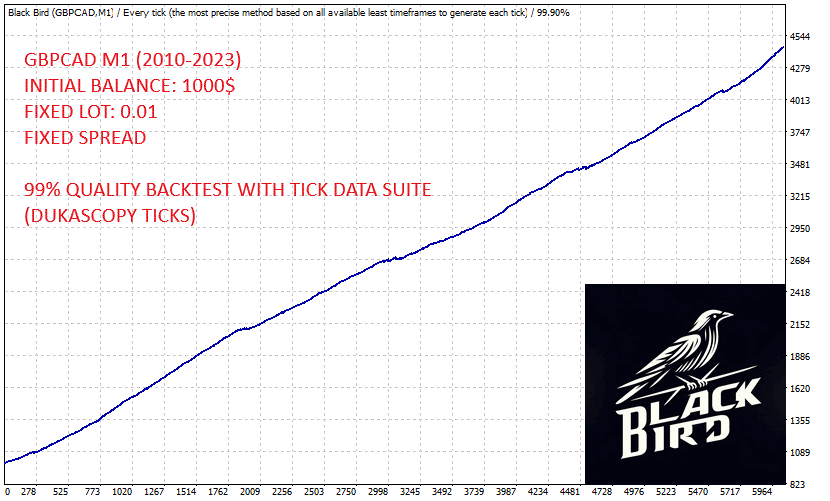
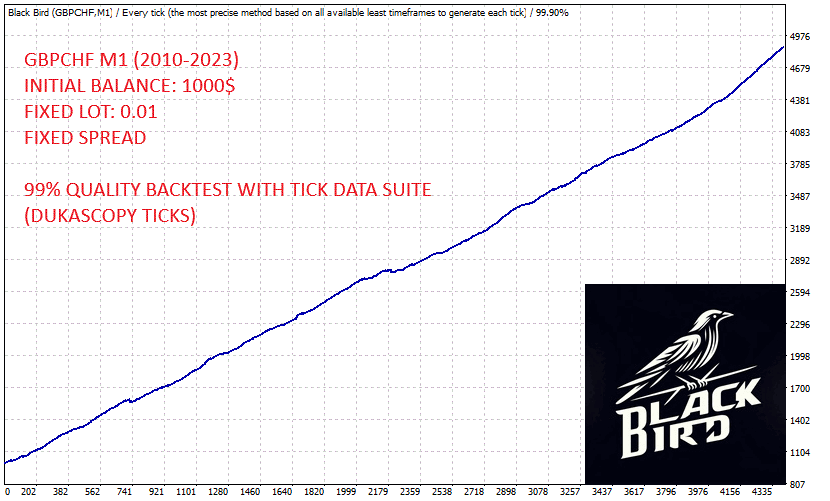
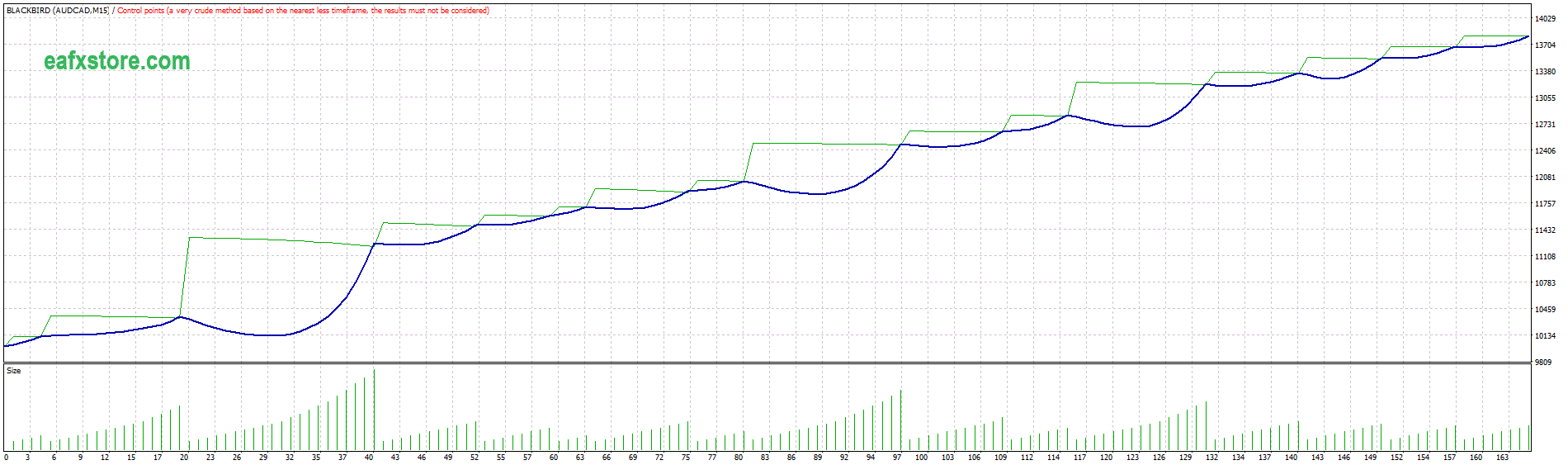
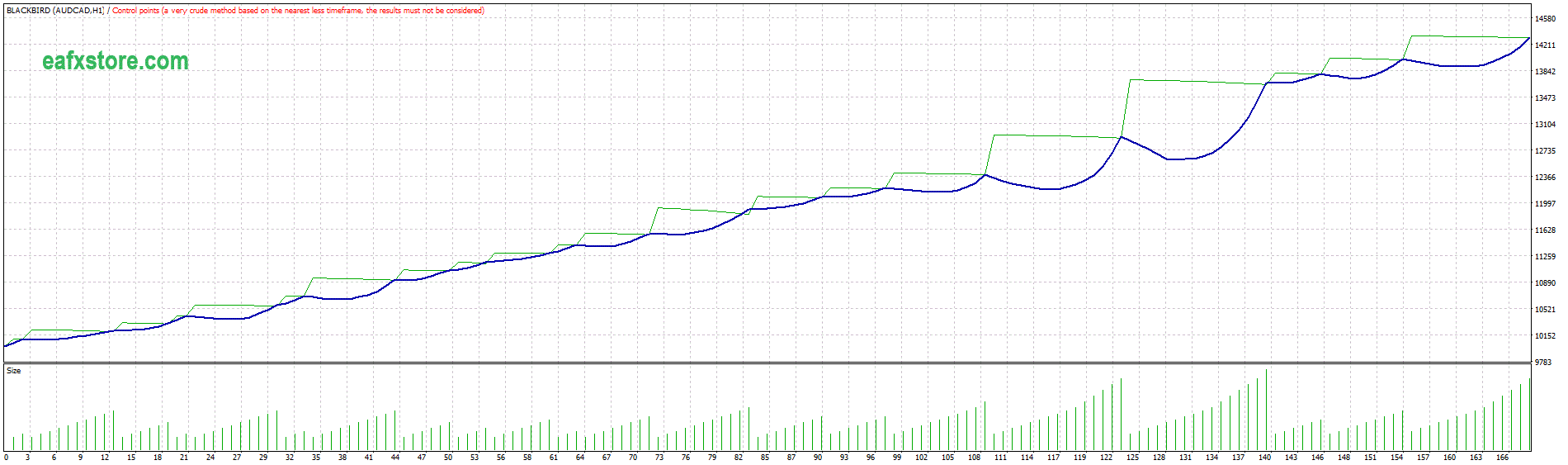
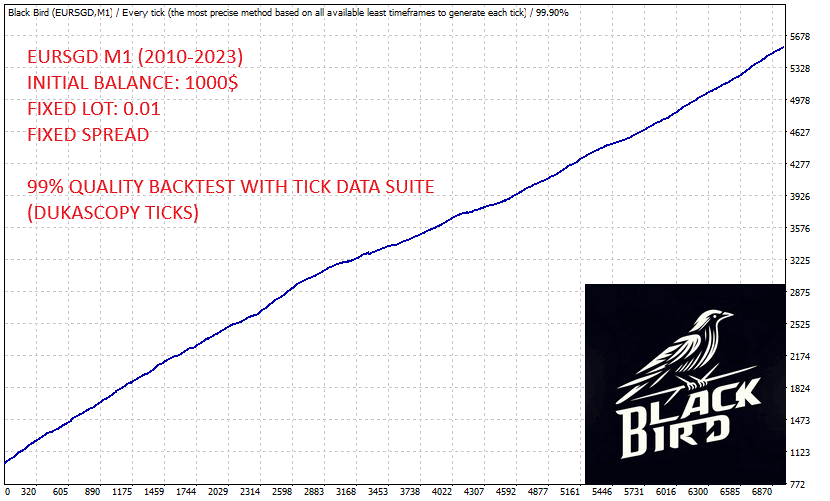
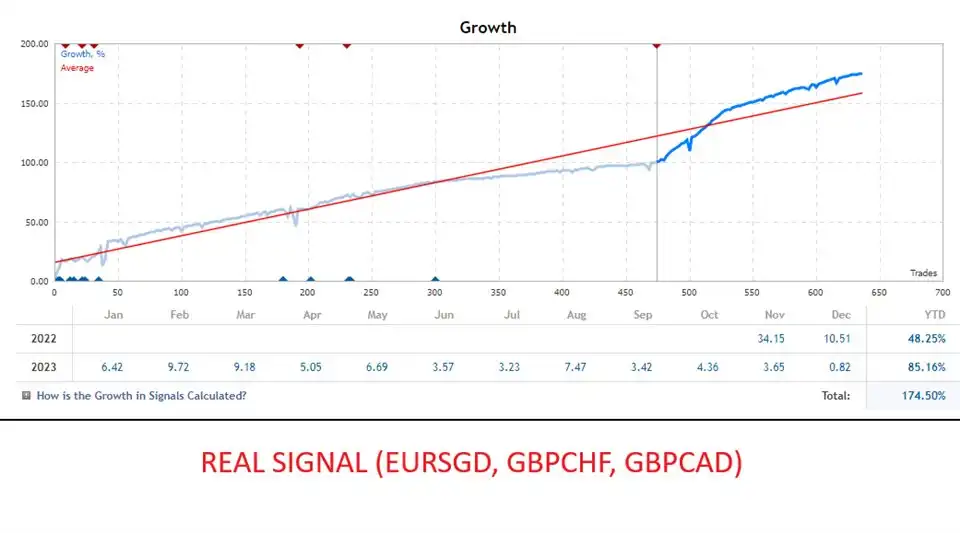
🔹 Performance: Look at the historical performance data, including win rate, drawdown, and profitability.
🔹 Strategy: Understand the underlying strategy that the EA uses to make trade decisions. Is it based on technical analysis, price action, or other indicators?
🔹 User Feedback: Seek out reviews and testimonials from other traders who have used Black Bird EA to gauge its reliability and effectiveness.
Black Bird EA MT4
Black Bird EA MT4

Black Bird EA MT4
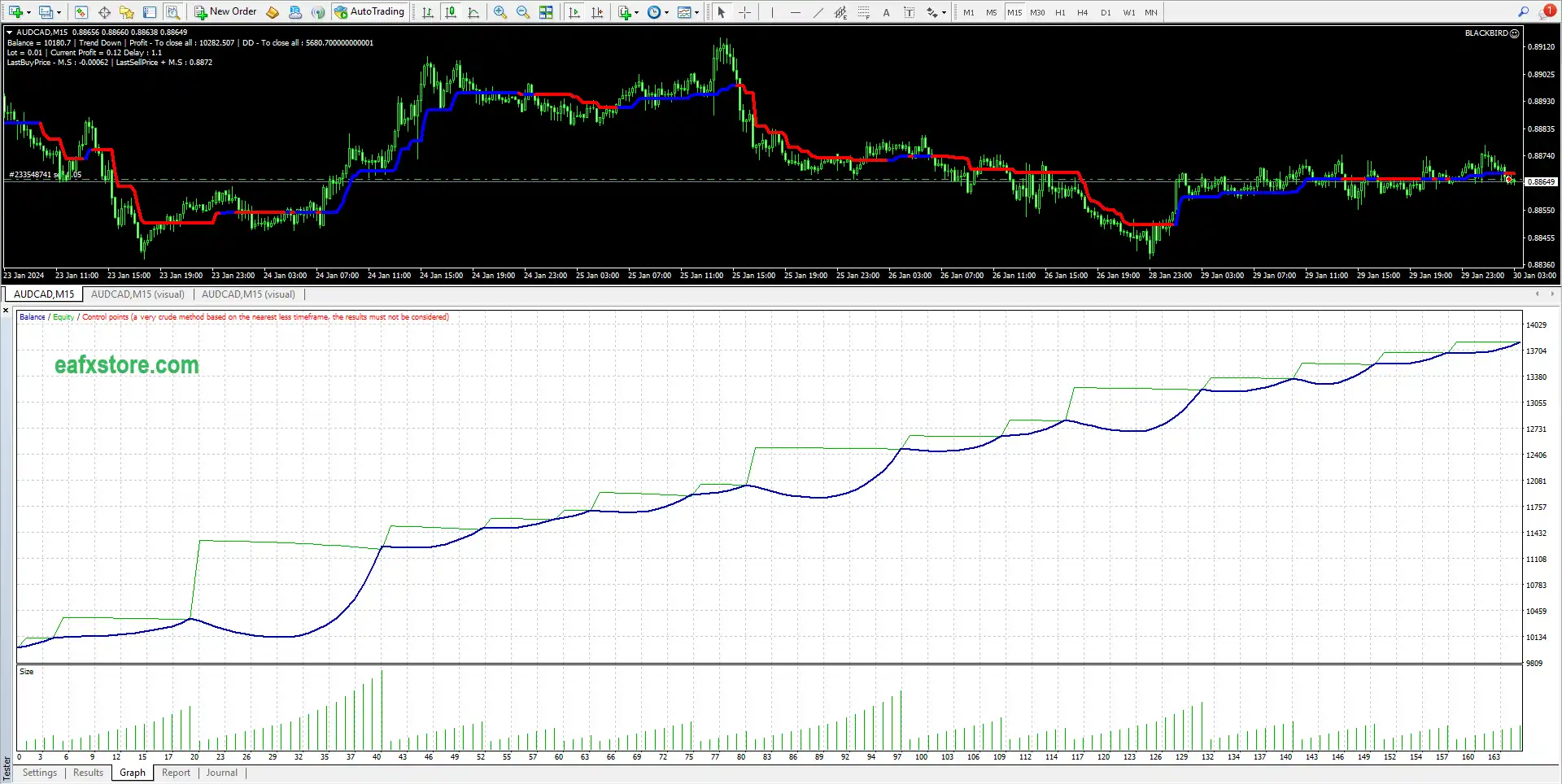
Black Bird EA MT4
Why should you use Black Bird EA?
🔹 Automation: It automates trading strategies, allowing traders to execute trades 24/7 without constant monitoring.
🔹 Backtesting: Traders can backtest the EA against historical data to evaluate its performance before using it in live trading.
🔹 Risk Management: The EA can be programmed with specific risk management features to protect the trader’s capital.
🔹 Consistency: Removes emotional trading decisions, providing a more disciplined trading approach.
Recommended settings
Recommended settings and parameters to pay attention to from developers and experts:
| Features | Type |
|---|---|
| Trading platform | MetaTrader 4 (MT4) |
| Minimum / Recommended deposit | $10,000 for lot 0,01 |
| Time frames | Any Times |
| Currency pairs | Any Pairs |
| Setup files | Available |
| Product type | NoDLL / Fix |
| Additional services | Unlock and Decompile |
| Recommended brokers | Exness Broker, Icmarkets Broker |
| Recommended VPS | MyfxVPS.com ( Blue VPS, Golden VPS). Lowest Latency, 2 week Free Trial, 100% Free for 12-18 Months. |
Product Download Package?
The download package of the product suite includes:
Experts
✅ Black Bird EA v1.20_fix.ex4
Indicartors
✅ Paintmachine.ex4
SetFiles
✅ mainclear.set
✅ Set for windays.set
✅ Set_Blackbird_15M_EURUSD.set
➡️ Reviewed by David Easton
Conclusion
In short, Black Bird EA is more than just an automated trading system — it’s a cutting-edge scalping and hedging solution designed for serious traders seeking consistency, control, and performance. Built with a sophisticated algorithm that adapts dynamically to market conditions, Black Bird EA excels in fast-paced trading environments, making strategic entries and exits based on market state, risk exposure, and drawdown management.
🔢 Black Bird EA MT4 Settings Guide – Complete Parameters & Configuration
Black Bird EA MT4 is a specialized automated trading Expert Advisor designed with configurable trend-based execution, position sizing, money management, time controls, gap filtering and risk-management parameters.
The settings panel provides traders with detailed control over lot size, maximum lot exposure, trading mode, market conditions, time filters, gap settings, profit targets, stop-loss protection and trade identification.
With its “WORK ON TREND” configuration and multiple market-condition levels, Black Bird EA MT4 can be customized for different trading environments and risk preferences.
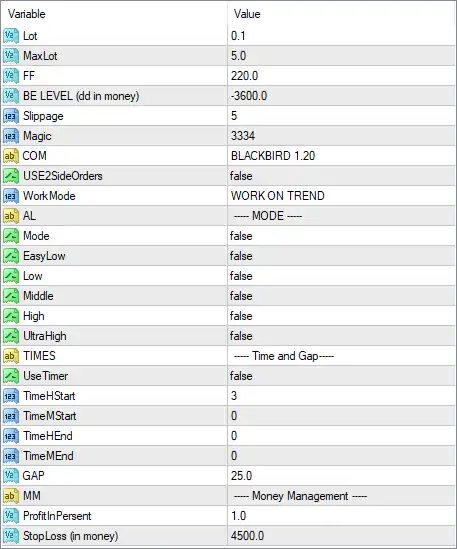
Black Bird EA MT4 Settings Panel
General Trading Settings
🔹 Lot: 0.1 — Sets the initial trading lot size to 0.1, defining the default volume used when the EA opens a position.
🔹 MaxLot: 5.0 — Sets the maximum permitted lot size to 5.0, limiting the highest position volume that the EA can use.
🔹 FF: 220.0 — Sets the FF parameter to 220.0. This value is part of the EA’s internal trading configuration and should be retained according to the original strategy settings.
🔹 BE LEVEL (dd in money): -3600.0 — Sets the Break-Even level based on drawdown in monetary terms to -3600.0. This parameter controls the configured monetary threshold associated with the EA’s break-even logic.
🔹 Slippage: 5 — Allows a maximum configured execution slippage of 5 points, helping control the acceptable difference between requested and executed prices.
🔹 Magic: 3334 — Assigns the Magic Number 3334 to Black Bird EA MT4, allowing the EA to identify and manage its own trades separately from other strategies.
🔹 COM: BLACKBIRD 1.20 — Sets the trade comment to BLACKBIRD 1.20, providing an identification label for trades generated by the EA.
🔹 USE2SideOrders: false — Disables the use of two-sided orders, so the EA is not configured to simultaneously utilize both directional order sides through this function.
Work Mode & Trend Configuration
🔹 WorkMode: WORK ON TREND — Configures the EA to WORK ON TREND, indicating that the selected trading approach is based on trend conditions.
🔹 AL: —- MODE —- — Section label identifying the available trading-mode configuration options.
🔹 Mode: false — Disables the general Mode option.
🔹 EasyLow: false — Disables the EasyLow market/trading condition.
🔹 Low: false — Disables the Low condition.
🔹 Middle: false — Disables the Middle condition.
🔹 High: false — Disables the High condition.
🔹 UltraHigh: false — Disables the UltraHigh condition.
These market-level parameters appear to provide selectable operating conditions. In the supplied configuration, all five levels are set to false, meaning none of these optional mode switches is currently enabled.
Time & Gap Settings
🔹 TIMES: —- Time and Gap —- — Section label for the EA’s time-management and gap-related parameters.
🔹 UseTimer: false — Disables the timer-based trading restriction.
🔹 TimeHStart: 3 — Sets the timer start-hour parameter to 3.
🔹 TimeMStart: 0 — Sets the timer start-minute parameter to 0, giving a configured start time of 03:00 when the timer function is enabled.
🔹 TimeHEnd: 0 — Sets the timer end-hour parameter to 0.
🔹 TimeMEnd: 0 — Sets the timer end-minute parameter to 0, giving a configured end time of 00:00 when the timer function is enabled.
🔹 GAP: 25.0 — Sets the gap parameter to 25.0, defining the configured gap threshold used by the EA’s gap-related trading logic.
Money Management Settings
🔹 MM: —- Money Management —- — Section label identifying the money-management configuration.
🔹 ProfitInPersent: 1.0 — Sets the profit target parameter to 1.0, representing the configured profit percentage level used by the money-management logic.
🔹 StopLoss (in money): 4500.0 — Sets the monetary Stop Loss threshold to 4500.0, defining the configured loss amount for the EA’s money-based risk protection.
🔢 Conclusion
Black Bird EA MT4 provides a compact but highly configurable framework for automated trend-based trading. The supplied configuration uses a 0.1 initial lot, 5.0 maximum lot, 3334 Magic Number, and BLACKBIRD 1.20 trade comment, while the primary operating mode is set to WORK ON TREND.
The configuration also includes a 25.0 GAP parameter, 1.0 profit percentage target, and 4500.0 monetary Stop Loss setting. The timer is currently disabled, and the optional EasyLow, Low, Middle, High, and UltraHigh modes are all set to false. Traders should carefully test these parameters with historical data and on a demo account before applying them to live trading, particularly the lot-size, MaxLot, recovery/break-even, and monetary Stop Loss settings.
🔢 FAQs
❓ What is the default lot size of Black Bird EA MT4?
The configured Lot value is 0.1, while MaxLot is set to 5.0.
❓ What trading strategy does Black Bird EA MT4 use in these settings?
The WorkMode is set to WORK ON TREND, indicating that the supplied configuration is designed around trend-based trading conditions.
❓ What is the Magic Number of Black Bird EA MT4?
The Magic Number is 3334, which allows the EA to distinguish its positions from trades generated by other Expert Advisors or manual trading.
❓ Is the timer function enabled?
No. UseTimer = false, so the configured TimeHStart = 3, TimeMStart = 0, TimeHEnd = 0, and TimeMEnd = 0 values are not actively restricting trading through the timer function.
❓ What are the money-management settings?
The EA has ProfitInPersent = 1.0 and StopLoss (in money) = 4500.0. These parameters define the configured profit-percentage and monetary-loss management levels.
User Reviews
Only logged in customers who have purchased this product may leave a review.
1. What is Black Bird EA and how does it work?
Black Bird EA is a hedging-based, advanced scalping Expert Advisor for MetaTrader, designed to enter the market quickly using smart algorithms. It uses fixed or dynamic take-profits, manages risk and drawdown intelligently, and is optimized for high-performance trading, including prop firm challenges like FTMO.
2. What is the recommended minimum starting capital?
The minimum recommended balance is $10,000 for a 0.01 lot size. This is important for managing drawdown and ensuring the EA functions as intended.
3. Which trading pairs and timeframes can I use with Black Bird EA?
Black Bird EA supports any currency pair and any timeframe, although its default settings are optimized for BTCUSD and GOLD.
4. Can I run Black Bird EA continuously 24/7?
It is not recommended to run Black Bird EA 24/7 indefinitely. The developer advises stopping or restarting the EA after reaching daily, weekly, or monthly profit goals to avoid capital burnout, especially since it utilizes elements of Martingale.
5. Does the EA use dangerous strategies like Martingale or Grid?
Yes, elements of Martingale are present in the strategy. However, the EA includes advanced drawdown management, breakeven functions, and risk control features to enhance safety. Still, proper capital and usage discipline are required.
6. Is Black Bird EA suitable for passing FTMO or prop firm challenges?
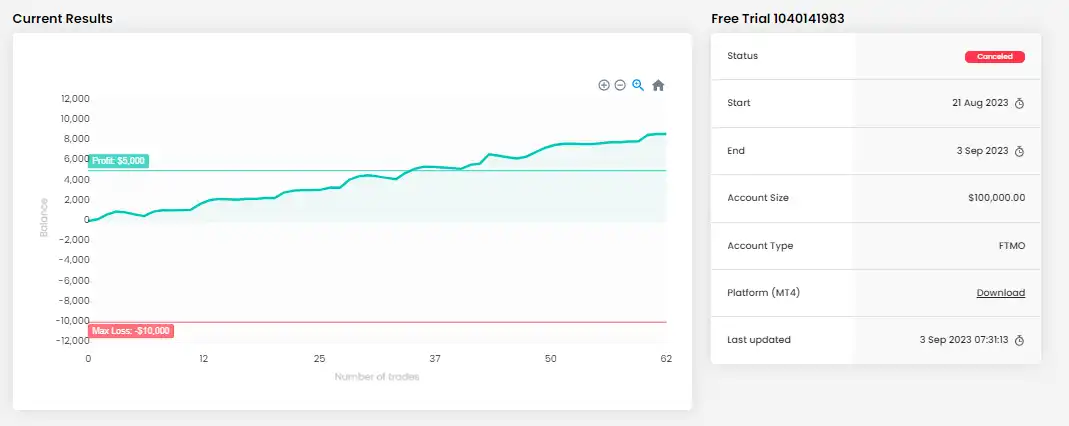
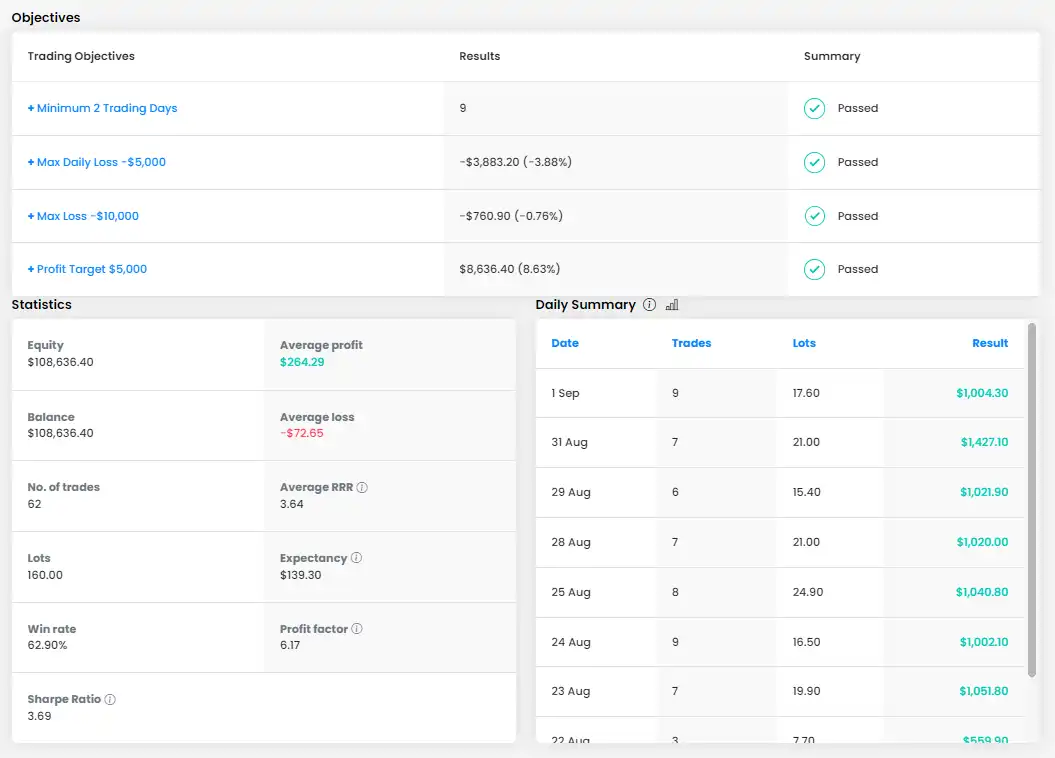
Yes. Black Bird EA is specifically optimized to pass prop firm challenges like FTMO, and the latest version (1.20) has improved logic to help stay within max drawdown and daily loss limits.
7. How does the EA manage risk and profits?
The EA includes:
Breakeven logic to close the day at neutral or small profits
Risk evaluation systems that adjust trading to stay within loss thresholds
Dynamic and fixed take-profit options based on market conditions
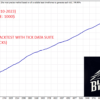
8. What were the backtest and live testing results?
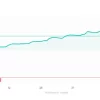
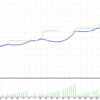
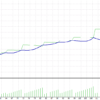
September Backtest: 100% win rate per day with 0.5% daily target in London sessions
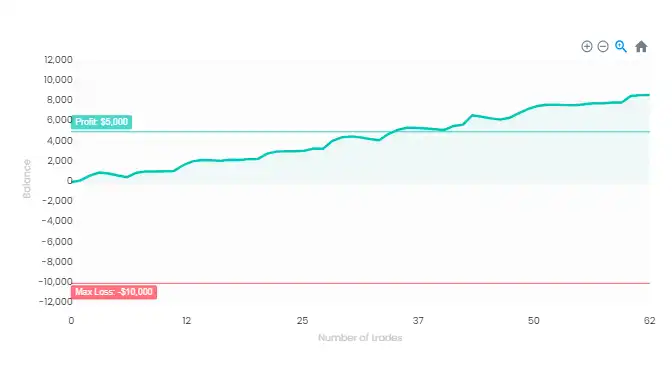
Live FTMO-style test: $20,196.99 profit, while staying within both daily (-$10k) and max loss (-$20k) limits
🔥 Get This EA for FREE with Our Membership! 🚀🚀
Unlock access to this EA, premium Indicators, and exclusive trading tools completely FREE with any of our Membership Plans! Thousands of traders already benefit from our VIP library—join them and level up your trading instantly. Choose Your Membership:
- SPECIAL – 1 Month Membership
- GOLD – 1 Year Membership
- PREMIUM – 1 Year Membership
-
 Original price was: $299.00.$89.00Current price is: $89.00.
 -
 Original price was: $1,200.00.$69.00Current price is: $69.00.
 -
 Original price was: $500.00.$89.00Current price is: $89.00.
 -
 Original price was: $1,499.00.$199.00Current price is: $199.00.
-
 1Original price was: $11,000.00.$89.00Current price is: $89.00.
 -
 1Original price was: $950.00.$59.00Current price is: $59.00.
 -
 3Original price was: $999.00.$69.00Current price is: $69.00.
 -
 0Original price was: $399.00.$59.00Current price is: $59.00.
There are no reviews yet.