FTMO Protector EA is a specialized risk management Expert Advisor (EA) designed for MetaTrader 4 (MT4) traders participating in proprietary trading firm challenges such as FTMO.


MT4Any pairs · Any timesUpdated 13 Nov 2026
FTMO Protector EA v3.0 MT4 (Original version 1479+)
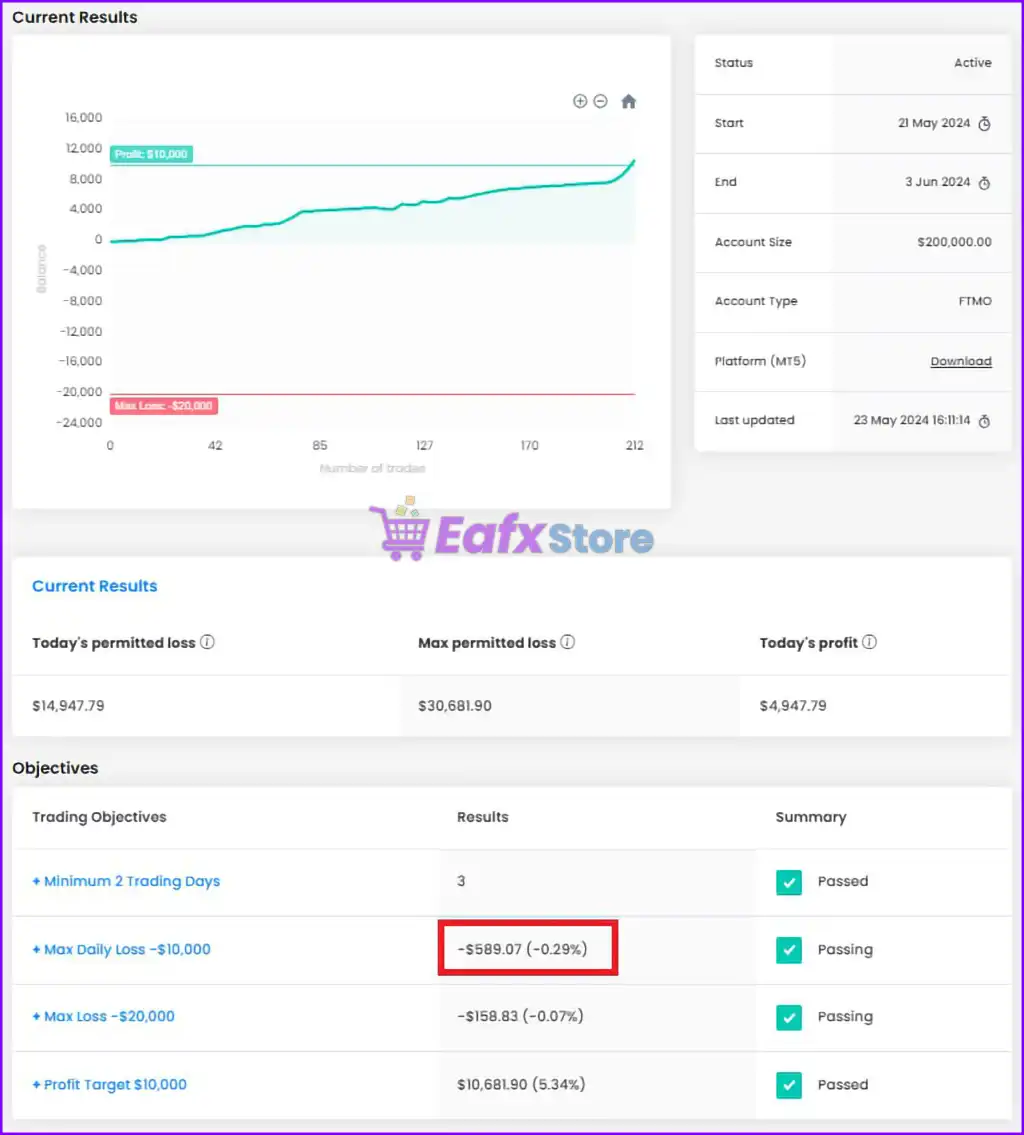
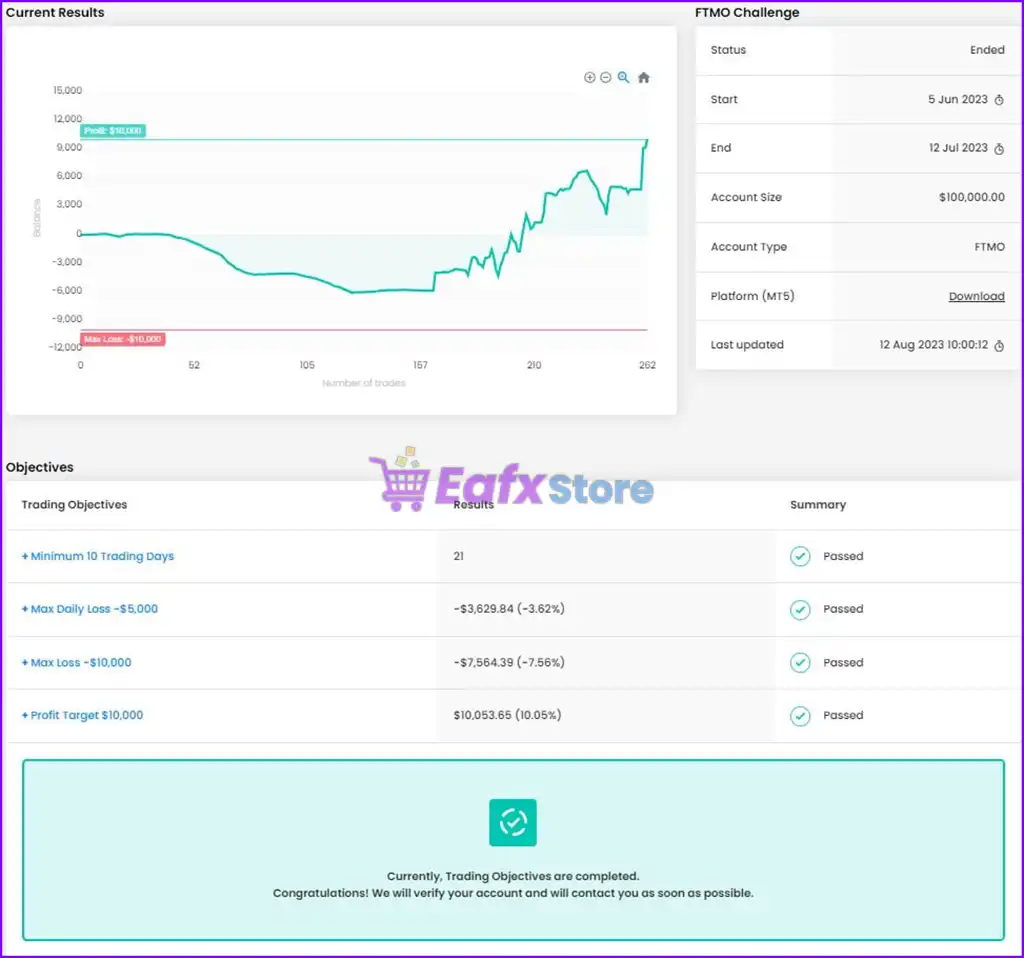
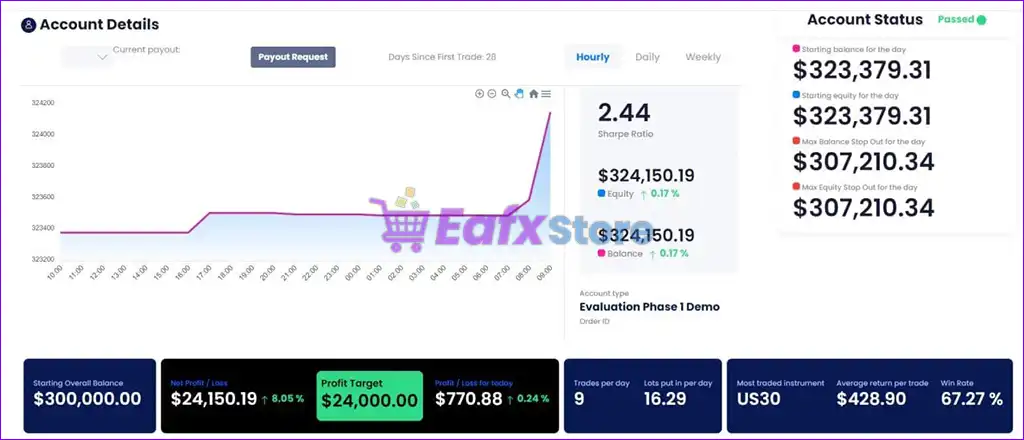
FTMO Protector EA is an automated and optimized trading robot with FTMO. Real profit performance has been verified on real account trades.
Download link right after paymentLifetime licenceInstall guide includedFree updates to new versions
Pay with Visa · MastercardUSDT · BTC · ETHBinance Pay
Not sure it fits your broker or account?Ask a question
Check before you buy
Will it work for me?
Trading platform
MetaTrader 4 (MT4)
Minimum / Recommended deposit
$10,000 (FTMO)
Time frames
Any times
Currency pairs
Any pairs
Product type
NoDLL / Fix
Additional services
Unlock and Decompile
Recommended brokers
Exness Broker, Icmarkets Broker
Recommended VPS
MyfxVPS.com ( Blue VPS, Golden VPS). Lowest Latency, 2 week Free Trial, 100% Free for 12-18 Months.
What you get
In the download
COMFTMO Protector EA MT4 by eafxstore.com
Optimize Settings
Recommended settings for FTMO Protector EA v3.0 MT4
Full review
What is FTMO Protector EA MT4?
FTMO Protector EA is a cutting-edge Expert Advisor (EA) designed to protect your prop trading accounts from unexpected drawdowns, ensuring you stay within the strict risk parameters set by firms like FTMO. This exclusive trading tool is essential for traders participating in Prop firm challenges or managing multiple Expert Advisors (EAs) and currency pairs.
Key Features of FTMO Protector EA for MT4
🔹 Advanced Daily Loss Protection: Monitors account drawdown to prevent prop firm violations.
🔹 Minimum Equity Safety System: Protects trading capital from excessive account reductions.
🔹 Smart Slippage Control Filter: Improves execution quality during volatile market conditions.
🔹 Profit Target Monitoring Tools: Tracks equity growth and trading performance automatically.
🔹 Lightweight Risk Management Engine: Runs efficiently without affecting trading operations.
🔹 Prop Firm Compliance Support: Helps traders maintain disciplined trading account rules.
Why Choose FTMO Protector EA?
🔹 Built for Prop Firm Challenges: Designed to support strict funded account requirements.
🔹 Reliable Risk Management Solution: Helps reduce emotional and uncontrolled trading actions.
🔹 Improves Long-Term Account Stability: Focuses on disciplined capital preservation methods.
🔹 Simple Yet Powerful Protection Tools: Easy to configure for both beginners and experts.
🔹 Optimized for Controlled Trading: Balances safety, consistency and execution efficiency.
🔹 Marketplace-Ready Trading Utility: Suitable for traders seeking dependable account defense.
FTMO Protector EA MT4 Review
The FTMO Protector EA implements a strict risk management strategy, constantly monitoring your account performance across multiple trading robots and instruments. At midnight (01:00 system time), it records your account balance and tracks daily profit and loss in real time.
Once your predefined profit target or maximum loss limit is reached, the EA automatically closes all active trades and halts further trading activities. This ensures consistent risk control and prevents further losses, keeping your account compliant with FTMO rules.
FTMO Protector EA MT4 Review
FTMO Protector EA Review
FTMO Protector EA Reviews
What is the FTMO Protector EA Trading Strategy?
🔹 Account Protection First Approach: Prioritizes capital safety before aggressive trade exposure.
🔹 Equity Monitoring Logic System: Continuously tracks balance and floating drawdown levels.
🔹 Daily Loss Limitation Controls: Restricts trading activity after reaching risk thresholds.
🔹 Slippage Filtering Mechanism: Avoids unstable execution during fast market movements.
🔹 Profit Preservation Management: Supports structured trading discipline and equity stability.
🔹 Adaptive Risk Monitoring Tools: Maintains consistency across changing Forex environments.
Product Download Package?
The download package of the product suite includes:
✅ Experts: FTMO Protector EA v3.0_fix.ex4
➡️ Reviewed by David Easton
Conclusion
In short, The FTMO Protector EA is an essential tool for traders looking to safeguard their capital while adhering to the risk management rules set by proprietary trading firms like FTMO. With its real-time monitoring, automatic profit and loss control, and comprehensive trade management, this EA ensures that your trading activities remain within predefined limits, reducing unnecessary risks and maximizing profitability.
Questions about FTMO Protector EA v3.0 MT4 (Original version 1479+)
1. What is FTMO Protector EA, and how does it work?
FTMO Protector EA is an Expert Advisor designed to help traders manage risk by automatically monitoring account performance, preventing excessive drawdowns, and closing trades when loss or profit limits are reached.
2. Is FTMO Protector EA compatible with all trading platforms?
No, FTMO Protector EA is specifically designed for MetaTrader 4 (MT4). It does not support other platforms like MetaTrader 5 or cTrader.
3. Can I use FTMO Protector EA with any prop firm, or is it only for FTMO?
While the EA is optimized for FTMO’s risk management rules, it can be used with other prop firms that have similar trading restrictions.
4. Does the EA support multiple Expert Advisors and currency pairs?
Yes, FTMO Protector EA works seamlessly with multiple EAs and can monitor multiple currency pairs simultaneously.
5. Will this EA interfere with my trading strategies?
No, it does not modify your trades but ensures that you stay within your predefined risk limits. It only intervenes when your loss or profit targets are reached.
6. How does the EA calculate daily losses and profits?
The EA records your account balance at midnight (01:00 system time) and tracks real-time profit and loss throughout the day to ensure you don’t exceed your set limits.
7. Is there a minimum account balance required to use FTMO Protector EA?
No, there is no minimum balance requirement. However, it is recommended to use the EA according to your prop firm’s conditions.
8. Can I customize the risk management settings?
Yes, you can set custom daily loss limits, profit targets, and other parameters to match your trading strategy and risk tolerance.
9. How do I install and configure FTMO Protector EA?
The EA comes with an easy-to-follow setting guide included in the download package, making installation and configuration simple for all traders.
Guides for FTMO Protector EA v3.0 MT4
More in For MetaTrader 4
- Gold Scalping AI MT4 with SetFiles (Platform build 1479+)
- LENA Scalp EA MT4 v3.2 + SetFiles (Platform build 1479+)
- Goldenity AI EA MT4 v2.08 + SetFiles (Platform 1479+)
- SuperGoldBot EA MT4 + SetFiles (Platform build 1479+)
- SpaceX Gold Pro EA Source Code MQ4 + SetFiles
- Exp SafetyLock PRO MT4 v25.206 (Platform build 1479+)
- QuatronPro EA MT4 + SetFiles (Platform build 1479+)
- Titany X Pro(P) EA v3.1 MT4 with SetFiles (Platform 1479+)