




Gold Trade Pro MT4 v1.31 with SetFiles (Unlimited)

Subscriptions for Special Plan
- 30 EA package is more economical!
- Special package with 99%
- Download 1 EA/Day

Subscriptions for Premium Membership
- Download Unlimited in 1 Year
- Get 100% Discount
- Get free access to all

Subscriptions for Gold Membership
- 1 Year Membership
- Get 100% Discount
- Access EA+Indicator+Course
Frequently bought together 🎁
Add these products to enhance your purchase



What is Gold Trade Pro?
The Gold Trade Pro EA implements a simple approach centered around the daily breakout of support and resistance levels, making it well-suited for the volatile Gold pair. This EA incorporates pre-established Take Profit (TP) and Stop Loss (SL) values for each trade and includes a trailing Stop Loss to mitigate risk and optimize profit potential. Featuring seven seamlessly integrated strategies, it ensures steady growth with occasional losses.
➡️ Vendor website: View here
Key Features of Gold Trade Pro for MT4
🔹 Market Analysis: Utilizes technical indicators and price action to analyze the gold market.
🔹 Trading Strategy: Employs a specific trading strategy, which could range from scalping to trend following, depending on the EA’s design.
🔹 Risk Management Tools: Includes features like adjustable Stop-loss, Take-profit and Trailing stop to manage risk.
🔹 Customizability: Offers settings that users can tweak to align with their trading preferences and risk tolerance.
🔹 Backtesting Capability: Allows users to test the EA on historical data to gauge its potential performance.
Gold Trade Pro EA Review
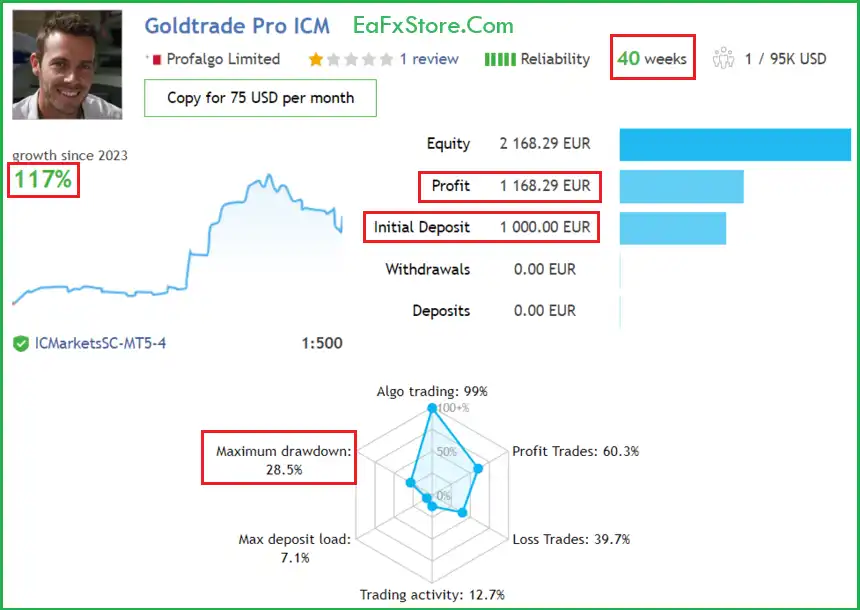
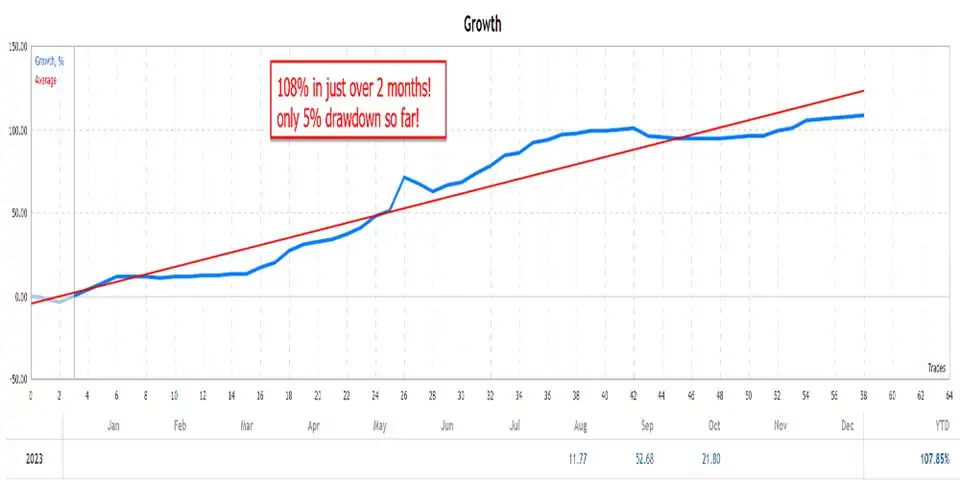
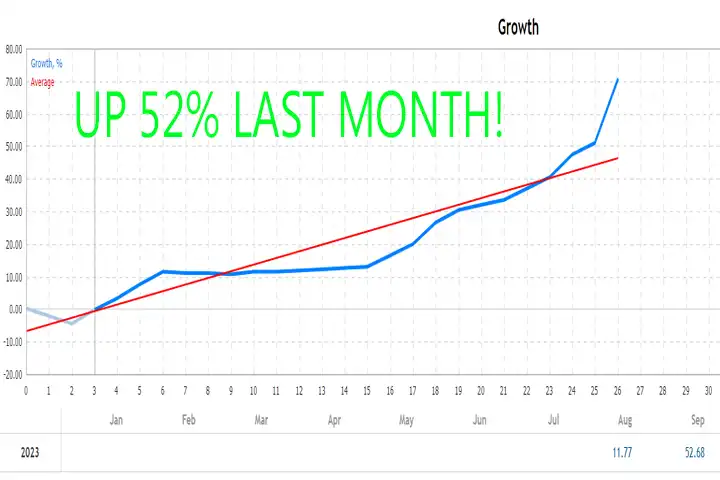
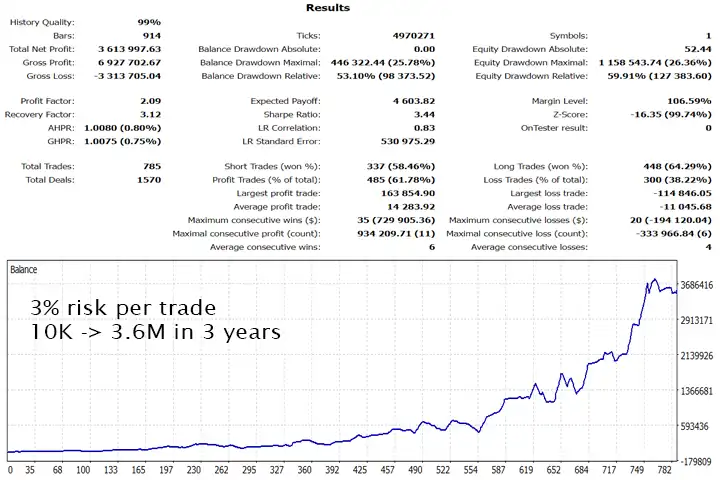
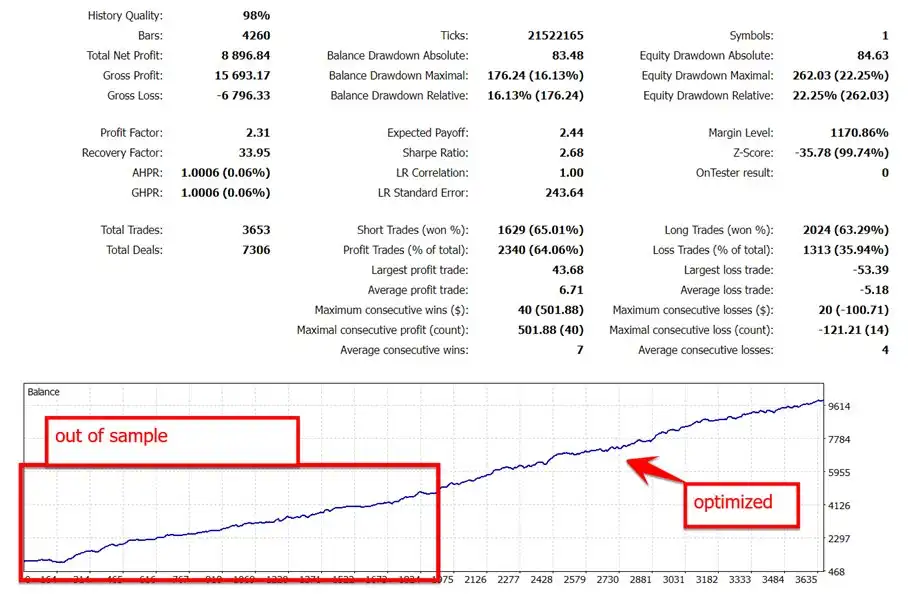
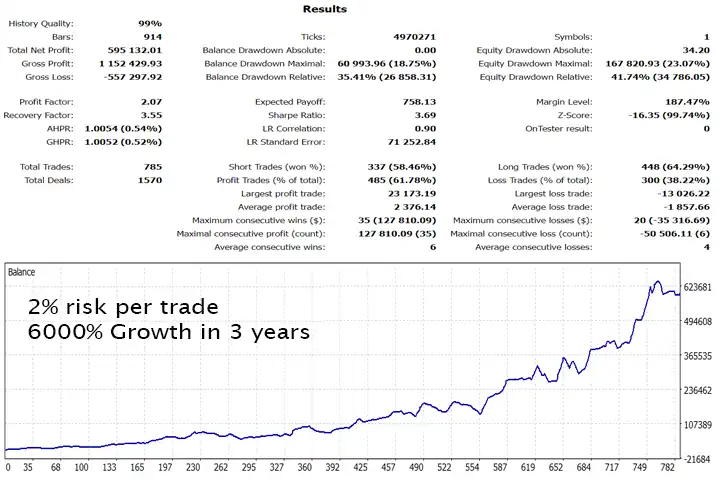
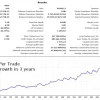
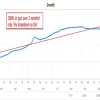
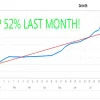
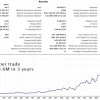
Gold Trade Pro has achieved impressive profit performance in 40 consecutive weeks of trading on a real account. The advisor shows the potential for long-term and safe gold trading.
✅ Initial Deposit: €1,000
✅ Growth Rate: +117%
✅ Win Rate (% of total): 60.3%
✅ Maximum Drawdown: 28.5%
Gold Trade Pro EA Results
Recommended settings
Recommended settings and parameters to pay attention to from developers and experts:
| Features | Type |
|---|---|
| Trading platform | MetaTrader 4 (MT4) |
| Minimum / Recommended deposit | $200 |
| Time frames | D1 (Daily) |
| Currency pairs | XAUUSD (Gold) |
| Setup files | Available |
| Product type | NoDLL / Unlimited / Unlocked |
| Additional services | Unlock and Decompile |
| Recommended brokers | Exness Broker, Icmarkets Broker |
| Recommended VPS | MyfxVPS.com ( Blue VPS, Golden VPS). Lowest Latency, 2 week Free Trial, 100% Free for 12-18 Months. |
What’s in the package?
The download package of the product suite includes:
Experts
✅ Gold Trade Pro v1.31 (Unlimited).ex4
SetFiles
✅ Goldtrade_Prop.set
✅ Goldtrade_V2.0_1.67riskPerTrade.set
➡️ Reviewed by David Easton
Conclusion
In short, Gold Trade Pro EA emerges as a precision tool designed for traders with a specific interest in gold markets. With its specialized algorithm, effective risk management, and consistent profitability, this EA offers a valuable solution for those looking to automate their gold trading strategies.
Whether you are a seasoned gold trader or just entering the market, Gold Trade Pro provides a reliable and tailored approach to gold trading, unlocking opportunities in this unique and lucrative market.
Gold Trade Pro MT4 Settings Guide
Gold Trade Pro MT4 is an automated Expert Advisor configuration designed to provide flexible control over multi-strategy trading, spread filtering, virtual expiration, lot sizing, risk management, and trade identification. The supplied settings show that all 7 trading strategies are enabled, while the EA uses a starting lot of 0.01 and a maximum risk setting of 2.0 per trade.
Below is a complete SEO-friendly explanation of every actual parameter visible in the provided Gold Trade Pro MT4 settings panel, with all numerical values preserved.
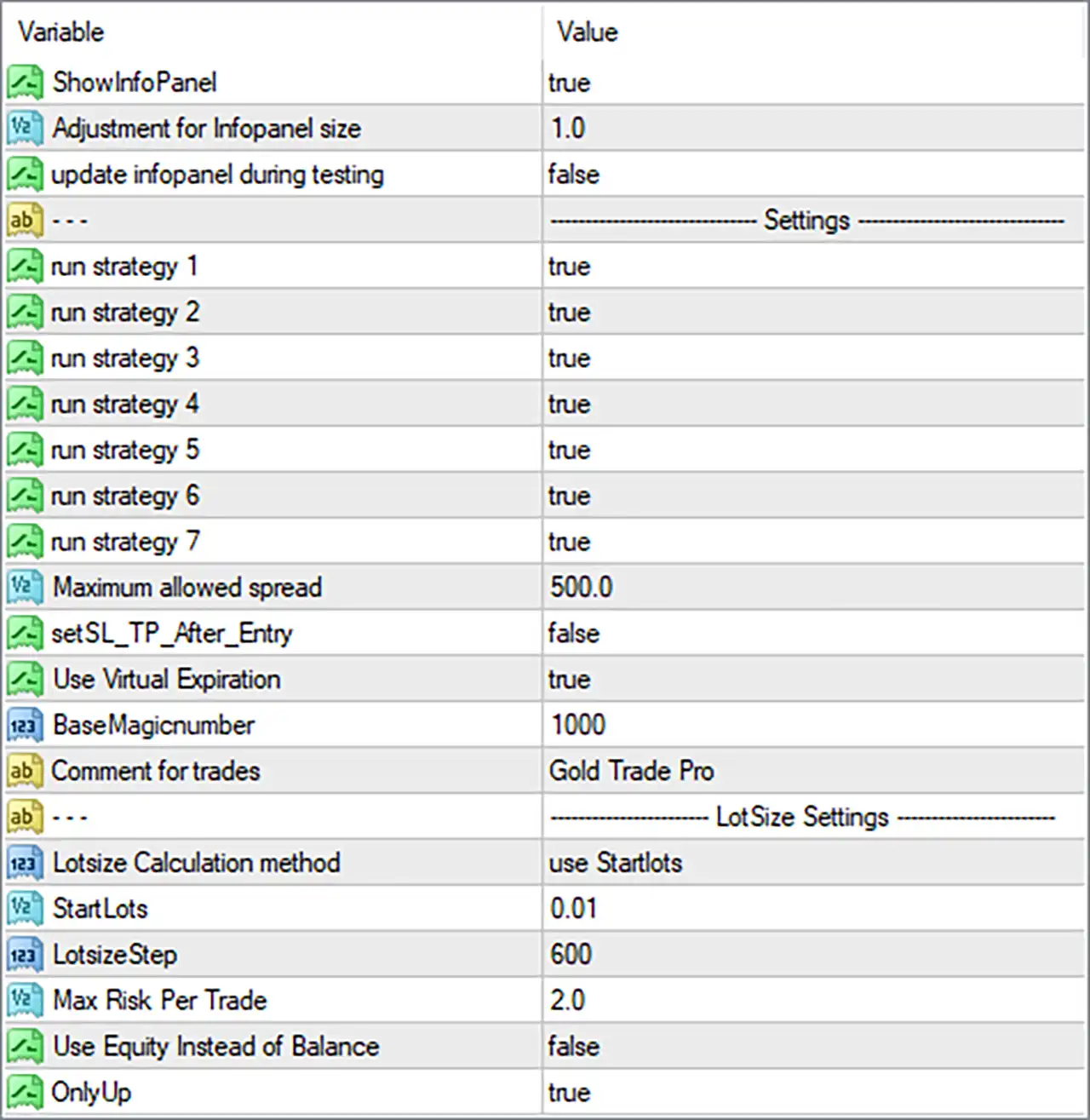
Gold Trade Pro MT4 Settings Panel
General & Strategy Settings
🔹 ShowInfoPanel: true — Enables the information panel on the MT4 chart so traders can monitor EA-related information directly.
🔹 Adjustment for Infopanel size: 1.0 — Sets the information-panel size adjustment to 1.0, representing the default display scale.
🔹 update infopanel during testing: false — Disables continuous information-panel updates while the EA is running in the Strategy Tester.
🔹 run strategy 1: true — Enables Strategy 1 for automated trading.
🔹 run strategy 2: true — Enables Strategy 2 for automated trading.
🔹 run strategy 3: true — Enables Strategy 3 for automated trading.
🔹 run strategy 4: true — Enables Strategy 4 for automated trading.
🔹 run strategy 5: true — Enables Strategy 5 for automated trading.
🔹 run strategy 6: true — Enables Strategy 6 for automated trading.
🔹 run strategy 7: true — Enables Strategy 7 for automated trading.
Trade Execution Settings
🔹 Maximum allowed spread: 500.0 — Sets the maximum permitted spread to 500.0; the EA can use this threshold to prevent entries when market spread becomes too high.
🔹 setSL_TP_After_Entry: false — Disables the option to set Stop Loss and Take Profit only after the trade has been opened.
🔹 Use Virtual Expiration: true — Enables virtual expiration logic, allowing the EA to manage trade expiration through its internal software logic.
🔹 BaseMagicnumber: 1000 — Sets the base Magic Number to 1000, which is used to identify and manage trades generated by the EA.
🔹 Comment for trades: Gold Trade Pro — Uses Gold Trade Pro as the comment attached to the EA’s trades, making automated positions easier to identify.
Lot Size Settings
🔹 Lotsize Calculation method: use Startlots — Configures the EA to calculate its initial trading volume using the StartLots parameter.
🔹 StartLots: 0.01 — Sets the starting lot size to 0.01 lots.
🔹 LotsizeStep: 600 — Sets the lot-size progression step to 600, which the EA can use within its internal position-sizing calculation.
🔹 Max Risk Per Trade: 2.0 — Sets the maximum configured risk per trade to 2.0, providing a risk-control parameter for position sizing.
🔹 Use Equity Instead of Balance: false — Uses the trading account’s balance rather than equity for the relevant lot-size/risk calculations.
🔹 OnlyUp: true — Enables the OnlyUp mode, meaning the EA applies its upward-only lot-sizing or balance-progression logic according to the strategy’s internal rules.
Gold Trade Pro MT4 Settings Summary
🔹 Information Panel: true
🔹 Information Panel Size Adjustment: 1.0
🔹 Update Panel During Testing: false
🔹 Strategy 1: true
🔹 Strategy 2: true
🔹 Strategy 3: true
🔹 Strategy 4: true
🔹 Strategy 5: true
🔹 Strategy 6: true
🔹 Strategy 7: true
🔹 Maximum Allowed Spread: 500.0
🔹 Set SL/TP After Entry: false
🔹 Virtual Expiration: true
🔹 Base Magic Number: 1000
🔹 Trade Comment: Gold Trade Pro
🔹 Lot Size Calculation: use Startlots
🔹 Starting Lot: 0.01
🔹 Lot Size Step: 600
🔹 Maximum Risk Per Trade: 2.0
🔹 Use Equity Instead of Balance: false
🔹 OnlyUp: true
How the Current Configuration Works
With the supplied settings, Gold Trade Pro MT4 is configured to operate with all 7 strategies enabled simultaneously. This suggests that the EA is intended to use multiple internal trading approaches rather than relying on only one strategy.
The starting position size is 0.01 lots, and the lot calculation method is set to use Startlots. The configured LotsizeStep of 600 provides an additional parameter for the EA’s internal position-sizing progression.
The EA uses balance rather than equity because Use Equity Instead of Balance = false. Meanwhile, OnlyUp = true enables the EA’s upward-only sizing behavior according to its internal implementation.
For execution protection, the maximum allowed spread is set to 500.0. This is a relatively broad threshold, so traders should verify how the EA’s spread units correspond to their broker’s symbol specifications.
The EA also has Virtual Expiration enabled, while setSL_TP_After_Entry = false, meaning the EA is not configured to apply its SL/TP specifically after entry through that option.
Key Risk Considerations
🔹 All 7 Strategies Enabled: Strategies 1–7 are all set to true, potentially increasing the number of opportunities and interactions between the EA’s internal strategies.
🔹 Starting Lot 0.01: The EA starts from 0.01 lots, but actual exposure can change depending on its lot-sizing logic.
🔹 Maximum Risk Per Trade 2.0: The configured risk parameter is 2.0, so traders should understand whether the EA interprets this as a percentage or another internal risk unit before using it live.
🔹 Balance-Based Calculation: With Use Equity Instead of Balance = false, the relevant calculations use account balance rather than current equity.
🔹 Maximum Spread 500.0: The spread filter is set to 500.0, and traders should confirm whether this is appropriate for their broker and Gold symbol.
🔹 OnlyUp Enabled: OnlyUp = true may affect how position sizing progresses, so this setting deserves particular attention during backtesting.
Conclusion
Gold Trade Pro MT4 provides a relatively compact but flexible set of controls covering 7 trading strategies, spread filtering, virtual expiration, Magic Number identification, starting lot size, risk management, and balance-based position sizing.
The supplied configuration enables all 7 strategies, uses a 0.01 starting lot, applies a 2.0 maximum risk-per-trade setting, and uses a 600 lot-size step. The EA calculates using account balance rather than equity, while OnlyUp is enabled.
For trade execution, the maximum allowed spread is 500.0, Virtual Expiration is enabled, and the Base Magic Number is 1000. The information panel is also enabled with a size adjustment of 1.0, making it easier to monitor the EA directly from the MT4 chart.
Before deploying Gold Trade Pro MT4 on a live Gold account, traders should backtest the complete configuration and verify how the EA interprets its 2.0 risk value, 600 lot-size step, 500.0 spread limit, and OnlyUp mode under their specific broker conditions.
User Reviews
Only logged in customers who have purchased this product may leave a review.
❓ What trading strategy does Gold Trade Pro use?
Gold Trade Pro EA uses daily support and resistance breakouts, with seven built-in strategies working together to identify trading opportunities without grid or martingale methods.
❓ Does Gold Trade Pro EA use Grid or Martingale?
No. Gold Trade Pro EA avoids grid and martingale trading, instead using breakout strategies with predefined Take Profit, Stop Loss, and trailing protection.
❓ Which trading pair is recommended for Gold Trade Pro EA?
Gold Trade Pro EA is designed for XAUUSD/Gold, making the gold market its primary trading instrument according to the recommended configuration.
❓ What timeframe should I use with Gold Trade Pro EA?
Gold Trade Pro EA is recommended on the Daily timeframe. Users should open an XAUUSD chart on the Daily timeframe before attaching the EA.
❓ What is the minimum balance for Gold Trade Pro EA?
The recommended minimum balance for Gold Trade Pro EA is $200. For $200–$400 accounts, only strategies 2, 4, and 7 are recommended.
❓ How does Gold Trade Pro EA manage trading risk?
Gold Trade Pro EA places a Take Profit and Stop Loss from the start, then uses a trailing Stop Loss to reduce risk and protect profits as price moves favorably.
❓ How many strategies are included in Gold Trade Pro EA?
Gold Trade Pro EA includes seven different strategies that work together seamlessly, providing multiple approaches to Gold trading while maintaining the same overall system.
🔥 Get This EA for FREE with Our Membership! 🚀🚀
Unlock access to this EA, premium Indicators, and exclusive trading tools completely FREE with any of our Membership Plans! Thousands of traders already benefit from our VIP library—join them and level up your trading instantly. Choose Your Membership:
- SPECIAL – 1 Month Membership
- GOLD – 1 Year Membership
- PREMIUM – 1 Year Membership
-
 Original price was: $299.00.$89.00Current price is: $89.00.
 -
 Price range: $60.00 through $599.00
 -
 Price range: $70.00 through $599.00
 -
 Original price was: $299.00.$89.00Current price is: $89.00.
-
 10Original price was: $499.00.$69.00Current price is: $69.00.
 -
 0Original price was: $500.00.$69.00Current price is: $69.00.
 -
 3Original price was: $999.00.$69.00Current price is: $69.00.
 -
 3Original price was: $499.00.$59.00Current price is: $59.00.
There are no reviews yet.