Introduction to CAPIX PIPS SCALPING EA MT4
CAPIX PIPS SCALPING EA is an automated scalping Expert Advisor (EA) developed for the MetaTrader 4 platform. The EA combines Grid trading logic, ADX trend filtering, Awesome Oscillator (AO) confirmation, and customizable risk controls to capture short-term market movements. With flexible trade management settings and optional drawdown protection, this EA is designed for traders seeking aggressive yet structured scalping performance.
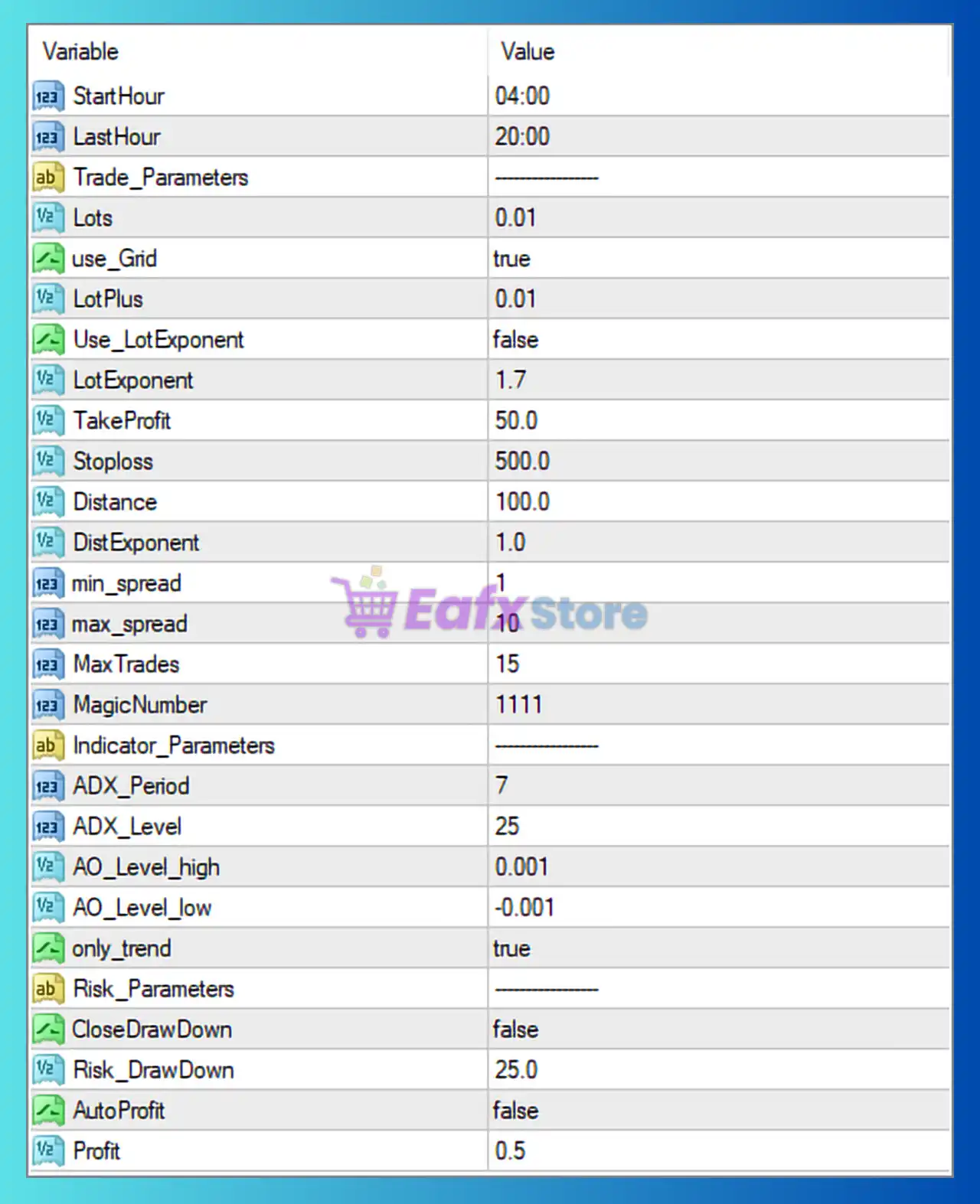
Full Parameters
- StartHour = 04:00: Trading activity starts at 04:00 server time.
- LastHour = 20:00: Trading activity stops at 20:00 server time.
Trade Parameters
- Lots = 0.01: Sets the default fixed lot size to 0.01.
- Use_Grid = true: Enables grid trading functionality.
- LotPlus = 0.01: Adds 0.01 lot increment to subsequent grid orders.
- Use_LotExponent = false: Disables exponential lot scaling.
- LotExponent = 1.7: Lot exponent multiplier set to 1.7; inactive because exponential scaling is disabled.
- TakeProfit = 50.0: Sets the Take Profit target at 50.0 points/pips.
- Stoploss = 500.0: Defines the Stop Loss level at 500.0 points/pips.
- Distance = 100.0: Distance between grid orders set to 100.0 points/pips.
- DistExponent = 1.0: Distance multiplier exponent set to 1.0.
- min_spread = 1: Minimum spread threshold required for trading is 1 point.
- max_spread = 10: Maximum allowed spread for opening trades is 10 points.
- MaxTrades = 15: Allows a maximum of 15 simultaneously open trades.
- MagicNumber = 1111: Unique identifier (1111) used to manage EA trades independently.
Indicator Parameters
- ADX_Period = 7: Uses ADX period 7 for trend strength analysis.
- ADX_Level = 25: Requires ADX value above 25 for valid trend confirmation.
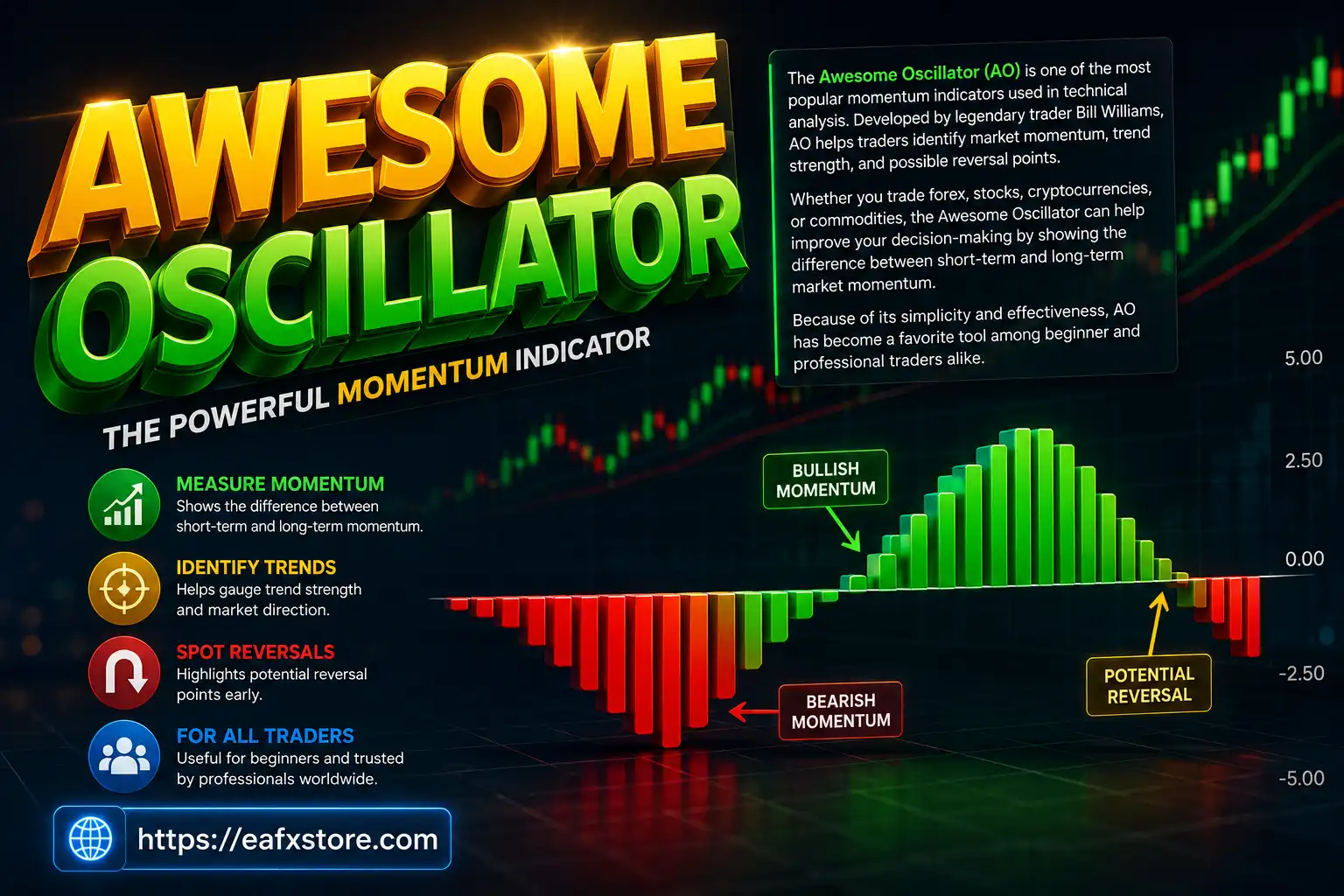
- AO_Level_high = 0.001: Upper Awesome Oscillator threshold set to 0.001.
- AO_Level_low = -0.001: Lower Awesome Oscillator threshold set to -0.001.
- only_trend = true: Restricts trading to trend-following conditions only.
Risk Parameters
- CloseDrawDown = false: Disables automatic closing of trades during excessive drawdown.
- Risk_DrawDown = 25.0: Drawdown risk threshold set to 25.0%.
- AutoProfit = false: Disables automatic profit-closing feature.
- Profit = 0.5: Profit target parameter set to 0.5; inactive because AutoProfit is disabled.
Conclusion
The CAPIX PIPS SCALPING EA settings provide a structured scalping framework with integrated grid trading, trend filtering and risk management controls. By combining ADX and AO indicators with flexible trade spacing and spread filters, the EA aims to optimize short-term market opportunities while maintaining execution discipline. Understanding each parameter allows traders to customize the strategy according to their preferred risk level and trading conditions.
FAQs
❓ What does Use_Grid = true do?
It enables grid trading, allowing the EA to open multiple positions at predefined price intervals.
❓ Why is ADX_Level = 25 important?
It ensures trades are only opened when trend strength is strong enough.
❓ What happens when Use_LotExponent = false?
Exponential lot scaling is disabled, so lot sizes do not increase exponentially.
❓ Why is max_spread = 10 used?
It prevents trading during high spread conditions that could reduce profitability.
❓ What is the purpose of MagicNumber = 1111?
It uniquely identifies trades opened by CAPIX PIPS SCALPING EA MT4 for trade management.