
This guide walks through the inputs of Nesco MT4 with the values recommended for live trading. The set files that come with the EA already contain these settings, so you can load them in one click and adjust only what your broker or account needs.
🔢 Nesco MT4 – Complete Settings & Parameters Guide
Nesco MT4 is an automated Forex trading Expert Advisor designed for MetaTrader 4 that combines multiple built-in trading strategies, dynamic Stop Loss and Take Profit calculations, risk management controls, and multi-day trading filters.
The EA allows traders to choose predefined strategy portfolios, manage lot sizing automatically or manually, and optimize trade execution through configurable risk and performance parameters.

🔢 Nesco MT4 Settings Explained
Below are the details of the parameters in the advisor’s trading system settings table:
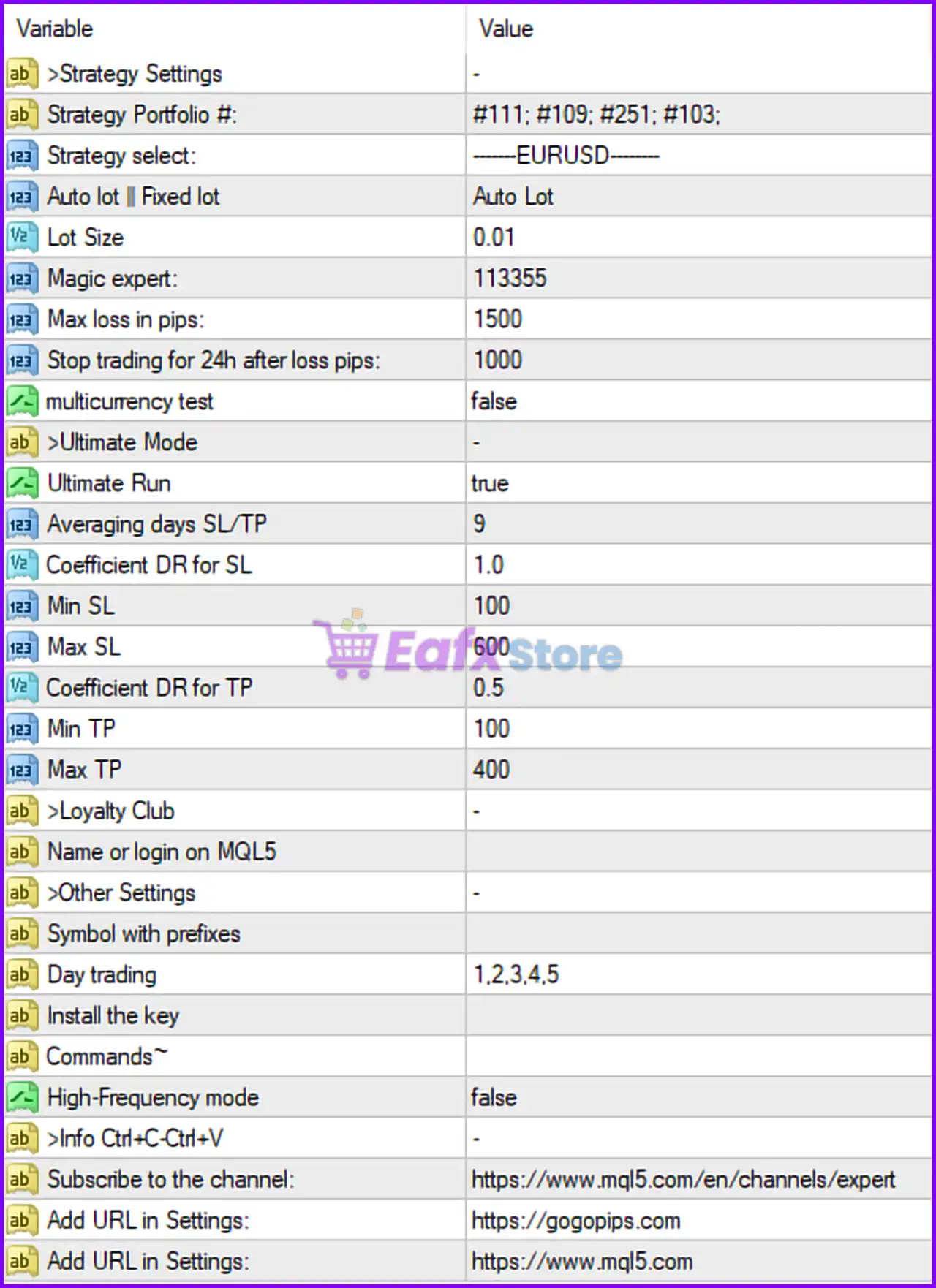
🔶 Strategy Settings
🔹 Strategy Portfolio # = #111; #109; #251; #103 — Defines the active collection of trading strategies used by the EA, combining strategies #111, #109, #251, and #103.
🔹 Strategy select = -------EURUSD------- — Specifies that the selected strategy configuration is optimized for the EURUSD currency pair.
🔹 Auto lot | Fixed lot = Auto Lot — Enables automatic lot size calculation based on the EA’s money management rules.
🔹 Lot Size = 0.01 — Fixed lot size value used when Auto Lot is disabled.
🔹 Magic expert = 113355 — Unique Magic Number used by Nesco MT4 to identify and manage its own trades.
🔹 Max loss in pips = 1500 — Maximum cumulative loss allowed before the EA applies protective actions.
🔹 Stop trading for 24h after loss pips = 1000 — Suspends trading for 24 hours after reaching a loss of 1000 pips.
🔹 multicurrency test = false — Multi-currency testing mode is disabled.
🔶 Ultimate Mode
🔹 Ultimate Run = true — Activates the EA’s Ultimate Mode for enhanced strategy execution and optimization.
🔹 Averaging days SL/TP = 9 — Uses a 9-day averaging period when calculating Stop Loss and Take Profit levels.
🔹 Coefficient DR for SL = 1.0 — Dynamic Range coefficient applied to Stop Loss calculations.
🔹 Min SL = 100 — Minimum Stop Loss value allowed is 100 points/pips.
🔹 Max SL = 600 — Maximum Stop Loss value allowed is 600 points/pips.
🔹 Coefficient DR for TP = 0.5 — Dynamic Range coefficient applied to Take Profit calculations.
🔹 Min TP = 100 — Minimum Take Profit value allowed is 100 points/pips.
🔹 Max TP = 400 — Maximum Take Profit value allowed is 400 points/pips.
🔶 Loyalty Club
🔹 Name or login on MQL5 = (empty) — Optional field for entering the trader’s MQL5 account name or login.
🔶 Other Settings
🔹 Symbol with prefixes = (empty) — Allows configuration of broker-specific symbol prefixes if required.
🔹 Day trading = 1,2,3,4,5 — Trading is enabled from Monday (1) through Friday (5).
🔹 Install the key = (empty) — Field used for activation or licensing key entry if required by the developer.
🔶 Commands
🔹 High-Frequency mode = false — High-frequency trading mode is disabled.
🔢 Conclusion
Nesco MT4 is a versatile automated trading system that combines multiple strategy portfolios with advanced risk management and dynamic Stop Loss/Take Profit calculations.
Features such as Ultimate Mode, automatic lot sizing, daily trading filters, and loss-protection mechanisms make it suitable for traders seeking a structured and configurable Forex trading solution.
Proper optimization of lot sizing, SL/TP limits, and trading schedules can help improve overall EA performance while maintaining risk control.
🔢 FAQs
❓ What currency pair is configured in the provided Nesco MT4 settings?
The displayed configuration is set for EURUSD.
❓ Does Nesco MT4 support automatic lot sizing?
Yes, the current setup uses Auto Lot, allowing the EA to calculate position sizes automatically.
❓ What happens if the EA loses 1000 pips?
The parameter Stop trading for 24h after loss pips = 1000 instructs the EA to pause trading for 24 hours after reaching that loss threshold.
❓ Is High-Frequency Trading enabled by default?
No. The setting High-Frequency mode = false means HFT mode is currently disabled.
❓ What are the default Stop Loss and Take Profit limits?
The EA uses a dynamic system with Min SL = 100, Max SL = 600, Min TP = 100, and Max TP = 400, adjusted through the Dynamic Range coefficients.
Get Nesco MT4
Download Nesco MT4 with its set files, read the full product details and requirements here: Nesco MT4 →