






Slap All News EA MT5 (Latest version) – GroupBuy
Select a variant to see availability.
What is Slap All News EA MT5?
Slap All News EA is an advanced Expert Advisor (EA) for automated Forex trading, designed to trade multiple currency pairs using real-time news data and adaptive market analysis. Combining session-based execution, smart liquidity filters, and dynamic risk management Indicators, it delivers stable, efficient and disciplined trading performance.
 Vendor Website: View here
This is GroupBuy ==> How to Join
About the Author
This product is compiled by Yip Sin Hang. This author has more than +7 years of experience working on MQL5 with many famous products such as Slap All News EA MT5, Quantum ML Swing EA MT5, OpenEA MT5, YOLO Gold go go MT5, Let Gann Quant MT5 and other advisors. Among them, Slap All News EA is his best performing products.
Slap All News EA MT5 Review
Key Features of Slap All News EA for MT5
🔹 Real-Time News Trading Technology: Processes live economic data across multiple forex sessions instantly.
🔹 Triple Strategy Multi-Session Deployment: Combines Tokyo, London and New York trading coverage.
🔹 Smart Spread and Liquidity Filters: Executes trades only during optimal low-spread market conditions.
🔹 Connection-Aware Risk Protection System: Blocks new entries when database signals are unavailable.
🔹 One-Chart Multi-Pair Automation Setup: Manages fifteen currency pairs from a single trading chart.
Why Choose & Use Slap All News EA MT5?
🔹 Professional Multi-Session Trading Solution: Designed for stable automated forex execution daily.
🔹 Advanced Risk Management Architecture: Protects trading activity through connection-aware safeguards.
🔹 Efficient Low-Spread Trading Optimization: Suitable for ECN and Raw spread trading environments.
🔹 Highly Automated and Easy to Manage: One-chart deployment simplifies complex multi-pair trading.
🔹 Marketplace-Ready Trading System: Ideal for traders seeking disciplined and adaptive news automation.
Slap All News EA MT5 Review
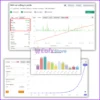
Slap All News EA Myfxbook Results
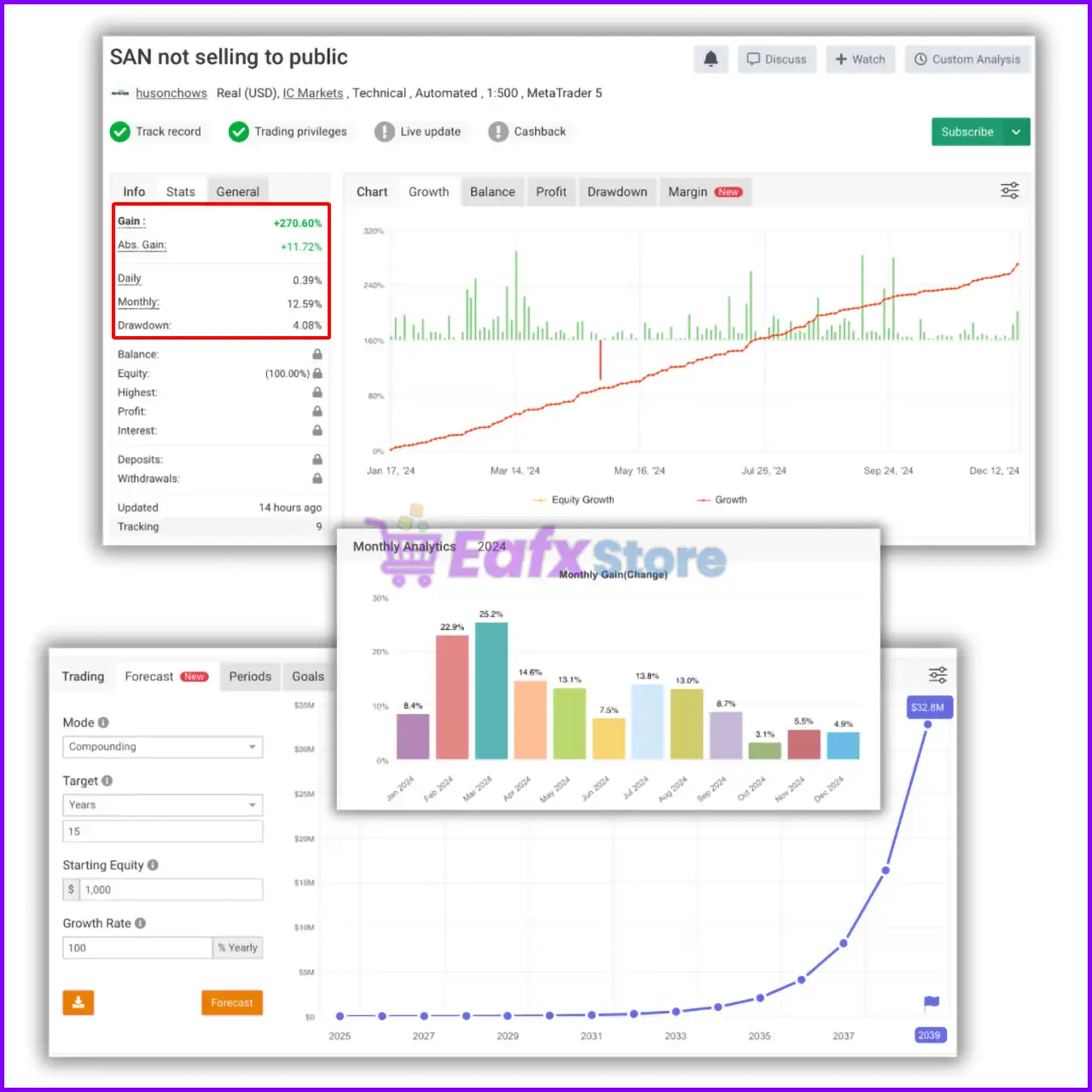
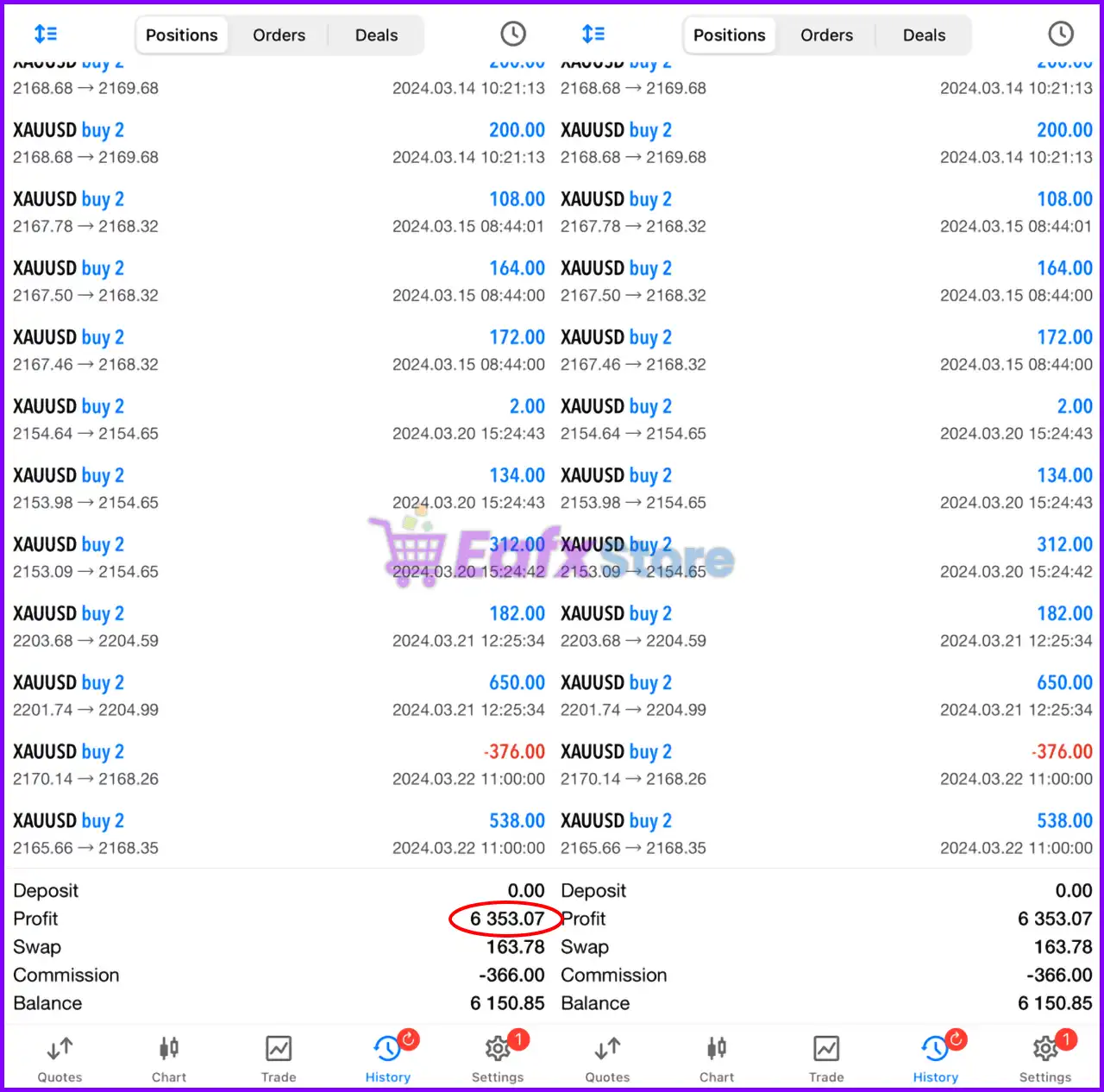
The Slap All News EA has been verified by MyFxBook in the long term and has achieved impressive returns. The advisor shows good 15 pairs trading potential and high profit rate.
 Total Gain: +270.60%
Average Daily Profit: 0.39%
Average Monthly Profit: 12.59%
Maximum Drawdown: 4.08%
Slap All News EA Myfxbook
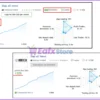
Slap All News EA Signal Results
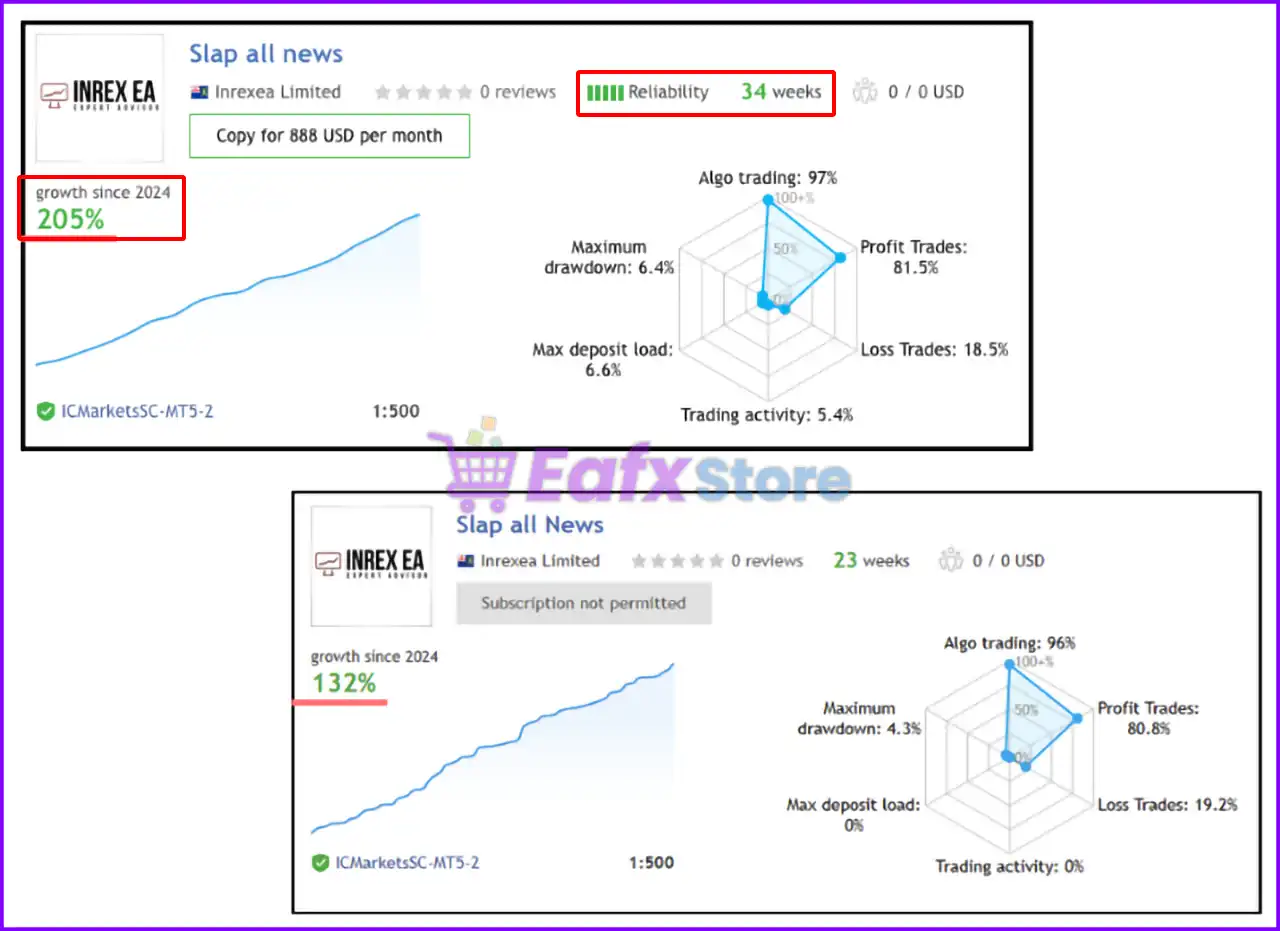
The Slap All News EA achieved impressive profit performance when trading with 15 currency pairs. Trading results on real account for 34 consecutive weeks of trading.
✅ Growth Rate: +205%
✅ Win Rate (% of total): 81.5%
✅ Maximum Drawdown: 6.4%
Slap All News EA Signal
What is the Slap All News EA MT5 Trading Strategy?
🔹 News-Driven Automated Trading Logic: Executes positions based on real-time economic event analysis.
🔹 Session-Based Market Opportunity Detection: Targets volatility during major global trading sessions.
🔹 Adaptive Liquidity and Spread Monitoring: Filters unstable conditions to improve execution quality.
🔹 Multi-Strategy Currency Pair Diversification: Balances exposure across multiple correlated forex pairs.
🔹 Dynamic Signal Validation Framework: Uses verified data feeds to improve trade accuracy and safety.
Is Slap All News EA MT5 safe?
Slap All News EA shows significant potential in providing stable and reliable profits, making it a reliable tool in the forex market. The advisor is highly appreciated by the MQL5 community in many aspects and has won the trust of users.
 Bentheman (2024.12.31): “The Slap All News EA is a very profitable EA. I made profits with this Expert Advisor every month until now. So far I can only recommend this EA! It simply works.”
Mike27399 (2024.09.26): “Nach dem Kauf hab ich dem Verkäufer geschrieben, hab sehr schnell die Installationsanleitung erhalten. Erstern Positionen waren auch positiv. Mal sehen wie es weitergeht.”
KyleFarman (2024.09.14): “Consistent profits nearly every day without a losing day yet. Seems a bit risky but I like how there’s live signals for all of the InrexEA strategies that have great stats so I couldn’t wait to get it trading live capital.”
Recommended settings
Recommended settings and parameters to pay attention to from developers and experts:
| Features | Type |
|---|---|
| Trading platform | MetaTrader 5 (MT5) |
| Time frames | H1 (60 minute chart) |
| Currency pairs | EURUSD, CADCHF, NZDJPY, GBPAUD, USDJPY, AUDJPY, CADJPY, CHFJPY, EURJPY, GBPJPY, GBPUSD, GBPCAD, GBPNZD, GBPCHF, EURGBP |
| Minimum / Recommended deposit | $1,000 |
| Minimum / Recommended leverage | 1:100+ |
| Account type | Raw / ECN accounts |
| Product type | Original version |
| Additional services | Unlock and Decompile |
| Recommended brokers | Exness Broker, Icmarkets Broker |
| Recommended VPS | MyfxVPS.com (Blue VPS, Golden VPS). Lowest Latency, 2 week Free Trial, 100% Free for 12-18 Months. |
Reviewed by David Easton
Product Download Package?
The download package of the product suite includes:
Setting (If Any).docx
Installation Guide.docx
Conclusion
In short, Slap All News EA MT5 is a powerful multi-session automated trading solution that combines three advanced news strategies into one efficient deployment. By integrating real-time Inrexea database feeds, rolling spread filters, and connection-aware protection, the EA delivers disciplined execution across 15 currency pairs. Slap All News EA is ideal for traders seeking simplified management with broad market coverage and structured news trading automation.
Slap All News EA MT5 Settings Explained & Analysis
Introduction to Slap All News EA MT5
Slap All News EA is an automated news trading Expert Advisor (EA) developed for the MetaTrader 5 (MT5) platform. The EA is designed to trade multiple Currency pairs and Gold (XAUUSD) during high-impact market news events using fast execution and configurable symbol selection.
With support for neural network integration, customizable stop loss settings, and alert notifications, Slap All News EA MT5 is suitable for traders seeking aggressive event-driven trading automation.
Full Parameters
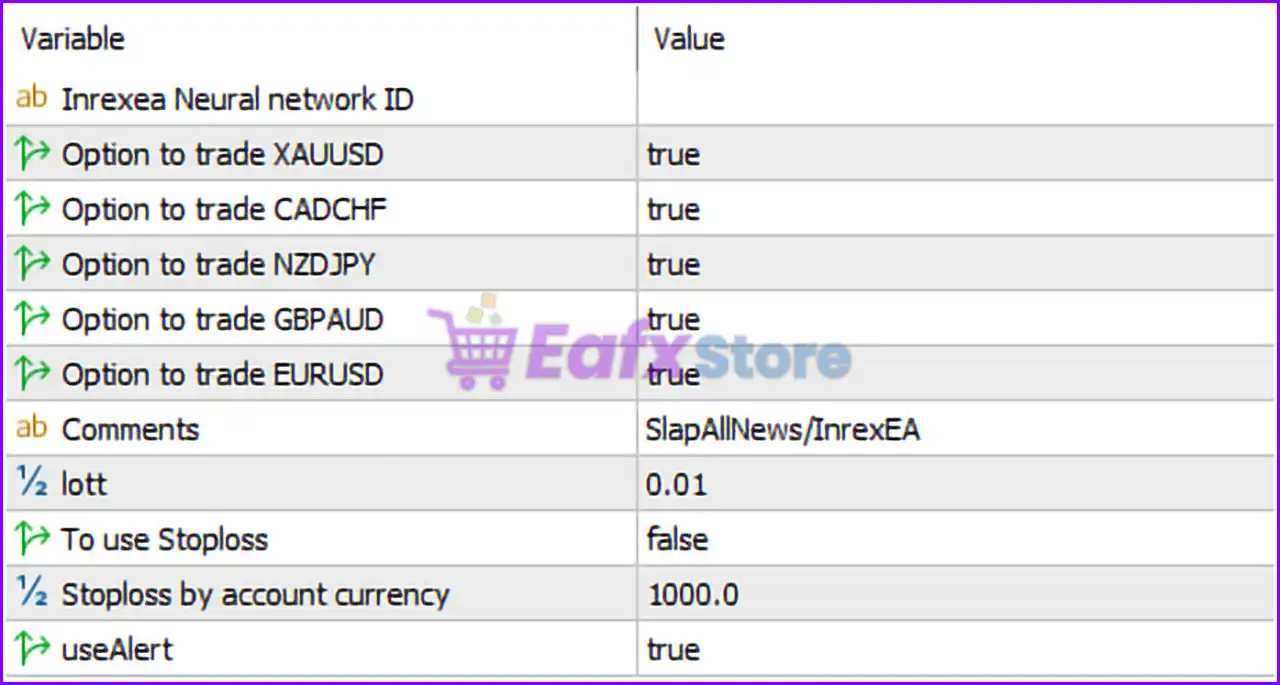
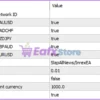
- Inrexea Neural network ID =: Field reserved for entering the unique neural network identification key used by the EA.
- Option to trade XAUUSD = true: Enables trading on the XAUUSD (Gold) symbol.
- Option to trade CADCHF = true: Enables trading on the CADCHF currency pair.
- Option to trade NZDJPY = true: Enables trading on the NZDJPY currency pair.
- Option to trade GBPAUD = true: Enables trading on the GBPAUD currency pair.
- Option to trade EURUSD = true: Enables trading on the EURUSD currency pair.
- Comments = SlapAllNews/InrexEA: Adds “SlapAllNews/InrexEA” as the trade comment for executed positions.
- lott = 0.01: Sets the fixed trading lot size to 0.01 lots.
- To use Stoploss = false: Disables Stop Loss protection for trades.
- Stoploss by account currency = 1000.0: Stop Loss (SL) value set to 1000.0 account currency units; inactive because Stop Loss usage is disabled.
- useAlert = true: Enables alert notifications for trading events and signals.
Conclusion
The Slap All News EA MT5 settings provide a streamlined framework for automated news-event trading across multiple forex pairs and gold. By enabling symbol-specific trading options, neural-network integration support, and configurable alert systems, the EA is designed for fast-paced and aggressive market conditions. Understanding these settings helps traders optimize execution, manage exposure and customize the EA according to their preferred trading style.
FAQs
 What does Option to trade XAUUSD = true do?
It enables the EA to trade the gold market (XAUUSD).
Why is To use Stoploss = false risky?
It means trades are opened without Stop Loss protection, increasing potential exposure.
What is the purpose of Stoploss by account currency = 1000.0?
It defines a Stop Loss threshold in account currency units if Stop Loss usage is enabled.
Why are multiple currency pairs enabled?
The EA is designed to trade several instruments during news events for broader opportunities.
What does useAlert = true do?
It activates alert notifications for trading actions and important EA events.
User Reviews
Only logged in customers who have purchased this product may leave a review.
❓ What is Slap All News EA MT5 designed for?
Slap All News EA MT5 is a multi-session news trading system that combines three strategies into one automated MT5 deployment.
❓ How many currency pairs does Slap All News EA MT5 support?
Slap All News EA MT5 manages 15 currency pairs internally, covering Tokyo, London, and New York trading sessions.
❓ Does Slap All News EA MT5 require multiple charts?
No, Slap All News EA MT5 operates from a single chart while handling all supported currency pairs automatically.
❓ What strategies are included in Slap All News EA MT5?
Slap All News EA MT5 integrates Slap All News, Tokyo Hot, and London Bell into one synchronized trading solution.
❓ How does Slap All News EA MT5 process market news?
Slap All News EA MT5 uses real-time news data from the Inrexea database to generate fast and session-specific signals.
❓ Does Slap All News EA MT5 include spread protection?
Yes, Slap All News EA MT5 applies a 1-hour rolling spread filter to improve entries during optimal liquidity conditions.
❓ Can Slap All News EA MT5 trade during multiple sessions?
Slap All News EA MT5 monitors Tokyo, London, and New York sessions simultaneously for broader market opportunities.
❓ What happens if the database connection fails in Slap All News EA MT5?
Slap All News EA MT5 blocks new trades during connection issues while continuing to manage existing positions safely.
❓ What broker type is recommended for Slap All News EA MT5?
Slap All News EA MT5 performs best on ECN or raw spread brokers with stable execution and low trading costs.
❓ What is the recommended starting balance for Slap All News EA MT5?
Slap All News EA MT5 recommends a starting capital of at least $1,000 for balanced risk and stable execution.
-
 Price range: $89.00 through $599.00
 -
 Price range: $70.00 through $599.00
 -
 Price range: $70.00 through $599.00
 -
 Price range: $80.00 through $599.00
-
 3
3 -
 0
0 -
 1Price range: $89.00 through $599.00
 -
 1Price range: $89.00 through $599.00
There are no reviews yet.