






Enza EA MT5 with SetFiles (Latest version) - Unlimited

Subscriptions for Special Plan
- 30 EA package is more economical!
- Special package with 99%
- Download 1 EA/Day

Subscriptions for Premium Membership
- Download Unlimited in 1 Year
- Get 100% Discount
- Get free access to all

Subscriptions for Gold Membership
- 1 Year Membership
- Get 100% Discount
- Access EA+Indicator+Course
Frequently bought together 🎁
Add these products to enhance your purchase



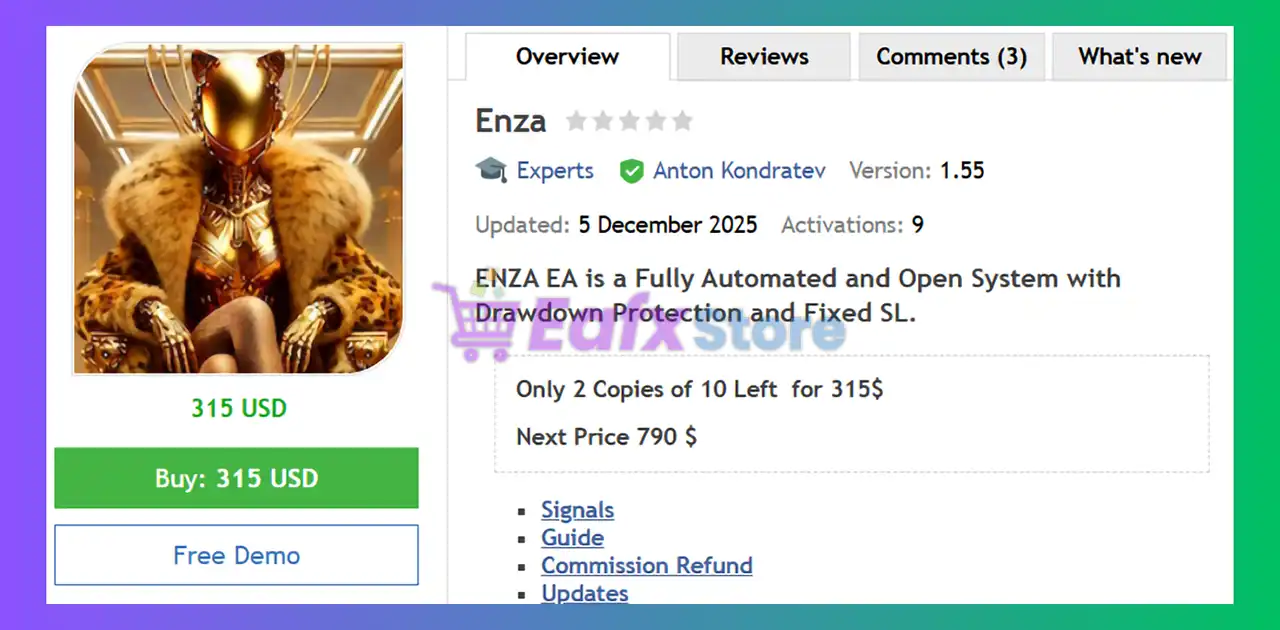
What is Enza EA?
Enza EA is a fully automated trading system designed for consistent long-term growth using mean reversion logic, fixed Stop Loss and drawdown protection. It supports AUDCAD M15 by default, allows up to 6 additional entries for recovery profitability, includes strong news filters, and features open parameters for optimization across multiple pairs.
 Vendor Website: View here
About the Author
This product is compiled by Anton Kondratev. This author has more than +6 years of experience working on MQL5 with many famous products such as Enza EA MT5, Razor MT5, Aurum MT5, Nova EA, DOW King EA MT5, Zonda EA MT5 and other advisors. Among them, Enza EA is his best performing products.
Delivery time 24h-48h after payment.
Refund if not delivered.
You will receive the current version without any limitations (ID+Time).
Enza EA MT5 Review
Key Features of Enza EA for MT5
🔹 Fully automated architecture: Runs independently with open parameters for customizable setups.
🔹 Drawdown control system: Fixed Stop Loss (SL) and controlled additional entries to manage risk safely.
🔹 Mean reversion model: Uses Q KING Algo with optional bonus settings included on request.
🔹 News & volatility filtering: Built-in SNF filter avoids FOMC/NFP high-impact spikes.
What is the Enza EA trading strategy?
🔹 Market mean-reversion logic: Targets price pullbacks and returns to equilibrium for profit.
🔹 Multi-layer entry structure: Up to 6 adaptive trades added during drawdown to enhance recovery.
🔹 Fixed global Stop Loss: Transparent risk exposure with predefined exit rules.
🔹 Spread & slippage awareness: Automatically adjusts execution for dynamic market conditions.
Enza EA MT5 Review
Enza EA Signal Results
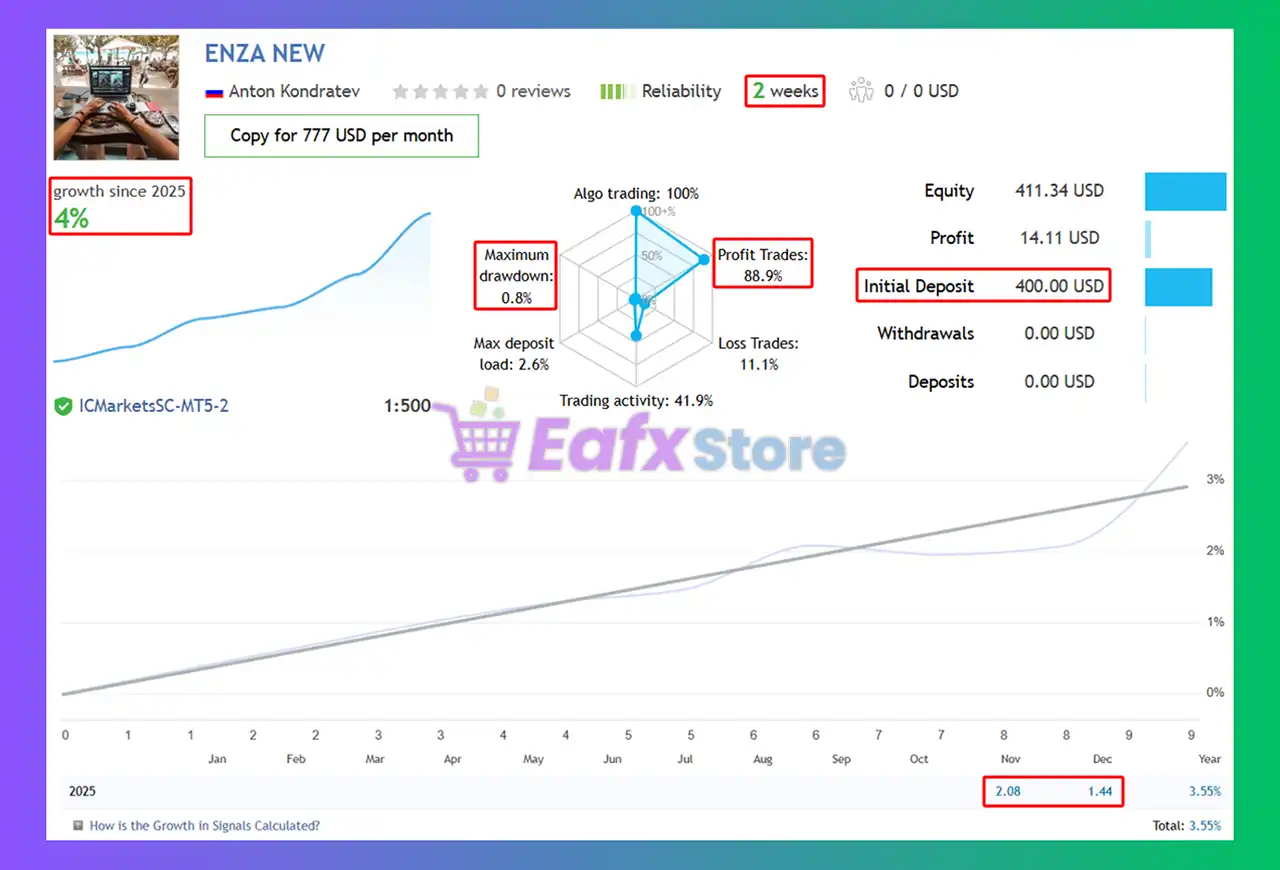
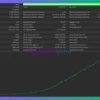
The Enza EA achieved impressive profit performance when trading with AUDCAD pair. Trading results on real account for 2 consecutive weeks of trading:
✅ Initial Deposit: $400
✅ Growth Rate: +4%
✅ Win Rate (% of total): 88.90%
✅ Maximum Drawdown: 0.80%
Enza EA MT5 Signal Results
Enza MT5 Backtests
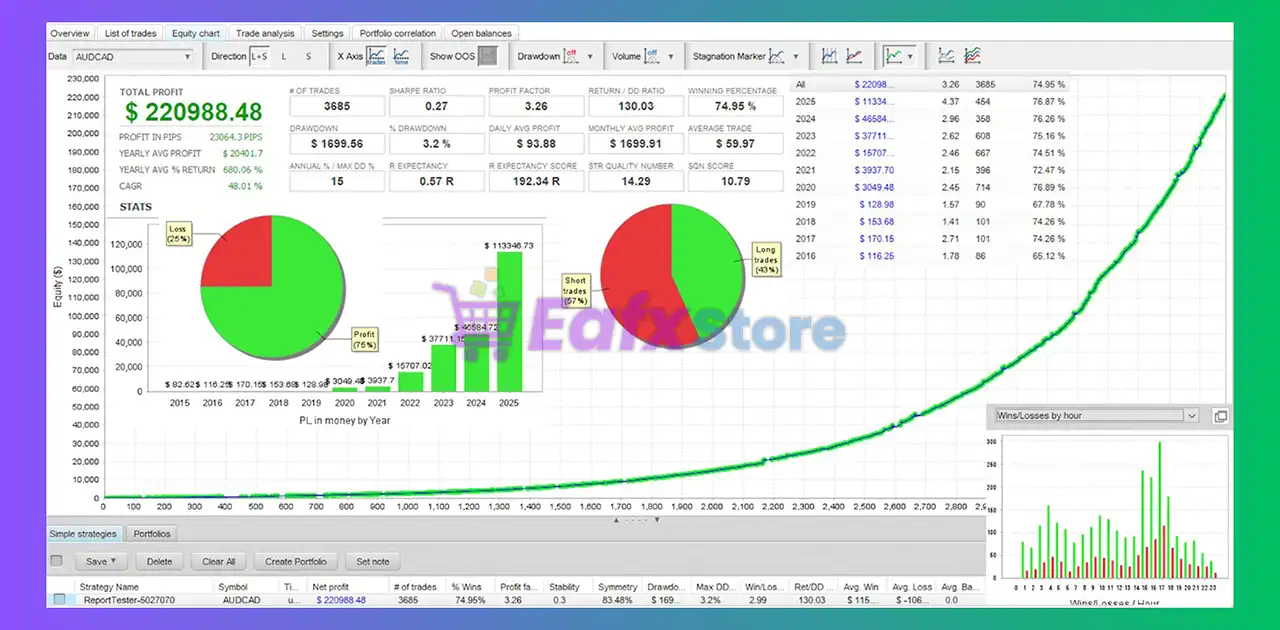
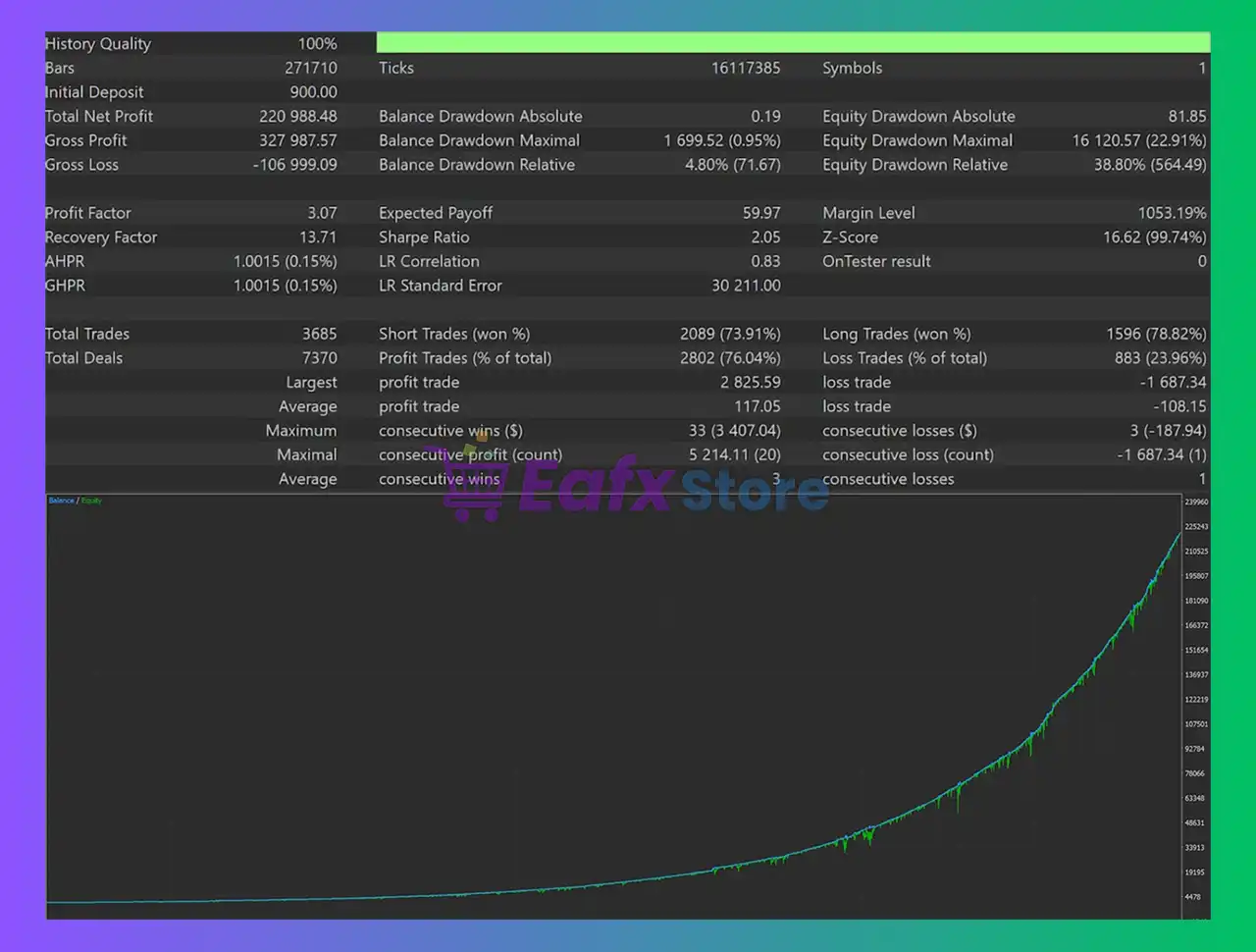
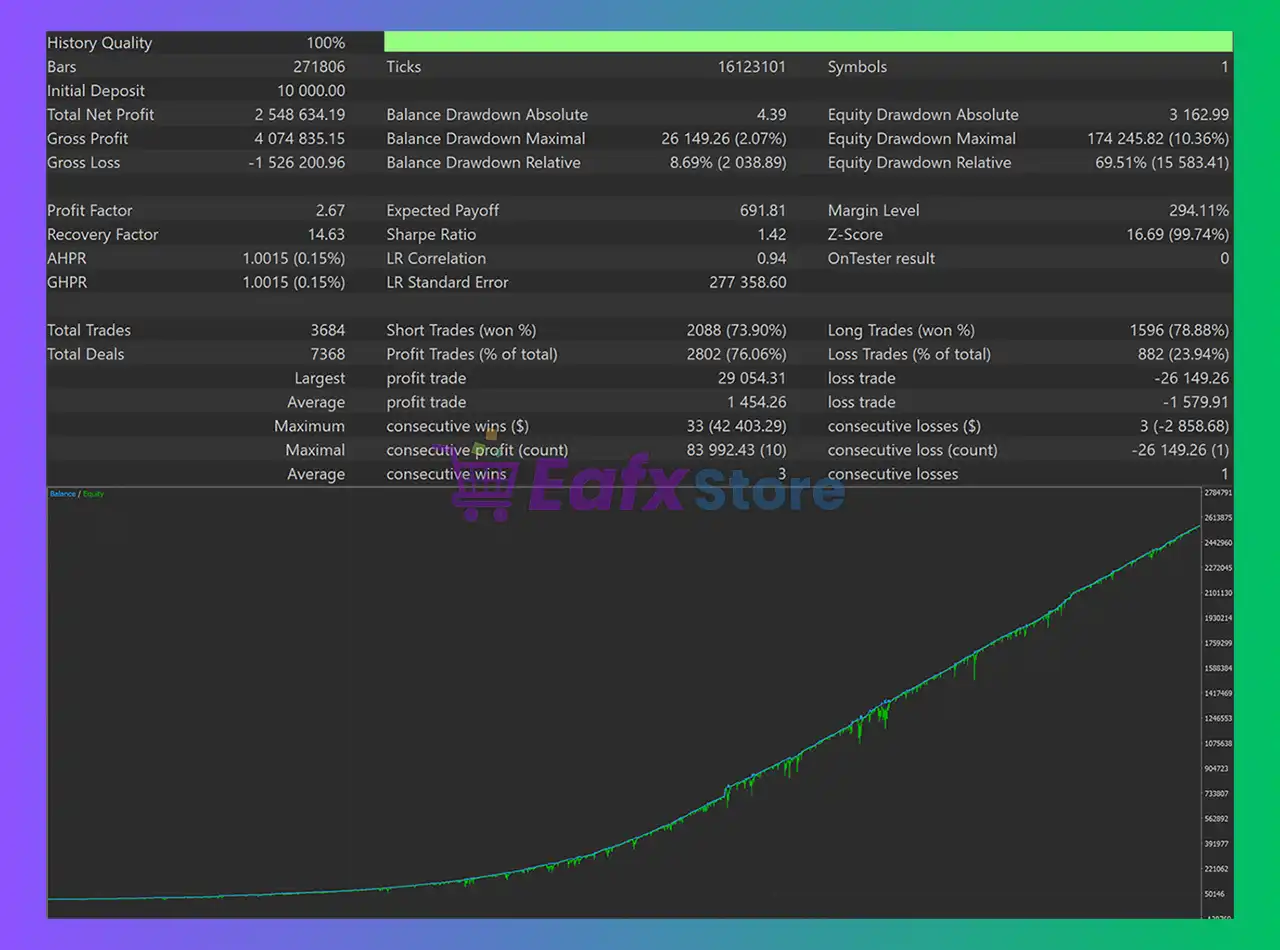
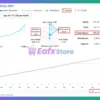
The Enza backtest trading results achieved impressive profit performance for 12 months. The advisor showed the ability to maintain safe stars on the 15-minute chart.
✅ Initial Deposit: $900
✅ Total Net Profit: $220,988.48
✅ Win Rate (% of total): 74.95%
✅ Maximum Drawdown: 3.20%
Enza MT5 Review
Why choose & use Enza EA?
🔹 Consistent monthly growth: Proven performance over 10 years of real MT5 quote testing.
🔹 Prop-firm friendly design: Includes special FTMO-ready configurations when requested.
🔹 Adaptable to any broker: ABRT mechanism adjusts settings in real time for execution quality.
🔹 Beginner-friendly setup: Simple installation, runs 24/7 and requires minimal supervision.
🔹 No martingale or AI tricks: Clean logic focused on safety, clarity and long-term stability.
Recommended settings
Recommended settings and parameters to pay attention to from developers and experts:
| Features | Type |
|---|---|
| Trading platform | MetaTrader 5 (MT5) |
| Time frames | M15 (15 minute chart) |
| Currency pairs | AUDCAD |
| Minimum / Recommended deposit | $200+ |
| Minimum / Recommended leverage | 1:100+ |
| Account type | RAW / Pro / ECN broker |
| Product type | Original version |
| Additional services | Unlock and Decompile |
| Recommended brokers | Exness Broker, Icmarkets Broker |
| Recommended VPS | MyfxVPS.com ( Blue VPS, Golden VPS). Lowest Latency, 2 week Free Trial, 100% Free for 12-18 Months. |
Product Download Package?
The download package of the product suite includes:
✅ Experts: Enza EA.ex5
✅ SetFiles: Enza_SL_TP_Signal.set
➡️ Reviewed by David Easton
Conclusion
In short, Enza EA combines a disciplined mean-reversion engine, controlled multi-layer entries, and strict global risk limits to deliver stable long-term performance. With proven live and backtest results, news filtering, prop-firm compatibility, and beginner-friendly automation, it offers a safe and efficient trading framework for AUDCAD. Ultimately, Enza EA stands out as a precision-built system engineered for consistency and confident growth.
🔢 Enza EA MT5 Settings Guide
Enza EA is a fully automated Expert Advisor designed with a structured set of trading, risk, take-profit, trailing, news-filter, and execution-management parameters. Its Inputs allow traders to control BUY and SELL operations, configure fixed or balance-based lot sizing, manage first-order and massive-order profit protection, adjust broker-related conditions, and customize important execution settings.
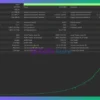
The configuration below explains every parameter visible in the Enza EA MT5 Inputs panel, including the exact numerical values shown in the screenshot.
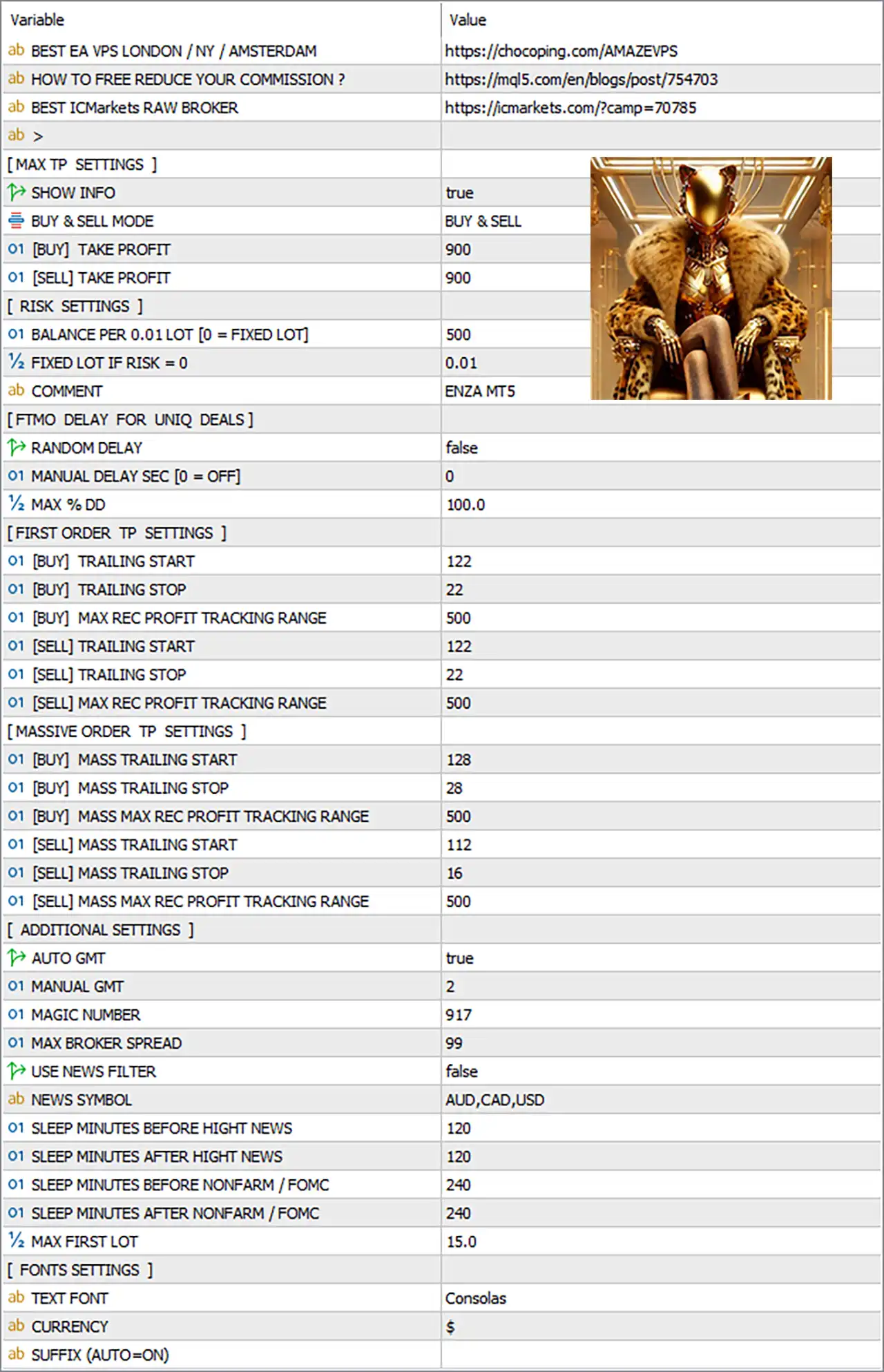
Enza EA MT5 Settings Panel
⚙️ MAX TP SETTINGS
🔹 SHOW INFO = true — Enables the EA’s information display, allowing relevant trading or EA status information to be shown on the chart.
🔹 BUY & SELL MODE = BUY & SELL — Enables the EA to operate in both BUY and SELL directions instead of restricting trading to one side.
🔹 [BUY] TAKE PROFIT = 900 — Sets the Take Profit target for BUY positions to 900.
🔹 [SELL] TAKE PROFIT = 900 — Sets the Take Profit target for SELL positions to 900.
⚙️ RISK SETTINGS
🔹 BALANCE PER 0.01 LOT [0 = FIXED LOT] = 500 — Defines the account balance associated with each 0.01 lot when balance-based position sizing is used; 0 would switch to fixed-lot mode.
🔹 FIXED LOT IF RISK = 0 = 0.01 — Sets the fixed trading lot size to 0.01 when the risk-based calculation is disabled.
🔹 COMMENT = ENZA MT5 — Defines the order comment displayed for trades opened by the EA, using ENZA MT5.
⚙️ FTMO DELAY FOR UNIQ DEALS
🔹 RANDOM DELAY = false — Disables random execution delays for individual trades.
🔹 MANUAL DELAY SEC [0 = OFF] = 0 — Sets the manual trade delay to 0 seconds, meaning the manual delay function is OFF.
🔹 MAX % DD = 100.0 — Sets the maximum drawdown threshold parameter to 100.0% according to the EA’s configured FTMO delay section.
⚙️ FIRST ORDER TP SETTINGS
🔹 [BUY] TRAILING START = 122 — Activates the BUY trailing mechanism after the position reaches 122 points of qualifying profit.
🔹 [BUY] TRAILING STOP = 22 — Sets the BUY trailing-stop distance to 22 once trailing protection becomes active.
🔹 [BUY] MAX REC PROFIT TRACKING RANGE = 500 — Limits the BUY maximum recorded-profit tracking range to 500.
🔹 [SELL] TRAILING START = 122 — Activates the SELL trailing mechanism after the position reaches 122 points of qualifying profit.
🔹 [SELL] TRAILING STOP = 22 — Sets the SELL trailing-stop distance to 22 once trailing protection becomes active.
🔹 [SELL] MAX REC PROFIT TRACKING RANGE = 500 — Limits the SELL maximum recorded-profit tracking range to 500.
⚙️ MASSIVE ORDER TP SETTINGS
🔹 [BUY] MASS TRAILING START = 128 — Activates the massive-order BUY trailing mechanism at 128 points of qualifying profit.
🔹 [BUY] MASS TRAILING STOP = 28 — Sets the trailing distance for massive BUY positions to 28.
🔹 [BUY] MASS MAX REC PROFIT TRACKING RANGE = 500 — Sets the maximum recorded-profit tracking range for massive BUY orders to 500.
🔹 [SELL] MASS TRAILING START = 112 — Activates the massive-order SELL trailing mechanism at 112 points of qualifying profit.
🔹 [SELL] MASS TRAILING STOP = 16 — Sets the trailing distance for massive SELL positions to 16.
🔹 [SELL] MASS MAX REC PROFIT TRACKING RANGE = 500 — Sets the maximum recorded-profit tracking range for massive SELL orders to 500.
⚙️ ADDITIONAL SETTINGS
🔹 AUTO GMT = true — Enables automatic GMT detection so the EA can automatically determine the relevant broker/server time offset.
🔹 MANUAL GMT = 2 — Specifies GMT+2 as the manual GMT value when manual time adjustment is required.
🔹 MAGIC NUMBER = 917 — Uses 917 as the unique Magic Number for identifying and managing trades opened by this EA.
🔹 MAX BROKER SPREAD = 99 — Sets the maximum permitted broker spread to 99 according to the EA’s spread-control parameter.
🔹 USE NEWS FILTER = false — Disables the economic-news filter in the current configuration.
🔹 NEWS SYMBOL = AUD,CAD,USD — Defines AUD, CAD, and USD as the currencies considered by the news-filter system when it is enabled.
🔹 SLEEP MINUTES BEFORE HIGHT NEWS = 120 — Configures the EA to stop or pause trading 120 minutes before high-impact news when the news filter is active.
🔹 SLEEP MINUTES AFTER HIGHT NEWS = 120 — Configures the EA to remain paused for 120 minutes after high-impact news when the news filter is active.
🔹 SLEEP MINUTES BEFORE NONFARM / FOMC = 240 — Configures a 240-minute trading pause before Nonfarm Payrolls or FOMC events when the news filter is enabled.
🔹 SLEEP MINUTES AFTER NONFARM / FOMC = 240 — Configures a 240-minute trading pause after Nonfarm Payrolls or FOMC events when the news filter is enabled.
🔹 MAX FIRST LOT = 15.0 — Sets the maximum first-order lot parameter to 15.0, limiting the initial position size according to the EA’s internal lot-management logic.
⚙️ FONTS SETTINGS
🔹 TEXT FONT = Consolas — Sets Consolas as the font used for text displayed by the EA.
🔹 CURRENCY = $ — Sets the dollar symbol $ as the currency symbol used in the EA’s information display.
🔹 SUFFIX (AUTO=ON) = [blank] — The suffix field is currently left blank, while AUTO=ON indicates that automatic symbol-suffix detection can be used.
🔢 Conclusion
Enza EA MT5 provides a broad range of configurable parameters covering trade direction, Take Profit, position sizing, trailing protection, profit tracking, broker spread control, GMT synchronization, news-event management, and chart-display customization. The current configuration uses BUY & SELL mode, 900 TP for both BUY and SELL, 0.01 fixed lot when risk is set to 0, Magic Number 917, maximum broker spread 99, and a 15.0 maximum first lot. The news filter is currently disabled with USE NEWS FILTER = false, while its AUD, CAD, USD event settings and 120/240-minute pause parameters remain configured for potential future activation.
User Reviews
Only logged in customers who have purchased this product may leave a review.
❓ What trading strategy does Enza EA use and how does it generate consistent profits?
Enza EA operates on a mean-reversion model, analyzing price deviations from equilibrium and entering trades when the market is statistically likely to revert. Its Q KING Algo and multi-layer entry structure allow it to capture retracements safely, while a fixed global Stop Loss ensures controlled and transparent risk during every cycle.
❓ Which currency pairs and timeframes are officially supported by Enza EA?
The EA is optimized primarily for AUDCAD on the M15 timeframe, where it has shown the most stable performance. However, its open parameters allow users to run optimization and adapt the EA to additional pairs, creating flexibility for multi-pair portfolios when configured properly.
❓ How does Enza EA manage drawdown and protect the trading account?
Enza EA uses a fixed Stop Loss, combined with intelligent placement of up to 6 additional recovery entries. This structure strengthens profitability while keeping exposure controlled. Its built-in volatility and news filters also help avoid high-risk conditions that typically cause large drawdowns.
❓ Does Enza EA use martingale or other high-risk strategies?
No. Enza EA does not use martingale, grid-doubling, or any high-risk multiplier systems. All additional entries are fixed, controlled, and strategically placed for recovery—not for exponential lot growth—making it significantly safer than classic grid or martingale EAs.
❓ Can Enza EA be used for prop-firm challenges like FTMO or MFF?
Yes. The EA includes prop-friendly configurations upon request, ensuring compatibility with strict drawdown, max-loss, and consistency rules. With fixed SL, stable entries, and news filters, Enza EA fits well into prop-firm risk frameworks.
❓ What are the recommended account types, leverage, and deposit requirements?
Developers recommend using a RAW, Pro, or ECN account, with a minimum deposit of $200 and leverage from 1:100 and below. These settings ensure proper execution, lower spread impact, and safer performance, especially during recovery cycles or volatile sessions.
❓ How effective is Enza EA in real trading compared to backtests?
Real data from AUDCAD shows +4% growth in two weeks, an 88.90% win rate, and very low drawdown at 0.80%. Backtests over a 12-month period demonstrated $220,988+ in net profit from a $900 starting deposit with 3.20% drawdown, proving long-term stability across different market phases.
❓ Does Enza EA require continuous monitoring or manual intervention?
No. Enza EA is designed to run fully automated 24/7. Once installed, it handles entries, exits, risk controls, and filtering autonomously. Traders only need to monitor account conditions occasionally, especially around major news events.
❓ How does the News & Volatility Filter work in Enza EA?
The built-in SNF filter blocks trading during high-impact events such as NFP, FOMC, and CPI releases. By avoiding these spikes, the EA prevents unnecessary slippage, spreads, and unpredictable price movements—contributing significantly to its low-drawdown profile.
❓ Is Enza EA suitable for beginners and easy to install?
Yes. Enza EA is beginner-friendly, featuring a straightforward setup process and open parameters that users can modify according to their experience level. Its fixed SL, clear logic, and automated execution make it accessible even to traders with limited technical knowledge.
-
 Original price was: $2,000.00.$199.00Current price is: $199.00.
 -
 Original price was: $30,000.00.$599.00Current price is: $599.00.
 -
 Original price was: $3,750.00.$599.00Current price is: $599.00.
 -
 Original price was: $30,000.00.$599.00Current price is: $599.00.
-
 0Original price was: $2,288.00.$249.00Current price is: $249.00.
 -
 3Original price was: $199.00.$159.00Current price is: $159.00.
 -
 0Original price was: $778.00.$249.00Current price is: $249.00.
 -
 1Original price was: $699.00.$249.00Current price is: $249.00.
There are no reviews yet.