
Forex Trade Manager MT5 (Latest version) – GroupBuy
Select a variant to see availability.
What is Forex Trade Manager MT5?
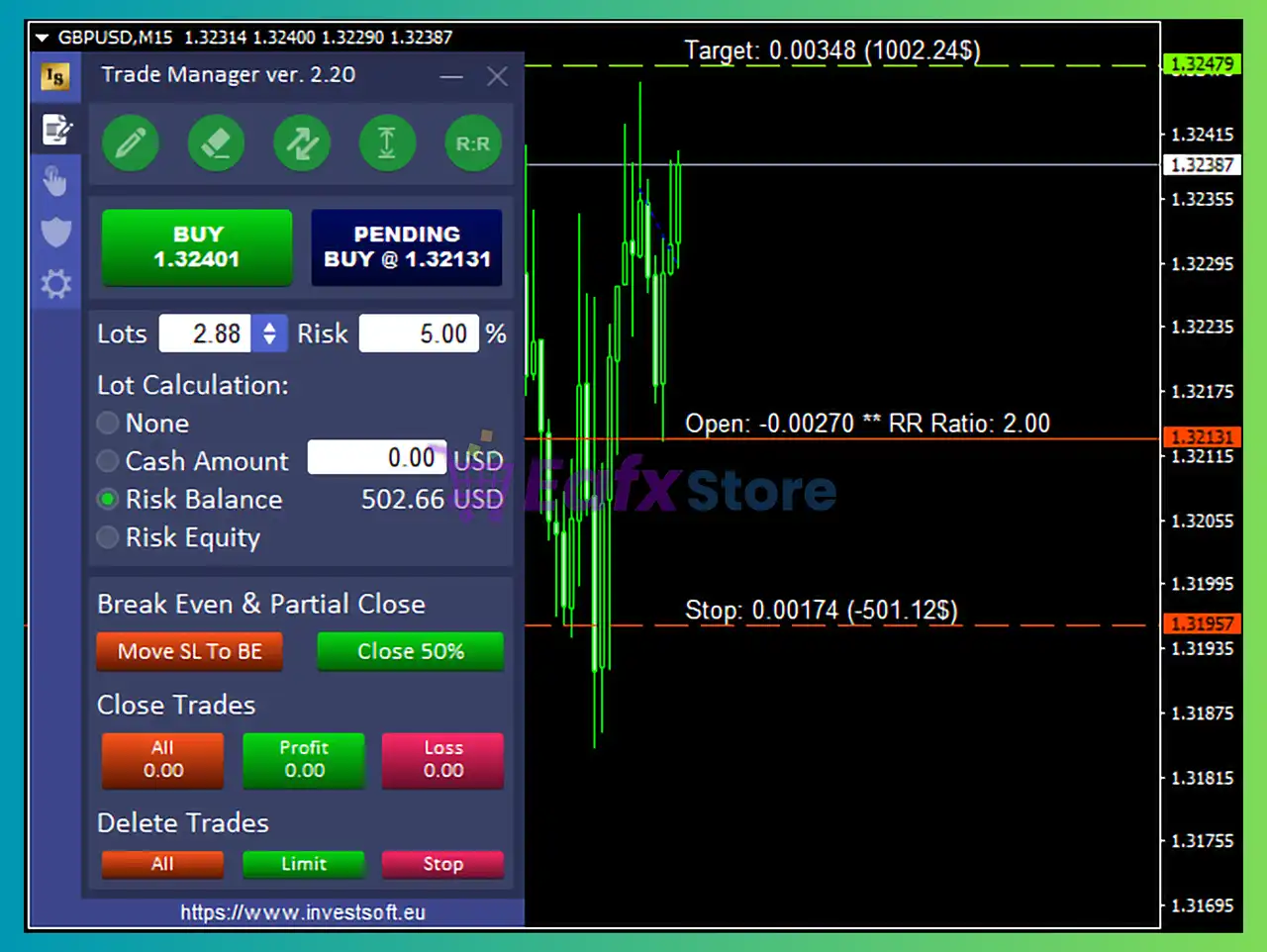
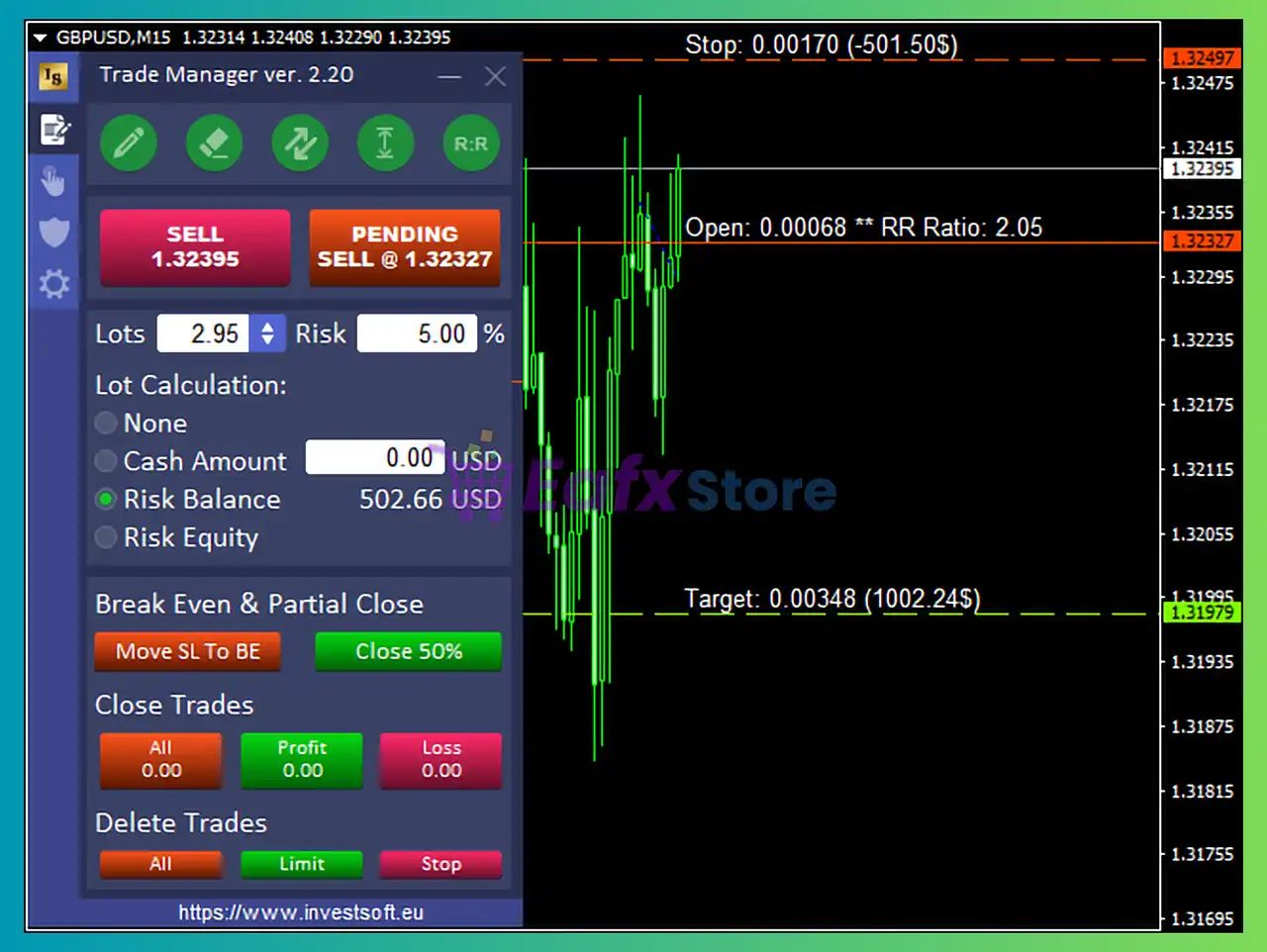
Forex Trade Manager MT5 is a powerful Expert Advisor (EA) for automated trading support, designed to enhance stability, adaptability and precision. It combines advanced risk management with intuitive chart-based control, allowing traders to plan, execute and manage positions efficiently using smart tools and real-time Indicators.
 Vendor Website: View here
This is GroupBuy ==> How to Join
About the Author
This product is compiled by Janusz Trojca. This author has more than +12 years of experience working on MQL5 with many famous products such as Forex Trade Manager MT5, Forex Trade Manager MT4, TPA Sessions MT4, TPA True Price Action MT4 Indicator and others. Among them, Forex Trade Manager MT5 is his best performing products.
Key Features of Forex Trade Manager MT5
🔹 Position Size Calculator: Instantly calculates lot size based on defined risk and account balance.
🔹 Visual Trade Planning: Drag-and-drop entry, Stop Loss (SL) and Take Profit (TP) directly on chart.
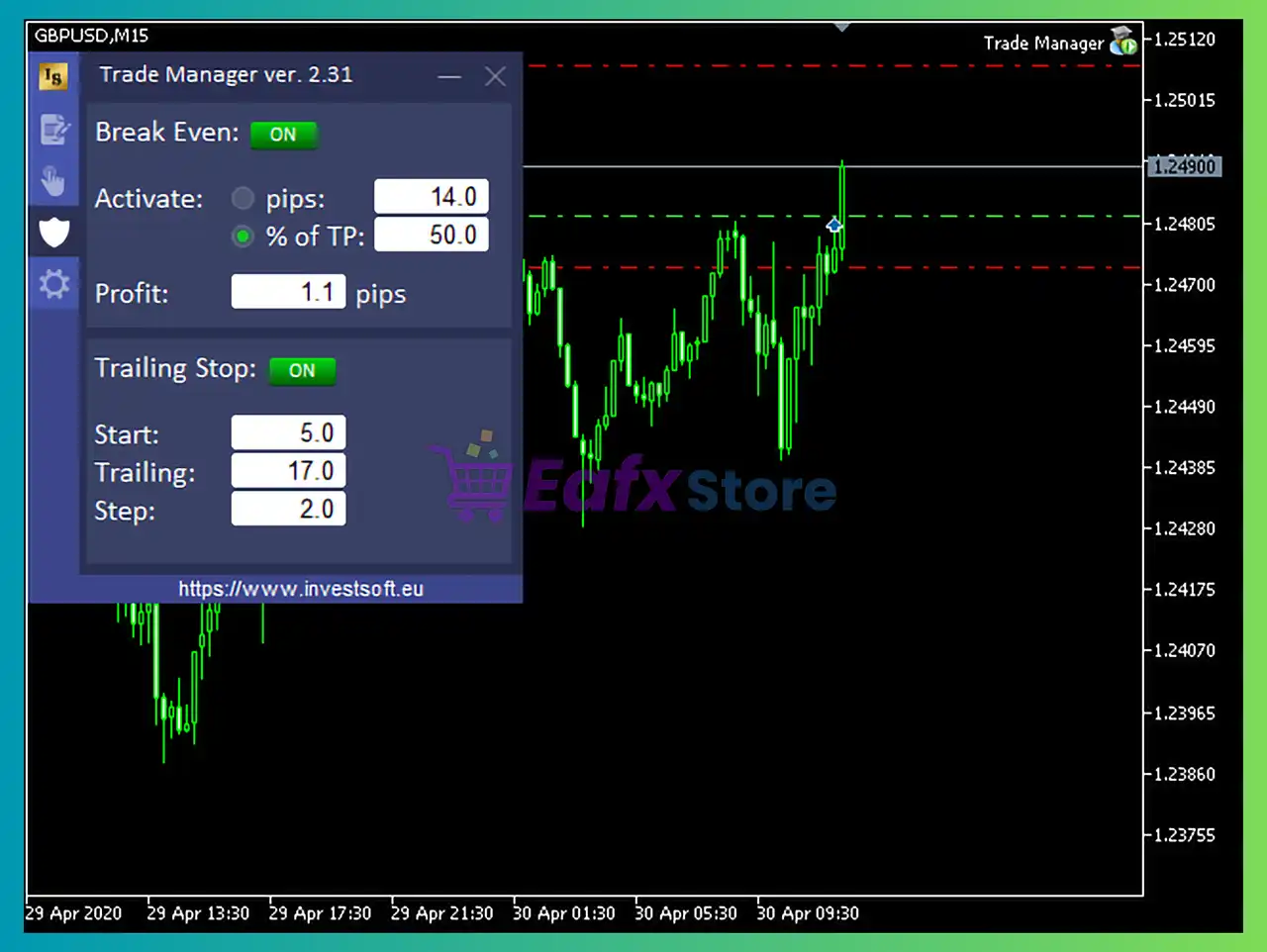
🔹 Advanced Protection Tools: Includes breakeven, trailing stop and equity protection systems.
🔹 Stealth Execution Mode: Hides SL and TP levels to prevent broker interference.
🔹 Flexible Order Control: Supports partial closure, OCO orders and dynamic pending orders.
Why Choose & Use Forex Trade Manager MT5?
🔹 Enhanced Risk Control: Helps traders maintain discipline and protect capital consistently.
🔹 Improved Trading Efficiency: Simplifies complex calculations and execution processes.
🔹 Fully Customizable Tools: Adapts to any trading style, from scalping to swing trading.
Forex Trade Manager MT5 Review
🔹 Professional Trade Management: Provides institutional-level control over positions.
🔹 Marketplace-Ready Solution: Ideal for traders seeking reliable and efficient automation tools.
Forex Trade Manager MT5 Reviews
Forex Trade Manager MT5 Review
What is the Forex Trade Manager MT5 Trading Strategy?
🔹 Risk-Based Execution Logic: Calculates trade size and exposure based on user-defined risk.
🔹 Multi-Level Protection System: Uses layered breakeven and trailing stop for capital safety.
🔹 Adaptive Trade Management: Adjusts positions dynamically based on price movement.
🔹 Indicator-Based Control: Utilizes ATR, Moving averages and price levels for management.
🔹 Precision Entry Planning: Enables pullback entries and optimized risk-to-reward setups.
Is Forex Trade Manager MT5 Safe?
Forex Trade Manager MT5 shows significant potential in providing stable and reliable profits, making it a reliable tool in the forex market. The advisor is highly appreciated by the MQL5 community in many aspects and has won the trust of users.
 Sallyahills (2026.03.26): “This is a great tool and does exactly what I wanted it to. I also purchase the add on Grid Trading module which is so useful when placing multiple trades.”
Mandigo971trade (2026.03.24): “Ce Trade Manager est vraiment excellent, il est incroyable et je le recommande.”
Niel Dela Cruz (2026.03.24): “Great EA for risk management. The support is excellent too, highly recommended!”
Recommended settings
Recommended settings and parameters to pay attention to from developers and experts:
| Features | Type |
|---|---|
| Trading platform | MetaTrader 5 (MT5) |
| Time frames | M1, M5, M15, M30, H1, H4 |
| Currency pairs | Any |
| Minimum / Recommended deposit | $100 |
| Minimum / Recommended leverage | Any |
| Account type | Any |
| Product type | Original version |
| Additional services | Unlock and Decompile |
| Recommended brokers | Exness Broker, Icmarkets Broker |
| Recommended VPS | MyfxVPS.com (Blue VPS, Golden VPS). Lowest Latency, 2 week Free Trial, 100% Free for 12-18 Months. |
Reviewed by David Easton
Product Download Package?
The download package of the product suite includes:
 Setting (If Any).docx
Installation Guide.docx
Conclusion
In short, Forex Trade Manager MT5 stands out as a comprehensive trading assistant designed to improve accuracy and discipline. Its intuitive interface, stealth execution and advanced risk management tools help traders manage positions with confidence. Suitable for both beginners and professionals, it delivers a structured approach to trading with enhanced control and consistent results.
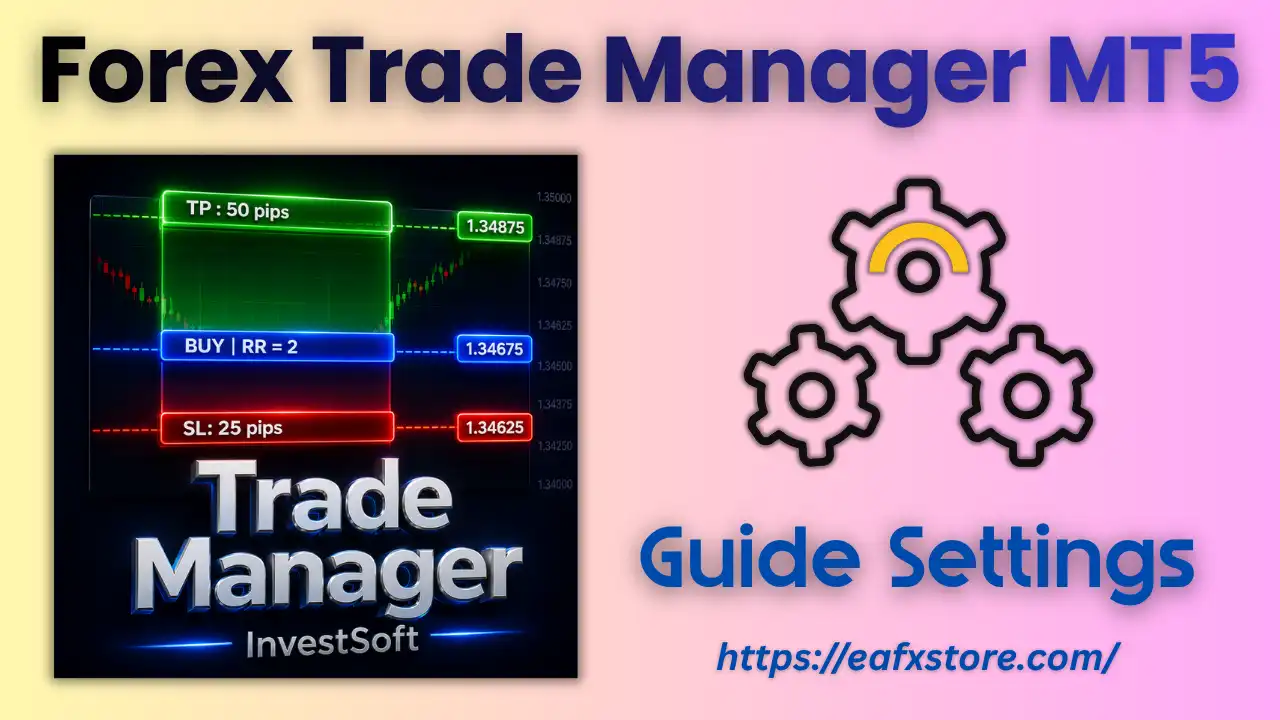
🔢 Forex Trade Manager MT5 – Complete Settings & Input Parameters Guide
Forex Trade Manager MT5 is a professional MetaTrader 5 trading assistant designed to help traders execute, manage and monitor trades with precision.
This advanced trading utility includes smart risk management, hotkeys, visual trade lines, stop-loss and take-profit controls, ATR-based calculations and fully customizable trading panels.
Forex Trade Manager MT5 is especially useful for scalpers, day traders, swing traders, and prop firm traders who require fast execution and advanced order management.
Forex Trade Manager MT5 Setting
🔢 Forex Trade Manager MT5 Input Settings
Below are the details of the parameters in the advisor’s trading system settings table:
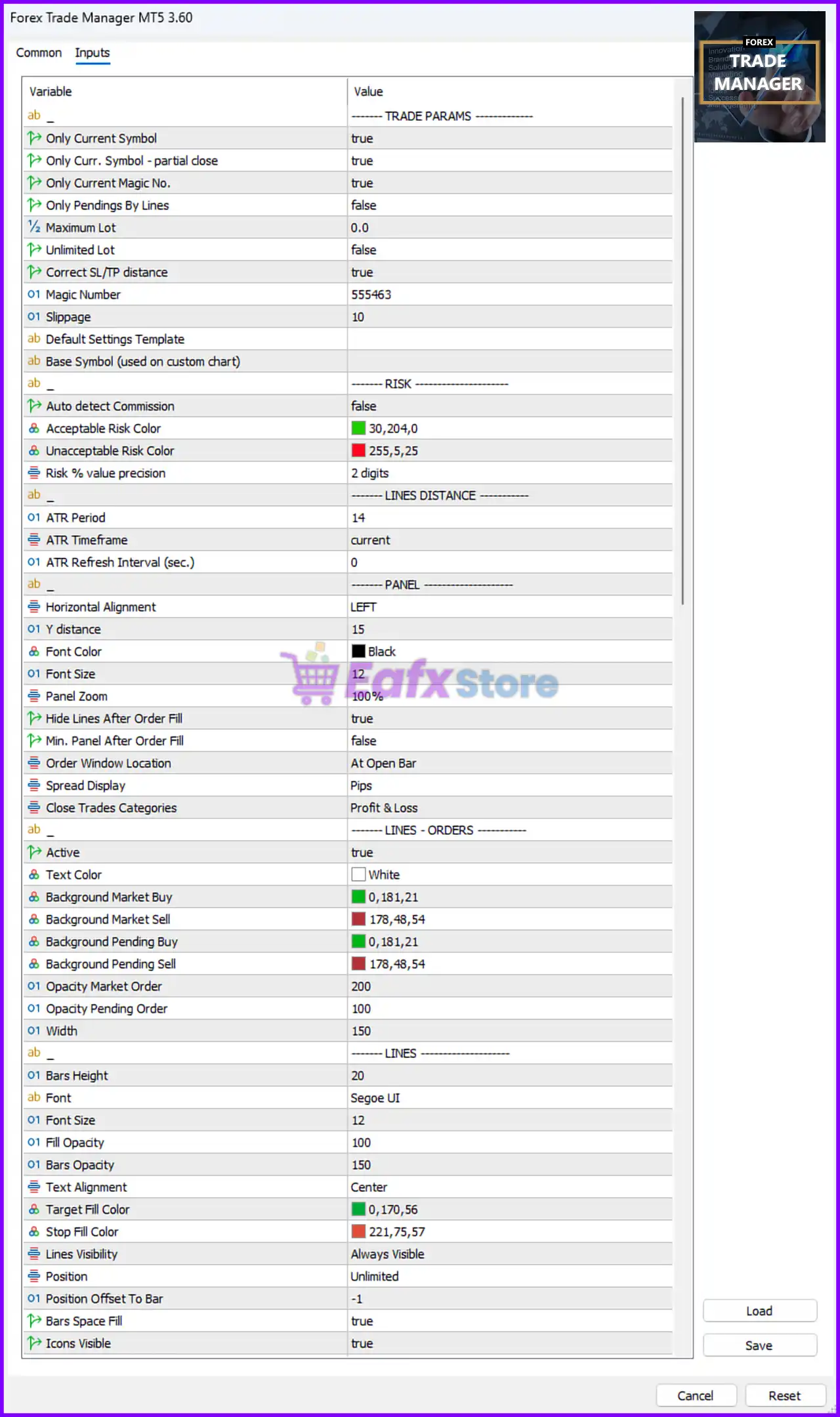
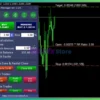
Forex Trade Manager MT5 Settings Panel
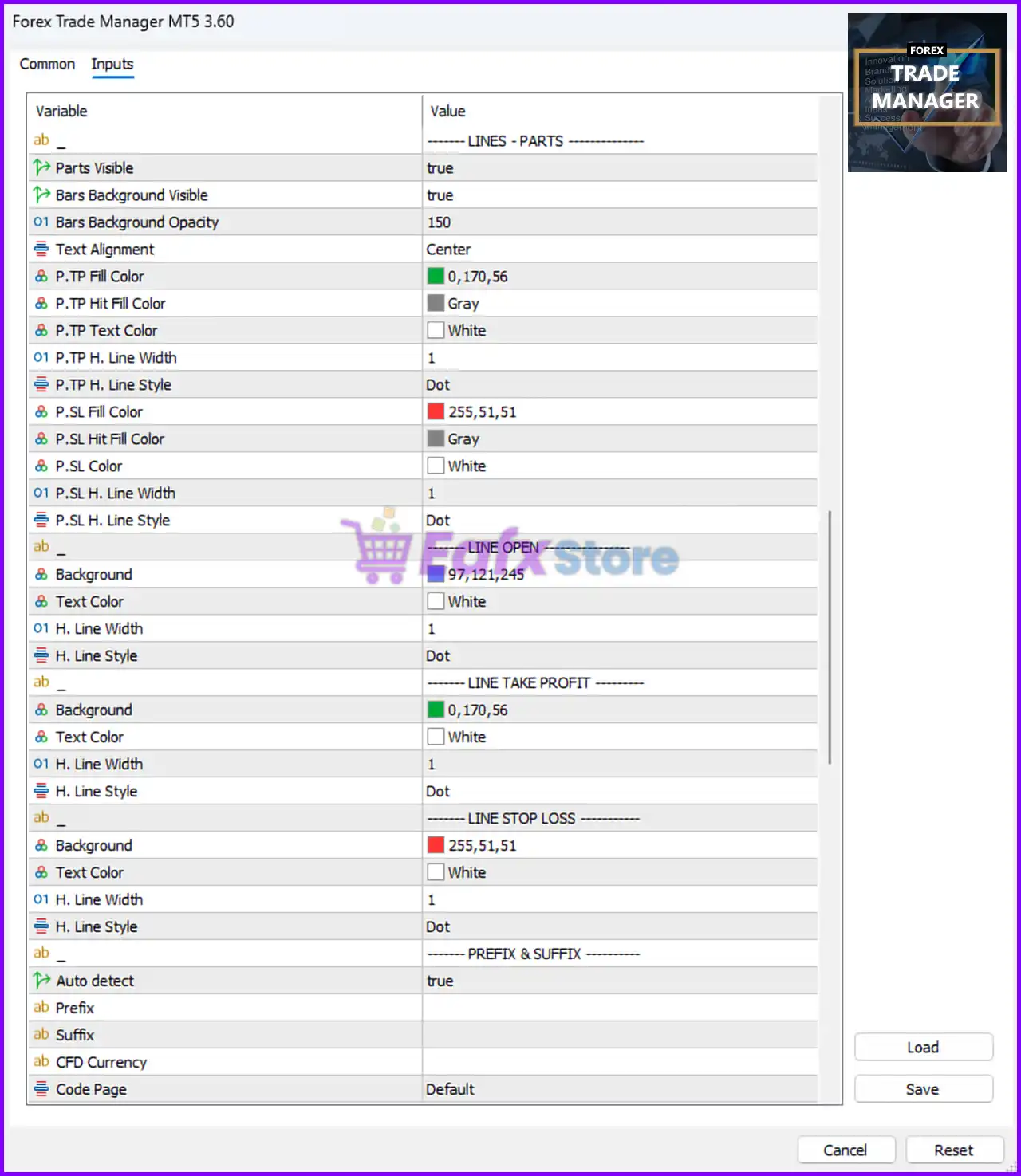
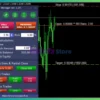
Forex Trade Manager EA MT5 Settings Panel
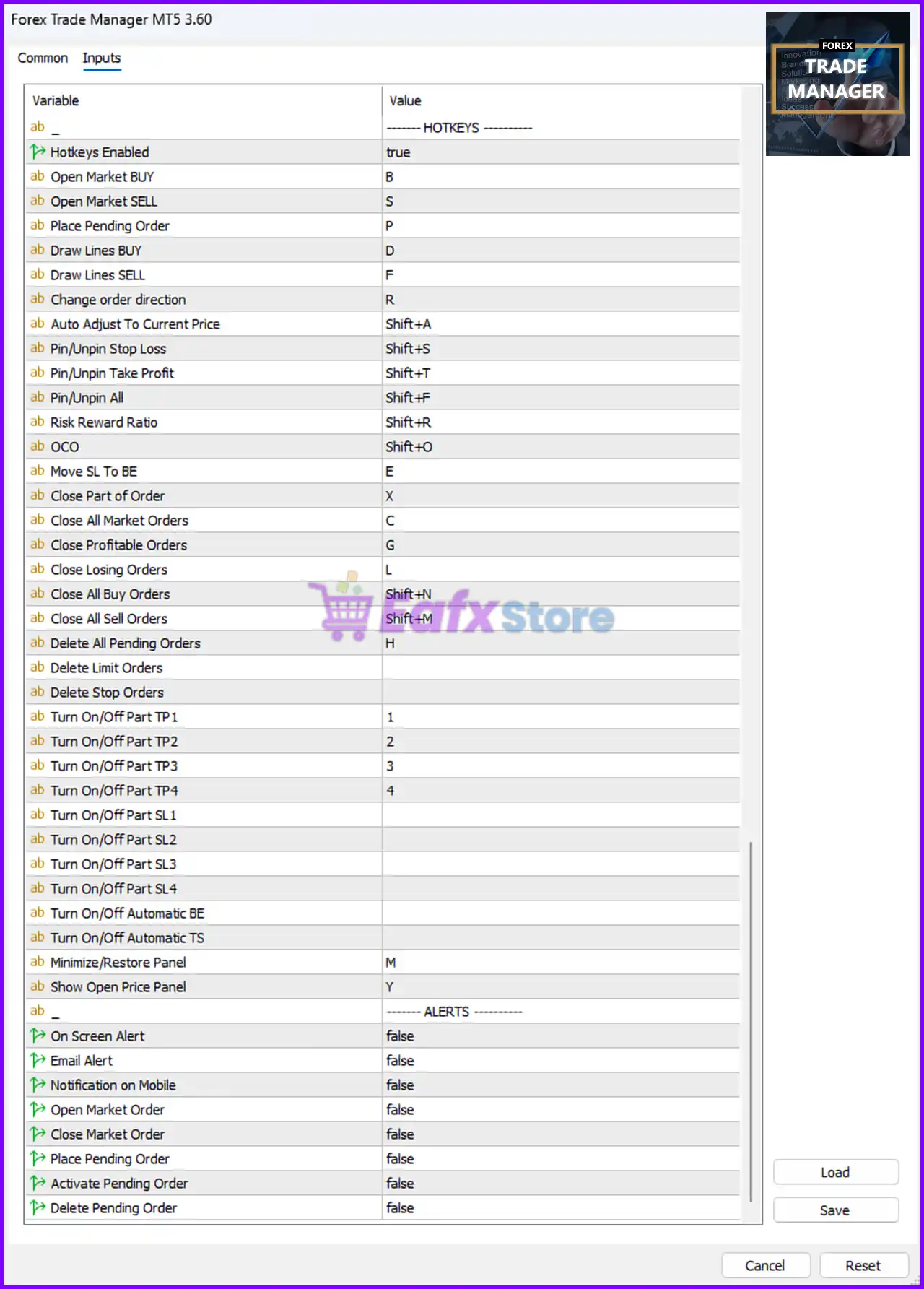
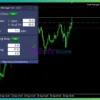
Forex Trade Manager EA Settings Panel
🔶 Trade Parameters
🔹 Only Current Symbol = true: Limits trade management functions to the currently active trading symbol only.
🔹 Only Curr. Symbol – partial close = true: Partial closing operations only affect trades from the current symbol.
🔹 Only Current Magic No. = true: Manages only positions using the specified Magic Number.
🔹 Only Pendings By Lines = false: Pending orders are not restricted to line-drawing operations only.
🔹 Maximum Lot = 0.0: No maximum lot restriction is applied because the value is set to 0.0.
🔹 Unlimited Lot = false: Unlimited lot trading is disabled.
🔹 Correct SL/TP distance = true: Automatically adjusts stop-loss and take-profit distances to broker requirements.
🔹 Magic Number = 555463: Unique identifier assigned to all managed trades.
🔹 Slippage = 10: Maximum allowed execution slippage is 10 points.
🔹 Default Settings Template = (empty): No preset configuration template is currently selected.
🔹 Base Symbol (used on custom chart) = (empty): No custom base symbol is configured.
🔶 Risk Settings
🔹 Auto detect Commission = false: Automatic broker commission detection is disabled.
🔹 Acceptable Risk Color = 30,204,0: Green color used to indicate acceptable trading risk.
🔹 Unacceptable Risk Color = 255,5,25: Red color used to display dangerous or unacceptable risk.
🔹 Risk % value precision = 2 digits: Risk percentages are displayed with 2 decimal digits.
🔶 Lines Distance Settings
🔹 ATR Period = 14: Uses an ATR calculation period of 14.
🔹 ATR Timeframe = current: ATR calculations use the current chart timeframe.
🔹 ATR Refresh Interval (sec.) = 0: ATR values refresh instantly without delay.
🔶 Panel Settings
🔹 Horizontal Alignment = LEFT: Positions the trading panel on the left side of the chart.
🔹 Y distance = 15: Vertical offset distance for the panel is 15.
🔹 Font Color = Black: Panel text color is Black.
🔹 Font Size = 12: Panel font size is set to 12.
🔹 Panel Zoom = 100%: Panel display scale is set to 100%.
🔹 Hide Lines After Order Fill = true: Automatically hides order lines after execution.
🔹 Min. Panel After Order Fill = false: The panel does not minimize after order execution.
🔹 Order Window Location = At Open Bar: Displays the order window at the opening candle position.
🔹 Spread Display = Pips: Spread values are shown in pips.
🔹 Close Trades Categories = Profit & Loss: Trades are categorized by profit and loss.
🔶 Lines – Orders Settings
🔹 Active = true: Enables chart order line visualization.
🔹 Text Color = White: Text labels use the color White.
🔹 Background Market Buy = 0,181,21: Green background color for market buy orders.
🔹 Background Market Sell = 178,48,54: Red background color for market sell orders.
🔹 Background Pending Buy = 0,181,21: Green background color for pending buy orders.
🔹 Background Pending Sell = 178,48,54: Red background color for pending sell orders.
🔹 Opacity Market Order = 200: Transparency level for market orders is 200.
🔹 Opacity Pending Order = 100: Transparency level for pending orders is 100.
🔹 Width = 150: Width of order display bars is 150.
🔶 Lines Settings
🔹 Bars Height = 20: Visual order bar height is 20.
🔹 Font = Segoe UI: Uses the Segoe UI font.
🔹 Font Size = 12: Trading line text size is 12.
🔹 Fill Opacity = 100: Background fill transparency level is 100.
🔹 Bars Opacity = 150: Bar opacity level is 150.
🔹 Text Alignment = Center: Text labels are centered.
🔹 Target Fill Color = 0,170,56: Green fill color for take-profit zones.
🔹 Stop Fill Color = 221,75,57: Red fill color for stop-loss zones.
🔹 Lines Visibility = Always Visible: Trading lines always remain visible.
🔹 Position = Unlimited: No positional limitation for chart objects.
🔹 Position Offset To Bar = -1: Offset position relative to the candle bar is -1.
🔹 Bars Space Fill = true: Fills the visual space between bars.
🔹 Icons Visible = true: Trading icons remain visible on the chart.
🔶 Hotkeys Settings
🔹 Hotkeys Enabled = true: Enables keyboard shortcuts for faster trading operations.
🔹 Open Market BUY = B: Press B to open a market buy order.
🔹 Open Market SELL = S: Press S to open a market sell order.
🔹 Place Pending Order = P: Press P to place a pending order.
🔹 Draw Lines BUY = D: Press D to draw buy trade lines.
🔹 Draw Lines SELL = F: Press F to draw sell trade lines.
🔹 Change order direction = R: Press R to reverse order direction.
🔹 Auto Adjust To Current Price = Shift+A: Automatically adjusts orders to current market price.
🔹 Pin/Unpin Stop Loss = Shift+S: Locks or unlocks the stop-loss line.
🔹 Pin/Unpin Take Profit = Shift+T: Locks or unlocks the take-profit line.
🔹 Pin/Unpin All = Shift+F: Locks or unlocks all trading lines.
🔹 Risk Reward Ratio = Shift+R: Activates risk-reward ratio management.
🔹 OCO = Shift+O: Enables One-Cancels-Other functionality.
🔹 Move SL To BE = E: Moves stop-loss to break-even.
🔹 Close Part of Order = X: Closes part of the open position.
🔹 Close All Market Orders = C: Closes all market orders instantly.
🔹 Close Profitable Orders = G: Closes only profitable positions.
🔹 Close Losing Orders = L: Closes only losing positions.
🔹 Close All Buy Orders = Shift+N: Closes all buy positions.
🔹 Close All Sell Orders = Shift+M: Closes all sell positions.
🔹 Delete All Pending Orders = H: Removes all pending orders.
🔹 Turn On/Off Part TP1 = 1: Enables or disables partial take-profit level 1.
🔹 Turn On/Off Part TP2 = 2: Enables or disables partial take-profit level 2.
🔹 Turn On/Off Part TP3 = 3: Enables or disables partial take-profit level 3.
🔹 Turn On/Off Part TP4 = 4: Enables or disables partial take-profit level 4.
🔹 Minimize/Restore Panel = M: Minimizes or restores the trading panel.
🔹 Show Open Price Panel = Y: Displays the open price information panel.
🔶 Alert Settings
🔹 On Screen Alert = false: On-screen notifications are disabled.
🔹 Email Alert = false: Email notifications are disabled.
🔹 Notification on Mobile = false: Mobile push notifications are disabled.
🔹 Open Market Order = false: No alert is triggered when opening market orders.
🔹 Close Market Order = false: No alert is triggered when closing market orders.
🔹 Place Pending Order = false: No alert is triggered for pending orders.
🔹 Activate Pending Order = false: Pending order activation alerts are disabled.
🔹 Delete Pending Order = false: Pending order deletion alerts are disabled.
🔶 Lines – Parts Settings
🔹 Parts Visible = true: Displays all trading line components.
🔹 Bars Background Visible = true: Shows the background behind trading bars.
🔹 Bars Background Opacity = 150: Background transparency level is 150.
🔹 Text Alignment = Center: Centers all text labels on trading lines.
🔶 Profit Target (P.TP) Settings
🔹 P.TP Fill Color = 0,170,56: Green fill color for take-profit zones.
🔹 P.TP Hit Fill Color = Gray: Gray color appears after take-profit is reached.
🔹 P.TP Text Color = White: Take-profit text uses White color.
🔹 P.TP H. Line Width = 1: Horizontal TP line width is 1.
🔹 P.TP H. Line Style = Dot: Take-profit line style is dotted.
🔶 Stop Loss (P.SL) Settings
🔹 P.SL Fill Color = 255,51,51: Red fill color for stop-loss zones.
🔹 P.SL Hit Fill Color = Gray: Gray color appears after stop-loss activation.
🔹 P.SL Color = White: Stop-loss label color is White.
🔹 P.SL H. Line Width = 1: Stop-loss line width is 1.
🔹 P.SL H. Line Style = Dot: Stop-loss line style is dotted.
🔶 Prefix & Suffix Settings
🔹 Auto detect = true: Automatically detects broker symbol prefixes and suffixes.
🔹 Prefix = (empty): No manual prefix is configured.
🔹 Suffix = (empty): No manual suffix is configured.
🔹 CFD Currency = (empty): No CFD currency override is specified.
🔹 Code Page = Default: Uses the system default encoding page.
🔢 Conclusion
Forex Trade Manager MT5 is an advanced and highly customizable trade management solution for MetaTrader 5 users. With professional-grade risk controls, visual trading tools, ATR-based calculations, smart hotkeys, and detailed order management features, this utility significantly improves trading efficiency and execution precision. Whether you are trading manually, scalping, or managing prop firm accounts, Forex Trade Manager MT5 provides powerful tools for disciplined and effective trading.
🔢 FAQs
❓ What is Forex Trade Manager MT5 used for?
Forex Trade Manager MT5 helps traders manage orders, stop-losses, take-profits, risk, and trade execution directly from MT5 charts.
❓ Does Forex Trade Manager MT5 support hotkeys?
Yes, it includes many keyboard shortcuts for fast order execution and management.
❓ Can Forex Trade Manager MT5 manage risk automatically?
Yes, it offers advanced risk visualization and trade management tools.
❓ Is Forex Trade Manager MT5 suitable for prop firm trading?
Yes, it is widely suitable for prop traders because of its precise risk and trade management features.
❓ Can I customize the chart visuals in Forex Trade Manager MT5?
Yes, the tool provides extensive customization for colors, panels, lines, opacity, fonts, and trading visuals.
User Reviews
Only logged in customers who have purchased this product may leave a review.
❓ What is Forex Trade Manager MT5 and how does it work?
Forex Trade Manager MT5 is a trading support EA that helps manage positions, calculate risk, and execute trades using visual tools and automated management features.
❓ Is Forex Trade Manager MT5 a fully automated trading system?
Forex Trade Manager MT5 is not a signal generator but a trade management tool, allowing traders to control entries, exits, and risk with enhanced precision.
❓ Who should use Forex Trade Manager MT5?
Forex Trade Manager MT5 is suitable for both beginners and experienced traders who want better control, improved risk management, and efficient trade execution.
❓ How does Forex Trade Manager MT5 calculate position size?
Forex Trade Manager MT5 automatically calculates lot size based on account balance and risk percentage, helping traders maintain consistent risk management.
❓ Can Forex Trade Manager MT5 be used on any market?
Forex Trade Manager MT5 supports all currency pairs and instruments, making it flexible for forex, commodities, and other trading markets.
❓ What risk management tools does Forex Trade Manager MT5 include?
Forex Trade Manager MT5 includes breakeven, trailing stop, equity protection, and partial close features to protect capital and optimize trade outcomes.
❓ Does Forex Trade Manager MT5 support manual trading?
Forex Trade Manager MT5 is designed to enhance manual trading by providing tools for planning, executing, and managing trades more efficiently.
❓ Can Forex Trade Manager MT5 hide Stop Loss and Take Profit levels?
Forex Trade Manager MT5 includes a stealth mode that hides SL and TP from brokers, helping reduce the risk of manipulation or unwanted interference.
❓ What makes Forex Trade Manager MT5 different from other EAs?
Forex Trade Manager MT5 stands out with its visual trade planning, flexible order control, and advanced risk tools for professional-level trade management.
❓ Is Forex Trade Manager MT5 suitable for long-term trading?
Forex Trade Manager MT5 is ideal for long-term use as it improves discipline, risk control, and execution efficiency across different trading strategies.
-
 Price range: $70.00 through $599.00
 -
 Price range: $70.00 through $599.00
 -
 Price range: $89.00 through $599.00
 -
 Price range: $89.00 through $599.00
-
 2
2 -
 4
4 -
 7Original price was: $1,199.00.$229.00Current price is: $229.00.
 -
 5Price range: $89.00 through $599.00
There are no reviews yet.