


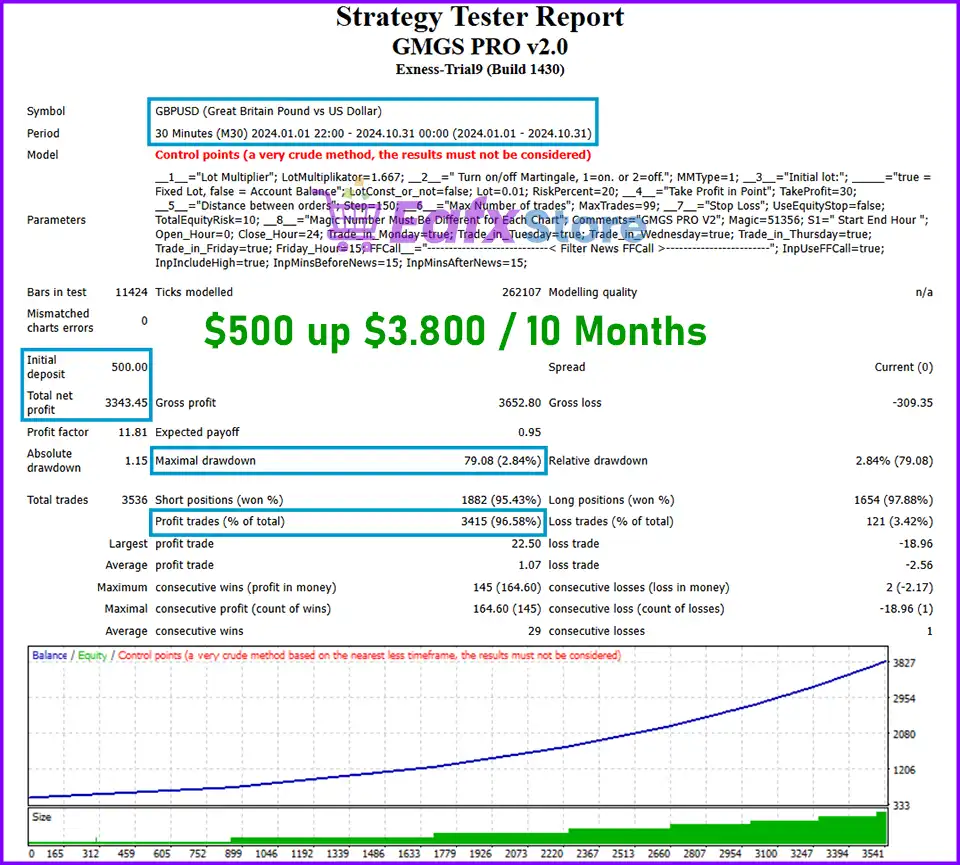
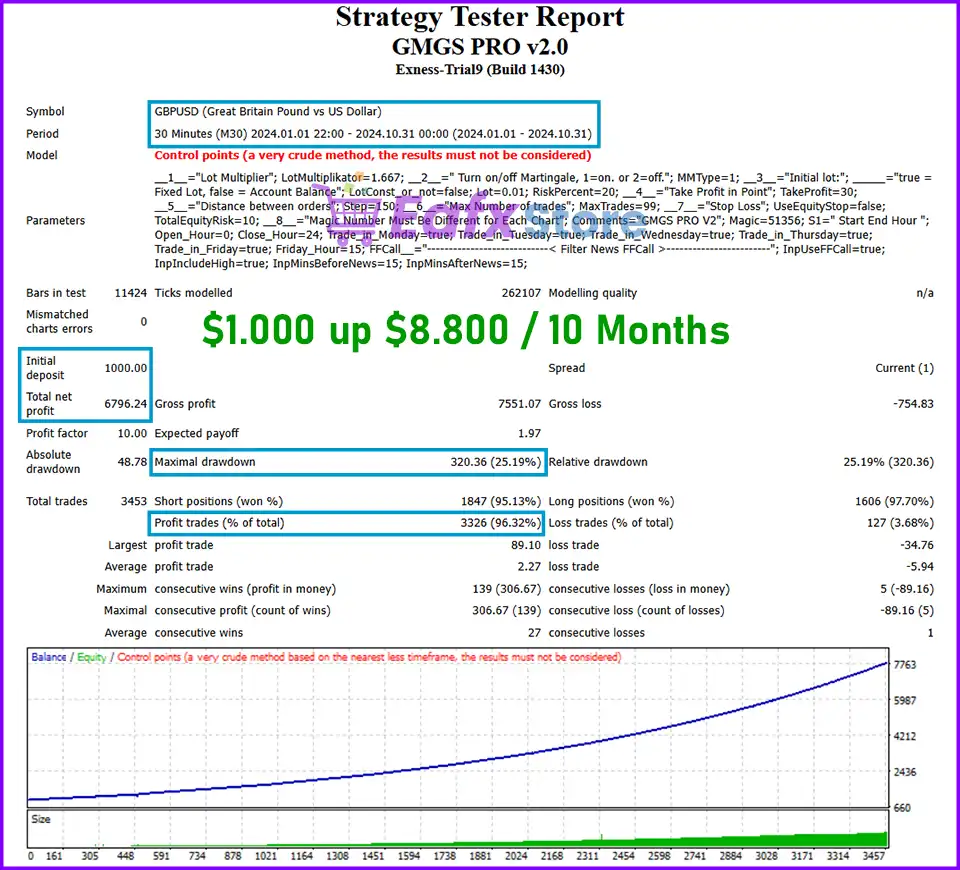
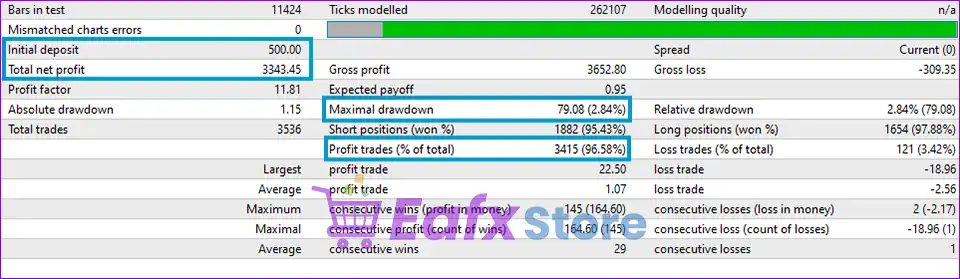
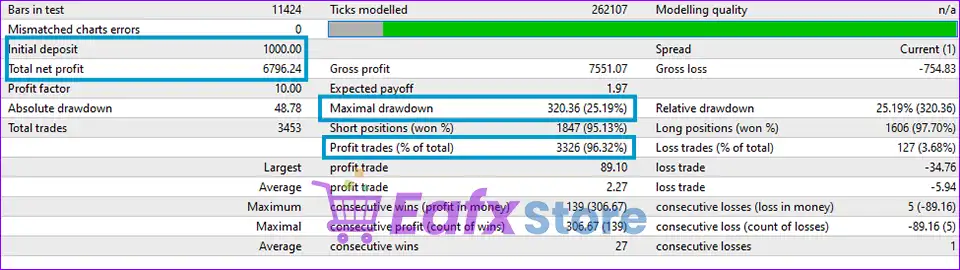
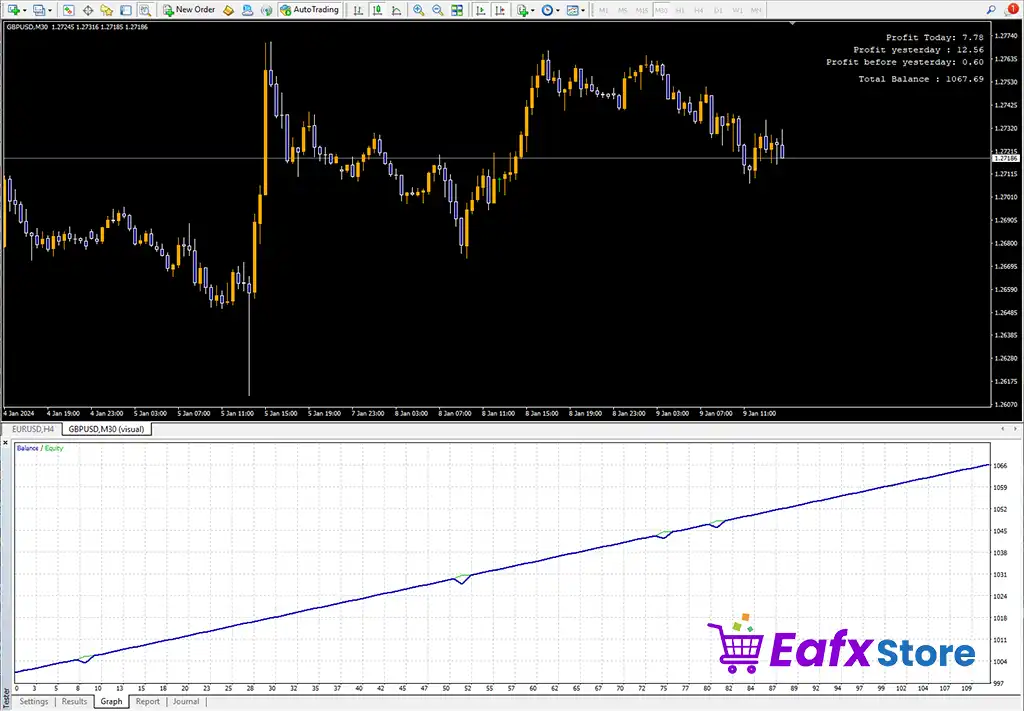
🔢 GMGS PRO EA MT4 Settings Explained
GMGS PRO EA is a powerful automated Forex trading robot designed for the MetaTrader 4 platform. The EA combines martingale functionality, dynamic lot sizing, equity protection, trading session filters, and built-in news filtering to help traders automate their trading strategies efficiently.
GMGS PRO EA MT4 is suitable for traders who want flexible risk management and scalable order execution with customizable trading controls.

🔢 GMGS PRO EA MT4 Full Settings Explanation
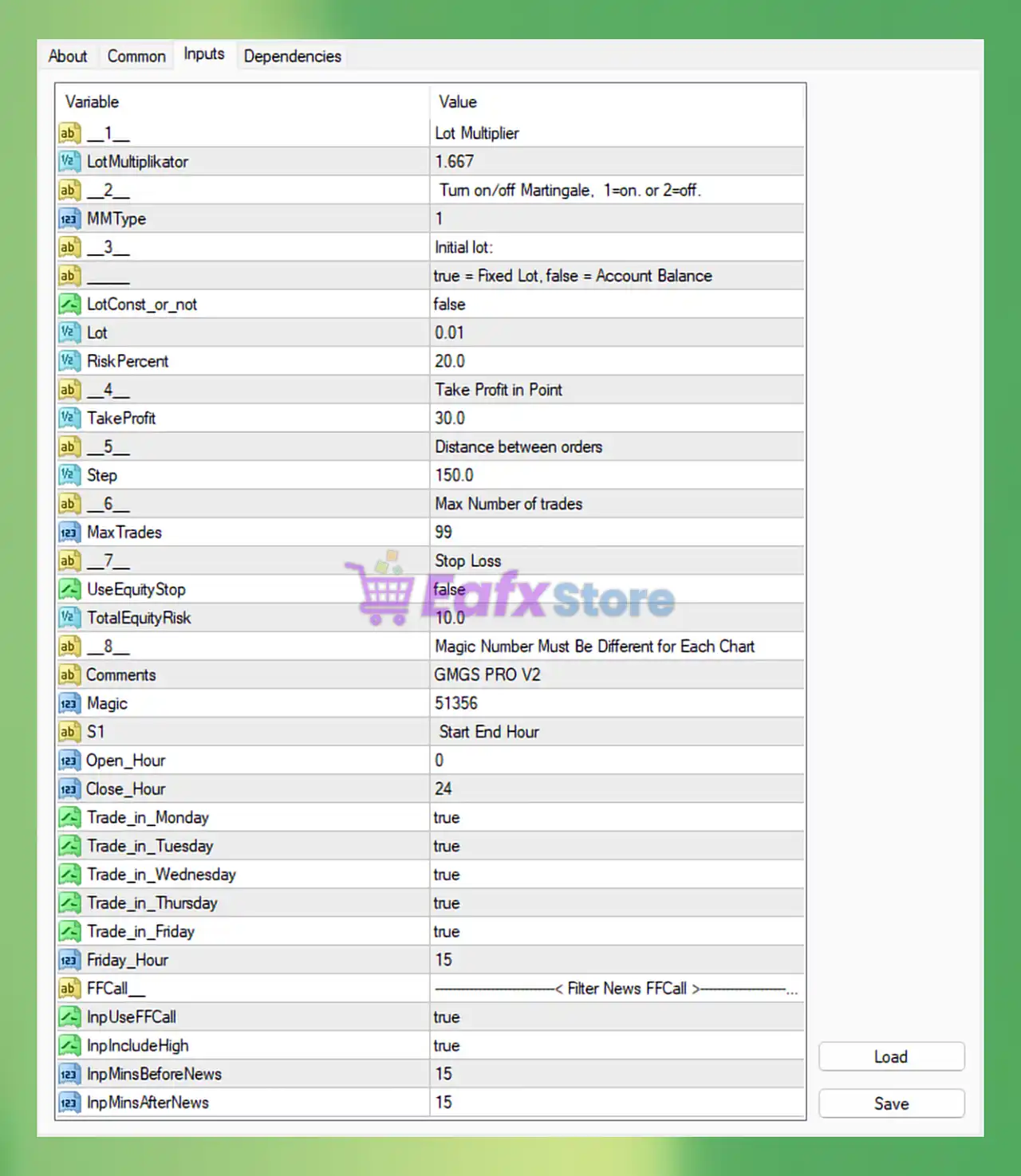
Below are the details of the parameters in the advisor’s trading system settings table:
🔶 Martingale & Lot Multiplier Settings
🔹 LotMultiplikator = 1.667: Multiplies the lot size by 1.667 for each new martingale order.
🔹 MMType = 1: Enables martingale mode where 1 = ON and 2 = OFF.
🔶 Initial Lot Settings
🔹 LotConst_or_not = false: Uses account balance-based lot sizing because fixed lot mode is disabled.
🔹 Lot = 0.01: Sets the initial trading lot size to 0.01.
🔹 RiskPercent = 20.0: Uses 20.0% account risk for money management calculations.
🔶 Take Profit Settings
🔹 TakeProfit = 30.0: Sets the Take Profit target to 30.0 points.
🔶 Order Distance Settings
🔹 Step = 150.0: Defines the minimum distance between grid or martingale orders as 150.0 points.
🔶 Trade Quantity Settings
🔹 MaxTrades = 99: Allows a maximum of 99 open trades.
🔶 Stop Loss & Equity Protection
🔹 UseEquityStop = false: Equity stop protection is disabled.
🔹 TotalEquityRisk = 10.0: Defines total equity risk limit as 10.0.
🔶 General EA Settings
🔹 Comments = GMGS PRO V2: Adds the comment label GMGS PRO V2 to EA trades.
🔹 Magic = 51356: Unique Magic Number 51356 used to identify EA positions.
🔶 Trading Session Settings
🔹 Open_Hour = 0: Trading starts at hour 0.
🔹 Close_Hour = 24: Trading remains active until hour 24.
🔹 Trade_in_Monday = true: Enables trading on Monday.
🔹 Trade_in_Tuesday = true: Enables trading on Tuesday.
🔹 Trade_in_Wednesday = true: Enables trading on Wednesday.
🔹 Trade_in_Thursday = true: Enables trading on Thursday.
🔹 Trade_in_Friday = true: Enables trading on Friday.
🔹 Friday_Hour = 15: Friday trading restrictions or closure begin at hour 15.
🔶 News Filter Settings
🔹 InpUseFFCall = true: Enables the Forex Factory news filter system.
🔹 InpIncludeHigh = true: Filters high-impact news events.
🔹 InpMinsBeforeNews = 15: Stops trading 15 minutes before high-impact news releases.
🔹 InpMinsAfterNews = 15: Resumes trading 15 minutes after news events.
🔢 Conclusion
GMGS PRO EA MT4 is a versatile MetaTrader 4 Expert Advisor built for traders seeking automated martingale and grid trading strategies with integrated risk controls.
The EA includes flexible lot scaling, equity management, trading time filters, and advanced news filtering to help traders manage volatile market conditions more effectively.
With customizable settings and scalable trading logic, GMGS PRO EA MT4 can adapt to different risk profiles and trading environments.
🔢 FAQs
❓ What is GMGS PRO EA MT4?
GMGS PRO EA MT4 is an automated Forex trading robot for MetaTrader 4 featuring martingale logic, news filtering, and dynamic lot management.
❓ How does the LotMultiplikator setting work?
The LotMultiplikator = 1.667 increases each new martingale order size by a factor of 1.667.
❓ Does GMGS PRO EA MT4 include a news filter?
Yes, the EA includes a Forex Factory news filter that pauses trading around high-impact news events.
❓ What is the purpose of the Magic Number 51356?
The Magic Number uniquely identifies trades opened by GMGS PRO EA MT4 for independent trade management.
❓ Can I limit trading days in GMGS PRO EA MT4?
Yes, the EA allows traders to enable or disable trading individually for each weekday.



