


Growth Killer EA MT5 – Complete Settings Guide & Explanation
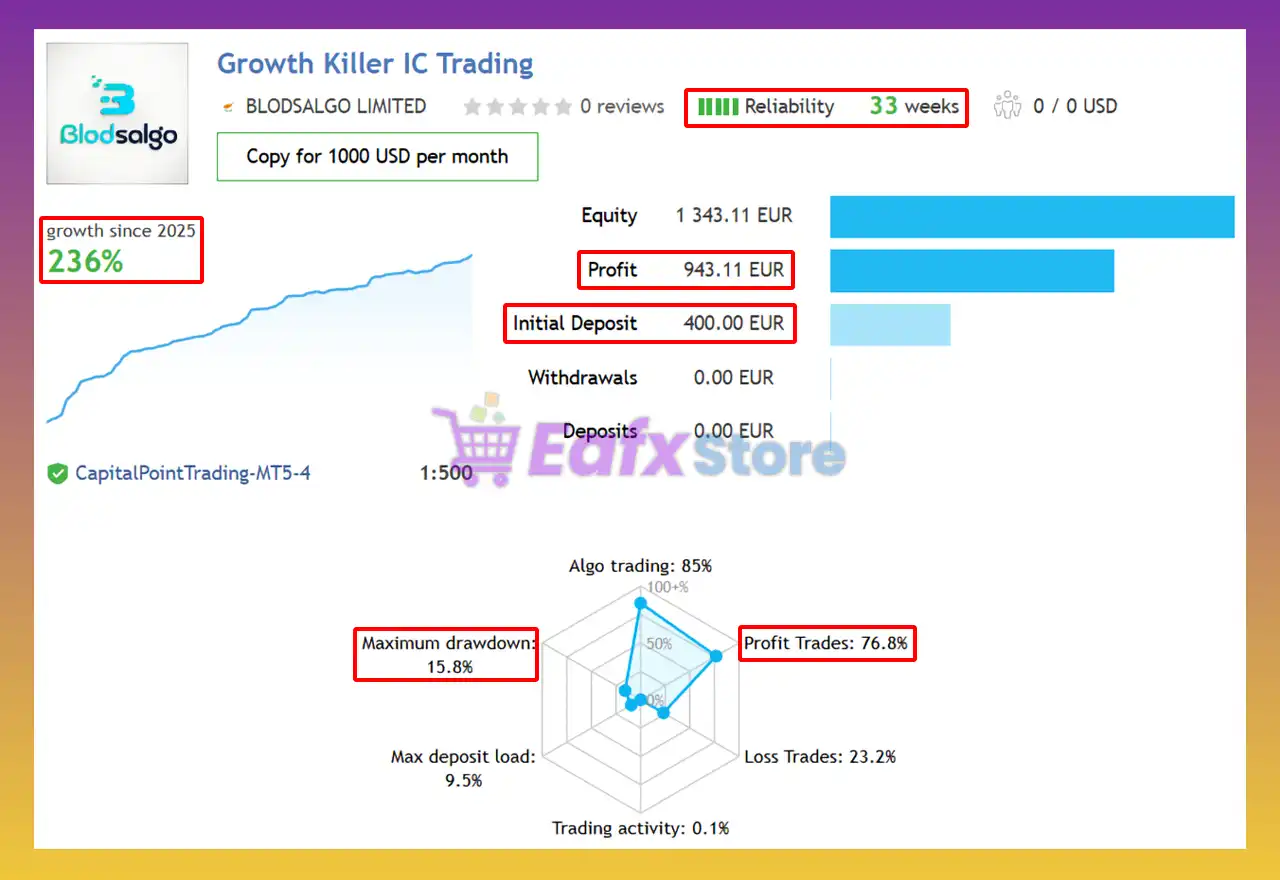
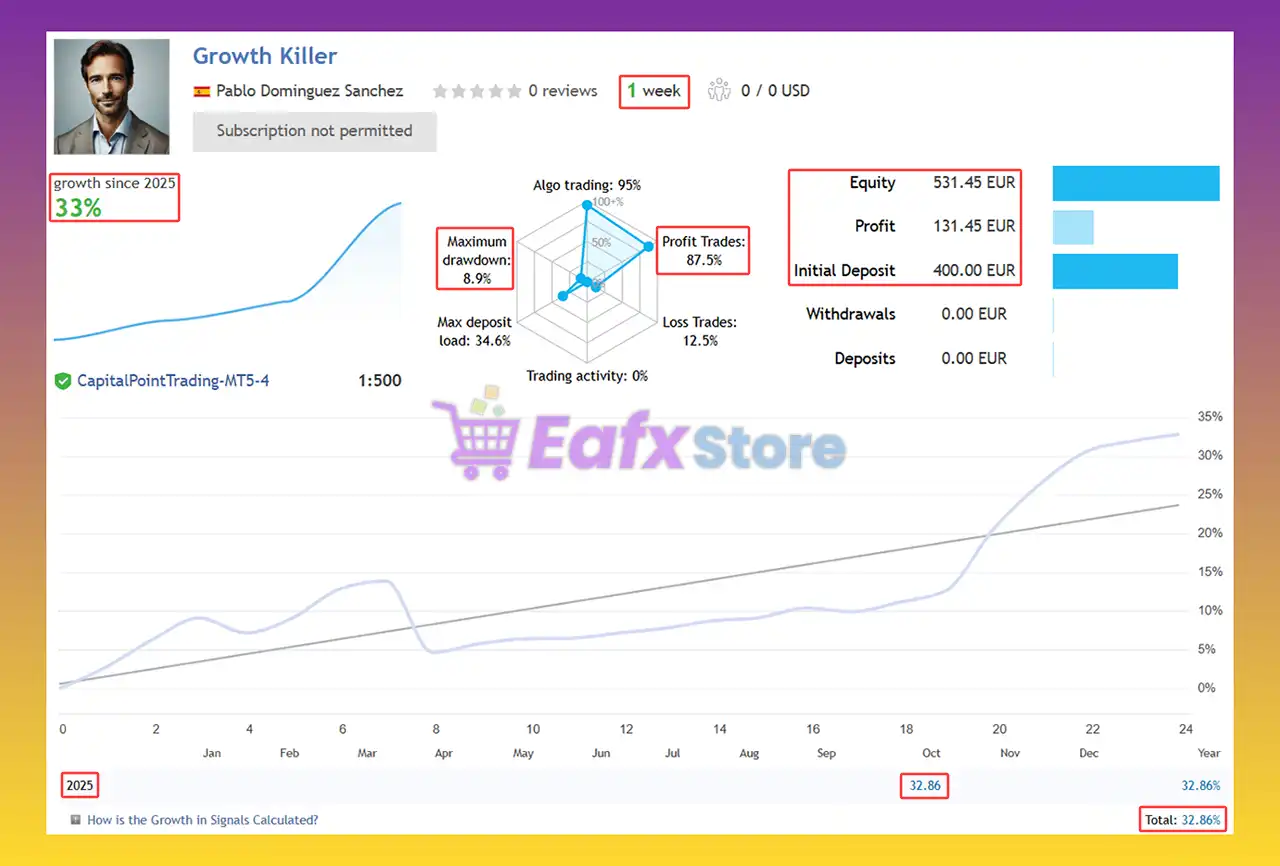
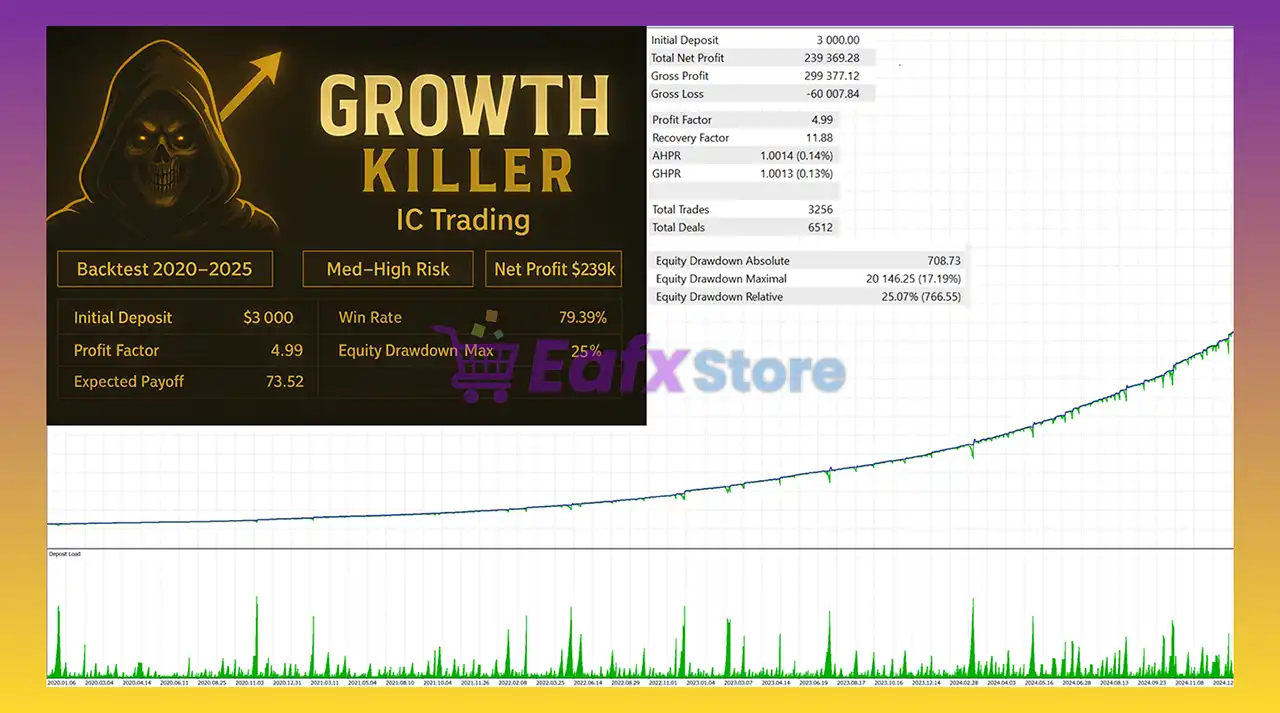
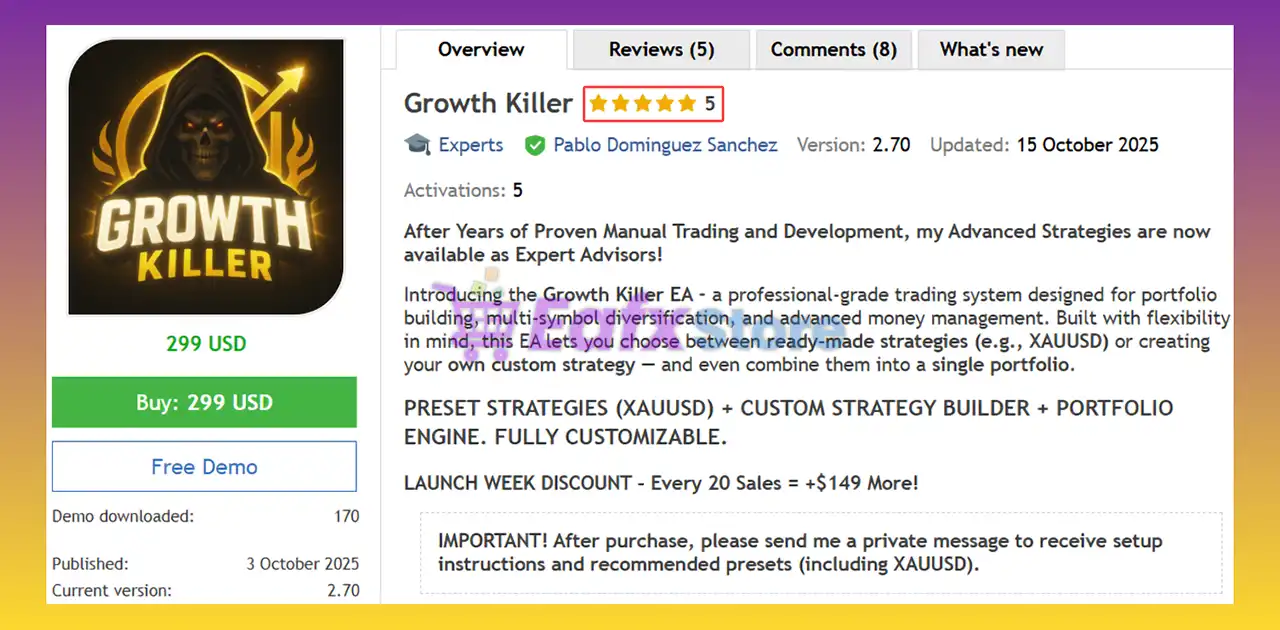
Growth Killer EA MT5 is a powerful automated grid trading Expert Advisor designed for the MetaTrader 5 platform. The EA combines multi-timeframe grid strategies, automatic lot sizing, news filtering, spread protection, Friday risk controls and remote trade management tools.
With advanced TP decay systems and dynamic grid settings, Growth Killer EA MT5 is optimized for traders seeking aggressive growth strategies while maintaining customizable risk management.

Installation Panel Parameters
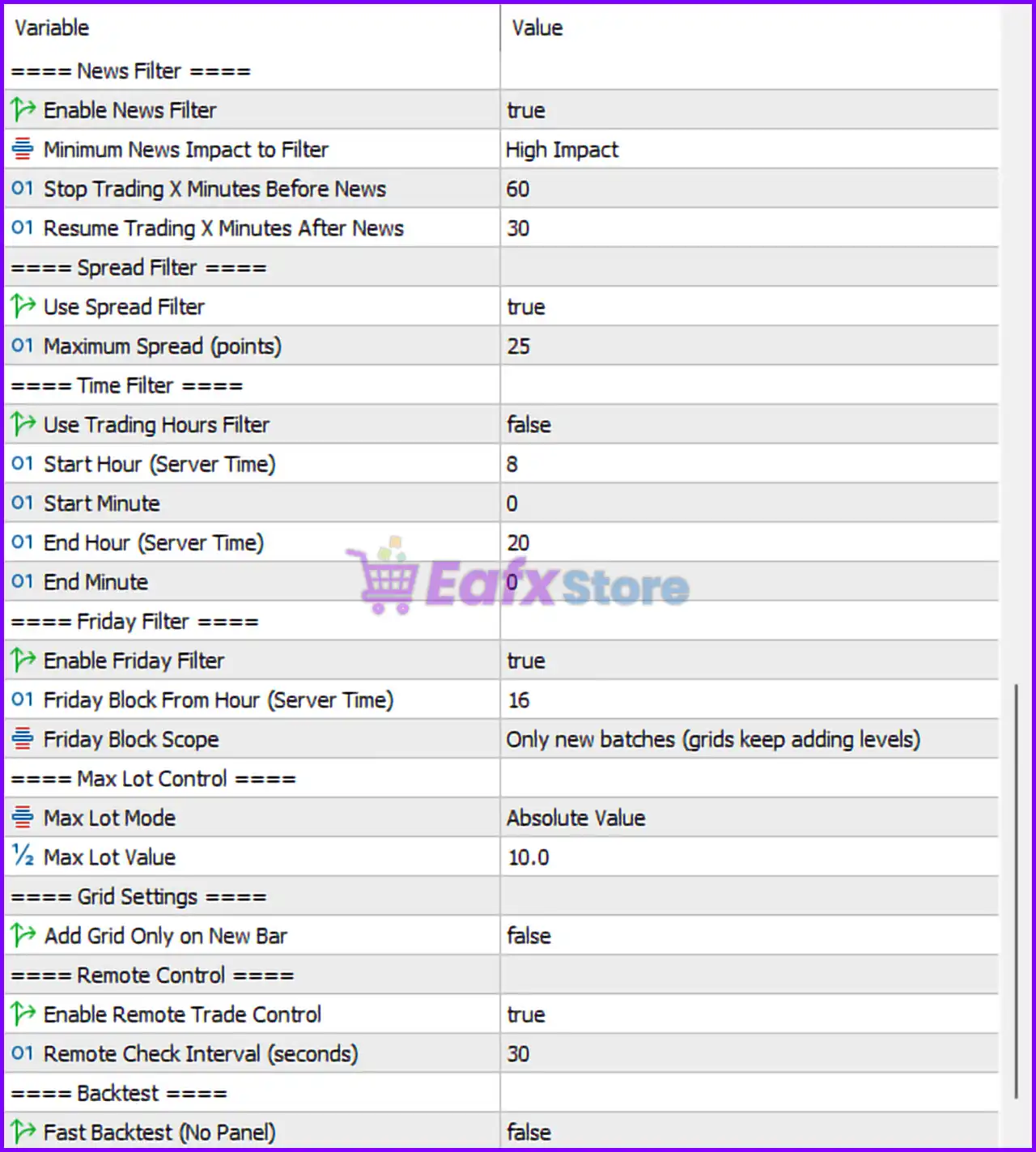
Below are the details of the parameters in the advisor’s trading system settings table:
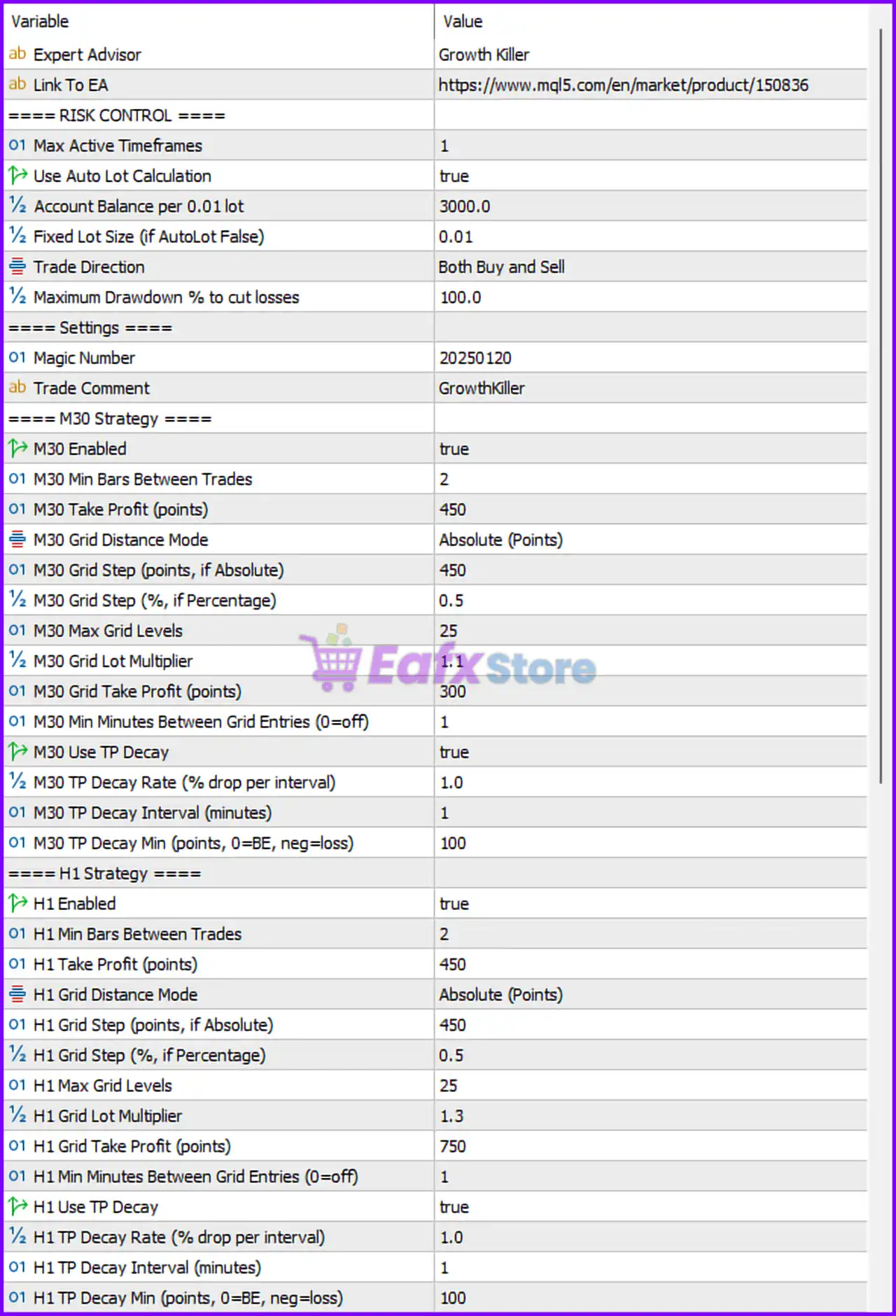
Risk Control Settings
🔹 ==== RISK CONTROL ==== — Main section header for account risk management settings.
🔹 Max Active Timeframes = 1 — Allows the EA to trade on one active timeframe simultaneously.
🔹 Use Auto Lot Calculation = true — Enables automatic lot size calculation based on account balance.
🔹 Account Balance per 0.01 lot = 3000.0 — Uses 0.01 lot size for every 3000.0 account balance units.
🔹 Fixed Lot Size (if AutoLot False) = 0.01 — Fixed lot size used when automatic lot sizing is disabled.
🔹 Trade Direction = Both Buy and Sell — Allows the EA to open both BUY and SELL trades.
🔹 Maximum Drawdown % to cut losses = 100.0 — Maximum drawdown percentage before forced loss reduction is activated.
General Settings
🔹 ==== Settings ==== — Main section header for EA identification settings.
🔹 Magic Number = 20250120 — Unique identifier used by the EA to manage trades.
🔹 Trade Comment = GrowthKiller — Adds the “GrowthKiller” label to all trades opened by the EA.
M30 Strategy Settings
🔹 ==== M30 Strategy ==== — Section header for the 30-minute timeframe trading strategy.
🔹 M30 Enabled = true — Enables the M30 trading strategy.
🔹 M30 Min Bars Between Trades = 2 — Requires at least 2 bars between new trades.
🔹 M30 Take Profit (points) = 450 — Sets take profit target to 450 points.
🔹 M30 Grid Distance Mode = Absolute (Points) — Uses fixed point values for grid spacing.
🔹 M30 Grid Step (points, if Absolute) = 450 — Grid spacing distance set to 450 points.
🔹 M30 Grid Step (%, if Percentage) = 0.5 — Percentage-based grid spacing value is 0.5%.
🔹 M30 Max Grid Levels = 25 — Maximum number of grid orders allowed is 25.
🔹 M30 Grid Lot Multiplier = 1.1 — Multiplies lot size by 1.1 for each additional grid level.
🔹 M30 Grid Take Profit (points) = 300 — Combined grid take profit target is 300 points.
🔹 M30 Min Minutes Between Grid Entries (0=off) = 1 — Requires 1 minute between grid entries.
🔹 M30 Use TP Decay = true — Enables dynamic TP decay management.
🔹 M30 TP Decay Rate (% drop per interval) = 1.0 — Reduces TP target by 1.0% per interval.
🔹 M30 TP Decay Interval (minutes) = 1 — TP decay recalculates every 1 minute.
🔹 M30 TP Decay Min (points, 0=BE, neg=loss) = 100 — Minimum TP decay limit set to 100 points.
H1 Strategy Settings
🔹 ==== H1 Strategy ==== — Section header for the 1-hour timeframe trading strategy.
🔹 H1 Enabled = true — Enables the H1 trading strategy.
🔹 H1 Min Bars Between Trades = 2 — Requires at least 2 bars between H1 trades.
🔹 H1 Take Profit (points) = 450 — H1 strategy take profit target set to 450 points.
🔹 H1 Grid Distance Mode = Absolute (Points) — Uses fixed point values for H1 grid spacing.
🔹 H1 Grid Step (points, if Absolute) = 450 — Grid distance for H1 strategy is 450 points.
🔹 H1 Grid Step (%, if Percentage) = 0.5 — Percentage-based H1 grid spacing is 0.5%.
🔹 H1 Max Grid Levels = 25 — Maximum H1 grid levels allowed is 25.
🔹 H1 Grid Lot Multiplier = 1.3 — Increases lot size by 1.3 per H1 grid level.
🔹 H1 Grid Take Profit (points) = 750 — Combined H1 grid TP target set to 750 points.
🔹 H1 Min Minutes Between Grid Entries (0=off) = 1 — Requires 1 minute delay between H1 grid entries.
🔹 H1 Use TP Decay = true — Enables TP decay system for H1 strategy.
🔹 H1 TP Decay Rate (% drop per interval) = 1.0 — Reduces TP target by 1.0% over time.
🔹 H1 TP Decay Interval (minutes) = 1 — TP decay recalculates every 1 minute.
🔹 H1 TP Decay Min (points, 0=BE, neg=loss) = 100 — Minimum TP target during decay is 100 points.
News Filter Settings
🔹 ==== News Filter ==== — Main section header for economic news filtering.
🔹 Enable News Filter = true — Enables the built-in economic news filter.
🔹 Minimum News Impact to Filter = High Impact — Filters only high-impact economic news events.
🔹 Stop Trading X Minutes Before News = 60 — Stops trading 60 minutes before news releases.
🔹 Resume Trading X Minutes After News = 30 — Resumes trading 30 minutes after news events.
Spread Filter Settings
🔹 ==== Spread Filter ==== — Section header for spread protection controls.
🔹 Use Spread Filter = true — Enables spread filtering before opening trades.
🔹 Maximum Spread (points) = 25 — Maximum spread allowed for trading is 25 points.
Time Filter Settings
🔹 ==== Time Filter ==== — Section header for trading session scheduling.
🔹 Use Trading Hours Filter = false — Disables trading hour restrictions.
🔹 Start Hour (Server Time) = 8 — Trading start hour is 08:00 server time.
🔹 Start Minute = 0 — Trading starts at minute 00.
🔹 End Hour (Server Time) = 20 — Trading session ends at 20:00 server time.
🔹 End Minute = 0 — Trading session ends at minute 00.
Friday Filter Settings
🔹 ==== Friday Filter ==== — Section header for Friday risk management controls.
🔹 Enable Friday Filter = true — Enables Friday trading restrictions.
🔹 Friday Block From Hour (Server Time) = 16 — Restricts trading from Friday hour 16.
🔹 Friday Block Scope = Only new batches (grids keep adding levels) — Blocks only new trade batches while allowing existing grids to continue.
Max Lot Control Settings
🔹 ==== Max Lot Control ==== — Section header for maximum lot protection.
🔹 Max Lot Mode = Absolute Value — Uses fixed maximum lot size limitation mode.
🔹 Max Lot Value = 10.0 — Maximum lot size allowed is 10.0 lots.
Grid Settings
🔹 ==== Grid Settings ==== — Section header for grid execution behavior.
🔹 Add Grid Only on New Bar = false — Allows grid entries without waiting for a new candle/bar.
Remote Control Settings
🔹 ==== Remote Control ==== — Section header for external EA control features.
🔹 Enable Remote Trade Control = true — Enables remote trade management functionality.
🔹 Remote Check Interval (seconds) = 30 — EA checks remote commands every 30 seconds.
Backtest Settings
🔹 ==== Backtest ==== — Section header for strategy testing configuration.
🔹 Fast Backtest (No Panel) = false — Disables fast backtest optimization and keeps visual panels active.
Conclusion
Growth Killer EA MT5 is an advanced grid trading Expert Advisor (EA) that combines multi-timeframe strategies, automatic lot sizing, TP decay systems, news filtering, spread control and remote trade management into one professional MT5 solution.
With flexible risk settings and dynamic grid optimization, the EA is suitable for traders seeking automated growth-focused trading strategies with customizable protection systems.
FAQs
❓ What is Growth Killer EA MT5?
Growth Killer EA MT5 is an automated grid trading Expert Advisor for MetaTrader 5 that uses multi-timeframe strategies and advanced risk management systems.
❓ Does Growth Killer EA MT5 support automatic lot sizing?
Yes, the EA supports automatic lot calculation based on account balance and predefined risk settings.
❓ What is TP Decay in Growth Killer EA MT5?
TP Decay dynamically reduces take profit targets over time to help close trades faster during changing market conditions.
❓ Can Growth Killer EA MT5 filter high-impact news events?
Yes, the EA includes a built-in news filter that blocks trading during high-impact economic events.
❓ Does Growth Killer EA MT5 support remote trade control?
Yes, the EA includes remote trade management functionality with configurable remote check intervals.


