



Open lock MT5 (Latest version) - Unlimited

Subscriptions for Special Plan
- 30 EA package is more economical!
- Special package with 99%
- Download 1 EA/Day

Subscriptions for Premium Membership
- Download Unlimited in 1 Year
- Get 100% Discount
- Get free access to all

Subscriptions for Gold Membership
- 1 Year Membership
- Get 100% Discount
- Access EA+Indicator+Course
Frequently bought together 🎁
Add these products to enhance your purchase



Open Lock MT5 – Smart Drawdown Recovery for MetaTrader 5
Open Lock MT5 is an intelligent Expert Advisor (EA) designed to reduce drawdown and protect your trading account during adverse market conditions. Whether you use it as a standalone tool or in combination with other trading robots, Open Lock offers a powerful solution to minimize risk and recover from losses.
 Vendor Website: Click here
About the Author
This product is compiled by Sergey Likho. This author has more than +13 years of experience working on MQL5 with many famous products such as Open lock MT5, Open lock MT4, Metusha EA MT4 and other advisors. Among them, Open lock MT5 is his best performing products.
Delivery time 24h-48h after payment.
Refund if not delivered.
You will receive the current version without any limitations (ID+Time).
Key Features of Open Lock MT5
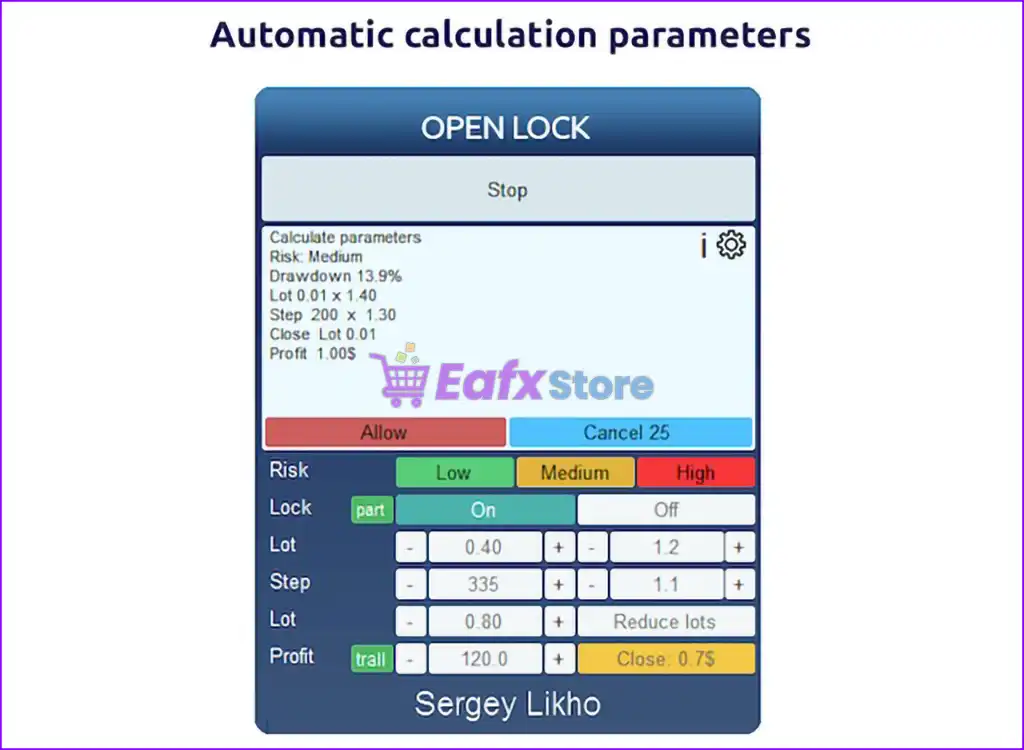
🔹Smart Drawdown Recovery System – Designed to reduce account drawdown by splitting losing positions into smaller parts and closing them gradually to ease deposit load.
🔹Partial Closure with Averaging Support – Utilizes partial closing and averaging orders to minimize drawdown and recover losses efficiently.
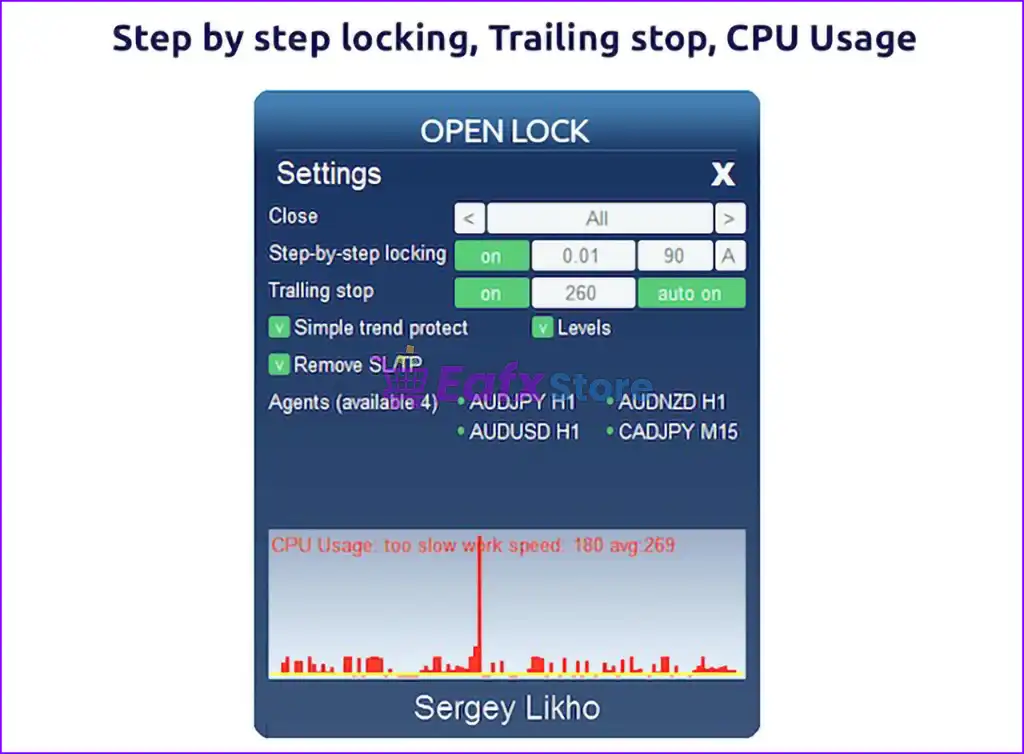
🔹Locking Mechanism – Automatically locks positions to prevent further losses when a defined drawdown level is reached.
🔹Hedge Account Compatibility – Built specifically for hedge account types, allowing multiple trades in both directions simultaneously.
🔹Integration with Other EAs – Can interact with other Expert Advisors—automatically disabling them when needed and taking control of losing trades for recovery.
Additional Features
🔹Flexible Risk Control Options – Configure how the EA reacts when risk limits are reached: do nothing, lock all trades, or close all positions and stop.
🔹Magic Number Filtering – Works only with orders matching a specified magic number, ensuring clean operation alongside other EAs.
🔹Drawdown-Triggered Activation – Option to activate the EA only after a drawdown level is reached, making it an ideal backup recovery tool.
🔹Dynamic Lot and Step Adjustments – Includes lot and step multipliers for intelligent scaling during averaging sequences.
🔹Time-Based Trading Controls – Define allowed trading hours, from full-time operation to scheduled intervals, for better risk management.
🔹Close Order Modes – Supports both global unprofitable order management and targeted recovery of specific tickets.
Open Lock MT5 Review
Open Lock can seamlessly work alongside other EAs. If a certain drawdown level is reached, it can disable other trading robots and take control of the recovery process using its specialized algorithm.
You can also use Open Lock as a drawdown management module for manual trades or EA trades by assigning a unique Magic Number.
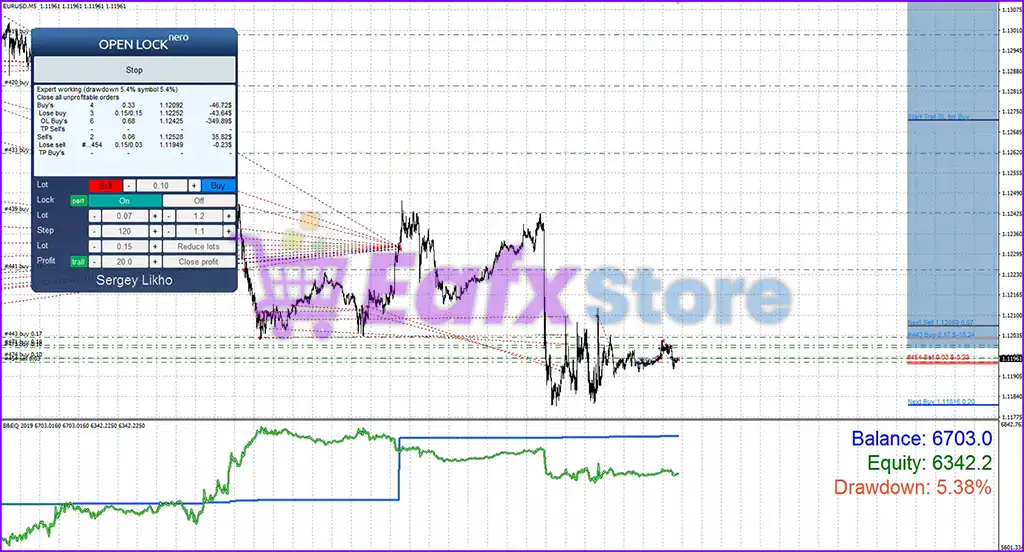
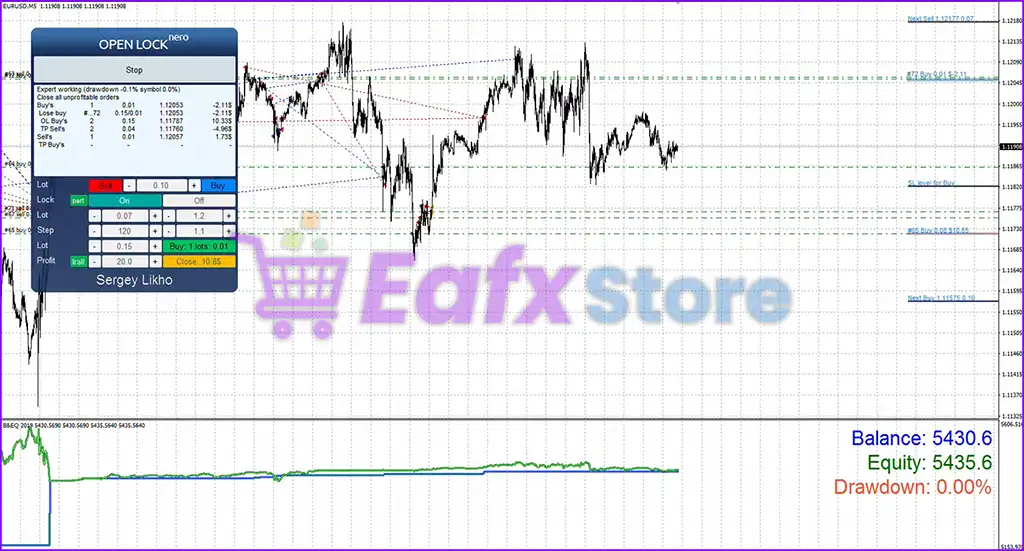
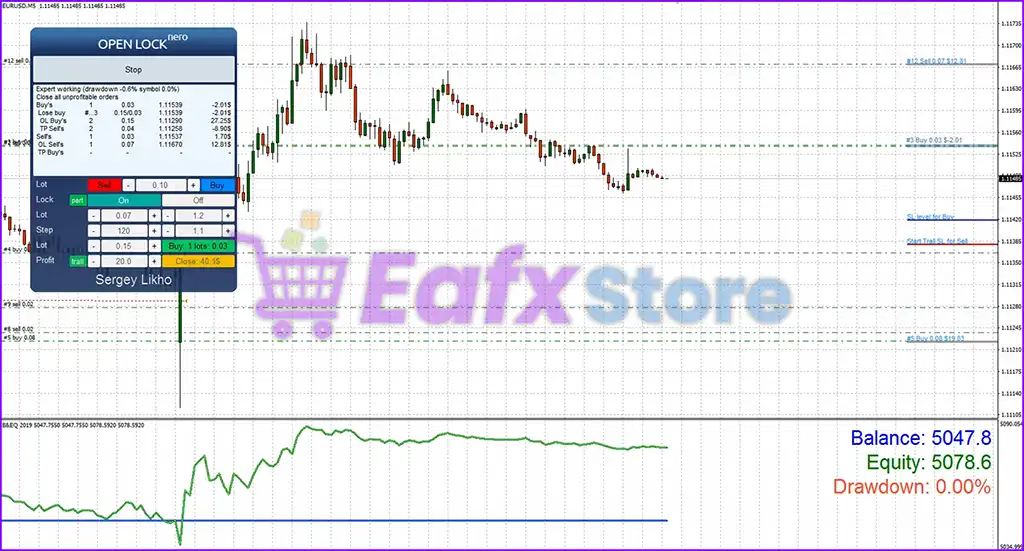
Open lock EA MT5 Review
Open lock MT5 Reviews
Open lock MT5 Review
Why choose and use Open lock MT5?
🔹Maximize Recovery – Instead of accepting full losses, Open Lock proactively works to recover losing trades while preserving account health.
🔹Precision Risk Management – Set currency-based or percentage-based equity levels to trigger emergency actions, giving you complete control over worst-case scenarios.
🔹Peace of Mind for Multi-EA Traders – Seamlessly coexists with other trading systems, stepping in only when needed and ensuring no interference under normal conditions.
🔹Highly Customizable Setup – Whether you’re trading manually or using multiple bots, Open Lock can be tailored to fit your trading environment and strategy.
🔹Ideal for High-Risk Protection and Account Preservation – Especially suitable for proprietary account trading, funded challenges, or large capital preservation strategies.
User Reviews and Feedback
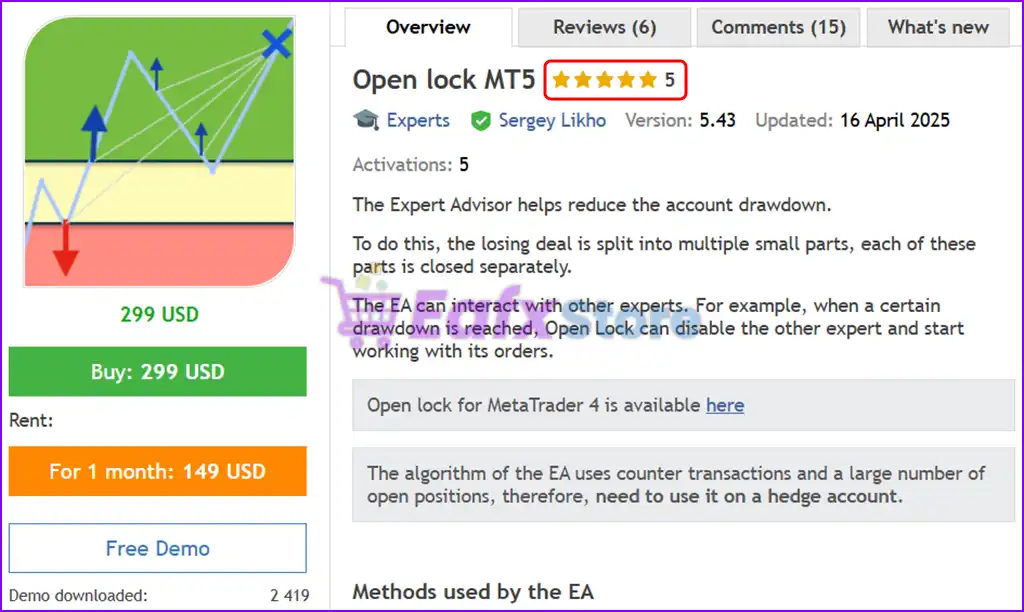
Open lock MT5 demonstrates remarkable potential in delivering stable and reliable profits, making it a reliable tool in the forex market. Open lock EA is highly regarded by the MQL5 community in many aspects and has gained the trust of its users.
⭐⭐⭐⭐⭐ Larry E Liddiard (2022.05.31): “Good EA. Outdated documentation.”
⭐⭐⭐⭐⭐ Luqide (2022.05.26): ” 非常好的EA,拯救了我的两个账户。”
⭐⭐⭐⭐⭐ MARTIN AFAMEFUNA HILARY (2019.07.27): “This is the best EA ever.. I was backtesting it for over 4 months before purchase.. I found the settings that suit my trading goals. I target about 15% ROI monthly, which is very achievable with Drawdown not more than 10%, on EUR/USD.”
Trading Specifications
Recommended settings and parameters to pay attention to from developers and experts:
| Features | Type |
|---|---|
| Trading platform | MetaTrader 5 (MT5) |
| Time frames | Any |
| Currency pairs | EURUSD (Any) |
| Minimum / Recommended deposit | Any |
| Minimum / Recommended leverage | Any |
| Additional services | Unlock and Decompile |
| Recommended brokers | Exness Broker, Icmarkets Broker |
| Recommended VPS | MyfxVPS.com (Blue VPS, Golden VPS). Lowest Latency, 2 week Free Trial, 100% Free for 12-18 Months. |
Product Download Package?
The download package of the product suite includes:
✅ Experts: Open Lock MT5.ex5
➡️ Reviewed by David Easton
Conclusion – Maximize Account Protection with Open Lock MT5
In short, Open Lock MT5 is a game-changing drawdown recovery expert advisor for MetaTrader 5, engineered to intelligently manage risk and safeguard your trading capital. With its advanced drawdown recovery system, dynamic lot scaling, and automated locking mechanism, Open Lock MT5 provides unmatched protection during volatile market conditions. Whether you’re using it as a standalone solution or integrating it with other EAs, this tool empowers traders to minimize losses and regain control over equity drawdowns with precision.
🔢 Open Lock MT5 Settings Explained – Complete Parameter Guide
Open Lock MT5 is a specialized MetaTrader 5 Expert Advisor designed to manage and close locked (hedged) positions automatically based on predefined conditions.
The EA provides flexible controls for startup behavior, drawdown monitoring, trading schedules, equity protection, and risk management, making it a useful tool for traders who use hedge or lock recovery strategies.
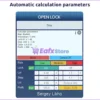
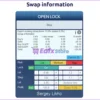
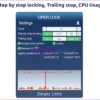
Open lock MT5 Settings
🔢 Installation Panel Parameters
Below are the details of the parameters in the advisor’s trading system settings table:
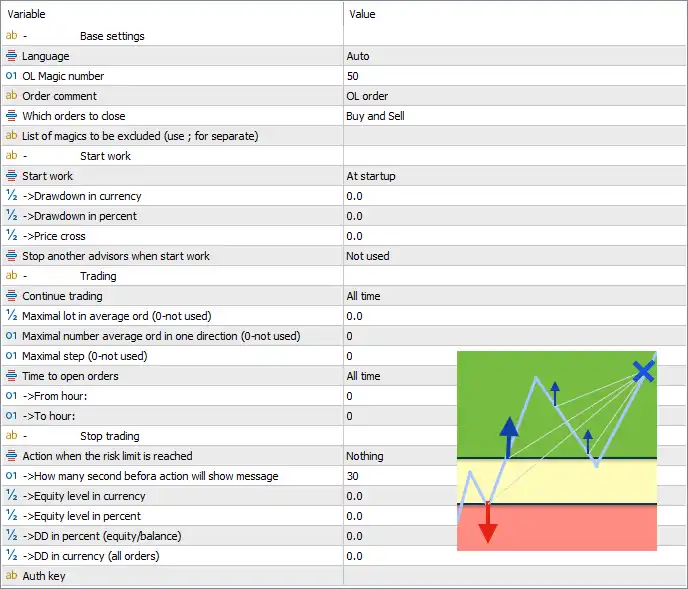
Open lock MT5 Settings Panel
🔶 Base Settings
🔹 Language = Auto – Automatically detects and uses the platform language for the EA interface.
🔹 OL Magic number = 50 – Assigns the unique Magic Number 50 to identify orders managed by Open Lock MT5.
🔹 Order comment = OL order – Adds the comment “OL order” to all orders opened or managed by the EA.
🔹 Which orders to close = Buy and Sell – Configures the EA to manage and close both Buy and Sell positions.
🔹 List of magics to be excluded (use ; for separate) = (blank) – Allows you to exclude specific Magic Numbers from management by entering them separated with semicolons (;). The default value is blank, so no Magic Numbers are excluded.
🔶 Start Work
🔹 Start work = At startup – Begins EA operation immediately after the Expert Advisor is attached to the chart or the terminal starts.
🔹 -> Drawdown in currency = 0.0 – Sets the drawdown trigger in account currency. A value of 0.0 disables this condition.
🔹 -> Drawdown in percent = 0.0 – Sets the percentage drawdown trigger. A value of 0.0 disables percentage-based activation.
🔹 -> Price cross = 0.0 – Defines the price-cross activation level. A value of 0.0 disables this trigger.
🔹 Stop another advisors when start work = Not used – Does not stop or disable other Expert Advisors when Open Lock MT5 begins operating.
🔶 Trading
🔹 Continue trading = All time – Allows the EA to continue trading without time restrictions.
🔹 Maximal lot in average ord (0-not used) = 0.0 – Sets the maximum average lot size for managed orders. A value of 0.0 disables the limit.
🔹 Maximal number average ord in one direction (0-not used) = 0 – Limits the number of averaging orders in one direction. A value of 0 disables this restriction.
🔹 Maximal step (0-not used) = 0 – Defines the maximum averaging step distance. A value of 0 disables the limit.
🔹 Time to open orders = All time – Permits new orders to be opened at any time.
🔹 -> From hour = 0 – Specifies the starting hour for opening trades. The default value 0 represents 00:00.
🔹 -> To hour = 0 – Specifies the ending hour for opening trades. With Time to open orders = All time, this setting is not actively limiting trading.
🔶 Stop Trading
🔹 Action when the risk limit is reached = Nothing – Takes no automatic action when the configured risk limit is reached.
🔹 -> How many second before action will show message = 30 – Displays a warning message 30 seconds before executing a configured action.
🔹 -> Equity level in currency = 0.0 – Sets the minimum account equity in currency. A value of 0.0 disables this protection.
🔹 -> Equity level in percent = 0.0 – Sets the minimum account equity percentage. A value of 0.0 disables this protection.
🔹 -> DD in percent (equity/balance) = 0.0 – Defines the maximum drawdown percentage based on equity versus balance. A value of 0.0 disables this limit.
🔹 -> DD in currency (all orders) = 0.0 – Sets the maximum total drawdown in account currency across all positions. A value of 0.0 disables this restriction.
🔶 Authorization
🔹 Auth Key = (blank) – Stores the authorization or license key required for EA activation. The default value is blank.
🔢 Conclusion
Open Lock MT5 is a practical Expert Advisor for traders who rely on locking and hedge management strategies. It offers configurable startup conditions, flexible order management, trading schedule controls, equity monitoring, and drawdown protection. With support for both Buy and Sell positions, Magic Number filtering, and customizable risk parameters, the EA helps automate the management of locked positions while allowing traders to tailor protection settings to their trading style.
🔢 FAQs
❓ What is Open Lock MT5 designed for?
Open Lock MT5 is designed to automate the management and closing of locked (hedged) Buy and Sell positions on MetaTrader 5.
❓ Can Open Lock MT5 manage both Buy and Sell orders?
Yes. The default setting Which orders to close = Buy and Sell allows the EA to manage both trade directions.
❓ Does Open Lock MT5 include drawdown protection?
Yes. The EA supports drawdown and equity protection based on both currency and percentage values, although the default configuration leaves these protections disabled.
❓ Can I exclude other Expert Advisors from Open Lock MT5 management?
Yes. You can specify Magic Numbers in the List of magics to be excluded field to prevent those trades from being managed.
❓ Can I restrict when Open Lock MT5 opens new orders?
Yes. The EA includes configurable trading time filters using From hour and To hour, although the default preset allows trading All time.
User Reviews
Only logged in customers who have purchased this product may leave a review.
1. What exactly does Open Lock MT5 do?
Open Lock MT5 is a drawdown recovery and risk management tool for MetaTrader 5. It helps reduce losses by managing and recovering from floating drawdowns using smart locking, partial closures, and averaging techniques.
2. Can I use Open Lock MT5 with other Expert Advisors?
Yes, it is designed to work alongside other EAs. Open Lock can automatically detect when a certain drawdown level is reached and temporarily disable other EAs to take over the recovery process.
3. Is Open Lock MT5 suitable for manual traders?
Absolutely. You can use Open Lock to manage drawdown from manual trades as long as those trades share the same Magic Number that the EA is configured to track.
4. What account type is required for Open Lock MT5?
Open Lock MT5 is specifically designed for hedge accounts, which support multiple simultaneous trades in both directions (buy and sell).
5. How does Open Lock reduce drawdown?
It uses partial closures, averaging with smart lot and step scaling, and position locking to reduce overall exposure and help recover losing positions gradually over time.
6. Can I customize when Open Lock activates?
Yes, Open Lock can be configured to activate only after a specific drawdown level is reached, making it ideal as a backup safety system for high-risk or high-volume strategies.
7. Does Open Lock MT5 support time-based control?
Yes. You can define specific trading hours or enable/disable trading at certain times for greater control and to avoid high-volatility sessions.
8. What symbols or currency pairs can it trade?
It is not limited to a specific pair, but users commonly apply it to pairs like EURUSD. It works on any symbol as long as the drawdown management logic fits the strategy being used.
9. How much capital do I need to use Open Lock effectively?
There’s no strict minimum deposit, but having sufficient margin is important, especially when recovery requires averaging or locking. The EA is flexible and works with any deposit size.
10. Will Open Lock MT5 close all my trades automatically?
Only if configured to do so. It includes multiple close order modes: it can close specific trades, all unprofitable orders, or take emergency action when certain thresholds are hit—fully customizable based on your needs.
-
 Original price was: $2,000.00.$249.00Current price is: $249.00.
 -
 Original price was: $1,450.00.$249.00Current price is: $249.00.
 -
 Original price was: $2,000.00.$249.00Current price is: $249.00.
 -
 Original price was: $3,175.00.$249.00Current price is: $249.00.
-
 4Original price was: $499.00.$249.00Current price is: $249.00.
 -
 0Original price was: $1,299.00.$249.00Current price is: $249.00.
 -
 0Original price was: $199.00.$179.00Current price is: $179.00.
 -
 1Original price was: $1,299.00.$249.00Current price is: $249.00.
There are no reviews yet.