


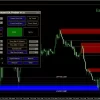
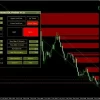
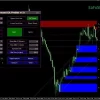
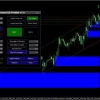
Supply Demand EA ProBot MT4 v1.3 (Platform build 1473+)

Subscriptions for Special Plan
- 30 EA package is more economical!
- Special package with 99%
- Download 1 EA/Day

Subscriptions for Premium Membership
- Download Unlimited in 1 Year
- Get 100% Discount
- Get free access to all

Subscriptions for Gold Membership
- 1 Year Membership
- Get 100% Discount
- Access EA+Indicator+Course
Frequently bought together 🎁
Add these products to enhance your purchase


What is Supply Demand EA ProBot?
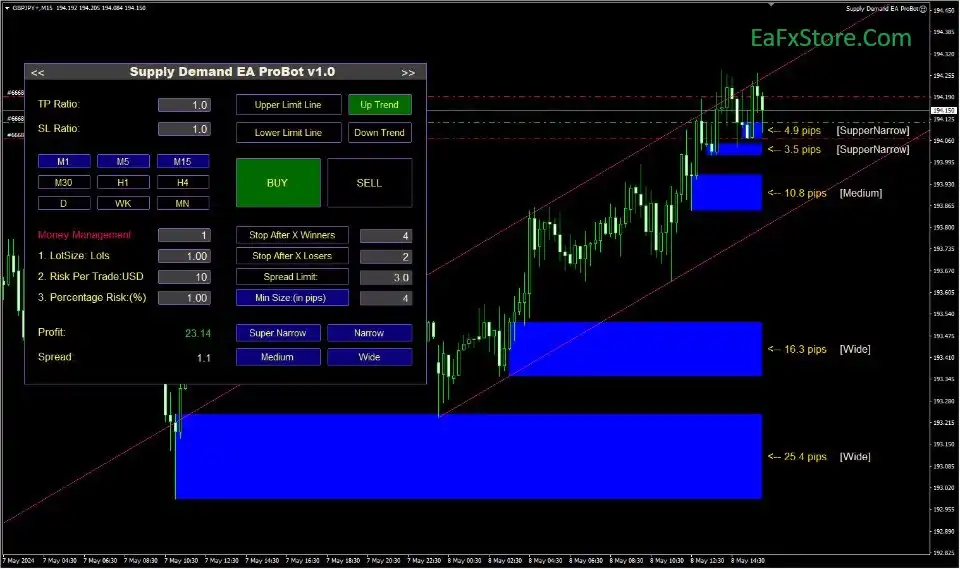
Supply Demand EA ProBot EA is a fully automated Expert Advisor (EA) based on the principle of Supply and Demand. The EA is integrated with proactive and fast analytical technologies, capable of trading effectively on multiple timeframes and trading with PropFirm companies.
🔶 Vendor Website: View here
About the Author
This product is compiled by Georgios Kalomoiropoulos. This Greece author has more than +8 years of experience working on MQL5 with many famous products such as Supply Demand EA ProBot MT4, Supply Demand EA ProBot MT5, Supply Demand EA Pro and others. Among them, Supply Demand EA ProBot is his best performing products.
Key Features of Supply Demand EA ProBot for MT4
🔹 Smart capital management: Automatic or custom Take Profit (TP) and Stop Loss (SL) ratios Based on Risk or Based on ATR.
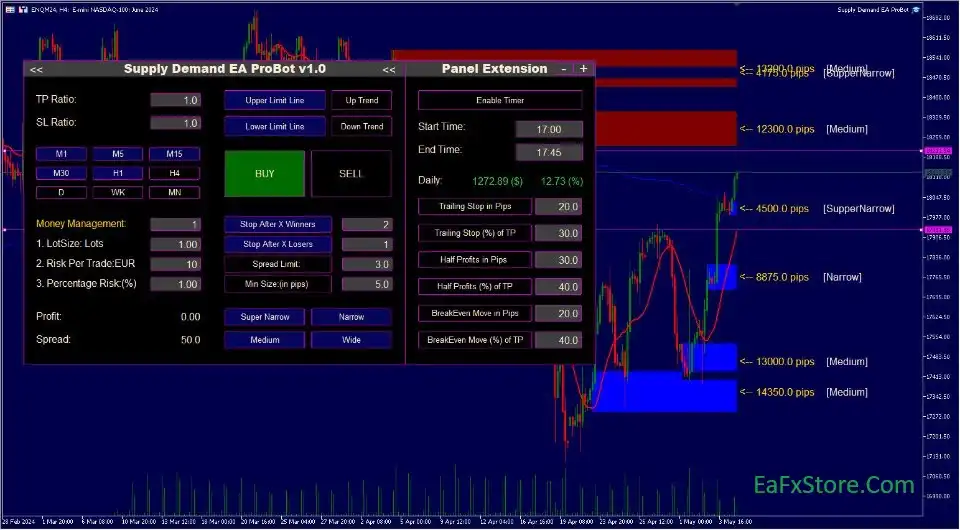
🔹 Risk management: Provides risk management tools such as Trailing stop loss and break even.
🔹 Fully automated: EA automatically executes all trades based on the principle of supply and demand.
🔹 Ease of use: Intuitive trading interface, easy to customize strategies.
🔹 Technical analysis: Identify supply and demand zones on multiple timeframes.
🔹 Capital management: Provides flexible capital management options.
🔹 Notifications: Send notifications when new trades are opened or orders are closed.
How Does Supply Demand EA ProBot MT4 Work?
Manual Trading Mode
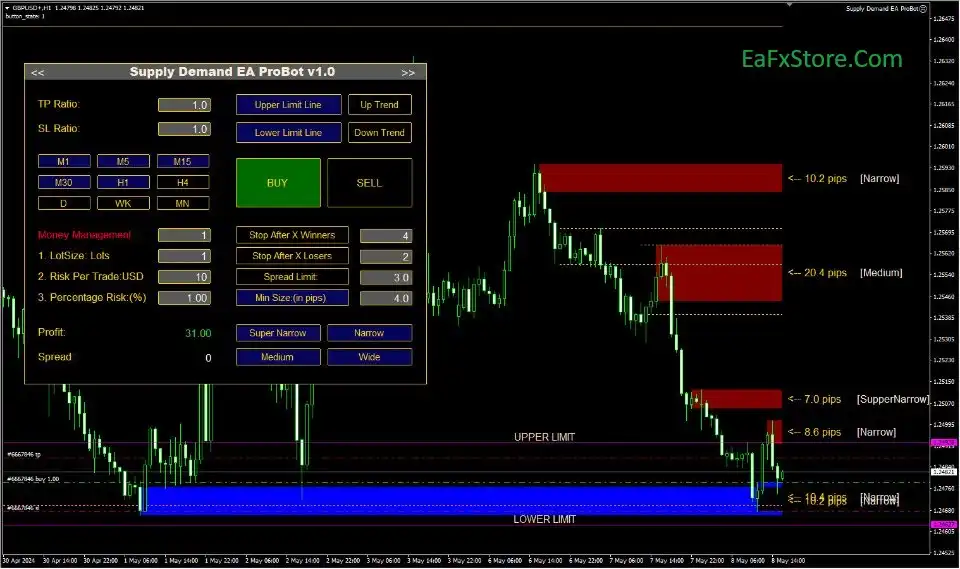
For traders who prefer complete control, the EA allows one-click Market and Pending Orders directly from Supply and Demand zones.
Simply click the zone label to execute trades instantly while still benefiting from automated trade management.
Semi-Automatic Trading
In Semi-Auto mode, the EA monitors the market and automatically executes Buy or Sell trades whenever price reaches selected Supply or Demand zones.
Traders remain in control by choosing:
🔹 Buy only
🔹 Sell only
🔹 Risk level
🔹 Stop Loss
🔹 Take Profit
🔹 Lot Size
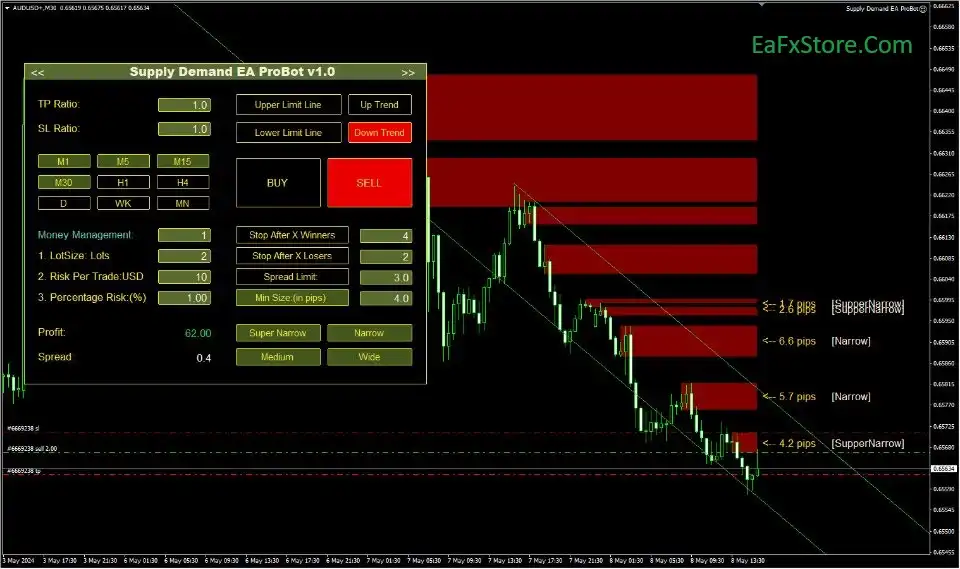
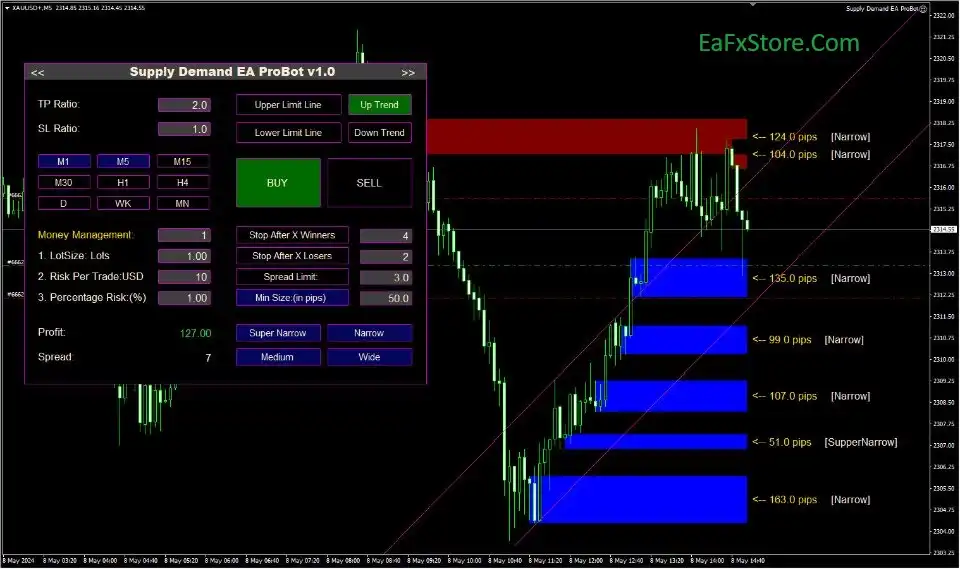
All settings are managed directly from the Trading Panel.
Fully Automated Trading
The Full-Auto mode is designed for traders who want complete automation.
The EA automatically:
🔹 Detects market direction
🔹 Identifies Supply & Demand Zones
🔹 Filters entries using higher timeframes
🔹 Executes trades
🔹 Manages open positions
Directional filters can utilize up to four higher timeframes to significantly improve trade quality.
Multi-Timeframe Market Analysis
One of the strongest features of Supply Demand EA ProBot MT4 is its Multi-Timeframe architecture.
For example:
🔹 Trade M30 using H1, H4 and Daily zones
🔹 Trade H1 using Daily, Weekly and Monthly zones
This creates higher-probability trading opportunities while filtering weaker market setups.
Supply Demand EA ProBot MT4 Review
Supply Demand EA ProBot has undergone rigorous long-term trading tests. The expert advisor has proven transparent performance, takes full advantage of the MT4 platform and achieves high security.
Supply Demand EA ProBot EA Review
Supply Demand EA ProBot MT4 Review
Supply Demand EA ProBot MT4 Reviews
Risk Management Features
Risk management is one of the strongest aspects of Supply Demand EA ProBot MT4.
Multiple Money Management Models
Choose between several position sizing methods based on:
🔹 Fixed Lot
🔹 Risk-Based Money Management
🔹 ATR-Based calculations
Advanced Exit Management
Includes professional trade management tools:
🔹 Break Even
🔹 Partial Close (Half Profit)
🔹 Multiple Trailing Stops
🔹 ATR-based TP/SL
🔹 Risk-based TP/SL
Trade Limitation Controls
The EA allows traders to stop trading automatically after:
🔹 Specific number of winning trades
🔹 Specific number of losing trades
This helps prevent emotional overtrading.
Price Range Protection
Trading can be restricted to:
🔹 Bullish Channels
🔹 Bearish Channels
🔹 Upper Price Limits
🔹 Lower Price Limits
Reducing exposure to unfavorable market conditions.
Is Supply Demand EA ProBot MT4 safe?
Supply Demand EA ProBot MT4 shows significant potential in providing stable and reliable profits, making it a reliable tool in the forex market. The advisor is highly appreciated by the MQL5 community in many aspects and has won the trust of users.
⭐⭐⭐⭐⭐ Mgl5fjn (2025.04.22)
“Till now I only used indicator of the EA. I`ts very powerful.”
⭐⭐⭐⭐⭐ Maik Siebel (2025.04.01)
“The EA has become a central component of all my trading activities. I am very satisfied.”
⭐⭐⭐⭐⭐ Steve (2025.01.16)
“Highly recommended, but learning curve must be considered.”
⭐⭐⭐⭐⭐ Olah76 (2025.01.15)
“The bot is a masterpiece. This is the 3rd product i bought from him with no regrets.”
⭐⭐⭐⭐⭐ Shamroc (2025.01.01)
“I am using the EA in a semi-auto mode. This way i have better control over my trades. My profits vary between 1-5% per day so far.”
⭐⭐⭐⭐⭐ RusDim (2024.12.31)
“First time i see such a complete EA. It is able to cover all trading styles, semi-auto and full-auto. It contains everything a trader needs to be profitable.”
Recommended settings
Recommended settings and parameters to pay attention to from developers and experts:
| Features | Type |
|---|---|
| Trading platform | MetaTrader 4 (MT4) |
| Time frames | Works on all timeframes |
| Minimum / Recommended deposit | $100 |
| Currency pairs | Any Pairs |
| Product type | NoDLL / Fix |
| Additional services | Unlock and Decompile |
| Recommended brokers | Exness Broker, Icmarkets Broker |
| Recommended VPS | MyfxVPS.com ( Blue VPS, Golden VPS). Lowest Latency, 2 week Free Trial, 100% Free for 12-18 Months. |
Product Download Package?
The download package of the product suite includes:
✅ Experts: Supply Demand EA ProBot v1.3_fix.ex4
➡️ Reviewed by David Easton
Who Should Use Supply Demand EA ProBot MT4?
Supply Demand EA ProBot MT4 is an excellent choice for traders who:
🔹 Prefer Supply & Demand trading.
🔹 Want manual and automated flexibility.
🔹 Trade Forex, Metals, CFDs, or Indices.
🔹 Need advanced trade management.
🔹 Value multi-timeframe confirmation.
🔹 Prefer graphical trading panels.
🔹 Want extensive strategy customization.
It is particularly suitable for traders who want professional-level automation without sacrificing discretionary control.
Final Verdict
Supply Demand EA ProBot MT4 is one of the most versatile Supply & Demand trading solutions available for MetaTrader 4. By combining manual, semi-automatic, and fully automated execution within a single Expert Advisor, it offers exceptional flexibility for traders of all experience levels. Its advanced graphical Trading Panel, multi-timeframe analysis, intelligent trade filtering, and comprehensive risk management tools make it adaptable to scalping, day trading and swing trading strategies alike.
🔢 Supply Demand EA ProBot MT4 Settings Guide
Supply Demand EA ProBot MT4 is a professional Supply and Demand trading Expert Advisor for MetaTrader 4 that automatically identifies institutional supply and demand zones, multi-timeframe market structures and trend channels.
The EA combines visual analysis, trading alerts, risk management, daily profit and loss controls, and customizable color themes to help traders execute high-probability trades while maintaining disciplined account management.
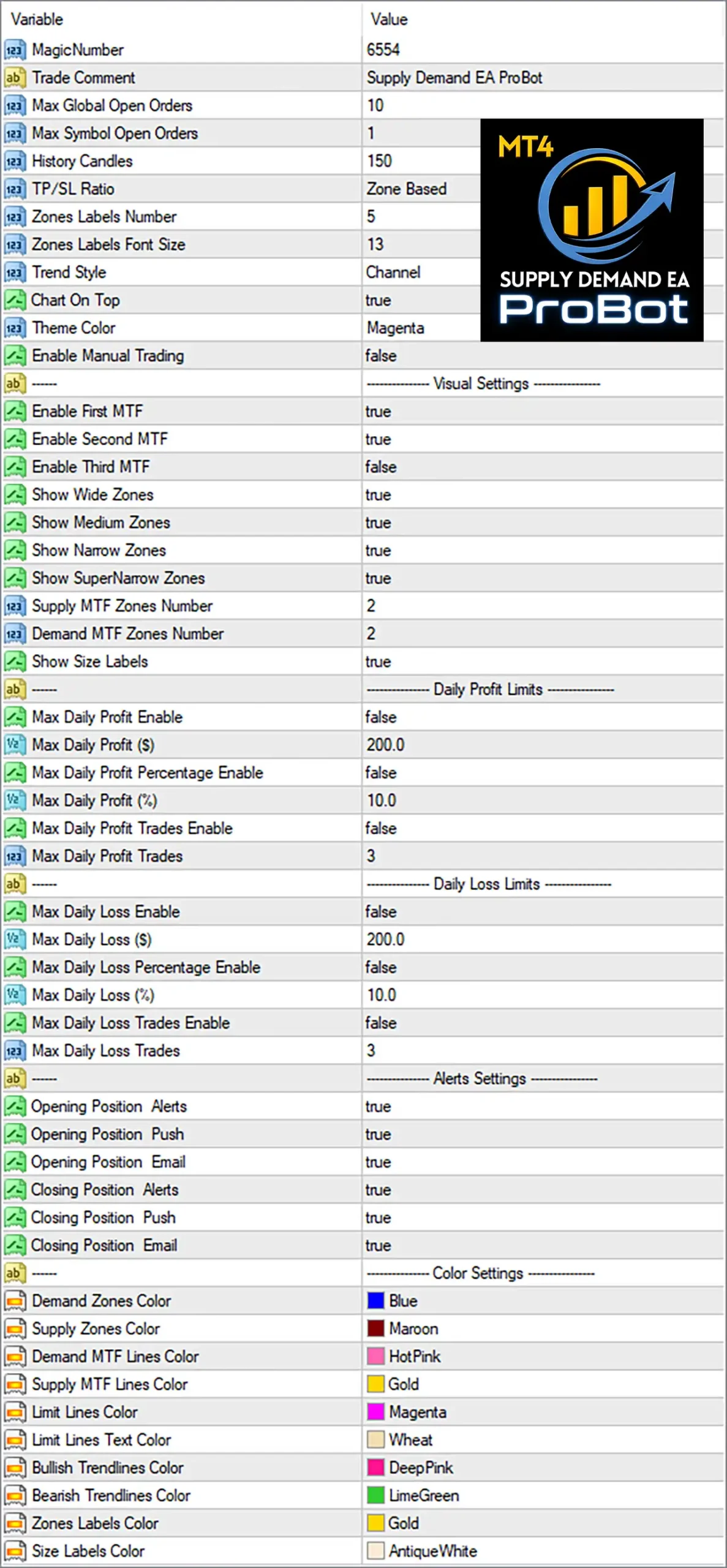
Supply Demand EA ProBot MT4 Settings Panel
🔢 Supply Demand EA ProBot MT4 Settings Explained
🔶 General Settings
🔹 MagicNumber = 6554 – Assigns the unique Magic Number 6554 so the EA can identify and manage its own trades.
🔹 Trade Comment = Supply Demand EA ProBot – Adds the trade comment “Supply Demand EA ProBot” to every order opened by the EA.
🔹 Max Global Open Orders = 10 – Limits the maximum number of open trades across all symbols to 10.
🔹 Max Symbol Open Orders = 1 – Allows only 1 active trade per trading symbol.
🔹 History Candles = 150 – Uses the last 150 historical candles for supply and demand zone calculations.
🔹 TP/SL Ratio = Zone Based – Calculates Take Profit and Stop Loss dynamically based on detected supply and demand zones.
🔹 Zones Labels Number = 5 – Displays 5 zone labels on the chart.
🔹 Zones Labels Font Size = 13 – Sets the font size of zone labels to 13.
🔹 Trend Style = Channel – Displays market trend using the Channel visualization style.
🔹 Chart On Top = true – Keeps the EA chart displayed on top for better visibility.
🔹 Theme Color = Magenta – Applies the Magenta color theme to the EA interface.
🔹 Enable Manual Trading = false – Disables manual trading functionality, allowing automated operation only.
🔶 Visual Settings
🔹 Enable First MTF = true – Enables the first Multi-Timeframe (MTF) analysis layer.
🔹 Enable Second MTF = true – Enables the second Multi-Timeframe (MTF) analysis layer.
🔹 Enable Third MTF = false – Disables the third Multi-Timeframe (MTF) analysis layer.
🔹 Show Wide Zones = true – Displays wide supply and demand zones on the chart.
🔹 Show Medium Zones = true – Displays medium-width supply and demand zones.
🔹 Show Narrow Zones = true – Displays narrow supply and demand zones.
🔹 Show SuperNarrow Zones = true – Displays super narrow supply and demand zones.
🔹 Supply MTF Zones Number = 2 – Displays 2 Supply Multi-Timeframe zones.
🔹 Demand MTF Zones Number = 2 – Displays 2 Demand Multi-Timeframe zones.
🔹 Show Size Labels = true – Shows size labels for detected supply and demand zones.
🔶 Daily Profit Limits
🔹 Max Daily Profit Enable = false – Disables the daily profit limit feature.
🔹 Max Daily Profit ($) = 200.0 – Sets the daily profit limit to $200.0 when enabled.
🔹 Max Daily Profit Percentage Enable = false – Disables percentage-based daily profit protection.
🔹 Max Daily Profit (%) = 10.0 – Sets the percentage daily profit target to 10.0% when enabled.
🔹 Max Daily Profit Trades Enable = false – Disables the daily winning trade limit.
🔹 Max Daily Profit Trades = 3 – Allows a maximum of 3 profitable trades per day when enabled.
🔶 Daily Loss Limits
🔹 Max Daily Loss Enable = false – Disables the daily loss protection feature.
🔹 Max Daily Loss ($) = 200.0 – Sets the daily loss limit to $200.0 when enabled.
🔹 Max Daily Loss Percentage Enable = false – Disables percentage-based daily loss protection.
🔹 Max Daily Loss (%) = 10.0 – Sets the maximum daily loss percentage to 10.0% when enabled.
🔹 Max Daily Loss Trades Enable = false – Disables the maximum losing trades filter.
🔹 Max Daily Loss Trades = 3 – Limits losing trades to 3 per day when enabled.
🔶 Alert Settings
🔹 Opening Position Alerts = true – Enables on-screen alerts whenever a new position is opened.
🔹 Opening Position Push = true – Sends push notifications when a new trade is opened.
🔹 Opening Position Email = true – Sends email notifications for newly opened positions.
🔹 Closing Position Alerts = true – Enables alerts whenever a position is closed.
🔹 Closing Position Push = true – Sends push notifications when trades are closed.
🔹 Closing Position Email = true – Sends email notifications after positions are closed.
🔶 Color Settings
🔹 Demand Zones Color = Blue – Displays demand zones using the Blue color.
🔹 Supply Zones Color = Maroon – Displays supply zones using the Maroon color.
🔹 Demand MTF Lines Color = HotPink – Displays Demand MTF lines in HotPink.
🔹 Supply MTF Lines Color = Gold – Displays Supply MTF lines in Gold.
🔹 Limit Lines Color = Magenta – Displays limit lines using the Magenta color.
🔹 Limit Lines Text Color = Wheat – Displays limit line text in Wheat.
🔹 Bullish Trendlines Color = DeepPink – Displays bullish trendlines using DeepPink.
🔹 Bearish Trendlines Color = LimeGreen – Displays bearish trendlines using LimeGreen.
🔹 Zones Labels Color = Gold – Displays zone labels using the Gold color.
🔹 Size Labels Color = AntiqueWhite – Displays size labels in AntiqueWhite.
🔢 Conclusion
Supply Demand EA ProBot MT4 is a feature-rich Expert Advisor designed for traders who rely on Supply and Demand methodology. Its configurable multi-timeframe zone detection, trend visualization, daily risk controls, notification system, and customizable interface make it a flexible solution for both discretionary and semi-automated trading. With adjustable risk limits and comprehensive visual settings, traders can tailor the EA to match their individual trading style and account management requirements.
🔢 FAQs
❓ What is the purpose of the MagicNumber in Supply Demand EA ProBot MT4?
The MagicNumber (6554) uniquely identifies the EA’s trades, preventing conflicts with other Expert Advisors running on the same account.
❓ Can I customize the Supply and Demand zones displayed on the chart?
Yes. You can enable or disable Wide, Medium, Narrow, Super Narrow, and Multi-Timeframe (MTF) zones individually.
❓ Does the EA support daily profit and loss protection?
Yes. The EA includes configurable daily profit and daily loss limits based on dollar amount, percentage, or number of trades, although they are disabled by default.
❓ Can I receive notifications when trades are opened or closed?
Yes. The EA supports on-screen alerts, push notifications, and email notifications for both opening and closing positions.
❓ Can I change the appearance of the chart and trading zones?
Yes. The EA provides extensive color customization for Supply Zones, Demand Zones, MTF lines, trendlines, labels, and other chart elements, allowing traders to personalize the interface.
User Reviews
Only logged in customers who have purchased this product may leave a review.
❓ What is the Supply Demand EA ProBot MT4?
Supply Demand EA ProBot is a fully automated MT4/MT5 trading robot that identifies institutional supply and demand zones. It uses multi-timeframe filtering to enter trades where price is likely to reverse.
❓ Who is the developer of Supply Demand EA ProBot MT4?
The EA was created by Georgios Kalomoiropoulos (hpztrading), a Greece-based developer with over 7 years of experience on MQL5 and the creator of the "Supply Demand EA Pro" series.
❓ Can I use Supply Demand EA ProBot MT4 for Prop Firms?
Yes. The ProBot is specifically designed with Prop Firm risk management tools. It allows traders to set daily loss limits and "one trade per day" rules to pass evaluations at firms like FTMO.
❓ Does it provide manual trading options?
Yes. It features a User-Friendly Graphical Trading Panel that allows you to click a button next to a zone to instantly place a market or limit order with pre-calculated lot sizes.
❓ What is the difference between "ProBot" and "Supply Demand EA ProBot MT4"?
The Pro version is designed for manual trading with one-click tools. The ProBot version includes full automation, allowing the EA to decide and execute trades on its own based on your settings.
❓ Do I get any extra tools with the purchase?
Purchasing the ProBot often includes the "Directional Panel" indicator for free, which helps you visualize the bias of multiple timeframes at a glance.
❓ What is a "Nested Zone" in this Supply Demand EA ProBot MT4?
A Nested Zone is when a supply or demand zone on a lower timeframe (e.g., M5) is located inside a zone on a higher timeframe (e.g., H1). These are considered high-probability "Gold" setups.
❓ Does the Supply Demand EA ProBot MT4 require a VPS?
Yes. For the full-auto mode to work effectively and monitor zones 24/5, a low-latency VPS is highly recommended to ensure no trade opportunities are missed during price touches.
❓ Is the bot suitable for Gold and Indices?
Yes. The ProBot performs exceptionally well on high-volatility assets like Gold (XAUUSD) and indices like NAS100 and US30 by using its ATR-based Stop Loss logic.
❓ Can I receive mobile notifications?
Yes. The EA is equipped with Push Notifications, sending an alert to your phone the moment a trade is opened, closed, or when a new zone is formed.
🔥 Get This EA for FREE with Our Membership! 🚀🚀
Unlock access to this EA, premium Indicators, and exclusive trading tools completely FREE with any of our Membership Plans! Thousands of traders already benefit from our VIP library—join them and level up your trading instantly. Choose Your Membership:
- SPECIAL – 1 Month Membership
- GOLD – 1 Year Membership
- PREMIUM – 1 Year Membership
-
 Price range: $89.00 through $599.00
 -
 Price range: $89.00 through $599.00
 -
 Price range: $89.00 through $599.00
 -
 Price range: $70.00 through $599.00
-
 1Original price was: $1,599.00.$59.00Current price is: $59.00.
 -
 1Original price was: $11,000.00.$89.00Current price is: $89.00.
 -
 1Original price was: $950.00.$59.00Current price is: $59.00.
 -
 1Original price was: $599.00.$69.00Current price is: $69.00.
There are no reviews yet.