


🔢 YZH AlgoCore EA MT5 – Complete Settings Guide and Parameter Explanation
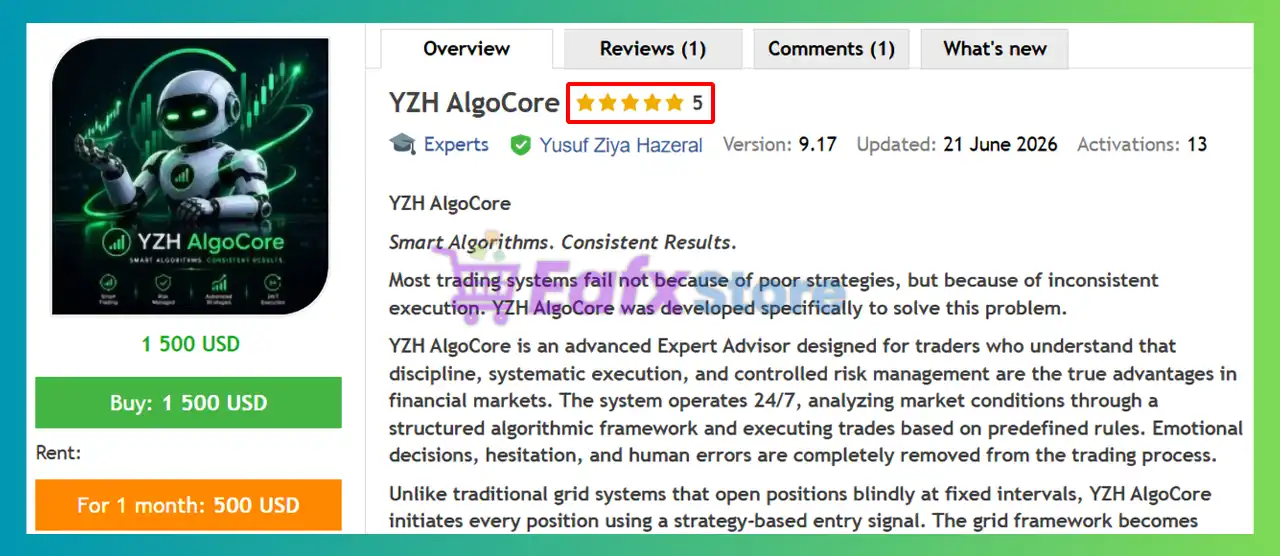
YZH AlgoCore EA is an advanced automated trading system designed to combine trend analysis, grid management, smart hedging, daily drawdown protection, profit targeting and news filtering.
The EA provides extensive risk-control features, allowing traders to customize lot sizing, position limits, hedge behavior, and trading schedules while maintaining disciplined account protection.

🔢 YZH AlgoCore EA MT5 Parameters Explained
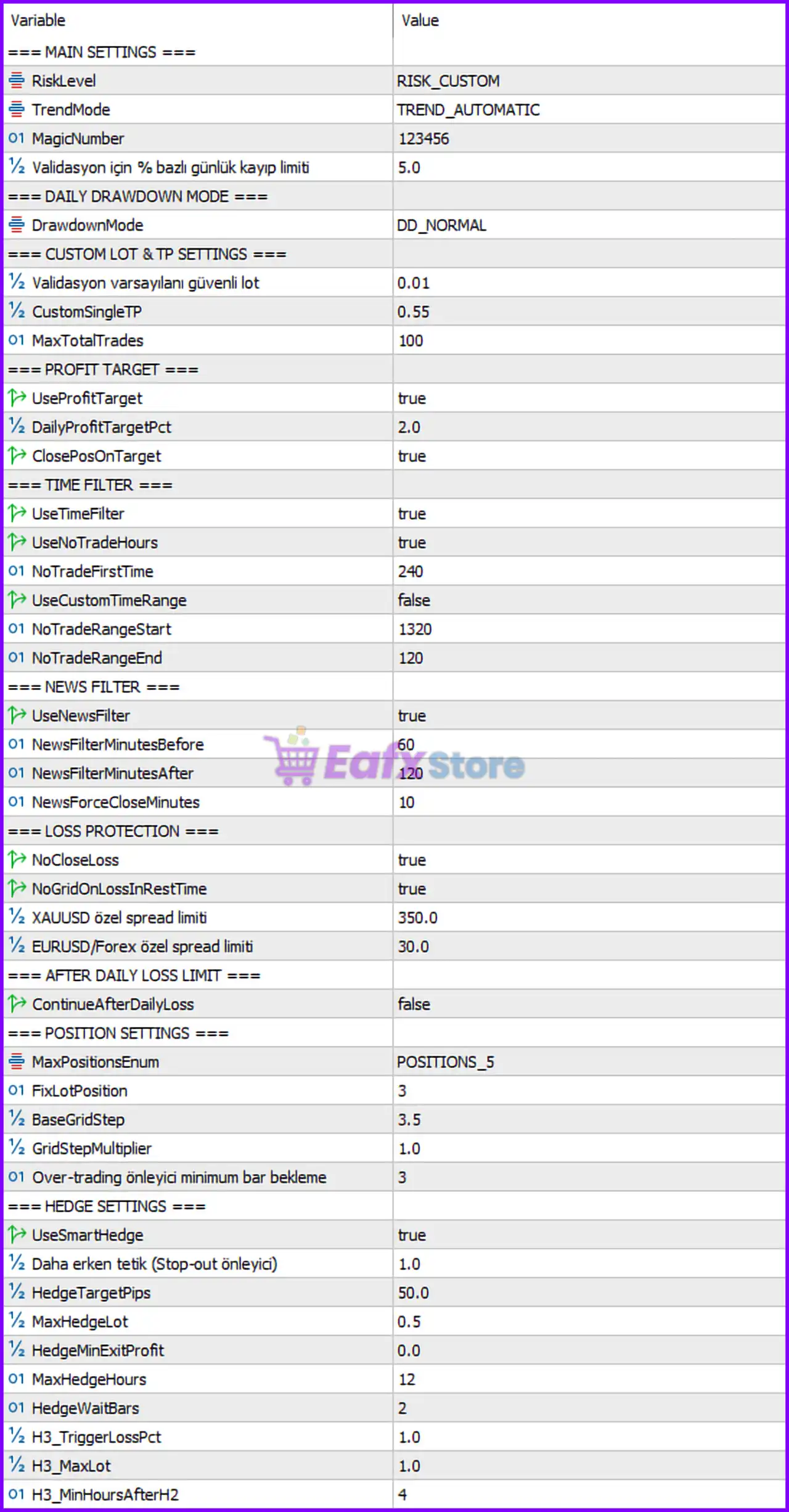
Below are the details of the parameters in the advisor’s trading system settings table:
🔶 Main Settings
🔹 RiskLevel = RISK_CUSTOM – Uses a custom risk management profile instead of predefined risk presets.
🔹 TrendMode = TREND_AUTOMATIC – Allows the EA to automatically determine the market trend direction.
🔹 MagicNumber = 123456 – Unique identifier used by the EA to manage and track its own trades.
🔹 Validation için % bazlı günlük kayıp limiti = 5.0 – Sets the daily loss limit to 5.0% of the account balance for validation and protection purposes.
🔶 Daily Drawdown Mode
🔹 DrawdownMode = DD_NORMAL – Uses the standard daily drawdown monitoring and protection mode.
🔶 Custom Lot & TP Settings
🔹 Validasyon varsayılanı güvenli lot = 0.01 – Sets the default safe lot size to 0.01 lots during validation.
🔹 CustomSingleTP = 0.55 – Sets a custom take-profit target of 0.55 per individual trade.
🔹 MaxTotalTrades = 100 – Allows a maximum of 100 total open trades.
🔶 Profit Target Settings
🔹 UseProfitTarget = true – Enables profit target management.
🔹 DailyProfitTargetPct = 2.0 – Stops trading after reaching a daily profit target of 2.0%.
🔹 ClosePosOnTarget = true – Automatically closes open positions when the daily profit target is achieved.
🔶 Time Filter Settings
🔹 UseTimeFilter = true – Activates time-based trading restrictions.
🔹 UseNoTradeHours = true – Enables predefined no-trading periods.
🔹 NoTradeFirstTime = 240 – Prevents trading during the first 240 minutes of the restricted period.
🔹 UseCustomTimeRange = false – Disables custom trading schedules.
🔹 NoTradeRangeStart = 1320 – Sets the restricted trading period start time at minute 1320 of the day.
🔹 NoTradeRangeEnd = 120 – Sets the restricted trading period end time at minute 120 of the day.
🔶 News Filter Settings
🔹 UseNewsFilter = true – Enables the built-in economic news filter.
🔹 NewsFilterMinutesBefore = 60 – Stops opening new trades 60 minutes before important news events.
🔹 NewsFilterMinutesAfter = 120 – Waits 120 minutes after news releases before resuming trading.
🔹 NewsForceCloseMinutes = 10 – Forces trade closure 10 minutes before specified high-impact news events.
🔶 Loss Protection Settings
🔹 NoCloseLoss = true – Prevents the EA from closing trades at a loss under normal conditions.
🔹 NoGridOnLossInRestTime = true – Stops opening new grid trades during recovery periods after losses.
🔹 XAUUSD özel spread limiti = 350.0 – Sets the maximum allowable spread for XAUUSD to 350.0 points.
🔹 EURUSD/Forex özel spread limiti = 30.0 – Sets the maximum allowable spread for Forex pairs to 30.0 points.
🔶 After Daily Loss Limit
🔹 ContinueAfterDailyLoss = false – Stops trading after the daily loss limit has been reached.
🔶 Position Settings
🔹 MaxPositionsEnum = POSITIONS_5 – Limits the strategy to a maximum of 5 simultaneous positions.
🔹 FixLotPosition = 3 – Uses fixed lot logic based on the configured position level of 3.
🔹 BaseGridStep = 3.5 – Sets the base grid spacing to 3.5 units.
🔹 GridStepMultiplier = 1.0 – Applies a grid expansion multiplier of 1.0, meaning no grid widening.
🔹 Over-trading önleyici minimum bar bekleme = 3 – Requires waiting 3 bars before opening another position to reduce overtrading.
🔶 Hedge Settings
🔹 UseSmartHedge = true – Enables the EA's intelligent hedging system.
🔹 Daha erken tetik (Stop-out önleyici) = 1.0 – Activates hedge protection earlier to help prevent stop-outs.
🔹 HedgeTargetPips = 50.0 – Sets the hedge profit target to 50.0 pips.
🔹 MaxHedgeLot = 0.5 – Limits hedge positions to a maximum size of 0.5 lots.
🔹 HedgeMinExitProfit = 0.0 – Allows hedge positions to be closed with a minimum profit of 0.0.
🔹 MaxHedgeHours = 12 – Limits hedge trades to a maximum duration of 12 hours.
🔹 HedgeWaitBars = 2 – Waits 2 bars before opening a hedge position.
🔹 H3_TriggerLossPct = 1.0 – Triggers the H3 hedge layer after a 1.0% loss threshold.
🔹 H3_MaxLot = 1.0 – Limits the H3 hedge layer to 1.0 lot.
🔹 H3_MinHoursAfterH2 = 4 – Requires a waiting period of 4 hours after H2 before H3 can activate.
🔢 Configuration Summary
🔹 Risk Profile: RISK_CUSTOM
🔹 Trend Detection: TREND_AUTOMATIC
🔹 Magic Number: 123456
🔹 Daily Loss Limit: 5.0%
🔹 Daily Profit Target: 2.0%
🔹 Maximum Total Trades: 100
🔹 Maximum Active Positions: 5
🔹 News Filter: Enabled
🔹 Smart Hedge: Enabled
🔹 Hedge Target: 50.0 pips
🔹 Maximum Hedge Lot: 0.5 lots
🔹 XAUUSD Spread Limit: 350.0 points
🔹 Forex Spread Limit: 30.0 points
🔢 Why These Settings Matter
🔹 The automatic trend mode helps the EA adapt to changing market conditions.
🔹 The 5.0% daily loss limit protects accounts from excessive drawdowns.
🔹 The 2.0% daily profit target encourages disciplined profit-taking.
🔹 The news filter avoids high-volatility periods around major economic announcements.
🔹 The grid management system controls position spacing and trade frequency.
🔹 The smart hedge module provides additional protection during adverse market movements.
🔹 The spread limits help prevent entries during unfavorable trading conditions.
🔹 The position cap of 5 trades reduces the risk of overexposure.
🔢 Conclusion
YZH AlgoCore EA is a sophisticated automated trading solution that combines trend-following logic, profit targeting, daily drawdown protection, grid management and smart hedging into a single framework.
With configurable parameters such as a 5.0% daily loss limit, 2.0% profit target, 5-position maximum exposure, and an advanced hedge system, the EA is designed to balance growth potential with risk control. Understanding each parameter allows traders to optimize the strategy according to their account size, risk tolerance, and market conditions.
🔢 FAQs
❓ What is the purpose of TREND_AUTOMATIC mode?
TREND_AUTOMATIC allows the EA to automatically determine the current market trend and adjust trading decisions accordingly.
❓ How does the daily profit target work?
When the account reaches a profit of 2.0% for the day, the EA can automatically close positions and stop trading.
❓ Why is the news filter important?
The news filter helps avoid high-impact economic events by pausing trading 60 minutes before and 120 minutes after major announcements.
❓ What does Smart Hedge do?
Smart Hedge opens protective hedge positions to reduce drawdown and help stabilize account performance during unfavorable market conditions.
❓ How many positions can YZH AlgoCore EA MT5 open at once?
The default configuration limits the EA to 5 active positions, while allowing up to 100 total trades under its management system.



