

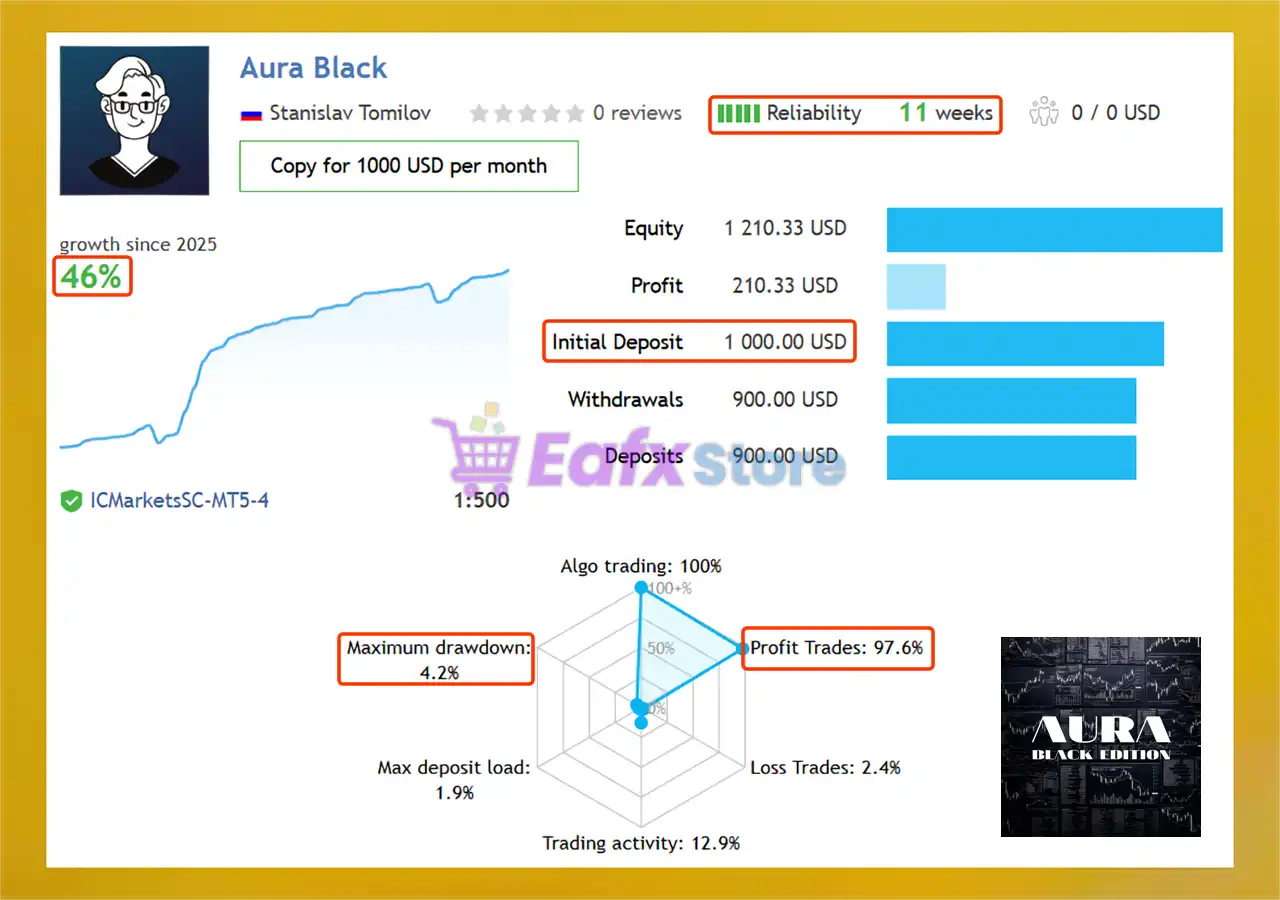
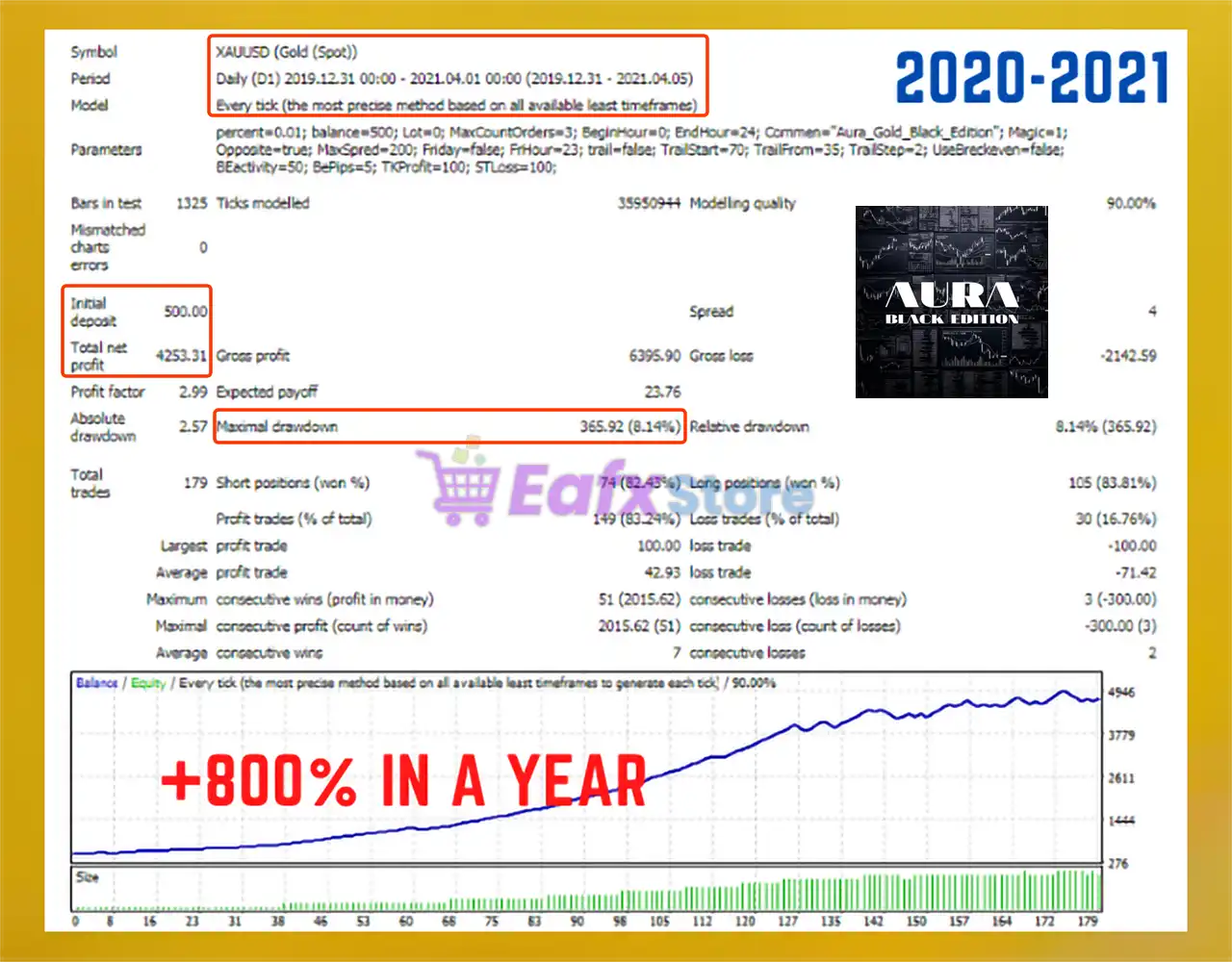
🔢 Aura Black Edition MT4 – Complete Settings & Input Parameters Guide
Aura Black Edition MT4 is a sophisticated automated trading robot developed for MetaTrader 4 traders who want advanced money management, recovery systems, trailing stop controls and news filtering features.
The EA combines flexible trade execution settings, risk percentage management, breakeven functions, and time filters to help traders optimize Forex trading performance while maintaining better control over drawdown and market exposure.
🔢 Aura Black Edition MT4 Settings Explained
Below are the details of the parameters in the advisor’s trading system settings table:
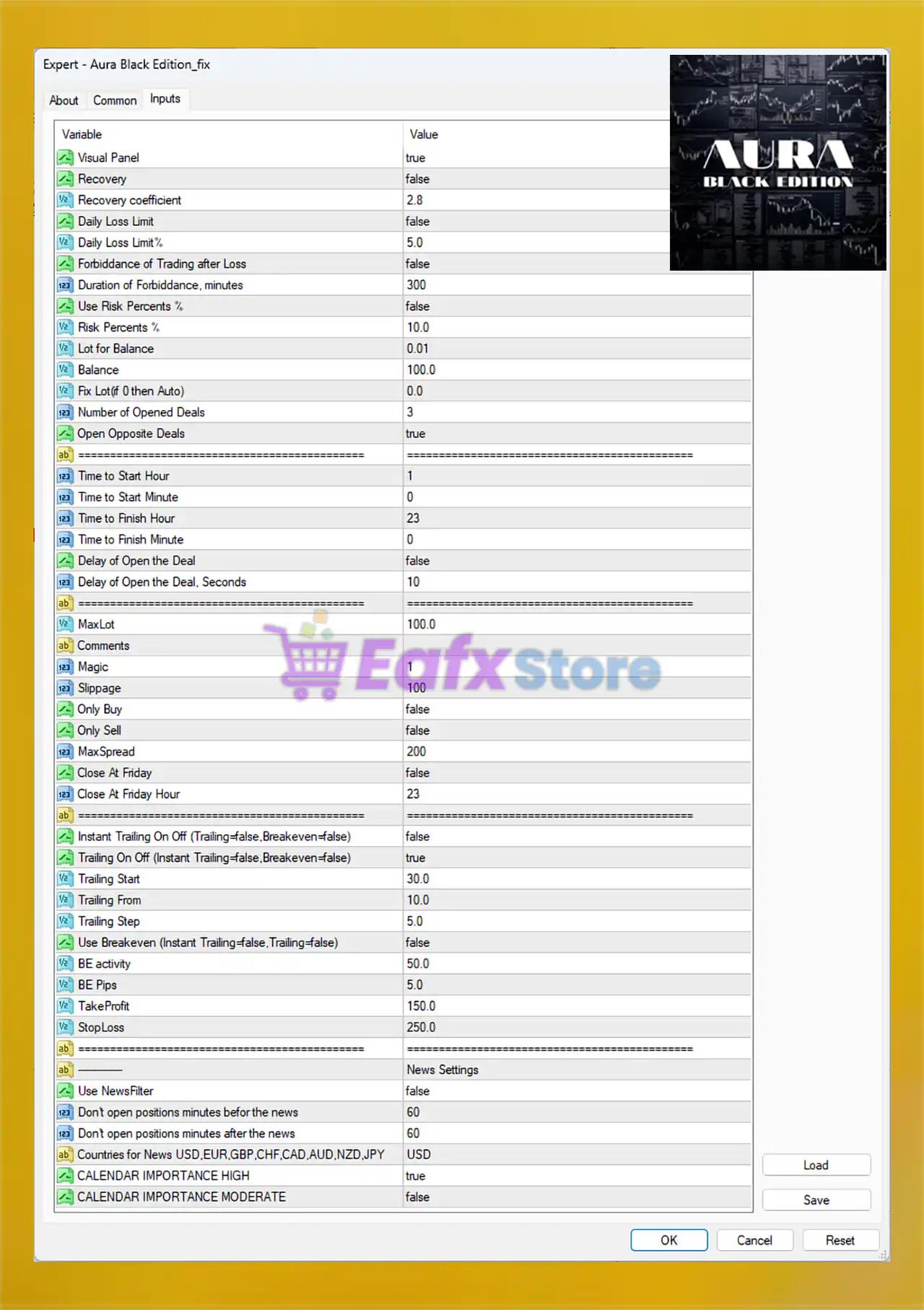
🔶 Main System Settings
🔹 Visual Panel = true: Enables the on-chart visual information panel.
🔹 Recovery = false: Recovery mode is disabled.
🔹 Recovery coefficient = 2.8: Multiplier coefficient used for recovery trading strategies is 2.8.
🔹 Daily Loss Limit = false: Daily loss limit protection is disabled.
🔹 Daily Loss Limit % = 5.0: Daily loss threshold is set to 5.0%.
🔹 Forbiddance of Trading after Loss = false: EA will continue trading after a losing trade.
🔹 Duration of Forbiddance, minutes = 300: Restriction duration after losses is 300 minutes.
🔹 Use Risk Percents % = false: Percentage-based risk management is disabled.
🔹 Risk Percents % = 10.0: Risk percentage per trade is configured to 10.0%.
🔹 Lot for Balance = 0.01: Trading lot size per balance increment is 0.01.
🔹 Balance = 100.0: Reference balance value for lot calculations is 100.0.
🔹 Fix Lot (if 0 then Auto) = 0.0: Fixed lot is disabled, allowing automatic lot sizing.
🔹 Number of Opened Deals = 3: Maximum simultaneous open trades allowed is 3.
🔹 Open Opposite Deals = true: Allows opening opposite-direction trades simultaneously.
🔶 Trading Time Settings
🔹 Time to Start Hour = 1: Trading session starts at hour 1.
🔹 Time to Start Minute = 0: Trading session starts at minute 0.
🔹 Time to Finish Hour = 23: Trading session ends at hour 23.
🔹 Time to Finish Minute = 0: Trading session ends at minute 0.
🔹 Delay of Open the Deal = false: Trade opening delay feature is disabled.
🔹 Delay of Open the Deal, Seconds = 10: Delay before opening trades is 10 seconds when enabled.
🔶 Trading Execution Settings
🔹 MaxLot = 100.0: Maximum allowed trading lot size is 100.0.
🔹 Comments =: Custom trade comment field is currently empty.
🔹 Magic = 1: Unique Magic Number assigned to EA trades is 1.
🔹 Slippage = 100: Maximum slippage allowed during order execution is 100.
🔹 Only Buy = false: Buy-only trading mode is disabled.
🔹 Only Sell = false: Sell-only trading mode is disabled.
🔹 MaxSpread = 200: Maximum spread allowed for opening trades is 200.
🔹 Close At Friday = false: Automatic Friday closing feature is disabled.
🔹 Close At Friday Hour = 23: Friday closing hour is set to 23.
🔶 Trailing Stop & Breakeven Settings
🔹 Instant Trailing On Off (Trailing=false, Breakeven=false) = false: Instant trailing feature is disabled.
🔹 Trailing On Off (Instant Trailing=false, Breakeven=false) = true: Standard trailing stop feature is enabled.
🔹 Trailing Start = 30.0: Trailing stop activates after 30.0 points profit.
🔹 Trailing From = 10.0: Initial trailing distance starts from 10.0 points.
🔹 Trailing Step = 5.0: Trailing stop moves in increments of 5.0 points.
🔹 Use Breakeven (Instant Trailing=false, Trailing=false) = false: Breakeven feature is disabled.
🔹 BE activity = 50.0: Breakeven activation level is 50.0 points.
🔹 BE Pips = 5.0: Breakeven offset is 5.0 pips.
🔹 TakeProfit = 150.0: Default Take Profit value is 150.0.
🔹 StopLoss = 250.0: Default Stop Loss value is 250.0.
🔶 News Filter Settings
🔹 Use NewsFilter = false: News filter functionality is disabled.
🔹 Don't open positions minutes before the news = 60: EA avoids opening trades 60 minutes before news events.
🔹 Don't open positions minutes after the news = 60: EA avoids opening trades 60 minutes after news events.
🔹 Countries for News USD,EUR,GBP,CHF,CAD,AUD,NZD,JPY = USD: News filter monitors USD-related news events.
🔹 CALENDAR IMPORTANCE HIGH = true: High-impact news events are included in filtering.
🔹 CALENDAR IMPORTANCE MODERATE = false: Medium-impact news events are excluded.
🔢 Conclusion
Aura Black Edition MT4 is a comprehensive automated Forex trading system that combines advanced risk management, trailing stop tools, recovery strategies and customizable trading sessions.
With its flexible money management features and integrated news filters, the EA is suitable for traders who want greater automation while maintaining strict control over trading risk and execution conditions.
🔢 FAQs
❓ What is Aura Black Edition MT4?
Aura Black Edition MT4 is an automated Forex trading Expert Advisor designed for MetaTrader 4.
❓ Does Aura Black Edition MT4 support trailing stop functionality?
Yes, the EA includes configurable trailing stop and breakeven features.
❓ Can I use automatic lot sizing in Aura Black Edition MT4?
Yes, automatic lot calculation is available when the fixed lot value is set to 0.0.
❓ Does the EA include a news filter?
Yes, Aura Black Edition MT4 includes configurable news filtering options for major economic events.
❓ Is Aura Black Edition MT4 suitable for Gold trading?
Yes, the EA can be configured for Gold and Forex trading depending on broker conditions and settings.



