


🔢 Bitcoin Quantum Edge Algo MT5 – Complete Settings & Parameters Guide
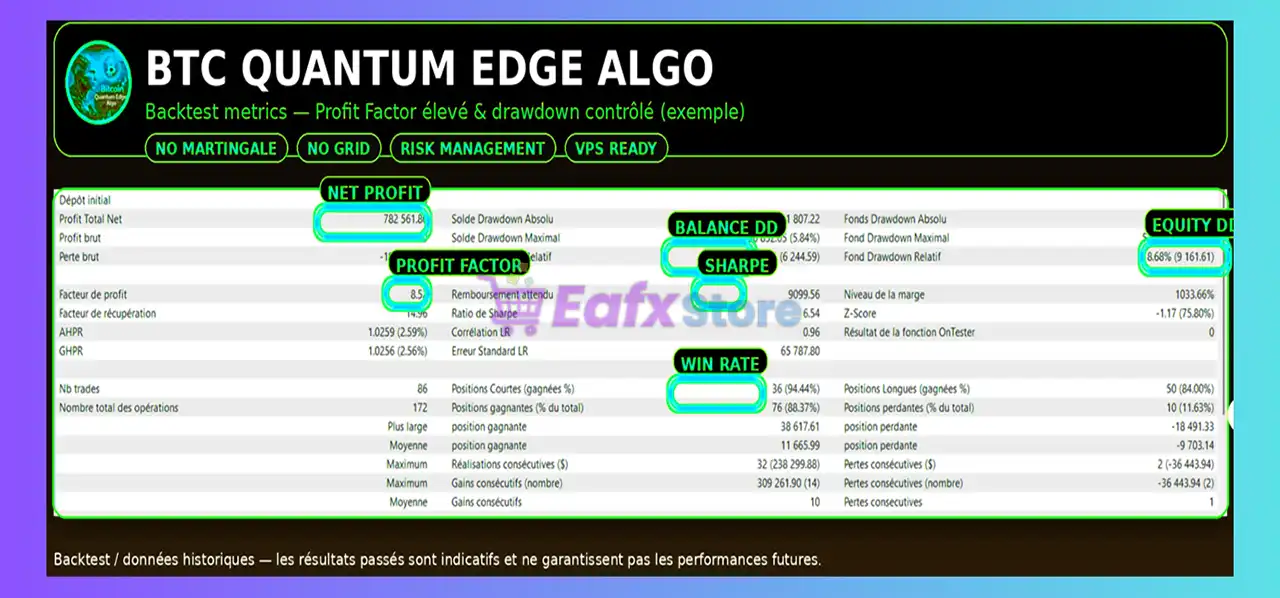
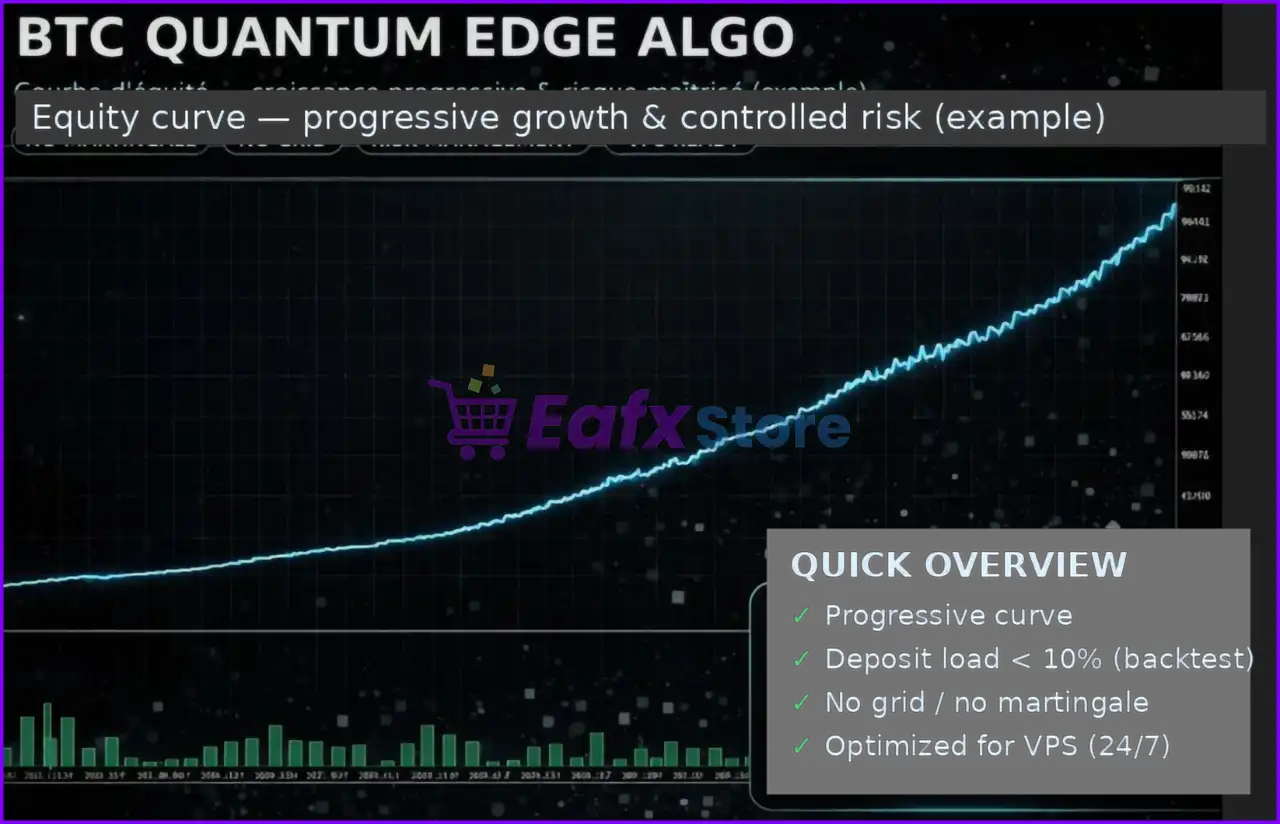
Bitcoin Quantum Edge Algo MT5 is an advanced MetaTrader 5 Expert Advisor (EA) specifically optimized for Bitcoin and cryptocurrency trading.
The EA combines smart money management, ATR-based volatility filters, Fair Value Gap (FVG) detection, Order Block analysis, Fibonacci confluence, RSI/MACD confirmations, and institutional-style Smart Money Concepts (SMC).
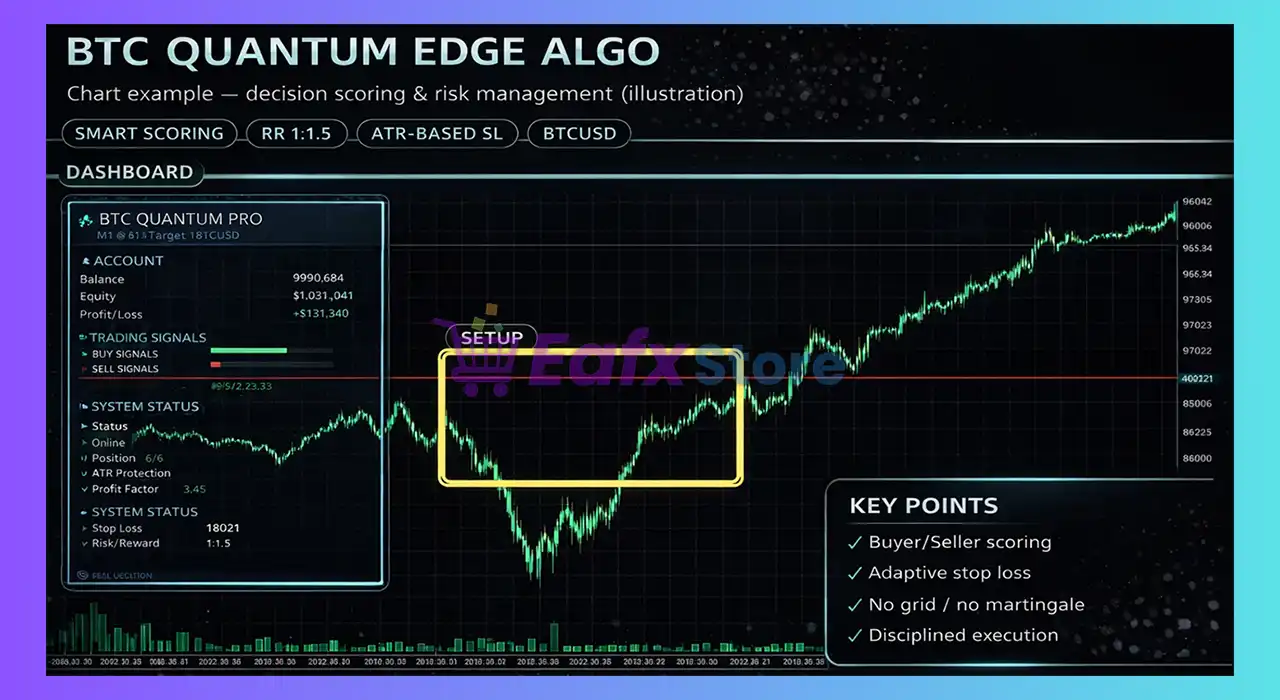
With multi-layer trade confirmation and advanced dashboard visualization, Bitcoin Quantum Edge Algo is designed for professional BTC trading automation.
🔢 Installation Panel Parameters
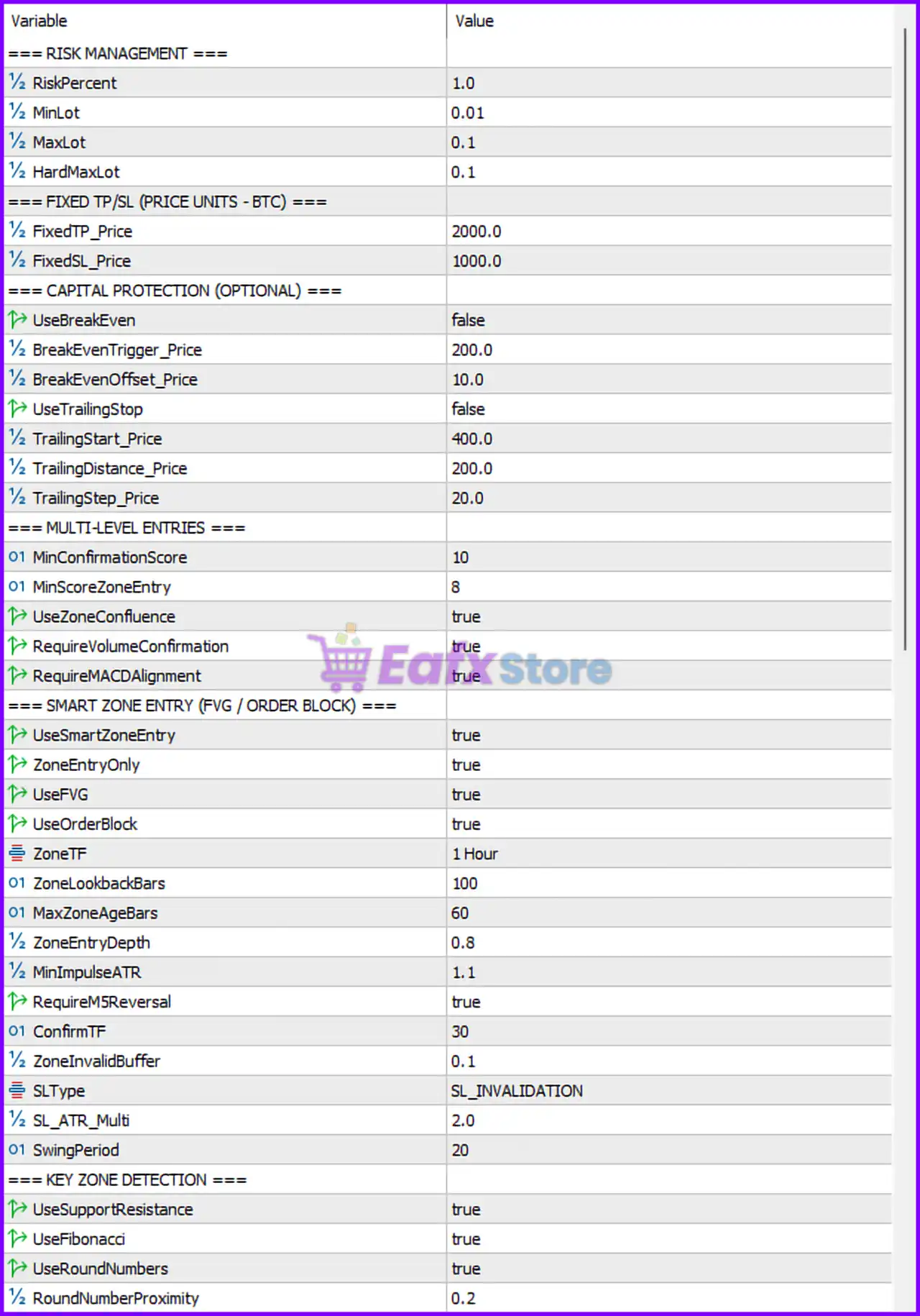
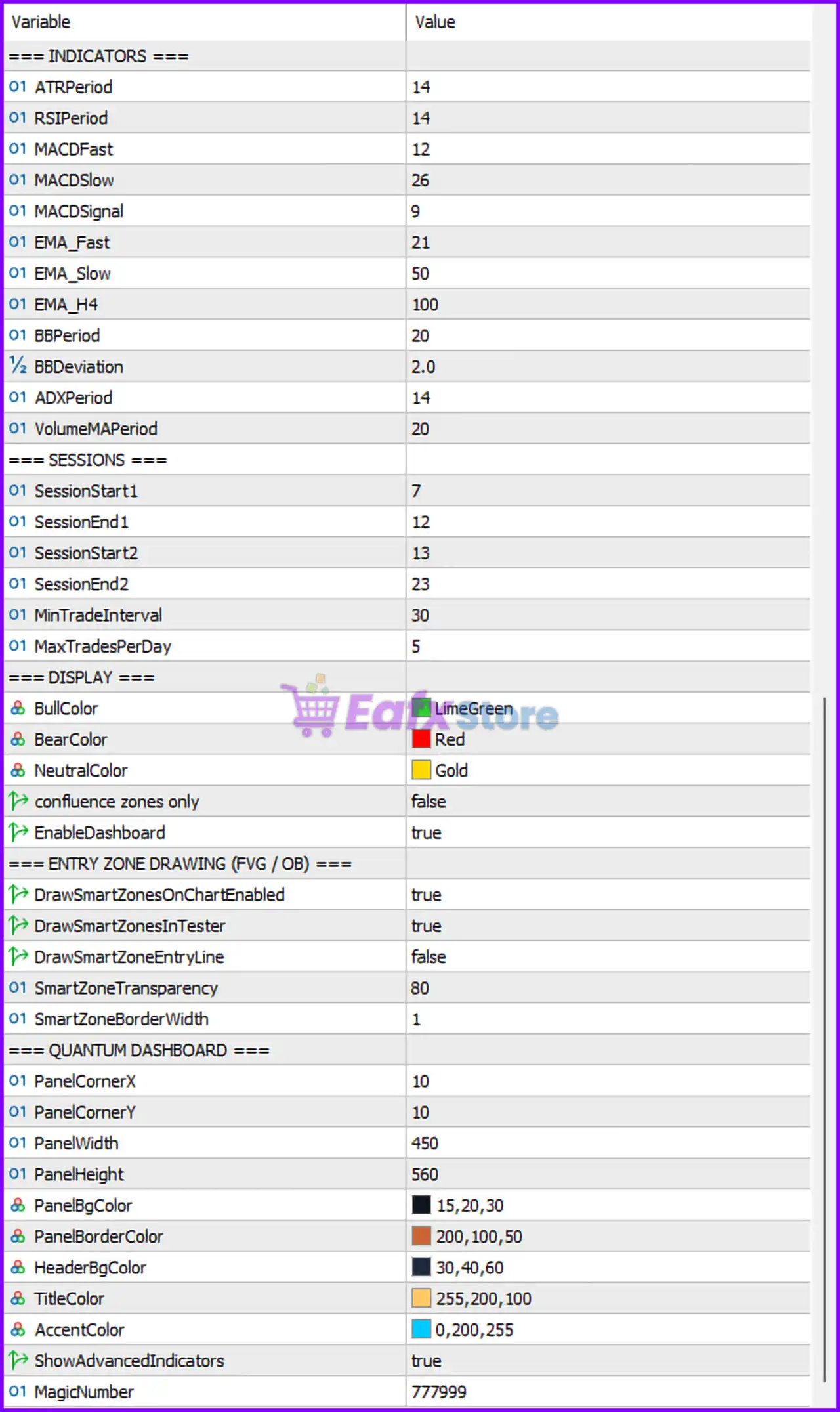
Below are the details of the parameters in the advisor’s trading system settings table:
🔶 Bitcoin Quantum Edge Algo MT5 Indicator Settings
🔹 ATRPeriod = 14 — Sets the Average True Range indicator period for volatility calculations.
🔹 RSIPeriod = 14 — Defines the RSI period used for momentum analysis.
🔹 MACDFast = 12 — Fast EMA period used in MACD calculations.
🔹 MACDSlow = 26 — Slow EMA period used in MACD calculations.
🔹 MACDSignal = 9 — Signal line period for MACD confirmation.
🔹 EMA_Fast = 21 — Fast Exponential Moving Average period.
🔹 EMA_Slow = 50 — Slow Exponential Moving Average period.
🔹 EMA_H4 = 100 — H4 trend EMA filter set to 100.
🔹 BBPeriod = 20 — Bollinger Bands calculation period.
🔹 BBDeviation = 2.0 — Bollinger Bands deviation multiplier.
🔹 ADXPeriod = 14 — ADX trend strength indicator period.
🔹 VolumeMAPeriod = 20 — Volume Moving Average period used for volume confirmation.
🔶 Bitcoin Quantum Edge Algo MT5 Trading Sessions
🔹 SessionStart1 = 7 — First trading session begins at hour 7.
🔹 SessionEnd1 = 12 — First trading session ends at hour 12.
🔹 SessionStart2 = 13 — Second trading session begins at hour 13.
🔹 SessionEnd2 = 23 — Second trading session ends at hour 23.
🔹 MinTradeInterval = 30 — Minimum waiting time between trades is 30 minutes.
🔹 MaxTradesPerDay = 5 — Limits trading activity to 5 trades per day.
🔶 Bitcoin Quantum Edge Algo MT5 Display Settings
🔹 BullColor = LimeGreen — Bullish candles and signals are displayed in LimeGreen color.
🔹 BearColor = Red — Bearish candles and signals are displayed in Red color.
🔹 NeutralColor = Gold — Neutral market conditions are displayed in Gold color.
🔹 confluence zones only = false — Displays all trading zones instead of only confluence zones.
🔹 EnableDashboard = true — Enables the Quantum trading dashboard on the chart.
🔶 Entry Zone Drawing (FVG / OB)
🔹 DrawSmartZonesOnChartEnabled = true — Displays Smart Money trading zones directly on the chart.
🔹 DrawSmartZonesInTester = true — Allows zone drawing during strategy testing.
🔹 DrawSmartZoneEntryLine = false — Entry line visualization is disabled.
🔹 SmartZoneTransparency = 80 — Sets zone transparency level to 80.
🔹 SmartZoneBorderWidth = 1 — Defines border thickness of smart trading zones.
🔶 Quantum Dashboard Settings
🔹 PanelCornerX = 10 — Dashboard horizontal position offset.
🔹 PanelCornerY = 10 — Dashboard vertical position offset.
🔹 PanelWidth = 450 — Dashboard width size.
🔹 PanelHeight = 560 — Dashboard height size.
🔹 PanelBgColor = 15,20,30 — RGB background color for dashboard.
🔹 PanelBorderColor = 200,100,50 — RGB border color for dashboard.
🔹 HeaderBgColor = 30,40,60 — RGB header background color.
🔹 TitleColor = 255,200,100 — RGB title text color.
🔹 AccentColor = 0,200,255 — RGB accent color used in dashboard highlights.
🔹 ShowAdvancedIndicators = true — Displays advanced trading indicators on dashboard.
🔹 MagicNumber = 777999 — Unique trade identifier used by the EA.
🔶 Bitcoin Quantum Edge Algo MT5 Risk Management
🔹 RiskPercent = 1.0 — Risk percentage per trade is set to 1.0%.
🔹 MinLot = 0.01 — Minimum trading lot size allowed.
🔹 MaxLot = 0.1 — Maximum trading lot size allowed.
🔹 HardMaxLot = 0.1 — Absolute hard cap for maximum lot size.
🔶 Fixed TP/SL (Price Units - BTC)
🔹 FixedTP_Price = 2000.0 — Fixed Take Profit target set to 2000 price units.
🔹 FixedSL_Price = 1000.0 — Fixed Stop Loss set to 1000 price units.
🔶 Capital Protection Settings
🔹 UseBreakEven = false — Break-even protection is disabled.
🔹 BreakEvenTrigger_Price = 200.0 — Break-even activates after 200 price units profit.
🔹 BreakEvenOffset_Price = 10.0 — Break-even offset distance set to 10 price units.
🔹 UseTrailingStop = false — Trailing Stop feature is disabled.
🔹 TrailingStart_Price = 400.0 — Trailing Stop begins after 400 price units profit.
🔹 TrailingDistance_Price = 200.0 — Trailing Stop distance is 200 price units.
🔹 TrailingStep_Price = 20.0 — Trailing Stop updates every 20 price units.
🔶 Multi-Level Entries
🔹 MinConfidenceScore = 10 — Minimum AI confidence score required for trade entry.
🔹 MinScoreZoneEntry = 8 — Minimum zone score required for smart entry.
🔹 UseZoneConfluence = true — Enables multi-zone confluence confirmation.
🔹 RequireVolumeConfirmation = true — Requires volume confirmation before entry.
🔹 RequireMACDAlignment = true — Requires MACD trend alignment for entries.
🔶 Smart Zone Entry (FVG / Order Block)
🔹 UseSmartZoneEntry = true — Enables Smart Zone entry system.
🔹 ZoneEntryOnly = true — Trades only within defined Smart Zones.
🔹 UseFVG = true — Enables Fair Value Gap analysis.
🔹 UseOrderBlock = true — Enables Order Block trading logic.
🔹 ZoneTF = 1 Hour — Smart trading zones are calculated on the H1 timeframe.
🔹 ZoneLookbackBars = 100 — Uses 100 historical bars for zone calculations.
🔹 MaxZoneAgeBars = 60 — Maximum zone validity age is 60 bars.
🔹 ZoneEntryDepth = 0.8 — Entry depth ratio inside trading zones.
🔹 MinImpulseATR = 1.1 — Minimum ATR impulse strength required.
🔹 RequireM5Reversal = true — Requires M5 reversal confirmation before entry.
🔹 ConfirmTF = 30 — Confirmation timeframe set to M30.
🔹 ZoneInvalidBuffer = 0.1 — Buffer value before zone invalidation.
🔹 SLType = SL_INVALIDATION — Stop Loss is placed at zone invalidation level.
🔹 SL_ATR_Multi = 2.0 — ATR Stop Loss multiplier set to 2.0.
🔹 SwingPeriod = 20 — Swing detection period for structure analysis.
🔶 Key Zone Detection
🔹 UseSupportResistance = true — Enables Support & Resistance analysis.
🔹 UseFibonacci = true — Enables Fibonacci retracement confirmations.
🔹 UseRoundNumbers = true — Uses psychological round numbers for confirmations.
🔹 RoundNumberProximity = 0.2 — Distance threshold from round numbers.
🔢 Conclusion
Bitcoin Quantum Edge Algo MT5 is a sophisticated institutional-style Bitcoin trading EA that combines Smart Money Concepts, Fair Value Gaps, Order Blocks, ATR volatility filters, MACD confirmations, and AI-inspired multi-level confluence systems. With advanced dashboard visualization, strict risk management, and powerful smart entry logic, this EA is suitable for traders looking for professional-grade automated cryptocurrency trading on MetaTrader 5.
🔢 FAQs
❓ What is Bitcoin Quantum Edge Algo MT5?
Bitcoin Quantum Edge Algo MT5 is a professional Bitcoin trading Expert Advisor for MetaTrader 5 using Smart Money Concepts and AI-style trade filtering.
❓ Does Bitcoin Quantum Edge Algo MT5 use Fair Value Gap (FVG) trading?
Yes, the EA includes advanced FVG and Order Block analysis for institutional-style entries.
❓ Can Bitcoin Quantum Edge Algo MT5 manage risk automatically?
Yes, the EA supports dynamic risk management with configurable lot limits and percentage risk control.
❓ What timeframe does Bitcoin Quantum Edge Algo MT5 use?
The EA uses multiple timeframes including H1 for Smart Zones and M30/M5 for confirmations.
❓ Does Bitcoin Quantum Edge Algo MT5 include a trading dashboard?
Yes, the EA includes a fully customizable Quantum Dashboard with advanced market indicators and visual trade analytics.



