

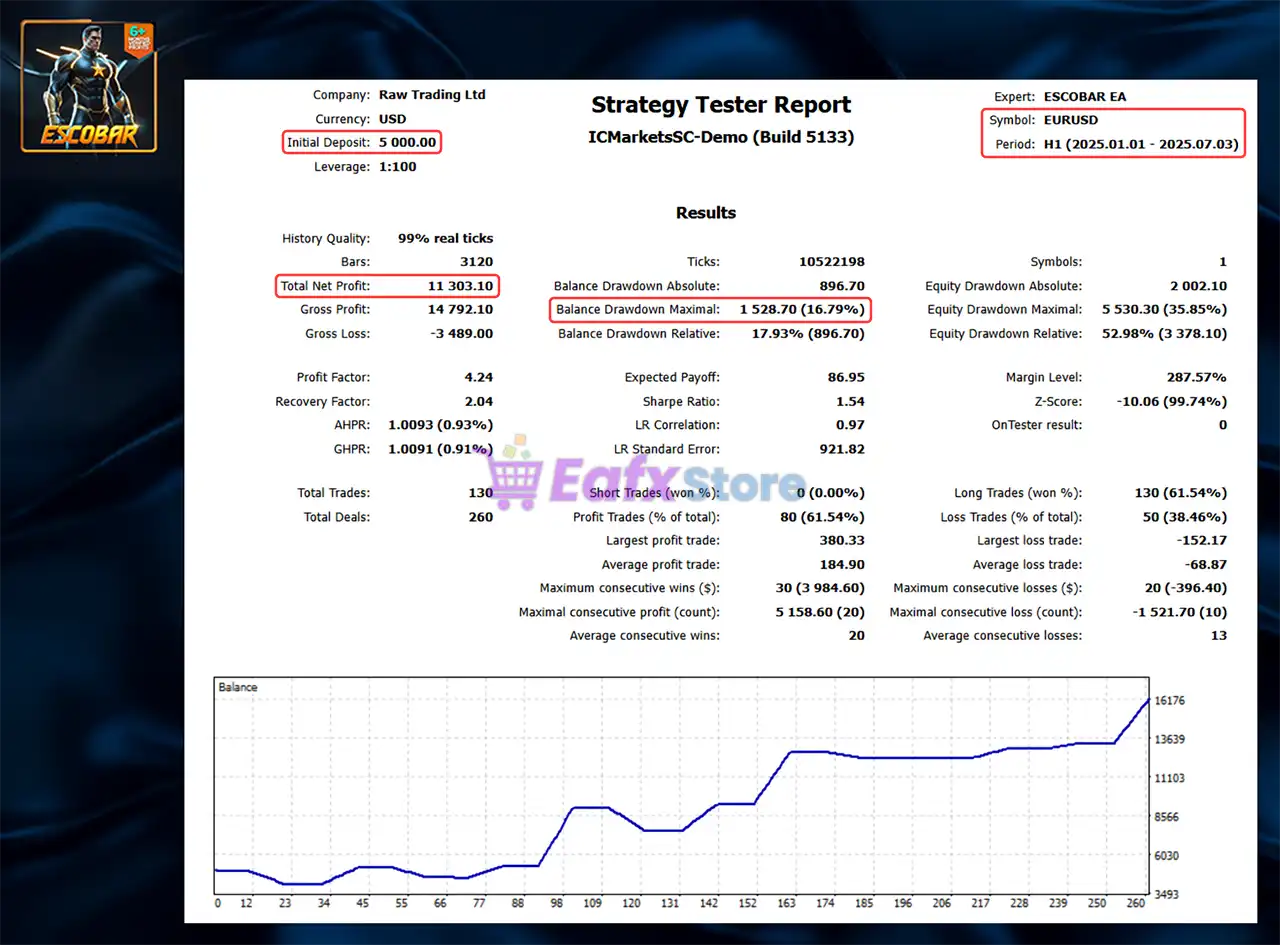
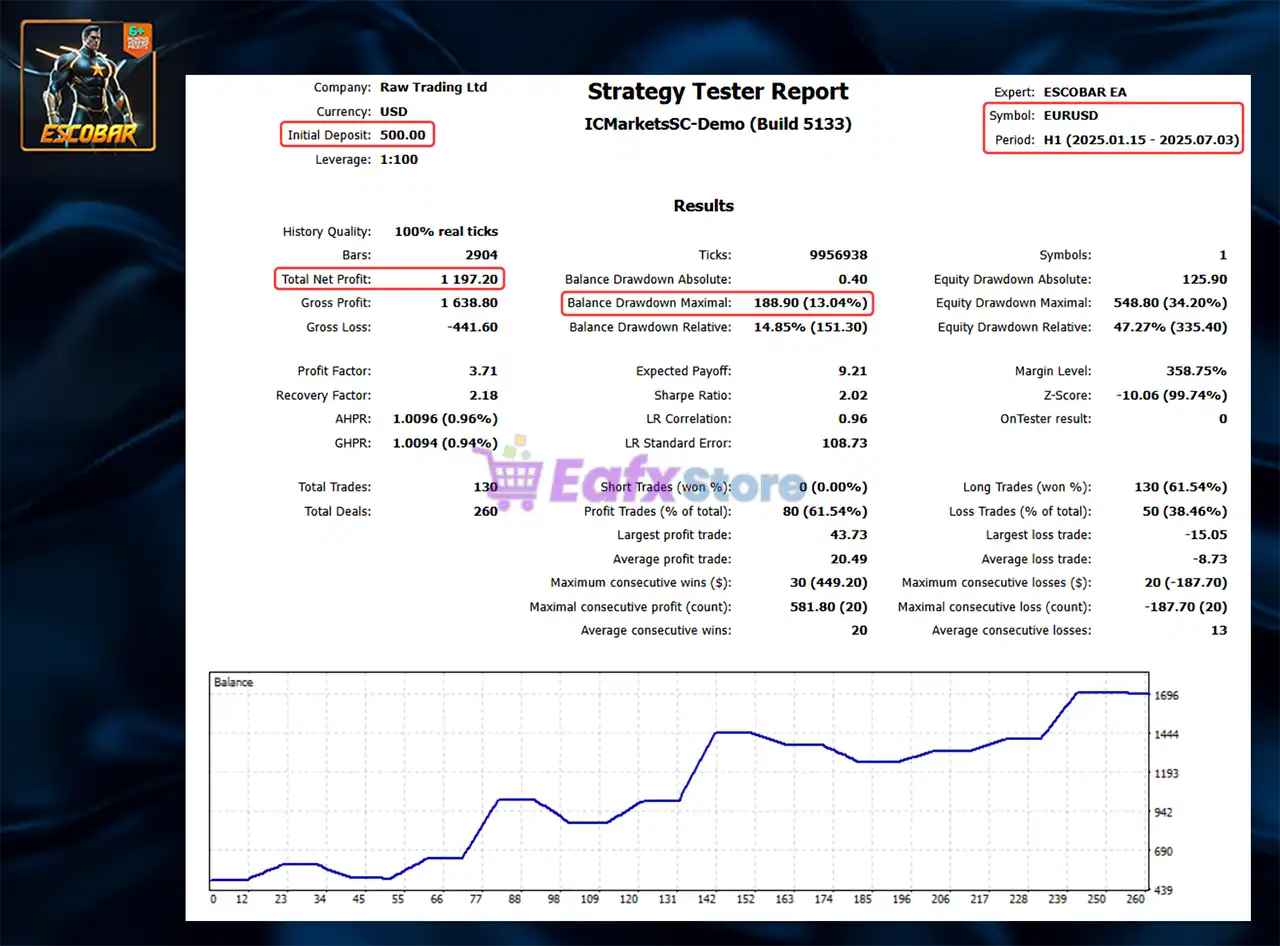
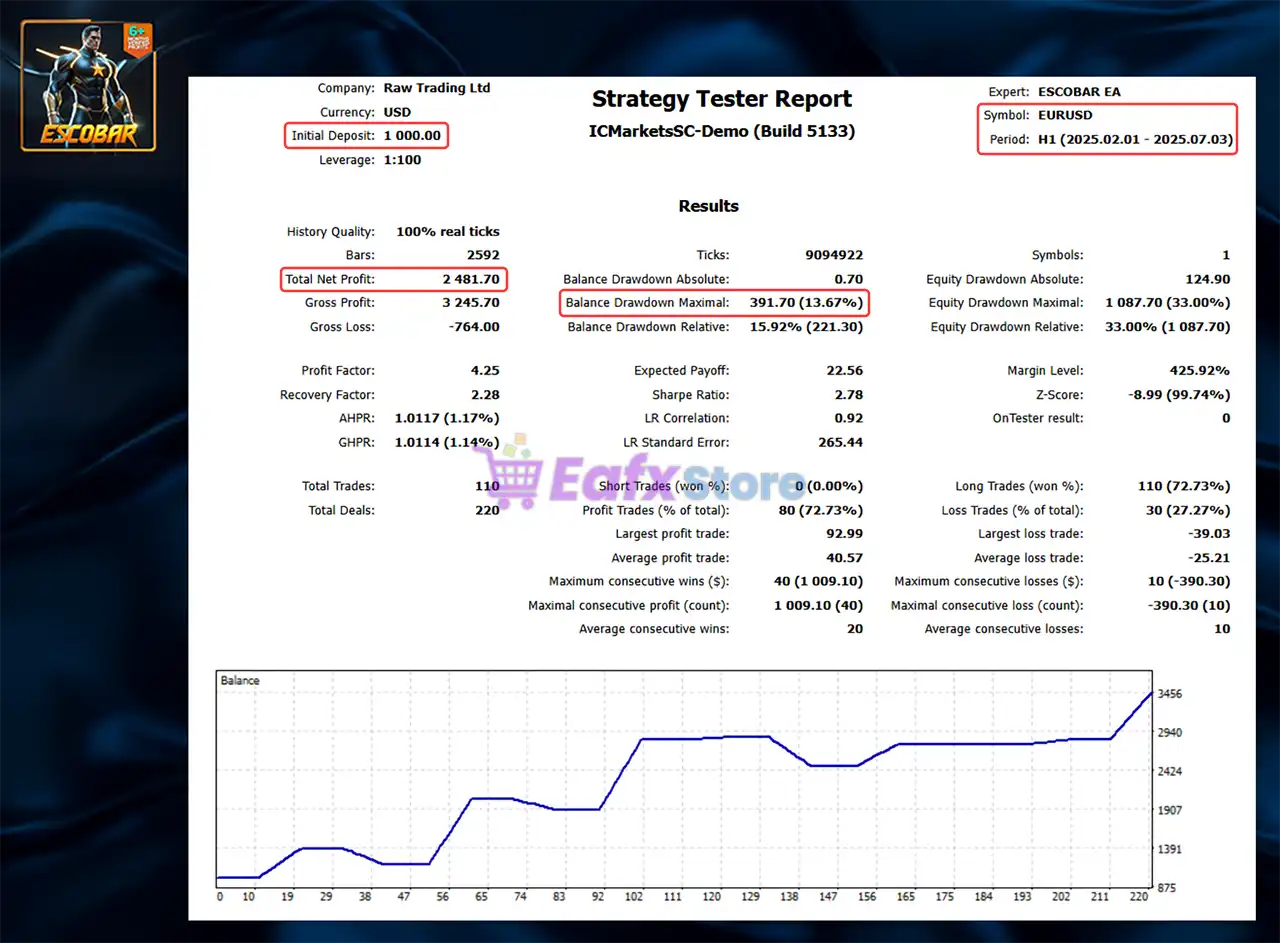
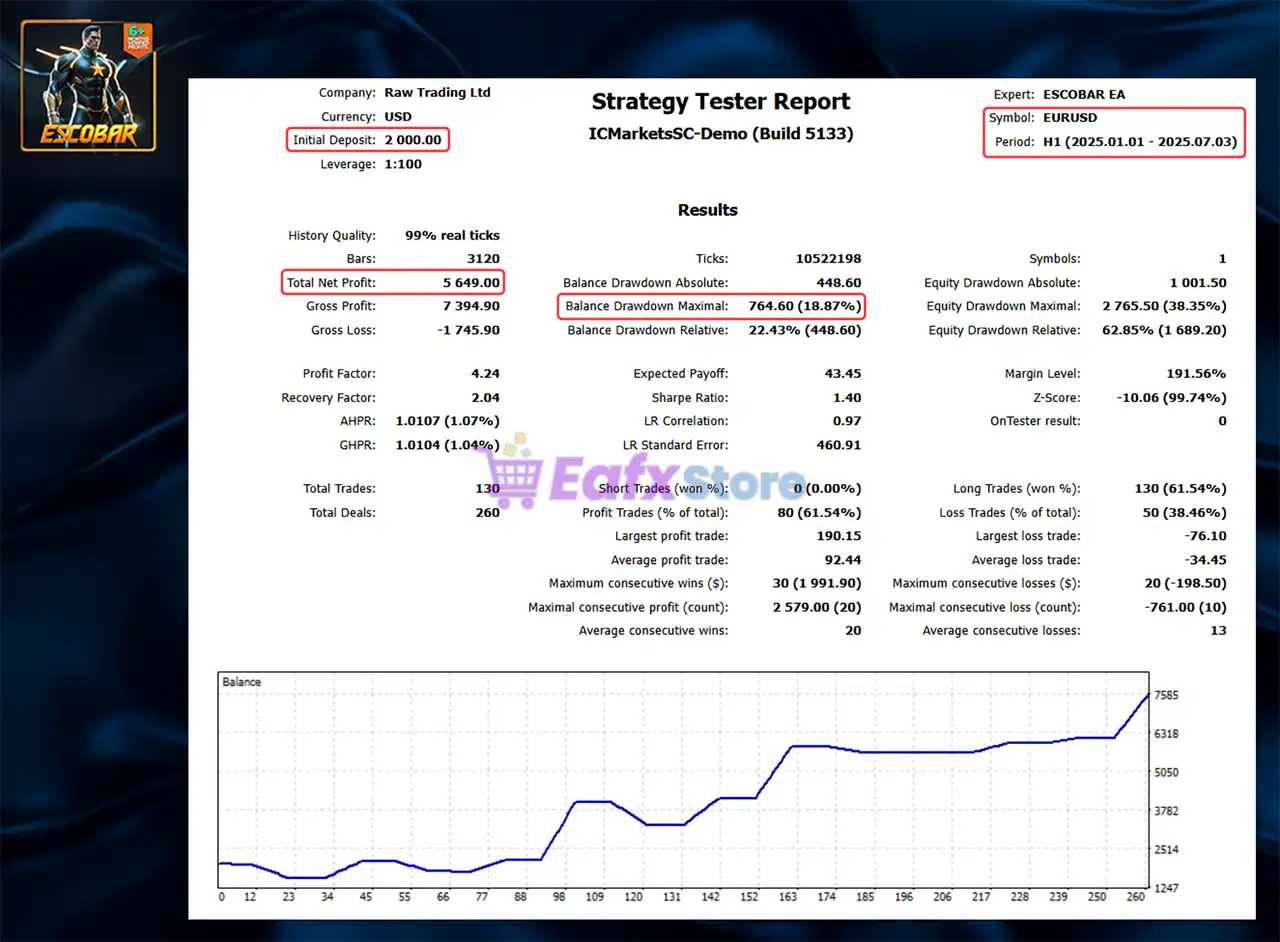
🔢 ESCOBAR EA MT5 – Complete Settings & Input Parameters Guide
ESCOBAR EA MT5 is an advanced automated trading Expert Advisor (EA) developed for MetaTrader 5 traders who want a multi-strategy algorithmic trading solution with built-in trend analysis, news filtering, equity protection and technical indicator integration.
The EA combines ZigZag, RSI, Moving Average, and T3 indicators with multiple strategy layers, making it suitable for Forex traders looking for automated portfolio-style trading and risk management.
🔢 ESCOBAR EA MT5 Settings Explained
Below are the details of the parameters in the advisor’s trading system settings table:

🔶 General EA Settings
🔹 Magic Number, kind of… = 9999: Unique Magic Number 9999 used to identify trades opened by the EA.
🔹 EA_Name = MT5-ESCOBAR EA: The Expert Advisor name displayed is MT5-ESCOBAR EA.
🔹 **Internal_Password = ****: Internal password field used for EA authentication and activation.
🔹 Best_Trade_Selection = true: Enables intelligent best-trade selection logic.
🔹 Take_Profit_Mode = true: Activates the Take Profit management system.
🔹 EquityProtection = true: Enables equity protection to help control account drawdown.
🔹 RunEAonTimeframe = H1: Recommended timeframe for running the EA is H1.
🔹 USENewsFilter = true: News filter system is enabled.
🔹 InfoDataAlgo = true: Displays or uses algorithm information data processing.
🔹 Tracking_News = true: Real-time news tracking feature is activated.
🔶 ZigZag Indicator Settings
🔹 ZigZag Depth = 12: ZigZag indicator depth parameter is set to 12.
🔹 ZigZag Deviation = 5: ZigZag deviation value is configured at 5.
🔹 ZigZag Backstep = 3: ZigZag backstep parameter is set to 3.
🔶 Technical Indicator Settings
🔹 RSI_Period = 10: Relative Strength Index period is configured to 10.
🔹 MA_Period = 10: Moving Average period is set to 10.
🔹 T3_Period = 5: T3 smoothing indicator period is configured at 5.
🔹 smooth = 10: Additional smoothing parameter is set to 10.
🔢 Multi-Strategy Trading Settings
🔶 Strategy 1
🔹 Strategy_1 = 100: Strategy 1 parameter value is 100.
🔹 inp54_VolumeSize = 0.1: Trading lot size for Strategy 1 is 0.1.
🔶 Strategy 2
🔹 Strategy_2 = 200: Strategy 2 parameter value is 200.
🔹 inp56_VolumeSize = 0.1: Trading lot size for Strategy 2 is 0.1.
🔶 Strategy 3
🔹 Strategy_3 = 300: Strategy 3 parameter value is 300.
🔹 inp58_VolumeSize = 0.1: Trading lot size for Strategy 3 is 0.1.
🔶 Strategy 4
🔹 Strategy_4 = 400: Strategy 4 parameter value is 400.
🔹 inp60_VolumeSize = 0.1: Trading lot size for Strategy 4 is 0.1.
🔶 Strategy 5
🔹 Strategy_5 = 500: Strategy 5 parameter value is 500.
🔹 inp62_VolumeSize = 0.1: Trading lot size for Strategy 5 is 0.1.
🔶 Strategy 6
🔹 Strategy_6 = 600: Strategy 6 parameter value is 600.
🔹 inp63_VolumeSize = 0.1: Trading lot size for Strategy 6 is 0.1.
🔶 Strategy 7
🔹 Strategy_7 = 700: Strategy 7 parameter value is 700.
🔹 inp65_VolumeSize = 0.1: Trading lot size for Strategy 7 is 0.1.
🔶 Strategy 8
🔹 Strategy_8 = 800: Strategy 8 parameter value is 800.
🔹 inp67_VolumeSize = 0.1: Trading lot size for Strategy 8 is 0.1.
🔶 Strategy 9
🔹 Strategy_9 = 900: Strategy 9 parameter value is 900.
🔹 inp69_VolumeSize = 0.1: Trading lot size for Strategy 9 is 0.1.
🔶 Strategy 10
🔹 Strategy_10 = 1000: Strategy 10 parameter value is 1000.
🔹 inp71_VolumeSize = 0.1: Trading lot size for Strategy 10 is 0.1.
🔶 Additional Trading Settings
🔹 FXCC_STEPCOUNT = 1: FXCC step count parameter is configured at 1.
🔢 Conclusion
ESCOBAR EA MT5 is a sophisticated multi-strategy trading Expert Advisor for MetaTrader 5 that combines ZigZag analysis, RSI, Moving Average, and T3 indicators with built-in news filtering and equity protection. Its layered strategy structure allows traders to diversify trading logic while maintaining centralized risk management. With support for H1 trading, automated strategy allocation, and multiple volume controls, ESCOBAR EA MT5 is suitable for traders seeking advanced algorithmic trading automation.
🔢 FAQs
❓ What is ESCOBAR EA MT5?
ESCOBAR EA MT5 is an automated multi-strategy Expert Advisor designed for MetaTrader 5 trading platforms.
❓ Which timeframe is recommended for ESCOBAR EA MT5?
The EA is configured to run on the H1 timeframe.
❓ Does ESCOBAR EA MT5 include a news filter?
Yes, the EA includes both USENewsFilter and Tracking_News features.
❓ What indicators are used in ESCOBAR EA MT5?
The EA uses ZigZag, RSI, Moving Average, and T3 smoothing indicators.
❓ Can ESCOBAR EA MT5 run multiple strategies simultaneously?
Yes, the EA supports up to 10 different strategy configurations with separate volume controls.