


Forex Hedge Scalper EA MT4 Settings Explained
Forex Hedge Scalper EA is an automated Forex trading robot designed for MetaTrader 4 traders who prefer hedging and scalping strategies.
The EA combines flexible money management, grid order placement, trend filtering, economic news avoidance and equity protection tools.
With configurable lot sizing, pip steps, hedge controls, and spread management, Forex Hedge Scalper EA MT4 is suitable for traders looking to automate short-term market opportunities while controlling trading risk.

Forex Hedge Scalper EA MT4 Full Settings Explanation
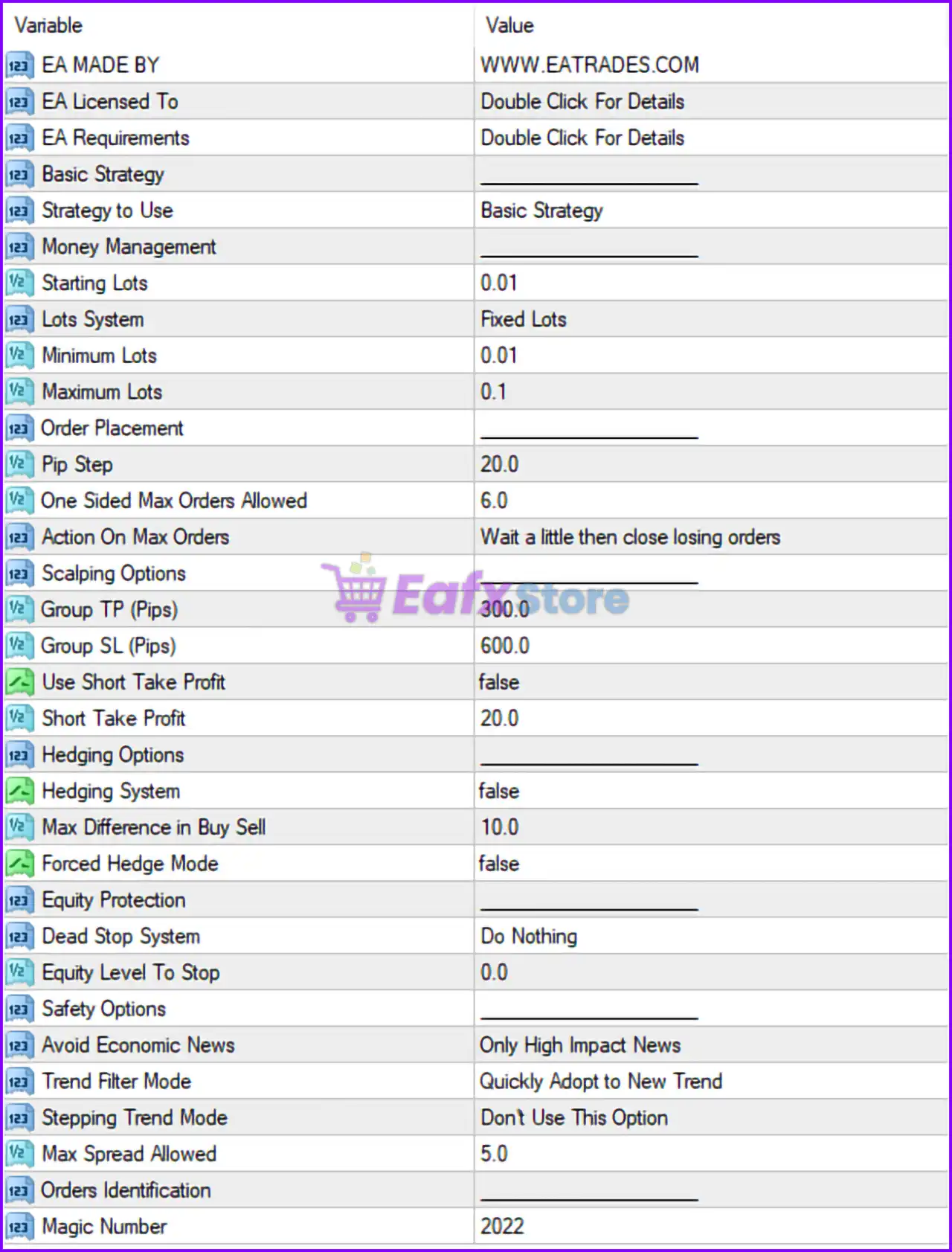
Below are the details of the parameters in the advisor’s trading system settings table:
Basic Strategy Settings
🔹 Strategy to Use = Basic Strategy: Selects the default trading logic called Basic Strategy.
Money Management Settings
🔹 Starting Lots = 0.01: Sets the initial trading lot size to 0.01.
🔹 Lots System = Fixed Lots: Uses a fixed lot size trading method instead of automatic scaling.
🔹 Minimum Lots = 0.01: Defines the minimum allowable lot size as 0.01.
🔹 Maximum Lots = 0.1: Limits the maximum trade size to 0.1 lots.
Order Placement Settings
🔹 Pip Step = 20.0: Sets the grid or order spacing distance to 20.0 pips.
🔹 One Sided Max Orders Allowed = 6.0: Limits the number of buy-only or sell-only positions to 6.0.
🔹 Action On Max Orders = Wait a little then close losing orders: Defines the EA action when maximum orders are reached by waiting and then closing losing trades.
Scalping Options Settings
🔹 Group TP (Pips) = 300.0: Sets the combined Take Profit target for grouped trades to 300.0 pips.
🔹 Group SL (Pips) = 600.0: Sets the combined Stop Loss for grouped positions to 600.0 pips.
🔹 Use Short Take Profit = false: Disables the short Take Profit mode.
🔹 Short Take Profit = 20.0: Defines the smaller Take Profit target as 20.0 pips if enabled.
Hedging Options Settings
🔹 Hedging System = false: Disables automatic hedging functionality.
🔹 Max Difference in Buy Sell = 10.0: Limits the maximum imbalance between buy and sell orders to 10.0.
🔹 Forced Hedge Mode = false: Disables forced hedge recovery trading.
Equity Protection Settings
🔹 Dead Stop System = Do Nothing: Configures the EA to take no action when the dead stop condition is triggered.
🔹 Equity Level To Stop = 0.0: Equity stop protection is disabled because the value is 0.0.
Safety Options Settings
🔹 Avoid Economic News = Only High Impact News: Filters trading activity during high-impact economic news events only.
🔹 Trend Filter Mode = Quickly Adopt to New Trend: Enables fast trend adaptation for market direction filtering.
🔹 Stepping Trend Mode = Don't Use This Option: Disables stepping trend functionality.
🔹 Max Spread Allowed = 5.0: Prevents new trades if spread exceeds 5.0 points/pips.
Orders Identification Settings
🔹 Magic Number = 2022: Assigns the unique Magic Number 2022 to identify EA trades.
Conclusion
Forex Hedge Scalper EA MT4 is a versatile automated trading solution for MT4 traders who want to combine scalping strategies with advanced hedge and grid management features. The EA includes customizable money management, trend filtering, spread protection, and economic news controls to help traders manage risk effectively. Its flexible configuration makes it suitable for both conservative and aggressive trading styles.
FAQs
❓ What is Forex Hedge Scalper EA MT4?
Forex Hedge Scalper EA MT4 is an automated scalping and hedging Expert Advisor developed for the MetaTrader 4 platform.
❓ Does Forex Hedge Scalper EA MT4 support hedging strategies?
Yes, the EA includes configurable hedging options and buy/sell balancing controls.
❓ Can I use fixed lot sizes in Forex Hedge Scalper EA MT4?
Yes, the EA supports fixed lot trading with customizable minimum and maximum lot sizes.
❓ What is the purpose of the Magic Number in Forex Hedge Scalper EA MT4?
The Magic Number uniquely identifies trades opened by the EA for tracking and management purposes.
❓ Does Forex Hedge Scalper EA MT4 filter high-impact news events?
Yes, the EA can avoid trading during high-impact economic news releases to reduce volatility risk.



