




FXMachine MT4 v1.137 (Platform build 1471+)

Subscriptions for Special Plan
- 30 EA package is more economical!
- Special package with 99%
- Download 1 EA/Day

Subscriptions for Premium Membership
- Download Unlimited in 1 Year
- Get 100% Discount
- Get free access to all

Subscriptions for Gold Membership
- 1 Year Membership
- Get 100% Discount
- Access EA+Indicator+Course
Frequently bought together 🎁
Add these products to enhance your purchase

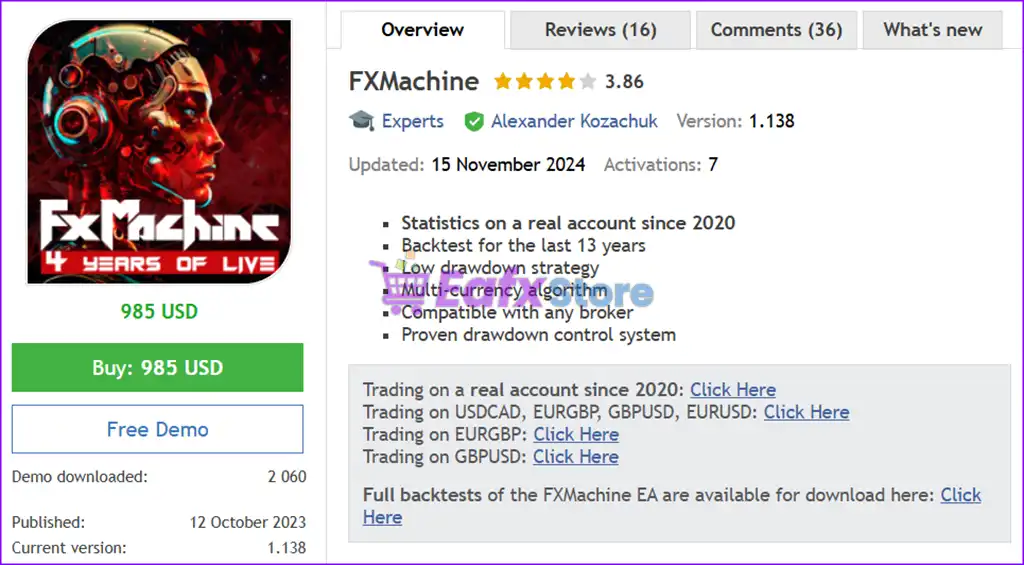
What is FXMachine EA?
FXMachine EA is a fully automated Expert Advisor (EA) built for adaptive Forex trading with intelligent risk management and advanced indicators. Designed for stability and long-term consistency, it combines smart market analysis, drawdown protection, and adaptive trade management to deliver resilient automated trading performance.
🔶 Vendor Website: Click Here
About the Author
This product is compiled by Alexander Kozachuk. This author has more than +13 years of experience working on MQL5 with many famous products such as FXMachine EA MT4, FXMachine MT5, UControl EA MT4, UControl EA MT5 and other advisors. Among them, FXMachine EA is his best performing products.
FXMachine EA MT4 Overview
Key Features of FXMachine MT4
🔹 Adaptive Multi-Currency Trading System: Optimized for EURUSD, GBPUSD, EURGBP and USDCAD.
🔹 Advanced Drawdown Protection Logic: Dynamically controls Stop Loss (SL) to limit account exposure.
🔹 Smart Market Analysis Technology: Combines indicators, price action and bar analysis signals.
🔹 Flexible Risk Management Controls: Supports automatic and manual lot sizing configurations.
🔹 Intelligent Trade Recovery System: Stabilizes performance through adaptive order management logic.
🔹 Broker-Friendly Trading Environment: Compatible with ECN brokers and standard Forex conditions.
Why Choose FXMachine EA MT4?
🔹 Stable Long-Term Trading Performance: Built from years of live testing and market experience.
🔹 Strong Automated Risk Protection: Includes advanced stop loss and drawdown management tools.
🔹 Beginner & Professional Friendly Setup: Easy default configuration with advanced customization.
🔹 Consistent Forex Trading Execution: Designed to maintain stable results in volatile conditions.
🔹 Highly Adaptable Trading Framework: Works efficiently across different brokers and environments.
FXMachine EA MT4 Review
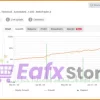
FXMachine EA Signal Results
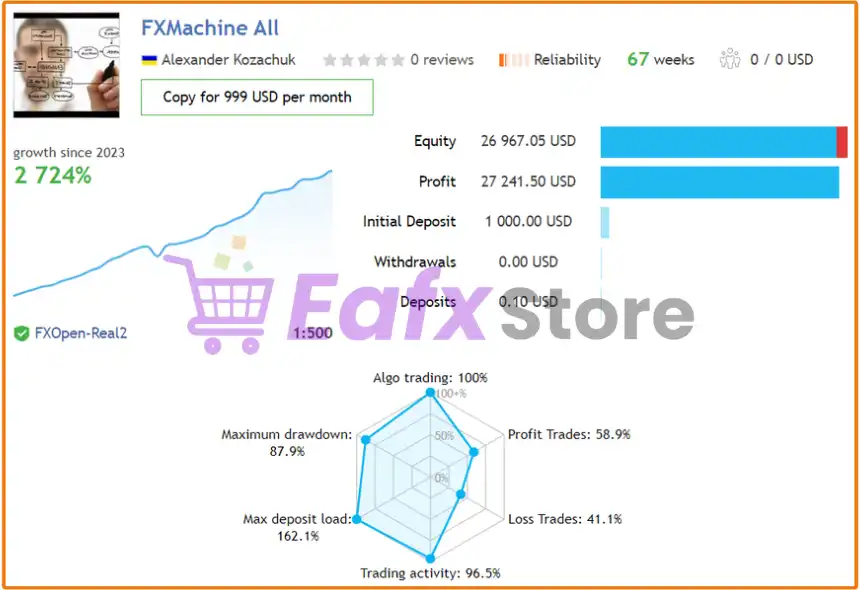
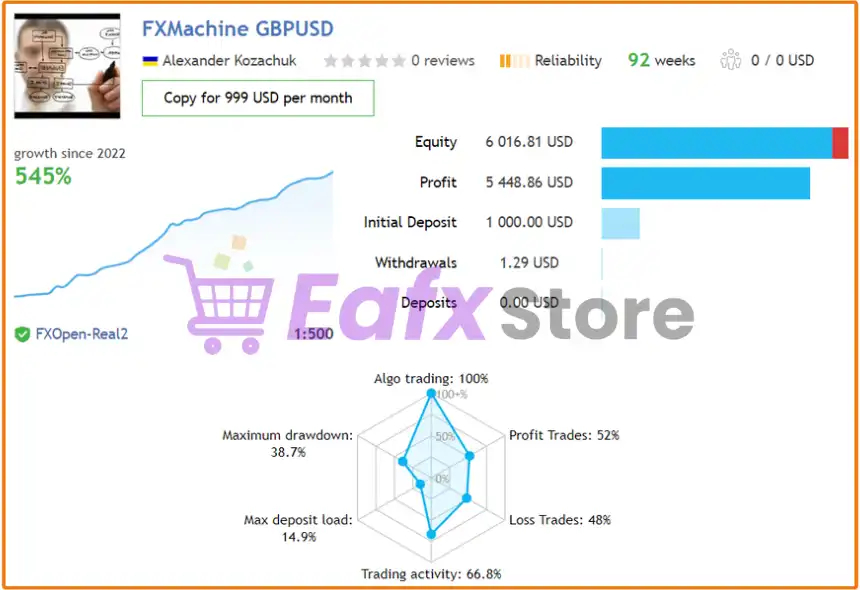
🔶 FXMachine EA has delivered massive +2700% account growth in under 2 years, making it ideal for traders with high-risk appetite who want to aggressively grow smaller accounts.
✅ Initial Deposit: $1,000
✅ Total Profit: $27,241
✅ Account Growth: +2,724%
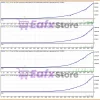
Real Trading Results of FXMachine
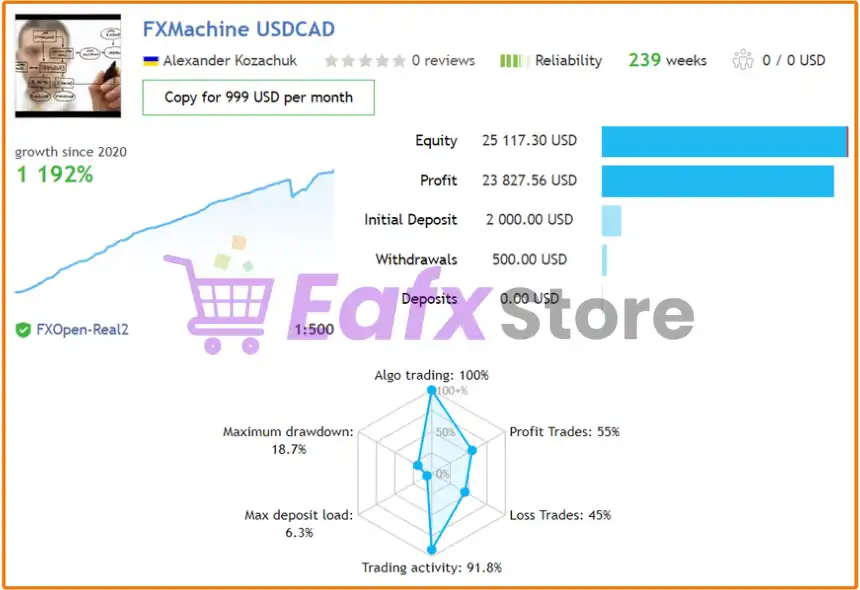
🔶 FXMachine EA trading USDCAD pair delivers a balanced performance — stable profit (+1192%), low drawdown (18.7%) and stable equity growth.
✅ Initial Deposit: $2,000
✅ Overall Growth: +1,192% growth since 2020
✅ Total Profit: $23,827
✅ Maximum Drawdown: 18.7%
Real Trading Results of FXMachine MT4
FXMachine EA MyFxBook Results
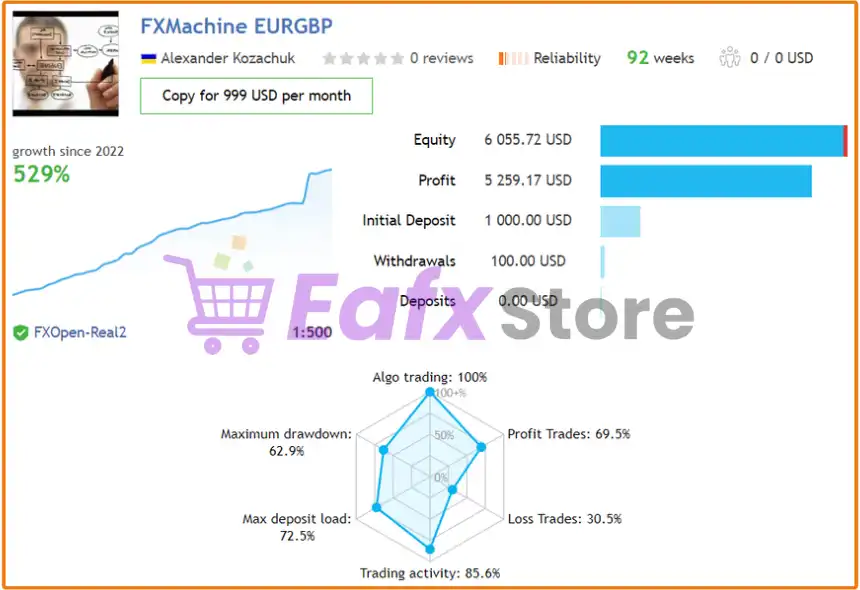
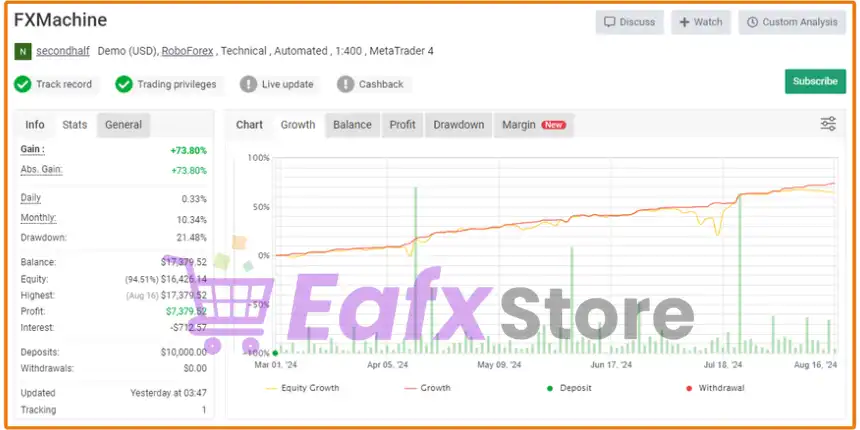
The transparency in the performance parameters of FXMachine EA is visually evaluated by Myfxbook, showing the potential and trust for every investor who has been using this advisor.
FXMachine EA Performance Verified by Myfxbook
What is the FXMachine MT4 Trading Strategy?
🔹 Adaptive Signal-Based Trading Logic: Opens selective trades using filtered technical analysis data.
🔹 Multi-Layer Order Management System: Controls positions through adaptive profit and loss handling.
🔹 Low Drawdown Recovery Framework: Reduces prolonged exposure with intelligent trade balancing.
🔹 Dynamic Exit Optimization Engine: Targets Break-even, small profit or controlled loss closures.
🔹 Flexible Multi-Pair Trading Setup: Designed for stable execution across major forex pairs.
🔹 Volatility-Aware Market Adaptation: Adjusts execution behavior based on changing market conditions.
Recommended settings
Recommended settings and parameters to pay attention to from developers and experts:
| Features | Type |
|---|---|
| Trading platform | MetaTrader 4 (MT4) |
| Time frames | M15 (15 minute chart) |
| Minimum / Recommended deposit | $500 |
| Currency pairs | USDCAD, EURGBP, GBPUSD and EURUSD. |
| Product type | NoDLL / Fix |
| Additional services | Unlock and Decompile |
| Recommended brokers | Exness Broker, Icmarkets Broker |
| Recommended VPS | MyfxVPS.com ( Blue VPS, Golden VPS). Lowest Latency, 2 week Free Trial, 100% Free for 12-18 Months. |
➡️ Reviewed by David Easton
Product Download Package?
The download package of the product suite includes:
✅ Experts: FXMachine MT4 v1.137_fix.ex4
Conclusion
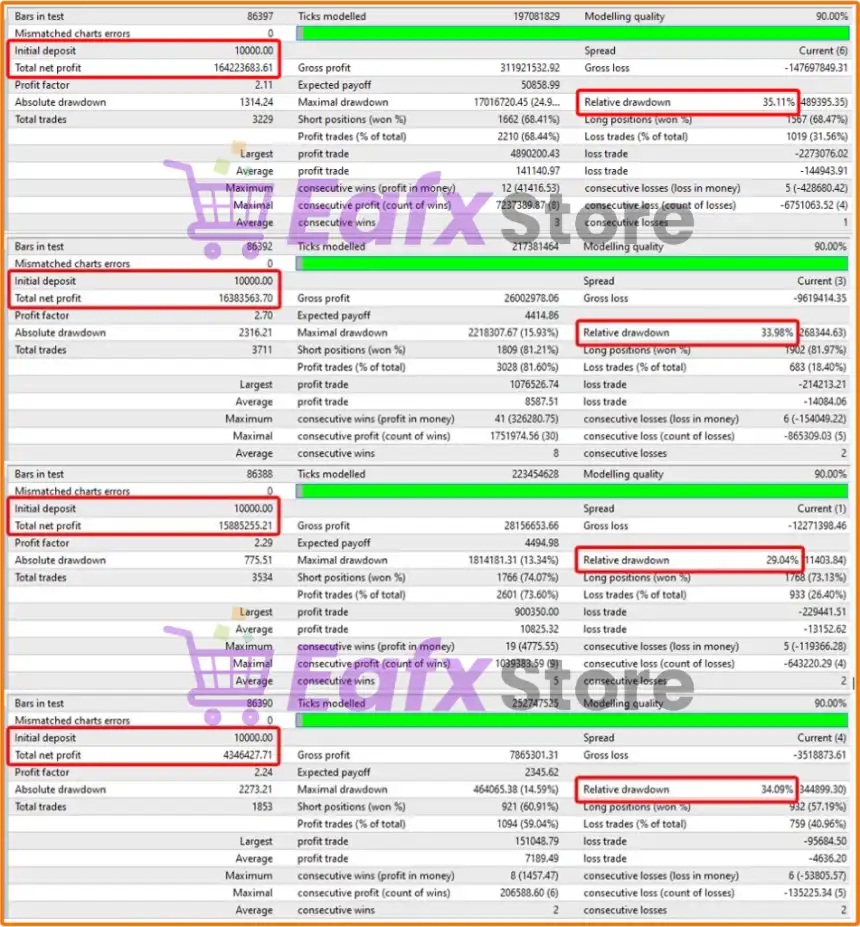
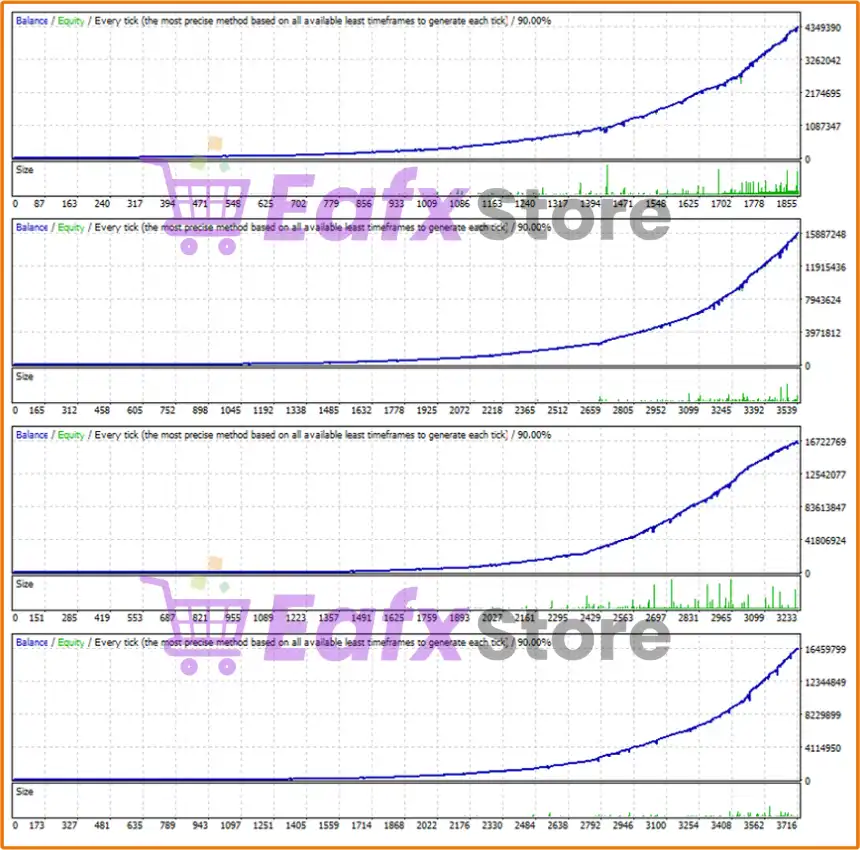
In short, FXMachine is a high-performance automated trading solution designed for traders seeking consistent profitability and robust risk management. With verified real account growth of over +2700% since 2020 and extensive long-term backtesting results, FXMachine EA proves itself as a powerful and reliable Forex trading tool. It combines smart market analysis, advanced drawdown control, and unique order support algorithms to maximize profit potential while minimizing risks.
🔢 FXMachine EA MT4 – Complete Settings & Input Parameters Guide
FXMachine EA MT4 is an advanced automated Forex trading robot for MetaTrader 4 designed to deliver intelligent signal-based trading with customizable risk management and trade filtering.
The EA supports automatic settings for selected currency pairs, dynamic spread control, multi-trade management, profit-closing systems and drawdown protection.
With flexible configuration options, FXMachine EA MT4 is suitable for both beginner and professional Forex traders looking for a smart automated trading solution.
FXMachine EA MT4 Settings
🔢 FXMachine EA MT4 Settings Explained
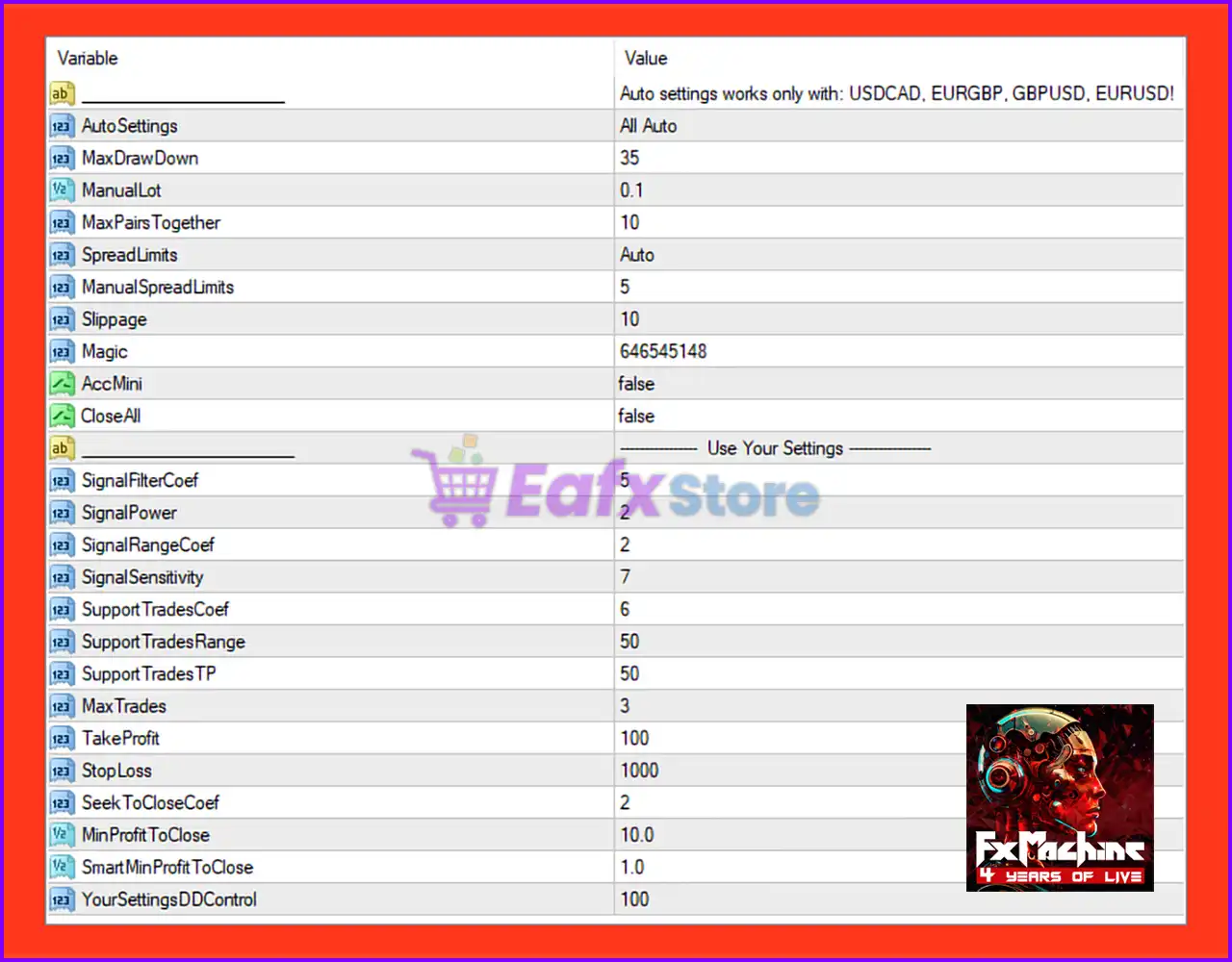
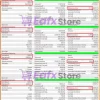
FXMachine EA MT4 Settings Panel
🔶 Auto Settings Configuration
🔹 Auto settings works only with: USDCAD, EURGBP, GBPUSD, EURUSD!: Auto-optimization mode is designed specifically for the currency pairs USDCAD, EURGBP, GBPUSD, and EURUSD.
🔹 AutoSettings = All Auto: Enables fully automatic configuration for supported trading pairs.
🔶 Risk & Money Management Settings
🔹 MaxDrawDown = 35: Maximum allowed drawdown percentage is set to 35.
🔹 ManualLot = 0.1: Manual fixed lot size is configured at 0.1.
🔹 MaxPairsTogether = 10: Maximum number of currency pairs traded simultaneously is 10.
🔶 Spread & Execution Settings
🔹 SpreadLimits = Auto: Spread limits are automatically managed by the EA.
🔹 ManualSpreadLimits = 5: Manual spread limit value is set to 5 when automatic mode is disabled.
🔹 Slippage = 10: Maximum allowed slippage during order execution is 10.
🔶 Trade Identification Settings
🔹 Magic = 646545148: Unique Magic Number 646545148 used to identify EA trades.
🔹 AccMini = false: Mini account mode is disabled.
🔹 CloseAll = false: Automatic closing of all trades is disabled.
🔶 Custom User Settings
🔄 Signal Filter Parameters
🔹 SignalFilterCoef = 5: Signal filter coefficient sensitivity is configured at 5.
🔹 SignalPower = 2: Signal strength level is set to 2.
🔹 SignalRangeCoef = 2: Signal range coefficient value is 2.
🔹 SignalSensitivity = 7: Overall signal sensitivity level is configured at 7.
🔄 Support Trade Parameters
🔹 SupportTradesCoef = 6: Coefficient for support trades management is set to 6.
🔹 SupportTradesRange = 50: Distance range for support trades is 50.
🔹 SupportTradesTP = 50: Take Profit target for support trades is 50.
🔄 Trade Control Settings
🔹 MaxTrades = 3: Maximum number of simultaneously opened trades is 3.
🔹 TakeProfit = 100: Standard Take Profit target is configured at 100.
🔹 StopLoss = 1000: Stop Loss protection level is set to 1000.
🔄 Profit Closing Management
🔹 SeekToCloseCoef = 2: Profit-closing coefficient value is configured at 2.
🔹 MinProfitToClose = 10.0: Minimum floating profit required before closing trades is 10.0.
🔹 SmartMinProfitToClose = 1.0: Smart profit-closing threshold is set to 1.0.
🔄 Drawdown Protection
🔹 YourSettingsDDControl = 100: Drawdown control limit for custom settings is configured at 100.
🔢 Conclusion
FXMachine EA MT4 is a feature-rich automated Forex Expert Advisor that combines intelligent signal processing, flexible risk management, spread filtering, and advanced profit-closing systems. With support for automatic pair optimization and customizable trading parameters, FXMachine EA MT4 offers traders a scalable and adaptive trading solution for MetaTrader 4.
🔢 FAQs
❓ What is FXMachine EA MT4?
FXMachine EA MT4 is an automated Forex trading robot designed for MetaTrader 4 with signal-based trading algorithms.
❓ Which currency pairs support the AutoSettings feature?
The auto settings are optimized for USDCAD, EURGBP, GBPUSD, and EURUSD.
❓ What is the default maximum drawdown setting?
The EA uses a default MaxDrawDown value of 35.
❓ How many trades can FXMachine EA MT4 open simultaneously?
The EA can open a maximum of 3 trades at the same time.
❓ Does FXMachine EA MT4 include risk management features?
Yes, the EA includes drawdown control, spread filters, signal filtering, and profit management systems.
User Reviews
Only logged in customers who have purchased this product may leave a review.
1. What is FXMachine EA and how does it work?
FXMachine EA is an automated trading robot for MetaTrader 4 (MT4), optimized to trade USDCAD, EURGBP, GBPUSD, and EURUSD. It uses a combination of standard and non-standard market analysis, combined with advanced algorithms, to automatically generate trade entries, manage risks, and secure profits with minimal user intervention.
2. Which currency pairs and timeframes does FXMachine EA support?
FXMachine EA supports USDCAD, EURGBP, GBPUSD, and EURUSD pairs and operates best on the M15 timeframe, offering versatility for short-term trading strategies.
3. Is FXMachine EA suitable for beginners or only for experienced traders?
FXMachine EA is designed for both beginners and experienced traders. It offers easy setup options, automated risk management, and requires no manual trading knowledge, making it accessible to traders of all levels.
4. Does FXMachine EA use martingale, grid, or hedging strategies?
No. FXMachine EA avoids dangerous strategies like martingale, grid, or excessive hedging. Instead, it uses a unique order support algorithm and strict drawdown control to prioritize account safety.
5. How much capital is required to start trading with FXMachine EA?
The recommended minimum deposit is $500, but you can start with as low as $1000 to allow the EA's smart risk management to function more effectively.
6. What is the maximum drawdown observed with FXMachine EA?
Live trading results show a maximum drawdown between 15-19%, depending on the currency pair, making it suitable for traders who prefer balanced risk with high profit potential.
7. Can I monitor real trading results for FXMachine EA?
Yes, you can view verified live trading results on Myfxbook, with accounts showing +2700% growth in under 2 years, providing transparency and trust for all users.
8. Does FXMachine EA offer automated stop loss and risk control?
Absolutely. Every trade is managed with dynamic Stop Loss levels and advanced drawdown control, ensuring capital protection and responsible risk exposure.
9. Is FXMachine EA compatible with any broker?
Yes, FXMachine EA is broker-independent and works with any MT4 broker that supports standard accounts, allowing flexible use across various trading environments.
🔥 Get This EA for FREE with Our Membership! 🚀🚀
Unlock access to this EA, premium Indicators, and exclusive trading tools completely FREE with any of our Membership Plans! Thousands of traders already benefit from our VIP library—join them and level up your trading instantly. Choose Your Membership:
- SPECIAL – 1 Month Membership
- GOLD – 1 Year Membership
- PREMIUM – 1 Year Membership
-
 Price range: $70.00 through $599.00
 -
 Price range: $70.00 through $599.00
 -
 Price range: $89.00 through $599.00
 -
 Price range: $89.00 through $599.00
-
 1Original price was: $11,000.00.$89.00Current price is: $89.00.
 -
 0Original price was: $500.00.$69.00Current price is: $69.00.
 -
 2Original price was: $898.00.$59.00Current price is: $59.00.
 -
 0Original price was: $399.00.$59.00Current price is: $59.00.
There are no reviews yet.