




🔢 Golden Tree EA MT5 Settings Guide
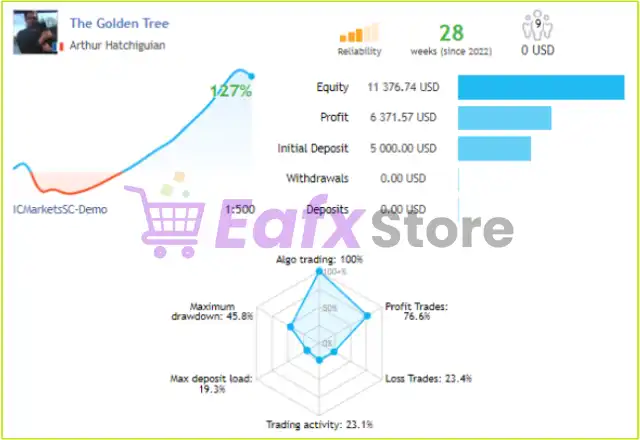
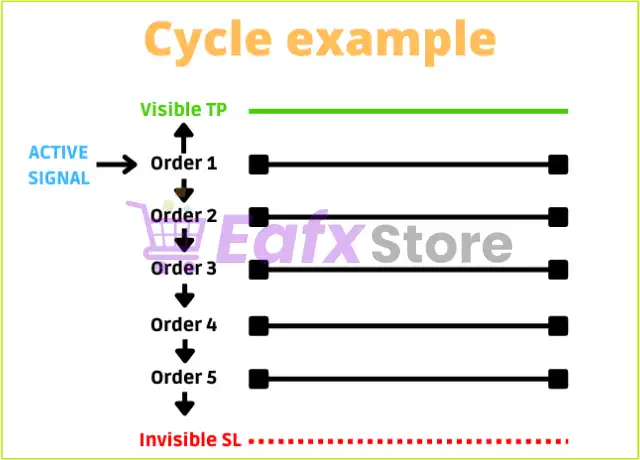
Golden Tree EA is an automated trading Expert Advisor designed with intelligent cycle management, flexible AutoLot sizing, integrated risk protection, news filtering, FTMO compatibility and a customizable chart interface.
The EA supports both BUY and SELL trading cycles, advanced equity protection, configurable stop-loss controls, and broker-specific execution settings, making it suitable for traders seeking a balanced combination of automation, safety and flexibility.
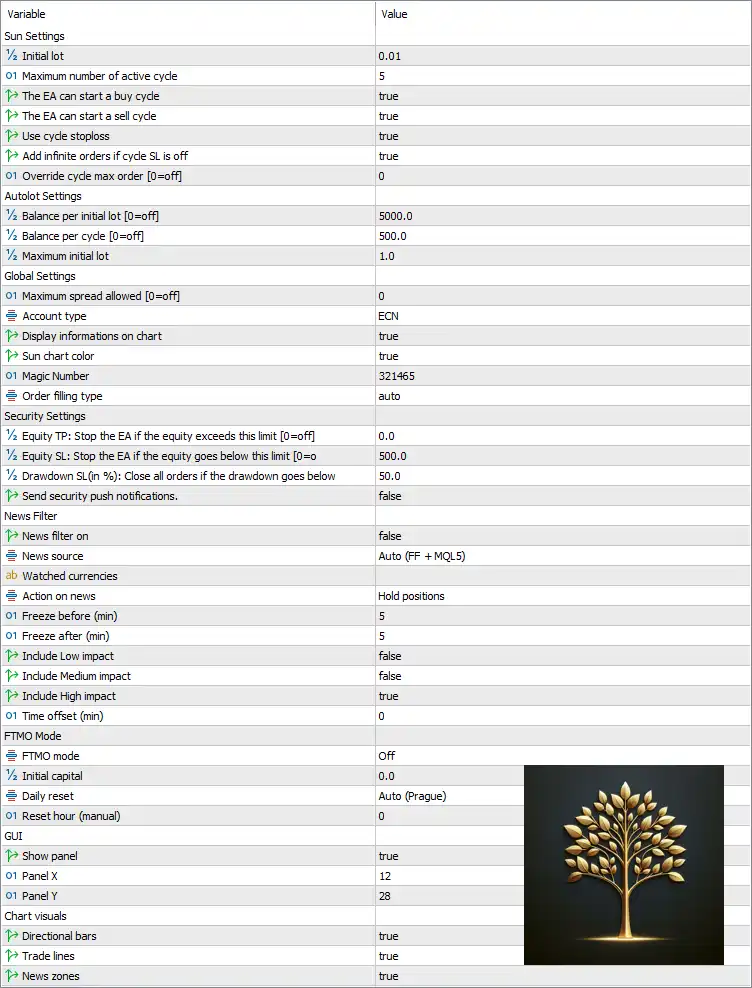
🔢 Golden Tree EA MT5 Settings Explained
🔄 Sun Settings
🔹 Initial lot = 0.01 – Sets the starting trade size to 0.01 lot.
🔹 Maximum number of active cycle = 5 – Limits the EA to 5 simultaneous active trading cycles.
🔹 The EA can start a buy cycle = true – Allows the EA to initiate BUY trading cycles.
🔹 The EA can start a sell cycle = true – Allows the EA to initiate SELL trading cycles.
🔹 Use cycle stoploss = true – Enables Stop Loss protection for each trading cycle.
🔹 Add infinite orders if cycle SL is off = true – Allows continuous order additions when cycle Stop Loss is disabled.
🔹 Override cycle max order [0=off] = 0 – Uses the default maximum number of orders per cycle.
🔄 AutoLot Settings
🔹 Balance per initial lot [0=off] = 5000.0 – Opens 0.01 lot for every 5,000 units of account balance.
🔹 Balance per cycle [0=off] = 500.0 – Adjusts cycle sizing for every 500 units of balance.
🔹 Maximum initial lot = 1.0 – Caps the initial trade size at 1.00 lot.
🔄 Global Settings
🔹 Maximum spread allowed [0=off] = 0 – Disables the maximum spread restriction.
🔹 Account type = ECN – Optimized for ECN trading accounts.
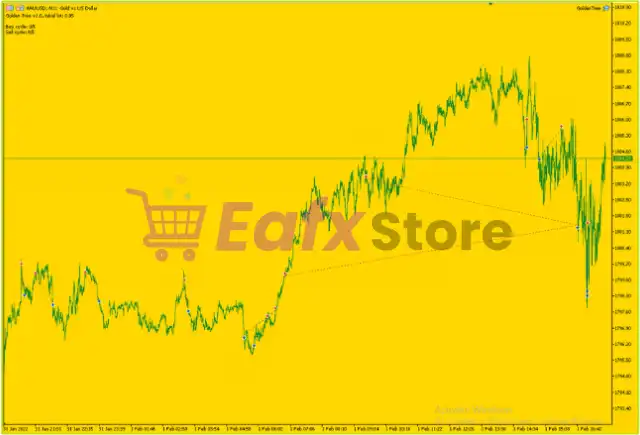
🔹 Display informations on chart = true – Displays EA information directly on the trading chart.
🔹 Sun chart color = true – Enables the customized Sun chart color theme.
🔹 Magic Number = 321465 – Unique identifier used to manage EA trades.
🔹 Order filling type = auto – Automatically selects the most suitable order filling method supported by the broker.
🔄 Security Settings
🔹 Equity TP: Stop the EA if the equity exceeds this limit [0=off] = 0.0 – Equity Take Profit is disabled.
🔹 Equity SL: Stop the EA if the equity goes below this limit [0=off] = 500.0 – Stops trading if account equity falls below 500.0.
🔹 Drawdown SL (%) = 50.0 – Closes all positions if account drawdown reaches 50%.
🔹 Send security push notifications = false – Disables push notifications for security events.
🔄 News Filter
🔹 News filter on = false – Disables the built-in news filter.
🔹 News source = Auto (FF + MQL5) – Automatically retrieves news from Forex Factory and MQL5.
🔹 Watched currencies = (Default) – Monitors the configured trading currencies.
🔹 Action on news = Hold positions – Existing positions remain open during major news events.
🔹 Freeze before (min) = 5 – Stops opening new trades 5 minutes before news.
🔹 Freeze after (min) = 5 – Resumes trading 5 minutes after news.
🔹 Include Low impact = false – Ignores low-impact news.
🔹 Include Medium impact = false – Ignores medium-impact news.
🔹 Include High impact = true – Filters only high-impact news events.
🔹 Time offset (min) = 0 – Uses the broker's default server time.
🔄 FTMO Mode
🔹 FTMO mode = Off – FTMO compliance mode is disabled.
🔹 Initial capital = 0.0 – Uses the current account balance when FTMO mode is disabled.
🔹 Daily reset = Auto (Prague) – Daily statistics reset automatically using the Prague timezone.
🔹 Reset hour (manual) = 0 – Manual reset hour is disabled.
🔄 GUI Settings
🔹 Show panel = true – Displays the on-chart control panel.
🔹 Panel X = 12 – Sets the horizontal position of the panel.
🔹 Panel Y = 28 – Sets the vertical position of the panel.
🔄 Chart Visuals
🔹 Directional bars = true – Displays directional trading bars on the chart.
🔹 Trade lines = true – Shows trade entry and exit lines.
🔹 News zones = true – Highlights news event zones directly on the chart.
🔢 Risk Level
🔹 Fixed Lot – Uses a fixed starting lot of 0.01 for every new trading cycle.
🔹 Safe – Combines cycle Stop Loss, equity protection, and a 50% maximum drawdown limit for conservative risk management.
🔹 Balanced – Utilizes AutoLot scaling with 5,000 balance per initial lot while maintaining controlled exposure.
🔹 Aggressive – Traders may increase the maximum initial lot or adjust AutoLot settings for higher growth potential with increased risk.
🔢 Conclusion
Golden Tree EA MT5 offers a comprehensive automated trading solution by combining intelligent cycle management, flexible AutoLot sizing, robust equity protection, integrated news handling, and FTMO-ready functionality. Its configurable risk controls, ECN optimization, customizable graphical interface, and support for both BUY and SELL cycles make it suitable for traders seeking a reliable and adaptable Expert Advisor for various market environments.
🔢 FAQs
❓ What is Golden Tree EA MT5 designed for?
Golden Tree EA MT5 is an automated Expert Advisor that manages BUY and SELL trading cycles with advanced money management and risk protection features.
❓ Does Golden Tree EA MT5 support automatic lot sizing?
Yes. The EA includes an AutoLot system that adjusts position size based on account balance while respecting the configured maximum initial lot.
❓ Can the EA trade during high-impact news events?
Yes. The news filter can freeze new entries around important economic releases while holding existing positions, depending on the configured settings.
❓ Is Golden Tree EA MT5 compatible with FTMO or prop firm accounts?
Yes. The EA includes an FTMO mode with configurable daily reset and capital management options, although it is disabled by default.
❓ Does Golden Tree EA MT5 include built-in account protection?
Yes. It provides Equity Stop Loss, Drawdown Stop Loss, cycle-based Stop Loss, and optional security controls to help protect trading capital.




