




Sun EA MT5 with SetFiles (Latest version) - Unlimited

Subscriptions for Special Plan
- 30 EA package is more economical!
- Special package with 99%
- Download 1 EA/Day

Subscriptions for Premium Membership
- Download Unlimited in 1 Year
- Get 100% Discount
- Get free access to all

Subscriptions for Gold Membership
- 1 Year Membership
- Get 100% Discount
- Access EA+Indicator+Course
Frequently bought together 🎁
Add these products to enhance your purchase


What is Sun EA MT5?
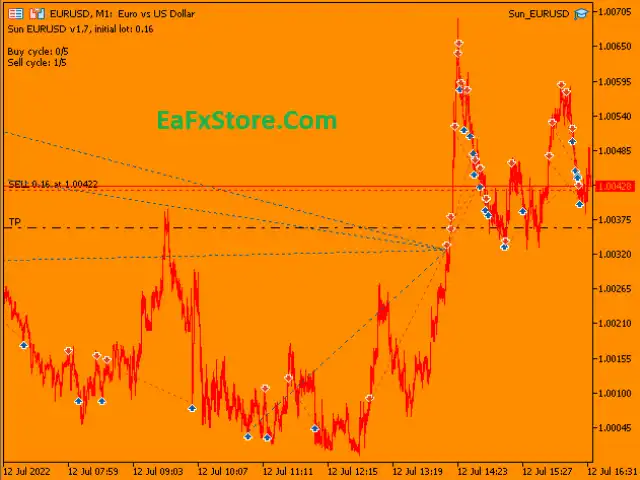
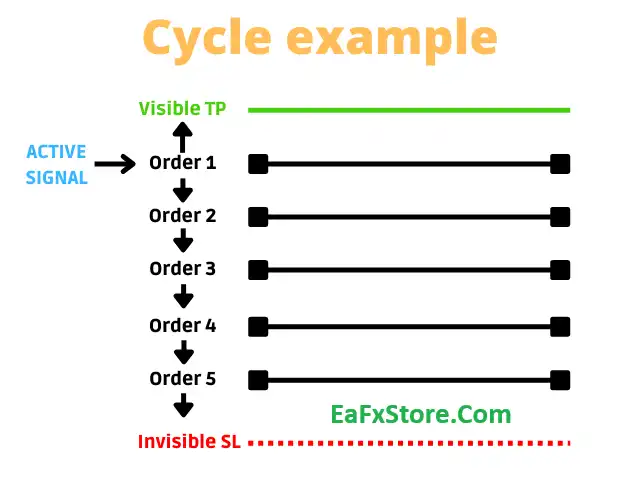
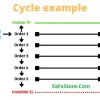
Sun EA is a high-performance automated Forex Expert Advisor (EA) developed exclusively for EURUSD on the M1 timeframe. Engineered for aggressive multi-cycle scalping, the EA opens and manages multiple independent trading cycles, each equipped with its own Take Profit (TP) and Stop Loss (SL) parameters to maximize trade control and execution efficiency.
 Vendor Website: View here
About the Author
This product is compiled by Arthur Hatchiguian. This author has more than +8 years of experience working on MQL5 with many famous products such as Sun EA MT5, Golden Tree MT5, Sun EA MT4 and other advisors. Among them, Sun EA is his best performing products.
Delivery time 24h-48h after payment.
Refund if not delivered.
You will receive the current version without any limitations (ID+Time).
Key Features of Sun EA for MT5
🔹 Fully automated EURUSD M1 scalping EA optimized for high-frequency trading.
🔹 Uses an independent multi-cycle trading system, allowing each cycle to manage its own Stop Loss (SL) and Take Profit (TP).
🔹 Implements a Martingale recovery strategy to improve trade recovery during adverse market conditions.
🔹 Detects recurring historical market patterns to identify high-probability trade entries.
🔹 Built-in Auto Lot system automatically adjusts position size based on account balance.
🔹 Includes an optional interactive trading dashboard for real-time monitoring and easier control.
🔹 Features a ForexFactory news filter to avoid trading during high-impact economic events.
🔹 Supports FTMO/Prop Firm Mode, including Daily Loss Limit, Maximum Loss Protection, and News Pause functionality.
Key Benefits
🔹 High Success Rate: The EA is designed to exploit the most of the rocks that have recurred strongly in the past, bringing a high success rate in transactions.
🔹 Optimal Risk Management: With the martingale system and intelligent risk management features, the EA ensures that you can optimize your profits while still ensuring the safety of your account.
🔹 Small Capital: With only $100 you can use and experience EA like a professional trader.
🔹 High Customization Ability: The EA comes with many customizable settings, making it easy for you to adjust to your own trading style and strategy.
Sun EA MT5 Review
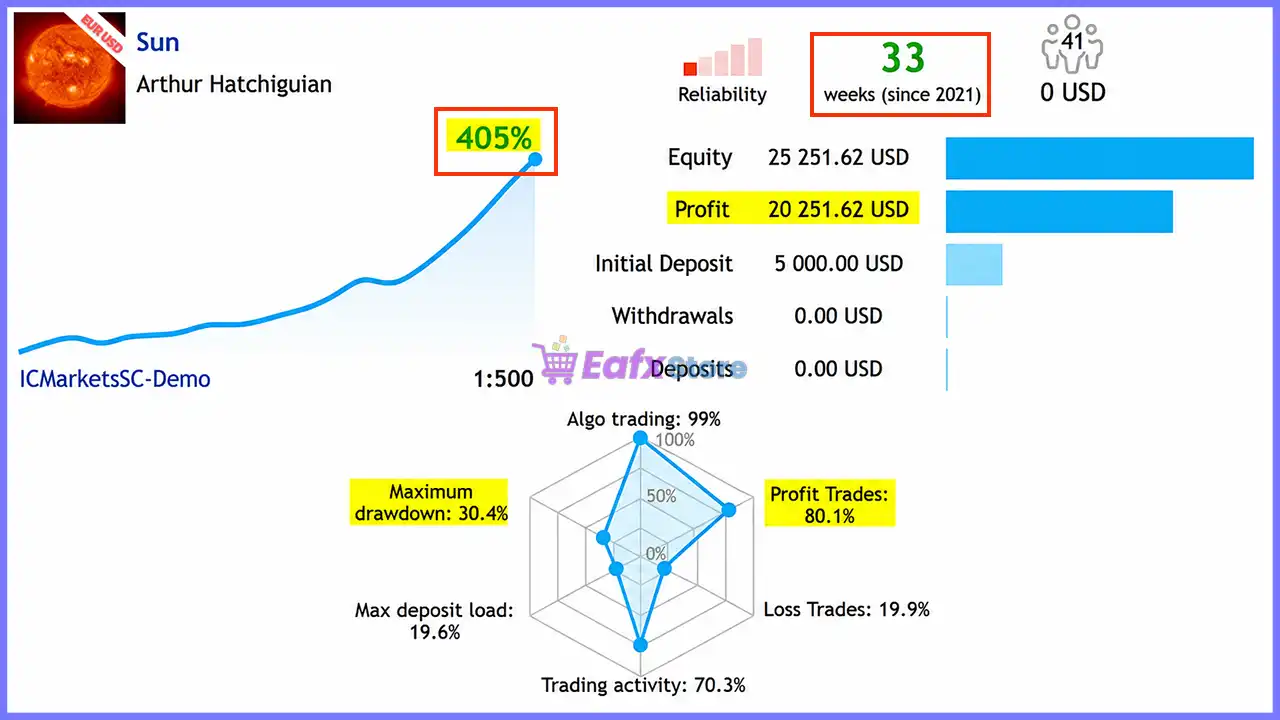
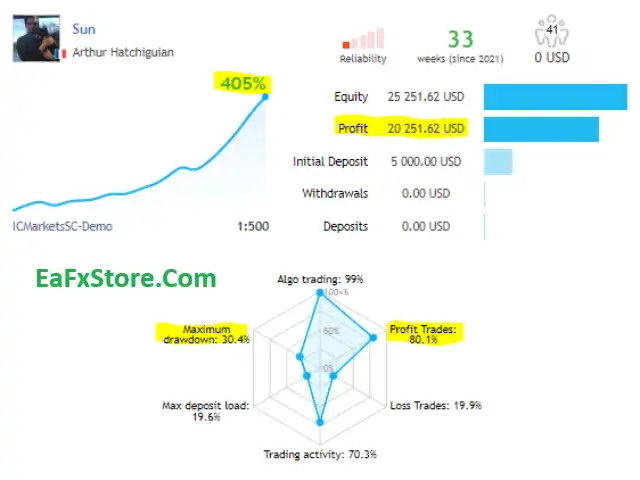
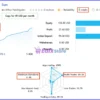
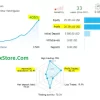
Trading results on Sun EA Real account achieved impressive profit parameters, detailed parameters include:
✅ Initial Deposit: $5,000
✅ Total Growth: +405%
✅ High win rate: 80.1%
✅ Maximum Drawdown: 30.4%
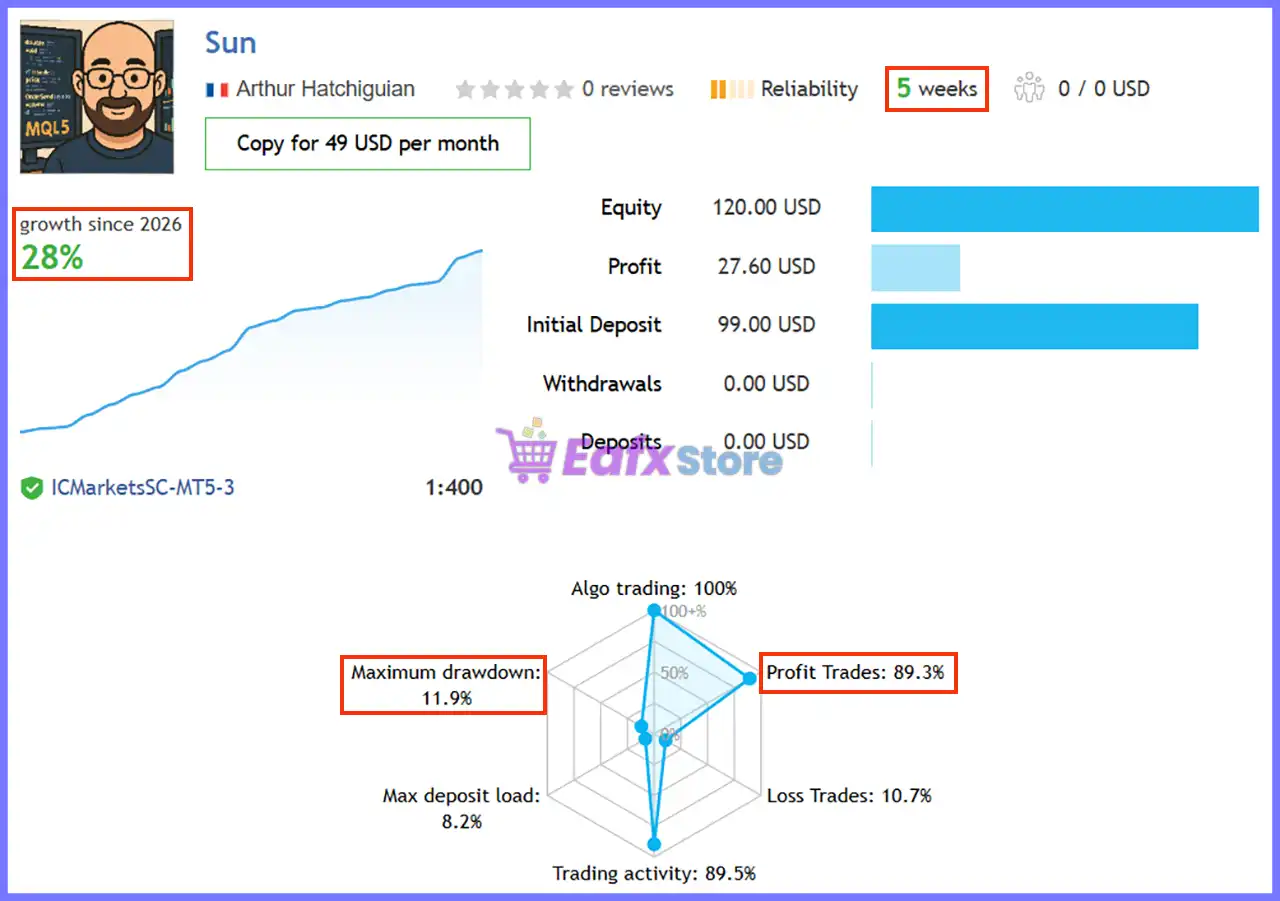
Sun EA MT5 Live Signal
User Reviews and Feedback
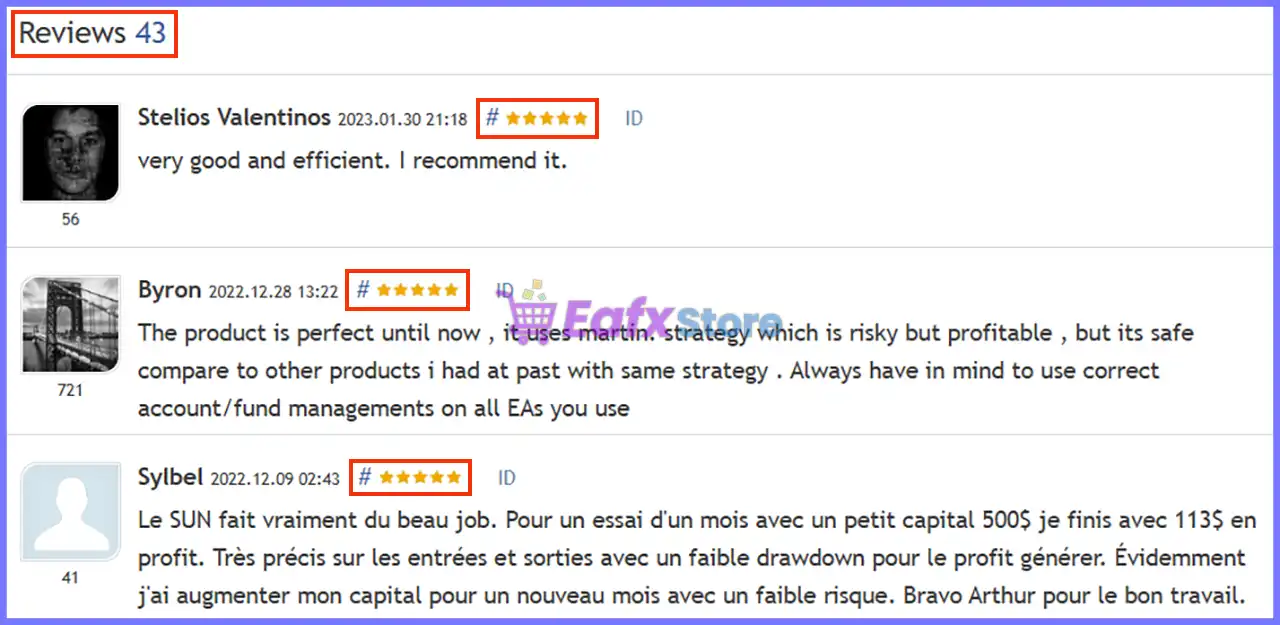
Sun EA demonstrates remarkable potential in delivering stable and reliable profits, making it a reliable tool in the forex market. Sun EA is highly regarded by the MQL5 community in many aspects and has gained the trust of its users.
⭐⭐⭐⭐⭐ Stelios Valentinos (2023.01.30)
“Very good and efficient. I recommend it.”
⭐⭐⭐⭐⭐ Byron (2022.12.28)
“The product is perfect until now , it uses martin. strategy which is risky but profitable , but its safe compare to other products i had at past with same strategy . Always have in mind to use correct account/fund managements on all EAs you use.”
⭐⭐⭐⭐⭐ Doggyhotty (2022.09.14)
“Just a quick review. i tested it live on high risk for a month. it is a very intelligent ea. you need to manage the risk tho and the equity stop lost is a great feature.”
User reviews of Sun EA MT5
Recommended settings
Recommended settings and parameters to pay attention to from developers and experts:
| Features | Type |
|---|---|
| Trading platform | MetaTrader 5 (MT5) |
| Time frames | M1 (1 minute chart) |
| Currency pairs | EURUSD |
| Minimum / Recommended deposit | $100+ |
| Minimum / Recommended leverage | 1:100+ |
| Account type | Low spread account |
| Product type | Original version |
| Additional services | Unlock and Decompile |
| Recommended brokers | Exness Broker, Icmarkets Broker |
| Recommended VPS | MyfxVPS.com ( Blue VPS, Golden VPS). Lowest Latency, 2 week Free Trial, 100% Free for 12-18 Months. |
Product download package includes
The download package of the product suite includes:
Experts
✅ Sun EA.ex5
SetFiles
✅ LowRisk_ECN_start10000.set
✅ LowRisk_Standard_start10000.set
✅ MediumRisk_ECN_start3000.set
✅ MediumRisk_Standard_start3000.set
✅ HighRisk_ECN_start1000.set
✅ HighRisk_Standard_start1000.set
✅ VeryHighRisk_ECN_start300.set
✅ VeryHighRisk_Standard_start300.set
✅ golden_sun_eurusd_ecn.set
✅ golden_sun_xauusd_ecn.set
✅ small_acc_ecn_custom.set
✅ sun_2024_signal_v2.set
✅ custom_set_4_pairs_ECN_high_risk.set
✅ custom_set_5_pairs_ECN_high_risk.set
✅ custom_set_6_pairs_ecn_high_risk.set
✅ veryhighrisk_ecn_start1500_5pairs.set
➡️ Reviewed by David Easton
Conclusion: The Ultimate Scalping Solution for EURUSD
In short, Sun EA for MT5 stands out as a high-performance scalping Expert Advisor (EA) tailored for traders who demand precision, speed, and reliability. Built for the M1 timeframe and optimized exclusively for EURUSD, this multi-cycle trading system leverages a powerful Martingale strategy combined with intelligent auto-lot features to deliver exceptional results. With an impressive +405% account growth, 80.1% win rate, and customizable risk settings, Sun EA MT5 offers a compelling balance of aggressive profit potential and controlled drawdown management.
🔢 Sun EA MT5 Settings Guide
Sun EA MT5 is a fully automated Expert Advisor for MetaTrader 5 that combines cycle-based trading, flexible money management, account protection, news filtering, FTMO compatibility, and an intuitive graphical interface.
The EA allows traders to configure trading cycles, automatic lot sizing, equity protection, news event handling, and chart visualization, making it suitable for both retail traders and funded account users.
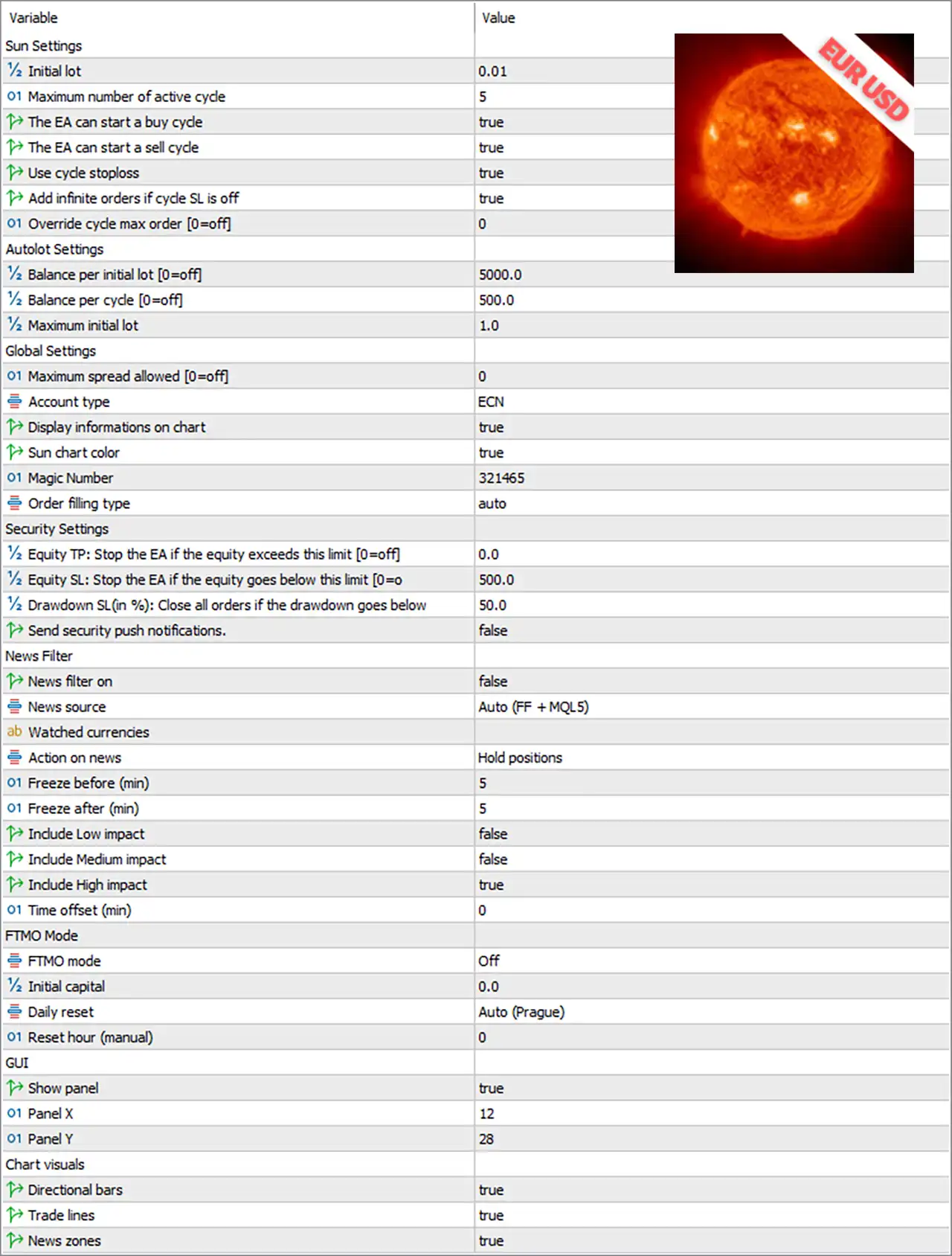
Sun EA MT5 Settings Panel
🔢 Sun EA MT5 Settings Explained
🔶 Sun Settings
🔹 Initial lot = 0.01 – Sets the initial trading volume to 0.01 lots for every new trading cycle.
🔹 Maximum number of active cycle = 5 – Allows a maximum of 5 active trading cycles simultaneously.
🔹 The EA can start a buy cycle = true – Enables the EA to initiate BUY trading cycles.
🔹 The EA can start a sell cycle = true – Enables the EA to initiate SELL trading cycles.
🔹 Use cycle stoploss = true – Activates stop loss protection for each trading cycle.
🔹 Add infinite orders if cycle SL is off = true – Allows unlimited additional orders when the cycle Stop Loss feature is disabled.
🔹 Override cycle max order [0=off] = 0 – Keeps the default maximum number of orders per cycle because the override is disabled.
🔶 AutoLot Settings
🔹 Balance per initial lot [0=off] = 5000.0 – Uses 5000.0 account balance as the reference for calculating the initial lot size.
🔹 Balance per cycle [0=off] = 500.0 – Increases lot sizing for every additional 500.0 balance units.
🔹 Maximum initial lot = 1.0 – Limits the starting position size to 1.0 lot.
🔶 Global Settings
🔹 Maximum spread allowed [0=off] = 0 – Disables spread filtering, allowing trading regardless of spread.
🔹 Account type = ECN – Optimizes the EA for ECN trading accounts.
🔹 Display informations on chart = true – Displays trading information directly on the chart.
🔹 Sun chart color = true – Applies the Sun EA visual color theme to the trading chart.
🔹 Magic Number = 321465 – Uses 321465 as the unique identifier for all trades opened by the EA.
🔹 Order filling type = auto – Automatically selects the most appropriate order filling method supported by the broker.
🔶 Security Settings
🔹 Equity TP: Stop the EA if the equity exceeds this limit [0=off] = 0.0 – Disables automatic EA shutdown after reaching a target equity.
🔹 Equity SL: Stop the EA if the equity goes below this limit [0=off] = 500.0 – Stops the EA if account equity falls below 500.0 when enabled.
🔹 Drawdown SL (%): Close all orders if the drawdown goes below = 50.0 – Closes all open positions when account drawdown reaches 50.0%.
🔹 Send security push notifications = false – Disables push notifications for security events.
🔶 News Filter
🔹 News filter on = false – Disables the built-in economic news filter.
🔹 News source = Auto (FF + MQL5) – Automatically retrieves news from Forex Factory and MQL5.
🔹 Watched currencies = (blank) – No specific currencies are selected for news monitoring.
🔹 Action on news = Hold positions – Keeps existing trades open during important news events.
🔹 Freeze before (min) = 5 – Stops opening new trades 5 minutes before scheduled news.
🔹 Freeze after (min) = 5 – Resumes trading 5 minutes after the news event.
🔹 Include Low impact = false – Ignores low-impact economic news.
🔹 Include Medium impact = false – Ignores medium-impact economic news.
🔹 Include High impact = true – Monitors only high-impact economic events.
🔹 Time offset (min) = 0 – Applies 0 minutes of time correction to the news schedule.
🔶 FTMO Mode
🔹 FTMO mode = Off – Disables funded account compliance mode.
🔹 Initial capital = 0.0 – No custom starting capital is specified for FTMO calculations.
🔹 Daily reset = Auto (Prague) – Automatically resets daily statistics using the Prague timezone.
🔹 Reset hour (manual) = 0 – Uses automatic daily reset instead of a manually specified hour.
🔶 GUI Settings
🔹 Show panel = true – Displays the EA control panel on the chart.
🔹 Panel X = 12 – Positions the control panel 12 pixels from the left side.
🔹 Panel Y = 28 – Positions the control panel 28 pixels from the top.
🔶 Chart Visuals
🔹 Directional bars = true – Displays directional trading bars on the chart.
🔹 Trade lines = true – Shows entry, exit, Stop Loss, and Take Profit lines.
🔹 News zones = true – Highlights scheduled news periods directly on the trading chart.
🔢 Conclusion
Sun EA MT5 provides a comprehensive set of configuration options designed for automated cycle trading with strong emphasis on capital protection and ease of use. Its flexible AutoLot system, configurable security controls, integrated news management, FTMO compatibility, and customizable chart interface allow traders to adapt the EA to different account sizes, broker environments, and risk preferences while maintaining efficient trade management.
User Reviews
Only logged in customers who have purchased this product may leave a review.
1. What is Sun EA MT5?
Sun EA MT5 is an advanced multi-cycle scalping Expert Advisor (EA) designed specifically for EURUSD on the M1 (1-minute) timeframe. It uses a combination of martingale and independent trading cycles to optimize profitability.
2. How does Sun EA MT5 work?
The EA operates on multiple independent trading cycles, each with its own Take Profit (TP) and Stop Loss (SL). It applies a martingale strategy to recover losses and maximize winning potential while ensuring strategic risk management.
3. What currency pairs does Sun EA MT5 support?
Sun EA MT5 is specifically designed to trade EURUSD, ensuring maximum efficiency and accuracy.
4. What is the minimum deposit required to use Sun EA MT5?
The minimum recommended deposit is $100, making it accessible for traders of all levels.
5. What is the recommended leverage for Sun EA MT5?
A minimum leverage of 1:500 is recommended, preferably with a low spread account for optimal performance.
6. Does Sun EA MT5 use a martingale strategy?
Yes, the EA applies a smart martingale system, which helps recover losses and hold positions effectively, increasing the probability of success.
7. Can I customize Sun EA MT5 settings?
Yes, Sun EA MT5 offers high customization, allowing traders to adjust parameters based on their trading style and risk tolerance.
-
 Original price was: $439.00.$249.00Current price is: $249.00.
 -
 Original price was: $9,999.00.$249.00Current price is: $249.00.
 -
 Original price was: $30,000.00.$249.00Current price is: $249.00.
 -
 Original price was: $30,000.00.$249.00Current price is: $249.00.
-
 4Original price was: $499.00.$249.00Current price is: $249.00.
 -
 0Original price was: $778.00.$249.00Current price is: $249.00.
 -
 1Original price was: $699.00.$249.00Current price is: $249.00.
 -
 0Original price was: $430.00.$249.00Current price is: $249.00.
There are no reviews yet.