
🔢 Score EA MT5 Settings Explained – Complete Parameter Guide
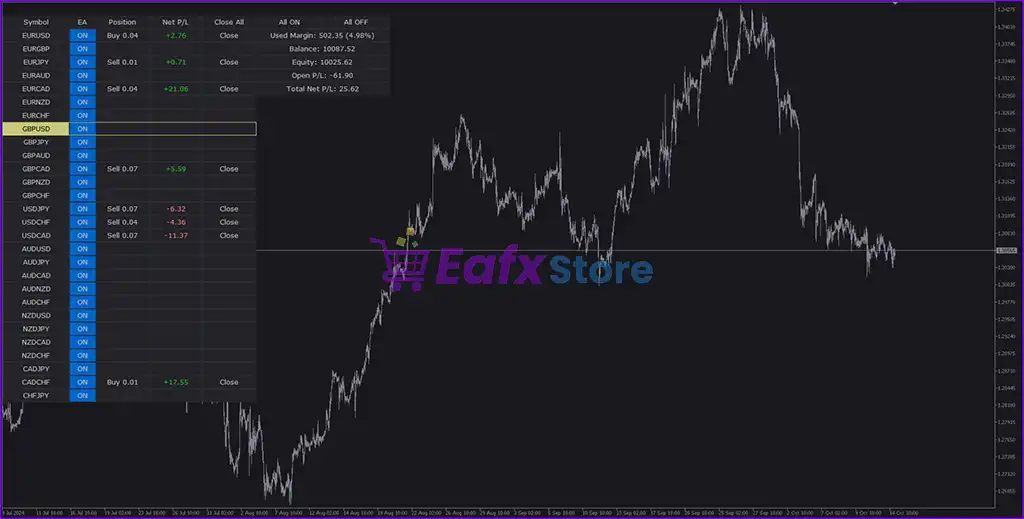
Score EA is a fully automated multi-currency Expert Advisor for MetaTrader 5 that supports up to 28 Forex pairs simultaneously. It offers flexible signal selection, progressive lot sizing, swap direction control, drawdown protection, profit management, and an intuitive interface, making it suitable for traders seeking diversified automated portfolio trading with customizable risk management.
🔢 Installation Panel Parameters
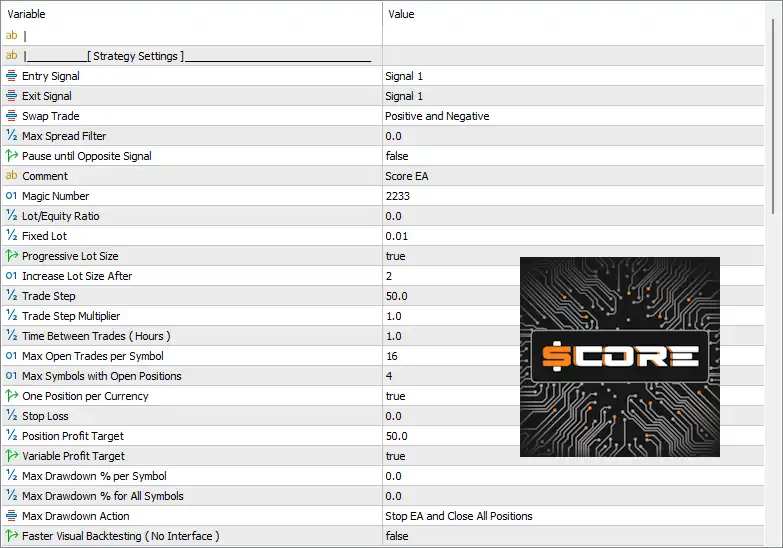
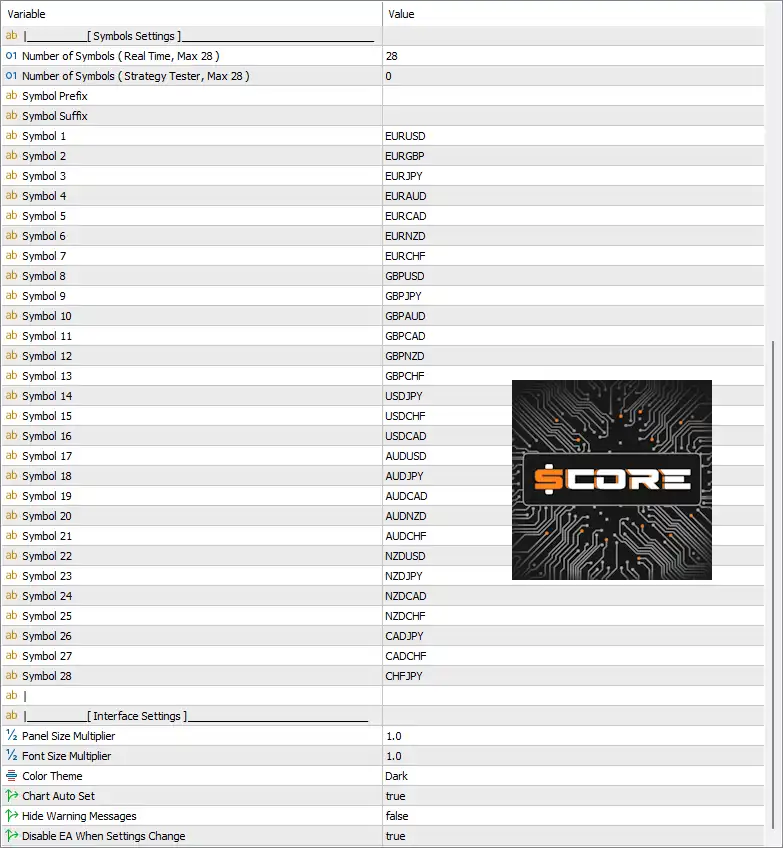
Below are the details of the parameters in the advisor’s trading system settings table:
🔶 Strategy Settings
🔹 Entry Signal = Signal 1 – Selects Signal 1 as the primary algorithm used to open new trading positions.
🔹 Exit Signal = Signal 1 – Uses Signal 1 as the condition for closing existing trades.
🔹 Swap Trade = Positive and Negative – Allows trading on both positive and negative swap currency pairs.
🔹 Max Spread Filter = 0.0 – Sets the maximum allowable spread to 0.0, effectively disabling the spread filter.
🔹 Pause until Opposite Signal = false – Keeps trading active without waiting for an opposite signal before opening new trades.
🔹 Comment = Score EA – Adds the trade comment "Score EA" to every order opened by the Expert Advisor.
🔹 MagicNumber = 2233 – Assigns the unique Magic Number 2233 to distinguish EA trades from manual positions or other EAs.
🔹 Lot/Equity Ratio = 0.0 – Sets the lot-to-equity ratio to 0.0, meaning this calculation is not used.
🔹 Fixed Lot = 0.01 – Uses a fixed trading volume of 0.01 lots.
🔹 Progressive Lot Size = true – Enables progressive lot sizing that increases position size automatically according to the EA's internal rules.
🔹 Increase Lot Size After = 2 – Increases the lot size after every 2 qualifying trading events.
🔹 Trade Step = 50.0 – Sets the trading step distance to 50.0 units.
🔹 Trade Step Multiplier = 1.0 – Uses a multiplier of 1.0, keeping each trade step unchanged.
🔹 Time Between Trades (Hours) = 1.0 – Waits 1.0 hour before opening another trade.
🔹 Max Open Trades per Symbol = 16 – Allows a maximum of 16 simultaneous positions on each trading symbol.
🔹 Max Symbols with Open Positions = 4 – Limits trading to 4 symbols with active positions at the same time.
🔹 One Position per Currency = true – Prevents multiple positions involving the same currency simultaneously.
🔹 Stop Loss = 0.0 – Sets Stop Loss to 0.0, meaning no fixed Stop Loss is applied.
🔹 Position Profit Target = 50.0 – Closes positions after reaching a profit target of 50.0.
🔹 Variable Profit Target = true – Enables dynamic profit target adjustment based on market conditions.
🔹 Max Drawdown % per Symbol = 0.0 – Sets the per-symbol drawdown limit to 0.0, effectively disabling this restriction.
🔹 Max Drawdown % for All Symbols = 0.0 – Sets the total portfolio drawdown limit to 0.0, disabling overall drawdown control.
🔹 Max Drawdown Action = Stop EA and Close All Positions – Stops the EA and closes all open trades if the configured drawdown condition is triggered.
🔹 Faster Visual Backtesting (No Interface) = false – Keeps the graphical interface enabled during visual strategy testing.
🔶 Symbols Settings
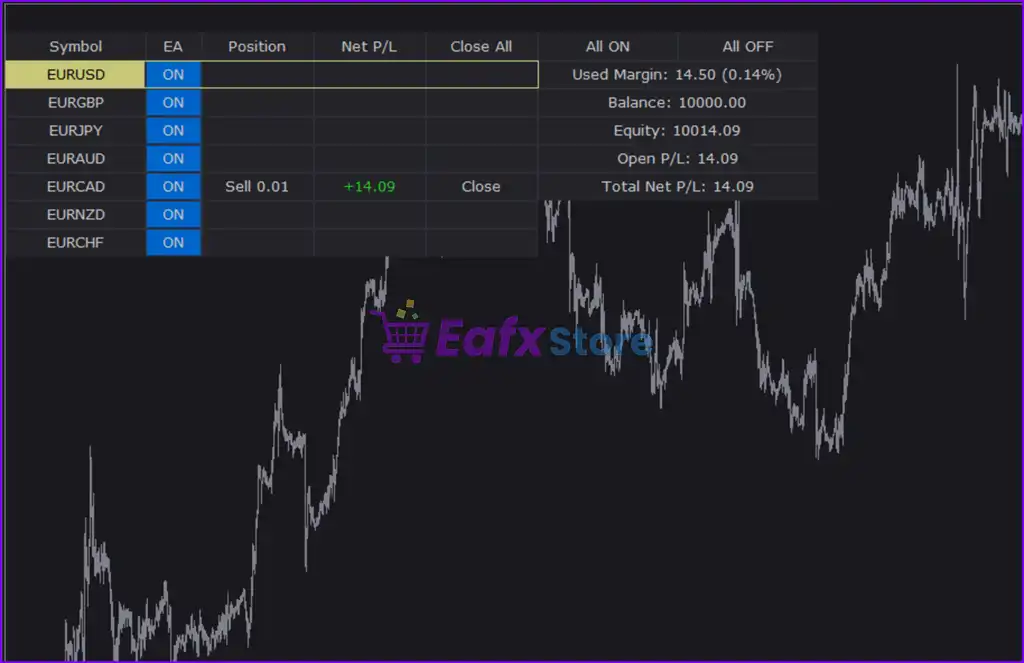
🔹 Number of Symbols (Real Time, Max 28) = 28 – Enables monitoring of up to 28 symbols during live trading.
🔹 Number of Symbols (Strategy Tester, Max 28) = 0 – Uses 0 symbols in the Strategy Tester unless configured manually.
🔹 Symbol Prefix = (blank) – No broker-specific symbol prefix is used.
🔹 Symbol Suffix = (blank) – No broker-specific symbol suffix is used.
🔹 Symbol 1 = EURUSD – Enables EURUSD.
🔹 Symbol 2 = EURGBP – Enables EURGBP.
🔹 Symbol 3 = EURJPY – Enables EURJPY.
🔹 Symbol 4 = EURAUD – Enables EURAUD.
🔹 Symbol 5 = EURCAD – Enables EURCAD.
🔹 Symbol 6 = EURNZD – Enables EURNZD.
🔹 Symbol 7 = EURCHF – Enables EURCHF.
🔹 Symbol 8 = GBPUSD – Enables GBPUSD.
🔹 Symbol 9 = GBPJPY – Enables GBPJPY.
🔹 Symbol 10 = GBPAUD – Enables GBPAUD.
🔹 Symbol 11 = GBPCAD – Enables GBPCAD.
🔹 Symbol 12 = GBPNZD – Enables GBPNZD.
🔹 Symbol 13 = GBPCHF – Enables GBPCHF.
🔹 Symbol 14 = USDJPY – Enables USDJPY.
🔹 Symbol 15 = USDCHF – Enables USDCHF.
🔹 Symbol 16 = USDCAD – Enables USDCAD.
🔹 Symbol 17 = AUDUSD – Enables AUDUSD.
🔹 Symbol 18 = AUDJPY – Enables AUDJPY.
🔹 Symbol 19 = AUDCAD – Enables AUDCAD.
🔹 Symbol 20 = AUDNZD – Enables AUDNZD.
🔹 Symbol 21 = AUDCHF – Enables AUDCHF.
🔹 Symbol 22 = NZDUSD – Enables NZDUSD.
🔹 Symbol 23 = NZDJPY – Enables NZDJPY.
🔹 Symbol 24 = NZDCAD – Enables NZDCAD.
🔹 Symbol 25 = NZDCHF – Enables NZDCHF.
🔹 Symbol 26 = CADJPY – Enables CADJPY.
🔹 Symbol 27 = CADCHF – Enables CADCHF.
🔹 Symbol 28 = CHFJPY – Enables CHFJPY.
🔶 Interface Settings
🔹 Panel Size Multiplier = 1.0 – Displays the control panel at 100% of its default size.
🔹 Font Size Multiplier = 1.0 – Uses the default interface font size.
🔹 Color Theme = Dark – Applies the Dark visual theme.
🔹 Chart Auto Set = true – Automatically configures chart settings for optimal EA operation.
🔹 Hide Warning Messages = false – Displays all warning messages on the chart.
🔹 Disable EA When Settings Change = true – Automatically disables the EA whenever input settings are modified, helping prevent accidental trading with incomplete configurations.
🔢 Conclusion
Score EA MT5 is a highly configurable multi-symbol trading system designed for diversified Forex portfolio management. With support for 28 currency pairs, progressive lot sizing, flexible entry and exit signals, variable profit targets, and comprehensive trade management controls, it provides traders with a scalable framework for automated MetaTrader 5 trading while maintaining configurable risk management and portfolio diversification.
🔢 FAQs
❓ What markets can Score EA MT5 trade?
Score EA MT5 supports up to 28 Forex currency pairs, allowing diversified multi-currency portfolio trading.
❓ Does Score EA MT5 use fixed or progressive lot sizing?
Both are supported. The default configuration uses a 0.01 fixed lot with Progressive Lot Size = true, allowing automatic lot increases after specified conditions.
❓ How many symbols can Score EA MT5 trade simultaneously?
The EA allows trading on up to 28 configured symbols, while limiting active positions to 4 symbols simultaneously by default.
❓ Can I customize the trading signals?
Yes. Entry and exit signals can be selected independently, with the default configuration using Signal 1 for both.
❓ Does Score EA MT5 include risk management features?
Yes. The EA includes position limits, progressive money management, drawdown actions, profit targets, spread filtering options, and automatic portfolio control for safer automated trading.



