


🔢 Sentinel XAU EA MT5 – Complete Settings & Parameters Guide
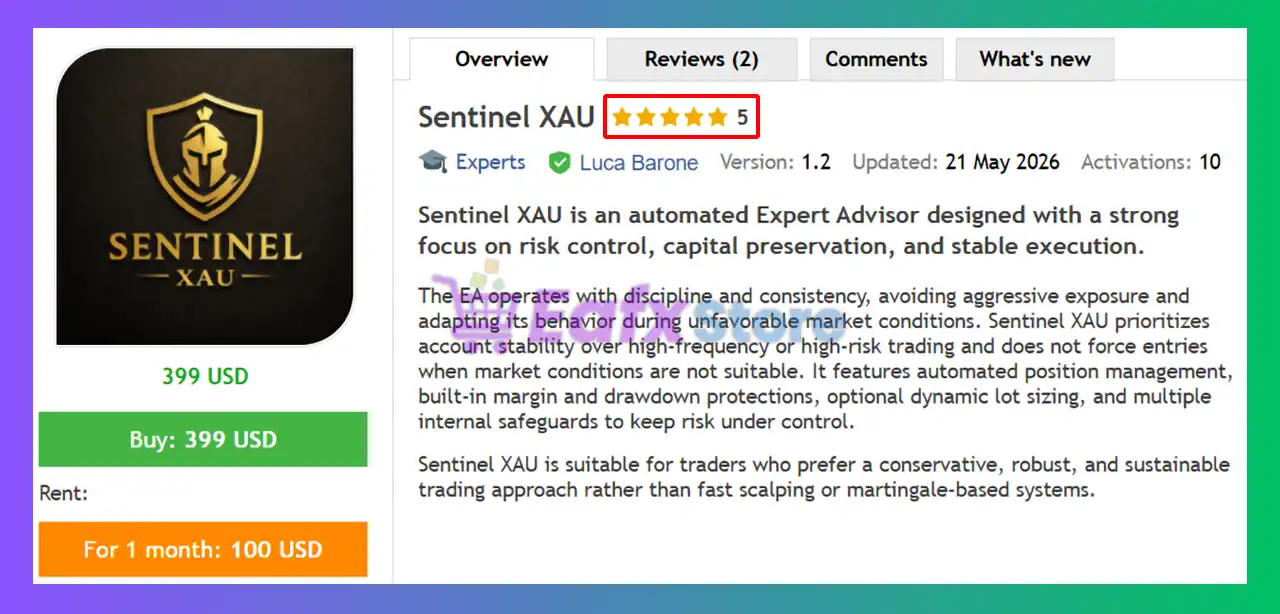
Sentinel XAU EA is an automated gold trading Expert Advisor (EA) designed specifically for XAUUSD trading. The EA combines automatic lot sizing, grid recovery management, basket take-profit control, drawdown protection, spread filtering, and rollover management. Its flexible risk settings and recovery system make it suitable for traders seeking automated gold trading with advanced capital protection features.
🔢 Sentinel XAU EA MT5 Settings Explained
Below are the details of the parameters in the advisor’s trading system settings table:
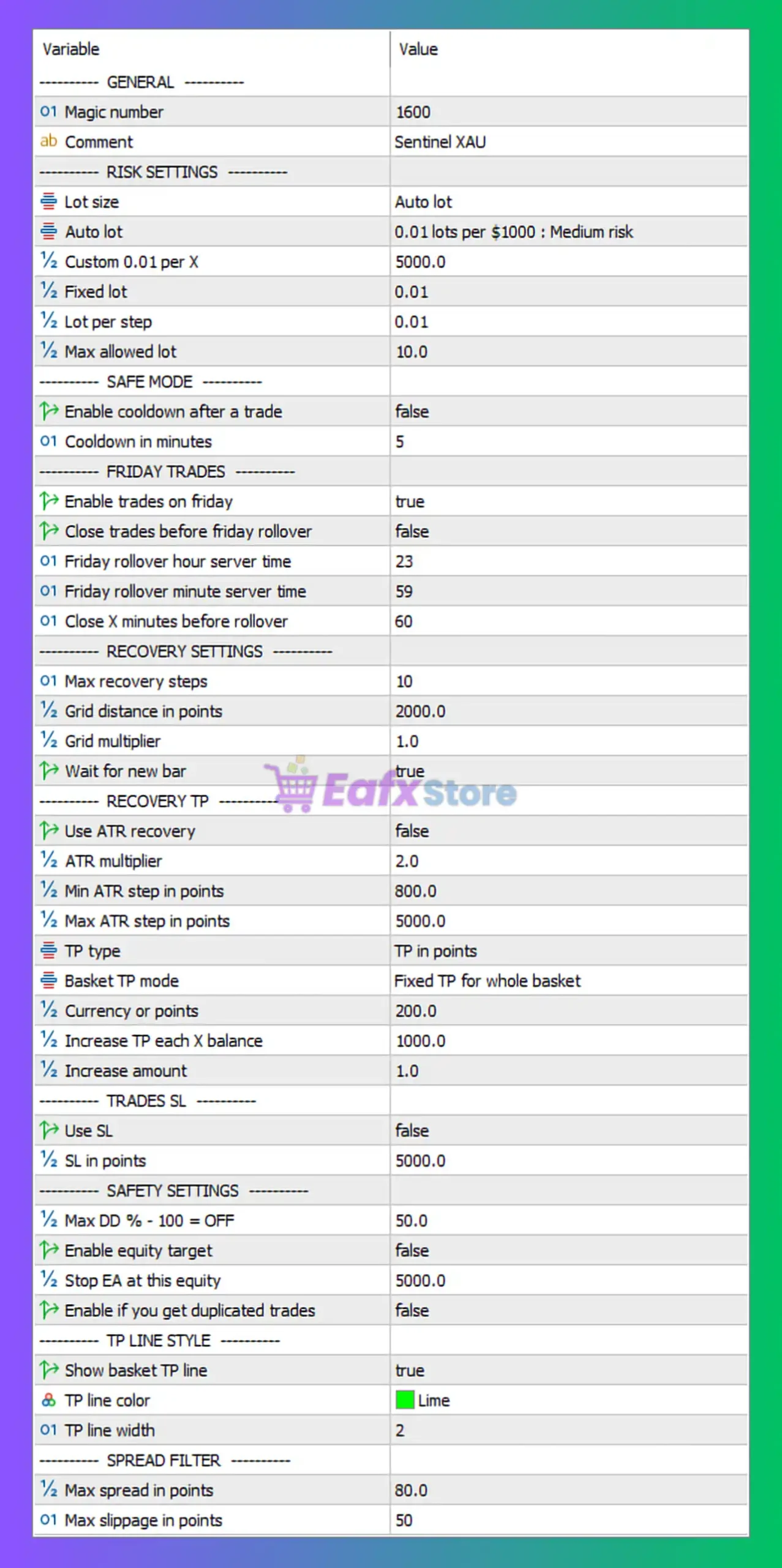
🔶 General Settings
🔹 Magic Number = 1600 — Unique trade identifier used by the EA to manage and distinguish its own positions.
🔹 Comment = Sentinel XAU — Custom comment attached to all orders opened by the EA.
🔶 Risk Settings
🔹 Lot Size = Auto lot — The EA automatically calculates position size based on account balance and risk parameters.
🔹 Auto Lot = 0.01 lots per $1000 : Medium risk — Automatically opens 0.01 lots for every $1000 of account balance using a medium-risk profile.
🔹 Custom 0.01 per X = 5000.0 — Alternative auto-lot calculation method using 0.01 lots per $5000.0 balance.
🔹 Fixed Lot = 0.01 — Fixed trading volume of 0.01 lots when fixed-lot mode is selected.
🔹 Lot per Step = 0.01 — Lot size increases by 0.01 lots at each recovery or scaling step.
🔹 Max Allowed Lot = 10.0 — Maximum position size allowed by the EA is 10.0 lots.
🔶 Safe Mode Settings
🔹 Enable Cooldown After a Trade = false — No waiting period is applied after a trade closes.
🔹 Cooldown in Minutes = 5 — If cooldown is enabled, trading pauses for 5 minutes after a completed trade.
🔶 Friday Trading Settings
🔹 Enable Trades on Friday = true — Trading is allowed on Fridays.
🔹 Close Trades Before Friday Rollover = false — Open positions are not automatically closed before the weekly rollover.
🔹 Friday Rollover Hour Server Time = 23 — Friday rollover occurs at 23:00 server time.
🔹 Friday Rollover Minute Server Time = 59 — Friday rollover minute is set to 59.
🔹 Close X Minutes Before Rollover = 60 — If rollover protection is enabled, trades close 60 minutes before rollover.
🔶 Recovery Settings
🔹 Max Recovery Steps = 10 — Maximum number of recovery/grid levels allowed is 10.
🔹 Grid Distance in Points = 2000.0 — Distance between grid positions is 2000.0 points.
🔹 Grid Multiplier = 1.0 — Recovery positions use a multiplier of 1.0, meaning equal lot sizing.
🔹 Wait for New Bar = true — The EA waits for a new candle before opening additional recovery positions.
🔶 Recovery TP Settings
🔹 Use ATR Recovery = false — ATR-based recovery distance calculation is disabled.
🔹 ATR Multiplier = 2.0 — If ATR recovery is enabled, distances are multiplied by 2.0.
🔹 Min ATR Step in Points = 800.0 — Minimum ATR recovery spacing is 800.0 points.
🔹 Max ATR Step in Points = 5000.0 — Maximum ATR recovery spacing is 5000.0 points.
🔹 TP Type = TP in points — Take Profit is calculated using point values.
🔹 Basket TP Mode = Fixed TP for whole basket — One combined take-profit target is applied to all positions in the basket.
🔹 Currency or Points = 200.0 — Basket target is set to 200.0 points (or equivalent currency value depending on TP mode).
🔹 Increase TP each X Balance = 1000.0 — Basket TP increases for every $1000.0 increase in account balance.
🔹 Increase Amount = 1.0 — TP increases by 1.0 unit whenever the balance threshold is reached.
🔶 Trade Stop Loss Settings
🔹 Use SL = false — Individual stop-loss protection is disabled.
🔹 SL in Points = 5000.0 — If enabled, stop loss would be placed at 5000.0 points.
🔶 Safety Settings
🔹 Max DD % - 100 = OFF = 50.0 — Maximum allowed account drawdown is 50.0% before safety measures activate.
🔹 Enable Equity Target = false — Equity target protection is disabled.
🔹 Stop EA at This Equity = 5000.0 — If equity protection is enabled, trading stops when account equity reaches 5000.0.
🔹 Enable if You Get Duplicated Trades = false — Duplicate trade protection is currently disabled.
🔶 TP Line Style Settings
🔹 Show Basket TP Line = true — Displays the basket take-profit line on the chart.
🔹 TP Line Color = Lime — Basket TP line is shown using the Lime color.
🔹 TP Line Width = 2 — Basket TP line thickness is set to 2.
🔶 Spread Filter Settings
🔹 Max Spread in Points = 80.0 — Trading is allowed only when spread remains below 80.0 points.
🔹 Max Slippage in Points = 50 — Maximum acceptable execution slippage is 50 points.
🔢 Conclusion
Sentinel XAU EA MT5 is a specialized gold trading robot that combines automatic lot sizing, 10-level recovery management, basket take-profit control, and drawdown protection. With configurable grid spacing, spread filtering, rollover management, and flexible risk settings, the EA provides traders with a structured framework for automated XAUUSD trading while maintaining control over risk exposure and account protection.
🔢 FAQs
❓ What market is Sentinel XAU EA MT5 designed for?
Sentinel XAU EA MT5 is specifically designed for trading XAUUSD (Gold).
❓ How does the Auto Lot feature work?
The default Auto Lot setting opens 0.01 lots per $1000 of account balance using a medium-risk profile.
❓ How many recovery levels can the EA open?
The EA supports up to 10 recovery steps according to the Max Recovery Steps = 10 setting.
❓ Does Sentinel XAU EA MT5 use a stop loss?
By default, Use SL = false, meaning individual stop losses are disabled, although a 5000.0-point stop loss can be enabled.
❓ What is the maximum drawdown protection level?
The EA's safety system is configured with Max DD % = 50.0, meaning protection can activate when account drawdown reaches 50%.



