
🔢 Gold Strike AI EA MT5 – Complete Settings & Parameters Guide
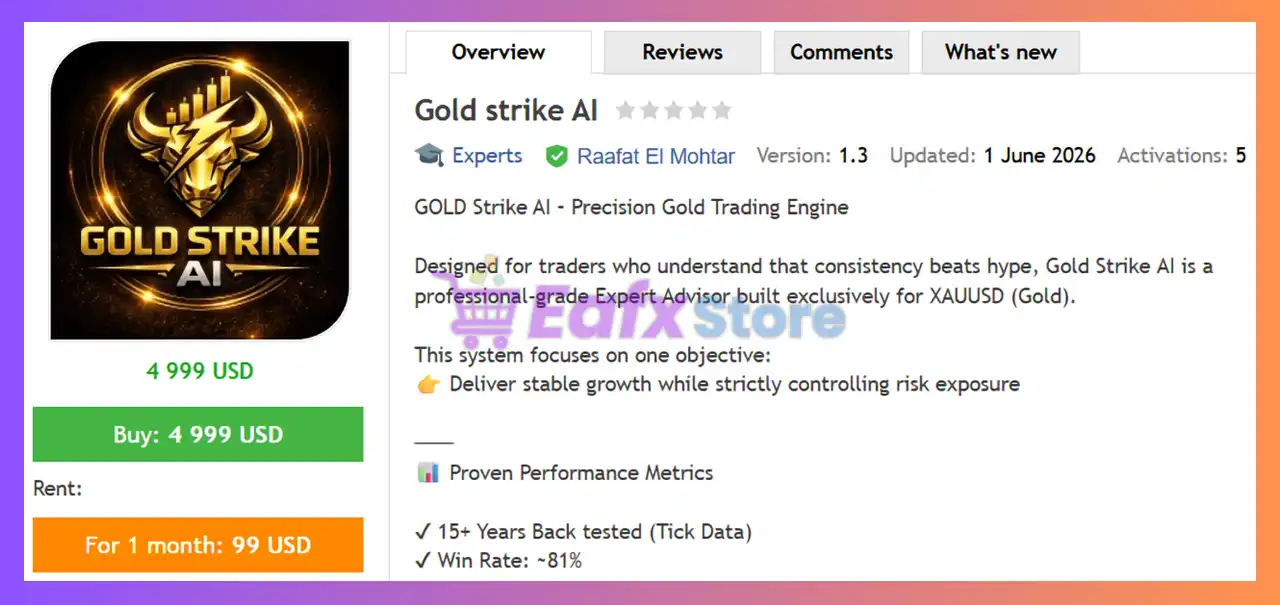
Gold Strike AI EA is an automated gold trading Expert Advisor designed for the MetaTrader 5 platform. The EA focuses on systematic trade execution with configurable timeframe selection, volume management, phase-based trading allocation and customizable trade identification settings.
Its simplified configuration makes it suitable for traders who prefer a streamlined setup while maintaining flexibility in position sizing and account management.

🔢 Gold Strike AI EA MT5 Settings Explained
Below are the details of the parameters in the advisor’s trading system settings table:
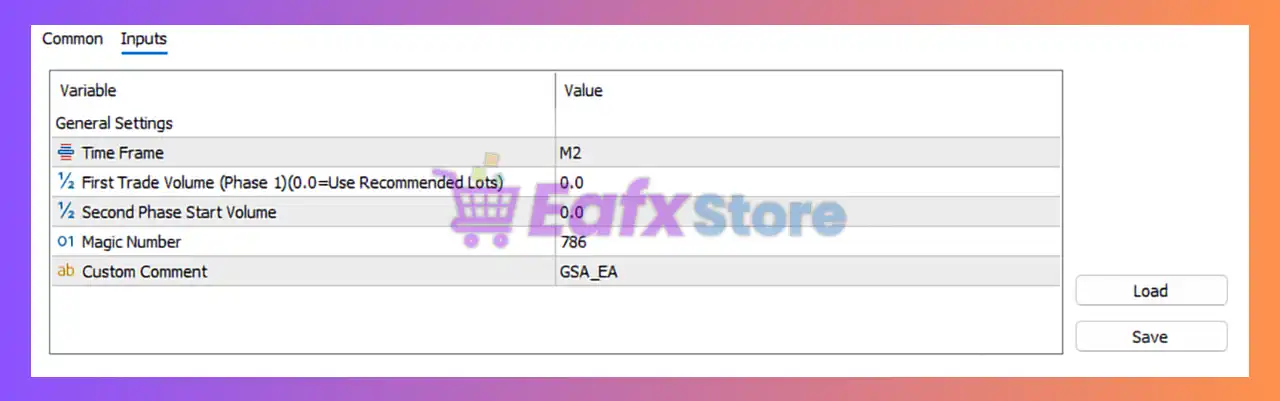
🔹 Time Frame = M2 — Sets the EA to operate on the M2 (2-Minute) chart timeframe, which is the recommended timeframe for trade analysis and execution.
🔹 First Trade Volume (Phase 1) (0.0 = Use Recommended Lots) = 0.0 — Defines the lot size for the first trade during Phase 1; a value of 0.0 instructs the EA to automatically use its internally recommended lot size.
🔹 Second Phase Start Volume = 0.0 — Specifies the starting lot size for Phase 2 trading; a value of 0.0 allows the EA to determine the volume automatically according to its internal logic.
🔹 Magic Number = 786 — Unique identifier assigned to all trades opened by the EA, helping distinguish its positions from manual trades or other Expert Advisors.
🔹 Custom Comment = GSA_EA — Custom text label attached to every trade opened by the EA, making it easier to identify positions in account history and trade reports.
🔢 Conclusion
Gold Strike AI EA offers a clean and user-friendly configuration structure centered around automated volume management and phase-based trade execution.
With support for automatic lot sizing, customizable trade identification, and operation on the M2 timeframe, the EA provides a straightforward setup for traders seeking an automated gold trading solution without the complexity of numerous adjustable parameters.
🔢 FAQs
❓ What timeframe should Gold Strike AI EA MT5 be attached to?
The EA is configured to operate on the M2 (2-Minute) timeframe.
❓ What happens when First Trade Volume is set to 0.0?
A value of 0.0 instructs the EA to use its internally calculated or recommended lot size automatically.
❓ What is the purpose of the Second Phase Start Volume setting?
This parameter controls the starting volume for the EA's second trading phase; 0.0 allows automatic volume determination.
❓ Why is the Magic Number important?
The Magic Number 786 enables the EA to recognize and manage only its own trades without interfering with other EAs or manual positions.
❓ What does the Custom Comment "GSA_EA" do?
The comment GSA_EA is added to all orders opened by the EA, helping traders quickly identify its trades in the terminal and account history.