


Trend Line PRO EA MT5 (Latest version) - Unlimited
Subscriptions for Special Plan
- 30 EA package is more economical!
- Special package with 99%
- Download 1 EA/Day
Subscriptions for Premium Membership
- Download Unlimited in 1 Year
- Get 100% Discount
- Get free access to all
Subscriptions for Gold Membership
- 1 Year Membership
- Get 100% Discount
- Access EA+Indicator+Course
Frequently bought together 🎁
Add these products to enhance your purchase
What is Trend Line PRO EA MT5?
Trend Line PRO EA MT5 is an automated Expert Advisor (EA) that trades based on signals from the Trend Line PRO indicator, designed to help achieve break-even results on a wide range of instruments in MetaTrader 5, including Gold, Forex, Indices, Stocks, and Cryptocurrencies. This EA features a powerful set of additional functions, including Trailing Profit, Break-Even, News Filter, and Hidden Stop Loss and Take Profit orders, to optimize trading performance and aid in recovering from losing trades.
Vendor Website: View here
About the Author
This product is compiled by Evgenii Aksenov. This author has more than +9 years of experience working on MQL5 with many famous products such as Trend Line PRO EA mt5, GOLD EAgle mt5, TrendLine GRID MT5, Wall Street Scalper MT5 and other advisors. Among them, Trend Line PRO EA mt5 is his best performing products.
Delivery time 24h-48h after payment.
Refund if not delivered.
You will receive the current version without any limitations (ID+Time).
Key Features of Trend Line PRO EA MT5
🔹 Automated Trading: The EA trades in automatic mode, initiating positions directly from signals generated by the Trend Line PRO indicator.
🔹 Wide Compatibility: Designed to break even with any instrument in MT5, including Gold, Forex, Indices, Stocks and Cryptocurrencies.
🔹 Comprehensive Risk Management Suite: Includes key functions such as Trailing Profit, Breakeven, News Filter and hidden Stop Loss (SL) and Take Profit (TP).
🔹 Recovery Function: There is a Recovery function designed to assist in recovering from a losing trade, aiming to restore profits.
Trend Line PRO EA MT5 Review
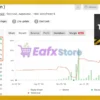
Trend Line PRO EA MT5 Myfxbook Results
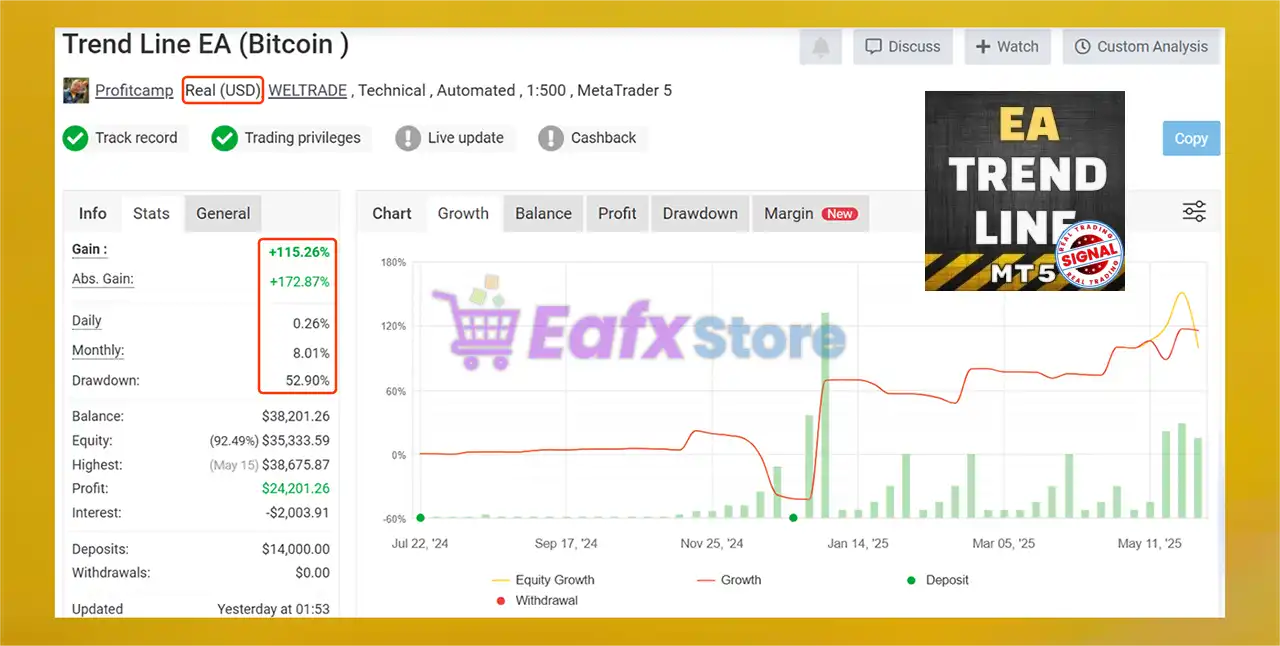
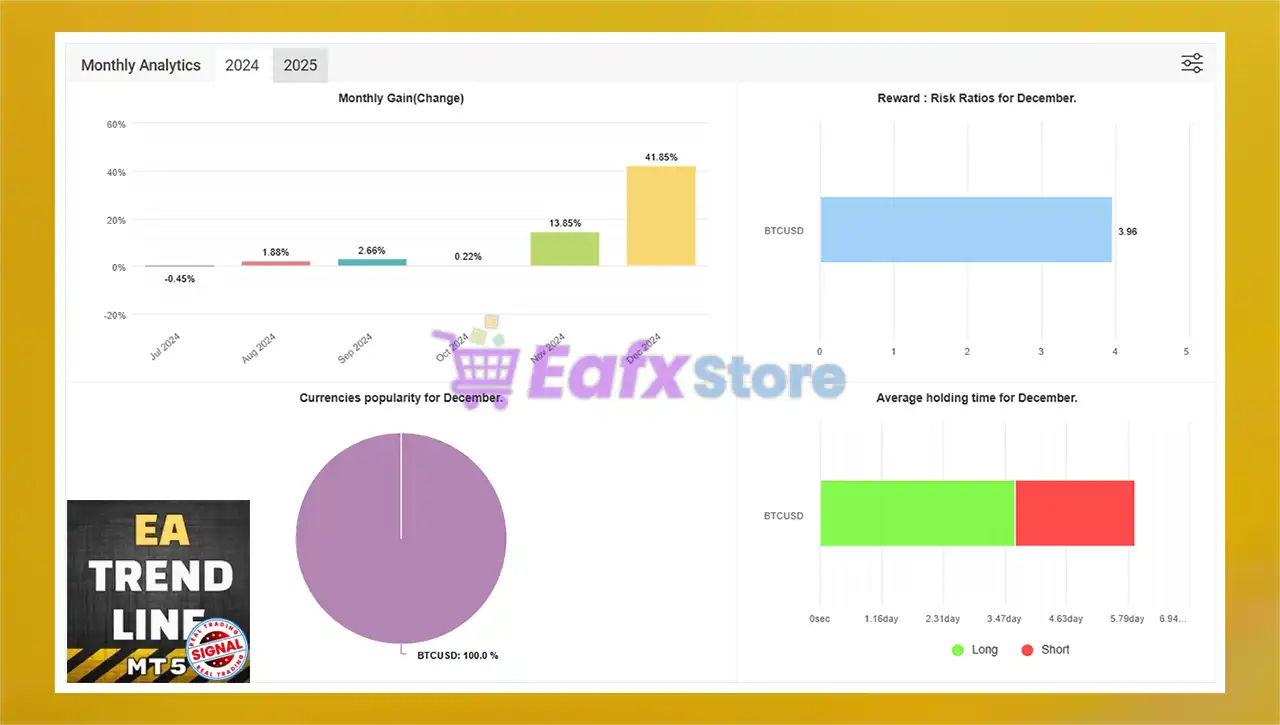
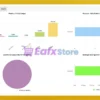
Trend Line PRO EA for MT5 has proven its strong profitability on real trading accounts, confirming its outstanding reliability by MyFxBook. This EA specializes in trend-following strategies, capturing market momentum for steady equity growth.
➡️ Gain: +115.26%
➡️ Total Deposits: $14,000
➡️ Net Profit: $24,201.26
➡️ Drawdown: 52.90%
➡️ Monthly Profit Rate: 8.01%

Trend Line PRO EA MT5 Live Results

Trend Line EA Myfxbook Results
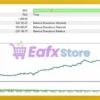
Trend Line PRO EA MT5 Backtest Results
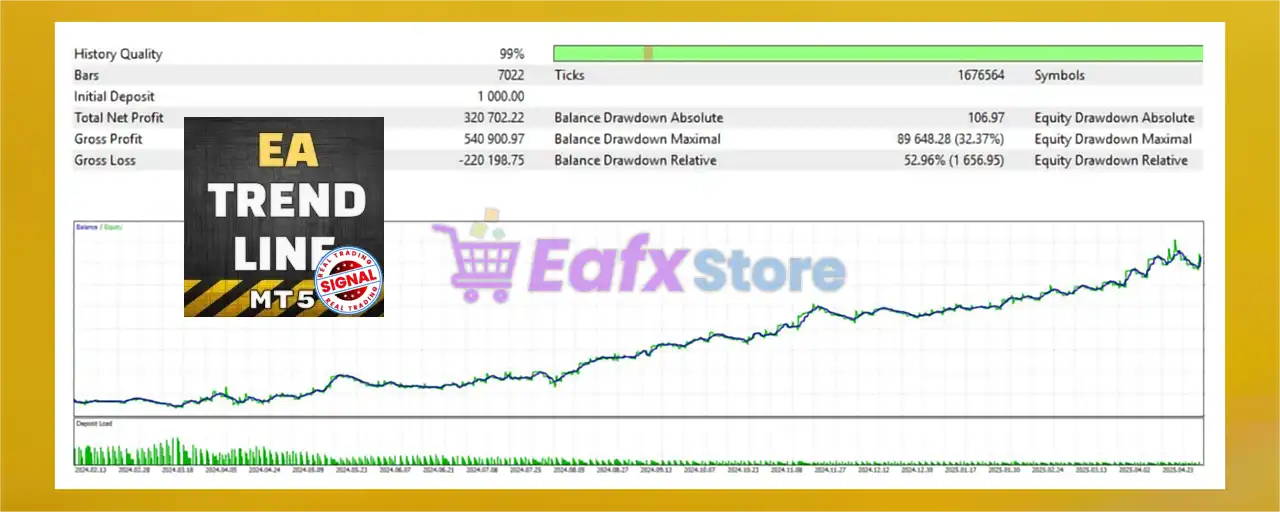
Trend Line PRO EA mt5 has been tested with an initial deposit of $1,000, using a 99% quality model, providing a clear and reliable view of performance. The results show a strong long-term equity growth curve with controlled risk and significant profits, ideal for traders looking for trend-based strategies.
➡️ Initial Deposit: $1,000
➡️ Total Net Profit: $320,700
➡️ Maximum Drawdown: 32.37%

Trend Line PRO EA MT5 Backtest Results
Why use Trend Line PRO EA MT5?
🔹 Versatile Market Application: The ability to work with Gold, Forex, Indices, Stocks and Cryptocurrencies makes it an extremely versatile tool.
🔹 Risk Control & Profit Protection: The combination of Trailing Profit, Breakeven, News Filter and Hidden SL/TP create a powerful framework for risk management.
🔹 Transparent Performance: The Myfxbook signal offering allows potential users to review performance live.
🔹 Automatic Recovery: The Recovery feature provides a valuable advantage by proactively mitigating the impact of losing trades, contributing to long-term account stability.
User Reviews and Feedback
Trend Line PRO EA delivers outstanding trading performance, especially when optimized for various trading instruments. This advisor demonstrates stable profit potential and is highly rated and trusted by the MQL5 community. This expert advisor combines advanced strategies with reliable results, making it a top choice for traders looking for efficiency and profitability in the Forex market. Here are the 5-star user reviews:
⭐⭐⭐⭐⭐ Karsten (2025.03.28): “I bought EA Trend Line some time ago and I am happy with the results. I use it on Demo and Real account.”
⭐⭐⭐⭐⭐ Positivered (2024.11.19): “I’m testing it out on my demo and I find the 5 minute to be the best tf to catch the trend but I’m trying the m15, m30, 1hr just to see which one I’m comfortable with. I tried the indicator which is the reason I bought the EA. It’s great!”
⭐⭐⭐⭐⭐ Jrchaves (2024.03.28): “I bought this EA and I am getting positive results. With just a few tweaks and you can improve even more the results. The EA is very flexible which allows me to manage my risk in the way I want. I really recommend.”
Recommended settings
Recommended settings and parameters to pay attention to from developers and experts:
| Features | Type |
|---|---|
| Trading platform | MetaTrader 5 (MT5) |
| Time frames | M5, M15, M30, H1 |
| Currency pairs | Gold, Forex, Indices, Stocks, Crypto. |
| Minimum / Recommended deposit | $100 or cents for cent (micro) accounts |
| Minimum / Recommended leverage | 1:200 and more |
| Product type | Original version |
| Additional services | Unlock and Decompile |
| Recommended brokers | Exness Broker, Icmarkets Broker |
| Recommended VPS | MyfxVPS.com (Blue VPS, Golden VPS). Lowest Latency, 2 week Free Trial, 100% Free for 12-18 Months. |
Product Download Package?
The download package of the product suite includes:
✅ Experts: Trend Line PRO EA mt5.ex5
➡️ Reviewed by David Easton
Conclusion
In short, Trend Line PRO EA for MT5 is a powerful and versatile automated trading robot that leverages the trusted signals of the Trend Line PRO indicator to execute trades across multiple markets—including Gold, Forex, Indices, Stocks, and Cryptocurrencies. Built for traders seeking efficiency, automation, and adaptability, this Expert Advisor offers an all-in-one trading solution suitable for both beginners and professionals.
Trend Line PRO EA MT5 Settings Guide
Trend Line PRO EA MT5 is an automated trading Expert Advisor designed around trend-line and market-direction analysis. Its configuration provides extensive control over indicator parameters, multi-timeframe confirmation, Take Profit and Stop Loss management, multiple TP levels, recovery settings, pending orders, trailing stops, breakeven functions, news filtering, and trade management. The displayed setup also includes automatic trading modes, fixed lot sizing, chart visualization, trade panels, and notification options, allowing traders to customize the EA according to their trading strategy and risk-management preferences.

Trend Line PRO EA mt5 Settings Panel

Trend Line PRO EA mt5 Setting Panel
Trend Line PRO EA MT5 Inputs and Settings
Indicator Settings
🔹 Amplitude = 13 — Sets the trend-line indicator’s amplitude parameter to 13, controlling the sensitivity or structural range used by the indicator.
🔹 Calculation Range (days) = 35 — Sets the historical calculation range to 35 days, defining the period of market data considered by the indicator.
🔹 TP1 (Order_1, 0 – disabled) = 0.5 — Sets the first Take Profit level to 0.5; a value of 0 would disable this TP level.
🔹 TP2 (Order_2, 0 – disabled) = 0.9 — Sets the second Take Profit level to 0.9; a value of 0 would disable this TP level.
🔹 TP3 (Order_3, 0 – disabled) = 1.4 — Sets the third Take Profit level to 1.4; a value of 0 would disable this TP level.
🔹 SL (Stop Loss of all Orders) = 1.5 — Sets the Stop Loss parameter for all orders to 1.5 according to the EA’s internal calculation method.
🔹 Percent (%) of Deposite to close all orders (0 – disabled) = 0.0 — Sets the account-deposit percentage trigger to 0.0%; because the value is 0.0, this function is disabled.
Higher Timeframe Filter
🔹 Use HTF-filter function = false — Disables the Higher Timeframe filter in the current configuration.
🔹 Time Frame of HTF = 4 Hours — Sets the Higher Timeframe reference to 4 Hours when the HTF filter is enabled.
Trading Time Filter
🔹 Use Time Filter function = false — Disables the EA’s trading-time filter.
🔹 Start Hour of Trading = 1 — Defines the trading start hour as 01:00 when the time filter is enabled.
🔹 Stop Hour of Trading = 23 — Defines the trading stop hour as 23:00 when the time filter is enabled.
Expert Advisor Settings
🔹 Trading Direction = Any Deals — Sets the general trading-direction option to Any Deals, allowing the EA to operate according to its available trading directions.
🔹 Trading Mode = Auto — Sets the EA to Auto trading mode.
🔹 Trade Direction = ANY — Allows both supported trading directions rather than restricting the EA to a single direction.
🔹 Lot Type = Fixed — Selects Fixed lot sizing as the active position-sizing method.
🔹 Lot Size TP1 (Fixed/Auto_%,Risk_%) = 0.01 — Sets the lot size for the first Take Profit order to 0.01 lots.
🔹 Lot Size TP2 (Fixed/Auto_%,Risk_%) = 0.01 — Sets the lot size for the second Take Profit order to 0.01 lots.
🔹 Lot Size TP3 (Fixed/Auto_%,Risk_%) = 0.01 — Sets the lot size for the third Take Profit order to 0.01 lots.
🔹 Maximum Lot Size Type —> = Don’t use — Disables the maximum-lot-size restriction.
🔹 Max lot size = 1.5 — Sets the maximum lot-size value to 1.5 if the maximum-lot-size function is enabled.
Recovery Settings
🔹 Use Recovery Mode function = false — Disables the EA’s Recovery Mode in the current configuration.
🔹 Recovery coef. TP1 = 1.0 — Sets the Recovery coefficient for TP1 to 1.0 when Recovery Mode is enabled.
🔹 Recovery coef. TP2 = 1.0 — Sets the Recovery coefficient for TP2 to 1.0 when Recovery Mode is enabled.
🔹 Recovery coef. TP3 = 1.0 — Sets the Recovery coefficient for TP3 to 1.0 when Recovery Mode is enabled.
Pending Order Settings
🔹 Use Pending order function = false — Disables the Pending Order function.
🔹 Shift level of Pending order = 100.0 — Sets the pending-order shift level to 100.0 when the Pending Order function is enabled.
🔹 SuccessRate 0 – don’t use = 0 — Sets the Success Rate parameter to 0, which disables this feature according to the parameter description.
TP/SL Functions
🔹 Use Take Profit —> = Indicator — Selects the Indicator as the method used for determining Take Profit.
🔹 Take Profit = 0 — Sets the direct Take Profit value to 0 because Take Profit is currently controlled by the selected Indicator method.
🔹 Use Stop Loss —> = Indicator — Selects the Indicator as the method used for determining Stop Loss.
🔹 Stop Loss = 0 — Sets the direct Stop Loss value to 0 because Stop Loss is currently controlled by the selected Indicator method.
🔹 Hidden TP/SL = false — Disables hidden Take Profit and Stop Loss functionality.
Trailing Stop Settings
🔹 Use Trailing Stop function = false — Disables the Trailing Stop function in the current configuration.
🔹 Start trailing Stop = 240.0 — Sets the trailing-stop activation level to 240.0 when the Trailing Stop function is enabled.
🔹 Dist trailing Stop = 25.0 — Sets the trailing-stop distance to 25.0 when the Trailing Stop function is enabled.
🔹 Close the deal at the opposite signal = true — Enables closing an active trade when the EA detects an opposite trading signal.
Breakeven Functions
🔹 Breakeven_1 for all TPs (0 – disable) = 0 — Sets the first breakeven trigger to 0, meaning this breakeven level is disabled.
🔹 Breakeven_2 for TP2,3 on entry level (when reached TP1) = true — Enables the second breakeven function for TP2 and TP3 after TP1 has been reached.
🔹 Breakeven_3 for TP3 on TP1 level (when reached TP2) = false — Disables the third breakeven function that would manage TP3 after TP2 has been reached.
News Filter Settings
🔹 Use News filter = false — Disables the EA’s news filter in the current configuration.
🔹 Add to –> Tools/Options/Expert Advisor = https://gmt-offset.online — Provides the GMT-offset website indicated for configuring broker time information.
🔹 Add to –> Tools/Options/Expert Advisor = http://worldtimeapi.org — Provides the World Time API address shown for time-related configuration.
🔹 Pause before/after event, minutes = 15 — Defines a 15-minute pause period before and after a news event when the news filter is active.
🔹 Enable medium news = false — Disables filtering or processing of medium-impact news events.
🔹 Enable major news = true — Enables the major-news option, although the overall Use News filter = false setting currently keeps the news-filter function disabled.
🔹 Draw lines on the chart = true — Enables drawing of relevant news-event lines or markers on the chart.
Other Settings
🔹 Show trade panel = true — Enables the EA’s trade panel on the chart for displaying or interacting with trading information.
🔹 Magic = 1111 — Sets the EA’s Magic Number to 1111, allowing the EA to identify its own trades.
🔹 Comment = TrendLine_EA — Sets the trade comment to TrendLine_EA, making EA-generated trades easier to identify.
🔹 AlertON = false — Disables standard terminal alerts generated by the EA.
🔹 PushON = false — Disables push notifications from the EA to a connected mobile MetaTrader application.
Current Configuration Overview
🔹 Indicator Settings: The EA uses Amplitude = 13 and a 35-day Calculation Range, providing the primary displayed indicator configuration.
🔹 Multiple Take Profits: The configuration uses TP1 = 0.5, TP2 = 0.9, and TP3 = 1.4, allowing the EA to work with three displayed Take Profit levels.
🔹 Stop Loss: The displayed indicator-based Stop Loss parameter is 1.5, while the direct Stop Loss = 0 because the Indicator method is selected.
🔹 Trading Direction: Both Trading Direction = Any Deals and Trade Direction = ANY allow the EA to operate without restricting the setup to one market direction.
🔹 Lot Management: Fixed lot sizing is selected, with 0.01 lots assigned to TP1, TP2, and TP3.
🔹 Recovery: Recovery Mode is disabled, while all three recovery coefficients are configured at 1.0.
🔹 Pending Orders: Pending orders are disabled, although the configured Shift level remains 100.0.
🔹 Trailing Stop: Trailing Stop is disabled, with Start trailing Stop = 240.0 and Dist trailing Stop = 25.0 available if activated.
🔹 Opposite Signals: The EA is configured to close an existing deal when an opposite signal appears.
🔹 News Protection: The overall News Filter is disabled, despite Enable major news = true and a 15-minute before/after-event setting.
🔹 Chart Tools: Both the trade panel and chart-line display are enabled.
🔹 Trade Identification: The EA uses Magic = 1111 and Comment = TrendLine_EA.
🔹 Notifications: Both AlertON = false and PushON = false, so terminal alerts and push notifications are disabled.
Important Notes
🔹 TP and SL Units: Values such as TP1 = 0.5, TP2 = 0.9, TP3 = 1.4, and SL = 1.5 should be interpreted according to the EA’s internal indicator calculation because the screenshot does not specify their exact price-unit conversion.
🔹 Indicator-Based TP/SL: The current setup uses Indicator for both Take Profit and Stop Loss, while the direct Take Profit = 0 and Stop Loss = 0 values should therefore not be interpreted as having no risk-management levels.
🔹 HTF Filter: Although Time Frame of HTF = 4 Hours is configured, Use HTF-filter function = false means the Higher Timeframe filter is currently inactive.
🔹 Time Filter: The configured trading hours are 01:00 to 23:00, but Use Time Filter function = false means these hours are not currently restricting trading.
🔹 News Filter: Enable major news = true does not by itself activate news filtering because Use News filter = false.
🔹 Maximum Lot Size: Max lot size = 1.5 is configured, but Maximum Lot Size Type = Don’t use means the maximum-lot restriction is currently inactive.
🔹 Trailing Stop: The EA has Start trailing Stop = 240.0 and Dist trailing Stop = 25.0, but the feature is disabled by Use Trailing Stop function = false.
Conclusion
The Trend Line PRO EA MT5 configuration provides a broad set of controls for automated trend-line trading, including indicator sensitivity, historical calculation range, multiple Take Profit levels, Stop Loss management, fixed lot sizing, recovery controls, pending orders, trailing stops, breakeven management, news filtering, and trade identification.
The displayed configuration uses Amplitude = 13, Calculation Range = 35 days, TP1 = 0.5, TP2 = 0.9, TP3 = 1.4, and SL = 1.5. It uses Fixed lot sizing with 0.01 lots for each TP level. HTF filtering, time filtering, Recovery Mode, Pending Orders, Trailing Stop, and the overall News Filter are currently disabled.
Before applying these settings to a live account, traders should verify how the EA converts its indicator-based TP/SL values into actual price distances and should test the configuration under their specific broker’s symbol specifications and trading conditions.
FAQs
❓ What is the Amplitude setting in Trend Line PRO EA MT5?
The Amplitude = 13 parameter controls the sensitivity or structural range used by the EA’s trend-line indicator.
❓ What are the Take Profit levels in the current configuration?
The EA is configured with TP1 = 0.5, TP2 = 0.9, and TP3 = 1.4. These values are used according to the EA’s internal indicator calculation.
❓ Does Trend Line PRO EA MT5 use fixed lot sizing?
Yes. Lot Type = Fixed, with Lot Size TP1 = 0.01, Lot Size TP2 = 0.01, and Lot Size TP3 = 0.01.
❓ Is the Trailing Stop enabled in the current settings?
No. Use Trailing Stop function = false. The configured activation and distance values are 240.0 and 25.0, respectively, but they are inactive until the function is enabled.
❓ Is the News Filter enabled?
No. Use News filter = false. Although Enable major news = true, the overall news-filter function remains disabled in the displayed configuration.
User Reviews
Only logged in customers who have purchased this product may leave a review.
❓ What is Trend Line PRO EA MT5 and how does it work?
Trend Line PRO EA MT5 is an automated trading robot that uses signals from the Trend Line PRO indicator to open and manage trades. It is designed to work across multiple markets including Forex, Gold, Indices, Stocks, and Cryptocurrencies.
❓ Which trading platform does Trend Line PRO EA MT5 support?
This EA is developed exclusively for MetaTrader 5 (MT5). It does not work on MT4.
❓ What instruments can I trade with this EA?
Trend Line PRO EA is highly versatile and supports trading on Gold, Forex pairs, Stock indices, individual stocks, and cryptocurrencies.
❓ Is Trend Line PRO EA MT5 suitable for beginners?
Yes, it’s designed with automation and built-in risk management features like Trailing Profit, Breakeven, and News Filter, making it beginner-friendly while still offering flexibility for advanced users.
❓ What is the minimum recommended deposit and leverage?
The EA can work with as little as $100 or a cent account, and it is recommended to use leverage of 1:200 or higher for optimal results.
❓ Does it include risk management tools?
Yes, it includes Trailing Profit, Breakeven, Hidden Stop Loss & Take Profit, and a News Filter to protect against market volatility.
❓ How does the Recovery Function work?
The EA’s Recovery Function helps manage and recover from losing trades by adjusting trade entries and lots intelligently to bring the account back to profit.
❓ What kind of results has this EA shown in testing and live trading?
In live results, it showed a +115.26% gain and an 8.01% monthly return. Backtests revealed $320,700 profit from a $1,000 deposit with 32.37% drawdown, confirming strong long-term performance.
❓ Can I use this EA on multiple timeframes?
Yes, it works on multiple timeframes such as M5, M15, M30, and H1, allowing traders to customize their strategy according to market conditions.


There are no reviews yet.