







Tiger Trade Pro MT5 (Latest version) – GroupBuy
Tiger Trade Pro MT5 is an automated and optimized trading robot with currency pairs. Real profit performance has been verified on real accounts and achieved good results.
Select a variant to see availability.
What is Tiger Trade Pro MT5?
Tiger Trade Pro MT5 is a consistently profitable Expert Advisor (EA) designed to empower traders with a confident and efficient trading experience. Leveraging a sophisticated Scalp-Trend system, Tiger Trade Pro EA offers a favorable risk profile compared to other similar EAs, making it a powerful tool for both novice and experienced traders.
🔶 Vendor Website: Click here
🔶 This is GroupBuy ==> How to Join
About the author
This product is compiled by Soraya Bahlekeh. This author has more than +4 years of experience working on MQL5 with many famous products such as Tiger Trade Pro MT5, Golden Rabbit Pro MT5, Prop Hunter Pro EA and other advisors. Among them, Tiger Trade Pro MT5 is his best performing products.
Tiger Trade Pro MT5 Overview
Key Features & Benefits
🔹Proven Profitability: Tiger Trade Pro is a real and consistently profitable EA, giving you the edge you need in the markets.
🔹Scalp-Trend System: Utilizes a robust Scalp-Trend system for identifying and capitalizing on market opportunities.
🔹Customizable Settings: Offers both simple and advanced settings, allowing you to tailor the EA to your specific trading style and risk tolerance.
🔹Trailing Stop: Secure your profits and ride winning trends.
🔹Automatic Lots: Dynamically adjust trade sizes based on your account equity.
🔹Equity Stop: Protect your capital by defining acceptable equity drawdown levels.
🔹Time Trading: Execute trades at predetermined times for precise market entry.
🔹Dynamic Step: Optimize profitability by adapting to changing market conditions.
🔹Market Adaptability: Seamlessly adapts to various market conditions, ensuring consistent performance.
🔹Slippage and News Insensitivity: Unaffected by slippage and news events, providing reliable execution.
🔹Easy Installation: Simple installation process – just place the EA on your desired chart. No complex setfiles or magic number adjustments required. Run the EA separately on each chart.
Tiger Trade Pro MT5 Review
1. Tiger Trade Pro EA Myfxbook:
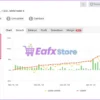
Tiger Trade Pro EA real trading results are thoroughly verified by MyFxBook and achieved a growth of 127.85% in 4 months of trading. Average monthly profit is 33.69% and Maximum drawdown: 30.35%.
🔶 Signal MyFxBook (Gian: +127.85%): Click here
Tiger Trade Pro EA Myfxbook
2. Tiger Trade Pro EA Backtest Results:
Tiger Trade Pro MT5 backtest trading results achieved impressive profit performance with a capital of $10000. The advisor maintains excellent safety and profit on different currency pairs.
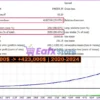
🔶 Trading on EURNZD currency pair, Total profit achieved is $413,000 in 4 years (2020 – 2024). Safe risk level Maximum drawdown: 15.87% and win rate is 89%.
Tiger Trade Pro EA MT5 Backtest
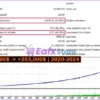
🔶 Trading on EURGBP currency pair, Total profit achieved is $243,000 in 4 years (2020 – 2024). Maximum drawdown: 22.05% and win rate is 89.76%.
Tiger Trade Pro MT5 Backtest
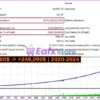
🔶 Trading on the NZDUSD currency pair, Total profit achieved is $239,000 in 4 years (2020 – 2024). Maximum drawdown: 12.72% and win rate is 89.06%.
Tiger Trade Pro MT5 Backtests
User Reviews and Feedback
Tiger Trade Pro MT5 demonstrates remarkable potential in delivering stable and reliable profits, making it a reliable tool in the forex market. Tiger Trade Pro EA is highly regarded by the MQL5 community in many aspects and has gained the trust of its users.
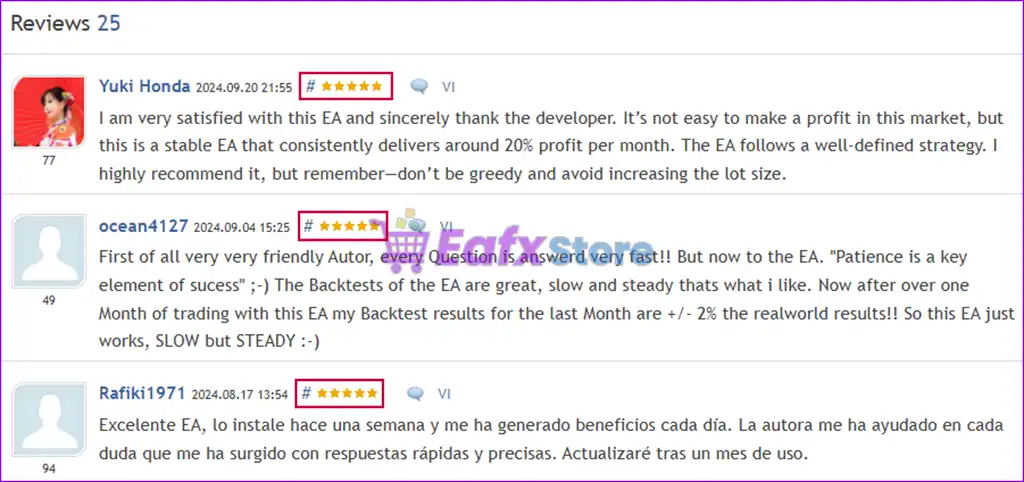
➡️ D-andre92 (2024.12.20): “I was testing this BOT for at least a month. At the beginning you might think wow great EA it constantly generate profits BUT as soon as the market gets a strong trend or breakout , or starting a trend and the EA trades against it, i can end up to huge losses and all the profits you made are wiped out ! So be careful.”
➡️ Yuki Honda (2024.09.20): “I am very satisfied with this EA and sincerely thank the developer. It’s not easy to make a profit in this market, but this is a stable EA that consistently delivers around 20% profit per month. The EA follows a well-defined strategy. I highly recommend it, but remember—don’t be greedy and avoid increasing the lot size.”
➡️ Ocean4127 (2024.09.04): “First of all very very friendly Autor, every Question is answerd very fast!! But now to the EA. “Patience is a key element of sucess”, The Backtests of the EA are great, slow and steady thats what i like. Now after over one Month of trading with this EA my Backtest results for the last Month are +/- 2% the realworld results!! So this EA just works, SLOW but STEADY.”
Tiger Trade Pro MT5 Review
Recommended Setup
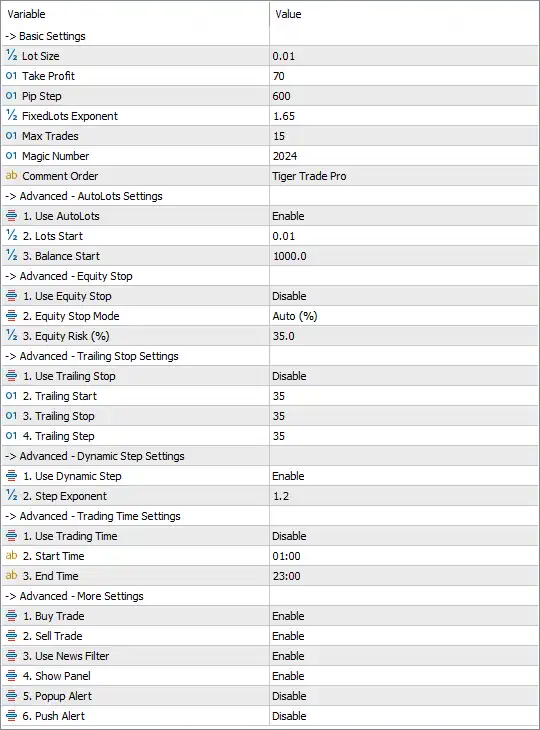
Recommended settings and parameters to pay attention to from developers and experts:
| Features | Type |
|---|---|
| Trading platform | MetaTrader 5 (MT5) |
| Time frames | M5, H1 |
| Currency pairs | EURNZD, EURGBP, AUDCAD, USDCAD, NZDUSD, USDJPY, EURJPY, GBPJPY. |
| Minimum / Recommended deposit | $200 (Recommended $500) |
| Product type | NoDLL / Fix |
| Additional services | Unlock and Decompile |
| Recommended brokers | Exness Broker, Icmarkets Broker |
| Recommended VPS | MyfxVPS.com ( Blue VPS, Golden VPS). Lowest Latency, 2 week Free Trial, 100% Free for 12-18 Months. |
➡️ Reviewed by David Easton
Product Download Package?
The download package of the product suite includes:
✅ Setting (If Any).docx
✅ Installation Guide.docx
Conclusion
In short, Tiger Trade Pro MT5 stands out as a powerful and proven trading tool designed for traders seeking consistent profitability and market adaptability. With advanced features like the Scalp-Trend system, customizable risk management, and robust backtested performance, this EA delivers exceptional results across multiple currency pairs.
User Reviews
Only logged in customers who have purchased this product may leave a review.
1. What is Tiger Trade Pro MT5?
Tiger Trade Pro MT5 is an Expert Advisor (EA) designed for automated trading on the MetaTrader 5 (MT5) platform. It uses a Scalp-Trend system to identify profitable trading opportunities while maintaining a favorable risk profile.
2. How does the Scalp-Trend system work?
The Scalp-Trend system is a combination of scalping and trend-following strategies. It identifies market trends and executes trades with precise timing to maximize profitability while minimizing risk.
3. Which currency pairs does Tiger Trade Pro MT5 support?
This EA supports multiple currency pairs, including EURNZD, EURGBP, AUDCAD, USDCAD, NZDUSD, USDJPY, EURJPY, and GBPJPY.
4. What is the recommended minimum deposit to use this EA?
The minimum deposit required is $200, but the recommended deposit is $500 for optimal performance and risk management.
5. Is Tiger Trade Pro MT5 suitable for beginners?
Yes, it is suitable for both novice and experienced traders. The EA offers simple and advanced settings, allowing users to customize their trading strategies based on their experience level.
6. How is risk managed with this EA?
Tiger Trade Pro MT5 includes multiple risk management features such as Trailing Stop, Automatic Lots, Equity Stop, and Time Trading to help traders control their exposure and protect capital.
7. Is Tiger Trade Pro MT5 affected by news events or slippage?
No, this EA is designed to be insensitive to news events and slippage, ensuring reliable execution in different market conditions.
8. Can I use Tiger Trade Pro MT5 on multiple charts at the same time?
Yes, but it is recommended to run the EA separately on each chart to ensure proper execution and avoid conflicts.
-
 Original price was: $990.00.$89.00Current price is: $89.00.
 -
 Original price was: $1,099.99.$89.00Current price is: $89.00.
 -
 Price range: $80.00 through $599.00
 -
 Price range: $89.00 through $599.00
-
 3
3 -
 1Price range: $89.00 through $599.00
 -
 0
0 -
 2
2
There are no reviews yet.