






MultiWay EA MT5 with SetFiles (Latest version) | Available
Select a variant to see availability.
What is MultiWay EA MT5?
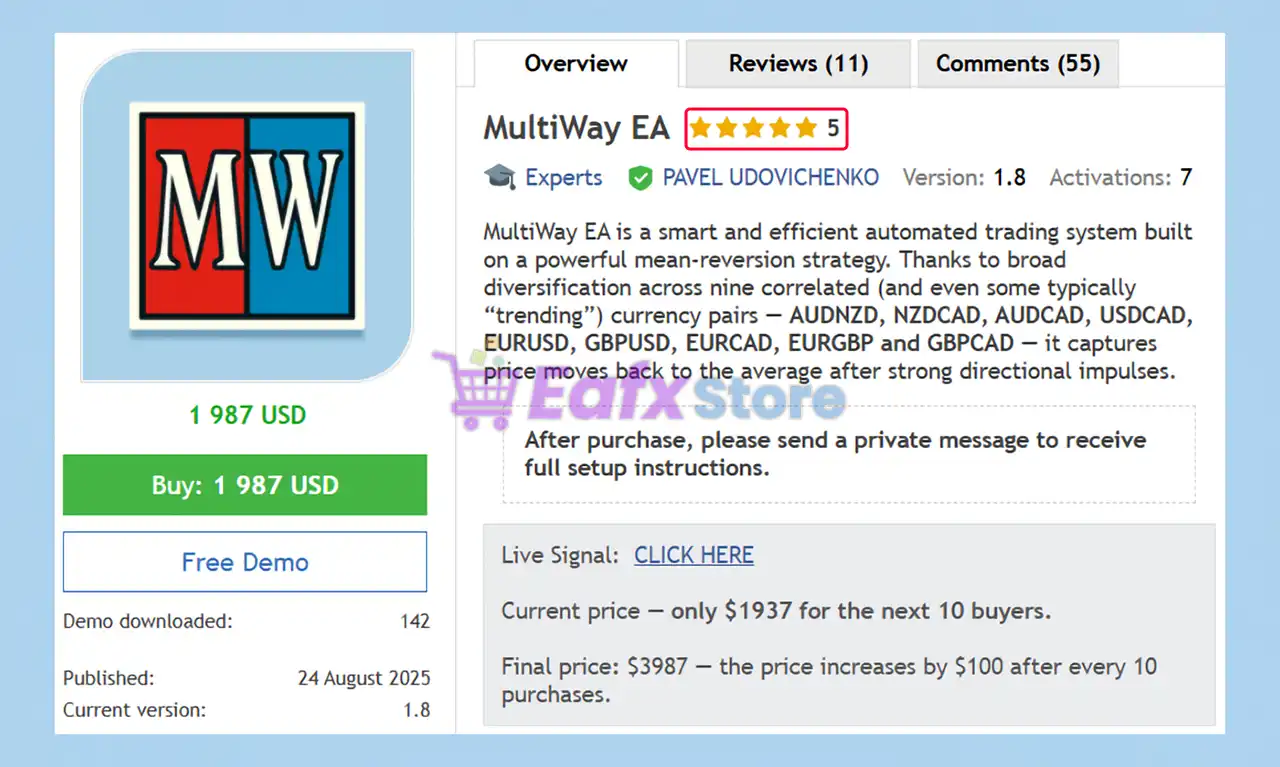
MultiWay EA is an advanced Expert Advisor (EA) designed for automated trading using mean-reversion analysis, adaptive indicators and intelligent risk management. By combining multi-currency diversification, volatility filtering, and structured position control, it delivers stability, adaptability and consistent performance across changing market conditions.
🔶 Vendor Website: View here
About the Author
This product is compiled by PAVEL UDOVICHENKO. This author has more than +7 years of experience working on MQL5 with many famous products such as MultiWay EA MT5, MultiWay EA MT4, FastWay EA MT5, LittleCrazy MT5, NorthEastWay MT5 and other advisors. Among them, MultiWay EA is his best performing products.
Key Features of MultiWay EA for MT5
🔹 Multi-Currency Diversification: Trades nine carefully selected currency pairs to distribute risk efficiently.
🔹 Advanced Volatility Filters: Evaluates market conditions to avoid unfavorable trending environments.
🔹 Adaptive Risk Management: Controls exposure through flexible money-management and loss-limitation tools.
🔹 Multi-Market Analysis: Incorporates currency, futures and options volatility data into decisions.
🔹 Set-And-Forget Design: Built for long-term automated operation with minimal user intervention.
Why Choose & Use MultiWay EA?
🔹 Stable Automated Trading: Designed for consistency across various market cycles and conditions.
🔹 Enhanced Capital Protection: Prioritizes disciplined risk control and controlled drawdown management.
🔹 High Market Adaptability: Adjusts effectively to volatility shifts and changing price behavior.
🔹 Long-Term Trading Solution: Supports sustained operation with minimal maintenance requirements.
🔹 Professional Portfolio Addition: Combines automation, resilience and diversification in one EA.
MultiWay EA MT5 Review
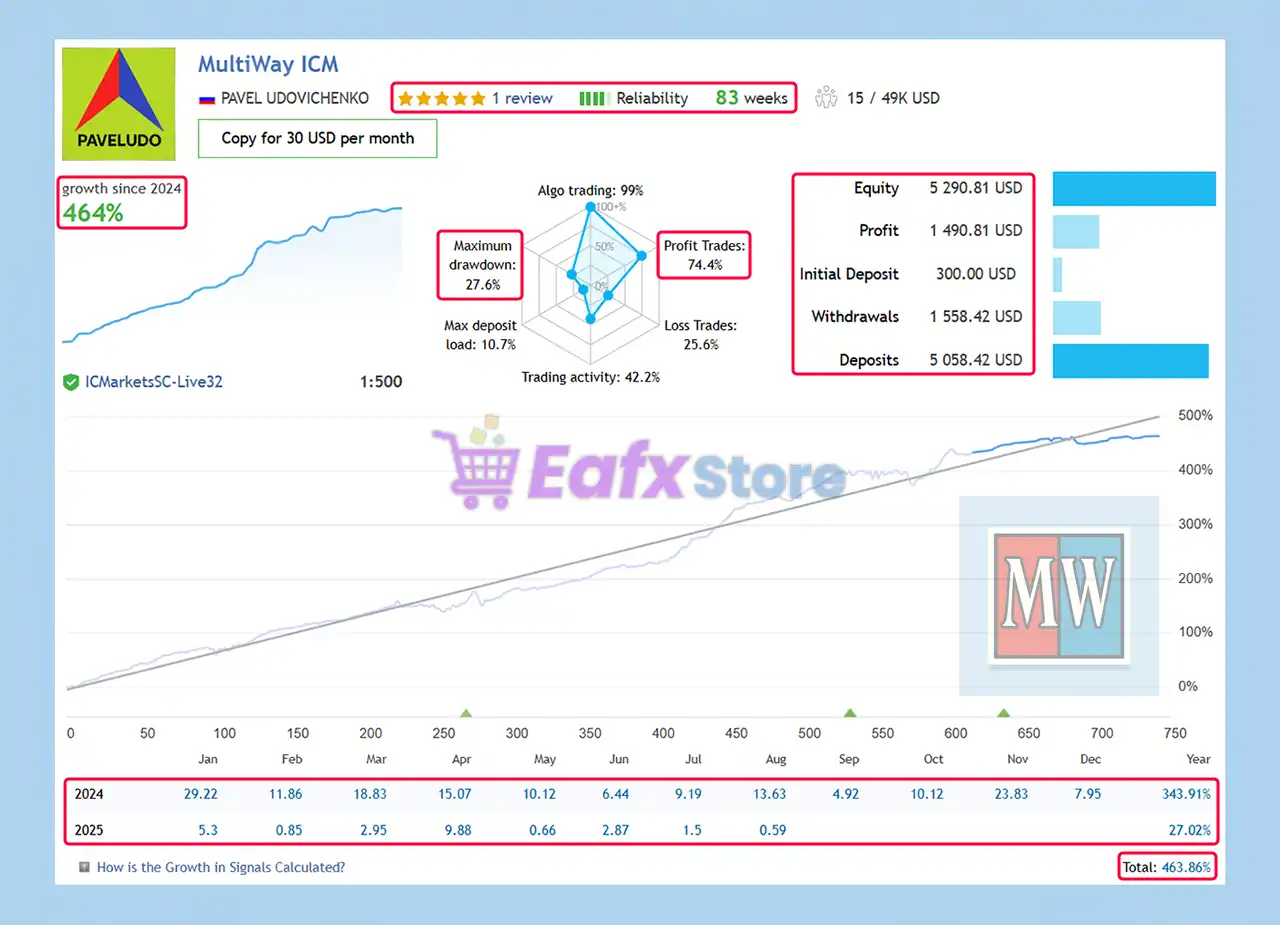
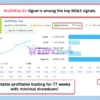
MultiWay EA Signal Results
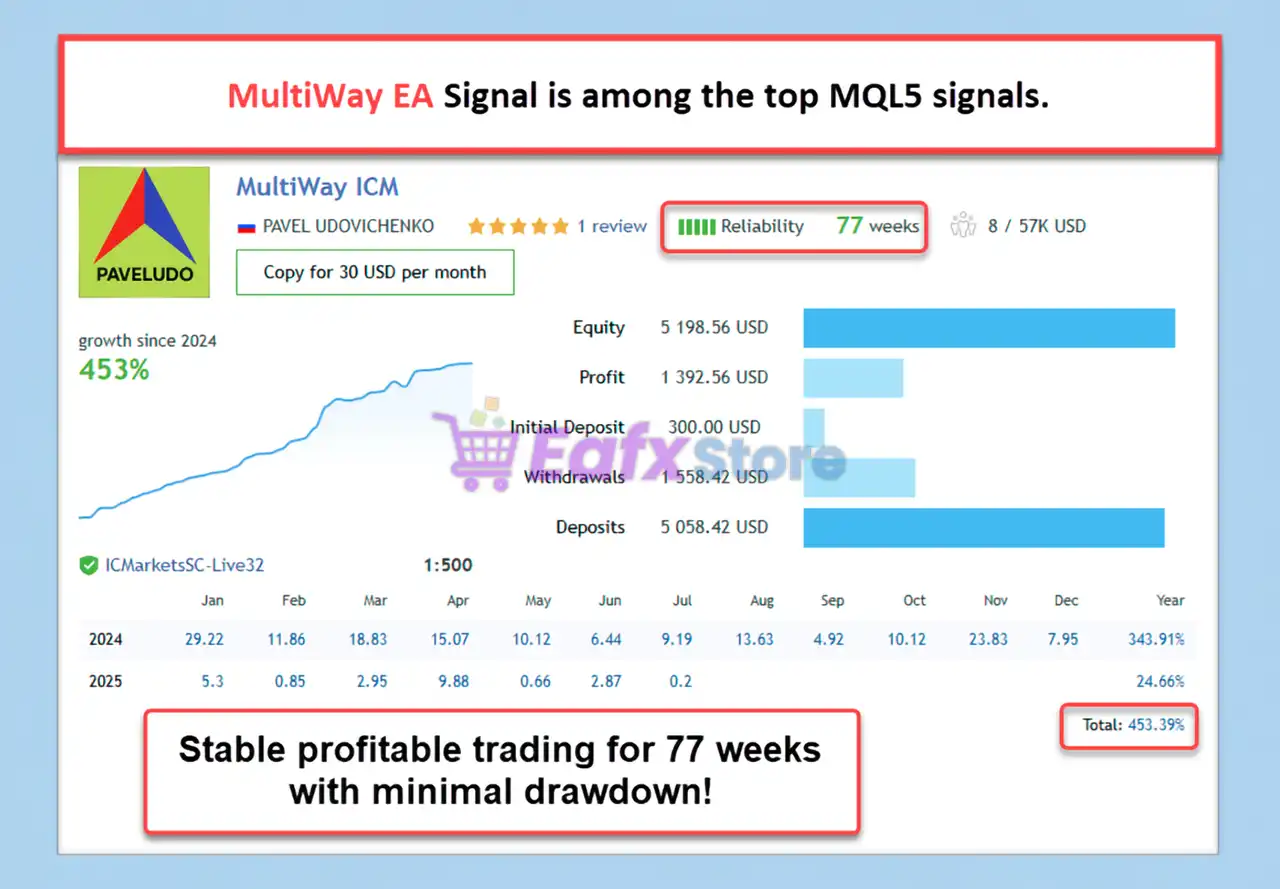
With 83 weeks of trading history, MultiWay EA shows consistent profits, strong growth and stable risk control. Below is a detailed analysis of the account’s trading metrics.
✅ Initial Deposit: $300
✅ Total Growth: +463.86%
✅ Win Rate: 74.4%
✅ Maximum Drawdown: 27.6%
MultiWay EA Live Results
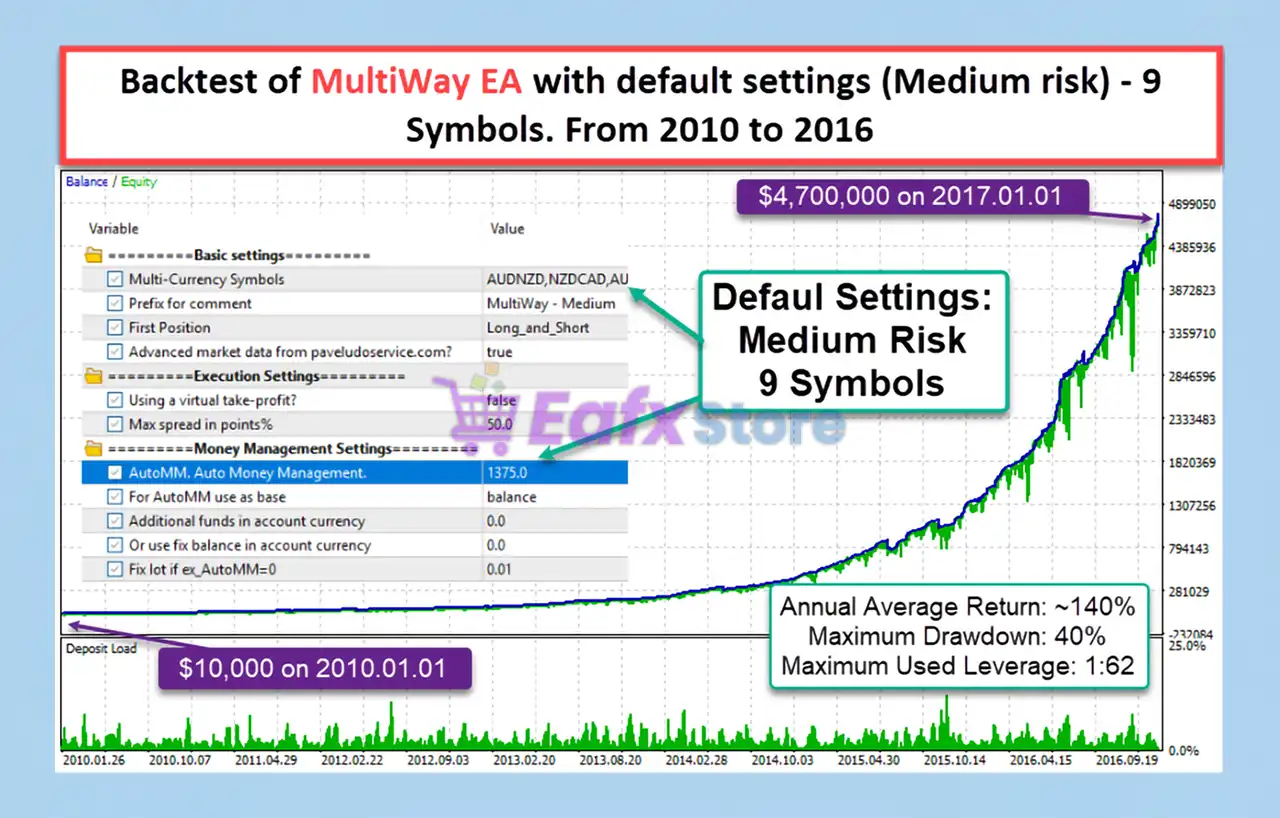
MultiWay EA Backtest Results
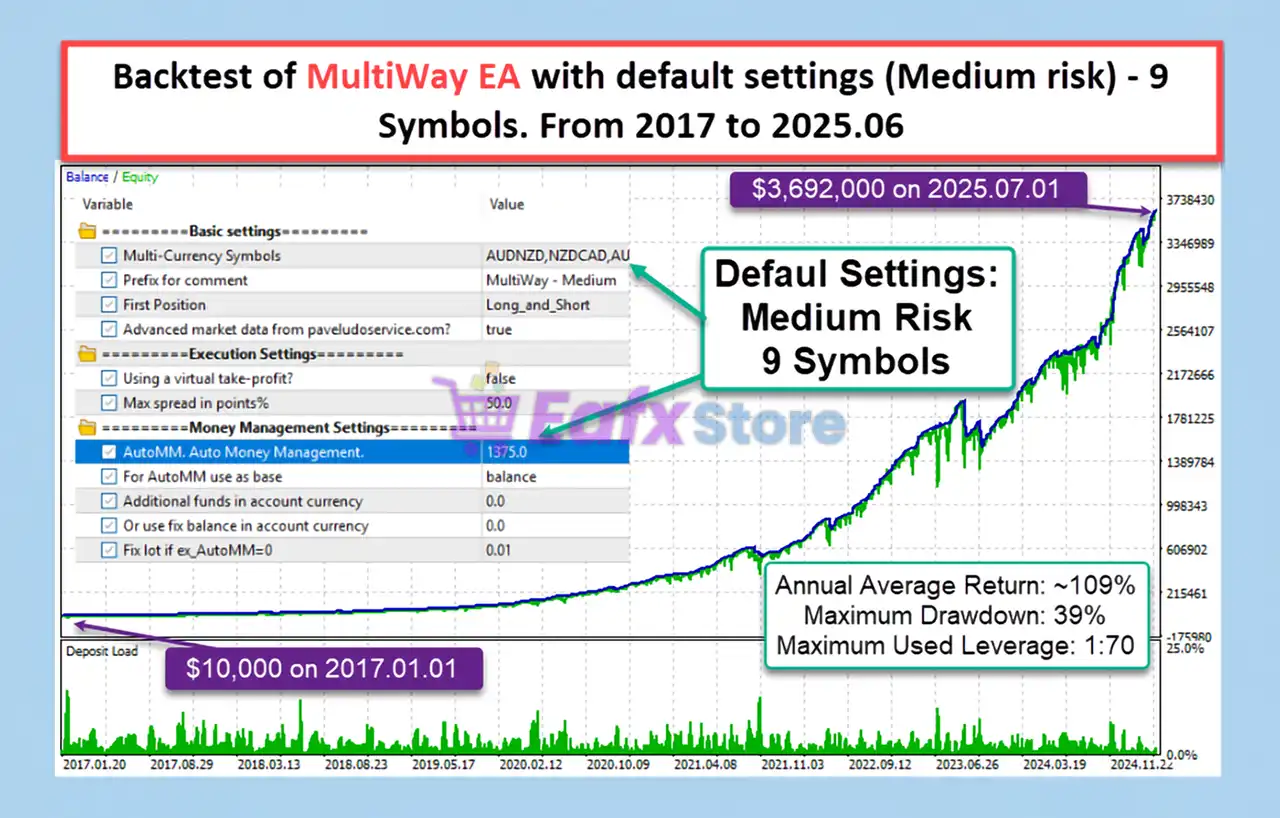
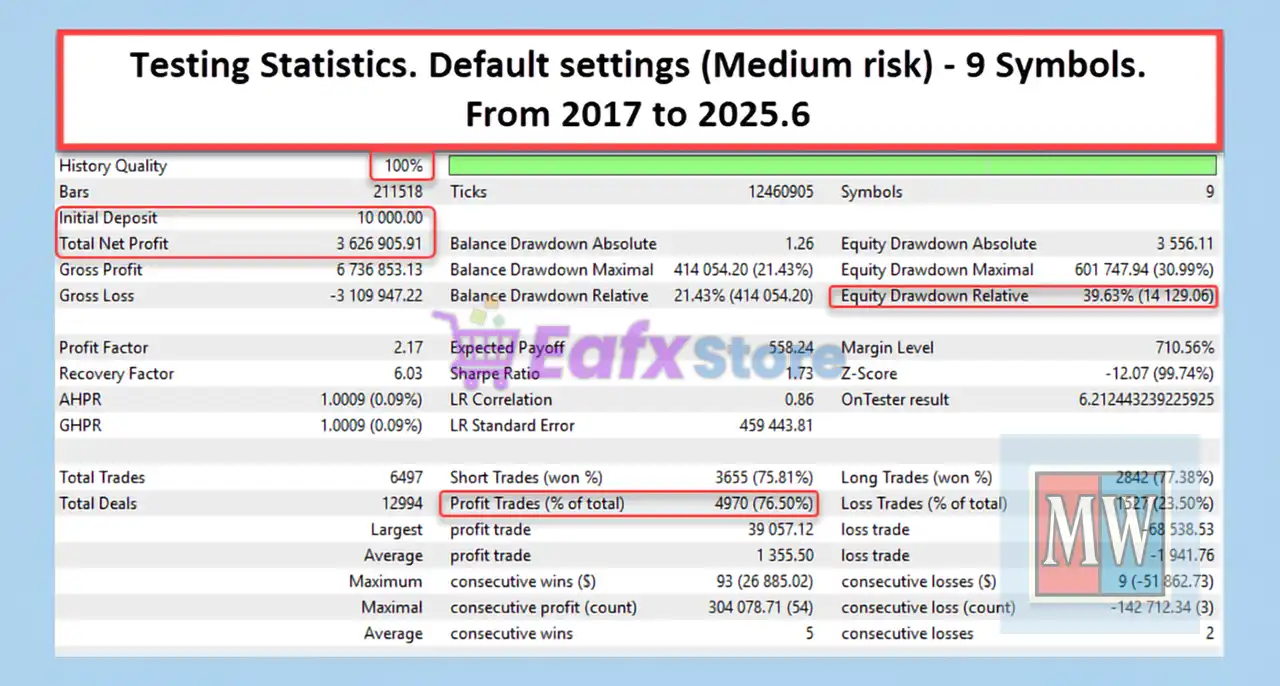
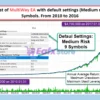
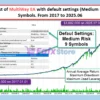
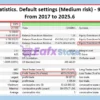
The backtest report of MultiWay EA with default settings (medium risk) across 9 currency pairs from 2017 to mid-2025 provides valuable insights into its long-term profitability, risk profile, and trading stability. Below is a detailed review of the performance metrics.
✅ Initial Deposit: $10,000
✅ Total Net Profit: $3.63 Million
✅ Win Rate: 76.50%
✅ Maximum Drawdown: 21.43%
MultiWay EA Backtest Results
What is the MultiWay EA Trading Strategy?
🔹 Mean-Reversion Trading Logic: Targets price movements returning toward historical average levels.
🔹 Volatility-Based Filtering: Avoids entries when market conditions favor strong one-directional trends.
🔹 Cross-Market Evaluation: Uses futures and options signals to enhance trade selection quality.
🔹 Controlled Position Management: Closes unfavorable trades systematically to preserve capital.
🔹 Diversified Opportunity Capture: Scans multiple correlated currency pairs for trading setups.
Is MultiWay EA MT5 safe?
MultiWay EA shows significant potential in providing stable and reliable profits, making it a reliable tool in the forex market. The advisor is highly appreciated by the MQL5 community in many aspects and has won the trust of users.
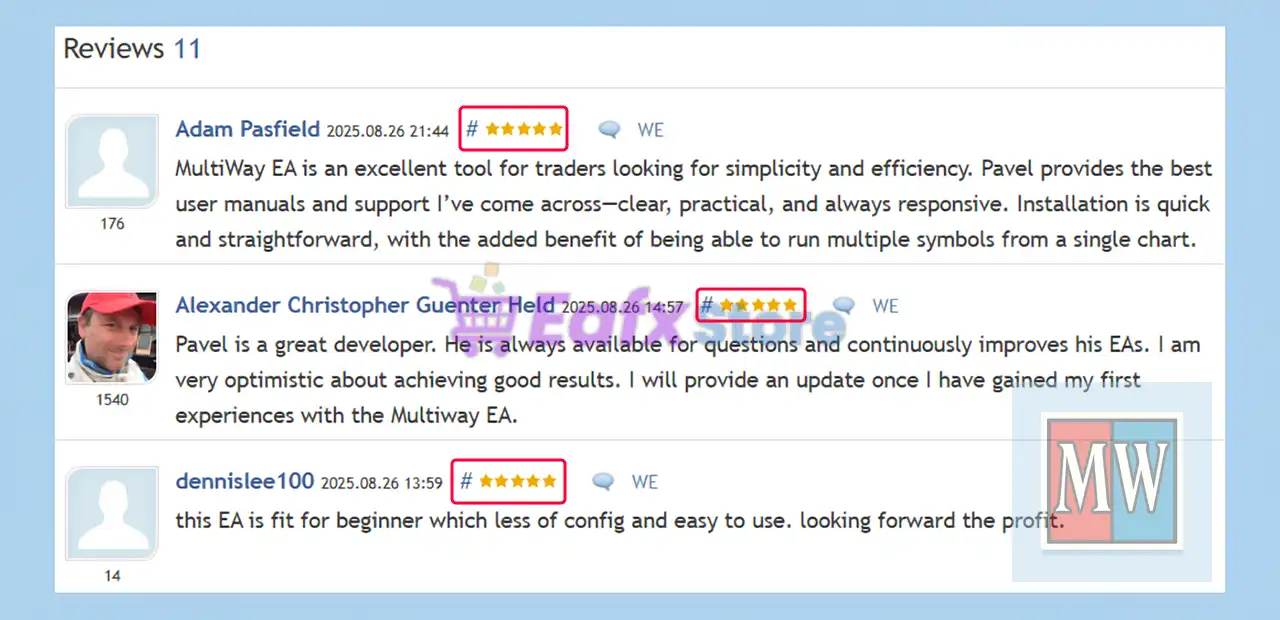
⭐⭐⭐⭐⭐ Alexander Christopher (2025.08.26)
“I am very optimistic about achieving good results. I will provide an update once I have gained my first experiences with the Multiway EA.”
⭐⭐⭐⭐⭐ Dennislee (2025.08.26)
“This EA is fit for beginner which less of config and easy to use. looking forward the profit.”
⭐⭐⭐⭐⭐ Michael Arthur (2025.08.25)
“Backtests look great support has been wonderful an examination of profits will follow once i have had the chance to run it 2-3 months.”
Recommended settings
Recommended settings and parameters to pay attention to from developers and experts:
| Features | Type |
|---|---|
| Trading platform | MetaTrader 5 (MT5) |
| Time frames | M15 (15 minute chart) |
| Currency pairs | AUDNZD, NZDCAD, AUDCAD, USDCAD, EURUSD, GBPUSD, EURCAD, EURGBP and GBPCAD |
| Minimum / Recommended deposit | $3,000 (Recommended initial deposit: $5,000) |
| Minimum / Recommended leverage | 1:100 or more |
| Account type | Hedging |
| Product type | Fix / Unlimited |
| Additional services | Unlock and Decompile |
| Recommended brokers | Exness Broker, Icmarkets Broker |
| Recommended VPS | MyfxVPS.com ( Blue VPS, Golden VPS). Lowest Latency, 2 week Free Trial, 100% Free for 12-18 Months. |
Product Download Package?
The download package of the product suite includes:
Experts
✅ Setting (If Any).docx
✅ Installation Guide.docx
✅ MultiWay EA.ex5
SetFiles
✅ MultiWay_High Risk_$1.5K.set
✅ MultiWay_Low Risk_$6K.set
✅ MultiWay_Medium Risk (default)_$3K.set
✅ MultiWay_Non-Сompounding_$10K_Medium Risk.set
➡️ Reviewed by David Easton
Conclusion
In short, MultiWay EA is a powerful and versatile trading solution built on a mean-reversion strategy with advanced diversification across nine correlated currency pairs. By integrating volatility filters, external market analysis, and controlled risk exits, it provides traders with a stable and reliable approach to long-term Forex profitability. Unlike traditional high-risk systems, MultiWay EA uses a grid framework without Martingale, ensuring safer position management and sustainable growth.
🔢 MultiWay EA MT5 Settings Guide
MultiWay EA is a professional multi-currency Expert Advisor designed for automated portfolio trading with adaptive money management, intelligent execution control, emergency drawdown protection and advanced risk management.
The EA supports simultaneous trading across multiple Forex pairs while offering configurable position sizing, spread filtering, safe exit mechanisms, and emergency protection to help traders optimize long-term portfolio performance.
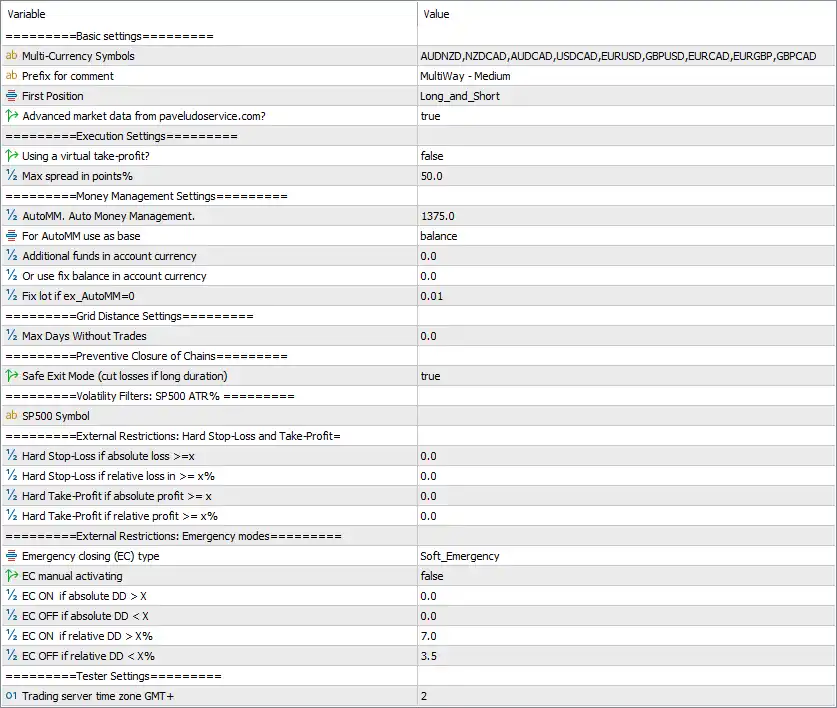
MultiWay EA MT5 Settings Panel
🔢 MultiWay EA MT5 Settings Explained
🔄 Basic Settings
🔹 Multi-Currency Symbols = AUDNZD, NZDCAD, AUDCAD, USDCAD, EURUSD, GBPUSD, EURCAD, EURGBP, GBPCAD – Defines the complete list of currency pairs that the EA will monitor and trade simultaneously.
🔹 Prefix for comment = MultiWay – Medium – Adds the trade comment “MultiWay – Medium” to every position opened by the EA for easy identification.
🔹 First Position = Long_and_Short – Allows the EA to open both Buy and Sell positions as initial trades depending on market conditions.
🔹 Advanced market data from pavelduroservice.com? = true – Enables the use of advanced external market data to improve trading decisions and execution quality.
🔄 Execution Settings
🔹 Using a virtual take-profit? = false – Uses broker-side Take Profit orders instead of virtual profit management.
🔹 Max spread in points% = 50.0 – Prevents opening new trades when the current spread exceeds 50.0 points.
🔄 Money Management Settings
🔹 AutoMM. Auto Money Management. = 1375.0 – Sets the automatic money management factor to 1375.0 for dynamic lot size calculation.
🔹 For AutoMM use as base = balance – Uses the account balance as the reference for automatic position sizing.
🔹 Additional funds in account currency = 0.0 – No additional account balance is added when calculating lot sizes.
🔹 Or use fix balance in account currency = 0.0 – Fixed balance mode is disabled.
🔹 Fix lot if ex_AutoMM = 0 = 0.01 – Uses a fixed trading volume of 0.01 lots whenever Auto Money Management is disabled.
🔄 Grid Distance Settings
🔹 Max Days Without Trades = 0.0 – No maximum inactivity period is applied before the EA resumes trading.
🔄 Preventive Closure of Chains
🔹 Safe Exit Mode (cut losses if long duration) = true – Enables Safe Exit Mode to automatically reduce prolonged losing trading chains and improve portfolio stability.
🔄 Volatility Filters
SP500 ATR%
🔹 SP500 Symbol = (empty) – No custom S&P 500 symbol is specified for volatility monitoring, allowing the broker’s default mapping if available.
🔄 External Restrictions
Hard Stop-Loss and Take-Profit
🔹 Hard Stop-Loss if absolute loss >= x = 0.0 – Absolute monetary stop-loss protection is disabled.
🔹 Hard Stop-Loss if relative loss in >= x% = 0.0 – Relative percentage stop-loss protection is disabled.
🔹 Hard Take-Profit if absolute profit >= x = 0.0 – Absolute monetary profit target is disabled.
🔹 Hard Take-Profit if relative profit >= x% = 0.0 – Relative percentage profit target is disabled.
🔄 Emergency Modes
🔹 Emergency closing (EC) type = Soft_Emergency – Uses the Soft Emergency protection mode to gradually reduce trading risk during adverse conditions.
🔹 EC manual activating = false – Manual emergency mode activation is disabled.
🔹 EC ON if absolute DD > X = 0.0 – Absolute drawdown trigger is disabled.
🔹 EC OFF if absolute DD < X = 0.0 – Absolute drawdown recovery trigger is disabled.
🔹 EC ON if relative DD > X% = 7.0 – Automatically activates Emergency Mode when account drawdown reaches 7.0%.
🔹 EC OFF if relative DD < X% = 3.5 – Automatically disables Emergency Mode once drawdown falls below 3.5%.
🔄 Tester Settings
🔹 Trading server time GMT+ = 2 – Sets the trading server timezone to GMT+2 for accurate session timing and historical testing.
🔢 Conclusion
MultiWay EA MT5 is a robust portfolio trading Expert Advisor built for traders who want diversified multi-currency automation with intelligent money management and comprehensive risk protection. Its combination of automatic position sizing, spread control, Safe Exit Mode, emergency drawdown management, and multi-symbol trading makes it suitable for both conservative and advanced traders seeking stable long-term portfolio performance.
🔢 FAQs
❓ What markets can MultiWay EA MT5 trade?
MultiWay EA MT5 is configured to trade multiple Forex pairs simultaneously, including AUDNZD, NZDCAD, AUDCAD, USDCAD, EURUSD, GBPUSD, EURCAD, EURGBP, and GBPCAD.
❓ How does Auto Money Management work in MultiWay EA MT5?
The EA automatically calculates lot sizes using the account balance and the configured AutoMM value of 1375.0, helping maintain consistent risk management.
❓ What is Safe Exit Mode?
Safe Exit Mode automatically cuts prolonged losing trading chains to reduce drawdown and improve overall account stability.
❓ When does Emergency Mode activate?
The Soft Emergency system automatically activates when the account reaches a 7.0% relative drawdown and deactivates once drawdown decreases below 3.5%.
❓ Can I use a fixed lot instead of automatic lot sizing?
Yes. If Auto Money Management is disabled, the EA will trade using the configured fixed lot size of 0.01 lots.
User Reviews
Only logged in customers who have purchased this product may leave a review.
❓ What trading platform does MultiWay EA run on?
MultiWay EA is designed for MetaTrader 5 (MT5) and works with most brokers that support hedging accounts.
❓ Which currency pairs are supported by MultiWay EA?
It trades across nine correlated pairs: AUDNZD, NZDCAD, AUDCAD, USDCAD, EURUSD, GBPUSD, EURCAD, EURGBP, and GBPCAD.
❓ What is the minimum deposit required to use MultiWay EA?
The minimum deposit is $3,000, but the recommended starting capital is $5,000 or more for stable performance.
❓ Does MultiWay EA use Martingale or other high-risk strategies?
No. MultiWay EA applies a grid trading system without Martingale, ensuring safer and more sustainable risk control.
❓ What is the core trading strategy of MultiWay EA?
The EA is based on a mean-reversion strategy with broad diversification across nine pairs, supported by advanced volatility filters and external market data.
❓ What timeframe does MultiWay EA trade on?
The recommended timeframe is M15 (15-minute chart) for optimal entries and risk management.
❓ How does MultiWay EA manage risk?
Risk is controlled with advanced volatility filters, controlled loss exits, flexible money management, and grid spacing to minimize large drawdowns.
❓ What performance results has MultiWay EA achieved?
✅ Live results: +463.86% growth in 83 weeks with a 74.4% win rate and 27.6% drawdown.
✅ Backtest results (2017–2025): $10,000 grew to $3.63M, with a 76.5% win rate and 21.43% drawdown.
❓ Is MultiWay EA beginner-friendly?
Yes. It follows a “set and forget” philosophy, with clean logic and minimal configuration, making it suitable even for beginners.
-
 Original price was: $1,200.00.$69.00Current price is: $69.00.
 -
 Original price was: $500.00.$89.00Current price is: $89.00.
 -
 Original price was: $1,499.00.$199.00Current price is: $199.00.
 -
 Original price was: $3,999.00.$299.00Current price is: $299.00.
-
 4
4 -
 0
0 -
 5Price range: $89.00 through $599.00
 -
 3Price range: $89.00 through $599.00
There are no reviews yet.